Andy Geppert
-
PCB Design
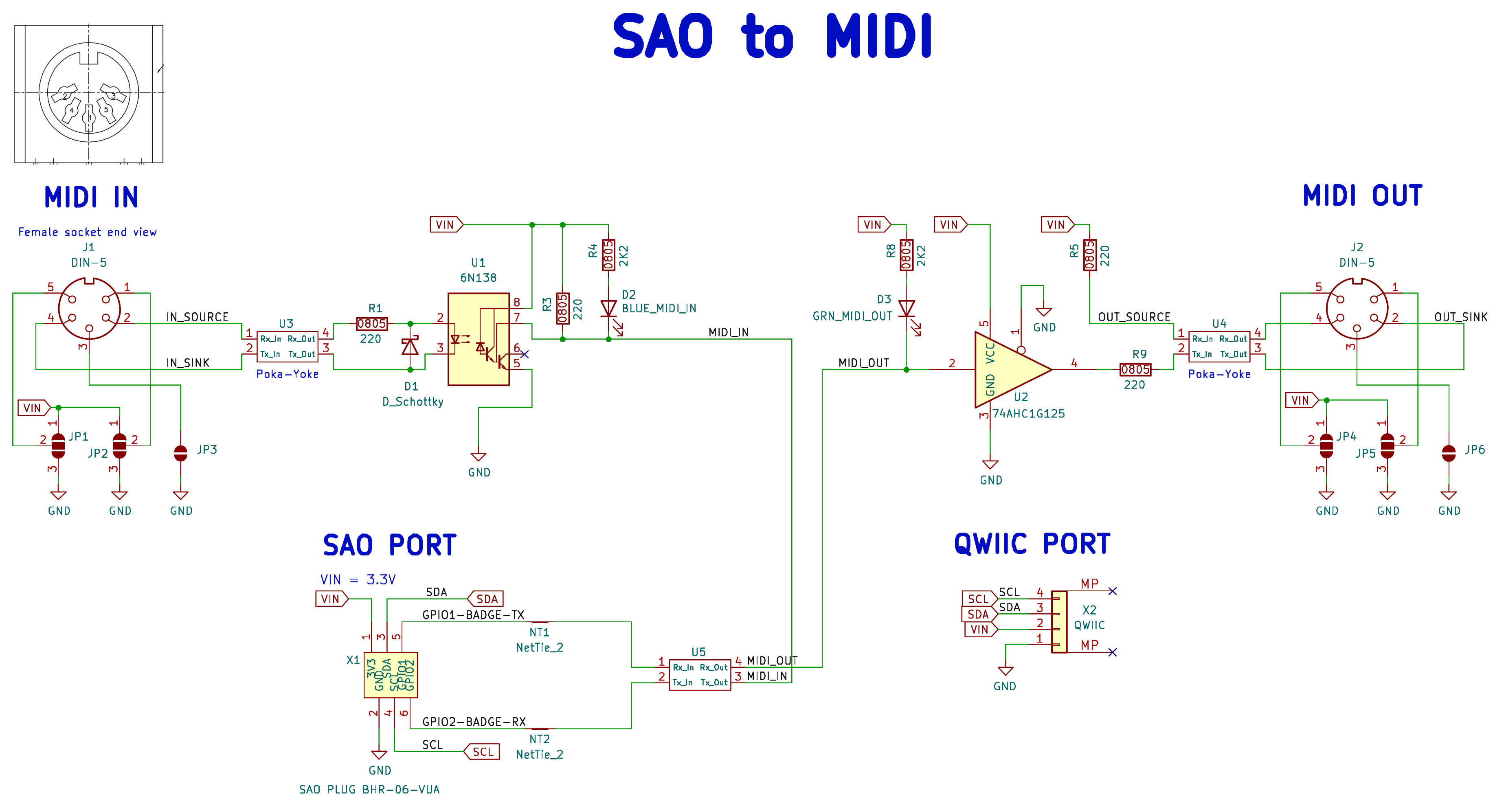
03/25/2025 at 12:58 • 0 commentsThis is the schematic I came up with by referring to various web sources, especially similar SparkFun and Adafruit shields.
![]()
I also include Poka-Yoka resistor pads in case I messed up the polarity of the signals. This was inspired by https://github.com/PabloOyarzo/poka-yoke_rxtx and modified by me to have the correct footprint. It's untested until I get the PCBs!
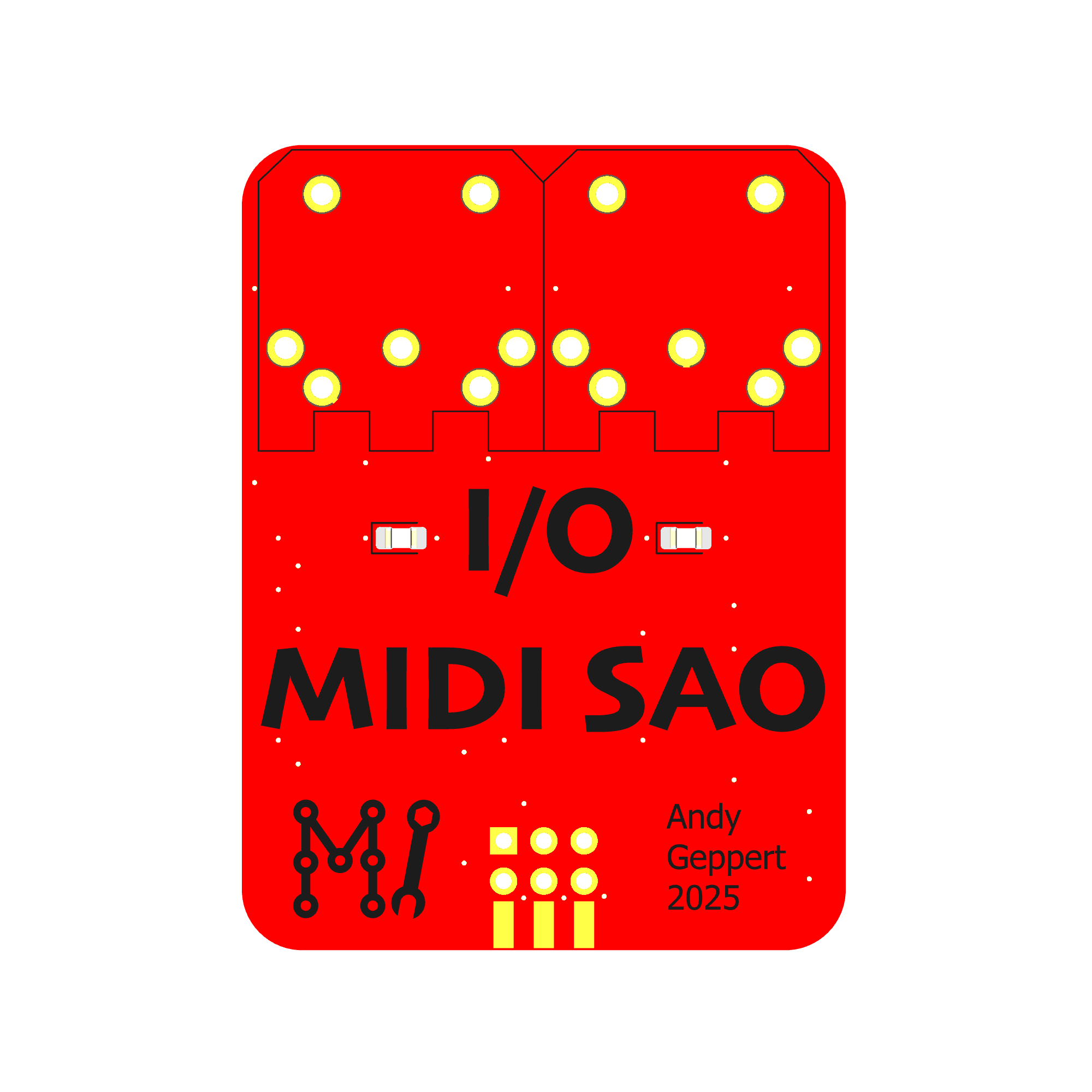
The layout is fairly simple, in the same form factor as many of my other SAOs. It just barely fits the two MIDI ports side-by-side!
![]()
To the left and right of the I/O text are two LEDs to represent data flow, respectively.
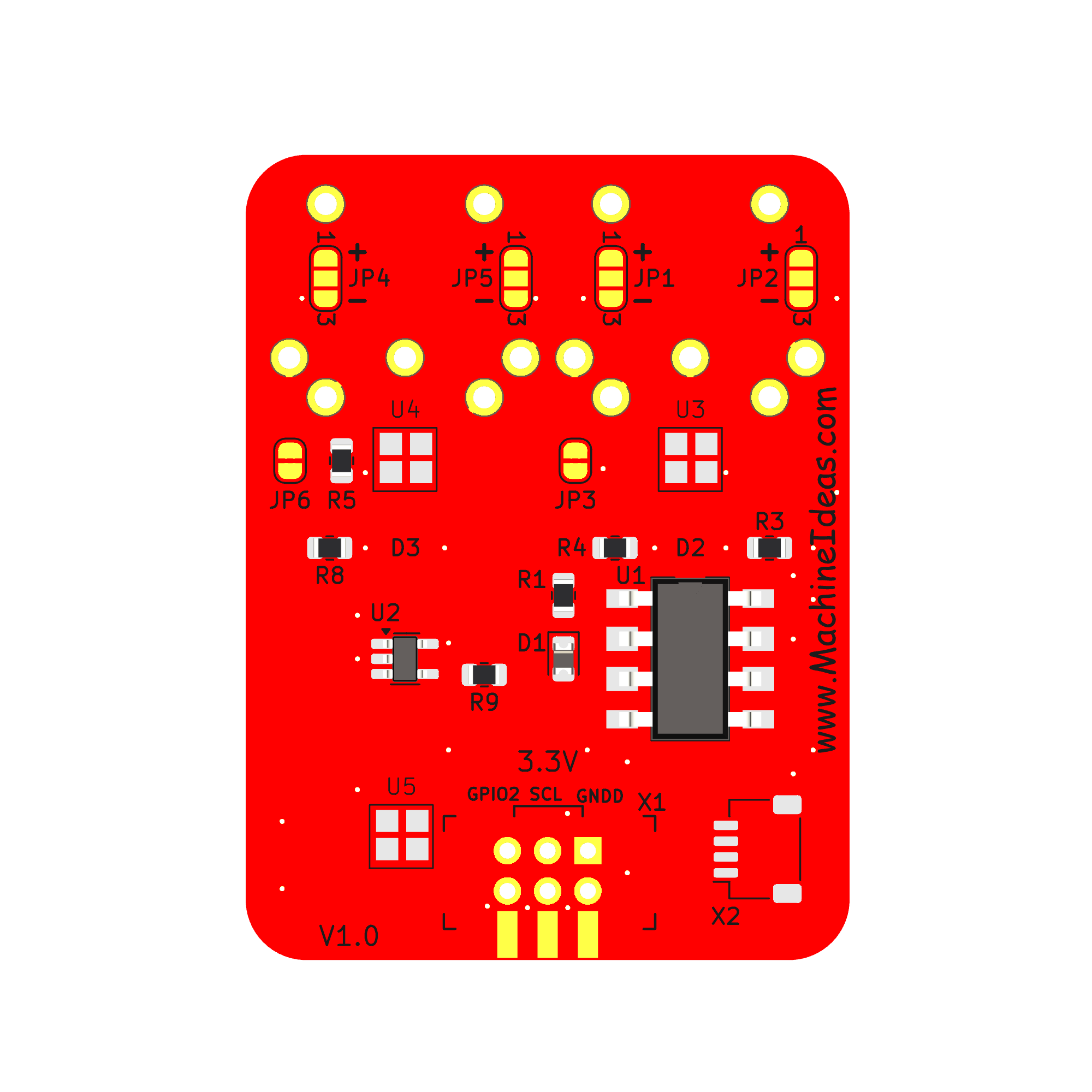
All of the other components are on the back side:
![]()
It was an exercise in restraint to keep V1 simple and not add more features!
-
Learning about MIDI
03/25/2025 at 12:48 • 0 commentsIn order to climb the MIDI learning curve, I started by exploring what Sparkfun has to offer for MIDI break-out boards. To get a proof-of concept working, I used the following components.
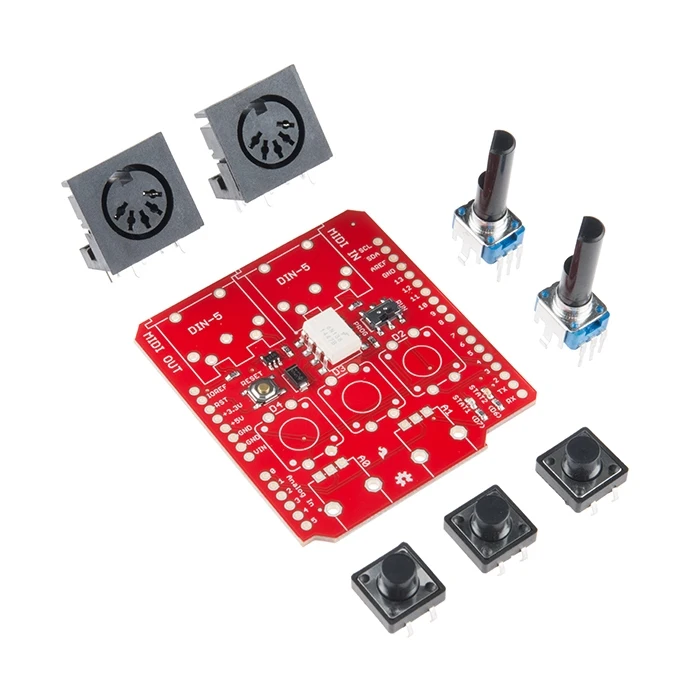
MIDI SHIELD: Converts single wire TX/RX to the MIDI compatible electrical signal which operates over two wires in the 5-PIN round connector. In my test set-up, I'm transmitting MIDI through an SAO GPIO1 output with bit-banging [soft] serial from the Core64 Badge (could be any badge or serial output capable MCU board). The signal is converted to MIDI, goes to the "MIDI OUT" port through the MIDI cable, and then back into the "MIDI IN" port where the signal is converted back to a one-wire serial stream.![]()
MIDI Shield Credit: https://www.sparkfun.com/sparkfun-midi-shield.html
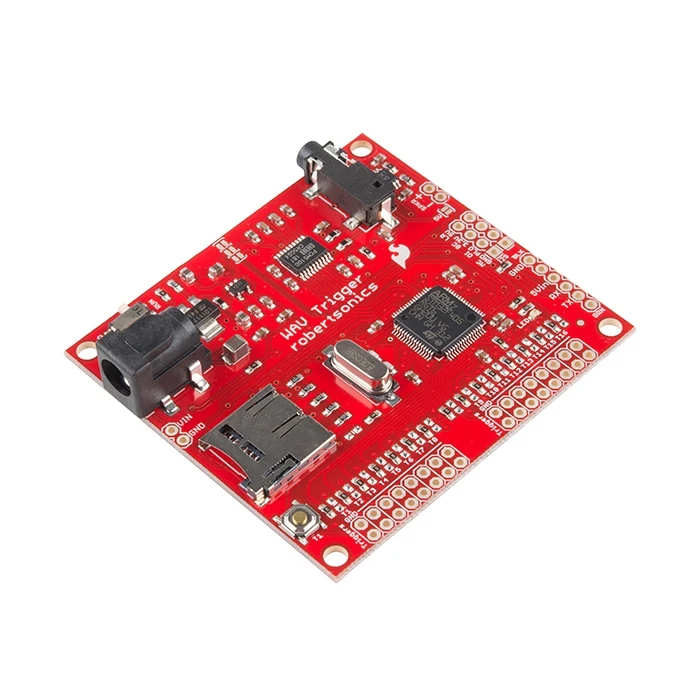
WAV TRIGGER: Receives the one wire serial data command to turn notes on and off. The notes are played from a corresponding file on the SD Card. This is a product Sparkfun sells but it is designed and supported by www.RobertSonics.com - it's quite capable and even includes an onboard audio amplifier. Robert offers an impressive range of customizable boards like this.![]()
WAV TRIGGER Credit: https://www.sparkfun.com/wav-trigger.html
The MIDI Library I am using on the Core64 (or Arduino UNO) is:https://github.com/FortySevenEffects/arduino_midi_library
This library has a lot of capability and seems to be the most common and best option for Arduino-based MIDI stuff.
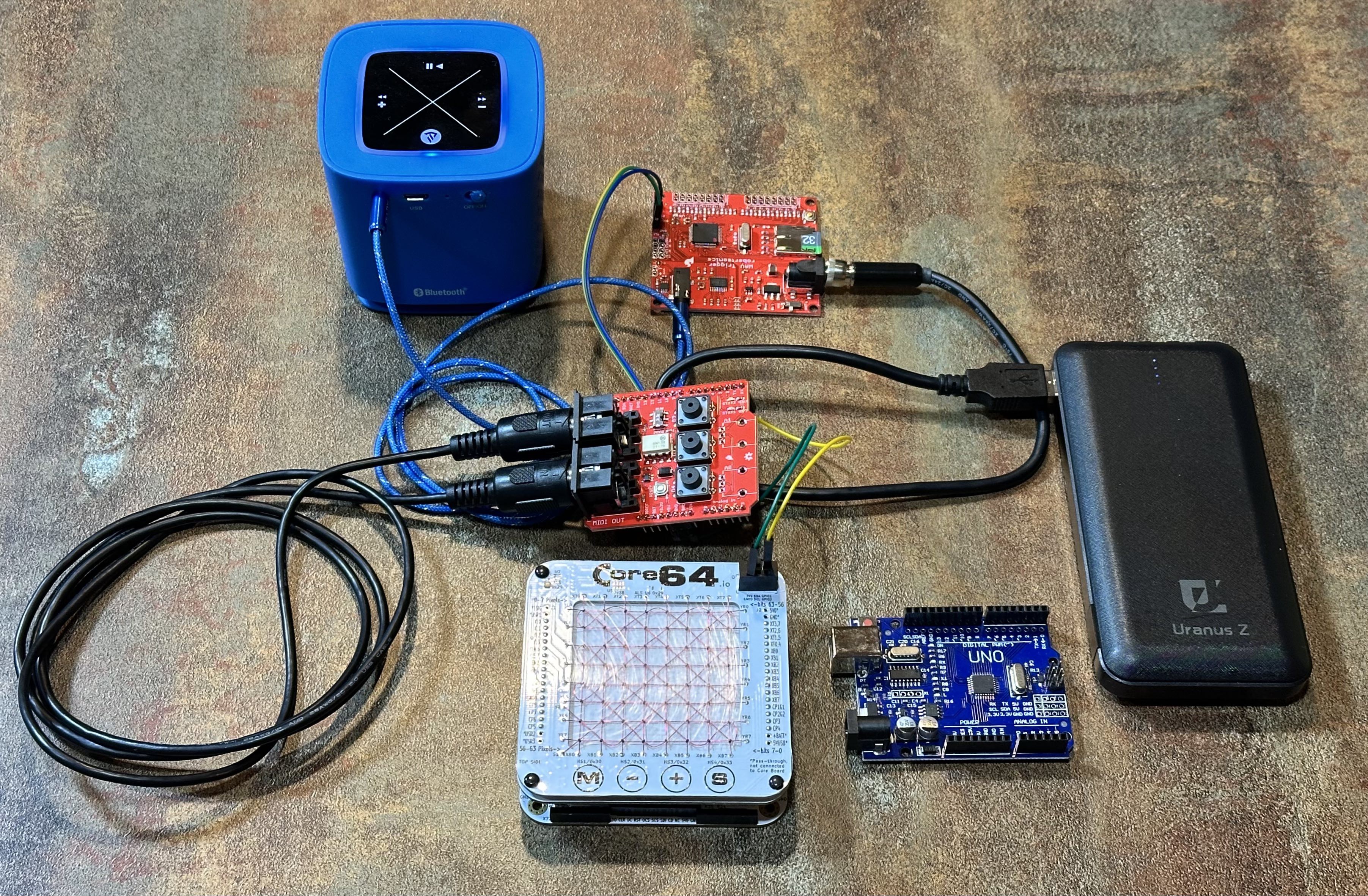
When it is all strung together, it looks like this:
![]()
The WAV Trigger board has an 1/8" audio output jack which is connected to the standalone portable speaker (blue). The Black "Uranus Z" is just a USB battery pack. And the Arduino UNO clone was what I started with to get the sample code running.
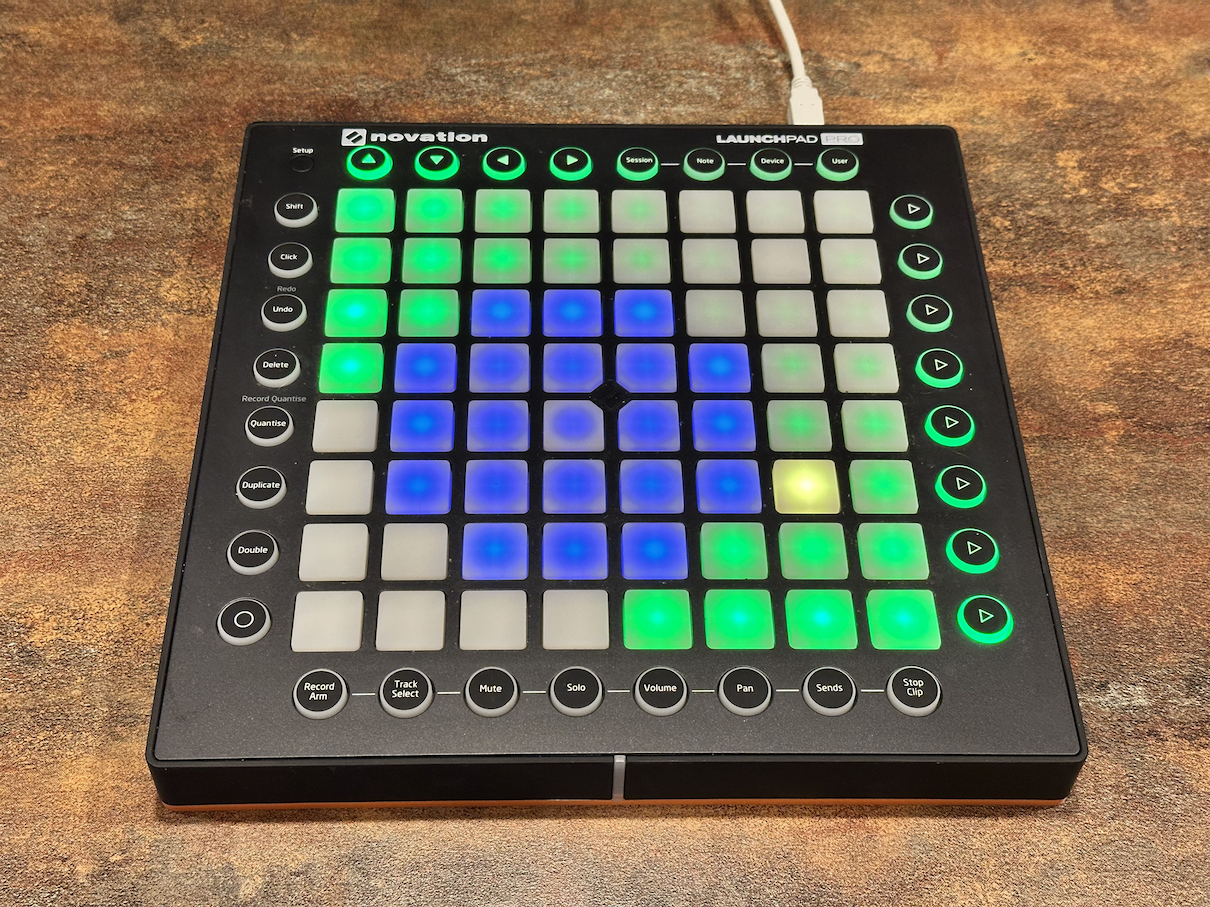
At this point, I can run the demo easily on an Raspberry Pi Pico (the MCU on the Core64) with the Philhower core (instead of using the Arduino/MBED core). I'm trying glue the demo code and my mainline Core64 code together now, so that each bit of core memory (and LED) on the Core64 will trigger a MIDI note. This will enable the Core64 to behave like a MIDI Controller Grid:
![]()
Here are some more resources for learning about MIDI:https://learn.sparkfun.com/tutorials/midi-shield-hookup-guide
https://www.tigoe.com/pcomp/code/communication/midi/
https://codeandlife.com/2016/01/17/midi-to-usb-adapter-with-teensy-lc/
Talk MIDI with the Bus Pirate (on Talk Like a Pirate Day)
https://learn.sparkfun.com/tutorials/wav-trigger-hookup-guide-v11
SAO to MIDI
Use your badge to send and receive MIDI through the SAO port!