Ricardo Sappia
-
TVArgenta v2.0 – All New Features + Ready-to-Flash Image!
11/14/2025 at 18:51 • 0 commentsTVArgenta 2.0 Official release
TVArgenta v2.0 is here — and the full ready-to-flash image is officially available!
This update transforms TVArgenta into a more complete, seamless and user-friendly retro platform for Raspberry Pi users.In this video I walk through all the new features, including:
- Ready-to-flash system image
- ust flash it and boot — no manual setup required.
- Multi-language support
- The entire system (TV overlay + web dashboard) now supports English, Spanish and German. Switch languages instantly on screen.
- Improved Wi-Fi management
- Connect or switch networks directly from the TV interface with the new on-screen setup.
- Instant QR access to the web dashboard
- Scan the on-screen QR code to access the full backend — anywhere, from any device.
- Redesigned web management UI
- Cleaner pages, better uploads, clearer content lists and improved navigation.
- Fully open-source + easy to reproduce
- Anyone with a Raspberry Pi, a 3D printer and some time can build their own TVArgenta.
- All scripts, 3D files, source code and documentation are public.
Download the official image (GitHub/Archive.org):
https://github.com/rsappia/TVArgenta-Release
https://archive.org/details/2025-11-11-tvargenta-public-v-2.img - Ready-to-flash system image
-
Project Major Update — TVArgenta Evolves Again!
11/12/2025 at 17:19 • 0 commentsIt’s been a while since the last major update, and this one really pushes TVArgenta forward into a more complete, seamless, and user-friendly retro system. What started as a nostalgic Raspberry Pi TV is now turning into a full-featured hybrid that bridges two eras — and makes setup easier than ever.
🆕 W hat’s New
- Ready-to-flash system image — everything comes pre-configured, no manual setup required.
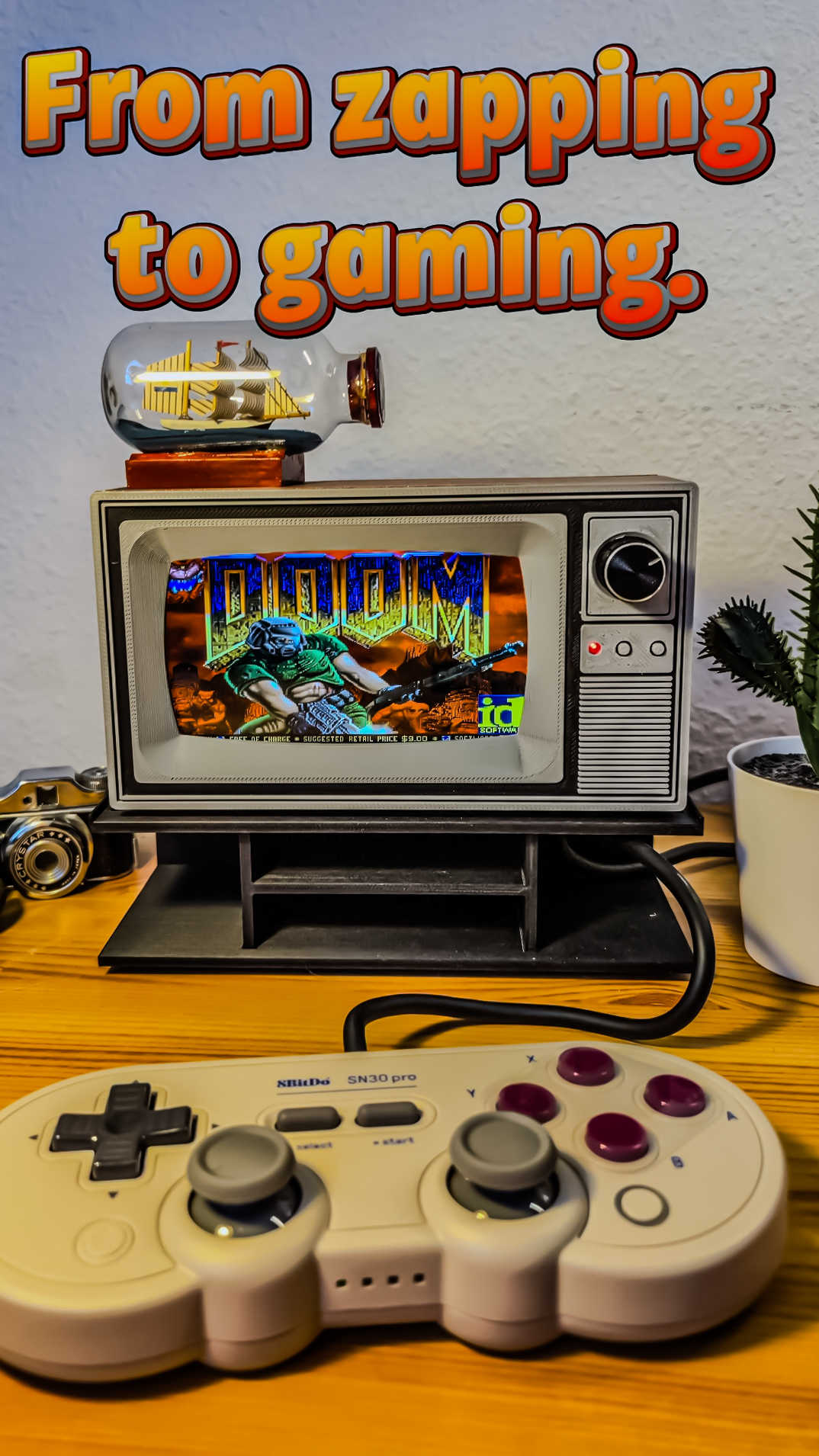
- RetroPie integration — switch effortlessly between TV mode and gaming mode.
- Bluetooth controller pairing — connect your controller by cable or wirelessly for instant play.
- Wi-Fi management — new on-screen network setup lets you connect or change networks directly.
- Multi-language support — both the TV interface and the web management pages can now be displayed in multiple languages. Reworked web management pages — redesigned layout for smoother content editing and easier uploads.
- New on-screen overlays — refreshed menu system directly on the TV display for quicker navigation.
All these improvements aim to make TVArgenta feel more alive, flexible, and approachable — whether you’re using it as a nostalgic TV, a gaming console, or both. Every function now feels more tightly integrated, and the experience more polished.
Detailed instructions on how to flash and use the new image will be available soon on GitHub, along with the official download link once it goes live.
-
TV mode meets gaming mode — the hybrid is complete.
10/27/2025 at 14:19 • 0 commentsThis log documents a major update: integration of RetroPie, turning the retro TV experience into something one can now play as well as watch.
![]()
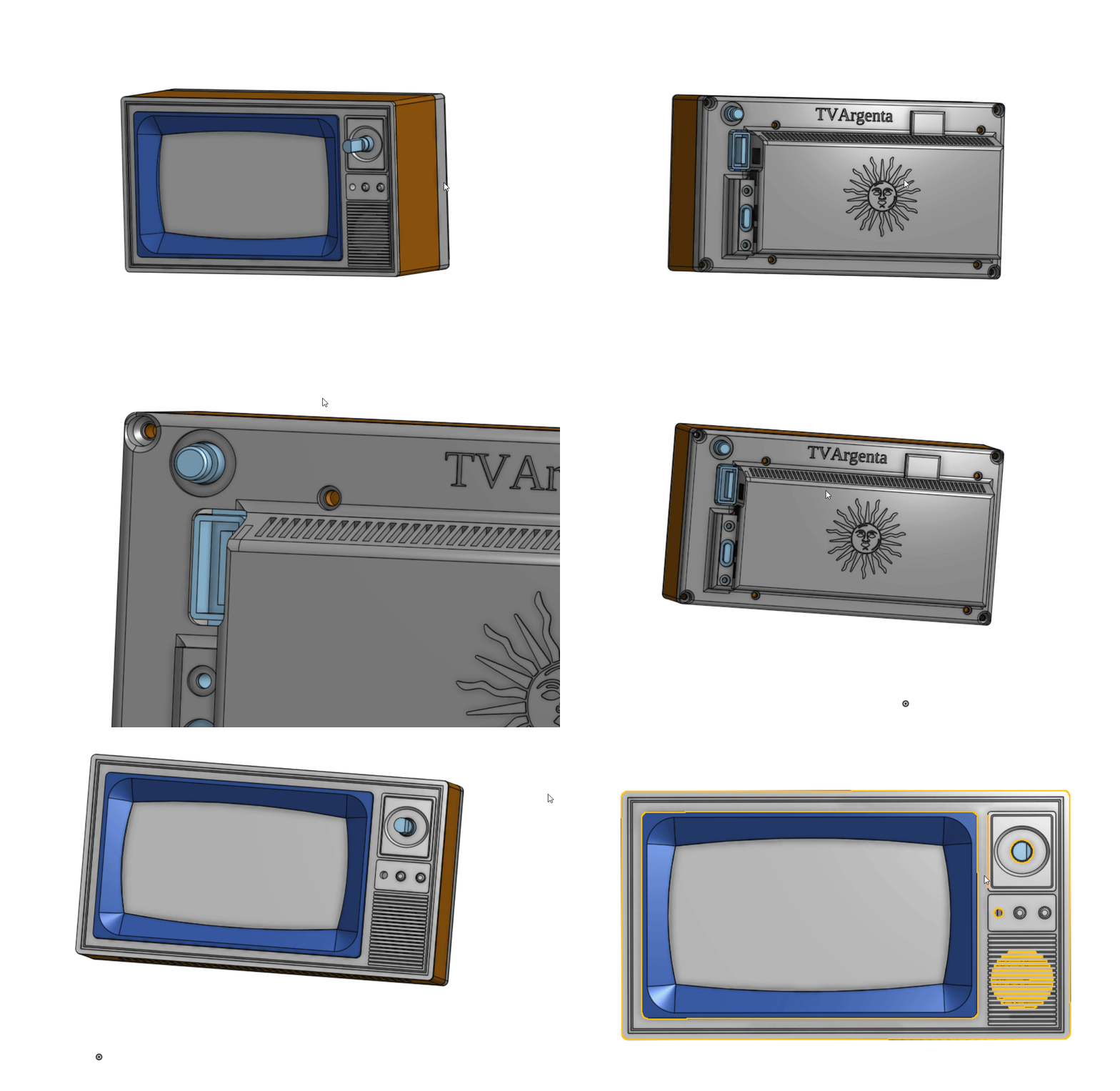
The case has been modified to allow an USB connection from the outside, opening new posibilites of inputs.
![]()
Retro Raspberry Pi TV Brings Back Channel Surfing
3D-printed Raspberry Pi TV that plays curated clips via a local Flask backend for full offline content control.