Close
0%
0%

TempGun Pro

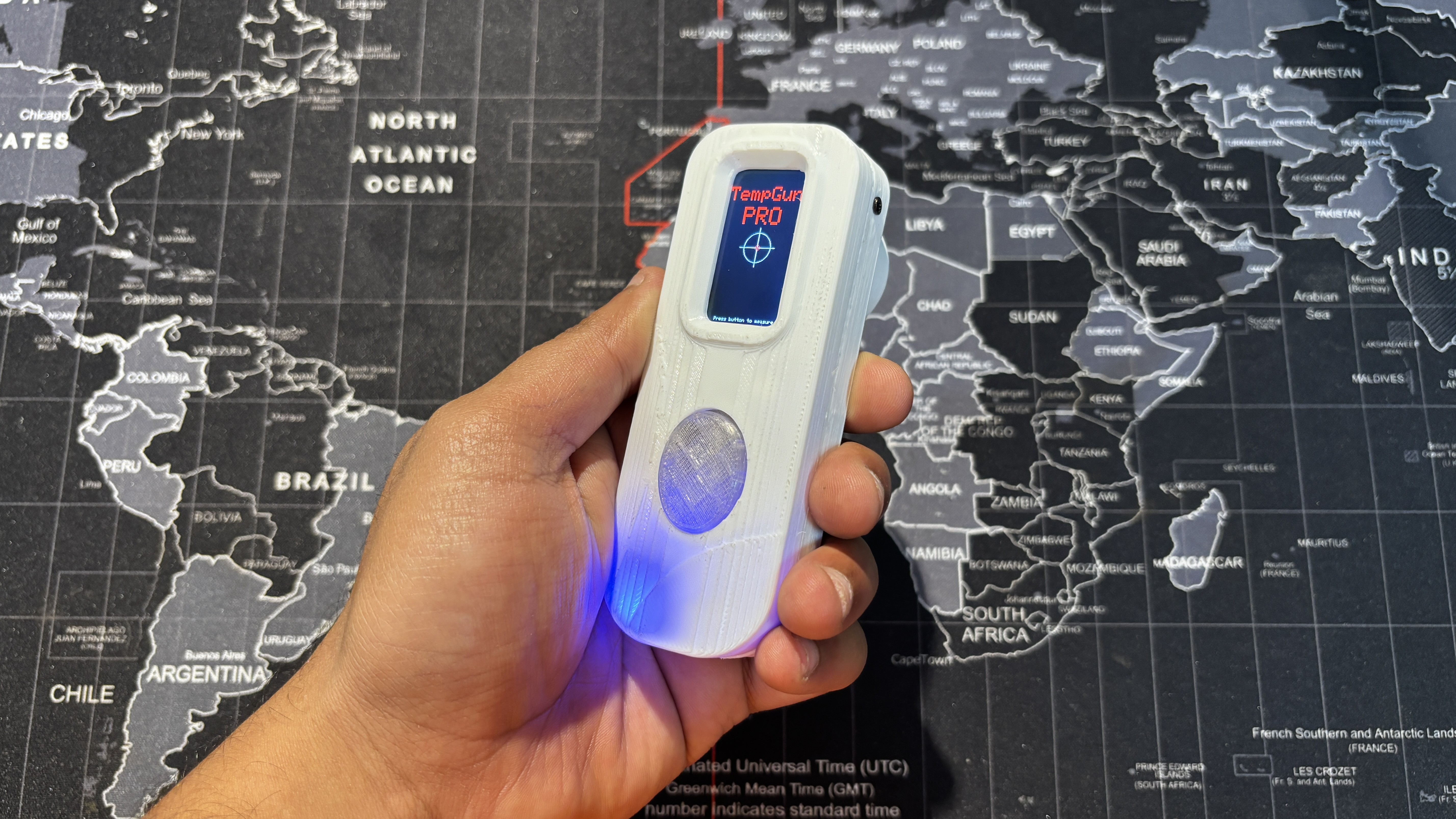
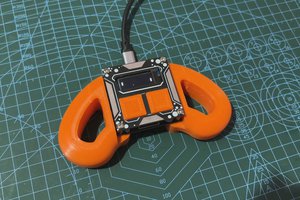
TempGun Pro is an open-source temperature gun powered by a custom ESP32 C6 devboard paired with an MLX90614 infrared temperature sensor.

Similar projects worth following
Greetings, everyone, and welcome back. Meet TempGun Pro, a handheld open-source infrared temperature capture gun powered by ESP32 C6 1.47 display, and a custom circuit.

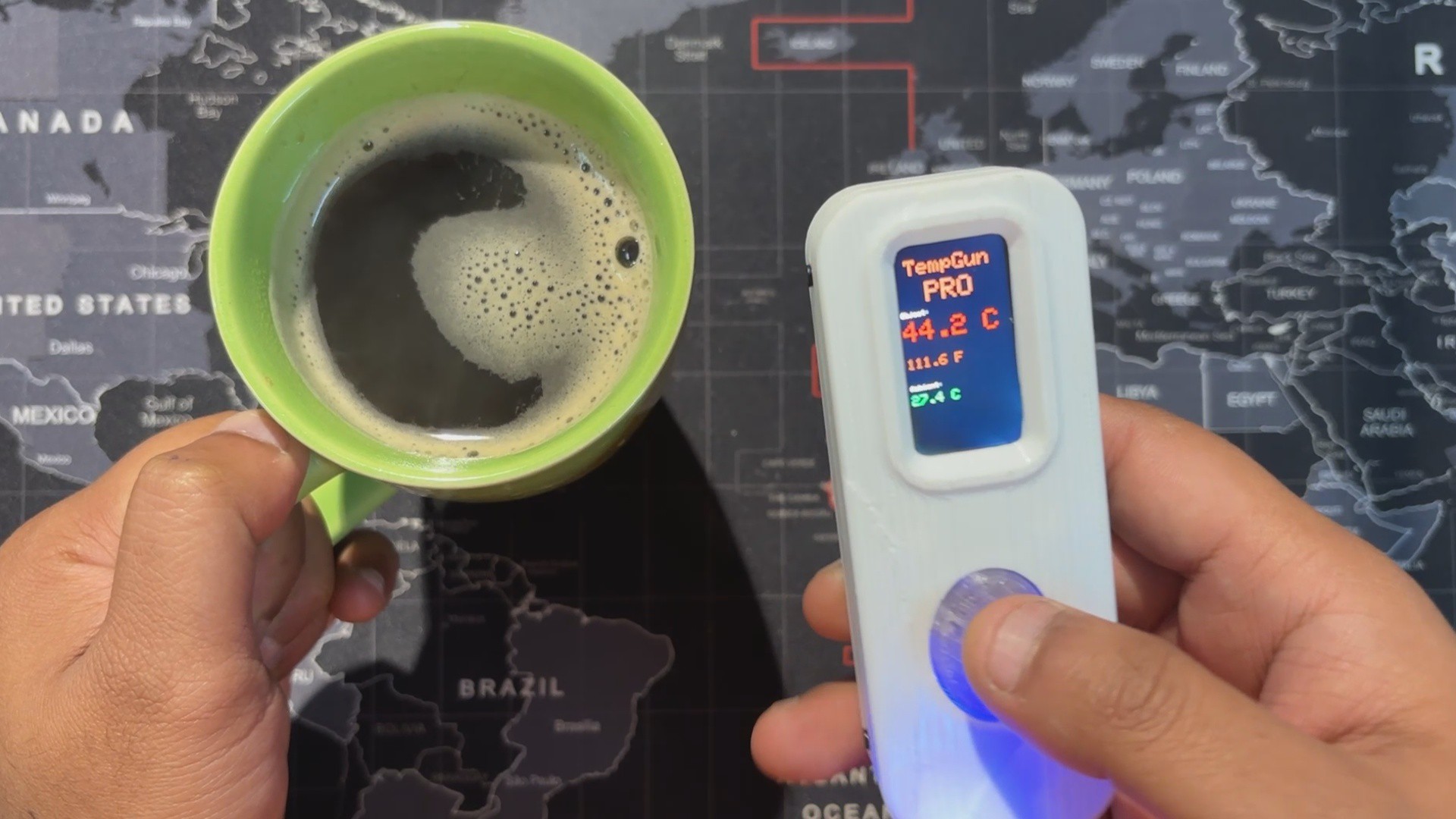
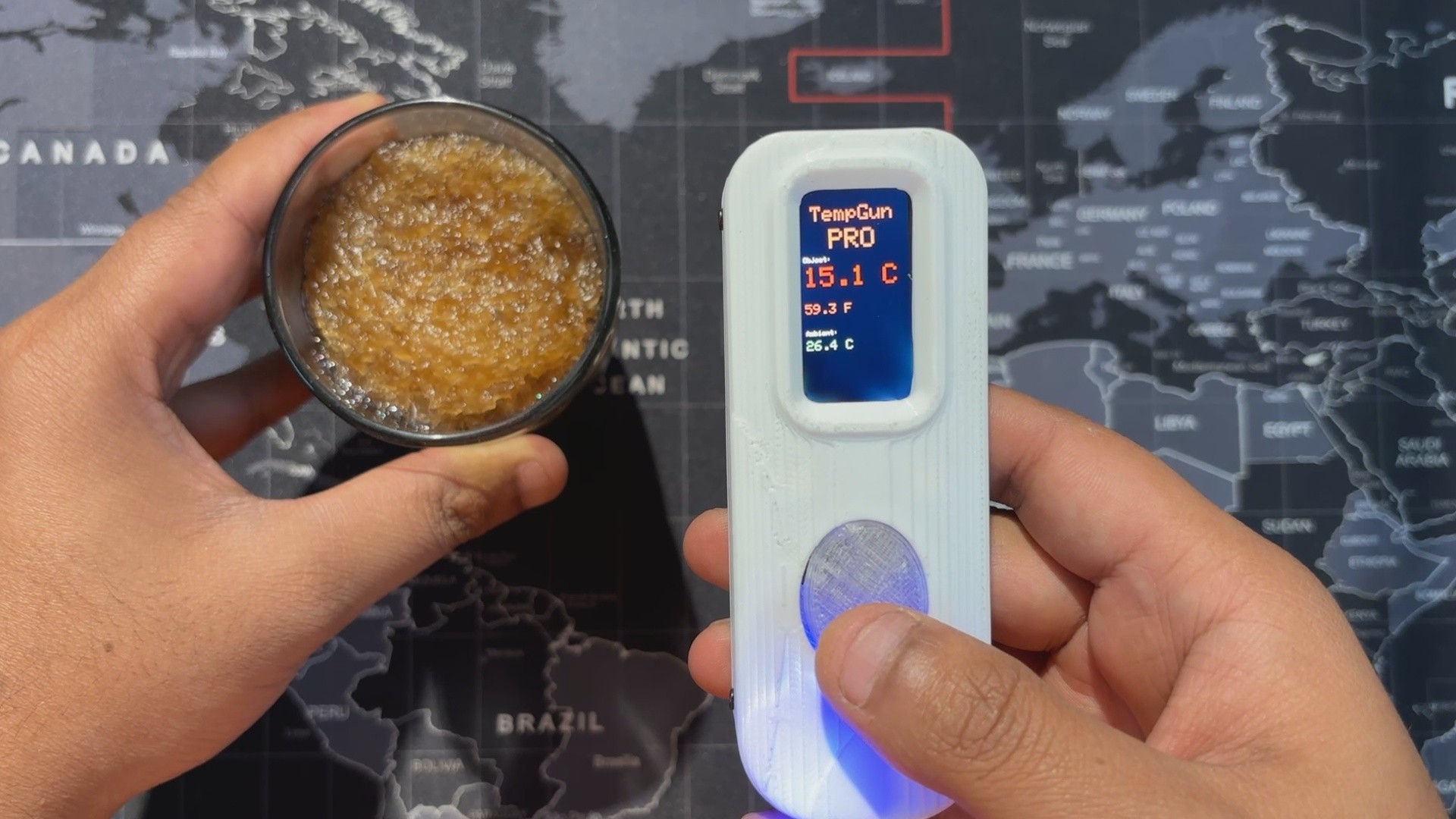
The aim behind this project was straightforward. I needed a temperature meter to measure different things while working with electronics and 3D printing. I already had a Fluke temperature gun, but when it stopped working, I needed an urgent alternative, something cheaper that could still perform almost as well.

The best part was how easy it was to build. I reused my earlier Medic Mini project, an ESP32‑C6 dev board with a screen, buttons, and battery circuit. I just added an MLX90614 infrared temperature sensor to the GPIO pins, wrote up a quick code, made an enclosure, and the project was ready.

This article walks you through the process in a few easy steps.

Medic Mini Mainboard
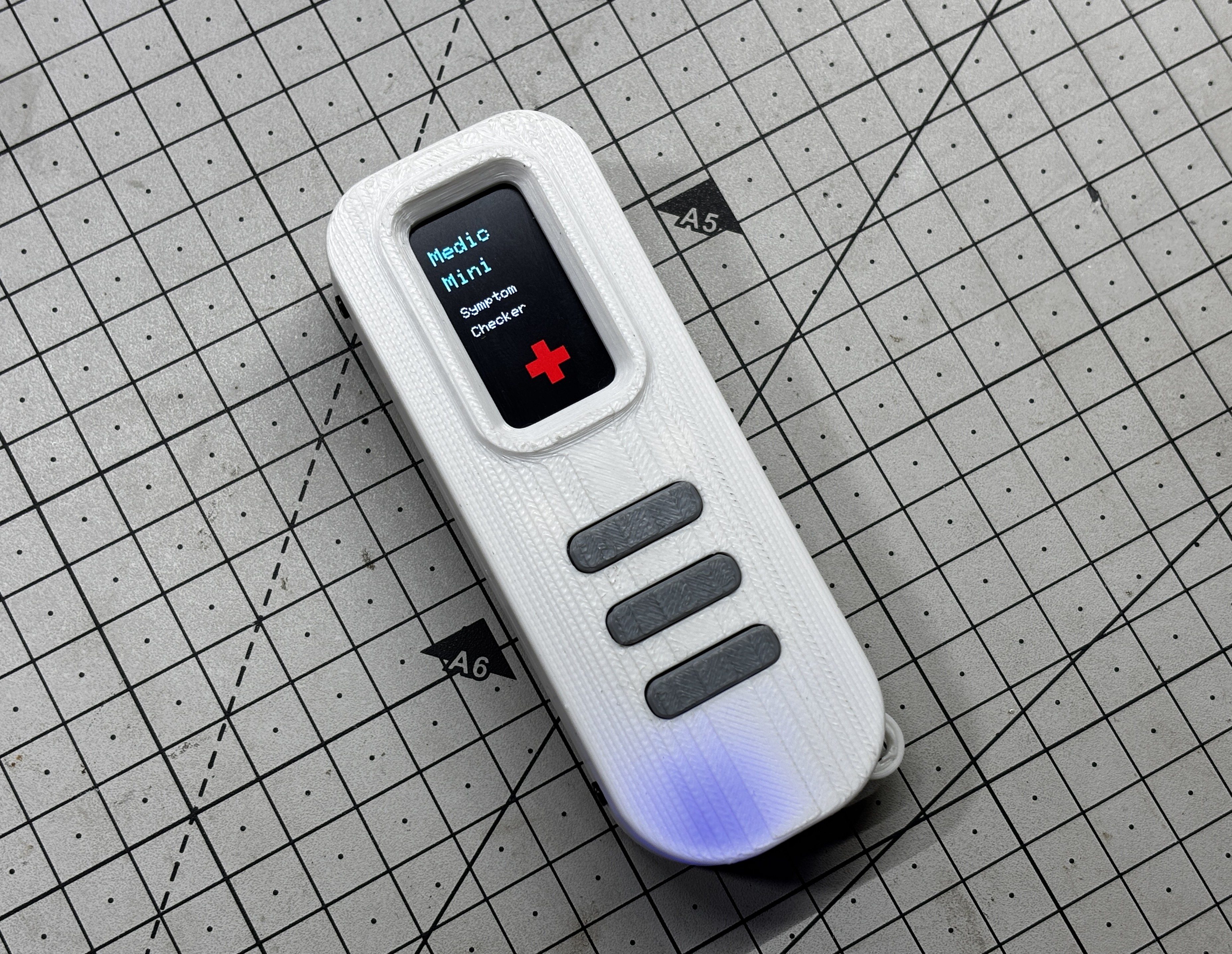
We built TempGun Pro by reusing the Medic Mini main board with just a few small modifications and add‑ons. To recap, Medic Mini was a handheld self‑diagnostic tool powered by an ESP32‑C6 and a 1.47" Waveshare display, all packed into a custom PCB and 3D‑printed enclosure. It featured three tactile buttons to guide users through symptom checks and offered quick suggestions without needing apps or internet.

The interface was straightforward: one symptom at a time, answered with Yes, No, or Not Sure. Based on those inputs, the device provided a basic diagnostic suggestion, making health checks fast and accessible.

I designed Medic Mini as a compact, standalone tool that is easy to use and built entirely from scratch, combining hardware, logic, and design into one project.

You can check out more about Medic Mini from its article page.

https://www.hackster.io/Arnov_Sharma_makes/medic-mini-f0895d#toc-materials-required-0

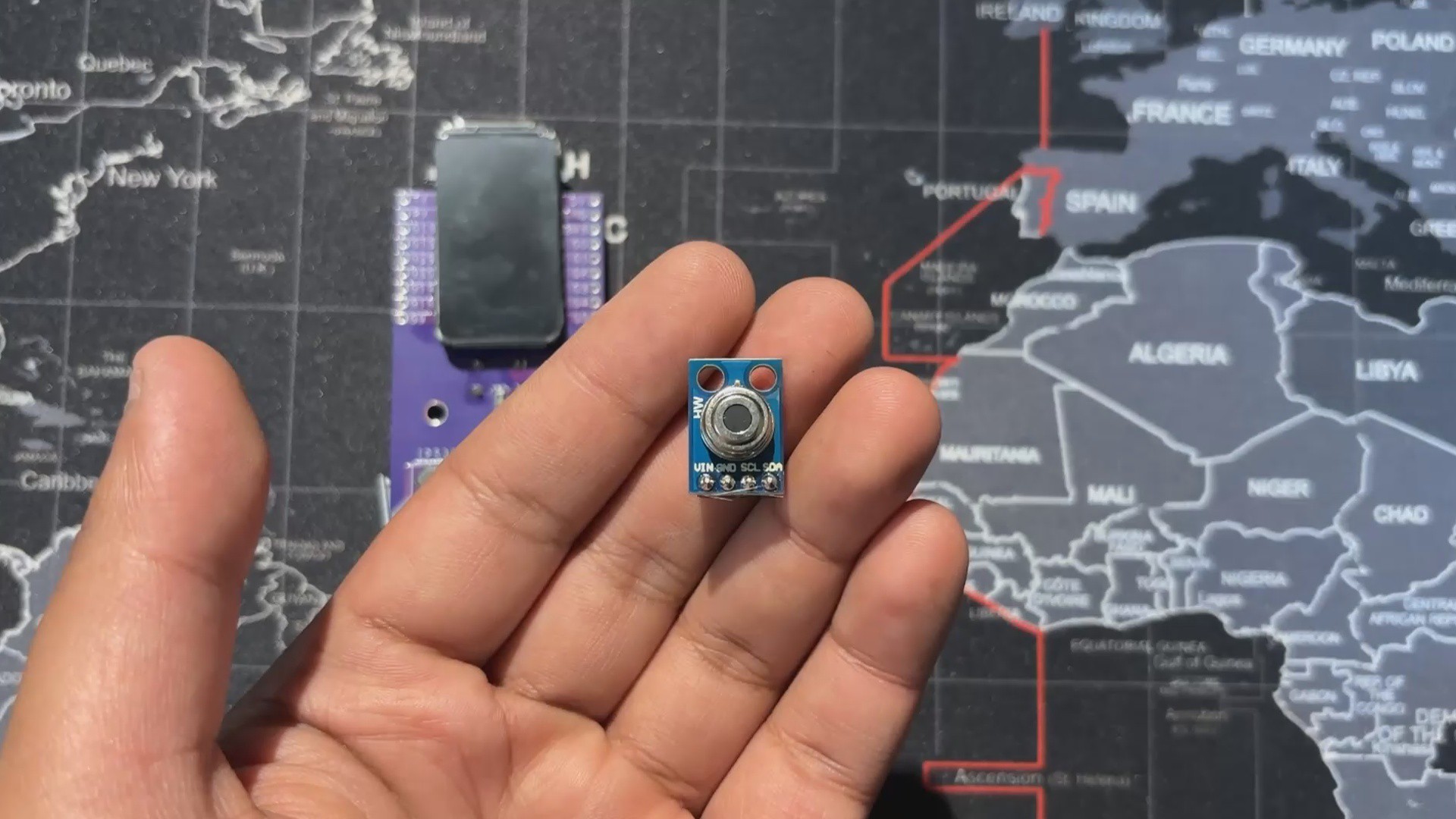
MLX90614

The MLX90614 is a digital infrared thermometer sensor developed by Melexis. Unlike traditional sensors that require physical contact, it detects infrared radiation emitted by objects and converts it into temperature readings. This makes it ideal for applications like handheld thermometers, industrial monitoring, and even medical devices.

It's a 3.3V device and uses I2C for communication.

The MLX90614 uses the principle of black‑body radiation. Every object emits infrared energy proportional to its temperature. The sensor’s thermopile detector captures this radiation, and an internal signal processor converts it into a digital temperature value.

You can check out the MLX90614 from below link

https://pcbway.com/s/S01elv

PCB Design

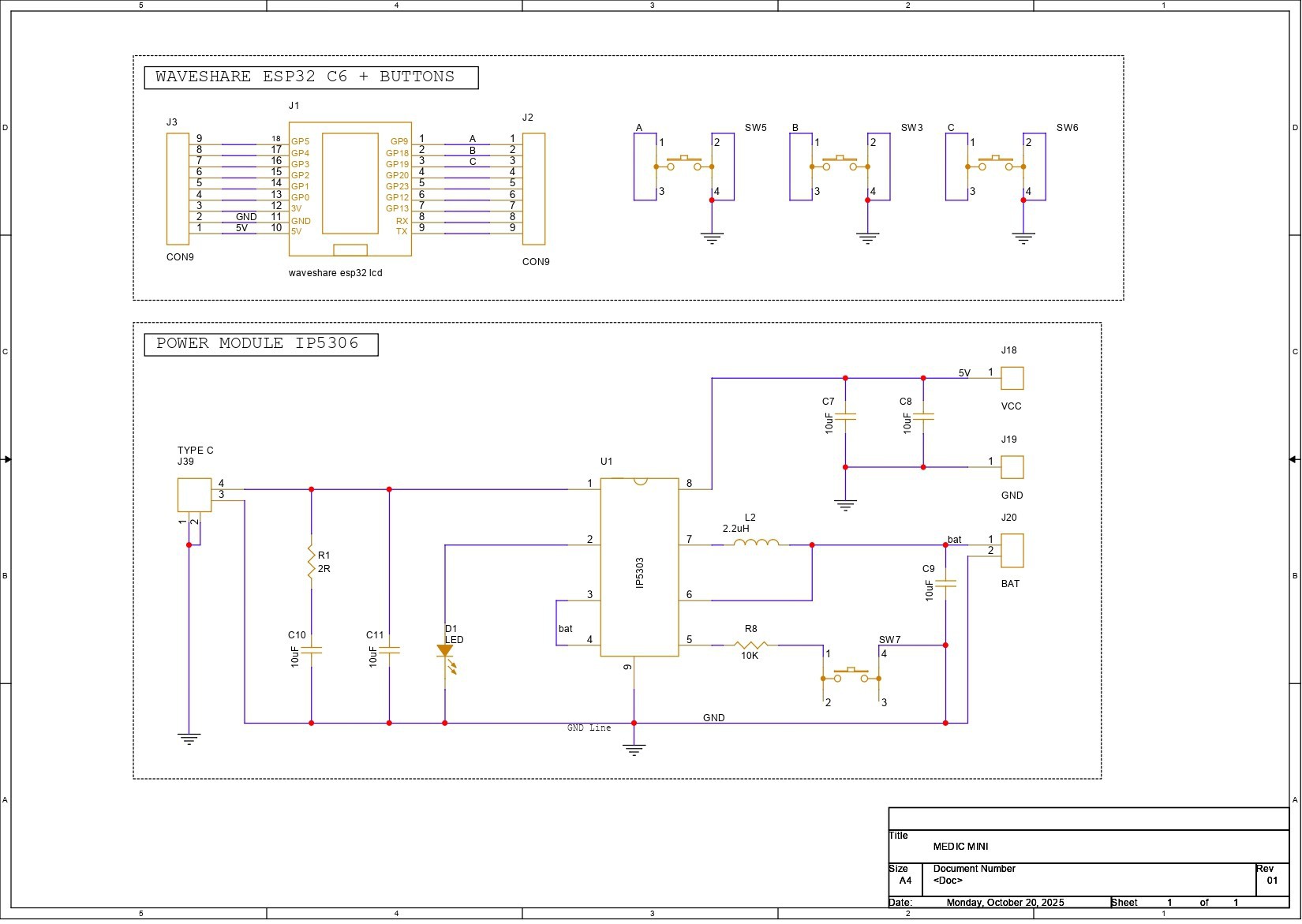
This is a schematic of the Medic Mini PCB design, which is split into two main sections. First, we built the schematic around the Waveshare ESP32-C6 Dev Board, which connects to three tactile buttons for user input. These buttons are wired to GPIO9, GPIO18, and GPIO19, with each switch also tied to GND. When a button is pressed, the corresponding GPIO pin is pulled low, registering a valid input. We will be later using GPIO18 as a temperature reading button! and will be using GPIO4 and GPIO5 as I2C pins.

The second section handles power delivery. We use the IP5306 power management IC, which boosts the 3.7V from a lithium-ion cell to a stable 5V at 2A, enough to reliably power the ESP32 board and display. The module also includes a charging status LED; it blinks while charging and stays solid once the battery is full. Built-in features like overcharge protection, low battery cutoff, and full charge cutoff help extend battery life and prevent damage from unsafe voltage levels.

Using the dimensions from the CAD model, we prepared the PCB outline and then placed the buttons in their mounting positions as specified in the design. We did the same for the Waveshare ESP32 board, the Type-C port, and the mounting holes. The rest of the components were placed wherever we found adequate space, and then we connected the tracks and finalized the board.

After completing the PCB design, we exported the Gerber data and shared it with a PCB manufacturer to get samples made.

PCBWAY
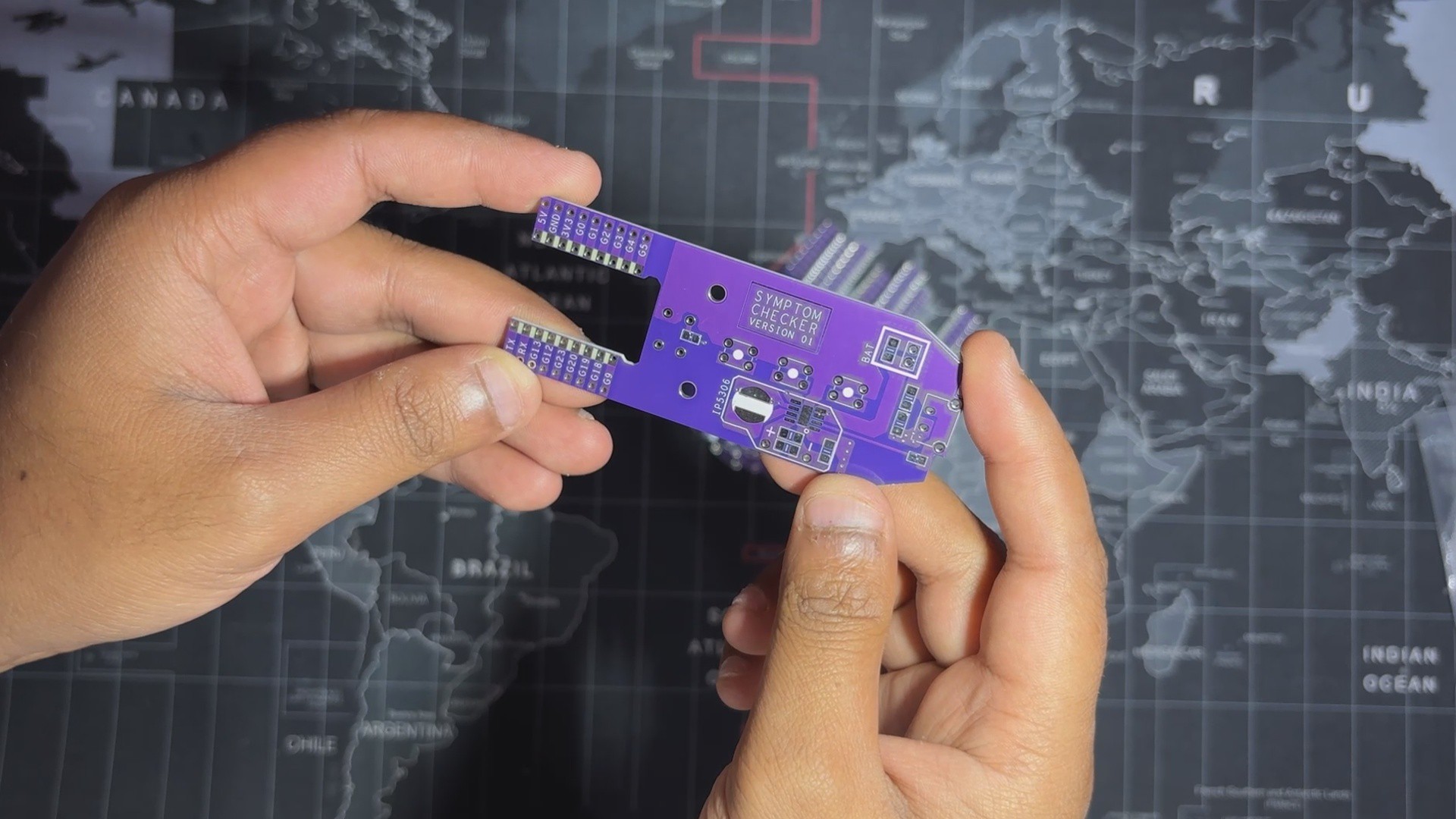
Once the board design was finalized, I opted for a purple solder mask with white silkscreen...

Read more »
TEMP GUN v3.step

step - 12.20 MB - 11/24/2025 at 04:20

Download

TOP.3mf

3mf - 309.40 kB - 11/24/2025 at 04:20

Download

BOTTOM.3mf

3mf - 300.24 kB - 11/24/2025 at 04:20

Download

sw.3mf

3mf - 159.96 kB - 11/24/2025 at 04:20

Download

ON OFF SW.3mf

3mf - 81.38 kB - 11/24/2025 at 04:20

Download

  • 1
    Medic Mini PCB Edit

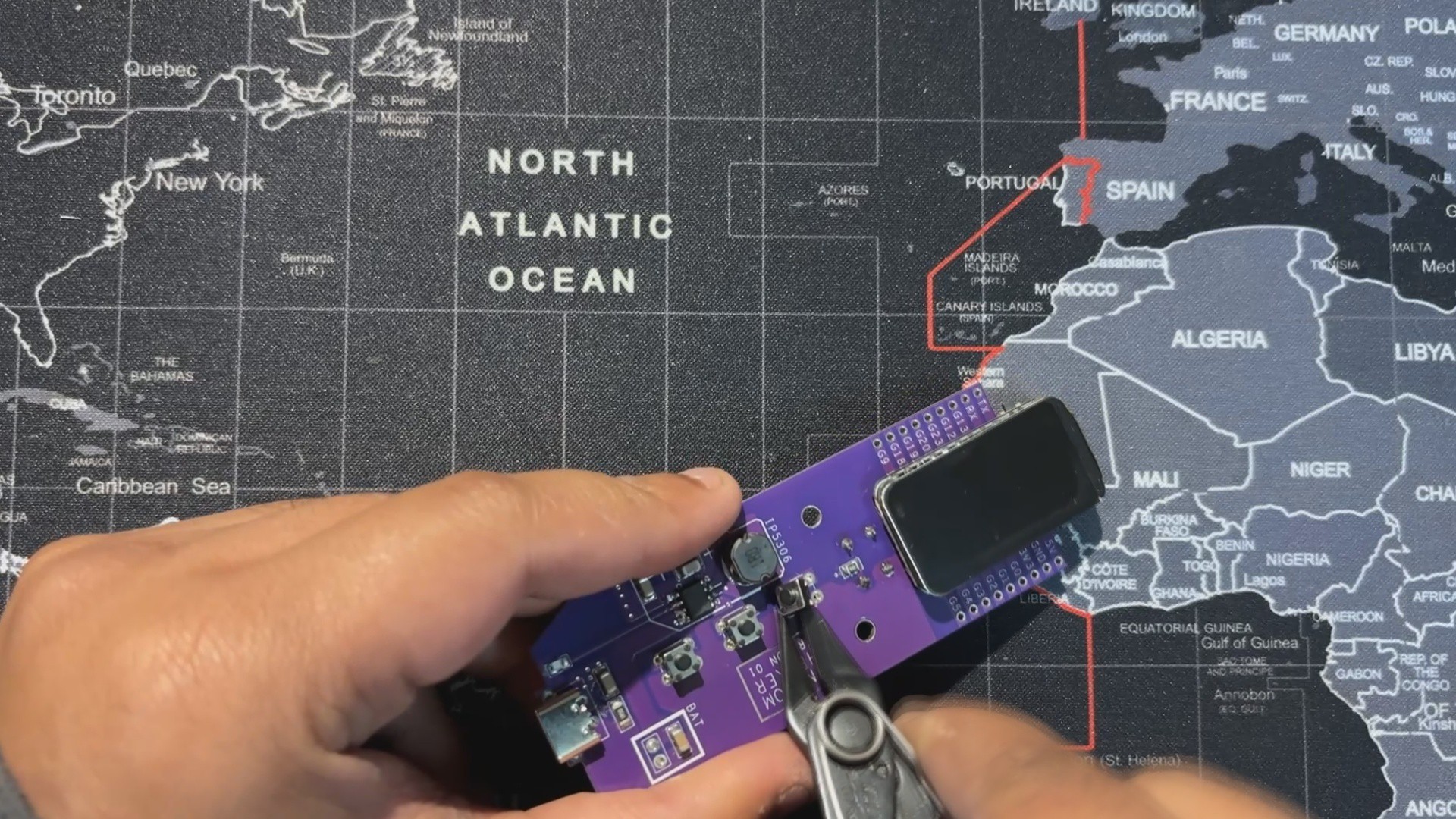
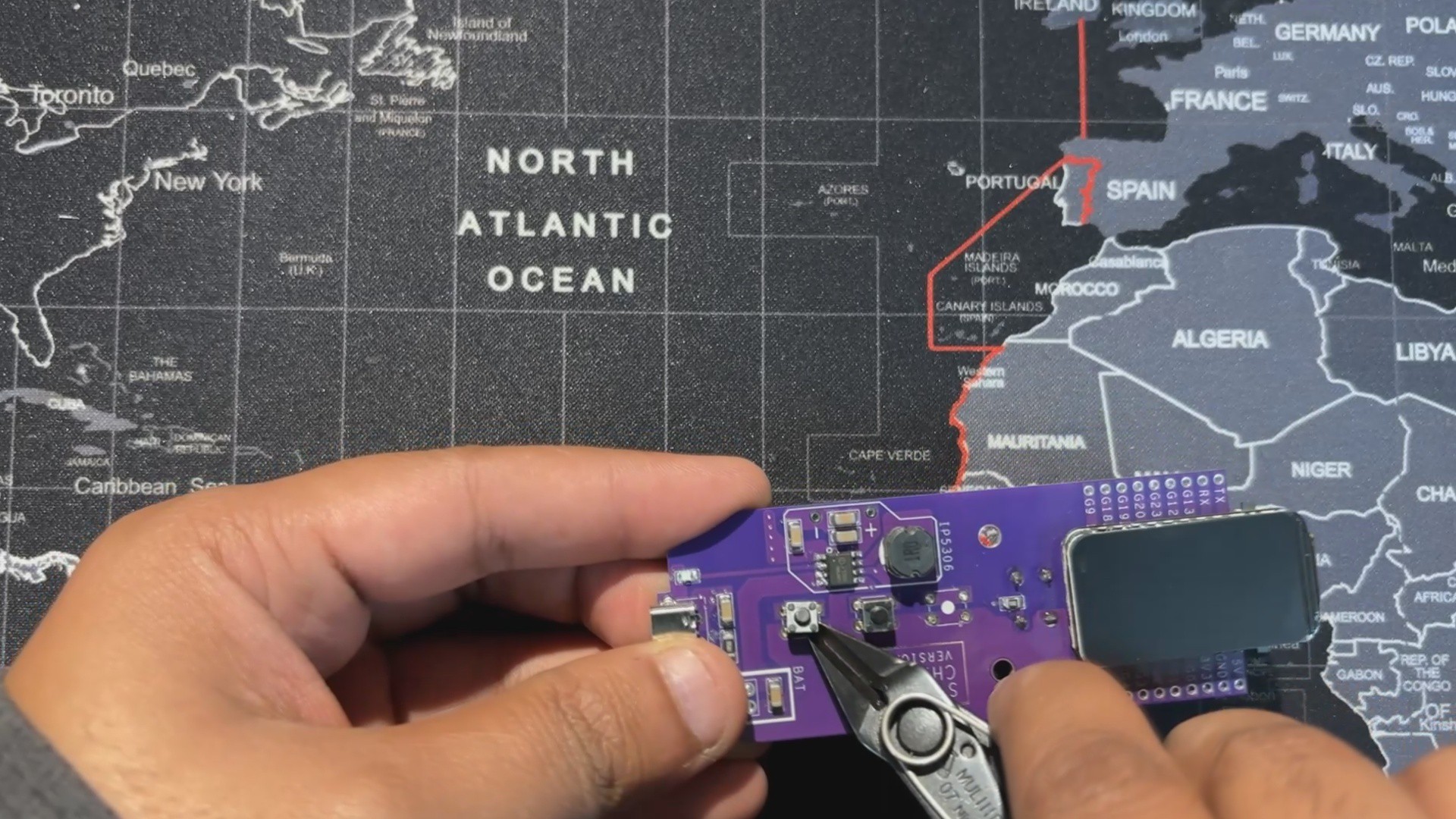
    For this build, we reused the Medic Mini circuit but modified the button layout.

    • The tactile push buttons connected to GPIO9 and GPIO19 were removed, since they weren’t needed.
    • The center button, wired to GPIO18, was kept and repurposed as the temperature trigger button.
  • 2
    TEMPERATURE SENSOR WIRING

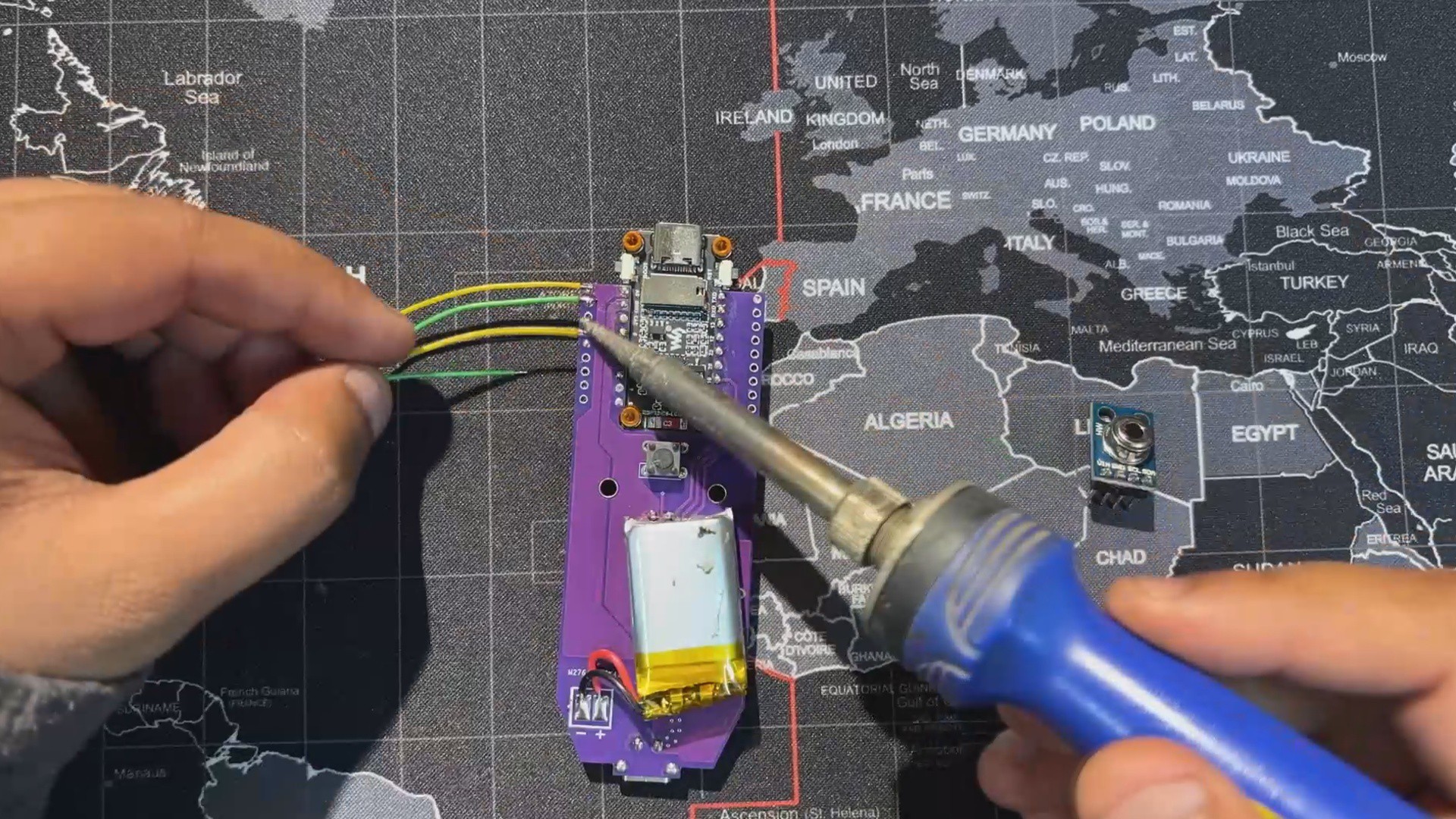
    For wiring, we use four connecting wires.

    • GPIO4 and GPIO5 of the ESP32‑C6 (SDA and SCL) are linked to the I2C pins of the MLX90614 sensor.
    • VCC is connected to the 3.3V pin, and GND goes to ground.

    This completes the basic four‑wire setup needed to power the sensor and enable communication with the Medic Mini board.

  • 3
    CODE

    This is the code we prepared for our TempGun Pro, and it's a simple one; let me explain.

    #include <Arduino_GFX_Library.h>
    #include <Wire.h>
    #include <Adafruit_MLX90614.h>
    // --- Pin Definitions for WAVESHARE ESP32-C6 LCD BOARD ---
    #define LCD_MOSI 6
    #define LCD_SCLK 7
    #define LCD_CS 14
    #define LCD_DC 15
    #define LCD_RST 21
    #define LCD_BL 22
    // I2C pins for MLX90614 (as you confirmed they work)
    #define SDA_PIN 4
    #define SCL_PIN 5
    // Button pin
    #define TRIGGER_PIN 18
    // --- Global Objects ---
    // Create an MLX90614 object
    Adafruit_MLX90614 mlx = Adafruit_MLX90614();
    // Create the display objects
    Arduino_DataBus *bus = new Arduino_ESP32SPI(
    LCD_DC, LCD_CS, LCD_SCLK, LCD_MOSI, GFX_NOT_DEFINED
    );
    Arduino_GFX *gfx = new Arduino_ST7789(
    bus, LCD_RST, 2, true, 172, 320, 34, 0, 34, 0
    );
    // --- State and Timing Variables ---
    enum GunState {
    READY,
    MEASURING,
    DISPLAY_RESULT
    };
    GunState currentState = READY;
    unsigned long lastMeasurementTime = 0;
    const unsigned long resultDisplayTime = 5000; // Display result for 5 seconds
    // Button debouncing
    bool lastButtonState = HIGH;
    unsigned long lastDebounceTime = 0;
    const unsigned long debounceDelay = 50;
    // --- Drawing Functions ---
    void drawReadyScreen() {
    gfx->fillScreen(BLACK);
    // Draw the crosshair
    int centerX = gfx->width() / 2;   // Center of 320px width
    int centerY = gfx->height() / 2;  // Center of 172px height
    gfx->drawCircle(centerX, centerY, 30, WHITE);
    gfx->drawFastHLine(centerX - 40, centerY, 80, WHITE);
    gfx->drawFastVLine(centerX, centerY - 40, 80, WHITE);
    gfx->drawCircle(centerX, centerY, 5, RED);
    gfx->fillCircle(centerX, centerY, 2, RED);
    // --- Draw "TempGun Pro" title ---
    int16_t x1, y1;
    uint16_t w, h;
    // Draw "TempGun"
    gfx->setTextSize(4);
    gfx->setTextColor(RED);
    gfx->getTextBounds("TempGun", 0, 0, &x1, &y1, &w, &h);
    int tempgun_y = 35;
    gfx->setCursor((gfx->width() - w) / 2, tempgun_y);
    gfx->print("TempGun");
    // Draw "PRO" below it, slightly bigger
    gfx->setTextSize(5); // Slightly bigger
    gfx->getTextBounds("PRO", 0, 0, &x1, &y1, &w, &h);
    int pro_y = tempgun_y + h + 2; // Position below "TempGun"
    gfx->setCursor((gfx->width() - w) / 2, pro_y);
    gfx->println("PRO");
    // --- Draw instruction text ---
    gfx->setTextSize(1);
    gfx->setTextColor(WHITE);
    gfx->getTextBounds("Press button to measure", 0, 0, &x1, &y1, &w, &h);
    gfx->setCursor((gfx->width() - w) / 2, gfx->height() - 15);
    gfx->println("Press button to measure");
    }
    void drawMeasuringScreen() {
    // Redraw crosshair in red to indicate scanning
    int centerX = gfx->width() / 2;
    int centerY = gfx->height() / 2;
    gfx->drawCircle(centerX, centerY, 30, RED);
    gfx->drawFastHLine(centerX - 40, centerY, 80, RED);
    gfx->drawFastVLine(centerX, centerY - 40, 80, RED);
    // Clear the old text and write new text
    int16_t x1, y1;
    uint16_t w, h;
    gfx->setTextSize(1);
    gfx->setTextColor(ORANGE);
    gfx->getTextBounds("SCANNING...", 0, 0, &x1, &y1, &w, &h);
    gfx->fillRect(0, gfx->height() - 15, gfx->width(), h + 5, BLACK);
    gfx->setCursor((gfx->width() - w) / 2, gfx->height() - 15);
    gfx->println("SCANNING...");
    }
    void drawResultScreen(float objTemp, float ambTemp) {
    gfx->fillScreen(BLACK);
    // --- Draw "TempGun Pro" title ---
    int16_t x1, y1;
    uint16_t w, h;
    // Draw "TempGun"
    gfx->setTextSize(3);
    gfx->setTextColor(ORANGE);
    gfx->getTextBounds("TempGun", 0, 0, &x1, &y1, &w, &h);
    int tempgun_y = 25;
    gfx->setCursor((gfx->width() - w) / 2, tempgun_y);
    gfx->print("TempGun");
    // Draw "PRO" below it, slightly bigger
    gfx->setTextSize(4); // Slightly bigger
    gfx->getTextBounds("PRO", 0, 0, &x1, &y1, &w, &h);
    int pro_y = tempgun_y + h + 2; // Position below "TempGun"
    gfx->setCursor((gfx->width() - w) / 2, pro_y);
    gfx->println("PRO");
    // --- Adjusted Temperature Values Layout ---
    int label_y = 100; // Shifted down from 80
    int value_y_c = label_y + 15; // Position for Celsius value
    int value_y_f = value_y_c + 55; // Position for Fahrenheit value
    int ambient_label_y = value_y_f + 40; // Position for Ambient label
    int ambient_value_y = ambient_label_y + 15; // Position for Ambient value
    // Object Temperature
    gfx->setTextSize(1);
    gfx->setTextColor(WHITE);
    gfx->setCursor(10, label_y);
    gfx->println("Object:");
    gfx->setTextSize(4);
    gfx->setTextColor(RED);
    gfx->setCursor(10, value_y_c);
    gfx->print(objTemp, 1);
    gfx->println(" C");
    // Fahrenheit conversion
    gfx->setTextSize(2);
    gfx->setTextColor(ORANGE);
    gfx->setCursor(10, value_y_f);
    gfx->print((objTemp * 9.0 / 5.0) + 32.0, 1);
    gfx->println(" F");
    // Ambient Temperature
    gfx->setTextSize(1);
    gfx->setTextColor(WHITE);
    gfx->setCursor(10, ambient_label_y);
    gfx->println("Ambient:");
    gfx->setTextSize(2);
    gfx->setTextColor(GREEN);
    gfx->setCursor(10, ambient_value_y);
    gfx->print(ambTemp, 1);
    gfx->println(" C");
    }
    void drawSensorErrorScreen() {
    gfx->fillScreen(BLACK);
    gfx->setCursor(10, 80);
    gfx->setTextSize(2);
    gfx->setTextColor(RED);
    gfx->println("Sensor Error!");
    gfx->setCursor(10, 110);
    gfx->println("Check wiring &");
    gfx->setCursor(10, 140);
    gfx->println("I2C address.");
    }
    // --- Main Arduino Functions ---
    void setup() {
    Serial.begin(115200);
    delay(1000);
    Serial.println("SETUP: Starting...");
    Wire.begin(SDA_PIN, SCL_PIN);
    Serial.println("SETUP: Finding MLX90614 sensor...");
    if (!mlx.begin()) {
    Serial.println("SETUP: ERROR - Failed to find MLX90614 sensor.");
    pinMode(LCD_BL, OUTPUT);
    digitalWrite(LCD_BL, HIGH);
    gfx->begin();
    drawSensorErrorScreen();
    while (1);
    }
    Serial.println("SETUP: MLX90614 sensor found.");
    Serial.println("SETUP: Initializing Display...");
    pinMode(LCD_BL, OUTPUT);
    digitalWrite(LCD_BL, HIGH);
    gfx->begin();
    Serial.println("SETUP: Display initialized.");
    pinMode(TRIGGER_PIN, INPUT_PULLUP);
    Serial.println("SETUP: Button initialized.");
    Serial.println("SETUP: Drawing ready screen.");
    drawReadyScreen();
    Serial.println("SETUP: Complete. Starting loop.");
    }
    void loop() {
    static unsigned long lastHeartbeat = 0;
    if (millis() - lastHeartbeat > 5000) {
    Serial.println("LOOP: Heartbeat - loop is running.");
    lastHeartbeat = millis();
    }
    int reading = digitalRead(TRIGGER_PIN);
    if (reading != lastButtonState) {
    lastDebounceTime = millis();
    }
    if ((millis() - lastDebounceTime) > debounceDelay) {
    if (reading == LOW && currentState == READY) {
    Serial.println("LOOP: Button pressed. Starting measurement.");
    currentState = MEASURING;
    lastMeasurementTime = millis();
    drawMeasuringScreen();
    }
    }
    lastButtonState = reading;
    switch (currentState) {
    case READY:
    break;
    case MEASURING:
    if (millis() - lastMeasurementTime > 500) {
    Serial.println("LOOP: Taking temperature reading...");
    float objectTemp = mlx.readObjectTempC();
    float ambientTemp = mlx.readAmbientTempC();
    Serial.print("LOOP: Object Temp: "); Serial.print(objectTemp); Serial.println(" C");
    Serial.print("LOOP: Ambient Temp: "); Serial.print(ambientTemp); Serial.println(" C");
    drawResultScreen(objectTemp, ambientTemp);
    currentState = DISPLAY_RESULT;
    lastMeasurementTime = millis();
    }
    break;
    case DISPLAY_RESULT:
    if (millis() - lastMeasurementTime > resultDisplayTime) {
    Serial.println("LOOP: Result display timeout. Returning to ready.");
    currentState = READY;
    drawReadyScreen();
    }
    break;
    }
    }
    

View all 7 instructions

Enjoy this project?

Share

Discussions

Similar Projects

Does this project spark your interest?

Become a member to follow this project and never miss any updates