 Arnov Sharma
-
11STEAM ON BAZZITE
![]()
![]()
![]()
![]()
![]()
![]()
The very first thing we did on the Parallel PC was open Steam on the LattePanda MU.
And, as tradition demands, the sacred question was asked: can it run Doom?
The answer was yes. Doom (1993) ran buttery smooth—which honestly wasn’t shocking. At this point Doom has been run on everything from calculators to receipt printers, so the N305 barely breaks a sweat.
Naturally, we got cocky and asked the next question: can it run Doom Eternal? Surprisingly yes again. The game hovered around a playable 30 FPS and felt totally usable. And remember—this is without a dedicated GPU, which makes it even more impressive.
Riding that high, we went full send and tried Cyberpunk 2077. That’s where reality stepped in. At around 5–10 FPS, the experience was more slideshow than game—but hey, it did launch and run, and that alone feels like a small victory.
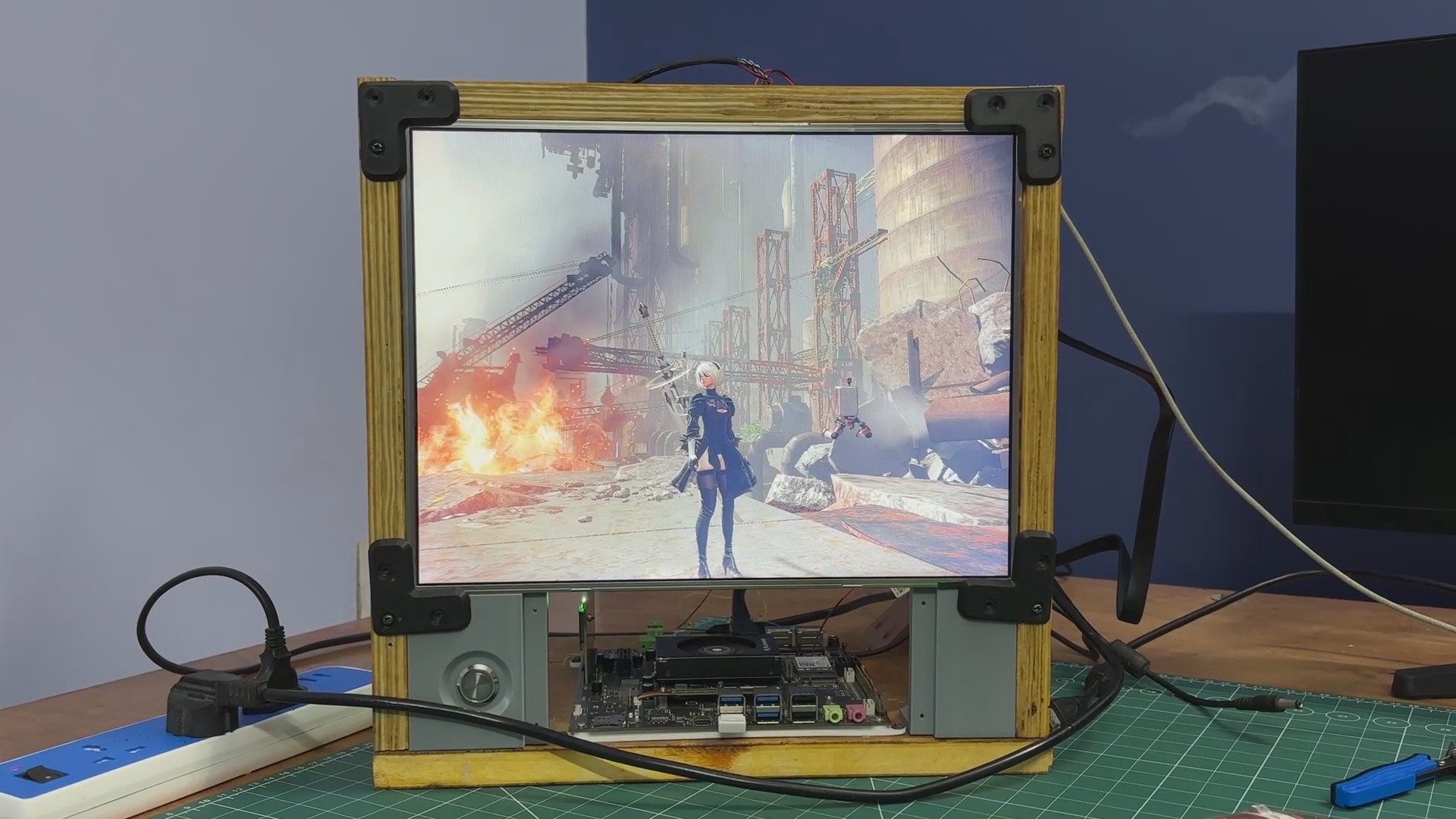
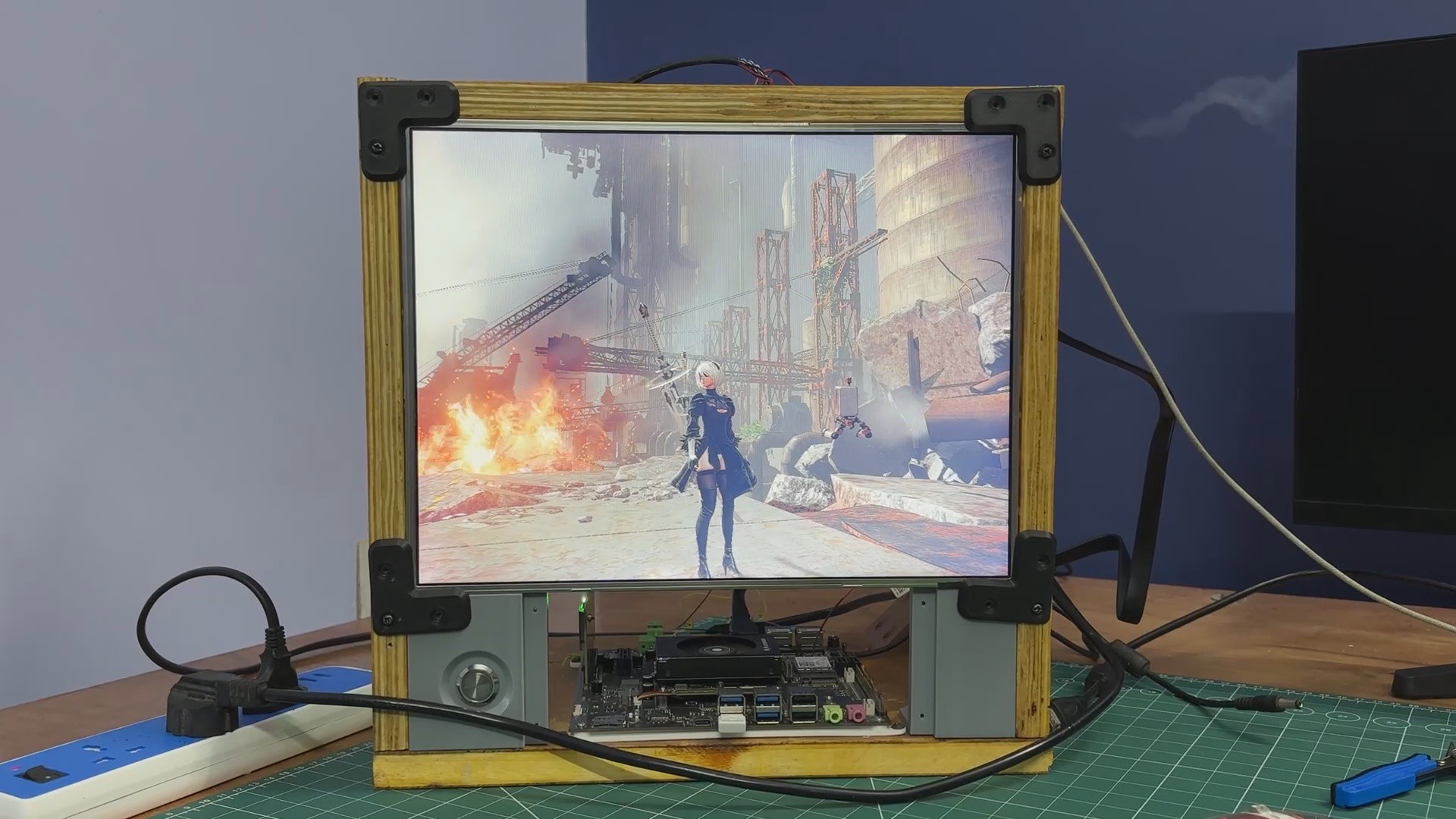
Next up was NieR: Automata, which ran incredibly smoothly and ended up being the best-performing title we tested. We followed that with Left 4 Dead 2 and The Elder Scrolls V: Skyrim, both of which ran without any issues. These tests confirmed that the setup shines when it comes to older and moderately demanding games.
In a future revision, we plan to add a dedicated GPU and run these tests again to see just how far we can push this system.
Another big win with running Bazzite on the LattePanda MU is that it’s not just about gaming. You can drop straight into desktop mode and get a full Linux environment with a proper terminal—perfect for tinkering, testing, and doing regular Linux stuff in between game sessions.
-
12RASPBERRY PI OS (TRIXIE)
![]()
Next, using the front-mounted button, we switch the display output from the LattePanda MU to the Raspberry Pi Compute Module 5, which is running the new Trixie OS—a port of Debian Trixie.
Once switched, the system behaves like a full Raspberry Pi 5–class setup. It supports everything people typically use a Pi for, including general Linux desktop work, coding and scripting, hardware interfacing, and embedded project testing. It can even run Steam—we’ve already shared a YouTube Short where we tested Half-Life and Minecraft Java on a Pi 5.
The system can be used for writing and compiling code, running Python scripts, experimenting with GPIO, and working with networking tools and services. Tasks such as controlling LEDs and sensors, running a local web server, or building and testing IoT applications are all possible using the integrated CM5 inside the Parallel PC.
One planned upgrade for Version 2 is to add a breakout board that brings the GPIO pins from inside the enclosure to the front panel, allowing quick connections to the CM5 using jumper wires.
-
13CONCLUSION & WHAT'S NEXT?
![]()
![]()
Overall, this setup works remarkably well in its current form. The dual-system approach allows seamless switching between an ARM-based Raspberry Pi environment and an x86 desktop system, making the machine flexible and genuinely useful in day-to-day workflows. The shared display, compact layout, and modular construction validate the core idea behind Parallel PC—Wood Edition.
That said, there are a few areas planned for improvement in future revisions. Audio output is currently missing, and the LattePanda MU would benefit from a dedicated GPU for improved graphics performance. On the Raspberry Pi side, a front-mounted expansion board and GPIO breakout would make prototyping more accessible. Additional covers on the left side of the enclosure are also planned to clean up the overall look.
There’s also plenty of room to experiment further. Adding internal partitions within the frame would allow more compute modules to be integrated, potentially turning this into a multi-computer platform. Future ideas include adding sensors, experimenting with a RISC-V–based system, expanding storage, and making aesthetic upgrades such as painting or finishing the wooden panels.
Overall, the project has been a success and serves as a strong foundation for future iterations. A new revision is already in the works, which will incorporate many of these improvements and push the concept even further.
Thanks for reaching this far, and I will be back with a new project pretty soon.
Peace.
PARALLEL PC- Wood Edition
A custom all-in-one PC built from wood, powered by not one—but two different SBCs.



Discussions
Become a Hackaday.io Member
Create an account to leave a comment. Already have an account? Log In.