 ElectroScope Archive

This project shows how to send real-time Arduino WhatsApp notifications via WiFi without a GSM module or the complex official WhatsApp Business API. Instead, it leverages the CircuitDigest Cloud WhatsApp API to handle messaging so your board just sends simple HTTPS POST requests — perfect for IoT alerts like proximity warnings or other sensor triggers.
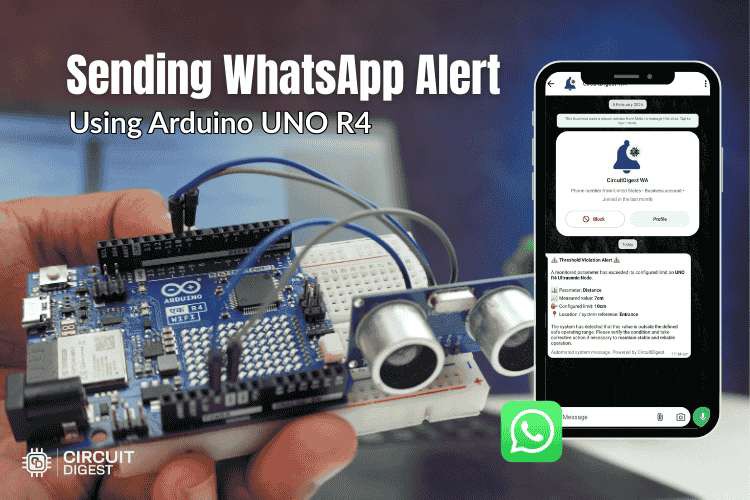
🎯 Overview
You’ll build a system where:
-
An ultrasonic sensor (HC-SR04) reads distance.
-
The Arduino UNO R4 WiFi connects to your WiFi network.
-
When a threshold is crossed (e.g., object within 20 cm), the board sends a JSON payload containing your recipient number, template ID, and sensor data to CircuitDigest Cloud.
-
The cloud service formats the message using a predefined WhatsApp template and delivers it to your registered WhatsApp number.
Key advantage: Your Arduino never talks to WhatsApp directly — CircuitDigest Cloud manages formatting, compliance, and delivery.
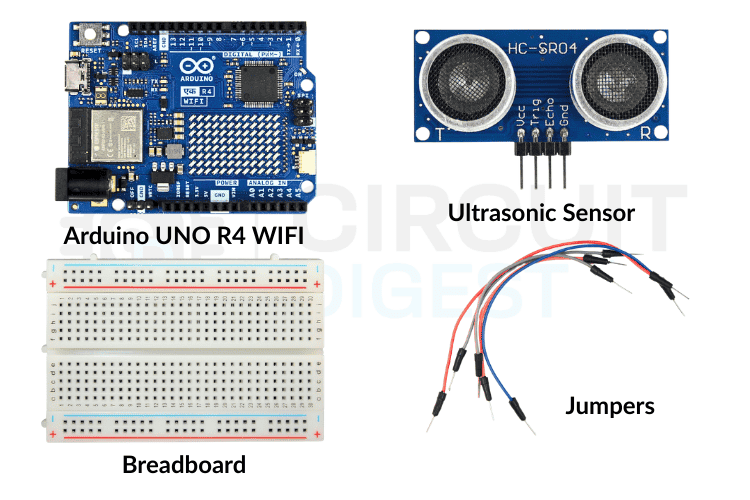
📦 What You Need
-
Arduino UNO R4 WiFi
-
HC-SR04 Ultrasonic Distance Sensor
-
Breadboard + jumper wires
-
USB cable to program the board
-
Free API key from CircuitDigest Cloud
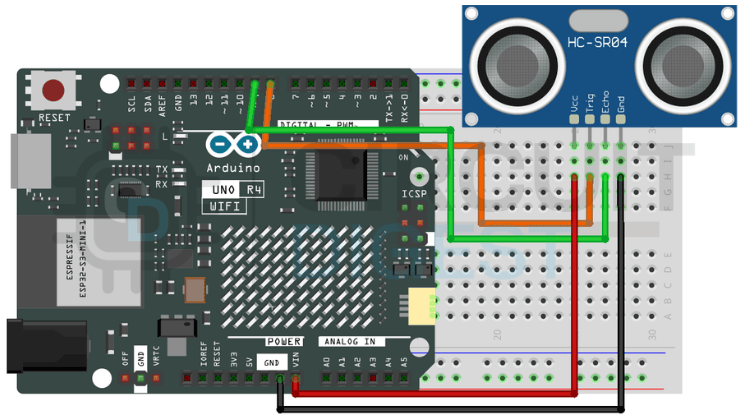
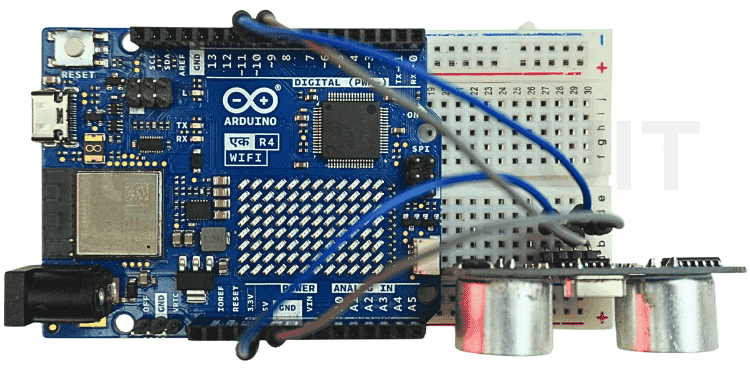
🔧 Wiring (HC-SR04 ↔ Arduino)
| Ultrasonic Sensor | Arduino UNO R4 WiFi |
|---|---|
| VCC | 5V |
| GND | GND |
| TRIG | D9 |
| ECHO | D10 |
The sensor measures distance by sending a pulse (TRIG) and timing the echo return (ECHO).
☁️ Setup the CircuitDigest Cloud
-
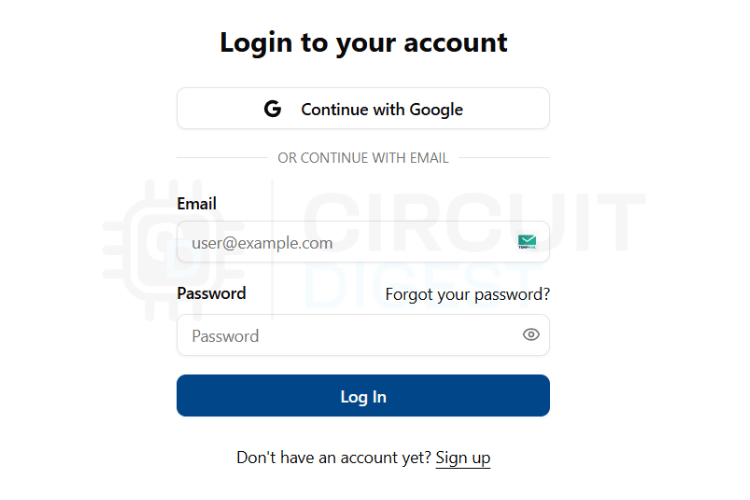
Create an account at CircuitDigest Cloud and log in.
-
Go to API Key in your profile and generate a new key.
-
In the WhatsApp Notification API section, register up to 5 phone numbers to receive alerts. Each number must be verified via OTP.
-
Choose or note a WhatsApp template ID for your alert — templates contain placeholders like
{#var#}that are filled with sensor data.
🧠 How It Works
-
Arduino reads sensor data and checks if it crosses your defined threshold.
-
If triggered and enough time has passed since the last alert, it builds a JSON payload with your phone number, template ID, and sensor values.
-
This payload is sent through a secure connection to the CircuitDigest Cloud API.
-
The service inserts your values into the chosen template and sends the WhatsApp message instantly.
🛠️ Arduino Logic (Simplified)
Core loop:
-
Trigger ultrasonic pulse
-
Read echo and calculate distance
-
If distance < threshold and cooldown expired → send alert
Sending alerts:
-
Connect to
www.circuitdigest.cloudover HTTPS -
Build JSON with variables
-
Post to
/api/v1/whatsapp/sendwith your API key -
Log the server response for debugging.
💡 Example Payload
Here’s how a WhatsApp notification payload might look for a distance threshold alert:
{  "phone_number": "919876543210",  "template_id": "threshold_violation_alert",  "variables": {    "device_name": "Arduino R4 Distance Monitor",    "parameter": "Distance",    "measured_value": "15 cm",    "limit": "20 cm",    "location": "Parking Zone"  }
}
Customize values to fit your application.
📲 Flashing & Testing
-
Install the Arduino IDE and add support for the UNO R4 WiFi board.
-
Update SSID, WiFi password, API key, and recipient number in the sketch.
-
Upload the sketch and open Serial Monitor at 115200 baud.
-
Trigger the sensor to test alerts and watch WhatsApp messages arrive.
🧠 Tips for Hackaday Readers
-
You can reuse this approach with other sensors (temperature, humidity, gas) — just replace the condition logic.
-
The same API can send SMS or emails for broader notification options.
-
Ensure you honor the API limit: max 100 messages per month and only verified numbers receive alerts.
🚀 What’s Next?
Extend this project by adding web dashboards, additional sensor nodes, or integrating other notification channels like SMS or email using the same cloud API backend — enabling robust monitoring without complex server infrastructure.
Discover 500+ Arduino projects with complete code, circuit diagrams, and step-by-step tutorials...
Read more »
 Himanshu Dada
 AskSensors
 Cloud4RPi
 Le Tuan Kiet