Close
0%
0%

Openterface KeyMod: Pocket Phone-to-HID Console

Turn your phone into a USB/Bluetooth HID keyboard and mouse for fast local control when a full keyboard and mouse aren’t at hand.

Similar projects worth following
Openterface KeyMod is a compact USB and Bluetooth HID emulator that turns a phone into a portable keyboard and trackpad. It’s built for those moments when a device has video output but input access is inconvenient, such as kiosks, signage players, set-top boxes, mini PCs, and lab rigs.

KeyMod presents itself to the target as a standard HID keyboard and mouse, so the target stays clean and typically requires no software installation. The focus is fast, reliable local input for short tasks like setup, verification, recovery, and troubleshooting.

This Hackaday.io page documents our prototype progress, validation checklist, and the areas we’re still tuning (profiles, pointer feel, Bluetooth workflows). Feedback is welcome.

Pocket Input, Zero Fuss
When you run into a device with video output but no convenient keyboard and mouse, you don’t want a complicated setup. You want input now. Openterface KeyMod is built for those moments. It turns the phone already in your pocket into a portable keyboard and trackpad, and delivers standard HID input to the target over USB or Bluetooth.
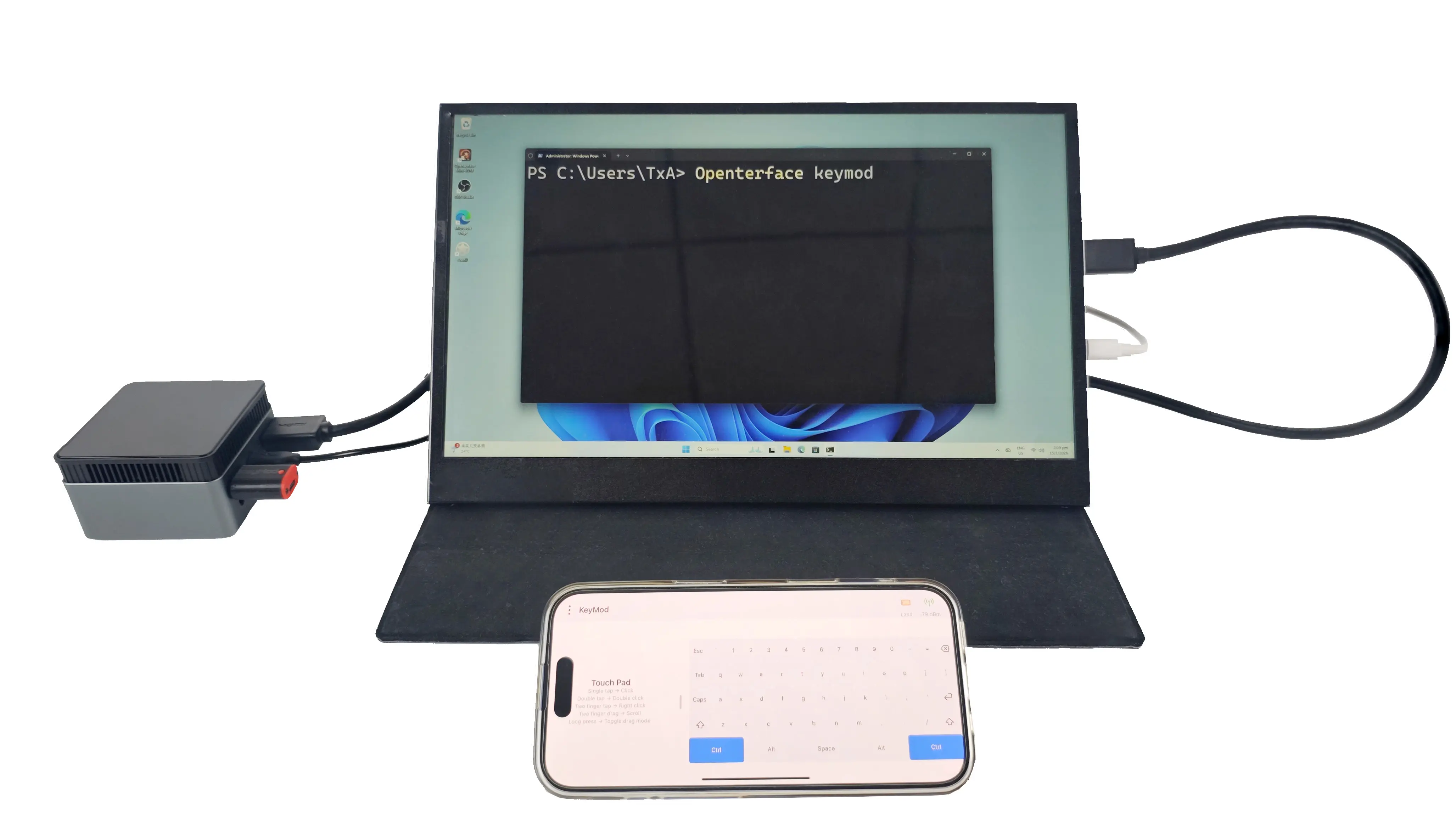
Use Your Phone as Your Keyboard and Trackpad
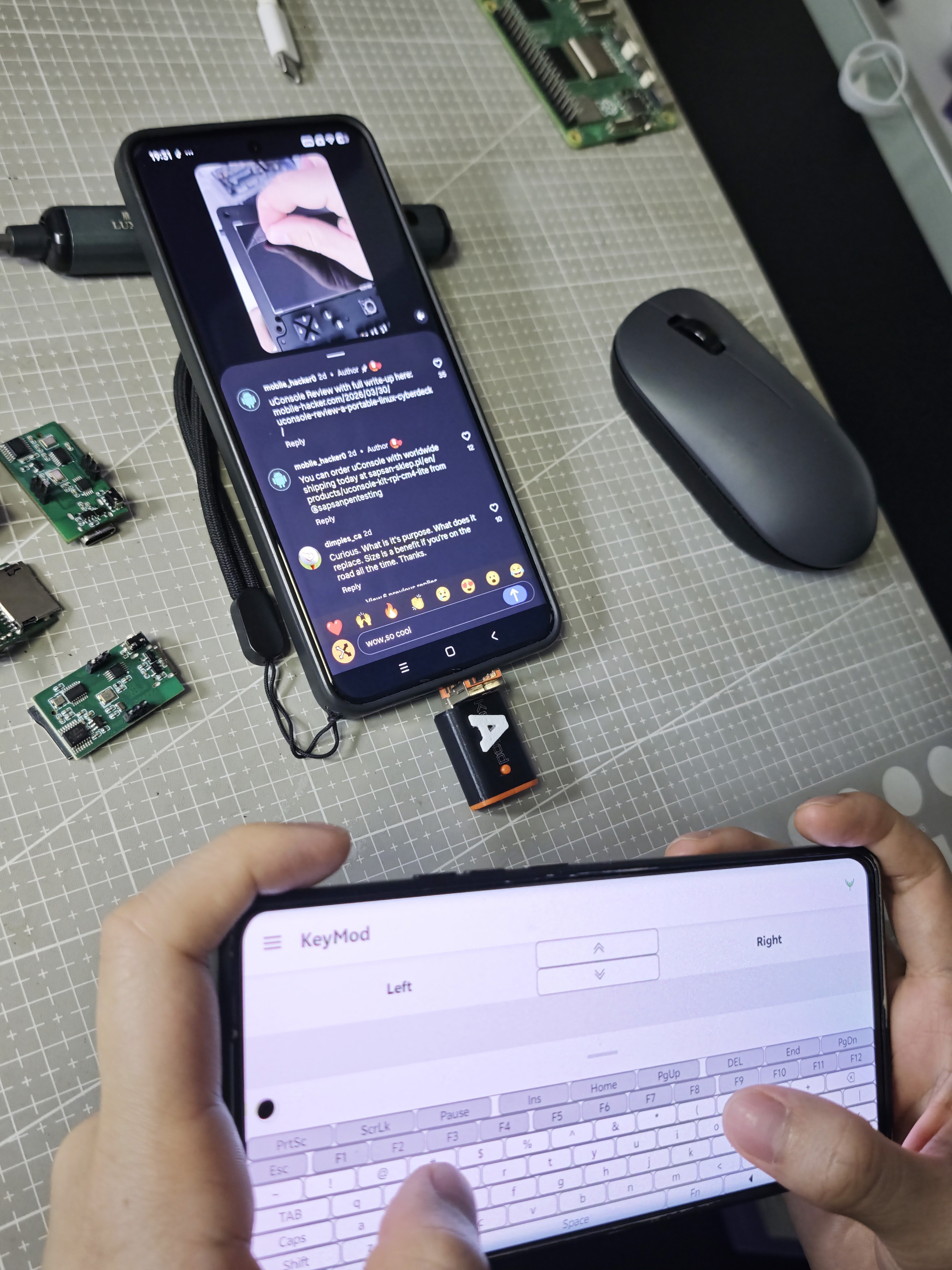
KeyMod is a compact, phone-driven HID emulator. To the target, it looks like a regular keyboard and mouse. That means you can type, click, and navigate without installing anything on the target device.
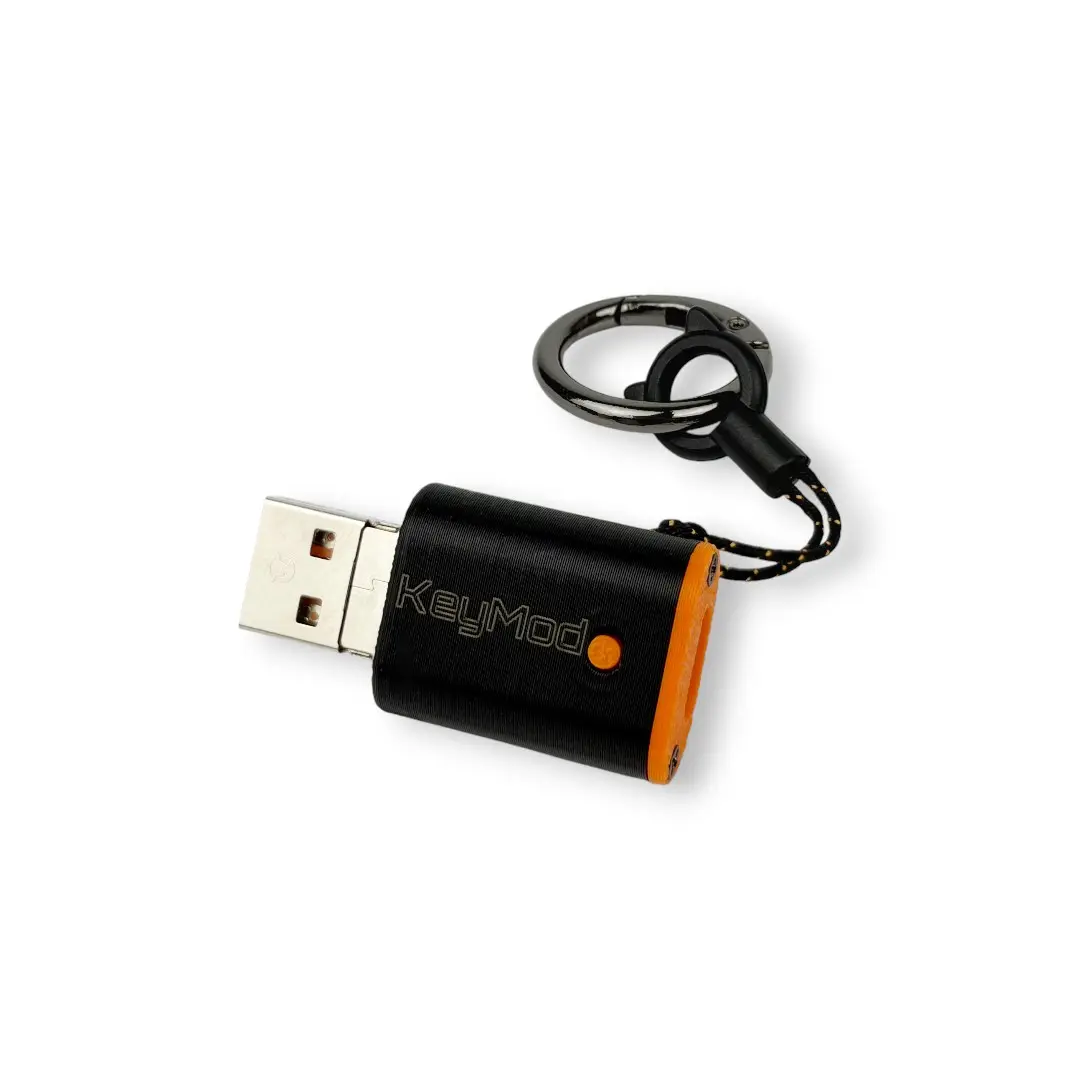
Where KeyMod Shines
KeyMod is designed for practical, on-the-go local control, especially when input access is inconvenient:

  • kiosks and digital signage players

  • set-top boxes and smart TV devices

  • mini PCs used as utility machines

  • lab rigs and test benches

  • on-site troubleshooting and demos

Plug In and Go
A quick workflow we validate on every prototype:

  1. Connect KeyMod to the target via USB (or use Bluetooth when appropriate).

  2. Open the KeyMod app on your phone.

  3. Type, click, and navigate as if a keyboard and mouse were connected.

  4. Switch a profile for hotkeys, shortcuts, or simple macro-style triggers.

Profiles Make It a Tool, Not a Toy
The real productivity gain comes from profiles. Instead of hunting for keys or retyping the same sequences, you can switch layouts for common tasks like setup, troubleshooting, or maintenance. We’re still refining what a “good” profile system looks like, and community feedback is a big part of that process.

Hardware Options in Development
To keep KeyMod practical across different devices, we’re planning two connector variants:

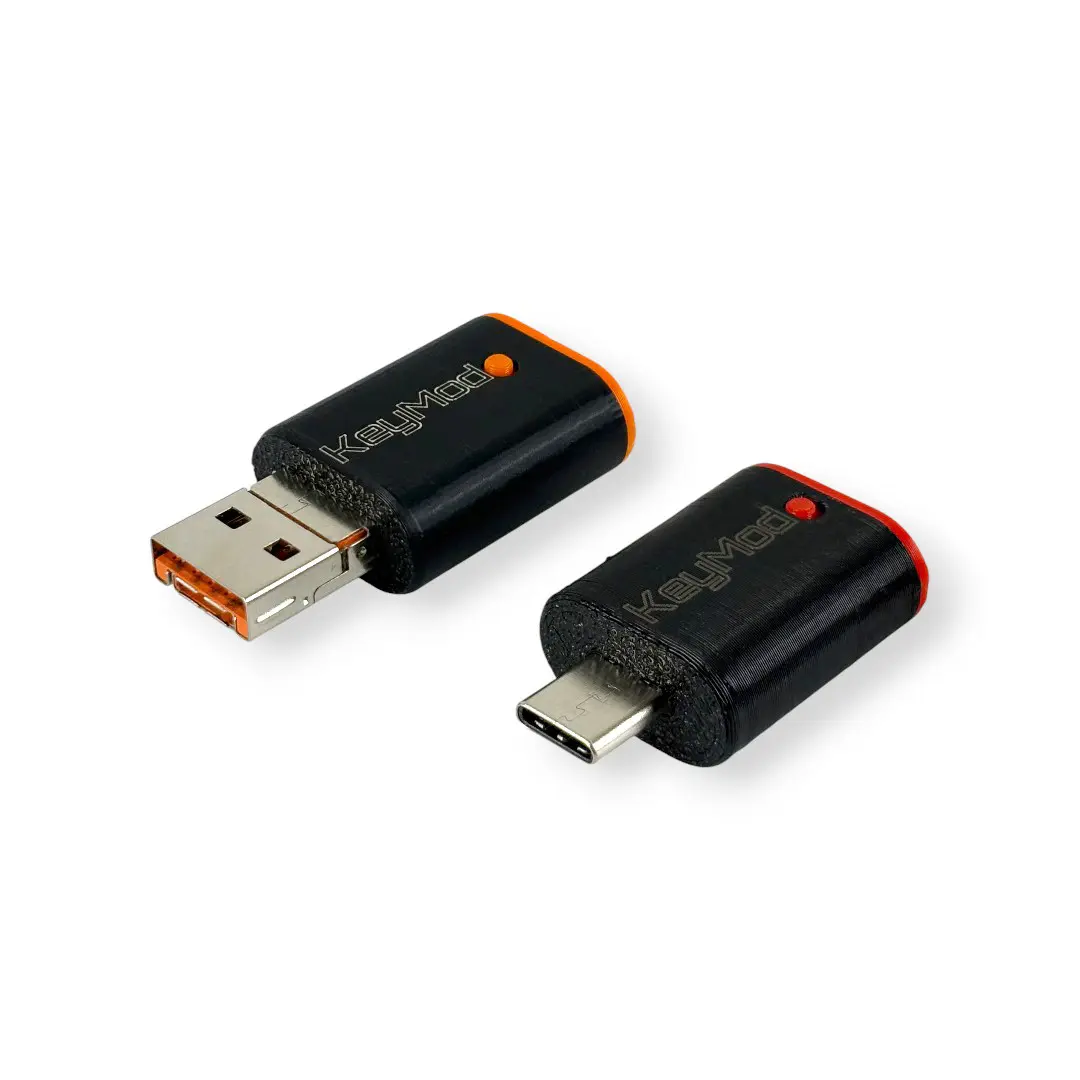
  • 2-in-1 connector version: flip-up USB Type-A + USB Type-C for broad compatibility

  • USB Type-C version: dedicated Type-C plug for modern devices and cleaner cable routing

A Small Teaser: Voice-to-Input (Experimental)
AI is showing up everywhere in daily workflows. We’re exploring whether a pocket input tool can benefit from it too. One early direction is voice-to-input, where spoken phrases in different languages could be converted into text and typed on the target through HID. This is prototype-level exploration and will evolve based on real use cases.

Open Source Direction
KeyMod is being developed as open hardware and open software. As the project evolves, we plan to publish schematics, PCB files, firmware, software, and BOM so the community can learn from it and build on it.
Follow Updates
Crowd Supply updates: https://www.crowdsupply.com/techxartisan/openterface-keymod
  • KeyMod Update: Help Us Pick a Connector

    TechxArtisan04/07/2026 at 03:22 0 comments

    We have been continuing to refine KeyMod, and one small detail is still under active testing: the connector direction.

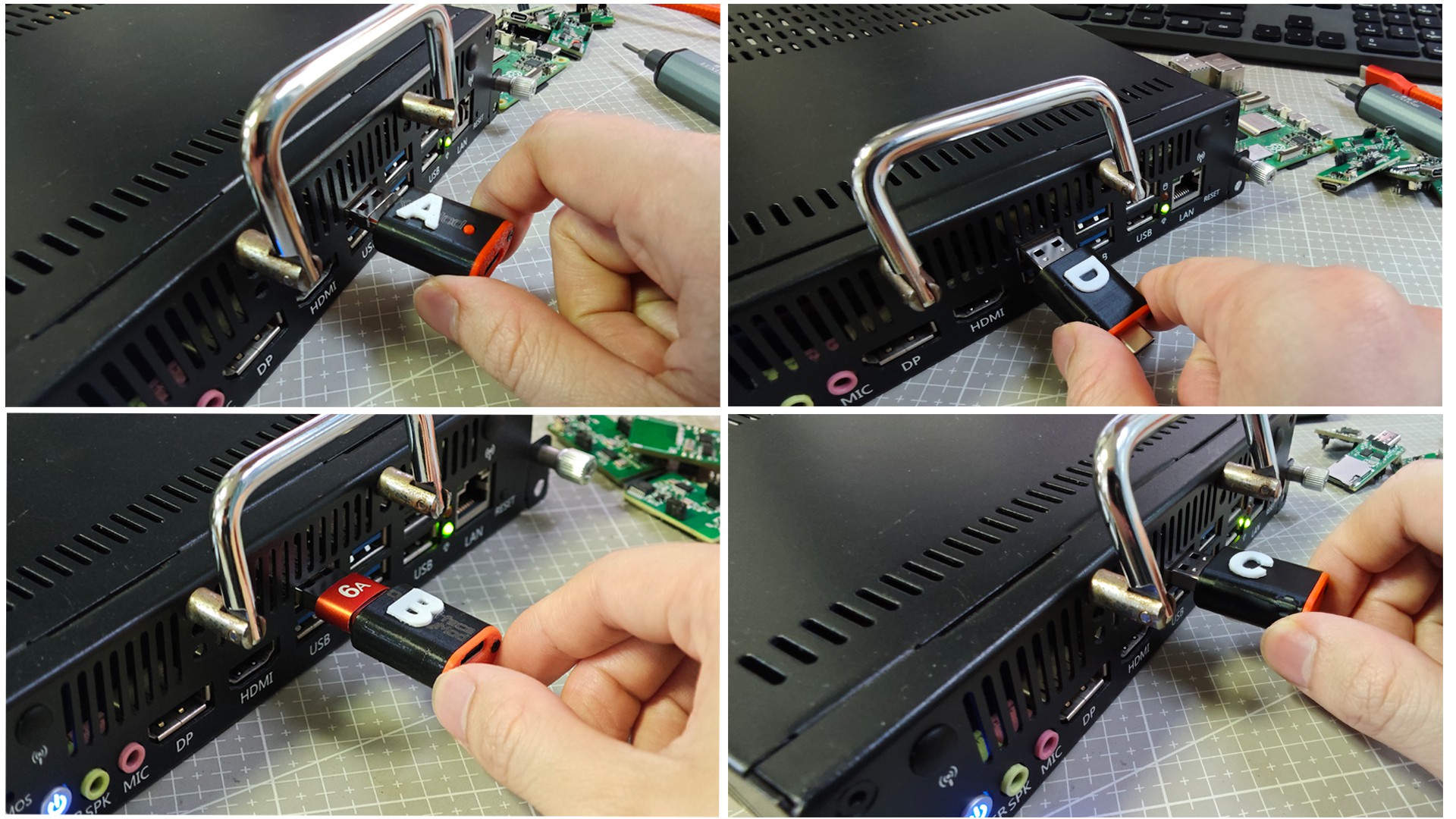
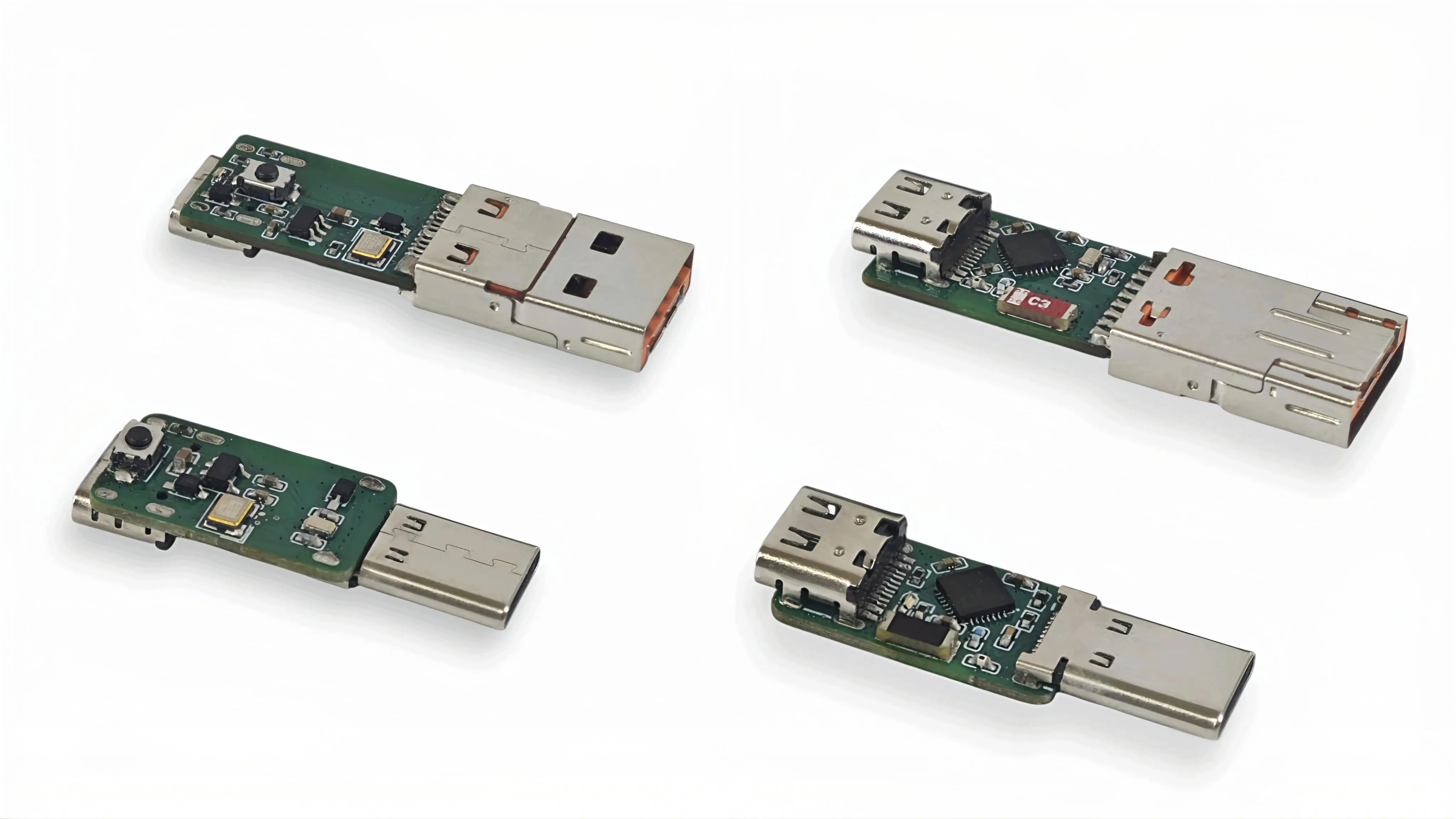
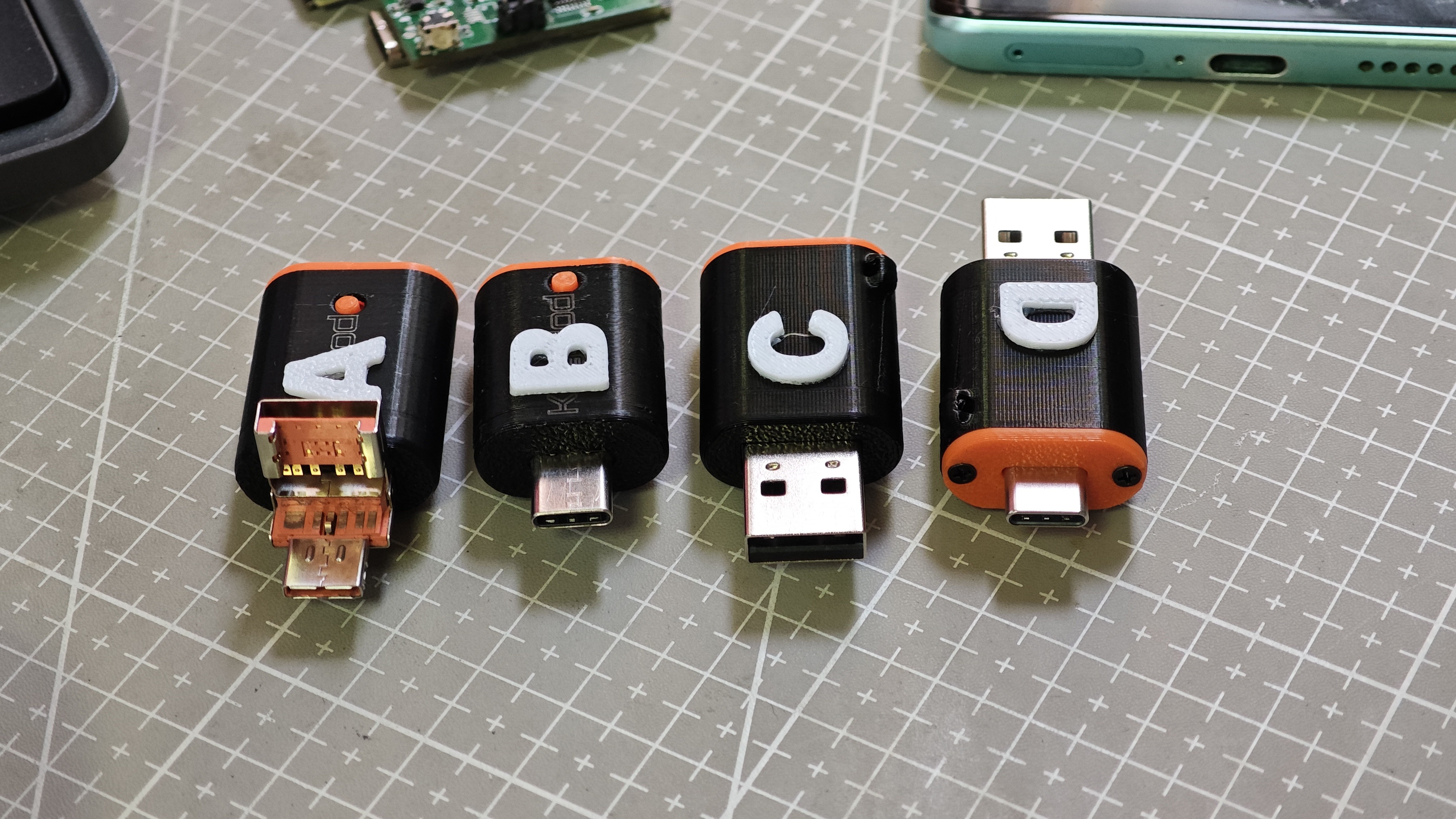
    In this round, we made and tested four prototype versions, labeled A / B / C / D.

                                                                      Prototype options A, B, C, and D

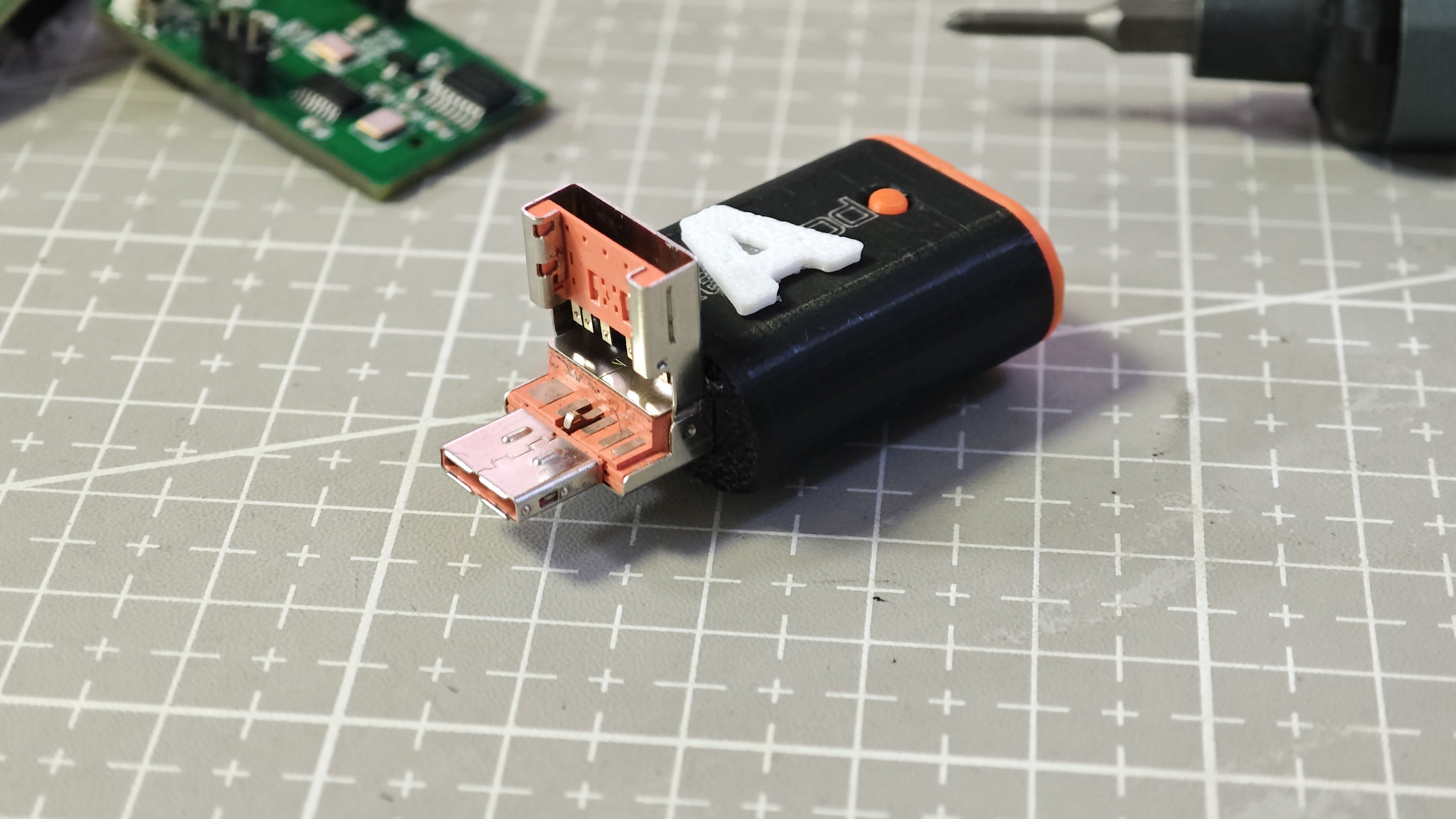
    Alongside the overall comparison, we also looked more closely at the physical details of the prototypes.

                                                                               Prototype detail view

    At first glance, the differences seem minor. But once we started using them in real setups, it became clear that even a small directional change can affect daily usability quite a bit.

    What we are looking at includes:

    • how naturally the adapter plugs into a phone or laptop
    • how much space it takes in a compact setup
    • how easy it is to grip and remove
    • how comfortable it feels during repeated daily use
    • whether it feels smooth or slightly awkward over time

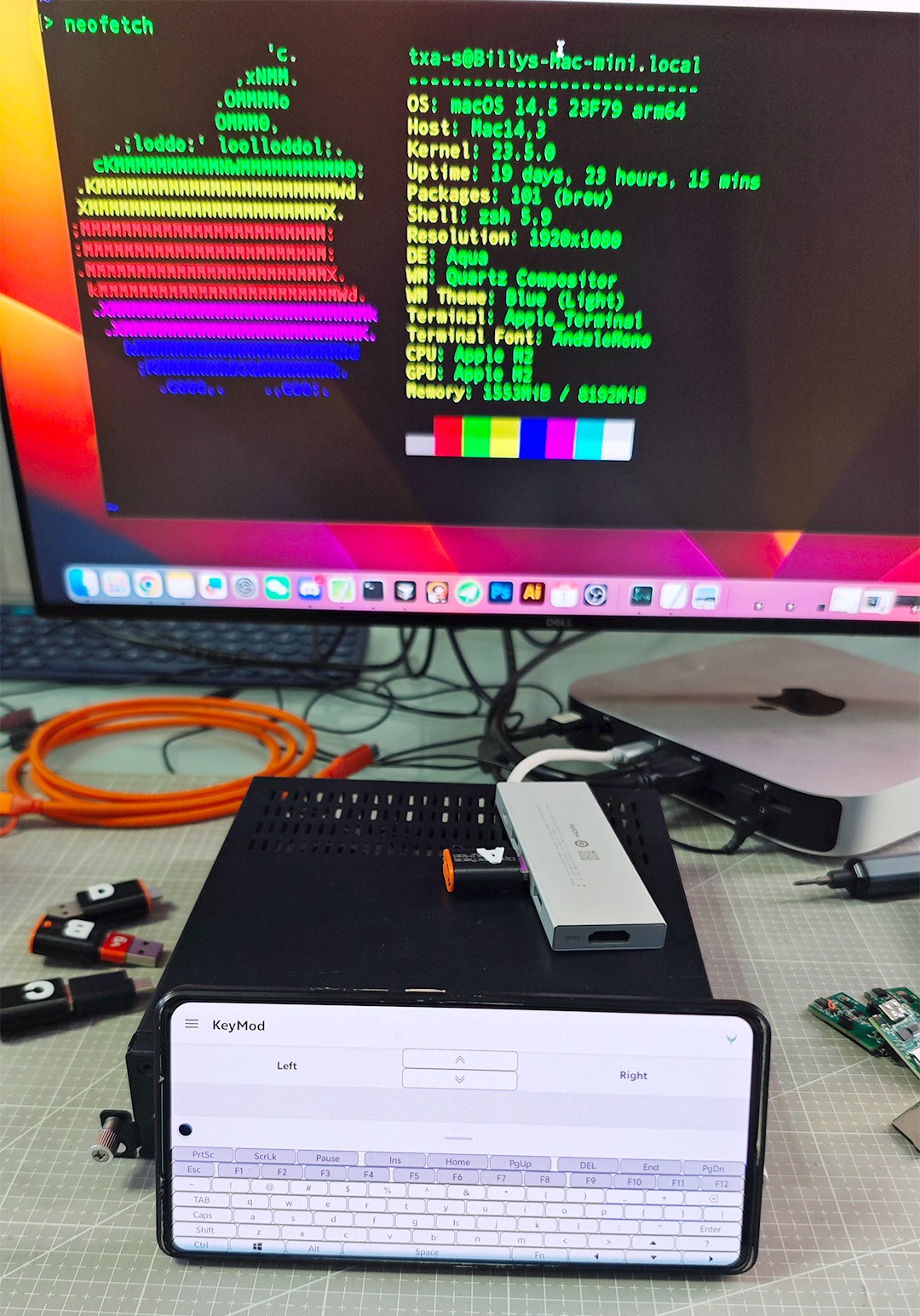
    To evaluate this, we tested the prototypes in a practical bench setup, including phone based control, direct device connection, and quick side by side comparison during normal workflow use.

                                                                  KeyMod test setup in daily use evaluation

    This stage is not only about whether the connector works electrically. It is also about whether it feels right in actual use.

    That is really the question behind this round of testing. A hardware detail that seems tiny on paper can become the kind of thing users notice every single time they plug in and unplug the device.

    We also compared how each direction behaves in real plug in scenarios. This gave us a better sense of which version feels more intuitive, which one creates less obstruction, and which one may be more comfortable in long term everyday use.

                                                                              Real use plug in comparison

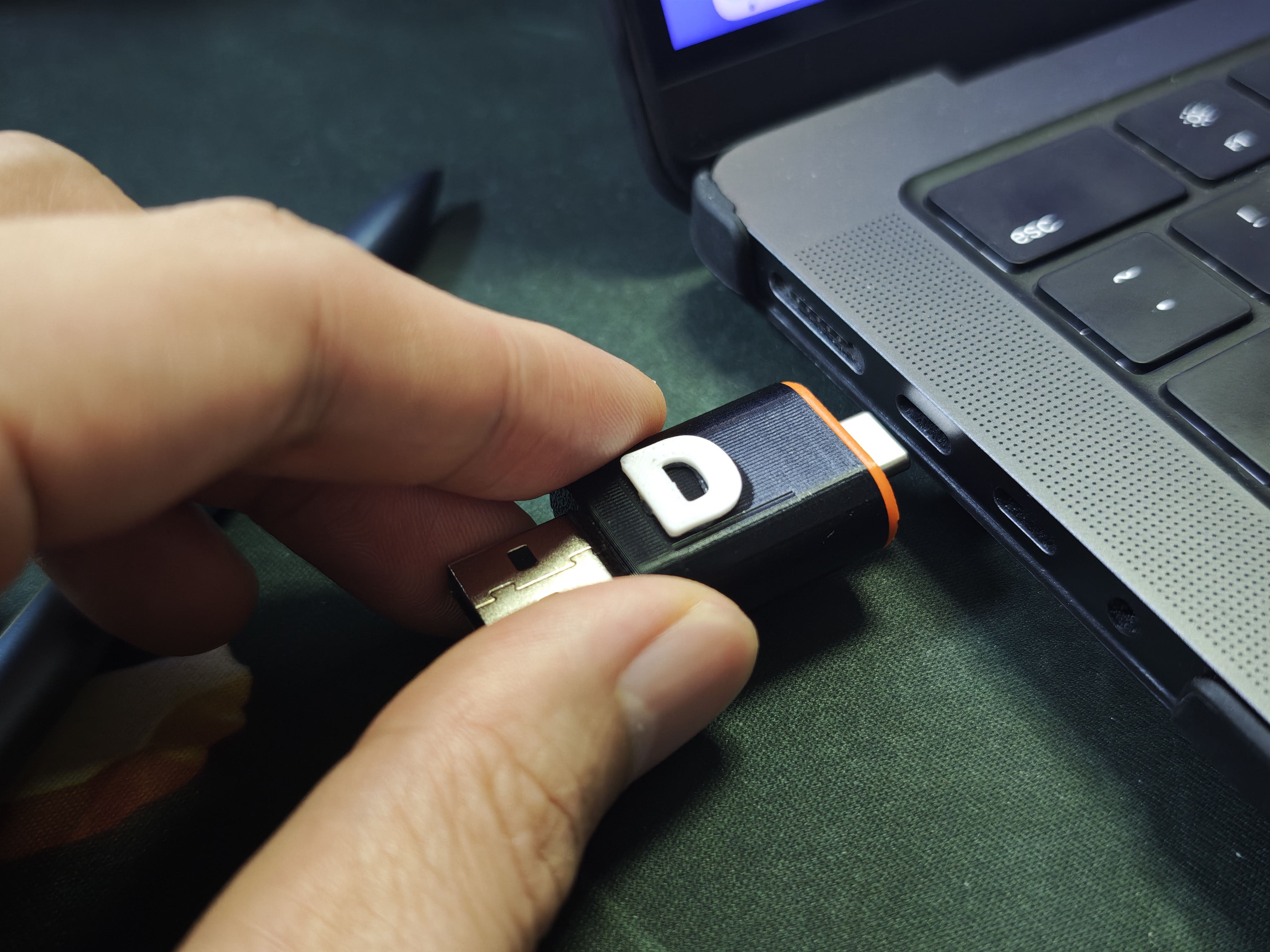
    Another thing we paid close attention to was laptop side connection experience, especially clearance and plug in comfort in tighter port layouts.

                                                                 Checking clearance and plug in comfort

    Because KeyMod is meant to support practical local control, we want the final connector choice to feel natural in real workflows rather than becoming a repeated small annoyance.

                                                                     KeyMod in practical local control use

    We have not finalized the direction yet, so this is still part of the evaluation process.

    If you want to follow the project, the prelaunch page is here:

    KeyMod on Crowd Supply

    We would also really appreciate outside input while we compare these options. You can vote here:

    Connector format vote

    We would love to know:

    • Which version looks the most practical to you?
    • Which one seems least annoying in daily use?
    • Which one would you personally choose?

  • Prototype workflow and validation checklist

    TechxArtisan03/05/2026 at 07:55 0 comments

    • Verified: USB HID typing + pointer input from phone UI
    • Current tuning: pointer feel, profile UX, reconnection behavior
    • Next: refine connector variants (2-in-1 and USB-C) and publish more build notes
    • Looking for feedback: which “quick local input” scenarios matter most (kiosk, signage, lab rigs, rack mini PCs)?

View all 2 project logs

Enjoy this project?

Share

Discussions

Similar Projects

Does this project spark your interest?

Become a member to follow this project and never miss any updates