BLANCHARD Jordan

To start, a little demo video:
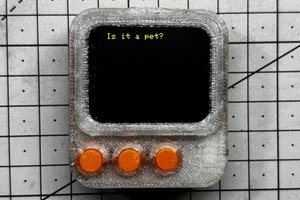
ESP32 CYD Retro Weather Terminal in a 3D-Printed CRT Case
I wanted to build a small standalone weather terminal that looks like a tiny 1990s desktop monitor, but runs on modern ESP32 hardware and pulls live data from the internet.
The result is this project: an ESP32 Cheap Yellow Display (ESP32-2432S028 / CYD) mounted inside a custom 3D-printed CRT-style enclosure, running a Windows 95 inspired user interface that displays:
- current weather conditions
- short-term forecast graphs
- daily forecast
- wind and gust data
- a live webcam image
- a satellite/radar image
To make it feel more like a real miniature computer, I also designed a mechanical front-button linkage so the rear buttons on the CYD can be pressed from the front of the case using lever arms. The finished unit is powered by an internal Li-ion battery, with a charging module and a 5V buck converter, so it can run completely wire-free.
This project mixes several things I enjoy: retro design, programming, weather data and 3D printing.
Concept
The idea was not just to make another weather display, but to create something with personality.
A lot of modern electronic projects are technically impressive, but visually generic. I wanted this one to feel like a tiny desktop computer from the Windows 95 era: chunky plastic shapes, beveled “window” elements, simple icons, and dedicated screens for different information.
The ESP32 CYD board is perfect for this kind of project because it already includes:
- an ESP32
- a 320x240 color TFT display
- touch hardware
- a compact form factor
- low cost and easy availability
Instead of leaving it bare, I designed a small CRT monitor shell around it. The enclosure gives it a completely different presence on a desk: it looks more like a miniature appliance than a dev board.
Main Features
Windows 95 style interface
The whole UI is styled with classic retro desktop elements:
- title bars
- beveled panels
- status bars
- simple desktop-like windows
- page indicators
The interface cycles automatically through multiple pages, but it can also be changed manually.
Multiple weather pages
The software currently includes six pages:
-
Current conditions
Displays current weather with icon, temperature, apparent temperature, humidity, pressure, rain, wind, gusts, direction, and observation time. -
Hourly forecast graphs
Shows the next hours using simple graphs for temperature and rain probability. -
Daily forecast
Displays several days of forecast with compact weather icons and min/max values. -
Wind page
Includes wind speed, gusts, direction, a compass-like indicator, and a 12-hour wind graph. -
Satellite / radar image viewer
Downloads and displays a remote satellite/radar composite image. -
Webcam viewer
Downloads and displays a remote webcam image.
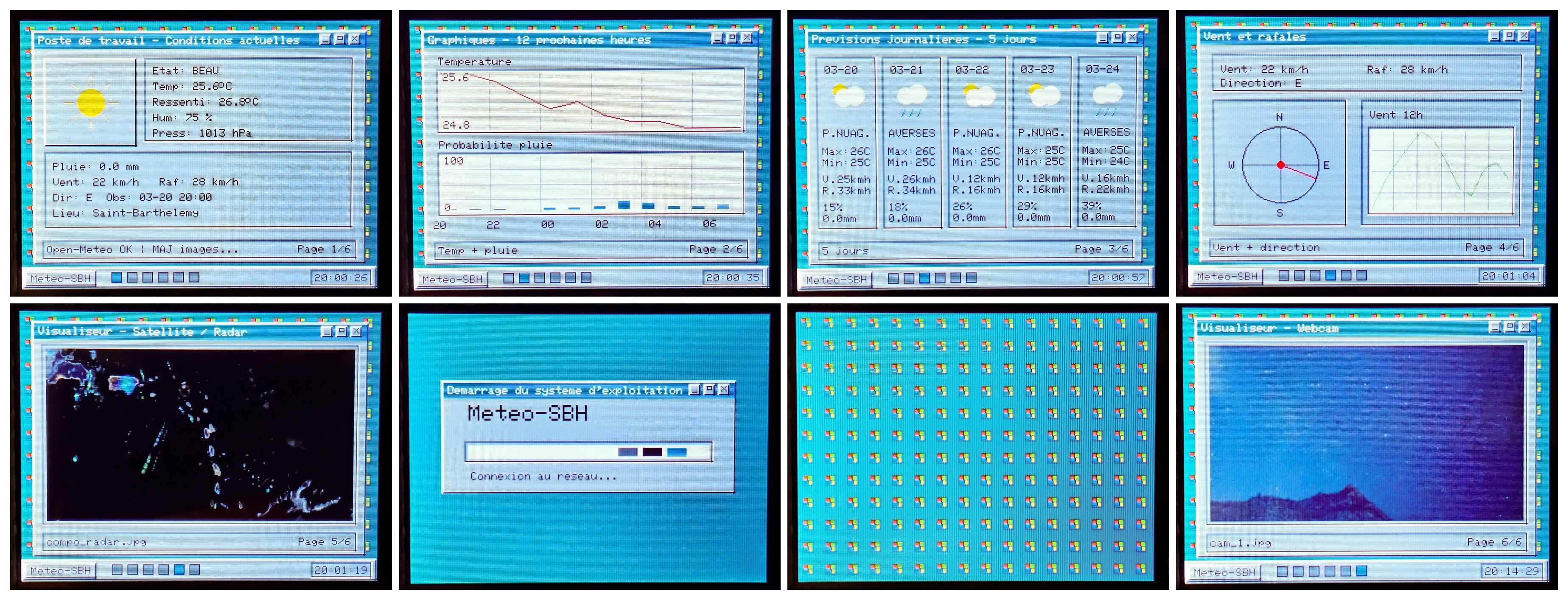
Image caching
Satellite and webcam images are stored in SPIFFS, so the device can keep showing the latest downloaded content even if the network is temporarily unavailable.
Local weather data caching
Weather JSON is also cached locally, which makes the interface more resilient and improves startup behavior.
Wi-Fi + NTP time sync
The ESP32 connects to Wi-Fi, syncs time via NTP, and uses that for the on-screen clock and timestamps.
Asynchronous networking
Network operations are handled in a separate task so the UI remains responsive while data and images are being downloaded.
I must admit that a lot of this interface was created using vibe coding with the help of Chat GPT, but the appearance of the interface he gave me really pleased me.
Battery-powered standalone operation
The final build includes:
- a lithium battery
- a charger module
- a 5V buck converter
That means the unit can be used without any external cable, which makes the object much nicer to place on a desk or shelf.
Hardware Used
The main hardware is:
- ESP32 Cheap Yellow Display (ESP32-2432S028 / CYD)
- lithium battery
- lithium charging module with 5V buck converter
- custom 3D-printed...
 Arnov Sharma
 Kevin
Kevin
 Platinenmacher