Close
0%
0%

immurok - a wireless fingerprint auth key

immurok is a small wireless fingerprint authentication device for Mac and Linux desktops

Similar projects worth following
0 followers
immurok is a small wireless fingerprint authentication device for Mac and Linux desktops.

It is designed for people who use external keyboards, Mac desktops, Linux machines, and terminal-heavy workflows where password prompts interrupt the flow.

The Linux side uses a CLI/TUI app plus PAM integration for sudo and system authentication. The Mac side includes a menu bar app, PAM integration for admin prompts, and a separate helper path for lock-screen workflows.

Project goals:
- wireless desktop fingerprint key
- fingerprint matching on the device
- Linux sudo/system auth through PAM
- Linux CLI/TUI app
- Mac desk setup support
- source-available firmware/software (BSL 1.1 → Apache 2.0 in 2030)
- elegant enclosure suitable for daily desk use

This project log will cover firmware, BLE, PAM integration, CLI/TUI design, enclosure iterations, security model, and preparation for a Kickstarter hardware launch.

IMMUROK is a keychain-sized BLE fingerprint key built around a RISC-V MCU. One touch unlocks your screen, approves sudo, signs SSH, and gates the commands your AI coding agent wants to run. Fully open hardware + firmware.

The problem

Apple's Touch ID is wonderful — and welded shut. It only works on MacBooks and Magic Keyboards. Plug a normal keyboard into a Mac mini, Studio, Pro, or any Intel Mac and biometric auth simply doesn't exist. YubiKeys solve the secret-storage problem but can't unlock your screen, don't do sudo, and need you to find a USB port. And the new wrinkle nobody planned for: AI coding agents now run real commands on real machinessudo, git push, rm -rf — and there's no good "are you sure?" gate that a human actually has to be present for.

immurok is one small device that fixes all three.

What it does

🔓 Screen unlock — touch to unlock macOS and Linux login

🛡️ sudo / polkit / PAM — fingerprint replaces your password for privilege escalation

🔑 Hardware SSH agent — ECDSA P-256 keys are generated and signed on the device; the private key never touches your disk

🤖 AI-agent gating — wrap an agent's subprocess in imk run --agent --; one touch authorizes sudo + SSH + secret reads for the whole subprocess, and rejecting it sends SIGTERM

🗝️ Encrypted vault — SSH keys, TOTP seeds, and API tokens read out only under a live fingerprint, addressable as imk://ssh/…, imk://otp/…, imk://api/…

💣 Tamper self-wipe — crack the case open and the MCU powers up, sets a tamper flag, and erases the pairing keys and templates — every paired machine is instantly revoked

How it works

The device advertises as a standard BLE HID keyboard — that's the trick that makes the OS keep it connected and lets it "type" your password to defeat the lock screen — while all the real traffic rides a custom, encrypted GATT service alongside it.

  • Device and app pair with an ECDH P-256 key exchange (runs in under 2 s on the MCU via micro-ecc).
  • Touch the sensor → device fires an HMAC-SHA256-signed notification over BLE. Every touch is a fresh challenge-response, so nothing can be replayed or spoofed (the big weakness of proximity-only "BLE unlock" tools).
  • App verifies the signature and performs the action: type the password, answer a PAM challenge, sign an SSH request, or release the queued agent subprocess.

The fingerprint template never leaves the sensor — the R559S matches offline, on-chip. Nothing biometric ever reaches your computer, let alone the cloud.

Under the hood

  • MCU: WCH CH592F — RISC-V, BLE 5.4, 448 KB flash. Cheap, capable, and not an Apple/Nordic black box.
  • Sensor: R559S capacitive, 508 DPI (208 × 80 px), sub-500 ms match, up to 5 enrolled fingerprints.
  • Crypto: HKDF + HMAC-SHA256 message auth · ECDH P-256 pairing · AES-128 + HMAC signed OTA (the bootloader rejects unsigned firmware).
  • OTA layout: a 4 KB JumpIAP + 12 KB IAP bootloader doing WCH "method one" A/B image swap — fully wireless firmware updates.
  • Power: LiPo, ~1 month active / ~3 months standby, USB-C charging (no charge LED — average draw is tens of µA).
  • Form factor: 44 × 44 × 14.2 mm, 38 g — clips onto a keyring.
  • Radio: Bluetooth SIG Qualified (Receipt R078979 / QDID 179771). FCC certification in progress.

Fully open

Schematics, PCB Gerbers, the C firmware, the macOS app (Swift) and the Linux daemon (Rust) are all open source. Licensed BSL 1.1, auto-converting to Apache 2.0 in March 2030. Audit it, fork it, flash your own builds — trust the math, not the vendor.

Who it's for

People who run more than one machine, get worn down by constant sudo prompts, don't trust a laptop disk to hold SSH private keys, are nervous about letting an AI agent run shell commands unsupervised...
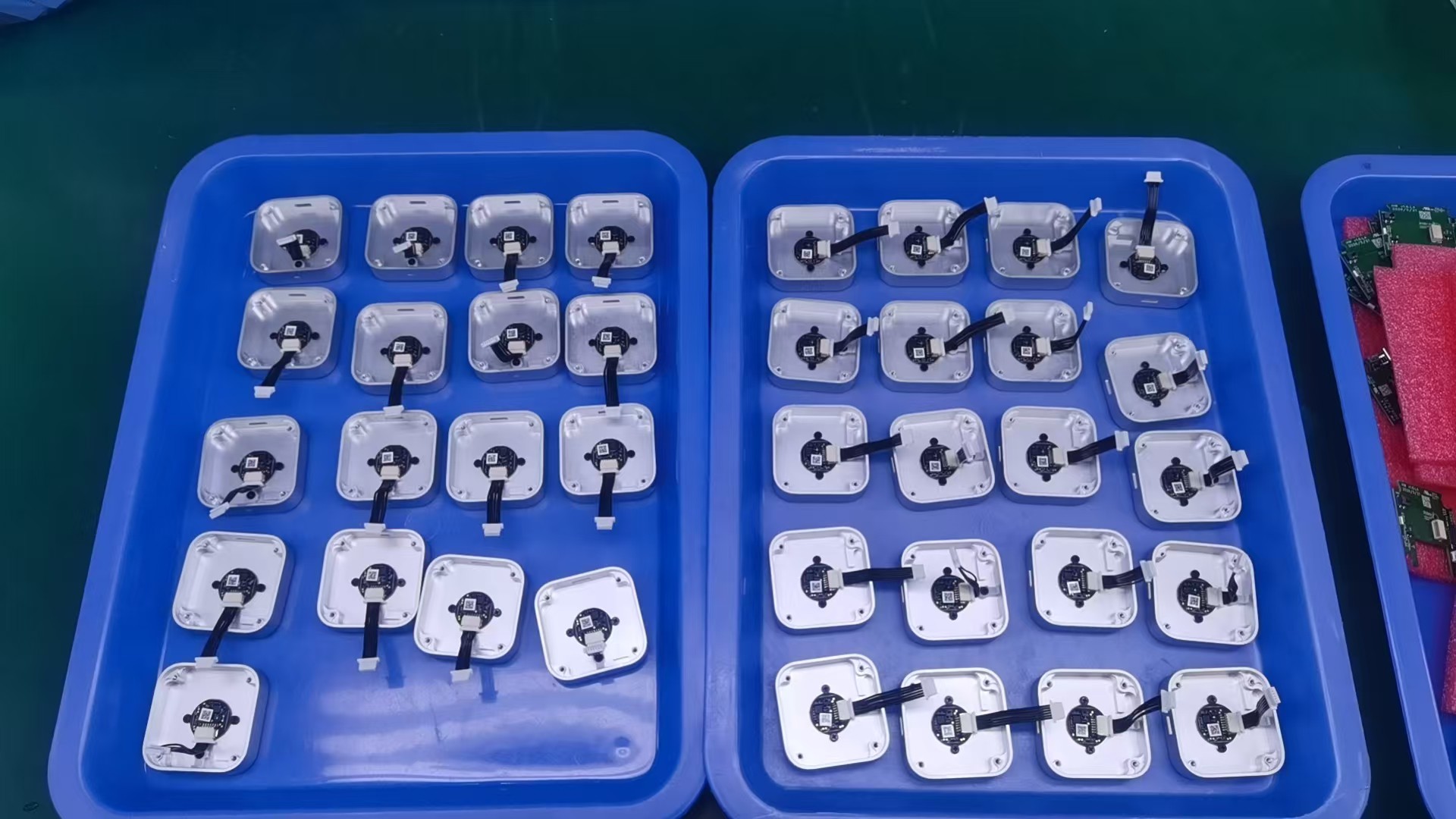
Read more »

  • 1 × CH592F RISC-V Core BLE5.4 Wireless MCU
  • 1 × R559S Fingerprint sensor
  • 1 × ME4054BM5G Linear charger for single cell lithium-ion batteries
  • 1 × XC6206P332MR-MS Linear Voltage Regulator IC
  • 1 × TPNCP114ASN330T1G 300 mA LDO with EN pin

  • Eight PCB revisions for a tiny wireless fingerprint key

    superdog2 hours ago 0 comments

    Notes from building immurok: a wrong MCU choice, a sensor swap, a tamper switch that only worked while powered, and a long fight to get standby current down to 40 uA.

    Eight immurok PCB revisions arranged as a hardware timeline

    immurok is a small wireless fingerprint key: touch the sensor, approve the action, get back to work. It took eight PCB revisions to get there. These are the notes — the boards we scrapped, the parts that looked right until they met a battery, and the mechanical choices that worked in CAD and failed in plastic.

    Four things drove most of the rework: keep the radio connected without draining the battery, make the sensor usable without it glowing like a toy, build an enclosure that survives assembly, and make the tamper switch actually do something.

    Picking the MCU: ESP32 was too power-hungry

    The first prototypes used ESP32-S3 and ESP32-C3. Familiar, well documented, easy to bring up.

    Then we looked at the power budget. immurok sits on a desk for weeks, wakes on touch, and does nothing the rest of the time. The number that matters is idle current, not peak current during BLE traffic. The ESP32 direction projected over 200 uA static before the design was even finished. For a battery-powered key, that drains the battery while the user is doing nothing.

    So we moved to CH592F. Tighter RAM, less convenient, but it gave us the sleep budget a desk key needs. The shipping design idles around 40 uA, after a lot of measurement and firmware tuning — BLE intervals, sensor rails, pull resistors, LEDs, wake paths, and every GPIO default.

    Takeaway: for a device that’s supposed to disappear into the desk, the MCU choice is the product, not an implementation detail.

    Choosing a fingerprint sensor

    Our first working path used ZW3021-class modules. They worked: enroll a finger, match locally, report over UART. The problem was the built-in lighting — blue rings, green glows, decorative LEDs that make sense on an access-control panel and look wrong on a desk. The light also costs power and complicates the enclosure.

    For a while we had a promising module shaped like a ping-pong paddle. Mechanically it fit a small handheld object well, and it skipped the built-in-light problem. Then the vendor told us they couldn’t support the volume we’d need for a real run. “Can I buy five?” and “Can I buy five thousand, repeatedly, without redesigning the product?” are different questions.

    We settled on R559S: no light, on-module matching, fits the enclosure. It has one catch — after every power cycle, firmware must explicitly enable the touch interrupt switch. Most modules we tested do this automatically. On R559S, if firmware doesn’t send the setup command after power is restored, touch no longer wakes the system.

    This matters in the failure path. If firmware crashes before re-enabling the touch interrupt, the user can touch the sensor forever and nothing happens. So we treat the command as part of the power system, not a feature toggle: bring up the sensor early, and re-send the touch-interrupt command after every power transition.

    Why the board shape kept changing

    A pile of failed 3D-printed enclosure prototypes for immurok

    The PCB revisions were half the story. The other half was a pile of failed enclosures: sensor holes a millimeter off, screw posts colliding with components, shapes that looked fine in CAD and felt wrong in the hand.

    Each failed case pushed back on the board. The sensor opening set how far the module could sit from the edge. The screw posts set where copper couldn’t go. The USB connector needed room for a cable and fingers. The antenna needed air, not a wall of plastic and metal. Button and LED positions changed once the enclosure became something you could actually press.

    • VER0 — proving the parts could talk: MCU, sensor, buttons, debug UART, BLE. A lab board, not a product.
    • VER1–2 — real mechanical constraints: USB connector placement, sensor flex routing, room for a switch, antenna clearance, how the device sits in the hand.
    • VER3–4 — consolidation. Components moved off the edges, power routing got...
    Read more »

  • Why desktop fingerprint authentication is still awkward on Mac and Linux

    superdog2 hours ago 0 comments

    Touch ID is excellent when it is built into the machine or keyboard. The awkward part starts everywhere else: Mac mini, Mac Studio, closed-lid MacBooks, external keyboards, Linux desktops, and terminal-heavy workflows.

    immurok is my attempt to build a small wireless fingerprint key for those setups.

    It is not meant to be “Apple Touch ID, but external.” Touch ID is Apple’s own secure platform, deeply fused into the Secure Enclave and the OS. immurok is something more modest and more honest about its scope: a local-first desktop authentication device with clear limits.

    immurok desktop authentication architecture

    Where built-in fingerprint auth runs out

    If you use a laptop with the sensor under your thumb, none of this is your problem. But a lot of desktop computing doesn’t look like that:

    • Mac mini and Mac Studio ship with no fingerprint reader at all. Apple’s only first-party answer is a $199 Magic Keyboard with Touch ID.
    • A MacBook in clamshell mode, driving an external display, can’t reach its own sensor — the lid is closed.
    • External keyboards — and especially mechanical keyboards, which a lot of developers prefer — have no biometric story on macOS unless you buy Apple’s specific keyboard.
    • Linux desktops can do fingerprint auth through fprintd, but good, well-supported hardware is genuinely scarce, and setup is fiddly.
    • Terminal-heavy workflows are the worst case: you sudo a dozen times an hour, sign Git commits, SSH into boxes — and every one of those is a password prompt.

    The common thread is that biometric auth is welded to specific hardware. The moment your setup steps outside that hardware, you’re back to typing passwords.

    What immurok actually is

    A small wireless key with a capacitive fingerprint sensor that pairs to your computer over Bluetooth LE. Concretely, its scope is:

    • Linux sudo and system authentication through PAM. This is the cleanest integration — see below for why it matters.
    • A Linux CLI/TUI app for pairing, status, and local control — no GUI required, built for people who live in the terminal.
    • macOS sudo / system-prompt support through PAM integration, for the auth prompts that do consult PAM.
    • Mac desk-setup workflows — Mac mini, Studio, clamshell, external keyboards — where Touch ID is missing or impractical.
    • Fingerprint matching on the device. Your fingerprint template is enrolled and matched on the key itself; it never travels over Bluetooth, never lands on your disk, and there is no cloud to send it to.
    • Open-source firmware and software. The macOS app, the PAM module, the Linux app, and the hardware design are open; the firmware will be opened up before the end of the year.

    It is deliberately a single-purpose device. No screen, no account, no app store — a key that proves a fingerprint touch happened, and lets your OS act on it.

    immurok features overview

    The distinction that matters: PAM, not a typed password

    Here is the part I most want to be clear about, because it’s the easiest thing to get wrong when you build something like this.

    For sudo and system authentication, immurok is not just typing a stored password for you. A lot of “fingerprint unlock” gadgets are really just a biometric trigger wired to a password autotyper: they keep your password somewhere, and when you touch the sensor they replay it into the prompt. That works, but it means your password is sitting in storage, and anything that can see the keystrokes sees your password.

    On Linux, immurok integrates through PAM — the same authentication framework sudo, login, and polkit already use. When you run sudo, the PAM stack asks immurok’s module, the module checks with your paired device over an authenticated channel, you touch the sensor, and PAM gets back a real success/failure result. There’s no stored password being replayed — the authentication decision flows through the OS’s own auth pipeline, the way a fingerprint should.

    On macOS the picture is split, and it’s worth being precise:

    • For prompts that consult PAM — sudo in a terminal, some system dialogs...
    Read more »

  • The immurok security model

    superdog3 hours ago 0 comments

    A fingerprint key is only as good as the trust it can prove. Here's how immurok keeps your biometrics on the device, authenticates every touch, and refuses to phone home — ECDH pairing, HMAC-signed events, and signed firmware, end to end.

    immurok replaces your password with a fingerprint. That only works if the fingerprint touch is something your Mac can trust — not just a button press that any nearby radio could fake. This post is the full picture of how that trust is built: what the device proves, what the host verifies, where keys live, and the things we deliberately refuse to do.

    The threat model

    We designed against a concrete set of attackers:

    • A passive radio eavesdropper sniffing Bluetooth LE traffic in the room.
    • An active attacker who can connect to the device, spoof advertisements, or replay captured packets.
    • A malicious or compromised peripheral pretending to be your immurok key.
    • A thief who walks off with the device itself.
    • A supply-chain attacker trying to push tampered firmware onto the device over the air.

    And a set of principles we hold regardless of attacker:

    1. Your biometric never leaves the sensor. Not over BLE, not to disk, not to a cloud.
    2. Every authentication event is cryptographically authenticated — a touch the host accepts must have come from your paired device.
    3. No cloud, no account, no telemetry. The entire system works offline. There is no server to breach because there is no server.
    4. The host is the policy engine; the device is the proof. macOS decides what a touch unlocks; the device only proves that a real, authenticated touch happened.

    Biometrics stay on the device

    The fingerprint sensor (an R559S capacitive module) does matching on-chip. Enrollment templates are stored in the sensor’s own flash and are never read out over the wire. The CH592F microcontroller that runs immurok’s firmware never sees your fingerprint image or template — it only ever receives a match result: page N matched, or no match.

    That means the BLE link, the companion app, your Mac’s disk, and certainly our infrastructure (which doesn’t exist for this) never hold anything that could reconstruct a fingerprint. The worst case for a stolen device is a stolen device — not a stolen identity.

    Matching strictness matters here too. The sensor exposes a configurable score threshold, and the firmware sets it explicitly rather than trusting a vendor default. We learned this the hard way: an early build left the score level unset, fell back to the module’s lax default, and a second validation step was missing in firmware — which let unenrolled fingers occasionally pass. The fix (firmware 1.3.14) pins the score level and re-validates the match index in firmware before signing anything. Biometric thresholds are now part of the build, not an accident of defaults.

    Pairing: ECDH, once

    When you pair a device, the app and the device run an ECDH key agreement over NIST P-256:

    1. The app generates an ephemeral P-256 key pair and sends its compressed public key (33 bytes) to the device.
    2. The device does the same and sends its public key back.
    3. Both sides compute the shared secret, then run it through HKDF-SHA256 (with a fixed salt and info string) to derive a 32-byte symmetric shared key.
    let sharedSecret = try privateKey.sharedSecretFromKeyAgreement(with: devicePubKey)
    let symmetricKey = sharedSecret.hkdfDerivedSymmetricKey(
        using: SHA256.self,
        salt: "immurok-pairing-salt",
        sharedInfo: "immurok-shared-key",
        outputByteCount: 32
    )

    The shared key never crosses the wire — each side derives it independently from the key agreement. The ephemeral private key is discarded the moment pairing completes. From then on, the app and the device share one secret that proves they paired with each other.

    This is a single-device design on purpose: one key, one device, no roaming credentials to manage or leak.

    Every touch is signed

    A fingerprint match isn’t a bare “OK” byte that anyone could forge. When the device confirms a match, it emits...

    Read more »

  • Why we're building immurok

    superdog3 hours ago 0 comments

    Millions of developers use desktop Macs and Linux machines without any biometric auth. We're building a tiny wireless fingerprint key to fix that.

    If you use a Mac mini, Mac Studio, or a MacBook in clamshell mode with an external keyboard, you know the pain: no Touch ID. Apple’s only solution is a $199 Magic Keyboard — and if you prefer a mechanical keyboard, you’re completely out of luck.

    Linux users have it even worse. fprintd exists, but good hardware options are scarce.

    The problem

    Every time you:

    • Unlock your screen
    • Run sudo / ssh
    • Approve a system dialog
    • Sign a Git commit

    …you type a password. Dozens of times a day.

    Our solution

    immurok is a tiny wireless device with a capacitive fingerprint sensor. It connects via Bluetooth LE and replaces passwords with a single touch:

    • Screen unlock — touch the sensor, screen unlocks
    • sudo & PAM — custom PAM module intercepts auth prompts
    • SSH agent — sign commits and SSH into servers with your fingerprint
    • Open source — the macOS app and PAM module are fully auditable

    Security first

    Your fingerprint template never leaves the device. Authentication uses ECDH P-256 key exchange and HMAC-SHA256 signed messages. There’s no cloud, no account, no telemetry — everything works offline over Bluetooth.

    We’ll be sharing more technical deep-dives on the BLE protocol, PAM integration, and firmware architecture in upcoming posts. Stay tuned.

View all 4 project logs

Enjoy this project?

Share

Discussions

Does this project spark your interest?

Become a member to follow this project and never miss any updates