Close
0%
0%

sdrtop

Terminal monitor for SDR hardware with real-time spectrum, waterfall, and measurements

Similar projects worth following
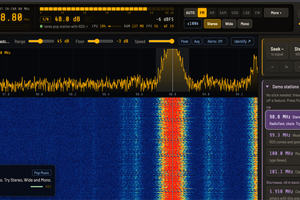
A bench instrument for software defined radios, living in your terminal. Spectrum, waterfall, four lab benches and a demodulator that plays no audio, built in Rust to find out how much an SDR can really measure, and to say so when it can't. Honest numbers, or no numbers.

This began as "let me print a few numbers from my HackRF." After several hundred commits it has four lab benches, a Bluetooth decoder, an FM demodulator that refuses to make a sound, and a Friis noise figure model. Nobody asked for the Friis model. Least of all me.

Why this exists

sdrtop is my Ego's creation. I wanted to understand RF from the inside, not from a textbook diagram, but from real IQ samples flowing inside code I've written myself. So it's a somewhat philosophical work, where the question asked is as simple as it is annoying to answer: what is the maximum an SDR can measure, and how far can you trust that?

Most SDR tools answer the first part. They show you a spectrum, a waterfall and a number, and tell you to trust them. sdrtop is built upon the opposite instinct: a value modelled, uncalibrated, stale or unavailable on your radio will say so. It will not be hidden behind an attractive FFT and a confident label, and it will not pretend a 20 dollar dongle is a spectrum analyser. The dongle isn't one, either.

The goal was never to imitate a lab instrument, but to find where an SDR works, breaks and why. The 'why' is what's being sold.

The engineering philosophy

sdrtop is written in Rust, and the signal processing was done from scratch on top of rustfft. (Announcing this is mandatory. I'm told that if you write something in Rust and don't mention it, the borrow checker takes it back.) The language is not what's important, though. The point is a handful of commitments that make the honesty above technically possible:

  • A modular DSP pipeline. Device read, FFT, detection and display are distinct stages. I want to be able to blame one of them if measurement is wrong, not spend hours staring at the monolith.
  • The radio sits behind a common interface. Both HackRF One and RTL-SDR run on their native libraries, which are loaded at runtime. The tinySA communicates over its USB console. Any software with a SoapySDR driver will talk to it through a further backend. The measurement code does not care which one it is talking to, which is exactly what you want for a question about what can and can't be measured by different hardware.
  • Failure is visible, not silent. Real-time RF is unforgiving. If your host lags behind the radio, you don't get slightly outdated data, you get corrupt data. Thus, drops are indicated, the fill level of the ring buffer is reported before the drops even start, the demodulator says when it started losing blocks, and an IQ recording can note the exact sample when that happens.
  • Samples are not copied for convenience. It helps throughput, but mostly it helps correctness. Every copy is one more place for a bug to hide and bugs are world-class at hiding.
  • Explicit FFT settings. Windowing, averaging and scaling are chosen on purpose, and averaging is a knob you can see and turn rather than something done to you behind the scenes.
  • A non-blocking TUI. The interface never stalls the pipeline, and the pipeline never stalls the interface. A tool that lies about its own liveness cannot be trusted about anything else.

What it measures, and how it admits failure

There's a spectrum and a waterfall, of course. Then there's four lab benches for the questions a plot can't answer: is the quadrature clean, is the front end staged right, is my computer keeping up, and what is that signal. There's also a demodulator that deliberately plays no audio. Yes, a radio tool with no sound. It decodes the station name, the stereo pilot, the deviation and the squelch tone, then sits there in complete silence, like a very well-informed librarian. There's also a band sweep, a Bluetooth / BLE section, and IQ recording to SigMF.

Every one of those carries its own context:

  • Stale is labelled stale. Every lab panel marks itself [STALE] the moment RX stops, so a frozen number is never mistaken for a live one.
  • Noise floor comes with its spread, and as a density in dBFS/Hz, so the same receiver reads as the same...
Read more »

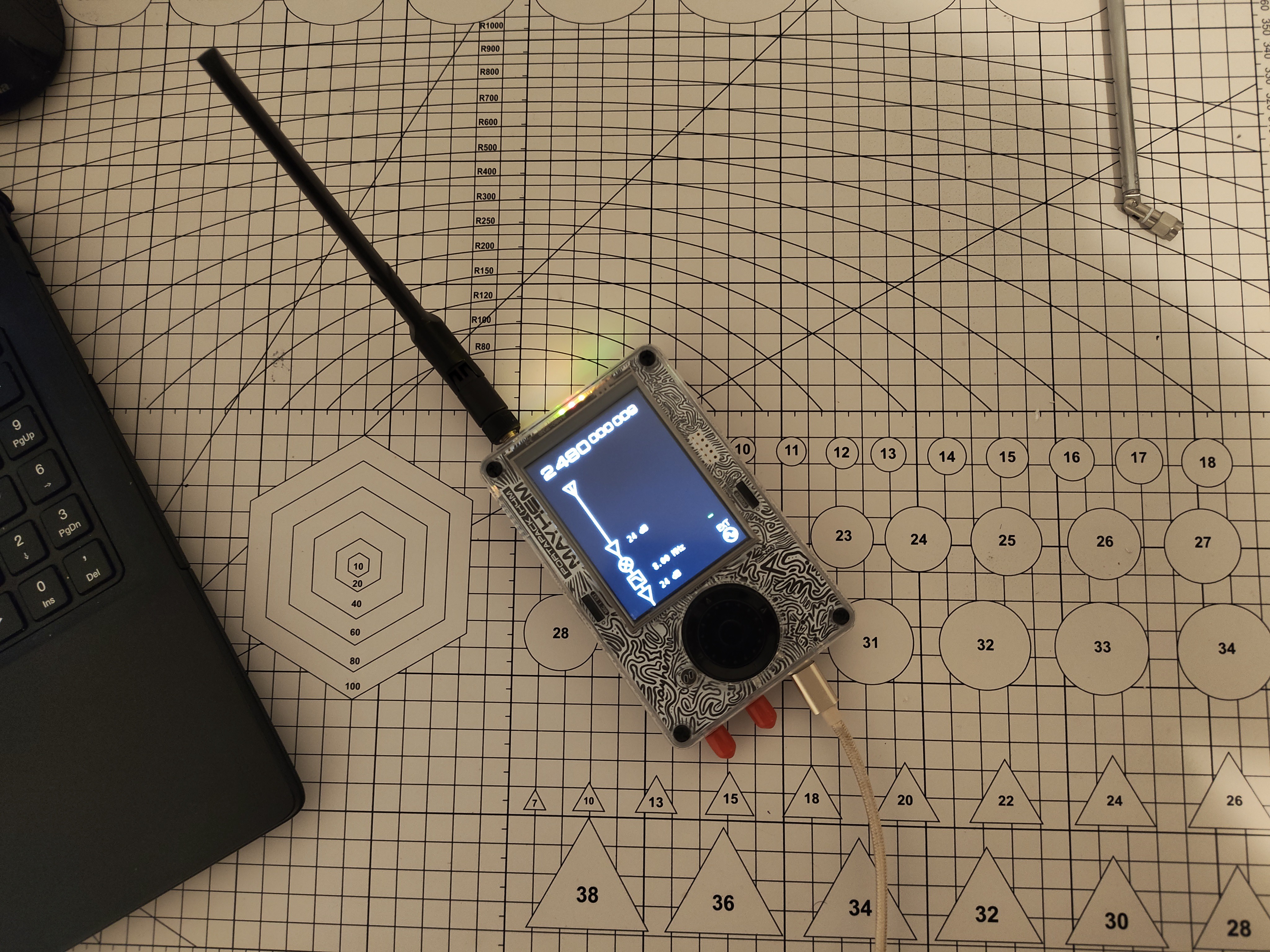
  • 1 × HackRF One
  • 1 × RTL-SDR v4
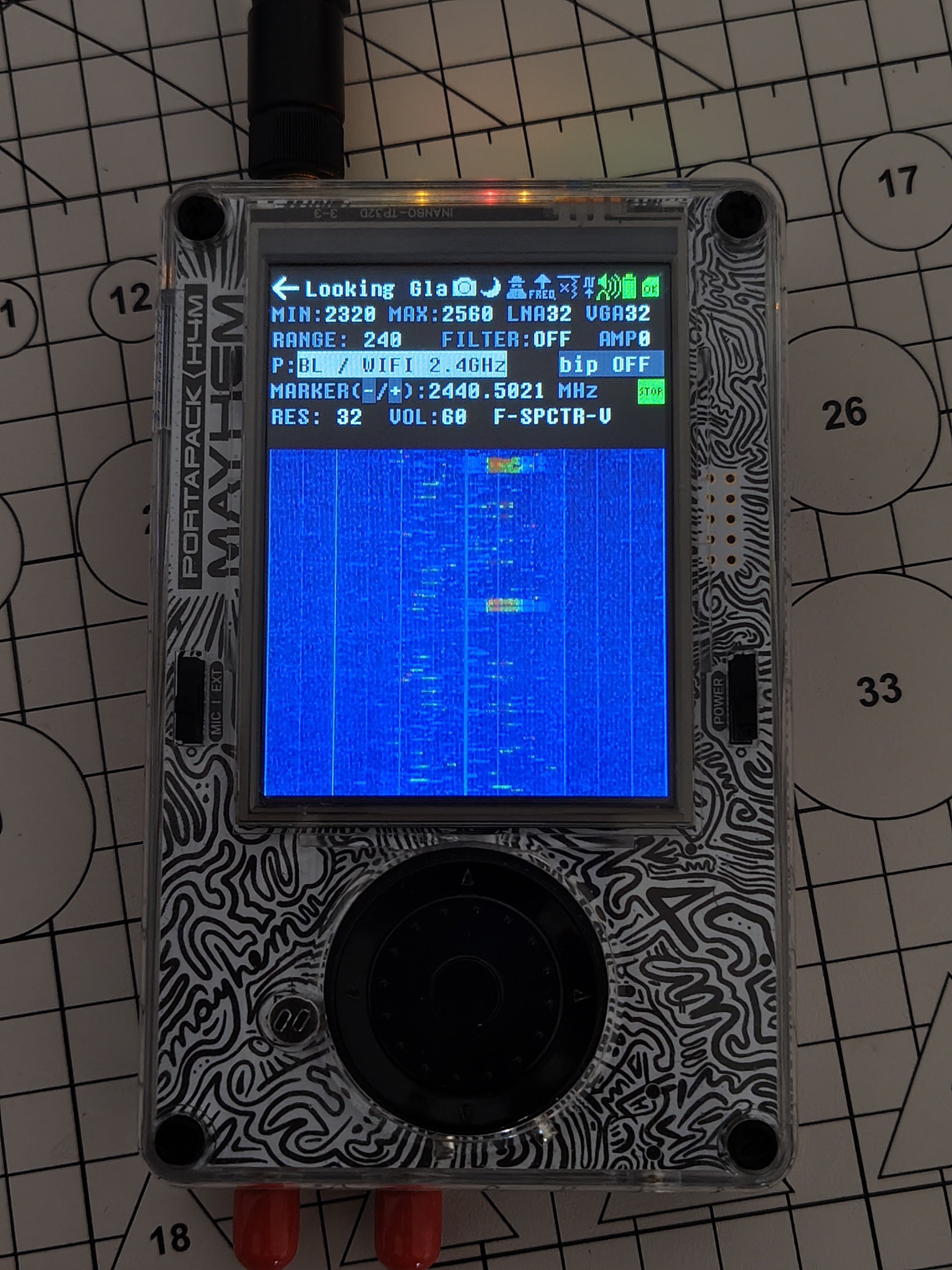
  • 1 × PortaPack H4M
  • 1 × tinySA Ultra

  • [QSL] A quick update from my little workshop.

    MusiThang • 14 minutes ago • 0 comments

    It's been quite a while since I last posted here, so I'll try to make up for that this weekend.

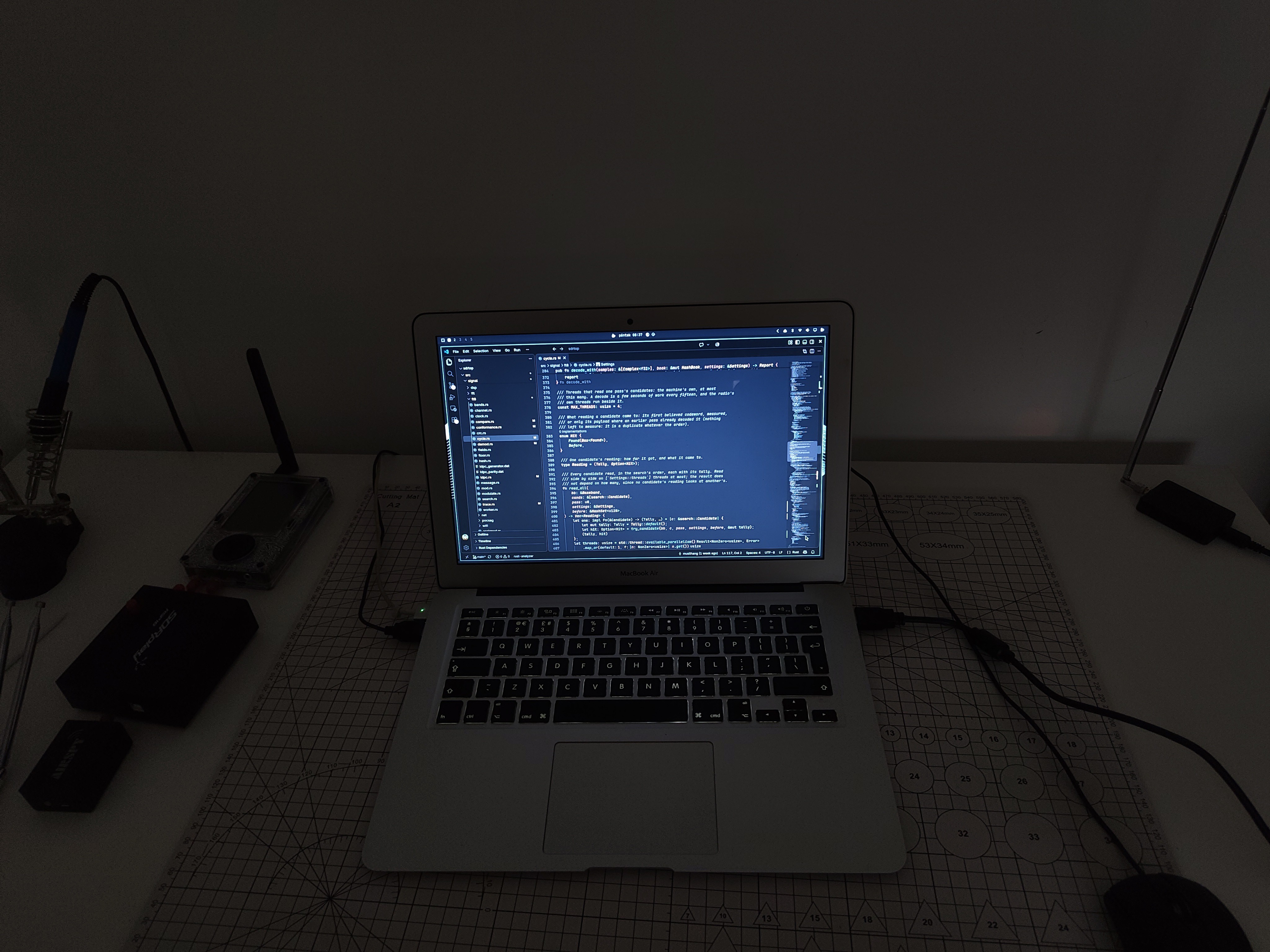
    My laptop finally gave up on me, so I'm temporarily switching to my old MacBook Air. Not exactly the upgrade I had in mind, but the work continues.

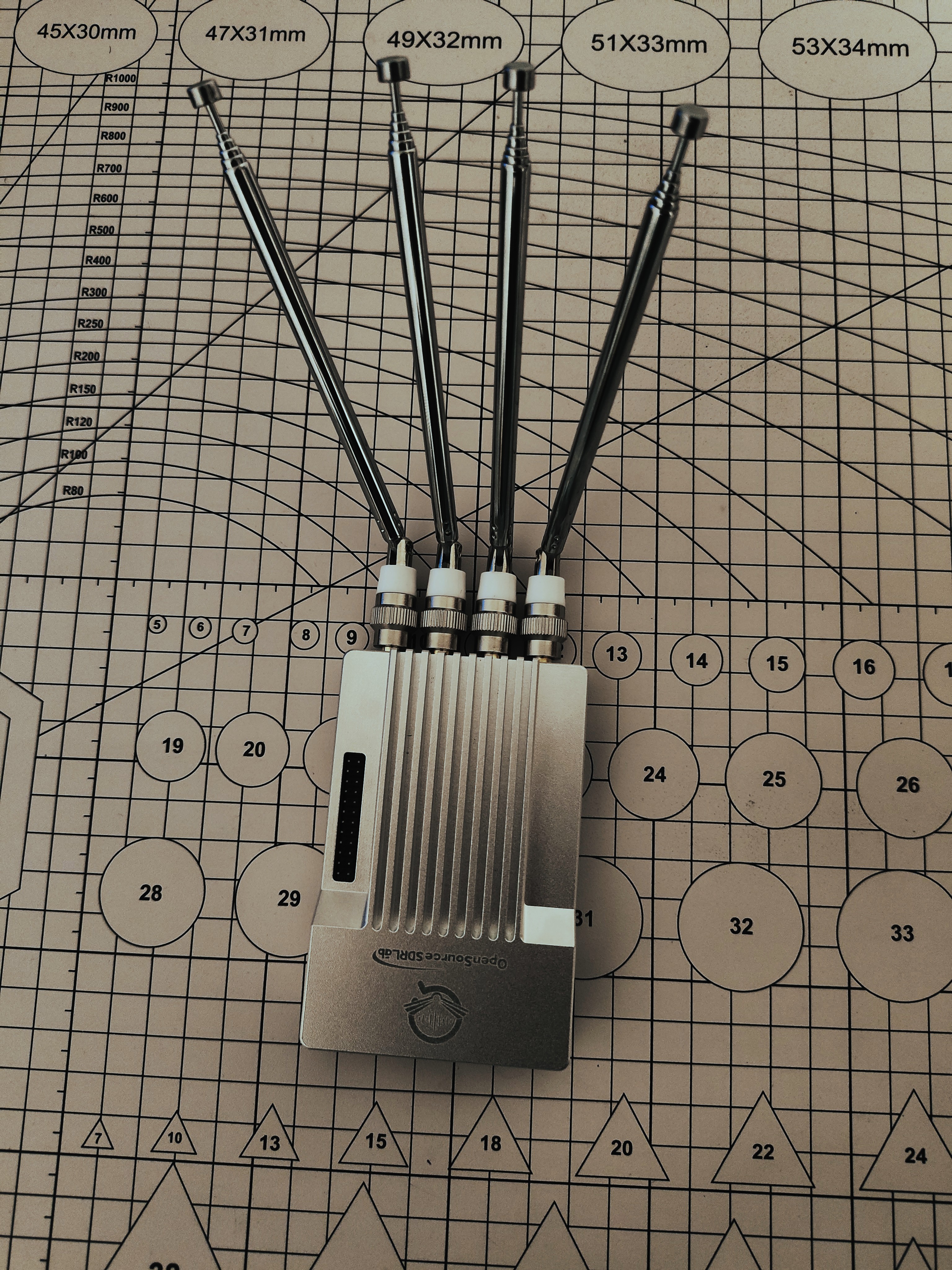
    On a brighter note, a new piece of hardware has arrived! The PlutoSky R2 is here, and a huge thank you to OpenSourceSDRLabs for making this possible!

    I'm planning to add native support for it in sdrtop. With 56 MHz of bandwidth to play with, I've already got quite a few ideas about what this hardware could be useful for. Still figuring out which directions to explore first.

    Plenty of experiments ahead!

  • [QSL] Three new radios on the desk

    MusiThang • 10/21/2026 at 06:53 • 0 comments

    Three radios on the desk

    October. Time to dive back into the workshop and put hands on the hardware. This year that feels even more true than usual.

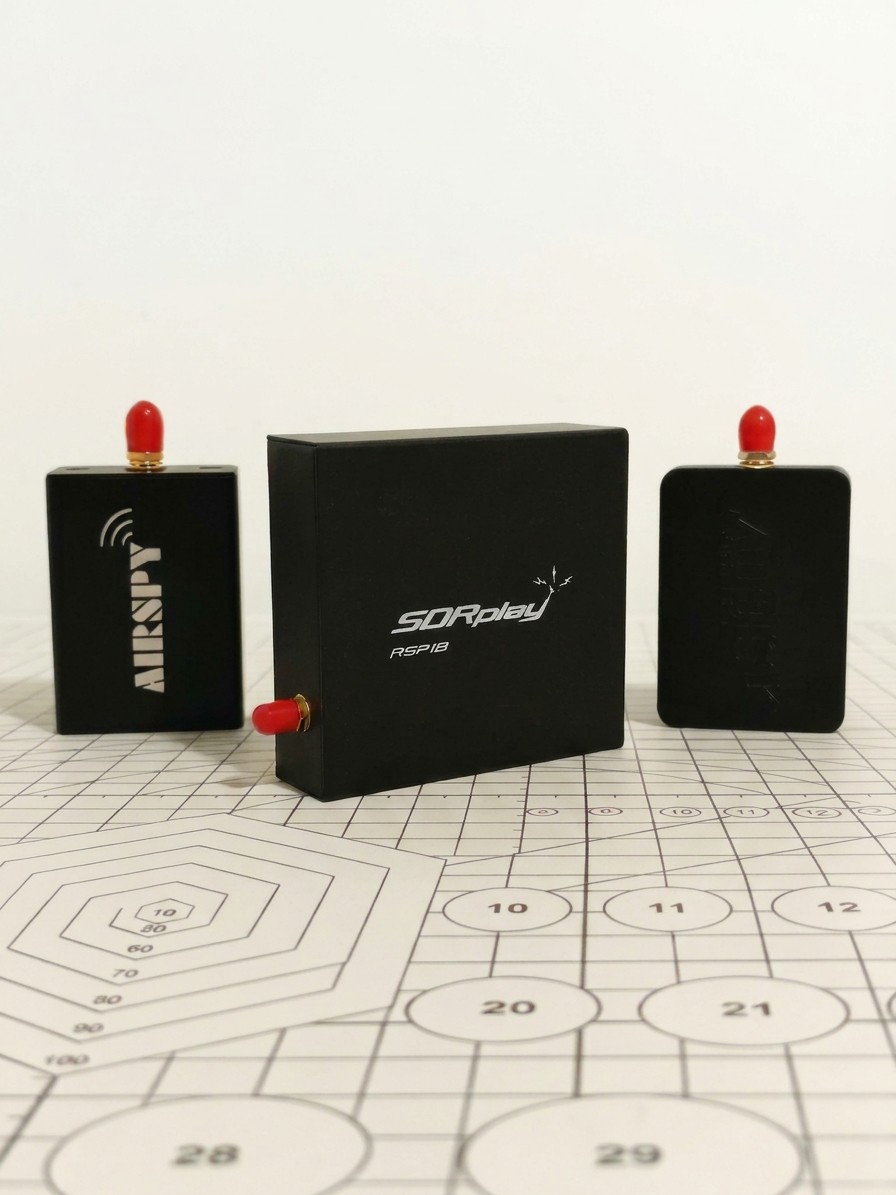
    Last few days two packages arrived. SDRplay sent an RSP1B, Airspy sent an HF+ Discovery and an R2. I can't quite believe both said yes. Thanks to both teams. That's not a small thing for a solo project. It is a huge help to the software, me, and anyone who will eventually run sdrtop on these radios.

    The immediate next task is obvious. Native support for all three of the above. Same rule as always. Nothing is marked as supported until it has spent some time on this desk, tested for real. Beyond that the door is open. I am not going to list the plans here, but if you've ever looked at a band or signal path and thought 'I could really make something of that with the right front end' then this desk has just gotten a lot more interesting.

    And then, in the middle of that, macOS happened.

    sdrtop was originally targeted at Linux, and had backends that tried shared libraries the way that Linux does, and the observer mode that reads USB stats from /sys. All perfectly reasonable choices for a desktop app, but completely useless on a Mac... 

    And this week almost by accident: macOS. Someone opened an issue from a MacBook with an RTL-SDR. The backends were Linux-only. We chased it down, and proper macOS support is landing. Might even ship this week

    Hardware from the vendors. 

    A careful bug report from a stranger with a Mac. 

    That is how a solo project moves in October.

    Whether you're using sdrtop or just want to help me out, even opening an issue can be a great way to contribute.

  • Looking at Wi-Fi as radio, not just a network

    MusiThang • 10/18/2026 at 08:14 • 0 comments

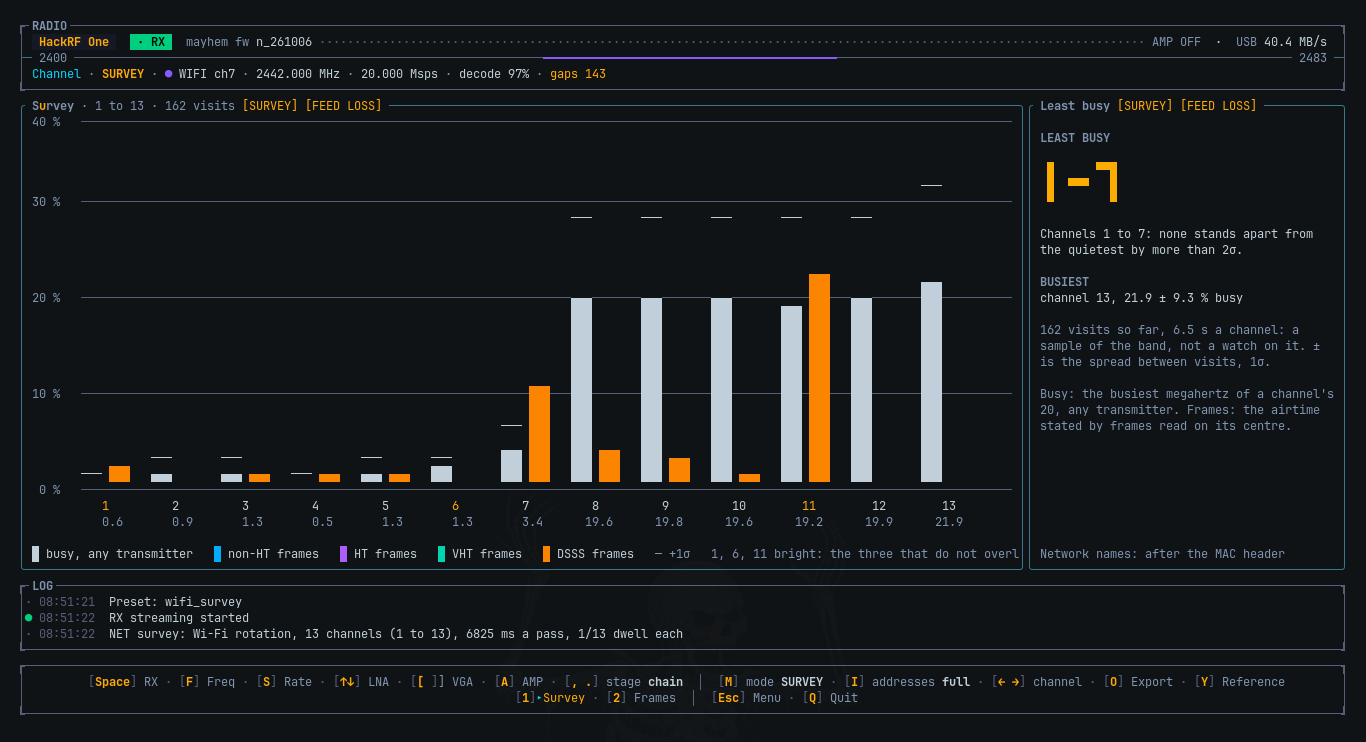
    The latest Wi-Fi work in sdrtop presents two new views: Survey and Frames.

    The idea was not to write another application listing nearby networks. There already are too many of those. I was interested to peer one layer deeper into the radio and learn about transmissions on a channel and how they fit with one another in time and what can be derived from a received signal before attempting to decode its payload.

    1. Starting with the radio

    Wi-Fi is often presented to the user as a collection of network names, signal-strength bars and channel numbers. Those are useful abstractions, but hide much of the behaviour taking place over the air.

    At the physical level, a Wi-Fi transmission is a time varying radio signal. Different frame formats use different signalling structures, and the receiver has to identify a transmission, establish timing, estimate frequency offset and recover enough of the PHY information to understand what it is looking at.

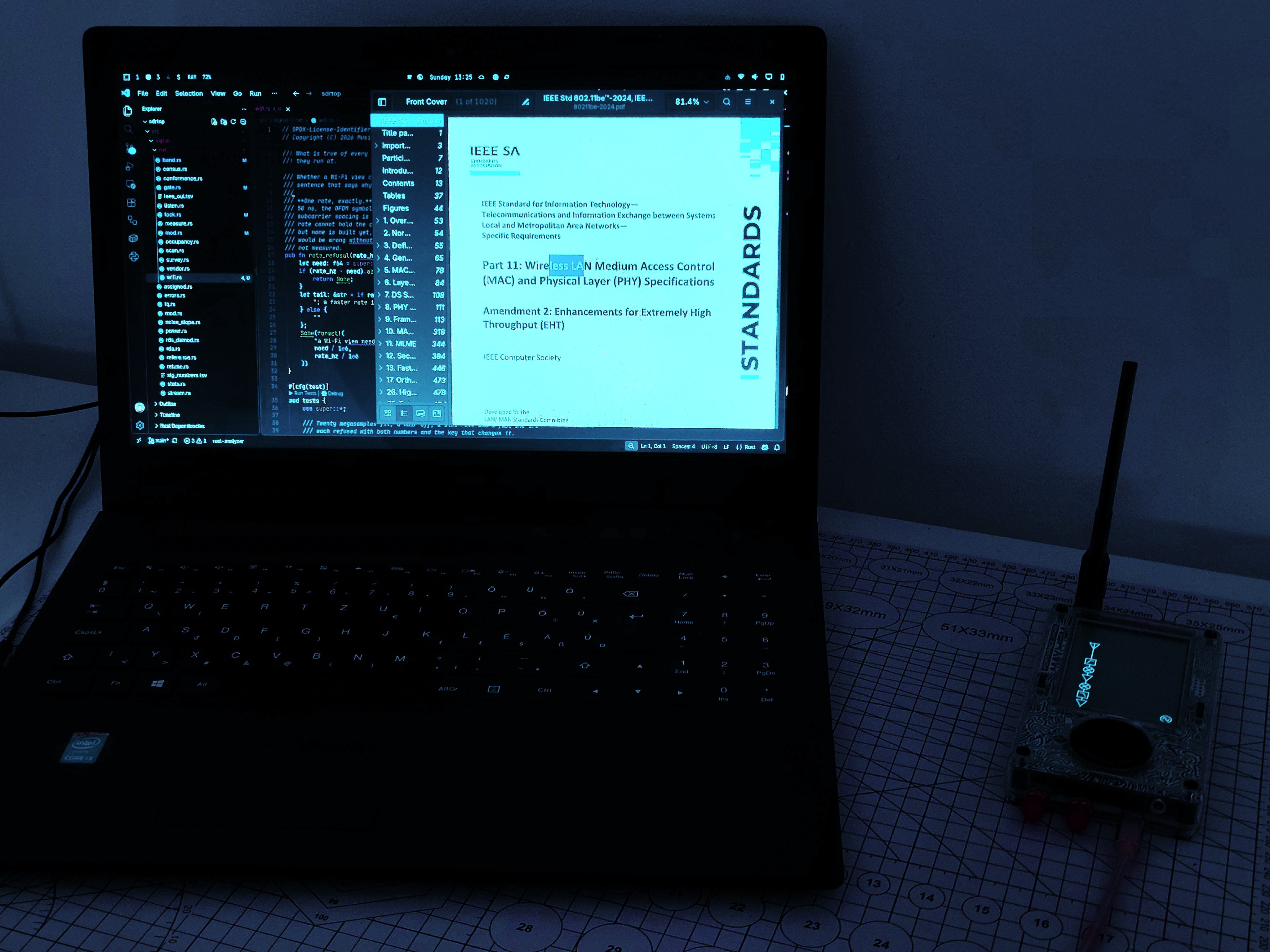
    The reference for this work is the IEEE 802.11-2024 standard, with the applicable amendments consulted where necessary. Rather than treating a successful decode as the sole proof of existence of a frame, the receiver is designed to account for detected activity even when the available information is incomplete.

    That distinction is important. A frame whose payload cannot be decoded may still occupy airtime. A burst detected from a neighbouring channel may still contribute energy to the capture. Neither should silently disappear from the picture simply because they do not fit the simplest decoding path.

    The first implementation focuses on the 2.4 GHz band and a single 20 MHz channel at a time.

    The reference hardware used during development is the HackRF One, configured at 20 Msps. HackRF One uses 8-bit I/Q samples, so this is a constrained measurement environment, not an ideal laboratory receiver. The receiver, the sample stream and the available processing time all influence what can be established reliably.

    2. Survey: which channel is busy?

    First view is Wi-Fi > Channel > Survey.

    Its question is deliberately simple: which Wi-Fi channels are busy and which are comparatively quiet?

    The survey cycles through the Wi-Fi channel centres, rather than observing them all at once. For the current 2.4 GHz implementation, it means visiting channels 1 through 13 and accumulating observations for each channel.

    It is an important detail when interpreting the result: the display is built from measurements accumulated over time, rather than thirteen receivers working in parallel. Each channel is observed during its own sampling interval, the amount of observation time and the coverage achieved is relevant when comparing the results.

    The view combines the channel picture with the activity that was detected during those visits, a way to compare the observed busy time, observe where frames have been detected and the relationship between channel positions and their overlapping bandwidths.

    Why visit every channel rather than just channels 1, 6 and 11?

    Those three are commonly used as a simplified channel planning reference because they are separated, in a many 2.4 GHz deployments. But they aren't only frequencies at which a receiver can encounter Wi-Fi activity, a scan only those centres could miss networks on other channels, even if their energy is present in the wider band.

    The Survey therefore visits the individual channel centres, a network is generally most usefully observed with the receiver tuned to its own channel, while energy from overlapping or adjacent ones can influence what the receiver sees.

    The intended use is more exploratory rather than prescriptive: a channel that appears quieter during a time of survey isn't necessarily the best channel for every device or every moment. The scan has a finite observation time, traffic varies and interference isn't necessarily Wi-Fi. The measurements describe what the receiver observed during the survey: not a guarantee of future network...

    Read more »

  • [BENCH NOTES] Wi-Fi next

    MusiThang • 10/11/2026 at 11:29 • 0 comments

    Bluetooth may take a break for a moment, while I look into Wi-Fi.

    This weekend was spent reading standard and updating the plan so that the first version cannot be accused of lying: a cheap SDR on one 20 MHz channel cannot do what a lab box can.


    What I want to be displayed on screen, in order:

    • What is this channel up to? Every single burst, including the ones we cannot fully decode, and for how long does it occupy the air?
    • Who is here? Later, when there are addresses.
    • Is that transmitter any good? Clock offset, signal quality, compared to the limits in the standard's own specification.
    • What does the path look like? How much is it echoing the room, in nanoseconds and metre.

    The first pass at this requires only step 1: detecting the burst, reading the short header that contains rate and length information, and counting how long in the air it was. 

                        IQ @ 20 Msps
                             │
                             ▼
                  ┌─────────────────────┐
                  │  burst detector     │
                  │  (short training)   │
                  └──────────┬──────────┘
                             │
                ┌────────────┼────────────┐
                ▼            ▼            ▼
             this         neighbour      noise
            channel       channel
                │            │
                ▼            ▼
         read rate &      count energy
         length from      as adjacent
         the header       airtime
                │
                ▼
         ┌──────────────┐
         │  airtime     │
         │  by rate &   │
         │  format      │
         └──────────────┘

    A full decoding of the payload is not needed in the first pass; frames that we cannot read still consume medium capacity, and that must be shown or the utilisation number is fiction.

    This is how the wifi menu will look like:

    Wi-Fi
      Channel     1 Survey   2 Frames   3 Airtime   ← first release
      Room        1 Paths    2 Motion
      Network     1 Census
      Transmitter 1 Bench

    Menu gets its own Wi-Fi heading (Survey / Frames / Airtime first). Code is moving.

    Edit:

    while reading the IEEE 802.11 docs I happened upon a test vector which used the first 72 characters of Schiller's Ode to Joy as the payload. 😂

    Including the typo in "Fire-insired"

    So here I am, reading Wi-Fi documentation, and I stumble across poetry encoded in a Rust byte array.

    Here's what that looks like in Rust:

    /// The example's PSDU (Annex I.1, Table I-1): a MAC header, the first 72
    /// characters of Schiller's "Ode to Joy" with LF line breaks (the typo in
    /// "Fire-insired" is the annex's own, and deliberate), and the FCS.
    #[rustfmt::skip]
    pub const MESSAGE: [u8; 100] = [
        0x04, 0x02, 0x00, 0x2E, 0x00, 0x60, 0x08, 0xCD, 0x37, 0xA6,
        0x00, 0x20, 0xD6, 0x01, 0x3C, 0xF1, 0x00, 0x60, 0x08, 0xAD,
        0x3B, 0xAF, 0x00, 0x00, b'J', b'o', b'y', b',', b' ', b'b',
        b'r', b'i', b'g', b'h', b't', b' ', b's', b'p', b'a', b'r',
        b'k', b' ', b'o', b'f', b' ', b'd', b'i', b'v', b'i', b'n',
        b'i', b't', b'y', b',', b'\n', b'D', b'a', b'u', b'g', b'h',
        b't', b'e', b'r', b' ', b'o', b'f', b' ', b'E', b'l', b'y',
        b's', b'i', b'u', b'm', b',', b'\n', b'F', b'i', b'r', b'e',
        b'-', b'i', b'n', b's', b'i', b'r', b'e', b'd', b' ', b'w',
        b'e', b' ', b't', b'r', b'e', b'a', 0x67, 0x33, 0x21, 0xB6,
    ];

    Thanks for reading.

  • [QSL] Heard you, thank you

    MusiThang • 10/09/2026 at 11:33 • 0 comments

    In ham radio, a QSL card says one thing: “I heard you, thanks for the contact.” This is one of those, logged.

    Two signals received

    sdrtop got written up on the RTL-SDR Blog and on the Adafruit blog. Both posts picked out exactly the parts I care about: no audio on purpose, numbers that go [STALE] when RX stops, and a signal path written from scratch. Which means somebody read the README all the way down. Thank you both, and hello to everyone who came over from there.

    One package incoming

    sdrtop has a rule: a radio gets native support only after it has physically sat on my desk. It’s a good rule. It’s also why the README has a row of grey badges that mean “should work, but nobody has told me yet”.

    So I reached out to Airspy. I showed them my project. They said yes, and an Airspy R2 and an HF+ Discovery engineering sample are already on their way. I’m very grateful to them for their support.

    The plan when they land:

    • a native backend for each device
    • tested on real hardware, not from a datasheet
    • documented in the docs: how the backend works, what was measured, and any limitations found
    • the badge turns green once verified

    Until then, the grey stays grey. That’s the rule.

  • [BUG HUNT] My Bluetooth receiver only understood one device on Earth: itself

    MusiThang • 10/09/2026 at 07:45 • 0 comments

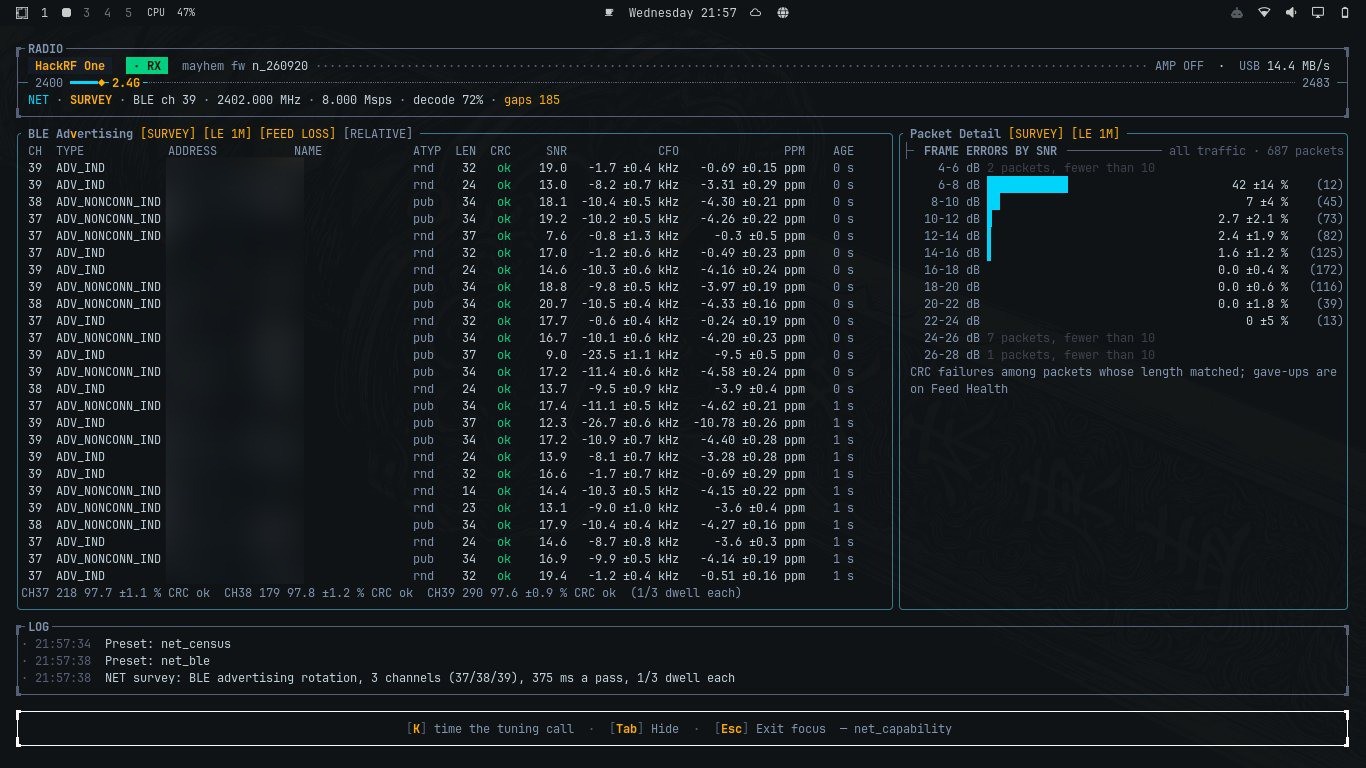
    Where this story ends: real BLE packets, CRC clean.

    So, funny story. For about a month, sdrtop had a Bluetooth Low Energy receiver that decoded every packet perfectly. Every packet I made, that is. Point it at an actual phone and the CRC failed. Every packet, every device, every single time. Meanwhile the test suite was green from top to bottom, smiling at me.


    A receiver that works on everything you make and nothing anyone else makes is a very specific kind of broken. This is the story of finding out which kind, with the code, the dead ends, and the moment I realised the bug had been introducing itself by name for weeks.

    Quick map: what a BLE packet looks like on air

    Keep this picture in your head, it's the whole plot:

      ┌──────────┬────────────────┬────────┬─────────────┬──────────┐
      │ preamble │ access address │ header │   payload   │  CRC-24  │
      │  8 bits  │    32 bits     │16 bits │ 0-37 bytes  │ 24 bits  │
      └──────────┴────────────────┴────────┴─────────────┴──────────┘
      │◄──── NOT whitened ───────►│◄──────── whitened (scrambled) ──►│
              known in advance            depends on channel number

    The first 40 bits are known: on the advertising channels the access address is always 0x8E89BED6. Everything after that is scrambled ("whitened") by a 7-bit shift register seeded from the channel number, then checked by a 24-bit CRC.

    The suspects (all guilty of something, none of this)

    The cruel part: every theory I had pointed at a real bug. I fixed each one, things got better, and the CRC kept failing like it hadn't noticed.

    theory                      real bug?   fixed?   CRC passes?
    ──────────────────────────  ─────────   ──────   ───────────
    sub-symbol timing phase     yes         yes      no
    CRC byte order              "yes"*      "yes"*   no
    carrier frequency offset    measured    ruled    out
    no anti-alias filter        yes         yes      no
    interpolation bias          yes         partly   no
    ADC overload (phone on      yes!        yes      no
    the antenna, max gain)
    low per-bit SNR             measured    ruled out
    
    * hold that thought

     A couple of these deserve a closer look, because the numbers were genuinely fun.

    The overload one. Phone pressed against the antenna, AMP on, LNA and VGA maxed. The survey panel read a peak of +0.6 dBFS and a noise floor of -9.1 dBFS. That's not a receiver, that's a microphone held inside a drum. Backing the gain off gave -10.1 dBFS peak, a -48.6 dBFS floor, and for the first time ever a sane modulation reading on real air. Real fix. CRC: still failing.

    The SNR one. Maybe the bits were just noise? So I measured against ground truth: slide a 40-bit window over each capture and count how many bits differ from the known preamble plus access address. As a control, I ran the same search over pure random bits, 200 times:

    ground-truth check: wrong bits out of 40 (best window)
    
    pure noise, 200 trials   ███████████████  never better than 7
    real captures            ██               0 to 5   ← that's a real signal

    The bits were coming through clean. And then the clue that, in hindsight, solved the case:

    preamble + access address        header           payload ...
      ✔ ✔ ✔ ✔ ✔ ✔ ✔ ✔ ✔ ✔ ✔ ✔ ✔ ✔ ✔ ✔ │ ✘ ✘ ✘ ✘ ✘ ✘ ✘ ✘ ✘ ✘ ✘ ✘
                                      ▲
                     clean up to exactly here, garbage after,
                     the SAME garbage, every time, both ways I computed it

    Look at that boundary. Now look at the packet map above. I didn't. I wrote it down, nodded wisely, and walked off in completely the wrong direction.

    "It's not a bug, it's my flat"

    I dumped raw IQ to disk and averaged the amplitude in 16-sample blocks across the one capture that matched cleanly:

    amplitude (block average) across one capture
    
     1.1 │          ████
     0.8 │         ██████
     0.4 │█████████        
     0.2 │                 ████████████████████████████
         └────────────────────────────────────────────── samples
          0       512  696                          1409
                   ◄──►
             ~46 symbols of signal, then nothing

     Conclusion at the time: the bursts here are only ~46 symbols long, enough for a preamble and access address and nothing else. Bad antenna, bad flat, no bug. I marked the task closed.

    Then I looked around.

    The lab. Population: one HackRF, one antenna, and about ten BLE devices I can hear...

    Read more »

View all 6 project logs

  • 1
    Install it, plug in a radio, press Space

    You need Linux (x86-64 or a Raspberry Pi) and a radio: a HackRF One, an RTL-SDR, a tinySA, or anything SoapySDR can talk to.


    The one-liner:

    curl -fsSL https://raw.githubusercontent.com/musithang/sdrtop/main/packaging/install.sh | sh

    It tries the prebuilt binary first and compiles from source if that can't run on your machine. To pull in the runtime for your radio as well, add a flag:

    curl -fsSL https://raw.githubusercontent.com/musithang/sdrtop/main/packaging/install.sh | sh -s -- --hackrf

     --rtlsdr and --soapy work the same way. Piping a script into a shell means running code you haven't read, so read it first: packaging/install.sh. I would.

    Or with cargo:

    cargo install sdrtop --locked

    This needs Rust 1.88+ and a C compiler. No SDR libraries or headers are needed to build. They are loaded at runtime, and a missing one only switches off its own backend. On a Raspberry Pi the build takes a while. It's not frozen, it's just Rust. 

    SoapySDR radios (beta):

    sudo apt install libsoapysdr0.8 soapysdr-tools soapysdr-module-all
    SoapySDRUtil --find

     If your radio isn't in that list, sdrtop can't see it either, and the missing piece is a driver module.

    First run:

    sdrtop

    It opens on its menu. Enter takes a layout, Space starts receiving, Esc brings the menu back, and q quits and saves. For a tinySA, start it with sdrtop --device tinysa.

    RTL-SDR not showing up? The kernel's DVB driver has probably grabbed it first. The troubleshooting page covers it.

    Everything else, every flag and every key: Getting started.

View all instructions

Enjoy this project?

Share

Discussions

Similar Projects

Does this project spark your interest?

Become a member to follow this project and never miss any updates