Mykle
Mykle-
Initial setup
a day ago • 0 commentsMy development setup: my M1 Mac Mini running MacOS 26 with the command line developer tools installed. I installed Claude Code and the latest Arduino release (2.3.10), then asked Claude to install SparkFun's Arduino core for the Thing Plus. That two-step process is explained here: first get the official core for the Portenta through the board manager, then download the RA6M5 package from Sparkfun and move it into place.
I also gathered all the datasheets into a directory where Claude and I could read them: That includes the RV112-FF pots, the RA6M5 MCU datasheet and user manual, the bluetooth chip, and Renesas' capacitive touch design guide. Because I don't really like to use the Arduino GUI I had Claude set up a Makefile-based command line build system for me that uses arduino-cli under the hood to compile and upload firmware. We still used the app for its built-in Serial Monitor and Serial Plotter.
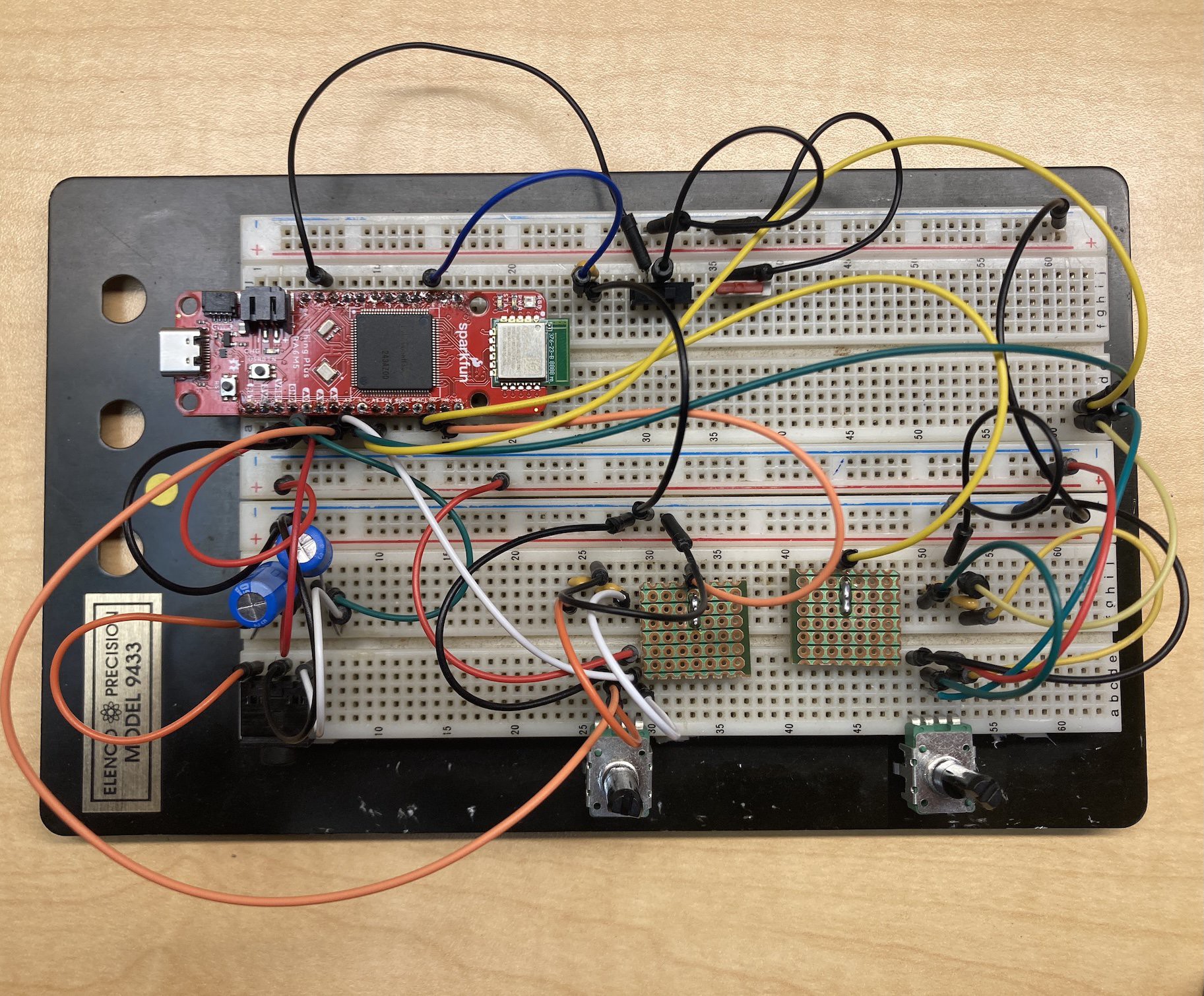
Here's how I plugged it together on the breadboard:
![]()
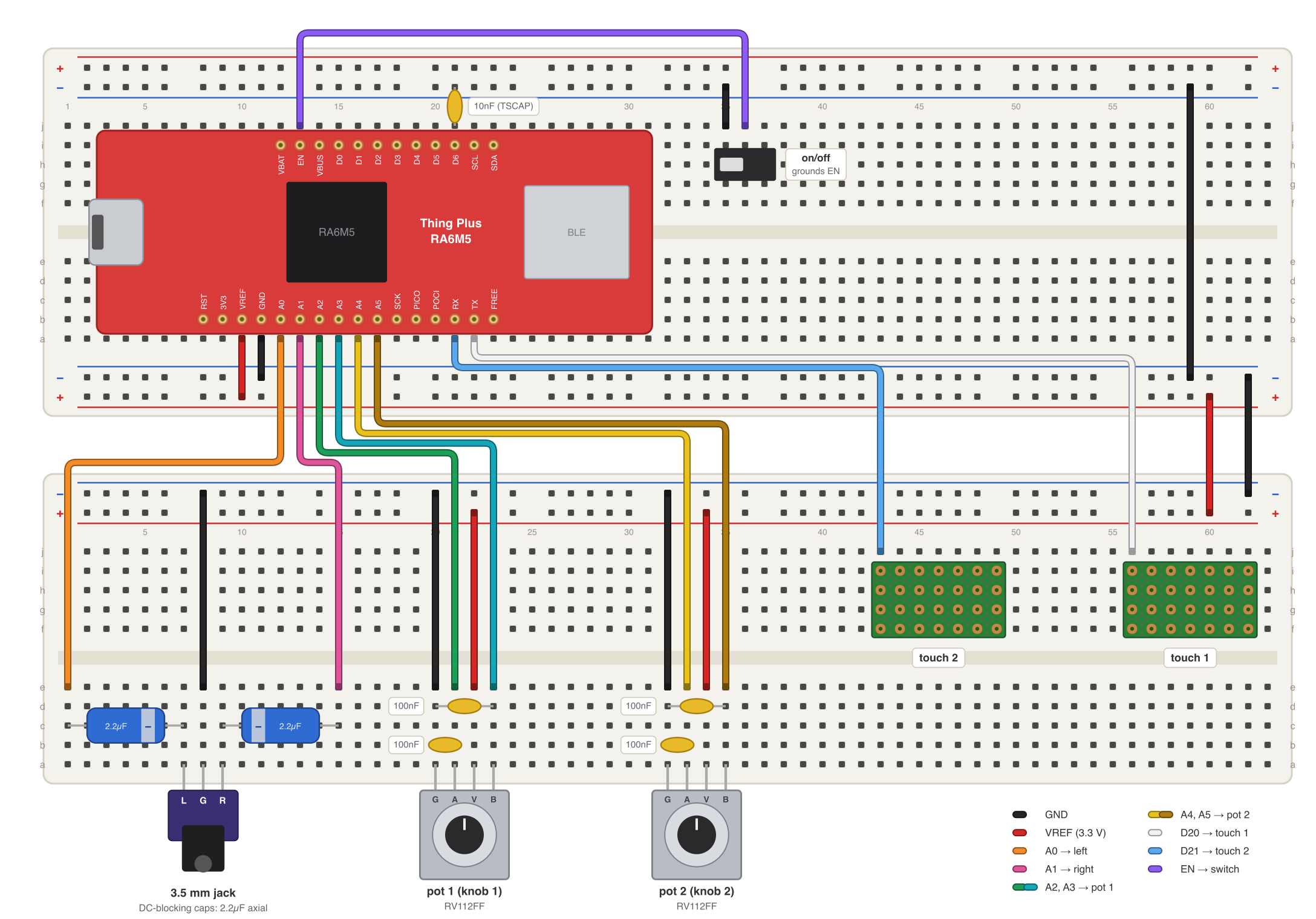
Eech, what a salad. The four A/D pins are wired to the wipers of two RV112-FF dual pots, the two D/A pins to a STX-3120-3B audio jack, and the two touchsense pins into two thrown-together touch probes made from scraps of header and perfboard. (Before I made those I used slices of carrot as touch sensors; they worked perfectly on the first day, but they slowly dried up and stopped working at all by day 4.)
I had to pry the bottom +- power rail off of my breadboard to be able plug these pots in, because they have little PCB-clutching toes on them which don't want to be added to the circut and don't line up with the breadboard holes anyway. With that rail out of the way they hang over the bottom edge of the board as shown. One could maybe bend their toes back with a needlenose plier instead, and then return them to position at build time, if one needed to plug them into the breadboard at some other position.
What else? There's a power switch to ground the EN pin, which shuts down the board (mostly). There's power and ground to the tracks of the pots, and some 100nF caps between the pot wipers and ground, optional but recommended, which filter out high-frequency noise to get more precise readings. There's also an unused second power switch and a bunch of excess spaghetti I should have maybe cleaned up before the photo shoot. Below is a much clearer diagram you can follow to set up the same circuit on your own breadboard:
![]()
With all of this hooked up and installed, we were ready to plug in the USB cable and say Hello World ...
Tweacman: a sample scrubber
A pocket-sized digital reel-to-reel with exquisite tape-like control of sound over time