 alfazoOm
-
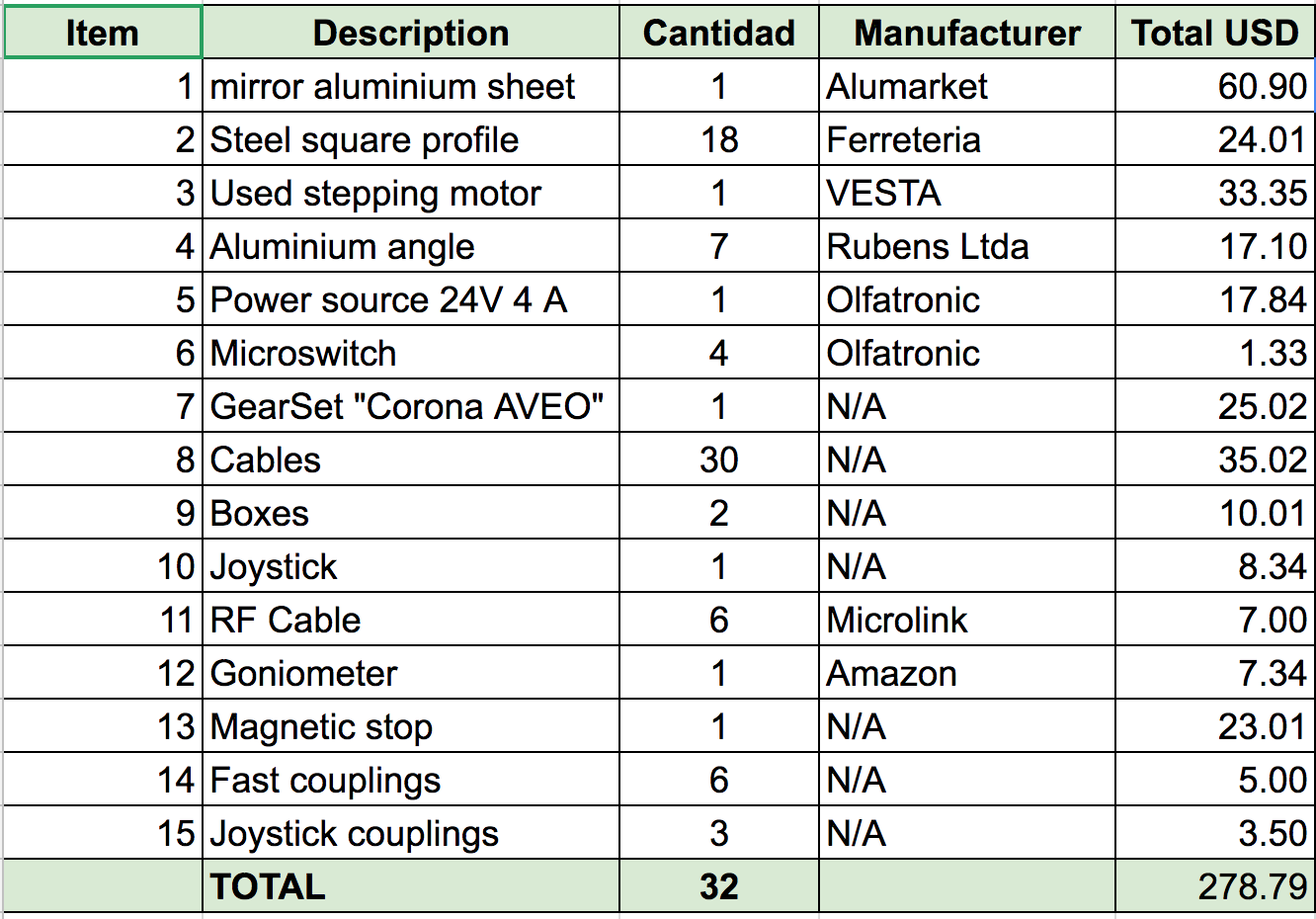
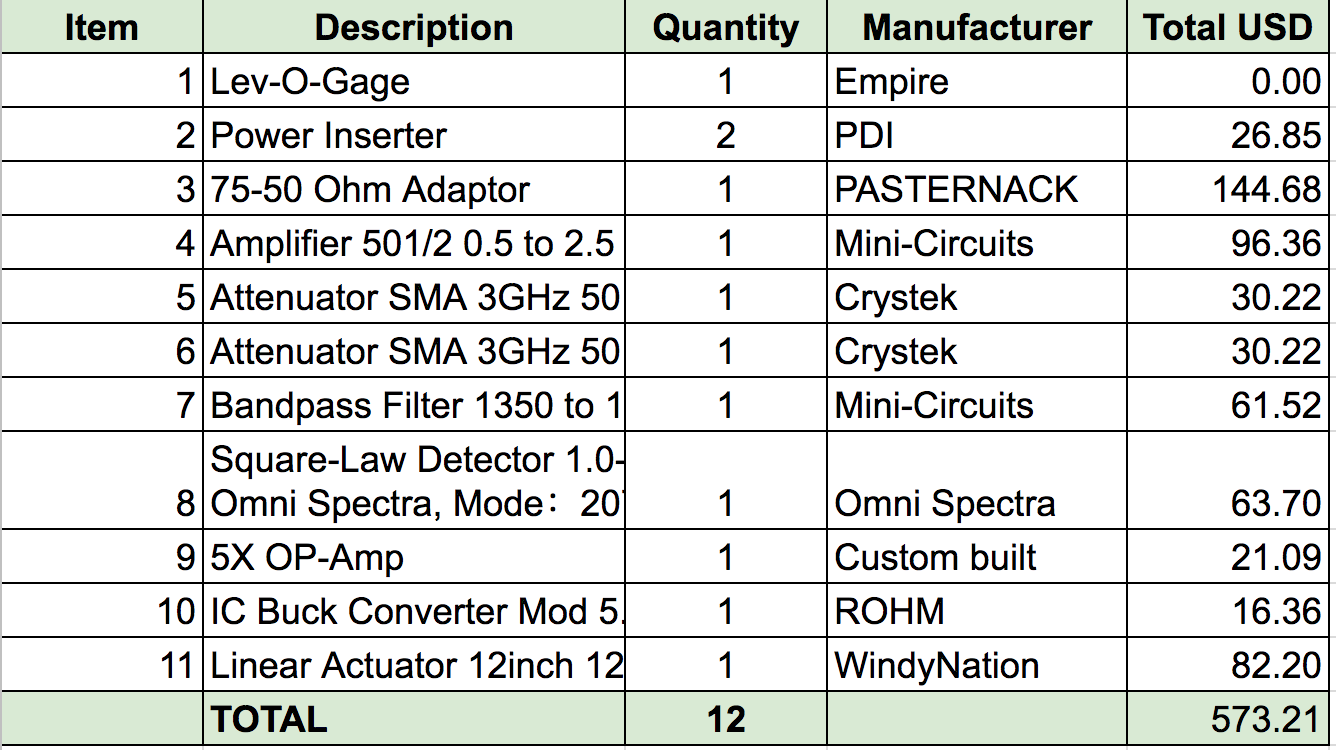
1Bill of materials
![]()
![]()
-
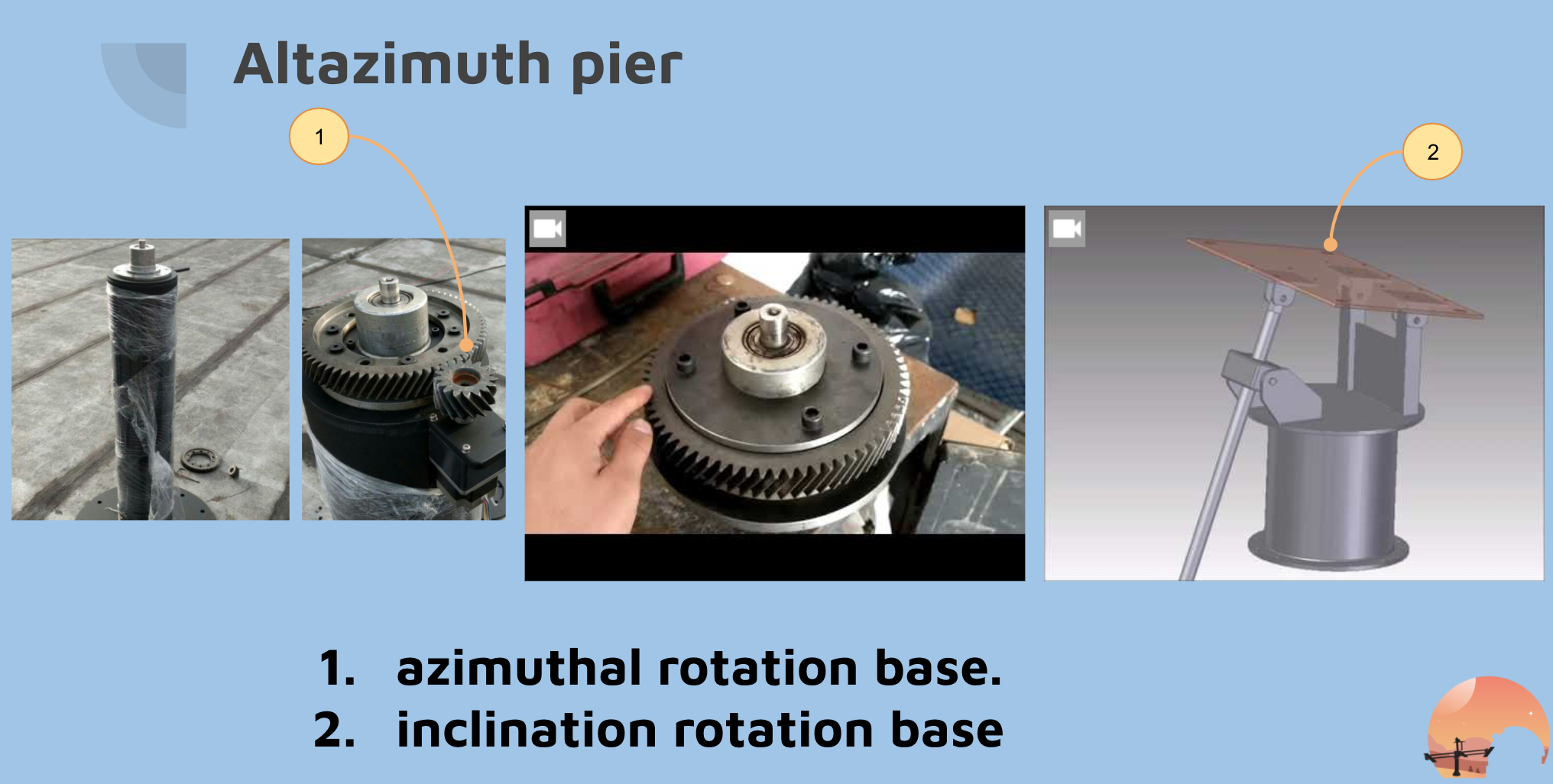
2Pier altazimuth assembly
![]()
-
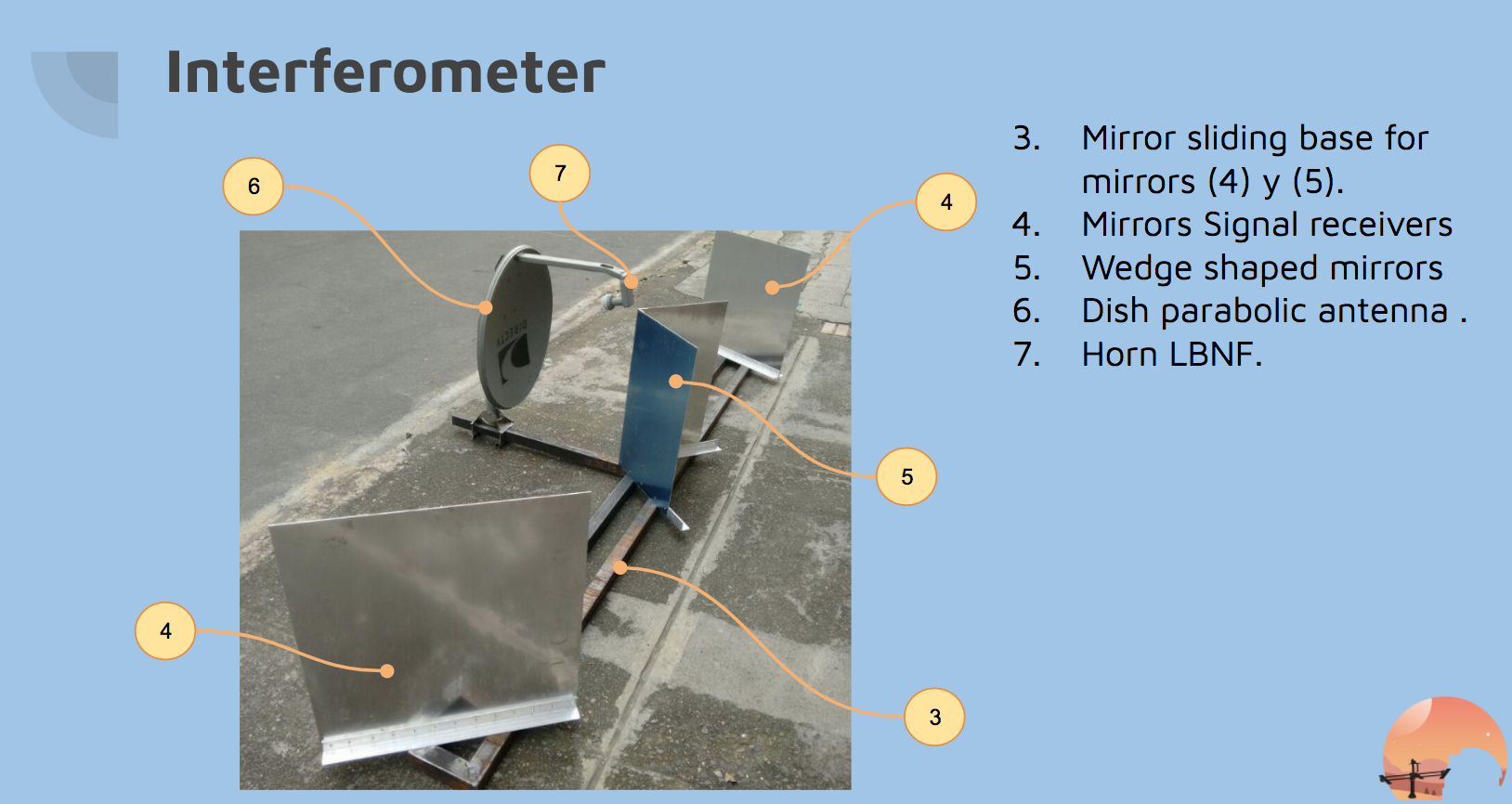
3Interferometer assembly
![]()
-
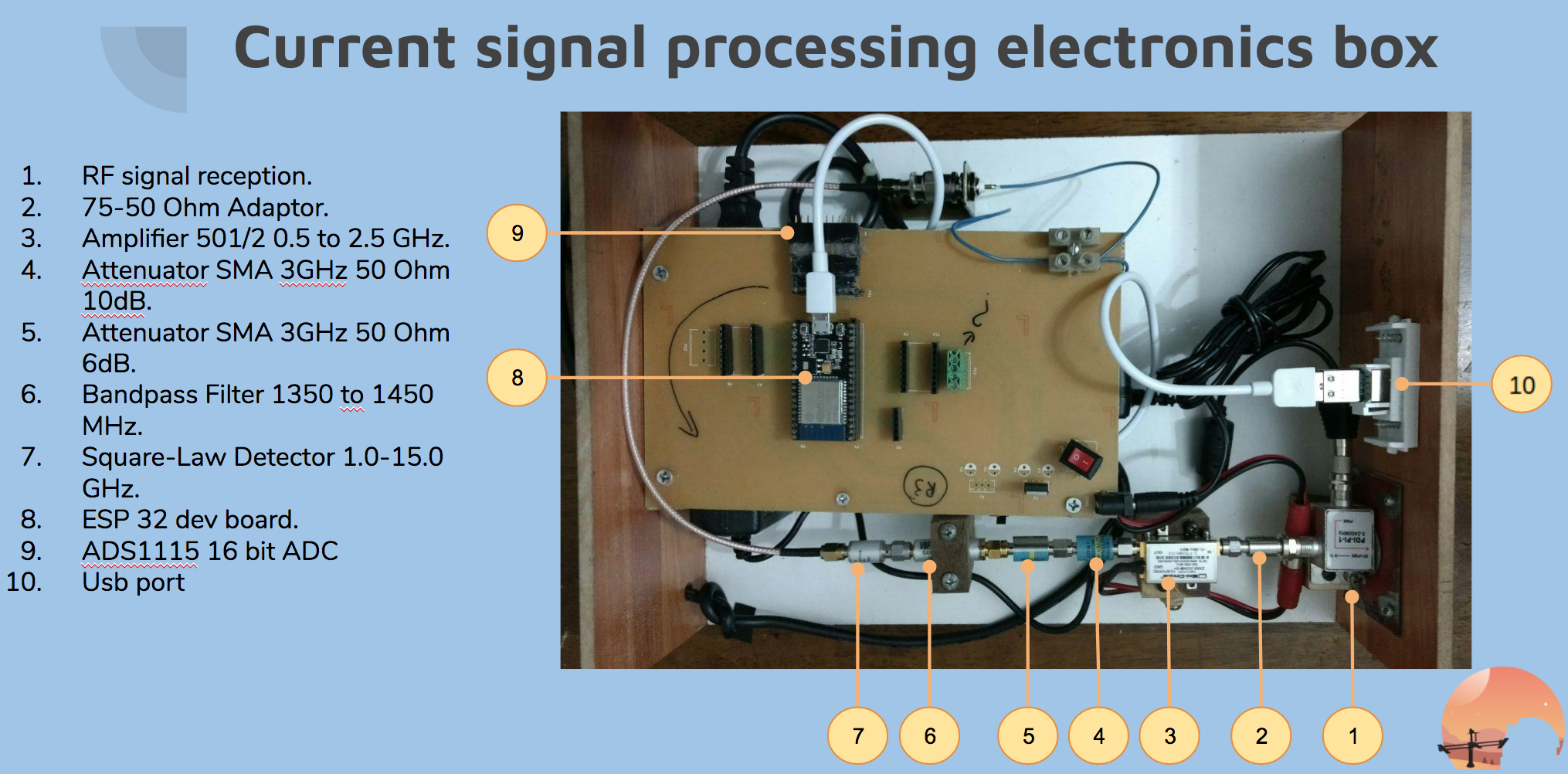
4Signal processing electronics box assembly
![]()
-
5Steps to start jupyter notebook
- Verify tty is detected like ttyUSBX, as soon as you connect electronics usb cable, you should be able to see a new tty in /dev/ . To verify this enter this command
ls -la /dev/ttyUSB* - Give permissions to tty, for the moment if you havent add an udev rule for this just type on terminal with the result of step 1
sudo chmod 666 /dev/ttyUSB0 - In terminal clone repo
git clone https://github.com/IMFR11Ghz/imfr-hal - In your path in terminal to python directory
cd /your/path/imfr-hal/python - Start the jupyter notebook
jupyter notebook
- Verify tty is detected like ttyUSBX, as soon as you connect electronics usb cable, you should be able to see a new tty in /dev/ . To verify this enter this command
RadioTelescope Interferometer: IMFR11GHz
IMFR11GHz is a Radio Telescope Michelson Type that operate in 11 GHz, its useful to study extended source objects in the sky
Discussions
Become a Hackaday.io Member
Create an account to leave a comment. Already have an account? Log In.