Close
0%
0%

Primary Buffer Panel v2

A glorified DIY joystick controller with an LCD (‘MFD’) and plenty of RGB.

Similar projects worth following
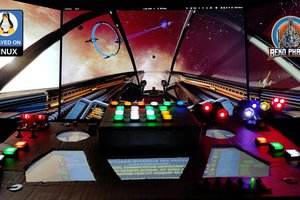
This SimPit (simulated cockpit) on a budget is mainly used to play Elite Dangerous, Star Citizen, X4: Foundations and plenty of other **Space Pew Pew**. It utilizes many techniques and principles also found in other simulated cockpits be it flying or racing.

It features:

* DIY headtracker with Opentrack
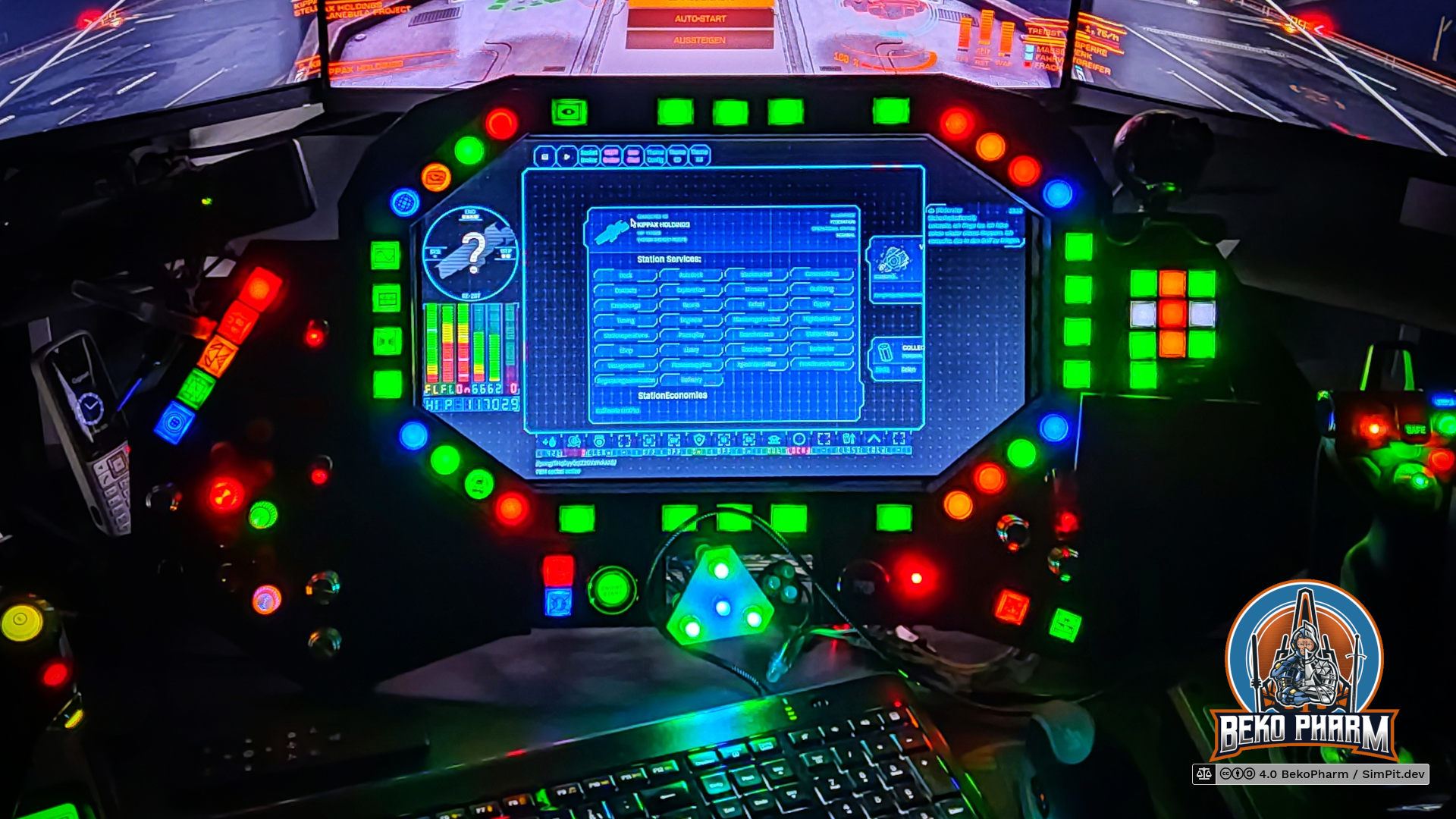
* DIY button box with LCD (“MFD”) display
* DIY status indicators using a Neopixel
* Lots of plumbing with Node-RED
* Arduino Mega with a custom Rust daemon for driving the joystick and LEDs
* A custom “App” written in React to drive the MFD
* …and a Linux PC to power all the crazy ?

Offical project website: https://SimPit.dev/ (backyard hosted, slow af but ads/tracking free)

Primary Buffer Panel v2 (the good)


The second version of the Primary Buffer Panel was built directly on the basics developed for version 1. This time it features a wooden frame though and is no longer just cardboard. The idea is to eventually incorporate the panel in a full featured simulated cockpit [in the far future].
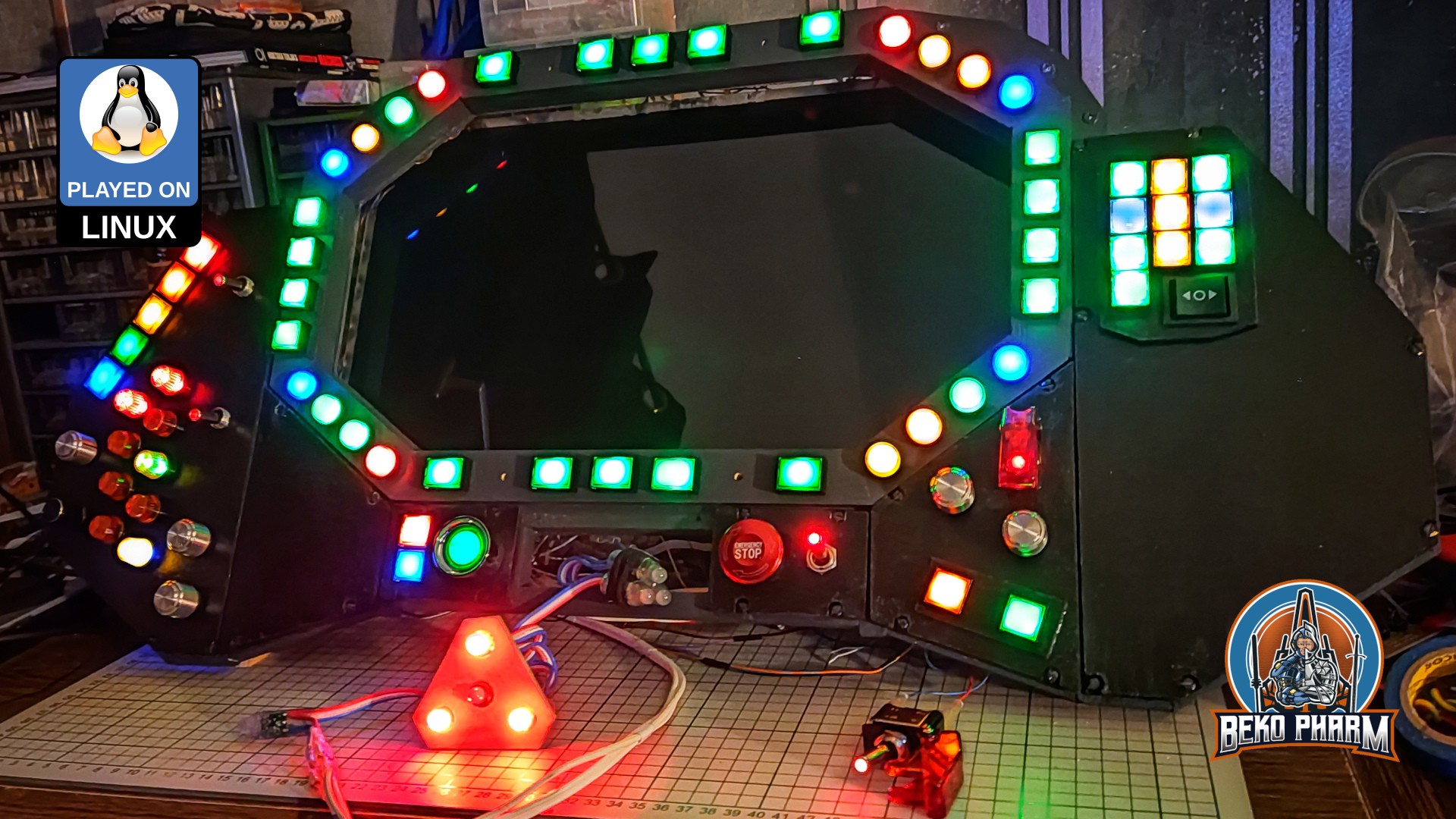
It’s design is based on a VF-1 Valkyrie cockpit of the Macross franchise - or Robotech as it is known in some parts of the world (but we don’t talk about this here).

Originally posted at https://simpit.dev/version-2/
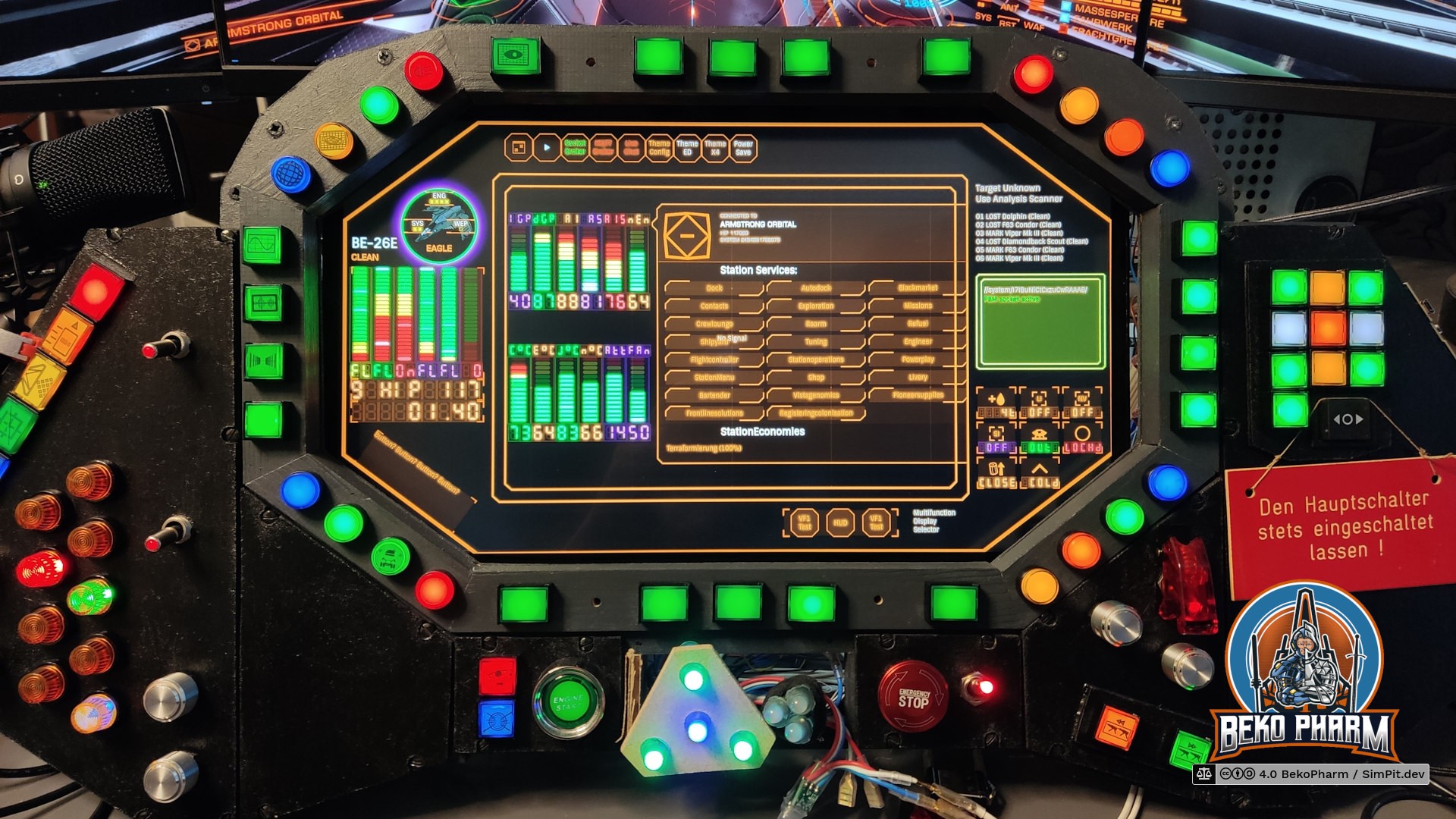
  • Switching to a touch panel display in my VF-1 inspired home cockpit panel

    Beko Pharm01/14/2026 at 19:47 0 comments

    Finally replaced the old display with a new touch display in my VF-1 inspired home cockpit panel.

    The old display was salvaged from a laptop years ago and while it was working fine it also has a very bad viewing angle. I also got really tired of it's glaring reflections so I experimented with an anti glare foil. This reduced the reflections a lot (worth every cent) but couldn't help with the bad viewing angle, of course. I now had an idea how this could look though so I decided to buy into a replacement kit.

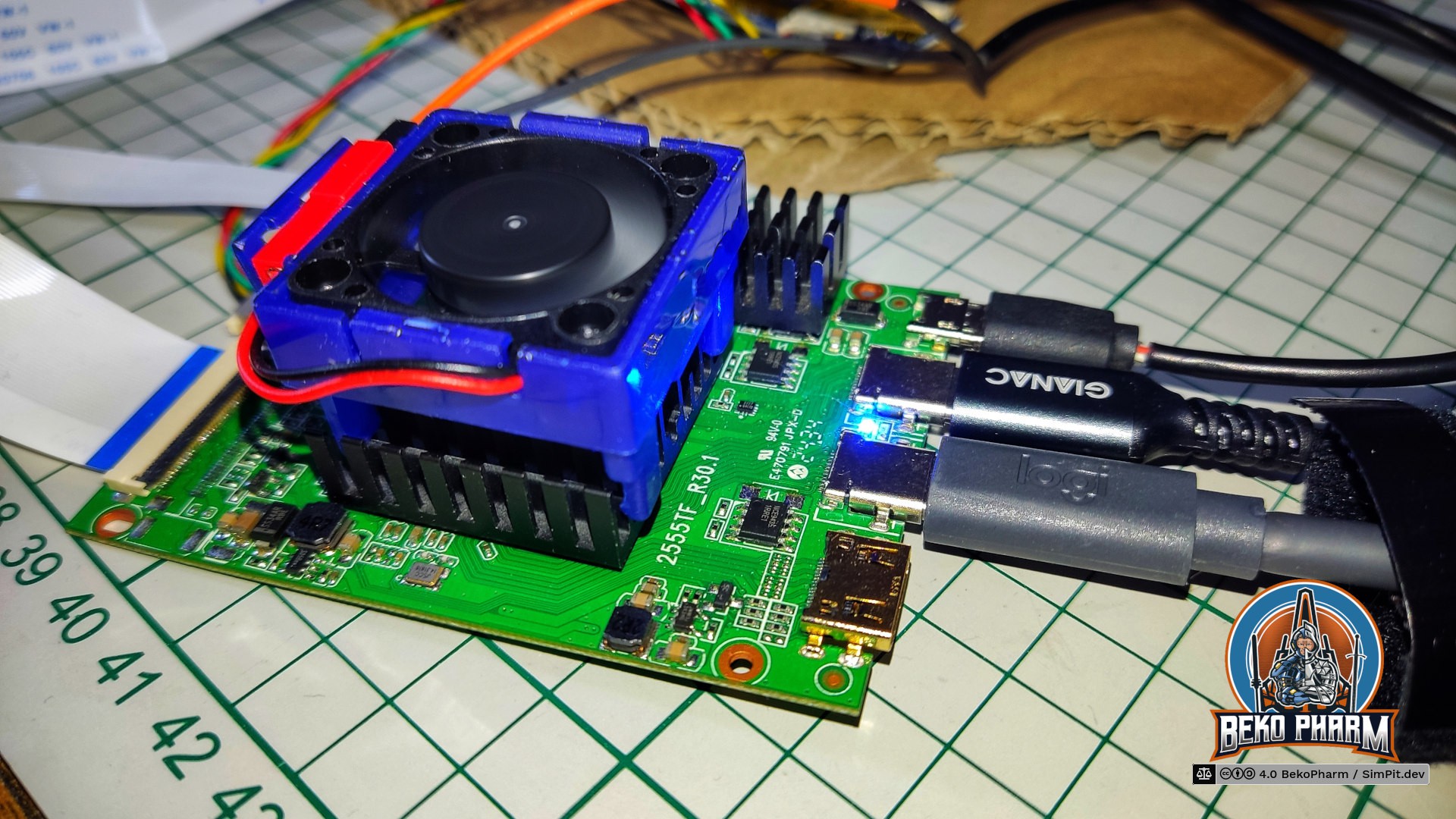
    The new display is the N173HCE-E31, a 17.3" with a resolution of 1920x1080. The touch controller registeres as a USB HID pointer/mouse by ILITEK and is basically sitting on top of the display. The kit included a PCB, that was advertised as VS-RTD2556HC-V2 controller by VSDISPLAY but came without any data sheet and I have no idea who really made this.

    Thing is this PCB runs very hot and the noted input voltage isn't explicitly stated. An attached image suggested to use an USB PD power supply without 20V so I was looking for it's datasheet to check if I was just holding it wrong. Picture me surprised but VSDISPLAY does not list this particular configuration in it's datasheets. I contacted them via mail and they confirmed that this is not theirs. Theirs is apparently also strictly 5V/12V so that matches the picture I get.

    Mine is equipped with the IC RTD2556VD that does not match the list of supported ICs. Theirs has 2556TE_R20.1 printed on the PCB. Mine has 2555TF_R30.1 printed on. It's like 99% similar but differently routed. It also mentions E470791 JPX-D which seems to point to the PCB manufacturer Dongguan Jingweixin Circuit Co Ltd but that is where my GoogleFu left me. I did also find the very same pictures on other offers, each stating a completely different controller model 🤷

    Anyway. I tried different configurations and while it works with 5V at ~2A I feel way more comfortable with 12V at ~0.8A on full brightness + blue color. I also attached a passive cooling block I had laying around and slapped a fan on top. Now it's only "comfortable" warm to the touch after running for an hour.

    Sadly I do not have any device with DP ALT providing more than 5V and the PCB will always switch down to 5V the moment the USB-C dedicated for the display signal is used as well, even when a proper USB PD power supply is attached on it's dedicated power connector. I could only keep it at 12V with my VITURE USB-C XR charging adapter, which can indeed provide 12V and more via USB-C while still allowing DP-ALT + USB2. There went my plans to only have a single cable for all, DPPD and the USB2 lanes for the ILITEK pointer, because I really do not want to block this adapter all the time.

    So now I have a dedicaded USB PD power supply at 12V connected, a HDMI connection for the display and an additional USB2 for the touchpanel pointer - and on top of that the little fan, that I simply connected to the micro USB2 socket on the PCB to provide it with 5V.

    This also means that my Linux PC can not know that both, touch panel pointer and display, belong together. As a result all touch panel inputs were all over the place and not limited to a single display. Apparently KDE has an option in it's graphical settings where this can be easily configured. Gnome does not [yet?] have such an option in it's graphical settings. There is however a way to enforce the mapping of the touch panel in Gnome too!...

    Read more »

  • VFD segment displays in HTML/CSS for my SimPit

    Beko Pharm05/04/2025 at 08:43 0 comments

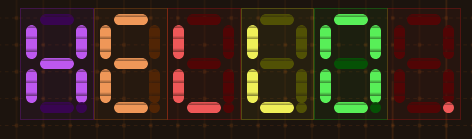
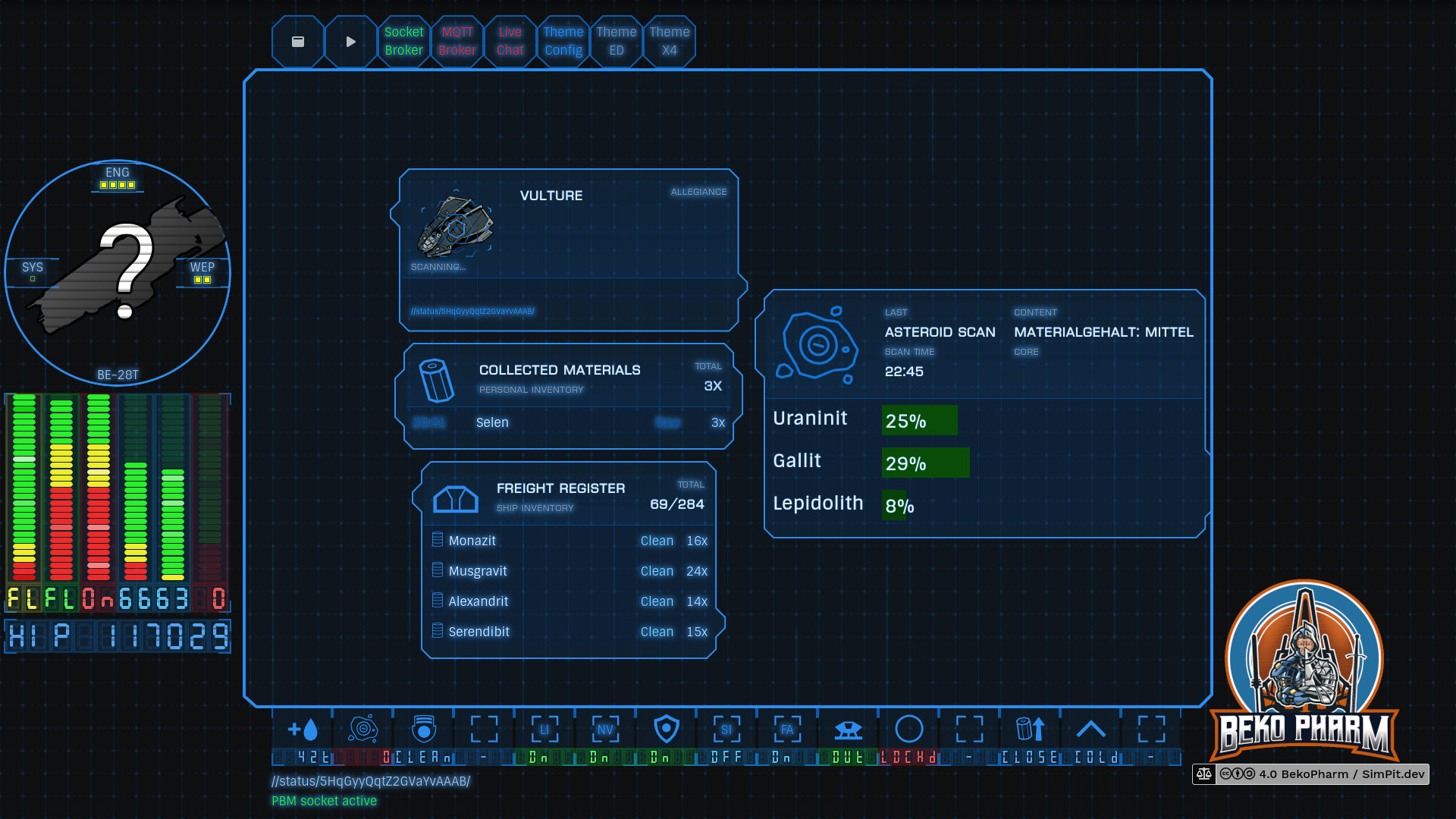
    So I dunno if you know what a VFD (https://en.wikipedia.org/wiki/Vacuum_fluorescent_display) is but I’m a sucker for these – at least virtually.

    Games like Rebel Galaxy Outlaw perfected the look and this is where I want to go with my Arwes HUD app for my Elite Dangerous / X4: Foundations home cockpit too.

    The segment displays are heavily inspired by AugmentedUI project (https://augmented-ui.com/) where I’ll borrow some more elements. Learned the neat fake scan lines from there too. And yes the 8 segment display works by shifting bits under the hood 🤓 This isn’t really needed for an app but I have plans to add some real segment displays eventually (I do have a whole box full with these!) so I wanted to know how to implement this anyway.

    The bars are configured with parameters in size, count, percent, colours and thresholds 😁 I also added a random chance of 5% to shift the hue a little bit because just as in real life nothing is perfect.

    And yes they are fully themed so switching the colour theme also affects the virtual VFDs.

    I’m also going to replace the older horizontal bars, that look way too boring in comparison.

    It’s still very early but I hope to get some rad animations going too. See https://www.hudsandguis.com/home/2022/retro-digital-dashboards to get an idea in which direction this is going 🤓

    See the dedicated project page https://SimPit.dev for more details on this Macross VF1 inspired cockpit panel.

    Originally posted at: https://beko.famkos.net/2025/05/04/vfd-segment-displays-in-html-css-for-my-simpit/

  • New features: Priority alerts, sounds and more status indicators

    Beko Pharm03/24/2025 at 14:48 0 comments

    I'm currently rewriting the HUD app (mostly bringing it up to a Full HD resolution) and ended up implementing a sound board on top of priority alerts. This means I can now play sounds by event or click and annoy myself with a bunch of additional alerts on top of the ones a game might provide. Here have a demo video (check your volume!):


    This uses my X4-SimPit extension for X4: Foundations, that sends ship telemetry via a socket to my node-red plumbing pipeline, which in turn forwards data to Websockets, SocketIO and MQTT. Various subscriber listen on the new messages to run blinken lights and my HUD app. I’m using the well known message format also used by Elite Dangerous so it’s compatible with that game as well.

    Oh and I also added theme support so I can now switch between multiple themes:

    Let me know what you think!

  • RPi display for my VF-1 inspired home cockpit panel

    Beko Pharm01/04/2025 at 18:07 0 comments

    Ok quick demo time. Got a dead cheap RPi display for the RaspberryPi (3A in this case). It has a touch screen and is even fast enough to play videos. Well, with whopping 480x320 only but that's good enough. I was always going to add a[nother] display in my "Primary Buffer Panel" 🤓 It was however not possible since the panel is still sitting on my desk and there was no space for the center part. I do have a ViperPit now though and I wonder if I can make the panels interchangeable!

  • In depth walkthrough of the Primary Buffer Panel

    Beko Pharm12/24/2024 at 11:53 0 comments

    https://makertube.net/w/bufv9BJv2vcXDb3KUaksB7 / https://www.youtube.com/watch?v=CpP7KS1fbrY

    `@ozoned@video.thepolarbear.co.uk` interviewed me on my home cockpit on a live stream via his Owncast instance at https://stream.ozoned.net/. This is a more condensed version of the stream that is still just 1h shy. We’re going over almost every feature of my Primary Buffer Panel and I explain how everything works. I also decided to add various photos, slideshows or video snippets during the talk only sections so things don’t get too boring. Sometimes that even complements the talks 😄

    Ever wondered how to start your own DIY home cockpit / SimPit on? It’s easy. Just watch this stream 🤓

    Dedicated project website: https://SimPit.dev

    Check out the original recording if you want to see more or the full stream with more [dirty] details: https://video.thepolarbear.co.uk/w/9zNcweVw2fxxpSrmBnaQJa

    Originally noted at: https://beko.famkos.net/2024/12/18/interview-in-depth-walkthrough-of-my-primary-buffer-panel/

  • A HUD made from a dead cheap plexi beamsplitter

    Beko Pharm09/17/2024 at 13:39 0 comments

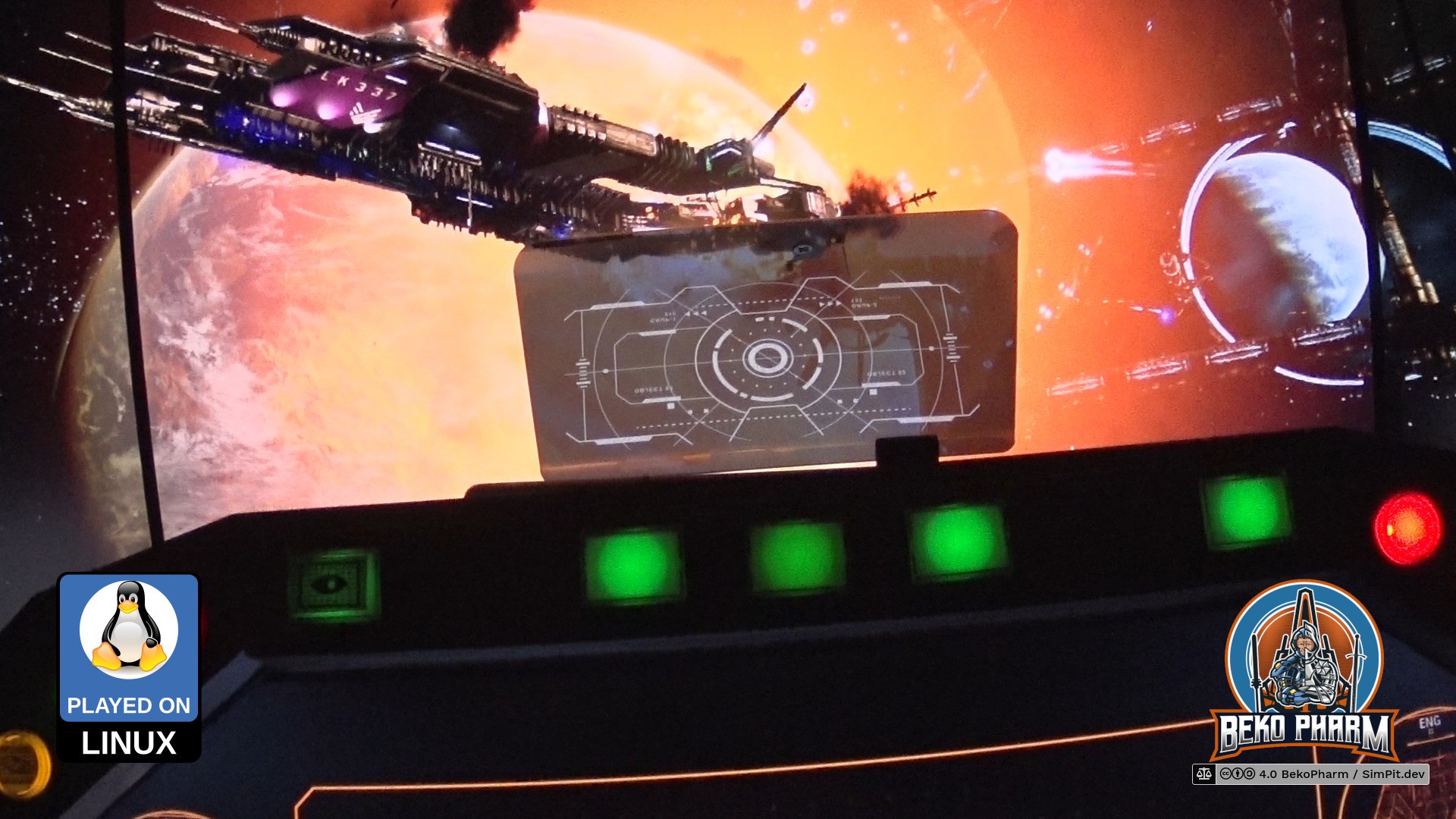
    This works way better than I expected. This is a static image test for a HUD on my home cockpit using a dead cheap beamsplitter made of plexiglass and a smartphone.

    This works by placing a smartphone (or really any kind of fitting display) below it. The beansplitting characteristic allows some of the light to pass through and will mirror whatever is on the phone display below it. The image is inverted though so a HUD mode requires an already mirrored display mode. There are apps for this but since I use HTML for all my GUI stuff I can probably just use CSS for this task. Most of the work was finding out how to get Firefox to do fullscreen (which can be requested via JS _from a user interaction_ - so it has to be some sort of clickable element) and get it to keep the display always on.

    A more advanced build would use a beamsplitter glass. This thing here is "designed" for cars and is according to the review a really bad product because it doesn't work well with day light or likes to slide around. All problems my desk does not have, of course, so I got this on a whim to see how it would look and I'm mind-blown with the result already 🤓 What do you think?

    Originally noted at https://beko.famkos.net/2024/09/06/15629330/

  • Streamlined the plumbing pipeline

    Beko Pharm03/11/2024 at 10:44 0 comments

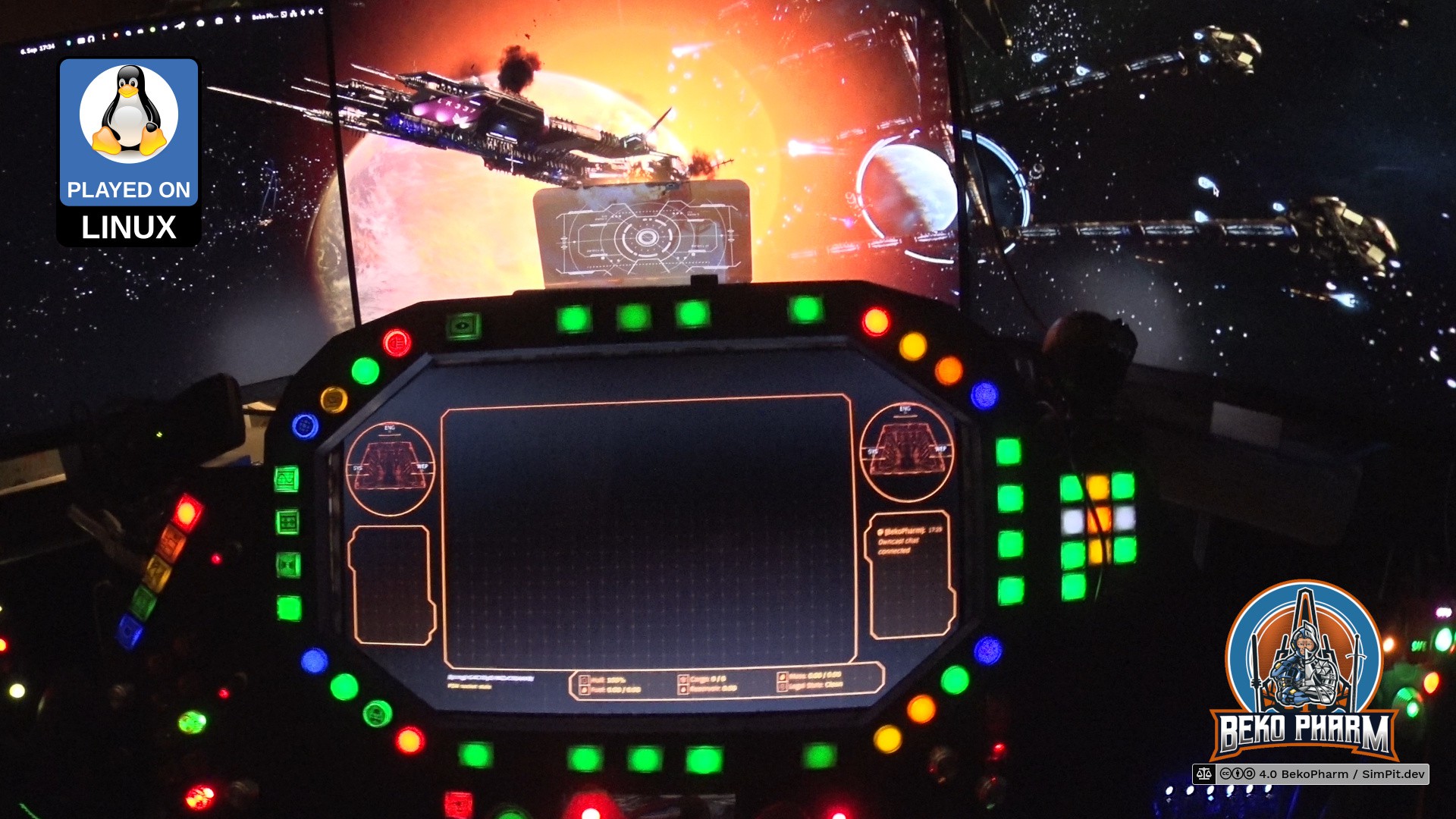
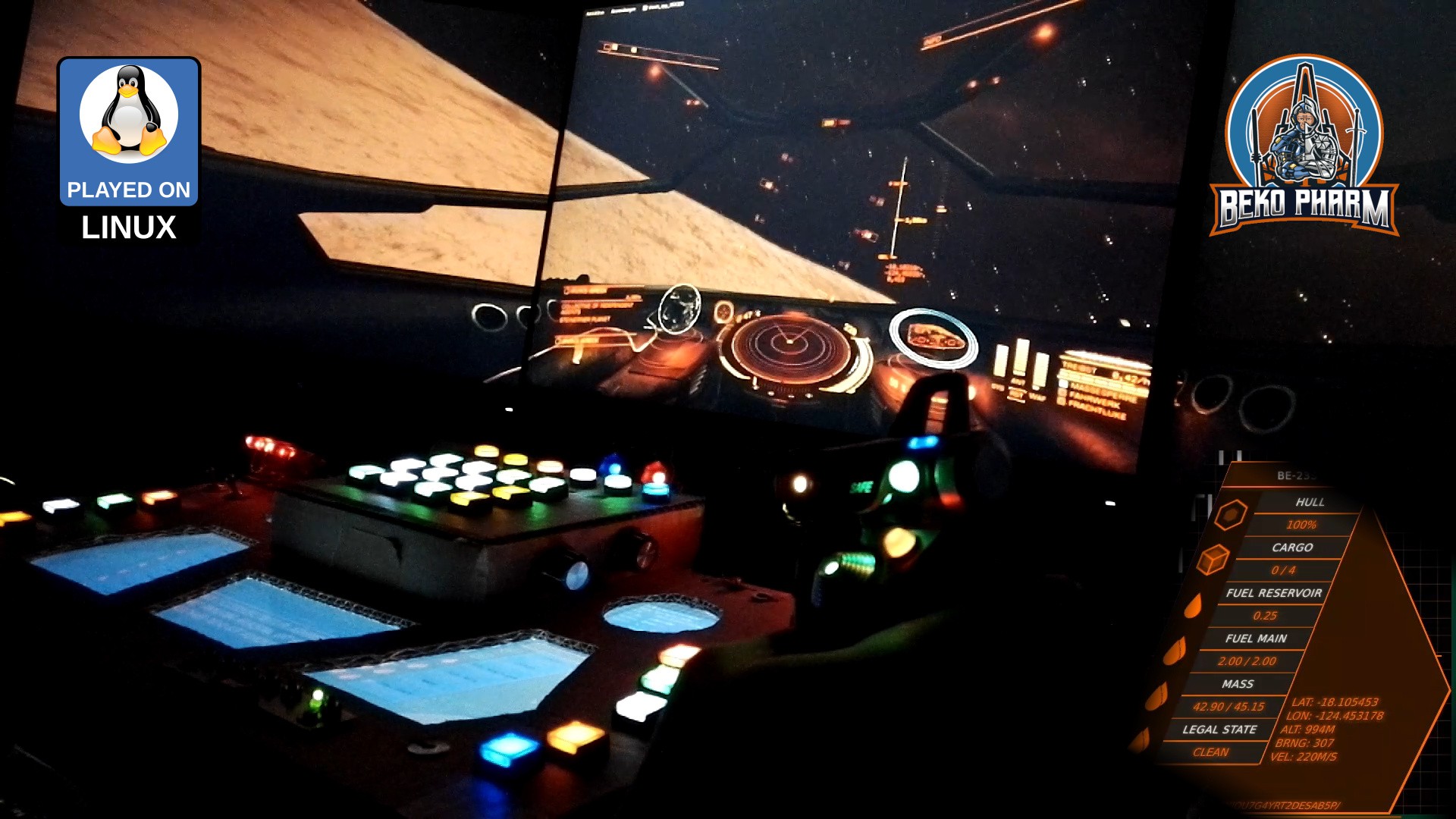
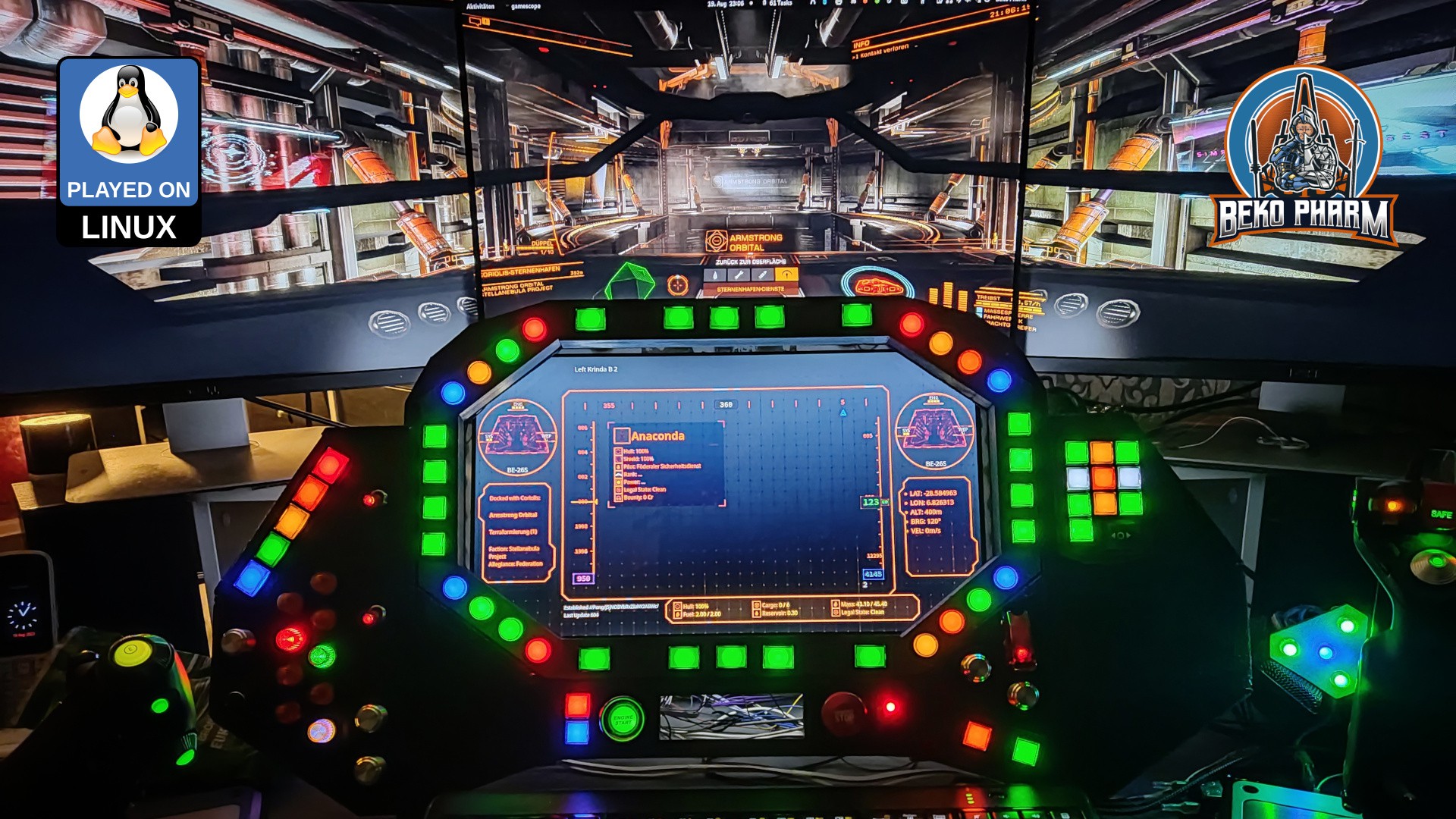
    I did some pew pew  Nothing new under the sun but this time I recorded as first person. Or as first person as it gets. Strapped the cam to my headphones (so much weight!) and killed some pirates. Managed to edit this into a half decent demo of the home cockpit in the end (I had none of v2 for ED so far):


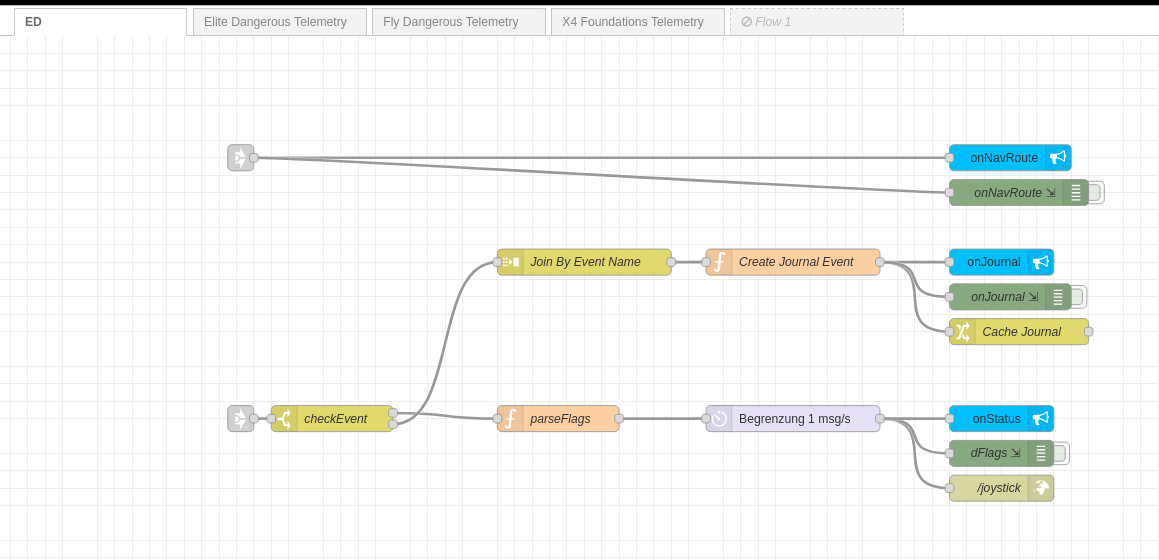
    I also streamlined the plumbing pipelines in Node-RED. Basically any game specific code is moved to a separated telemetry flow until the respective data can be used in the unified plumbing flow to dump everything into proper channels:

    This makes things a lot more clearly arranged. I also hope to switch this to a MQTT broker eventually but no hurry on that. This way I don't have to load a specific flow for a game I'm currently playing. Just starting the Node-RED process and fire up the game I want to play. The corresponding data source will start sending telemetry once it detects a running game 🤓

  • Primary Flight Display

    Beko Pharm09/17/2023 at 19:05 0 comments

    The Primary Flight Display PFD is loosely based on a modern aircraft instrument and is added to the MDF automatically near planetary surfaces e.g. when descending on a planet in Elite Dangerous or when hooning around in Fly Dangerous.

    Not a pilot

    Far from it. In fact I don’t even enjoy “real” flying. Aviation does have a certain effect on me though and I’m even sometimes found at an airfield.

    And while I can crash a virtual Cessna anywhere nowadays, and even got some other virtual planes in the air, I’m not qualified for any real flying.

    Please keep this in mind for everything on this page especially when I describe any flight systems of mine.

    This reduces the screen space for other system messages somewhat but is totally worth it. It comes also with the proper visuals for selected airspeed, heading and altitude. The vertical speed is still missing but on my list. I went totally overboard with showing a Mach indication over 0.5 Mach as well 🤓 (Yes, yes you Mr. Smartguy over there. I know this is not 100% correct, doesn’t work for other planets and we don’t even have pressure values from a Pitot Tube. Go get yourself a juicebox. This is for a game!)

    On precision

    Flight instruments usually display data in realtime. This is not possible with some games like Elite Dangerous that drop data only after a certain threshold was reached. Other games, like Fly Dangerous have a real hose of a data stream going and allow thus for way more precise data. In the end it’s just a game though so who cares how exact this gimmick is when we race around with speed that would leave us splattered all over the next bulkhead in reality.

    I’m still tweaking this while gaining more experience. It works pretty decent already though, which can be observed in this demo playing Fly Dangerous.

    There is also an unlisted demo video in 4K available on YouTube. It’s from an earlier development phase though and a lot more clunky so keep that in mind: https://www.youtube.com/watch?v=MC-XpirO920

    I’ve yet to record a better demonstration of this.

    Originally posted at https://simpit.dev/systems/pfd/

  • Auto Flight System

    Beko Pharm09/17/2023 at 18:59 0 comments

    While seeking through the available data in the Status JSON of Elite Dangerous I noticed that I don’t get any airspeed from Elite. That’s not so important in space but kinda interesting in planetary flight to satisfy the flight sim gamer in me as well. I noticed though that I do get timestamped latitude, longitude and altitude values so shouldn’t it be possible to “simply” calculate this, right? Right?

    An Auto Flight System for Elite?

    This was when I dived into the rabbit hole of calculating airspeed and heading on planetary objects using a spherical coordinate system and while I didn’t nail it exactly how Elite does it the result is close enough. The game provides the required data to go crazy here – most important the radius of the current object. In theory I could start writing some primitive AFS (Auto Flight System) routines now, which I’m totally going to explore at some point in the future just because 🤓

    Checking my maths – yes, altitude is added to the mix so airspeed is mostly correct as long as no rapid course changes are made.

    Conclusion

    After spending way too much time with this and the Pythagorean theorem (Yes mum, a game made me do maths. MATHS! 🤯) I settled with some calculations and data for my current ship to the right and targeted ship data on the left. This is sort of tricky because many game events update different parts of the data so timestamps have to be kept in mind and a game specific parsing strategy is required. See the last part of the demonstration video here to get an idea how this looks.

    Originally posted at https://simpit.dev/systems/afs/

  • Multi-function display

    Beko Pharm09/17/2023 at 18:58 0 comments

    The MFD (Multi-function display) is salvaged from an old laptop. It is not running GameGlass, like so many others SimPits out there do. Mostly because I’m not a fan of touchscreens or vendor lock-in. There is also the little detail that GameGlass is simply not available for my operating system and does not know about all the Space Pew Pew I usually do.

    When I was evaluating what to use to program mine I was caught between the difficult choice to learn yet another fancy framework, like Raylib, that would do OpenGL ES 2.0 without X11 on the Raspberry Pi, or OpenFrameworks, or simply go with something I knew already.

    In the end I just threw the might of my CoffeeLake at it and went with React since most of the data was already available via Node-RED over Websockets anyway. Also… Arwes is just so cool (alpha version or not) 🤩 and I had some experience with it thanks to my Streaming Overlay that I also wrote with Arwes. Connecting it to Node-RED was just a matter of installing Socket.IO to transport the messages. I rewrote the whole thing for version 2 though because the code for version 1 was a very hacky mess and the older Arwes version was deprecated. The core functionality is still the same though.

    Originally posted at https://simpit.dev/version-2/mfd-software/

View all 15 project logs

Enjoy this project?

Share

Discussions

sisi wrote 12/23/2024 at 19:29 point

my best friend would love this <3 I was curious if the HUD beyond the screen actually had functionality, and I was really excited to see that it was! really curious following this to see what else you end up doing with it. 

  Are you sure? yes | no

Beko Pharm wrote 12/24/2024 at 11:47 point

Thanks for your comment ❤️

  Are you sure? yes | no

Similar Projects

Does this project spark your interest?

Become a member to follow this project and never miss any updates