diddy
diddy-
version 3.2 is now available
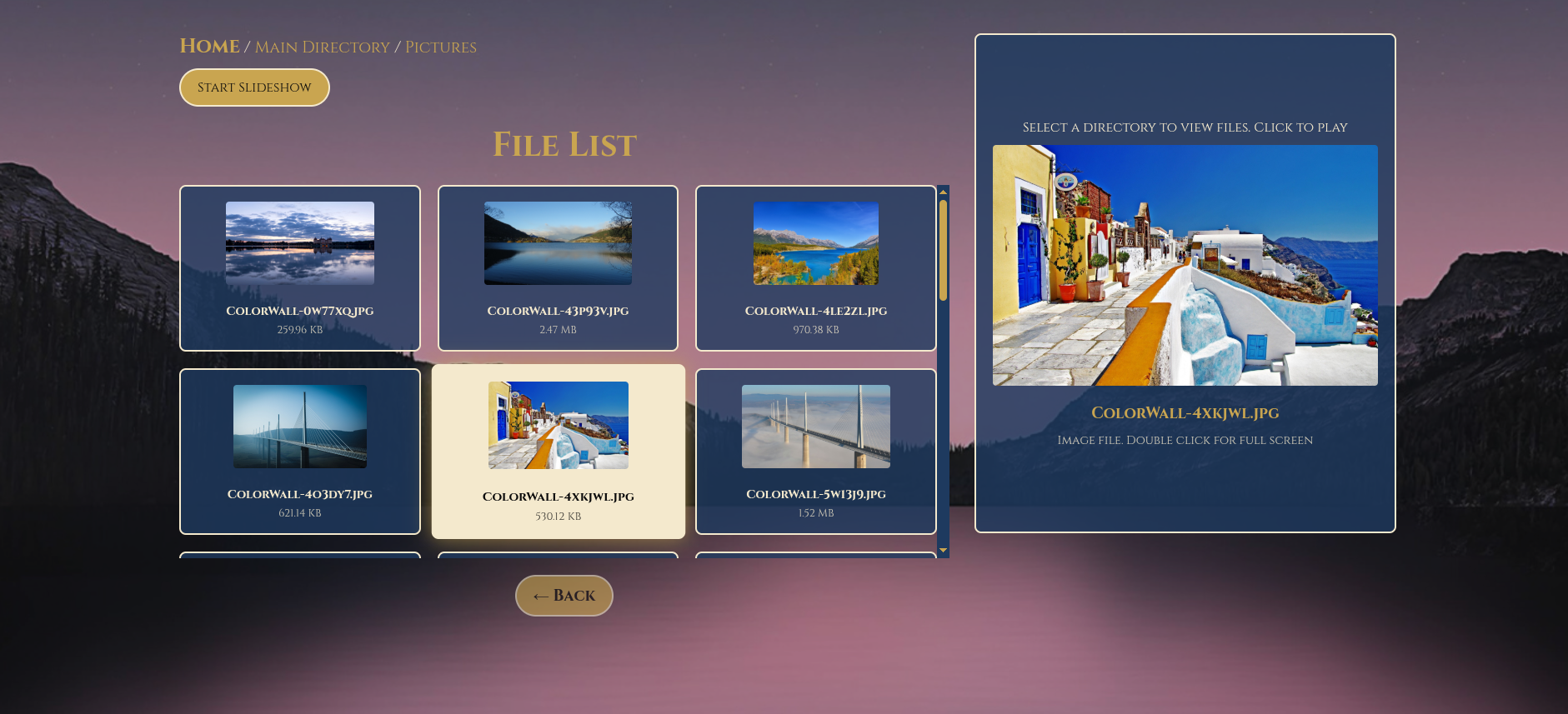
08/20/2025 at 20:45 • 0 commentsVersion 3.2 now has slideshow support for the pictures directory.
Users can now select a picture and then in the media preview double click on the selected image to go full screen.
When selected to run the slideshow, the user can have a full screen slide show that changes picture every 30 seconds.
Also put focus on the media preview window so users can control all music and video via the cursor keys to seek time in a video or audio file. space bar pauses and un-pauses music.
Cursor up and down controls volume.
also made the media preview a minimum size so that the controls always display, an issue with short mp3 file names showed this media preview control being too small to use.
also hides files .srt .php .db .m3u and .env files from being displayed in the media file listing as they serve no purpose here.
![]()
-
Version 3.1 now available in the files section
08/19/2025 at 20:56 • 0 commentsHuge update on version 3.1
Removed DirectoryLister due to the lack of look and feel was out of place and reduced the amount of php addons that was needed. this has the upside that Debian Trixie support is easier.
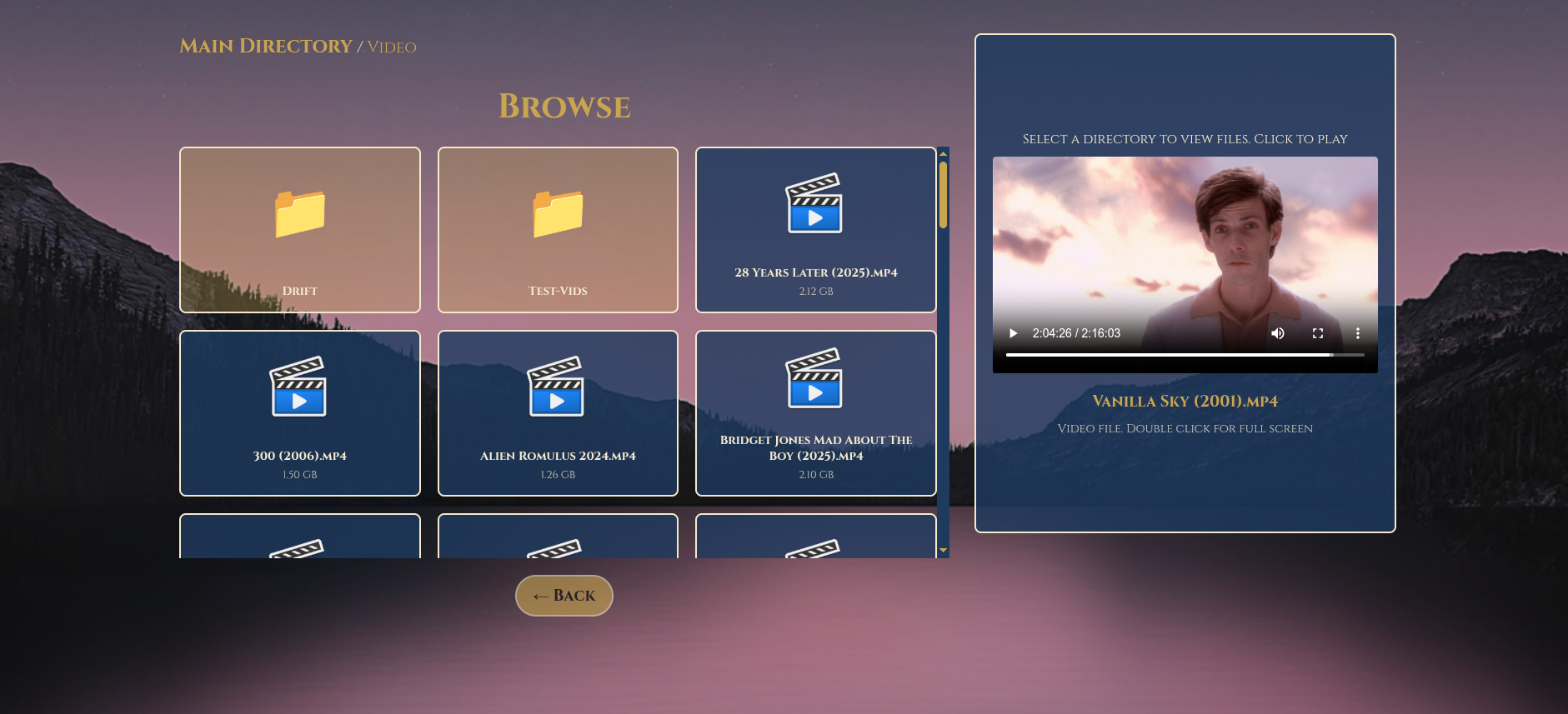
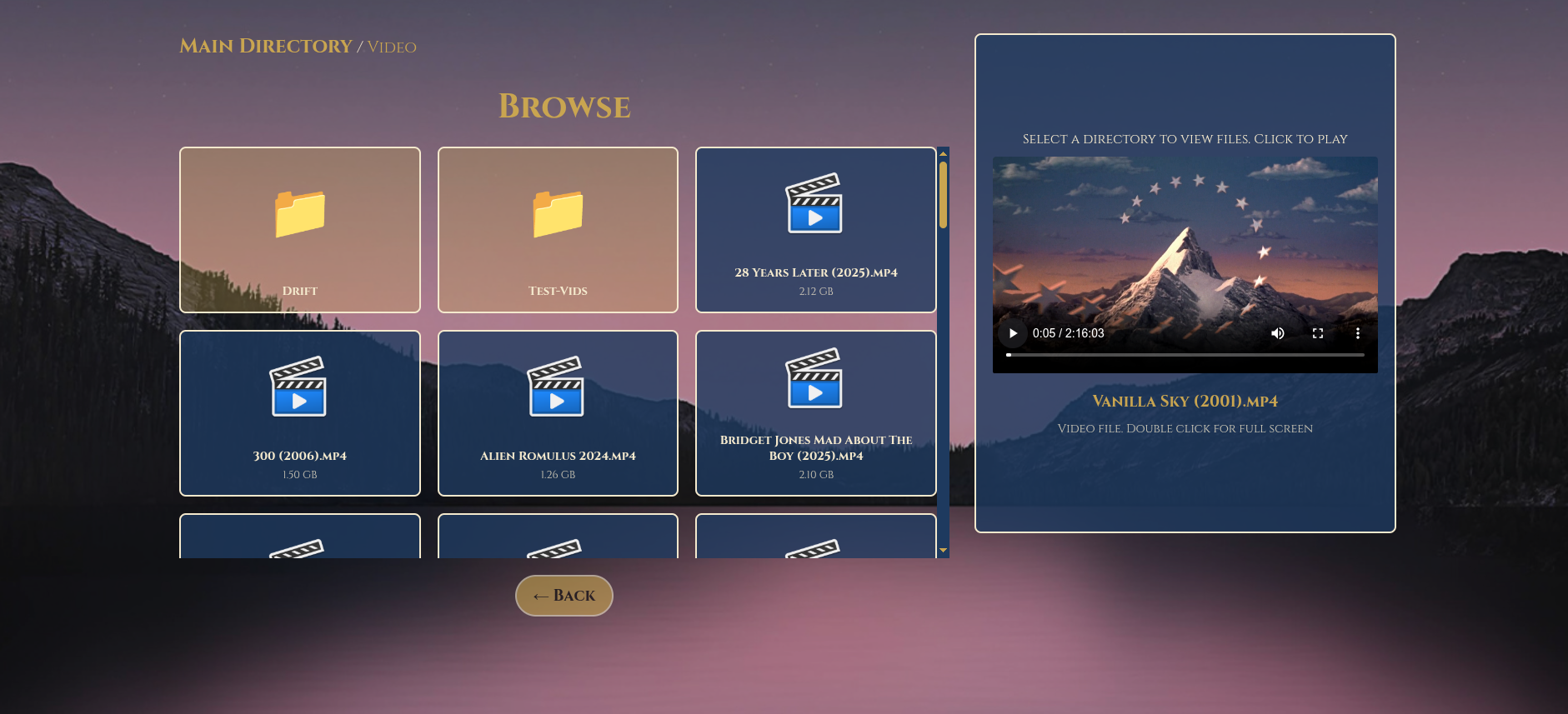
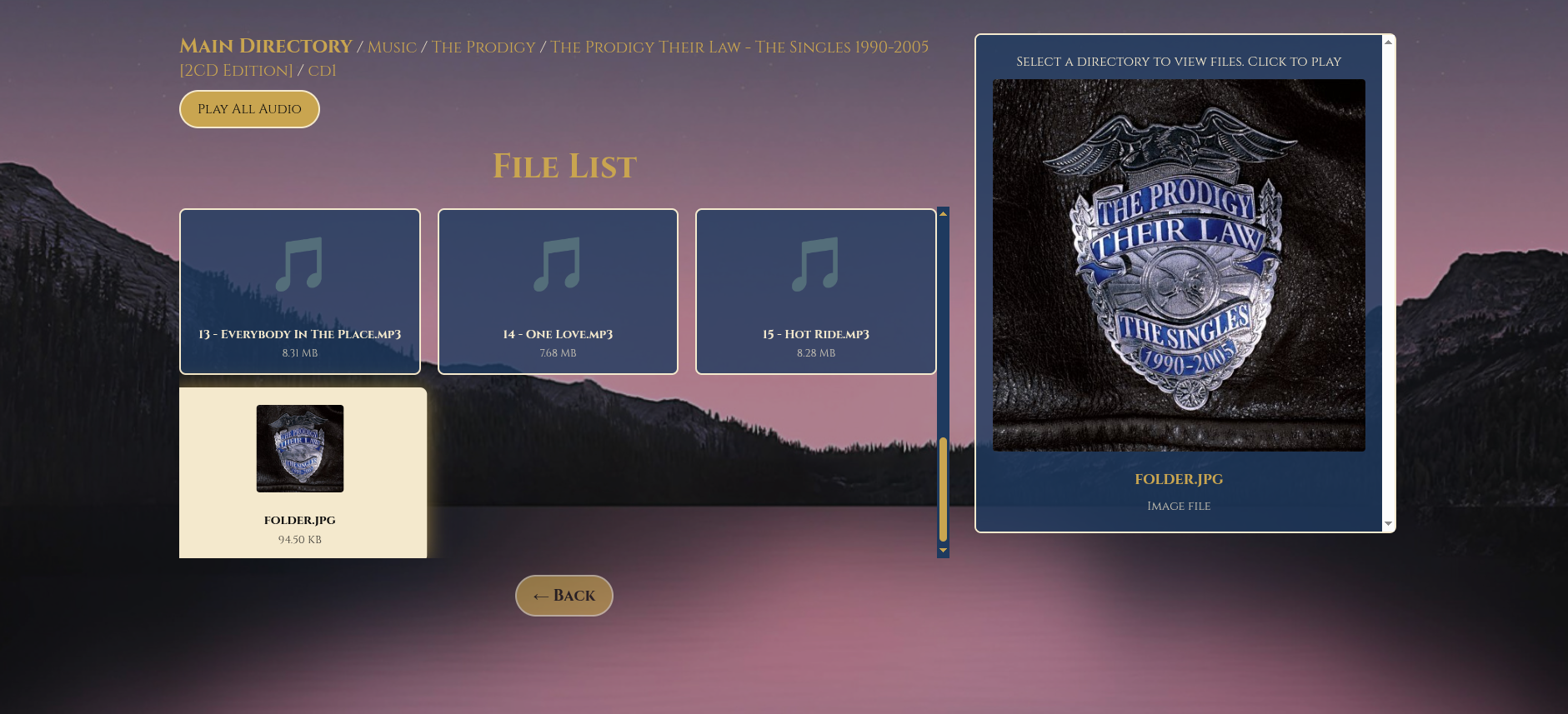
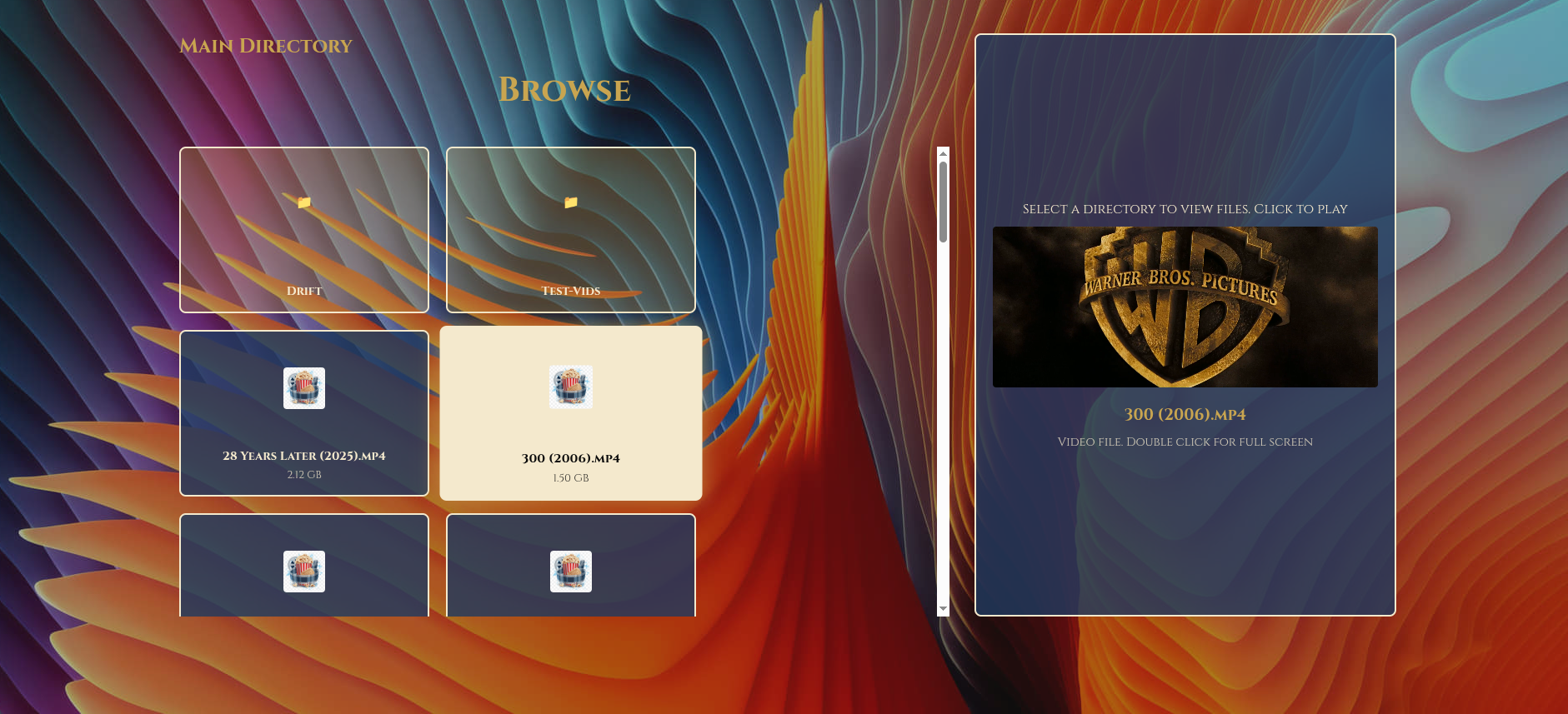
Directory listing and file listing looks so much better with a preview window now added.
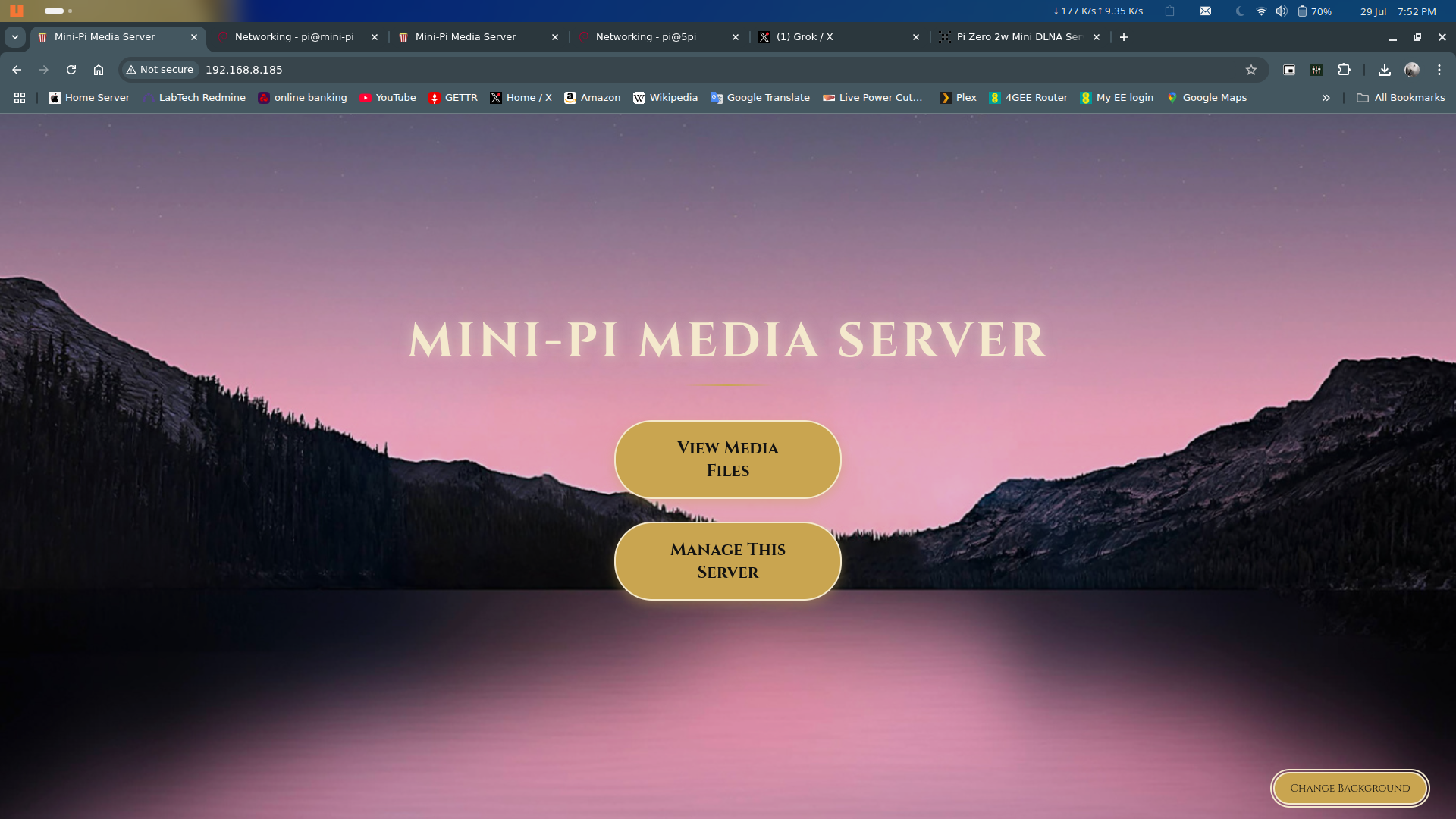
The theme is kept from the main index page for a more cohesive experience.
selecting the file now auto plays, selecting a picture now displays and users can navigate to a music directory and play all music within a folder, kind of like a cheap play list.
![]()
![]()
![]()
![]()
-
Version 3 is now available
08/17/2025 at 12:37 • 0 commentsVersion 3 now has an updated reconfigure-wifi.sh script that will guide the user through setting up wifi connection for when at home presenting a list of wifi networks to connect to and also set up an access point.
Method of operation :-
when the Raspberry pi boots up, it looks for the wifi network. if it cant find the network after 50 seconds then it flips over the built in wifi card to an access point and will stay that way until the next reboot.
Users can access the main web page via http://mini-pi.local or via http://192.168.50.1
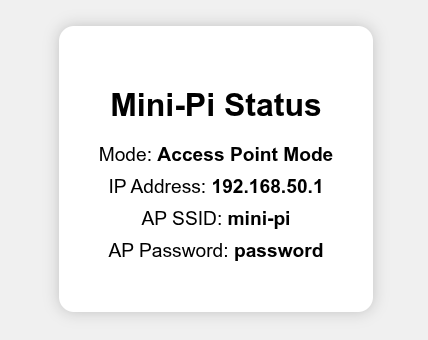
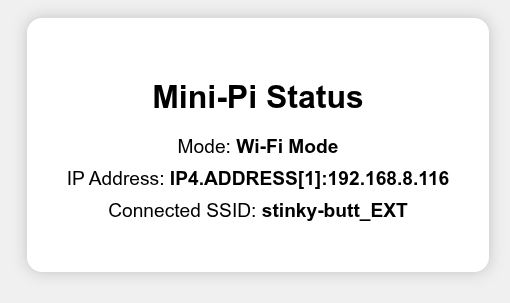
also added a status page that shows if the pi is in access point mode or connected to wifi (see screen shots)
mildly updated the rotating-server-sync.sh script and the configure-server-sync.sh scripts so that they now handle nested directories on the server to sync from.
e.g. //192.168.8.10/Dave/Music
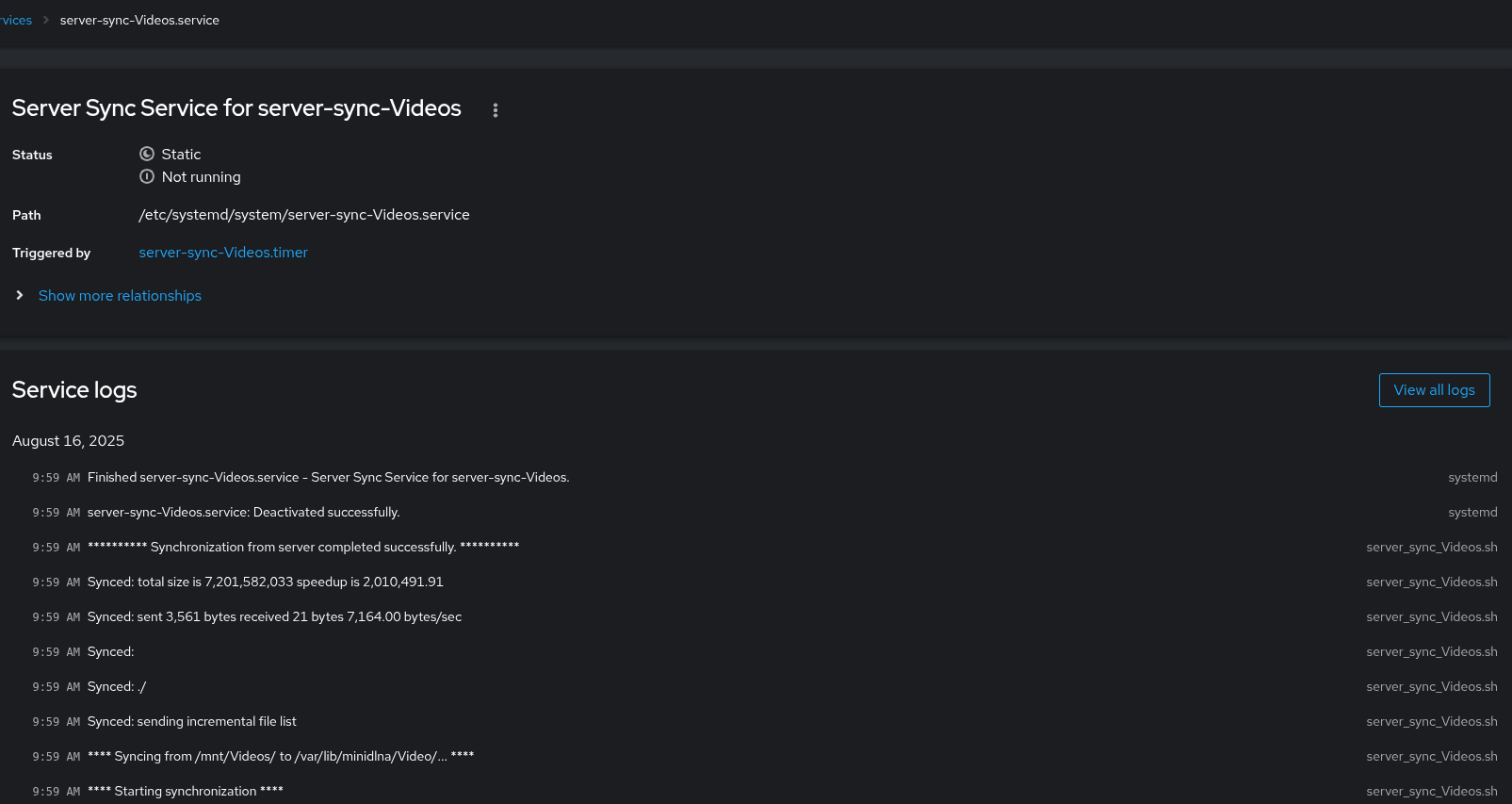
The generated scripts from 'configure-server-sync.sh' will be shown as a systemd service list with the set time to run but can be nanually selected to run now from within the cockpit view of 'services' .
example shown below :-
![]()
![]()
![]()
![]()
-
Version 2.9 is now available
08/14/2025 at 22:22 • 0 commentsVersion 2.9 now has a redesigned reconfigure-wifi.sh script.
instead of having a main WIFI and an alternate WIFI, the user is now asked to setup for one WIFI (like at home) and an access point.
Yes the Raspberry Pi mini server will now act as its own WIFI access point so now you dont need a hot spot to act as the go between.
This has been a real pain to get working right but now its done.
The usage is that when the PI boots up it looks for and connects to the WIFI, if this is not found after 50 seconds it turns the onboard WIFI into an access point until the next reboot.
great for taking to a friends house or in the car for media streaming from the pi over its own network.
also made the rsync operations more efficient for the server sync scripts and also the rotational server sync script but now we only sync non mkv files (as they could not be streamed via the web browser unless a plug in was installed in the web browser on the client pc).
This now makes the mini-pi truly portable and take anywhere for your own personal media server.
I am not sure how much more I can squeeze out of this Raspberry Pi Zero 2 w.....
Also tested on a Pi 4 and Pi 5 on Ethernet, so users dont have to set up wifi.
-
Version 2.8 is now available
08/10/2025 at 15:33 • 0 commentsVersion 2.8 now has the web page animated Gif images updated to mp4 files for the web page background images.
huge improvement in web page loading and speed of changing backgrounds. even on the Pi zero 2 W.
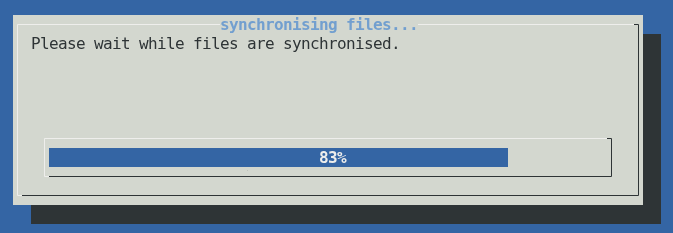
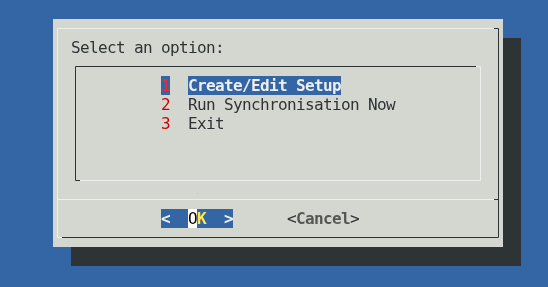
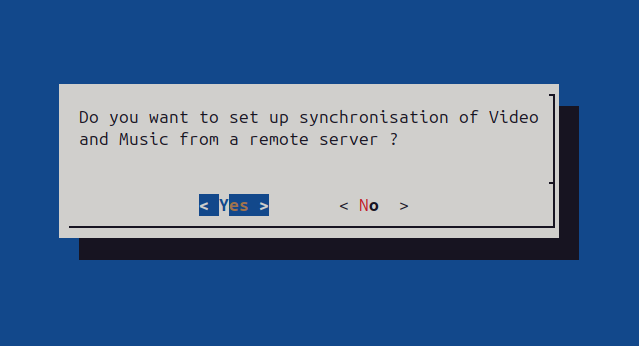
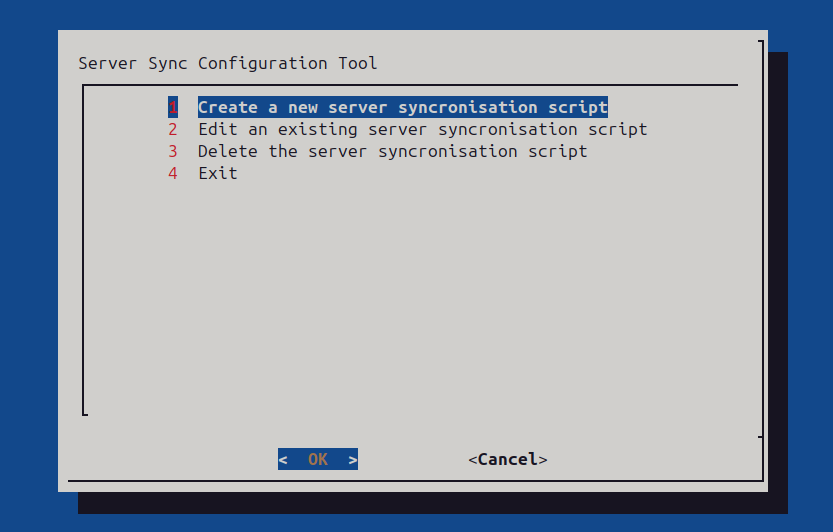
Completely rewritten configure_server_sync.sh script that allows the user to set up multiple synchronisation scripts and set a time (uses systemd) to synchronise different media shares from multiple servers that syncs media to /var/lib/minidlna/ Video or Music folders
Also added a rotating_server_sync.sh script that will synchronise media from a server share but just pull down all media files in the last month (by default) but can be set to any months via the script.
Great if you just want the most recent media synchronised to your mini-pi server to take elsewhere.
Ideally, youd either setup the mini pi server with either Configure_server_sync.sh or Rotating_server_sync.sh but NOT both. they way you can set up the mini-pi server is up to you.
all of these scripts are contained in the pi-setup folder.
just run sudo on these scripts :-
Configure_server_sync.sh
Mini-pi-setup.sh
Reconfigure-wifi.sh
Rotating_server_sync.sh
you dont need to run all scripts, the main script (mini-pi-setup.sh) will set up everything for this mini pi server. the other scripts are additional to your own needs if you want or need to synchronise from a server.
![]()
![]()
enjoy.
-
Version 2.7 is now up for grabs
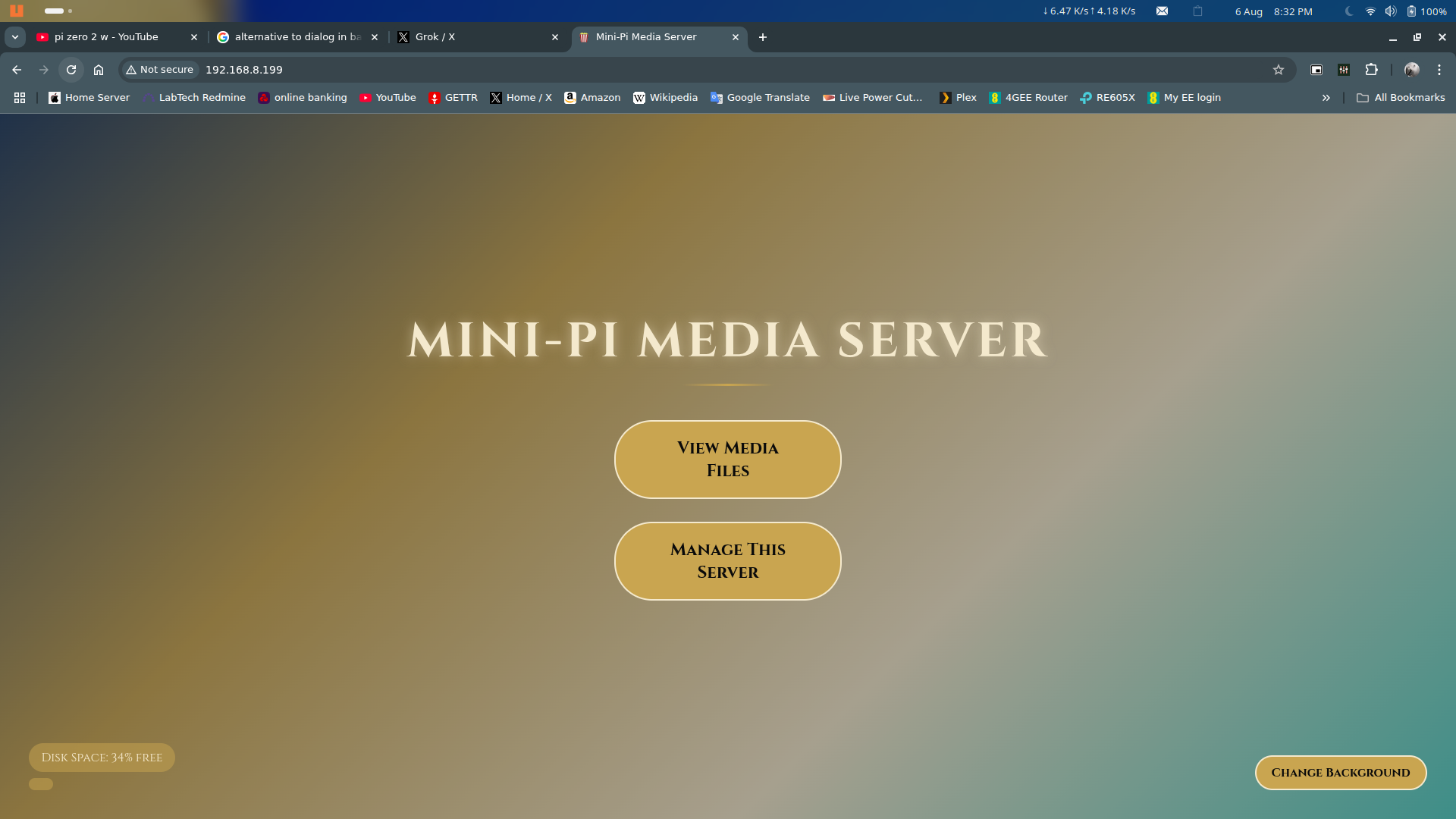
08/06/2025 at 21:02 • 0 commentsVersion 2.7 now has a disk space free percentage added to the main web page. this displays for 5 seconds. also shows if the web page is refreshed. but at no other time.
Also if the disk space drops below 5% a warning is shown.
Tidied up the pi-setup folder so its clearer now what script to run (mini-pi-setup.sh)
removed the Ubuntu-based-setup.sh script as I have now made the install script dynamic to which ever user is currently logged in. it also sets up samba as the current user.
Just make sure your current user is in the users group and has sudo access !
The mini-pi-setup.sh script should now work on any Ubuntu based OS above 20.04 but I have not tried this yet. Doesn't just run on a Raspberry pi now (but it is optimised for low CPU overhead).
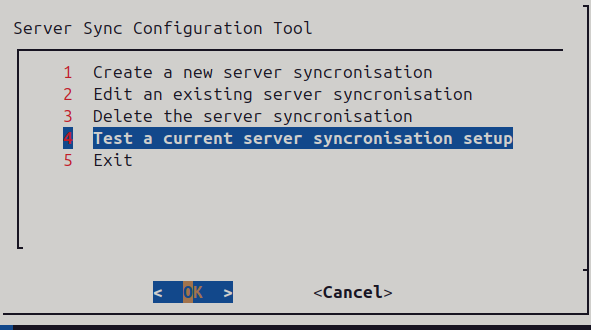
Configure_server_sync.sh script now allows the user to test their current setup, looks for the folders on the configured remote server and also shows if the systemd service is active.
Users can now configure the server sync not just for Music, Video but add their own folders (as long as they exist on the server).
![]()
![]()
-
version 2.6 is now available
08/03/2025 at 10:19 • 0 commentsChanges in this version include improved quality of service for streaming allowing proper seeking through music and video (should hopefully remove the seeking and nothing happening with mp4 files that are not optimised for streaming). the only downside is it can take a little longer to start playing media.
Not an issue on a Pi 5 running from a NVME drive but is a little noticeable running on a Pi zero 2 w running from SD card.
Web page background now dims between 8pm and 7am
sync status now also includes if running a synchronisation from a remote server or from USB.
Not only can the Video and Music folders be synchronised via a USB pen drive (with the Video and Music folders present) but also can now be configured to set up a sync at 2am every day from a server on your network via systemd service.
The process is designed that if the sync fails, it doesn't fill up log files with junk as the Raspberry pi could be away from home, but when you return home and leave the Raspberry pi on, it will just run the next days sync again at 2am and pull down any new Videos and Music.
During setup (running mini-pi-setup.sh) the user is asked for a samba password (for access to Video and Music folders on this pi across the network), if they want to set up a synchronisation server, reconfigure wifi and leave or disable swap.
But the user can run "configure_server_sync.sh" at any time to setup, manage or delete the remote server synchronisation.
Deleting the server_sync script will also remove the systemd service at 2am every day..
Within the pi-setup folder are the following scripts that can be ran with sudo :-
mini-pi-setup.sh - main script to install everything
configure_server_sync.sh - setup and manage a remote server to synchronise files from
reconfigure-wifi.sh - reconfigure the wi-fi to connect to a new network, don't need to run if connected via Ethernet.
ubuntu-based-setup.sh - UNTESTED, but used if a user wants to setup on an Ubuntu based pc.
screen grab of the configure_server_sync.sh management script :-
![]()
![]()
-
Version 2.5 is now available
07/30/2025 at 21:24 • 0 commentsVersion 2.5 now shows a status in the web page if the USB sync service is running (and synchronising your media from the pen drive).
the message disappears once the sync has completed.
The USB sync service will mount the pen drive on plugging in to the Raspberry pi, check the pen drive file system is not damaged (repair if possible) then use rsync to copy any new media over to /var/lid/minidlna folder then unmount the pen drive and then restart the minidlna service (which then scans the media directory again).
this has been a really difficult task to get working but got there in the end. permissions, permissions, permissions..... and executable's. grr
picture during synchronisation
![]()
-
Version 2. 4 is now available
07/29/2025 at 18:58 • 0 commentsversion 2.4 is now available.
removed the themes as that detracted from a small and efficient browsing experience replaced by a single theme but users can still set the background they like.
this is remembered on next visit and just that background is loaded.
also fixed a bug in usb-sync.sh script that wasn't parsing out to the system log every file synchronised.
enjoy
![]()
-
Version 2.2 is now released
07/25/2025 at 17:06 • 0 commentsVersion 2.2 has updated caching added to apache web server for all media types.
really helps if apache is running on a Pi Zero 2 W.
Virtual hosts file now has :-
<FilesMatch "\.(mp4|webm|ogv|mp3|ogg|wav|mkv|avi|mov|jpg|jpeg|png|gif|webp)$">
Header set Cache-Control "public, max-age=31536000, immutable"
Header unset Pragma
Header unset Expires
</FilesMatch>caching of the animated background images for quicker change times for the user :-
const urlsToCache = ['/1.gif', '/2.gif', '/3.gif', '/4.gif', '/5.gif', '/6.gif', '/7.gif', '/8.gif' , '/9.gif', '/popcorn.png'];
overrall performance increase espcially notable on a PI zero 2 w.
tested on a Pi Zero 2W, Pi 4B and now on a Pi 5 (2GB ram)
Mini-PI Media Server
Mini-PI Media Server for use on home network or as a wifi access point to stream media from