diddy
diddy-
Ubuntu based setup script uploaded
07/21/2025 at 21:24 • 0 commentsUNTESTED - so try at your own risk
Want to run this media server on an Ubuntu based distro ?
This script will install on a Ubuntu based Linux to turn any pc into a media server.
Should work as the setup script (ubuntu-based-setup.sh) will installl for the current logged in user (make sure you have local admin rights).
also checks Cockpit and attempts to download the right version for your ubuntu release.
To install, download the latest version and unzip it.
also download this ubuntu-based-setup.sh script and drop it into pi-setup folder
then make it executable and run it.
no longer need a raspberry pi, but any old pc running ubuntu should be able to run a media server.
-
version 2.1 is now available
07/21/2025 at 20:17 • 0 commentsVersion 2.1 now includes more animated backgrounds and a rewritten reconfigure-wifi.sh script.
as per always, the background you set on your device will be remembered for when you next go to the web page of the media server.
The script will ask the user to set up a main wifi connection and report connected with a link quality and bit rate along with asking the user to set up an alternate wifi connection.
if the raspberry pi looses connection it will try to autoconnect and if that fails, move to the alternate wifi connection.
so now you can set the alternate wifi for a hotspot or a friends wifi connection.
video of more backgrounds :-
-
Version 2 is now available
07/20/2025 at 14:23 • 0 commentsVersion 2 has been updated with a rewritten ncurses script for reconfiguring wifi.
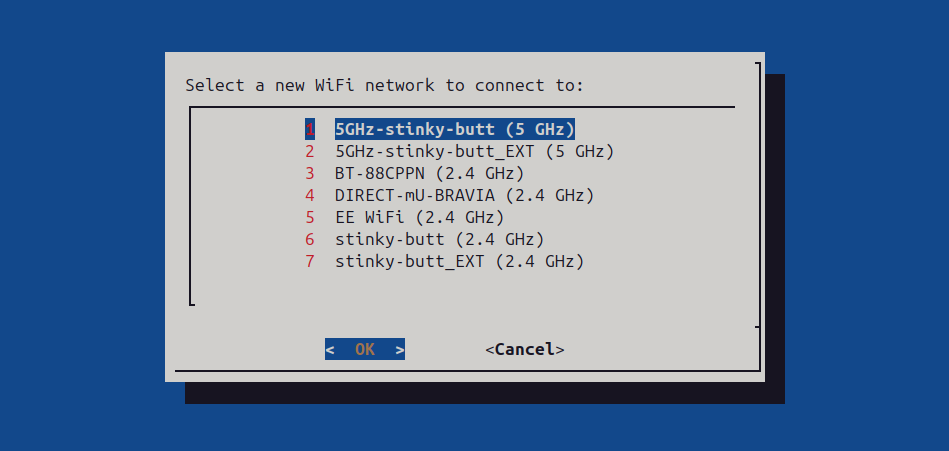
this script now scans the wifi network and allows a user to select the wifi they would like to connect to.
also tried to make it so that the current wifi connection is kept up (if running the reconfigure script over wifi) so that the script and ssh connection does not drop.
also updated the usb sync script so that when it runs it doesnt spam the log file but what it does pass to the log view is now more obvious to the user to tell when too unplig the usb pen.
Also made the usb script auto repair a fat file system if it detects the pen drive has errors before syncing media.
the log view can be viewed form the log view of cockpit.
![]()
-
Version 1.9 new and improved
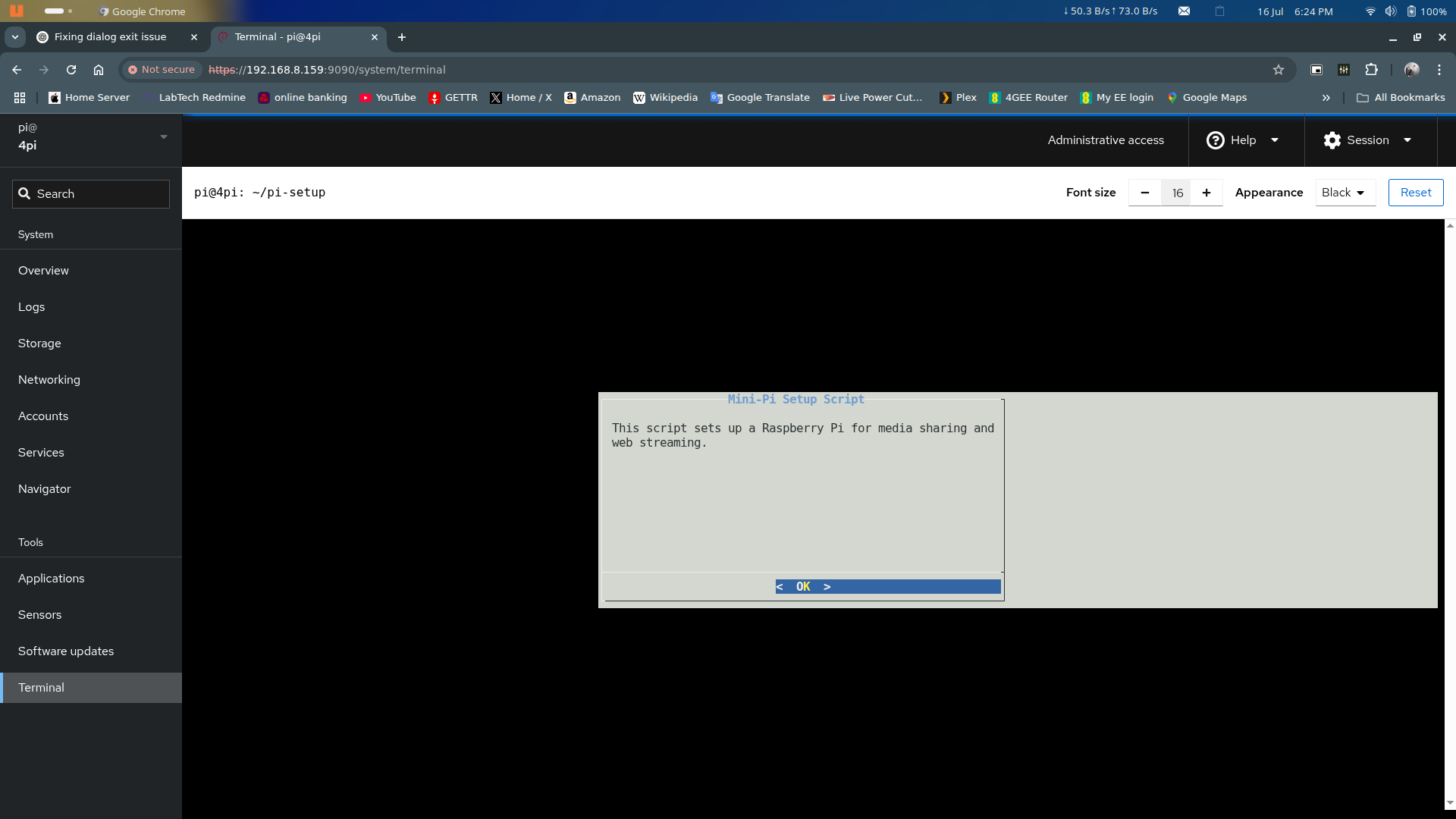
07/16/2025 at 21:00 • 0 commentsVersion 1.9 now has a ncurses setup script (mini-pi-setup.sh) that guides the user through setting up along with the option to configure wifi and also asks the user if they want to turn on or off the swap file.
On a Pi4b, the swap file can be turned off but its best to leave on for a Raspberry Pi zero 2w due to only 512mb ram.
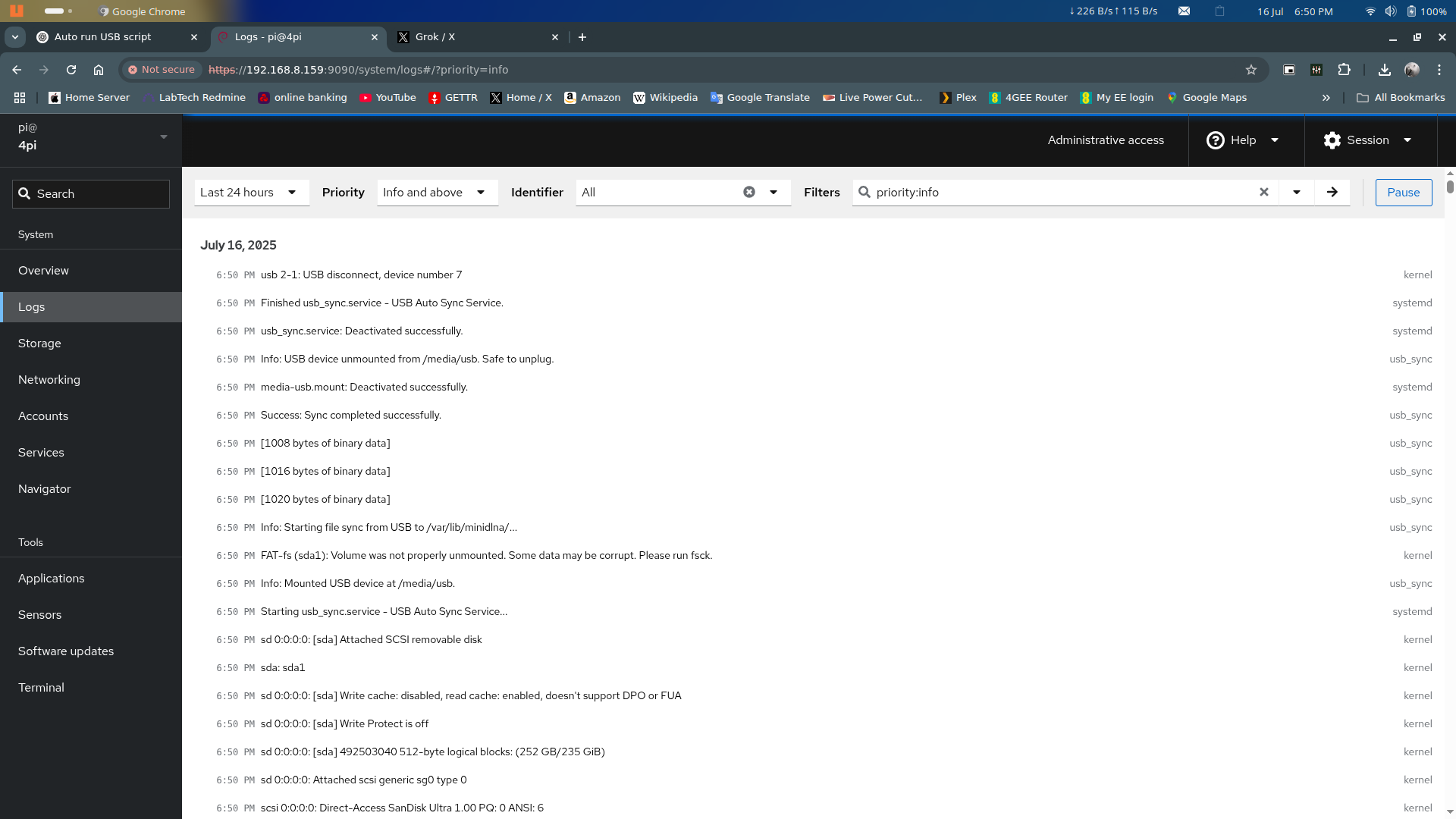
also added a USB sync service that runs in the backgorund to sync Music and Video from a plugged in pen drive
Picture shows the log view in Cockpit showing the sync service and that the user can now unplug the pen drive.
also a picture of the ncurses setup script running through Cockpit's Terminal window.
![]()
![]()
-
version 1.81 is out
07/15/2025 at 19:43 • 0 commentsVersion 1.81 now has an updated setup script (mini-pi-setup.sh) that now asks a user at the end of the setup if they would like to reconfigure wifi settings.
selecting no will reboot the mini-pi server.
selecting yes will then open the reconfigure wifi script (reconfigure-wifi.sh) and take the user through setting up a 5ghz or 2.4ghz connection, country type and if they want a fallback network incase the main wifi connection does not work.
The user will also be asked for a hotspot connection ssid and password.
within the zip file contains not just configs and files but also the following scripts :-
mini-pi-setup.sh (setup this mini server). can be reran to set everything back to default.
reconfigure-wifi.sh (reconfigure wifi cards and bring them back up on next reboot)
usb-sync.sh (mount a usb pen drive and sync the Music and Video folders then unmount the pen drive afterwards)
Enjoy.
-
version 1.75 is now available
07/15/2025 at 08:17 • 0 commentsThe school of hard knocks decided to pay a visit last night when I found out the Pi OS Bookworm no longer uses wpa_supplicant.conf for wifi networks.
as a result, running my script to configure wifi is ignored. the Pi just carries on using what ever wifi was set at the time of creating the sd card image using pi imager.
so an updated reconfigure-wifi.sh script was written to handle wifi using nmcli and storing the hashed wifi passwords.
Not so much of an issue on a Pi zero 2w as it only has 2.4Ghz wifi but if this project runs on a Pi 4B or above, the 5ghz network was just ignored.
the upshot is that now a secondary wifi connection is handled now ( hotspot connection).
to run, ./reconfigure-wifi.sh (within the pi-setup folder)
the user is asked the country they are in (for wifi bands availability)
wether to set up a 5Ghz wifi connection or a 2.4Ghz connection
The wifi ssid and password
The user is then asked if they want to set up a fallback wifi network just in case the 5Ghz wifi is not good enough or in range.
the script then searches for this entered wifi connection and if this works then asks for a hotspot connection ssid and password.
These are written to the correct locations and the mini-pi server rebooted.
-
USB pen drive sync function added
07/13/2025 at 12:40 • 1 commentVersion 1.7 now includes a 'usb-sync.sh' script that will copy all media on a USB pen drive to the /var/lib/minidlna folder.
subsequant runs will only sync the changes to /var/lib/minidlna folder
It uses rsync to copy only changes from the pen drive.
so only new media files added on the pen drive will be copied after the first copy has happened.
to run, log into cockpit and type 'cd /home/pi/pi-setup'
then type 'sudo ./usb-sync.sh'
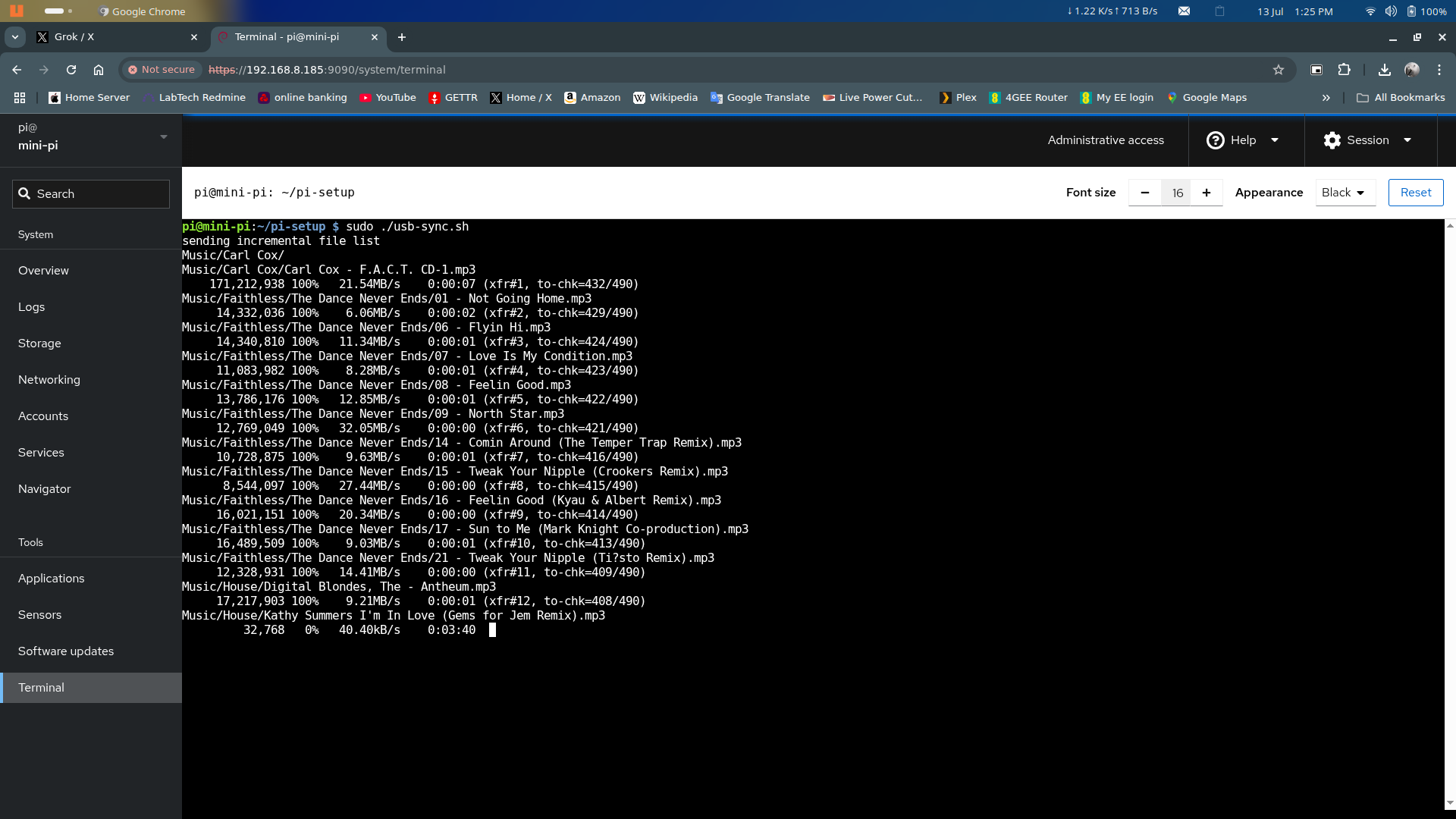
example running in cockpit's terminal window :-
![]()
Mini-PI Media Server
Mini-PI Media Server for use on home network or as a wifi access point to stream media from