Michael O'Toole
-
Basic 99 Key Keyboard Layout (EN014)
06/18/2025 at 04:25 • 0 commentsMy series of Basic Keyboard PCB differs from other keyboards in that they use an external Keyboard Module for processing. They do however contain all the necessary components including; Matrix Diodes, RGB Leds and MX Key Sockets (hot-swappable). This allows for hand assembly and results in much lower costs at low quantities.
Connection from the Keyboard to Module is via a a single 34 pin 1.27mm IDC connector.
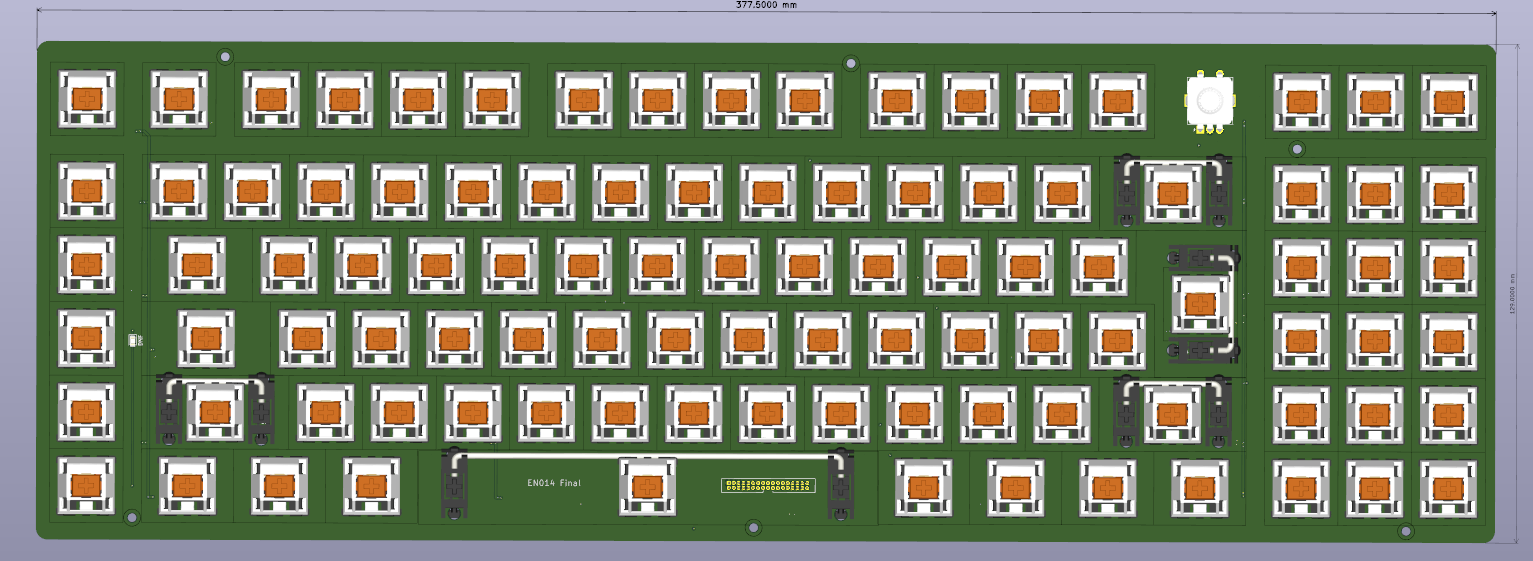
EN014 Keyboard:
Basically the same as my first keyboard with the following changes:
- Changed IDC connector to from 30 to 34 pin...
- Removed the need for the second connector...
- Moved the rotary encode to new position (better spacing for function keys)...
- Added several capacitors stabilize supply lines (optional, just in case but not required so far)...
- Moved Caps Lock LED to left of caps lock key...
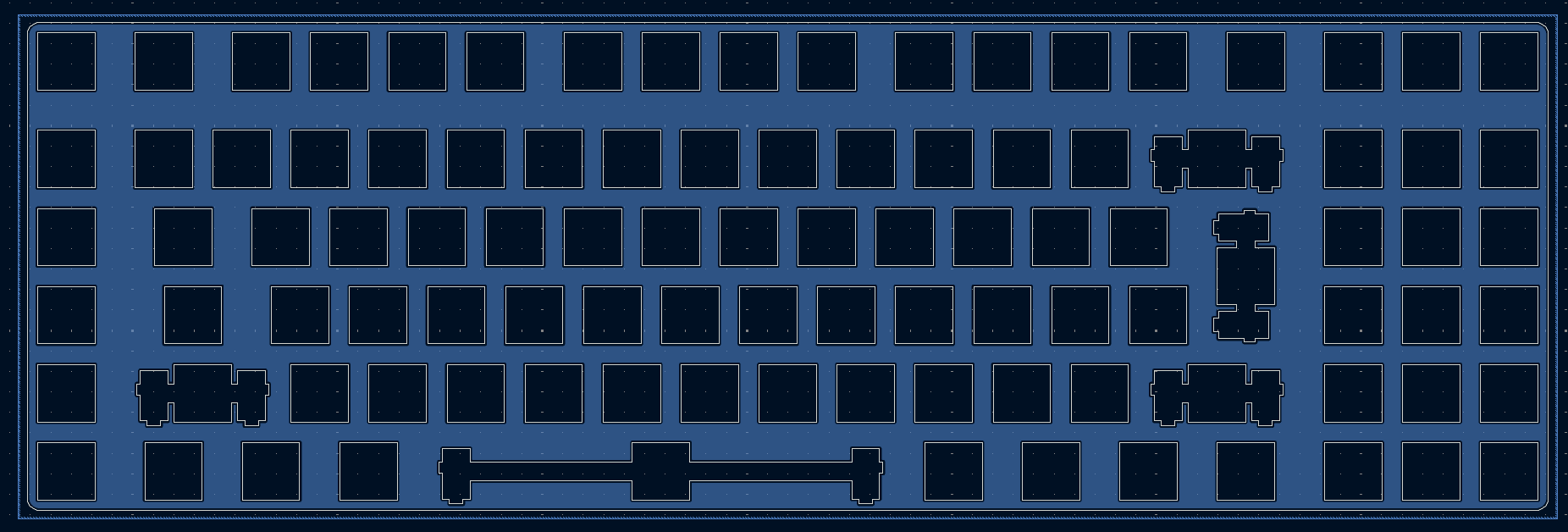
- Updated KiCad files for plate included...
- Rev 2.0 Module Board required (all revisions) *see testing below...
![]()
This is my final full sized Basic Keyboard design for now.
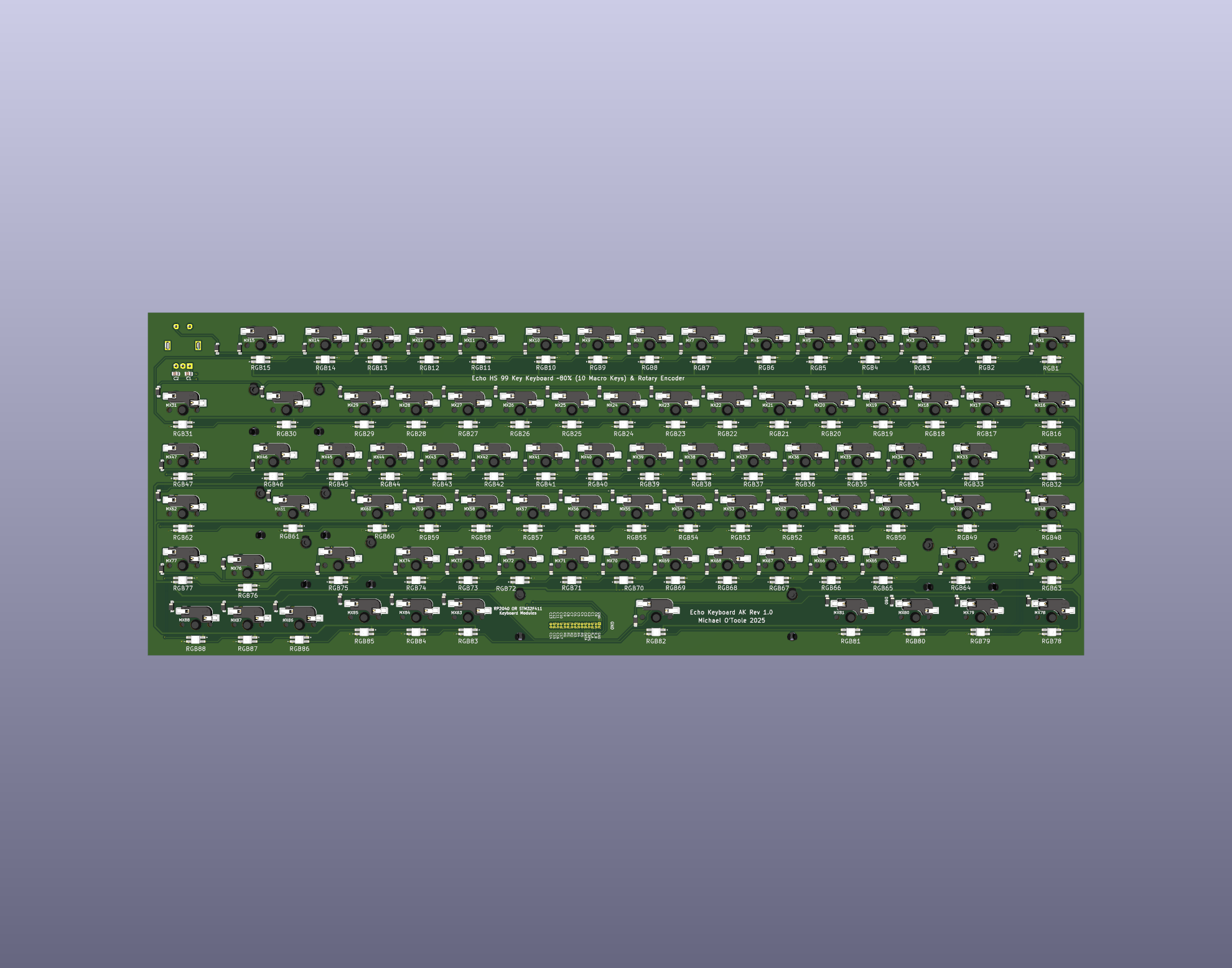
All components (RGB, Diodes, MX switch Connectors and 34 pin module Connector are mounted on back of PCB, the Caps Lock Led is mounted on front along with the Keyboard MX Switches. I also tend to use plate mounted stabilizers although the PCB mounted type should work too... I haven't confirmed that yet.
Modules:
This keyboard requires version 2.0x of the Modules (version 2.x uses one 34 pin connector), see also the testing section below for more details.
Testing:
Completed all tests, all working perfectly (although I had to use a module board with the 34 pin connector mounted on the back, a slight screw up as I intended it to be on the component side) but not critical, perhaps I need *Rev 3 of the module ;)
Mike
-
1 Layout Error
02/21/2025 at 13:48 • 0 commentsJust noticed, the Caps Lock Led is in the wrong place, so it requires a simple hack (don't waste five prototype boards). A very simple mistake, easily fixed... must do better ;)
Also need to move the drill hole for it on the keyboard plate...
-
Keyboard Plate
02/15/2025 at 12:15 • 0 commentsAs keyboard is hot-swappable, I have included low cost FR4 plate, should cost about €5 from PCB Way (see update below).
![]()
Sample, KiCad file...
Update June 2024
The cost of the FR4 plate has doubled, it appears PCBWay didn't include additional fabrication/tooling charges on this occasion, the next set were about €10 each (less VAT and shipping).
![]()
Printed case, Keyboard, Module
-
Basic Keyboard Tests
02/12/2025 at 18:42 • 0 commentsBasic Hot-Swappable Keyboard with RGB initial tests:
I tested the newly arrived "Basic Keyboard PCB" with my RP2040 Keyboard Development Module, I should note, this was a quick test as I only fitted the RGB leds (all 99 of them), several MX switches and the rotary encoder. Also note, this was also a test of the Keyboard Development Module which also appears to work flawlessly.
Next on the agenda is to fit the remaining switched and diodes, then test the macro functionality, and the code. The combined setup worked perfectly when testing with on usevia.com with the app.
Day two...
Completed the build, all parts installed and it works perfectly...
Status:
- Software ✓
- Basic Keyboard PCB ✓ (change code to reverse volume up/down)...
- RP2040 Development Module ✓
- Keyboard Functionality ✓
- Macros ✓
- RGB ✓ (need to edit code to change RGB position)...
Mike.
-
65% Version of the Keyboard
02/04/2025 at 23:43 • 0 commentsThought I'd add this into the mix, it's about 65% including 5 Macro keys on the left.
I removed key that are not used or more precisely, not required for normal day to day work.
The four on the right side are: Home, End, Print Screen and Insert, I never use the rest, beside if necessary I can always add missing keys to macros on layer 3 or 4...
Inspired by my Akko/Monsgeek M1W (which is available with VIA support, my version didn't, I bought the wrong version but I love it. Come to think on it, I could make an exact layout as my M1W and swap the boards... more work... ;)
![]()
Front: Keys and stabilizers
![]()
Back, component side... (connector should be on back of board)...
Basic Hot-Swappable Keyboard with RGB
Designed for hand assembly and low cost. Can be powered from an STM32, RP2040, or any module with enough GPIOs.