• 1
    Overview of installation to running

    Pololu Grid Sweep with MQTT

    Hardware

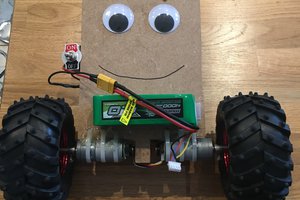
    • Pololu 3pi+ 2040 OLED robot (USB-C for programming)

    • ESP32-WROOM-32U (Micro-USB for flashing)

    • Wi-Fi router or LAN access point

    • Type-C and Micro-USB cables

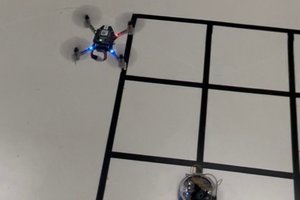
    • Tape grid on the floor (intersections marked)

    Power: ESP32 is powered from the Pololu’s 3.3 V rail. Common ground required.

    Wiring (per robot):

    • ESP32 TX → Pololu RX (GP29)

    • ESP32 RX ← Pololu TX (GP28)

    • GND ↔ GND

    • VCC (3.3 V) from Pololu → ESP32 3.3 V

    Software Requirements

    • Mosquitto MQTT broker installed on your LAN (e.g. on control PC or router)

    • Python 3 with paho-mqtt library on control computer

    • Arduino IDE with ESP32 core and ESP32MQTTClient library

    • Pololu MicroPython runtime on the robot

    ESP32 Setup

    1. Open esp32_general.ino in Arduino IDE.

    2. Enter your Wi-Fi SSID and password (use your own network, not defaults).

    3. Set MQTT broker IP.

    4. Upload to the ESP32 via Micro-USB.

    Pololu Setup

    1. Copy pololu_code.py to the 3pi+ 2040 using Type-C.

    2. Confirm UART pins in the script: TX=GP28, RX=GP29.

    3. This script listens for step/turn/stop commands and reports back x/y coordinates or events like line and bingo.

    Hub Setup

    1. Install Python 3 and add paho-mqtt (pip install paho-mqtt).

    2. Install and run Mosquitto on the same LAN.

    3. Edit MQTT_hub.py:

      • Set broker IP.

      • List all robot IDs you will use (e.g. "00", "01").

      • Adjust the hardcoded search pattern to fit your grid layout.

    4. Run the hub. It subscribes to status topics, publishes move commands, and can broadcast global stop messages.

    Running the System

    1. Power on the Pololu and ESP32.

    2. Make sure Mosquitto is running on your LAN.

    3. Run the hub script.

    4. Robots begin sweeping intersections according to the hub’s pattern and report events in real time.