Close
0%
0%

Remote Linux Manager

The Remote Linux Manager is a robust, multi-threaded GUI application designed for centralising the management, monitoring, maintenance

Similar projects worth following
Remote Linux Manager is a tool to manage multiple Debian based systems: Key Features
Centralised Security & Management: Manage multiple Linux PCs from one secure GUI. All SSH credentials are saved using Fernet encryption within a private SQLite database.

Non-Blocking Status & Updates: Multi-threaded checks monitor the live PC status (Online/Offline) and accurately detect the count of pending apt updates without freezing the interface.

Mass Action Execution: Run essential commands on multiple selected PCs instantly. Features one-click options for Run Update (apt upgrade) and Deploy Software (mass package installation).
Upload scripts and enable remote execution on upload. log output is shown.

Robust Power Cycle Monitoring: Initiate Reboot/Shutdown actions confidently.

“Designed for Linux tinkerers and home labber's who think Ansible is overkill.”

Runs under Linux, Chrome OS, Windows and Mac

Download from :-
https://github.com/diddy-boy/Remote-Linux-Manager

Detailed Project Functionality

The Remote Linux Manager is a secure, multi-threaded GUI application designed for the mass administration of Linux PCs over SSH. While optimized for Ubuntu-based systems, it provides a unified interface for managing any remote Debian based Linux environment.

Demo

1. Centralized PC Management

  • Storage: Securely stores hostnames/IPs, usernames, and passwords in a local SQLite database (pc_manager.db).
  • Security: Credentials are never stored in plaintext. They are secured using Fernet symmetric encryption with a unique key (.secret.key) generated on the first run.
  • Interface: Features a streamlined CRUD interface to Add, Edit, and Delete PC entries via dedicated dialogs.
  • mDNS Support: Automatically attempts to resolve hostnames by appending .local (e.g., 4pi becomes 4pi.local) to support Avahi/mDNS discovery.

2. Live Status and Monitoring

  • Non-Blocking Status: Uses multi-threading to ping and check SSH responsiveness without freezing the UI.
  • Update Detection: Automatically runs apt update and apt list --upgradable to report the exact count of pending updates for each machine.
  • Real-Time Logging: A dedicated activity log displays live connection attempts, command outputs, and SSH/Auth errors.
  • Smart Power Monitoring: After a Reboot or Shutdown, a background thread polls the PC every 10 seconds to track its transition and confirms when it returns to service.

3. Mass Action Execution

  • Multi-Select: Execute actions on a single machine or the entire fleet simultaneously.
  • Script Upload & Run: Users can upload and execute custom scripts directly. Once uploaded, the script runs automatically, and all output is captured in real-time within the log view.
  • Secure Root Commands: Features Sudo detection for elevated tasks, using the sudo -S flag to securely pipe decrypted passwords to the remote shell.
    • Note: While robust for automation, this is not recommended for interactive scripts requiring manual input.
  • One-Click Updates: Run a full system upgrade (apt-get upgrade -y) across all selected nodes.
  • Mass Software Install: Prompt for a package list and deploy software (apt-get install -y) to multiple machines at once.

Technologies and Libraries Used

ComponentTechnology / LibraryRole & Purpose
LanguagePython 3Core logic and application framework.
Remote AccessParamikoHandles SSH connections, SFTP uploads, and commands.
PersistenceSQLite 3Embedded database for secure configuration storage.
Data SecurityCryptography (Fernet)Manages encryption keys and secures SSH credentials.
ConcurrencyPython threadingManages async status checks and keeps the GUI responsive.
DeploymentShell Scripts (.sh / .bat)Automates venv setup and dependency installation.
UI FrameworkAdaptive UI BridgeAuto-detects OS: Switches to native macOS libraries on Apple hardware; defaults to Tkinter for Linux/Windows.
ThemingCustom CSS / NordImplements a modern look using the Nord color palette.

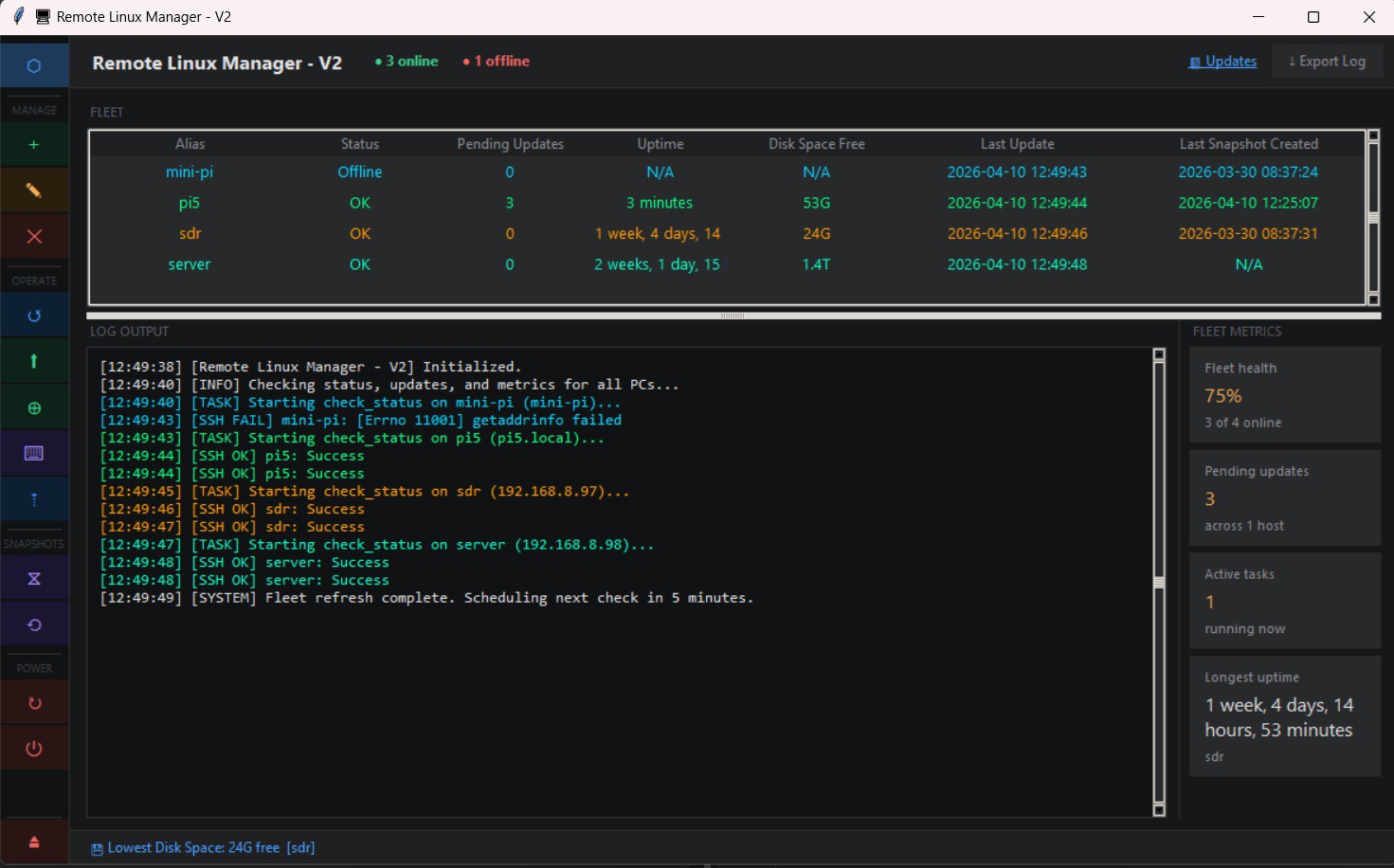
  • New version adds status bar

    diddy03/29/2026 at 14:39 0 comments

    New version adds :-

    Added a status display in the bottom bar that will show info like :-
    Offline pc's
    Longest Uptime of any pc
    Server fleet health
    Last action performed
    PC with lowest disk space free
    PC with most updates pending
    Last update
    Oldest snapshot

    when syncing number of PC's synchronized

    also added an auto check every 5 minutes for all registered pc's in the list which also updates the status bar.

    Now users can auto monitor their server fleet

    Also added detection and refresh every 30 seconds if a PC goes offline and when the pc comes online again.

    Can be downloaded from :-

    Remote Linux Manager

  • New version adds export log

    diddy03/25/2026 at 22:43 0 comments

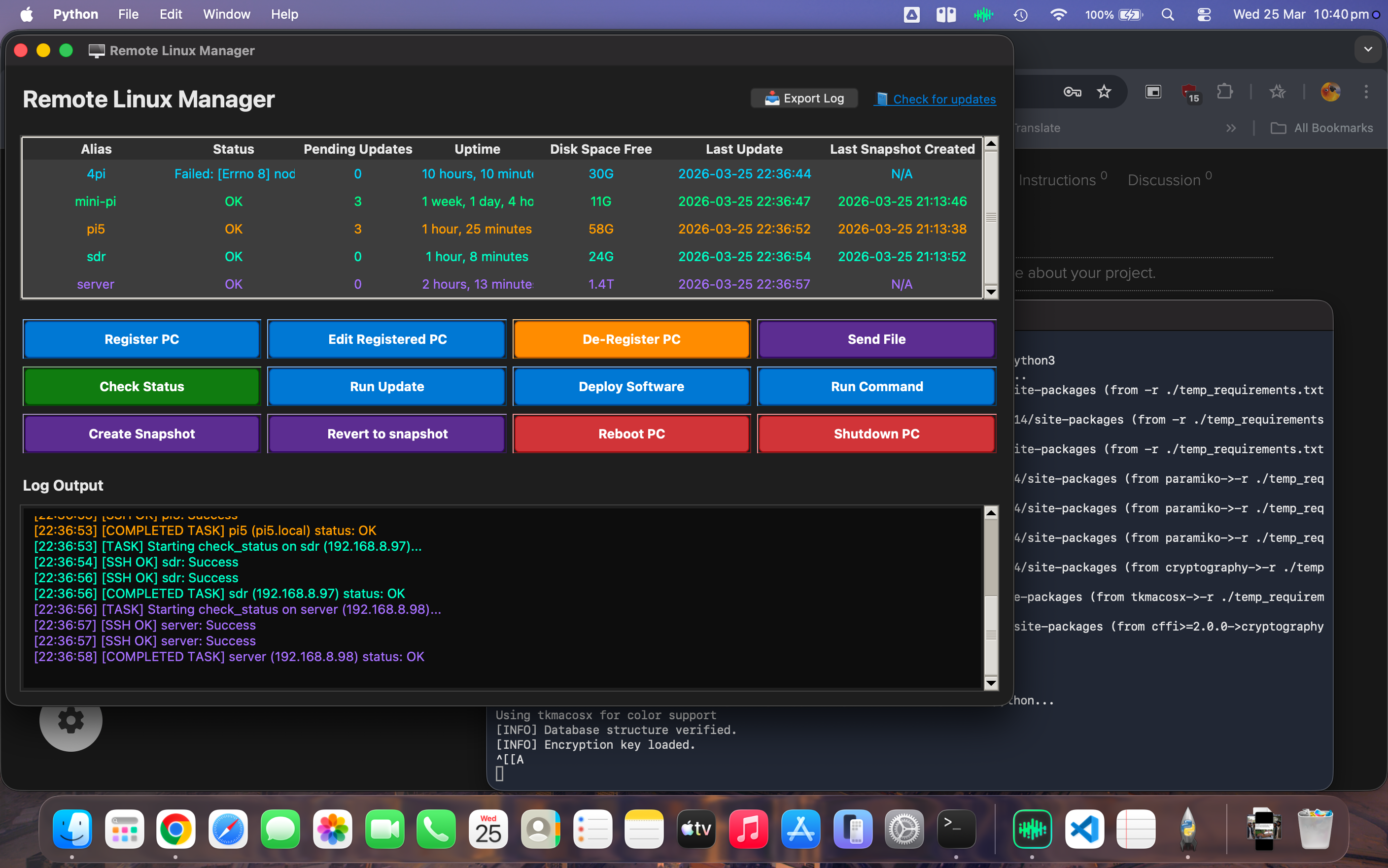
    New version adds export to a log file for all of the activity window (bottom view).

    great for checking at a later date.

    Also refactored code and removed ghost code, duplicates and optimised for speed.

    general usage is a lot faster now.

  • added ability to execute script on upload

    diddy03/16/2026 at 17:36 0 comments

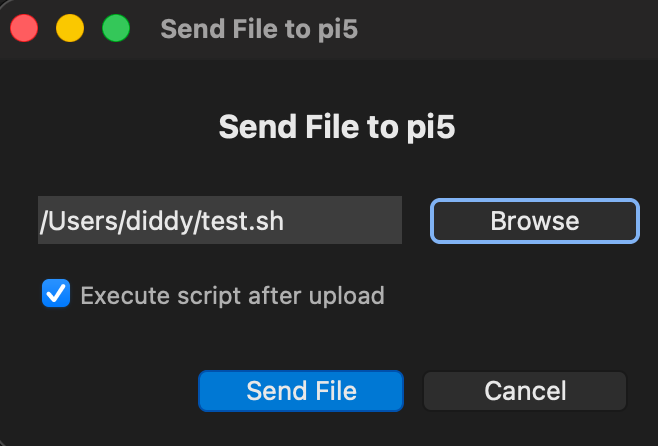
    Users can now execute a script after uploading to a remote linux machine.

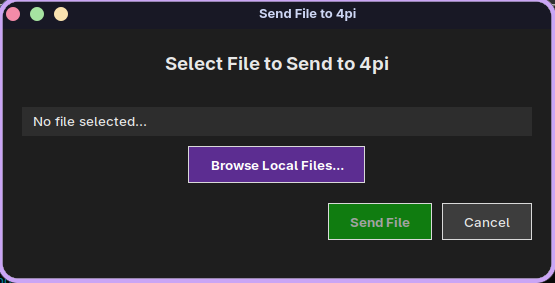
    Just select 'Send File' button, browse to the script.

    tick the 'execute script after upload' and select 'Send File'.

    the scripts output will be shown in the log window.

    the Manager will inject a sudo password if asked but I wouldn't recommend interactive scripts 

  • Fixed for running under Mac OS Tahoe

    diddy03/16/2026 at 11:20 0 comments

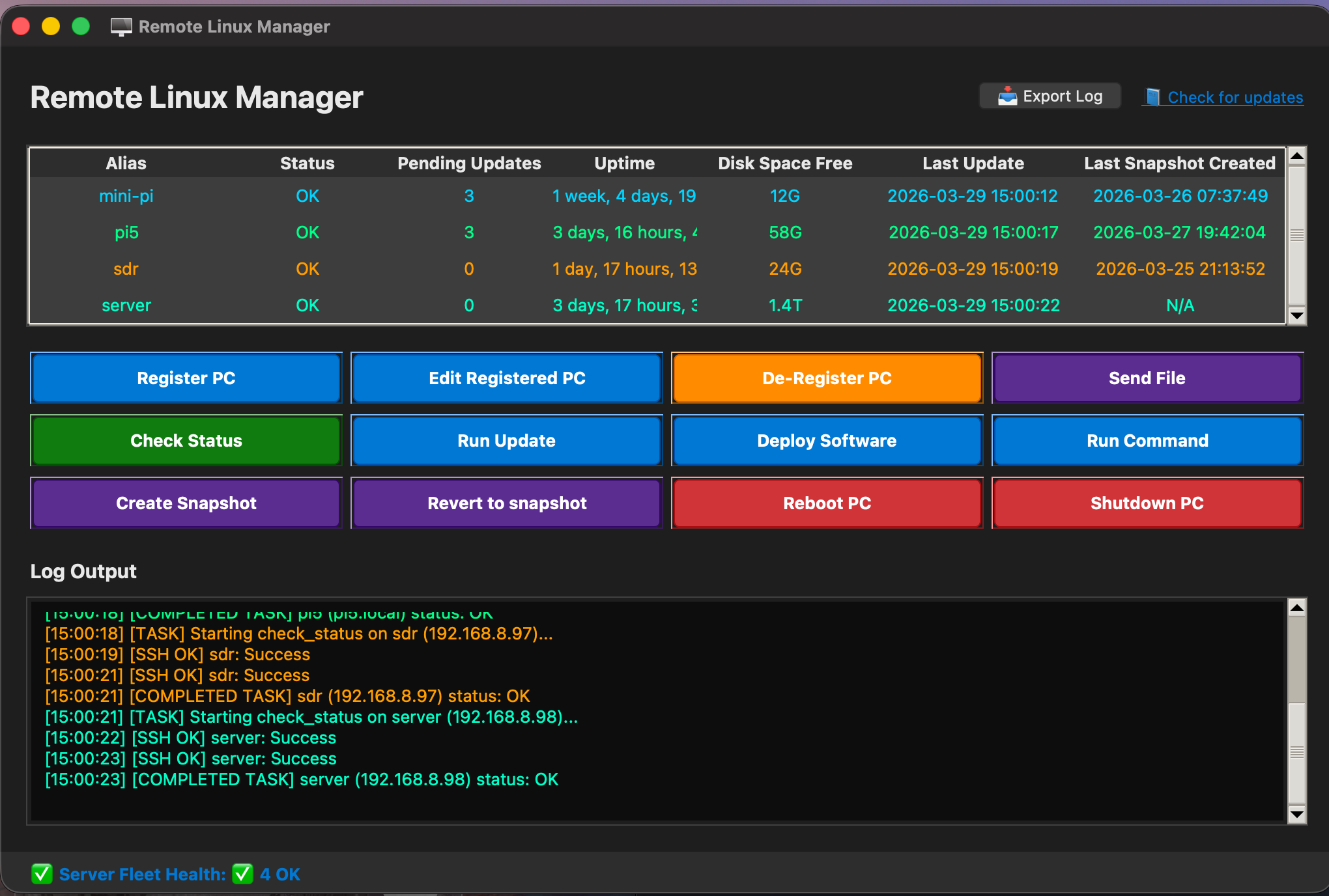
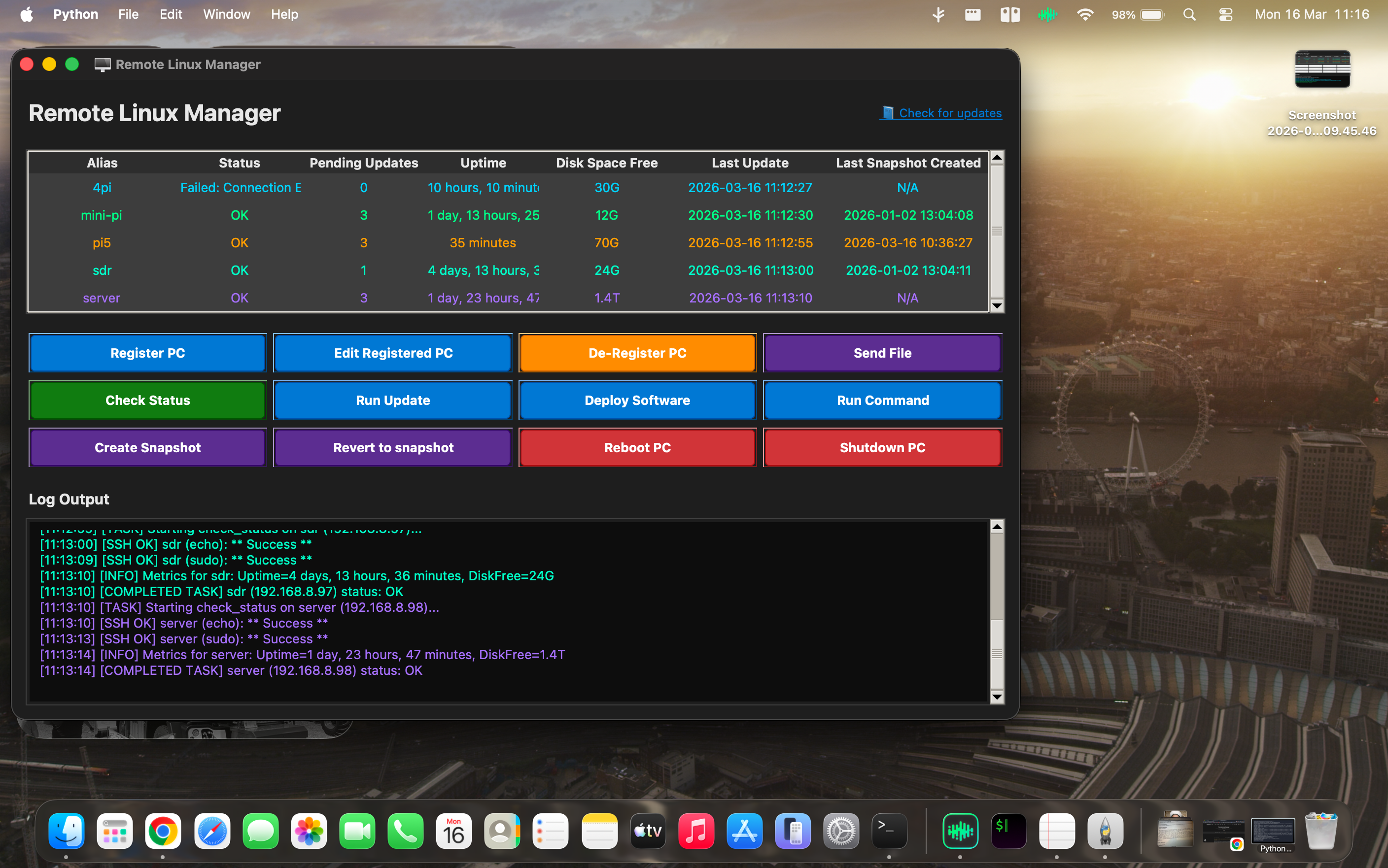
    A small UI bug existed for running under Mac OS Tahoe where all of the buttons used a buggy tkinker library, updated to detect os and then use Macos library.

    Linux and Windows unaffected by this bug

    all working under Linux, Windows and Mac OS now

    Screenshot under Mac OS Tahoe

  • New version has send file option and updated run command

    diddy12/09/2025 at 23:49 0 comments

    New version has a 'send file' option where a local file can be sent to the remote pc users home directory

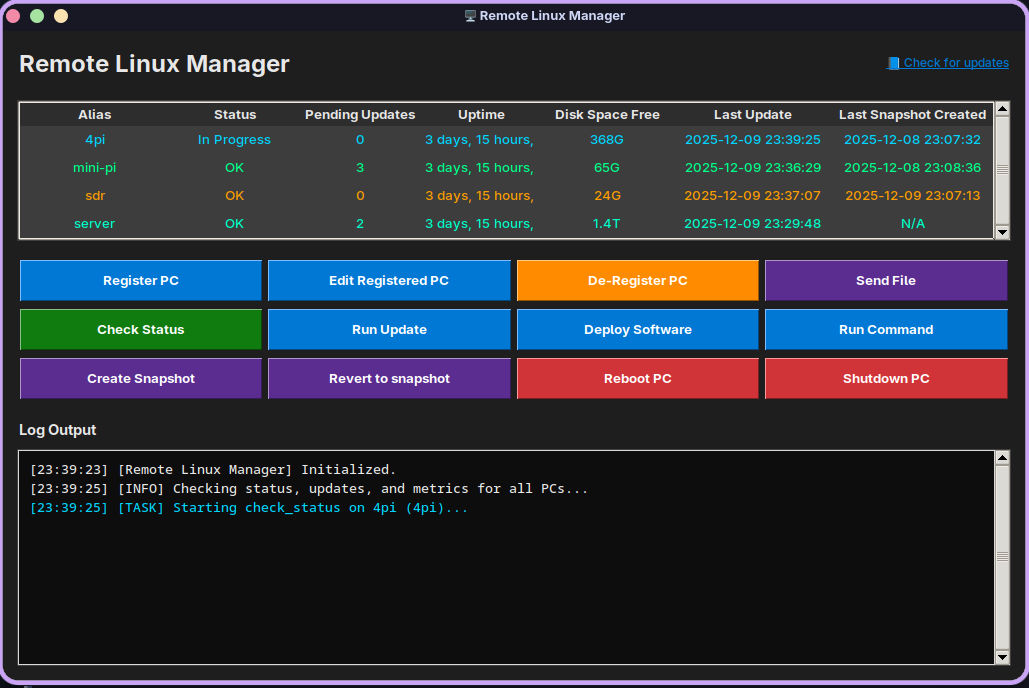
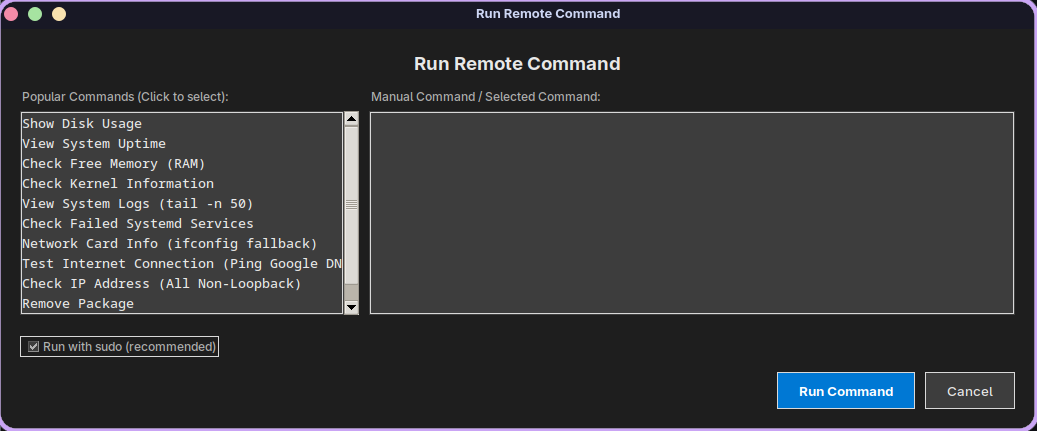
    also updated the 'run command' view with a list of popular commands but the user can still enter their own commands if needed

    also added Garuda Linux to the list of supported Linux pcs so the Linux launcher should now work on all popular Linux distributions

  • Linux.sh launcher now detects os and installs python

    diddy11/19/2025 at 21:59 0 comments

    New version of the linux.sh launcher now detects OS and installs the python dependencies based on detection of Arch based or Ubuntu based OS.

    Here's a screenshot running under Pear OS NiceC0re

  • New version has colour coded pc list view

    diddy11/04/2025 at 20:21 0 comments

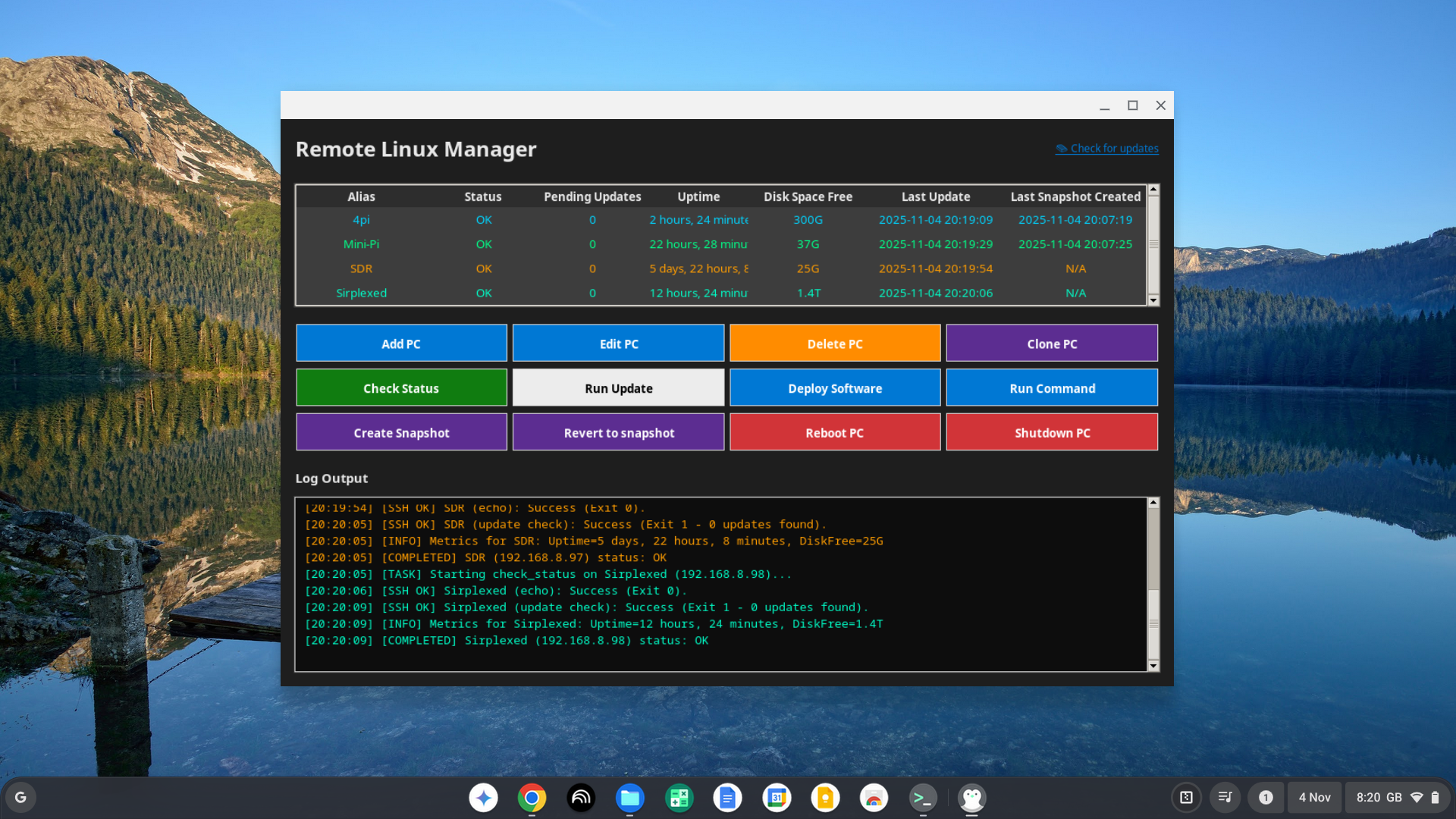
    New version has colour coded PC List view that ties up with the colour coded activity log view.

    so now its very easy to follow each pc's log output.

    if running on the linux development machine under chrome os, to fix the pc name lookup, install the following on the chrome os linux temrinal :-

    sudo apt install libnss-mdns

    sudo apt install samba winbind libnss-winbind

    edit the nssswitch.conf file with :-

    sudo nano /etc/nsswitch.conf 

    edit the hosts to use wins name lookup so it should look like :-

    hosts:          files wins mdns4_minimal [NOTFOUND=return] dns

    save and exit. now the Linux remote app can be ran up with cd /manage-pcs

    ./linux.sh 

    Running on Chrome OS Flex

  • new version has coloured activity log view

    diddy10/29/2025 at 22:19 0 comments

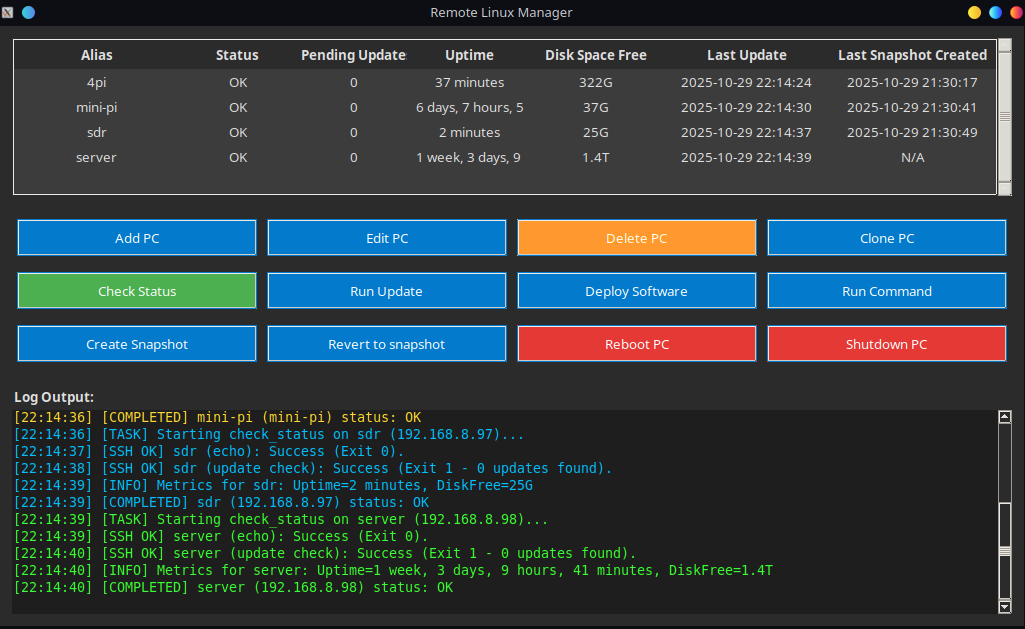
    New version has activity log window coloured for each pc in the list.

    so much easier to follow.

    also helps if you are running multiple operations at the same time.

    e.g. updating software on one pc, whilst rebooting another pc and waiting for it to reboot.

  • New version with added Uptime and Disk Space Free

    diddy10/28/2025 at 08:16 0 comments

    Updated version with Uptime and Disk Space free to the pc list view.

    So now opening the app will refresh the PC list view by checking for updates and checking the Uptime and Disk Space Free so users can see a glance a basic health overview.

  • Running on Chrome OS

    diddy10/27/2025 at 20:45 0 comments

    Here is a screenshot from Remote Linux Manager running on Chrome OS Flex on a Macbook air 2015.
    But I did find that to run on Chrome OS, it has to be a well supported Chrome OS

View all 15 project logs

Enjoy this project?

Share

Discussions

Similar Projects

Does this project spark your interest?

Become a member to follow this project and never miss any updates