diddy
diddy-
New version adds a Clone PC option
04/15/2026 at 20:18 • 0 commentsNew version adds a powerful clone pc option (rapid deploy).
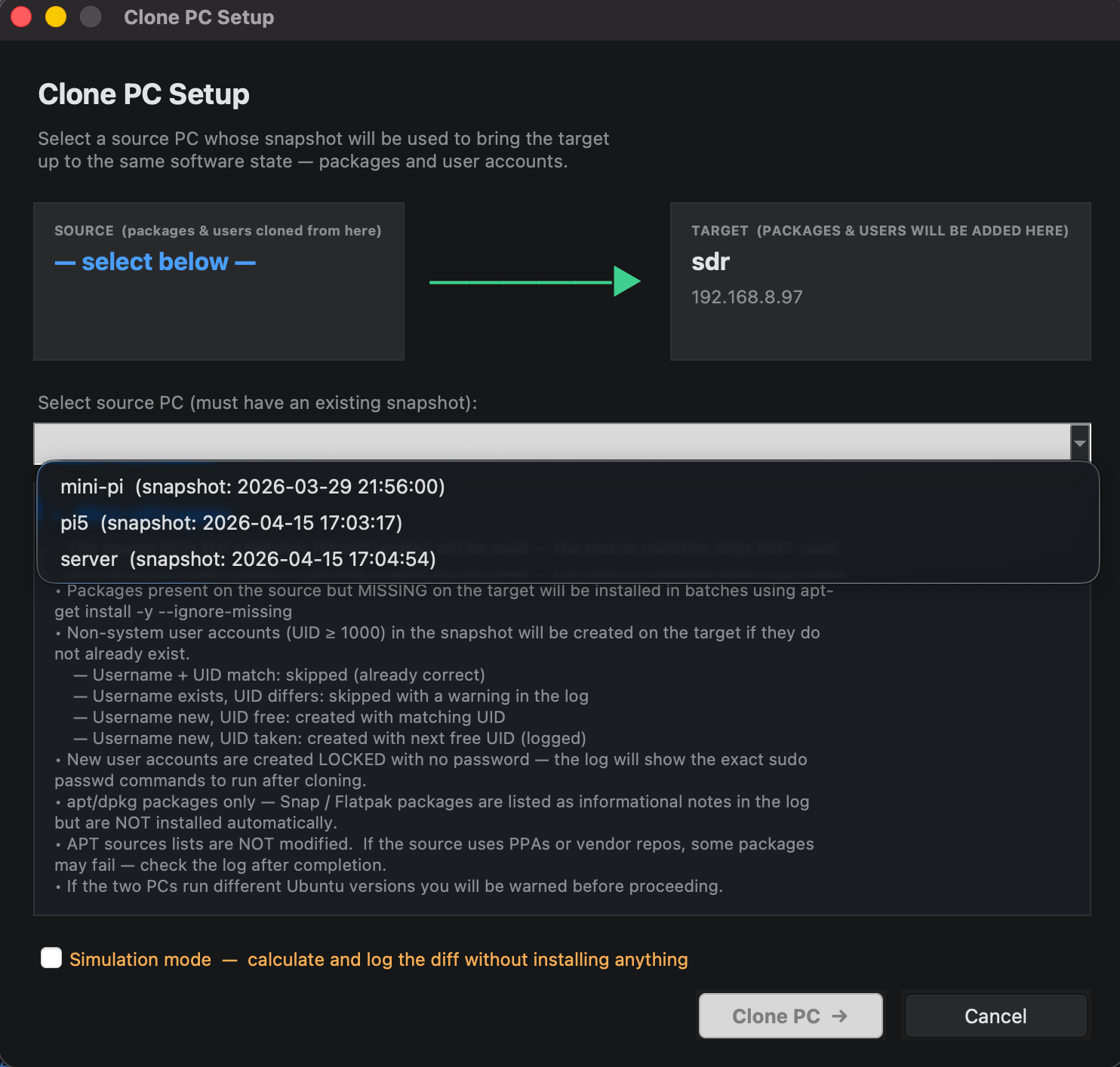
uses a snapshot from a pc in the list view (that a user can select) and will clone the same software onto a selected pc, No disk level copying or hard drive partition cloning. just users, groups and software lists.
Can clone from :-
Pi → x86
x86 → Pi
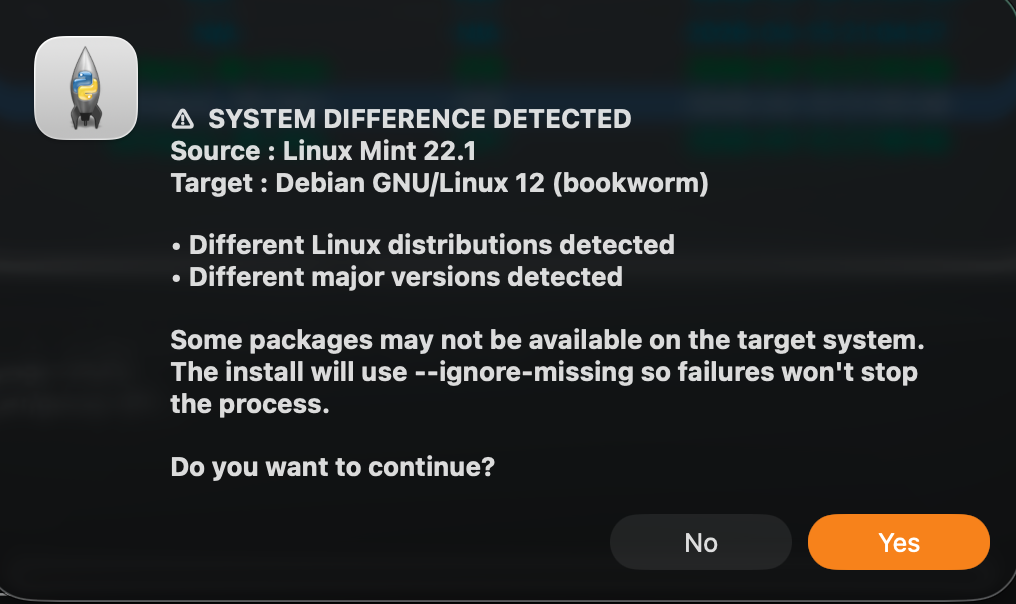
Ubuntu → Debian
Old Debian → new Debian
will also create users and groups also but new users will not have a password set until a user logs in on the target pc.
Attempts to match the UID as well, if the UID is taken, will map to the next UID.
very easy way to take a new pc just added to the network up to a configured pc (with a snapshot).Extensively tested in simulation but should work for real.
A weeks serious coding and adding in guarding to get woking.
I even had to re-write the snapshot generation code, so existing users of this tool may want to re snapshot your managed pcs before moving onto cloning a pc.
What it does not do is copy config files or different configurations from the default installed software, there are too many variables to cater for with this approach. this tool is a get a new pc to 95% of the way there and then its up to the administrator to configure afterwards.
This tool will NOT clone users Home directories as it could take hours to copy multiple GB of data across.
Download from :-
https://github.com/diddy-boy/Remote-Linux-Manager
![]()
![]()
![]()
-
Updated to version 2 with fresh UI
04/10/2026 at 12:00 • 0 commentsCosmetic update.
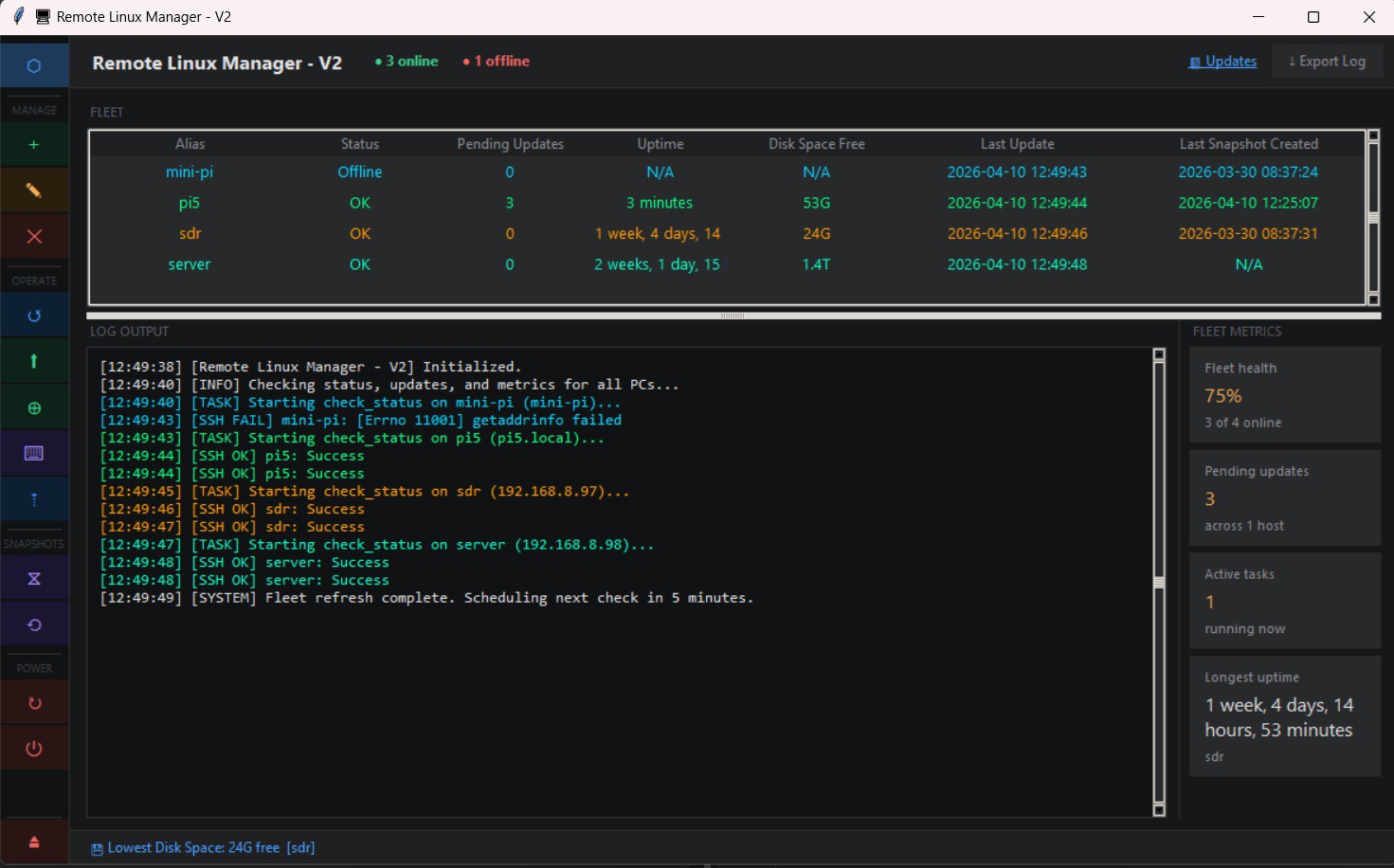
All functionality still exists but because of the previous update had status updates added, we could afford to tweak the UI to a new look.
All toy town Windows XP look buttons are gone and are replaced with icons down the left hand side.
now there is more room to view windows and the stats can be presented to the administrator in a more friendly way
The pc list and Log file can be dragged vertically for the user to tailor
Can be downloaded from :-
https://github.com/diddy-boy/Remote-Linux-Manager
![]()
-
New version adds status bar
03/29/2026 at 14:39 • 0 commentsNew version adds :-
Added a status display in the bottom bar that will show info like :-
Offline pc's
Longest Uptime of any pc
Server fleet health
Last action performed
PC with lowest disk space free
PC with most updates pending
Last update
Oldest snapshotwhen syncing number of PC's synchronized
also added an auto check every 5 minutes for all registered pc's in the list which also updates the status bar.
Now users can auto monitor their server fleet
Also added detection and refresh every 30 seconds if a PC goes offline and when the pc comes online again.
Can be downloaded from :-
![]()
-
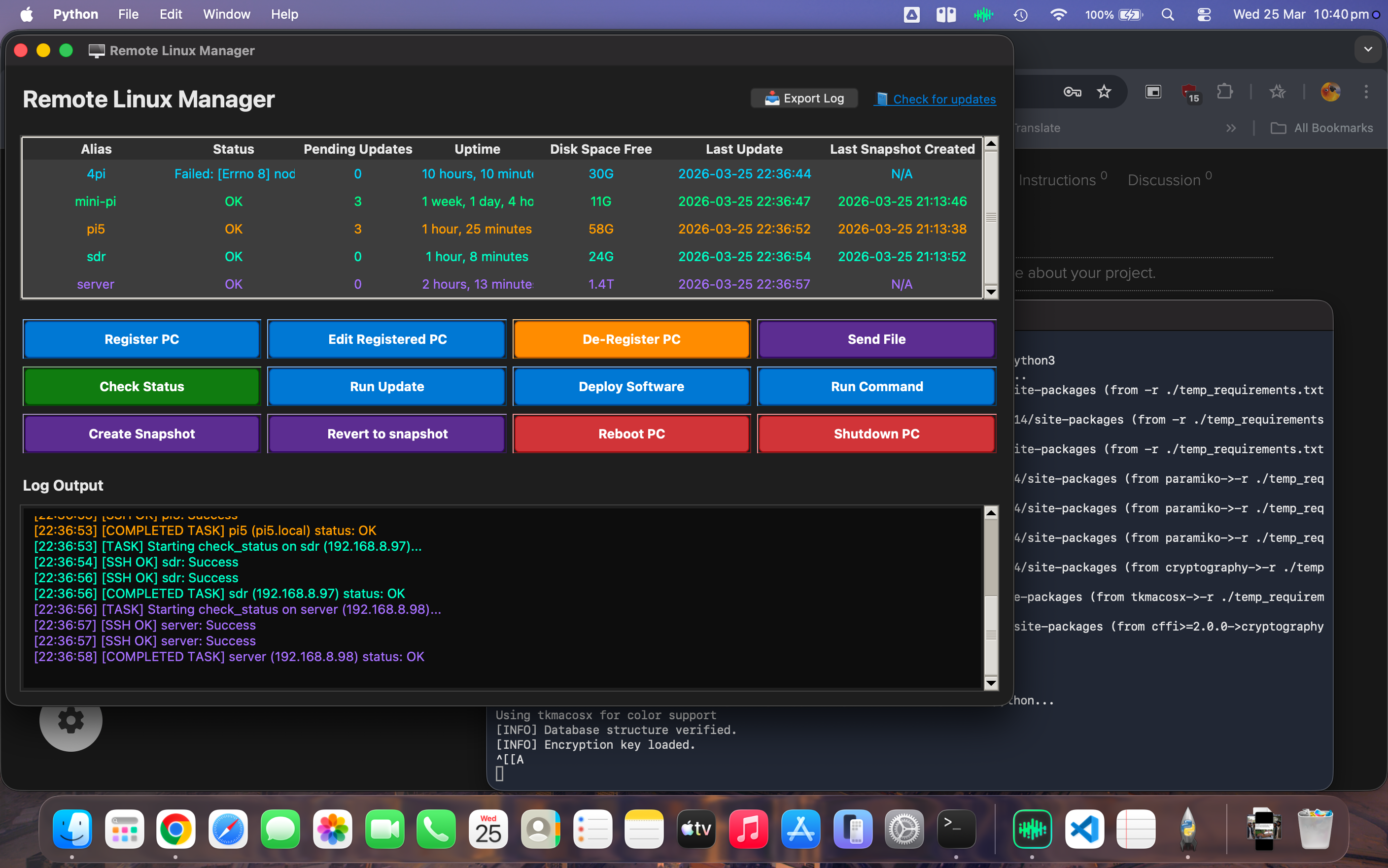
New version adds export log
03/25/2026 at 22:43 • 0 commentsNew version adds export to a log file for all of the activity window (bottom view).
great for checking at a later date.
Also refactored code and removed ghost code, duplicates and optimised for speed.
general usage is a lot faster now.
![]()
-
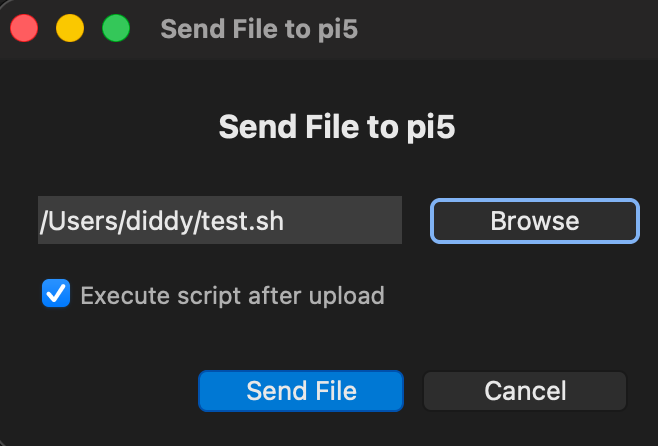
added ability to execute script on upload
03/16/2026 at 17:36 • 0 commentsUsers can now execute a script after uploading to a remote linux machine.
Just select 'Send File' button, browse to the script.
tick the 'execute script after upload' and select 'Send File'.
the scripts output will be shown in the log window.
the Manager will inject a sudo password if asked but I wouldn't recommend interactive scripts
![]()
-
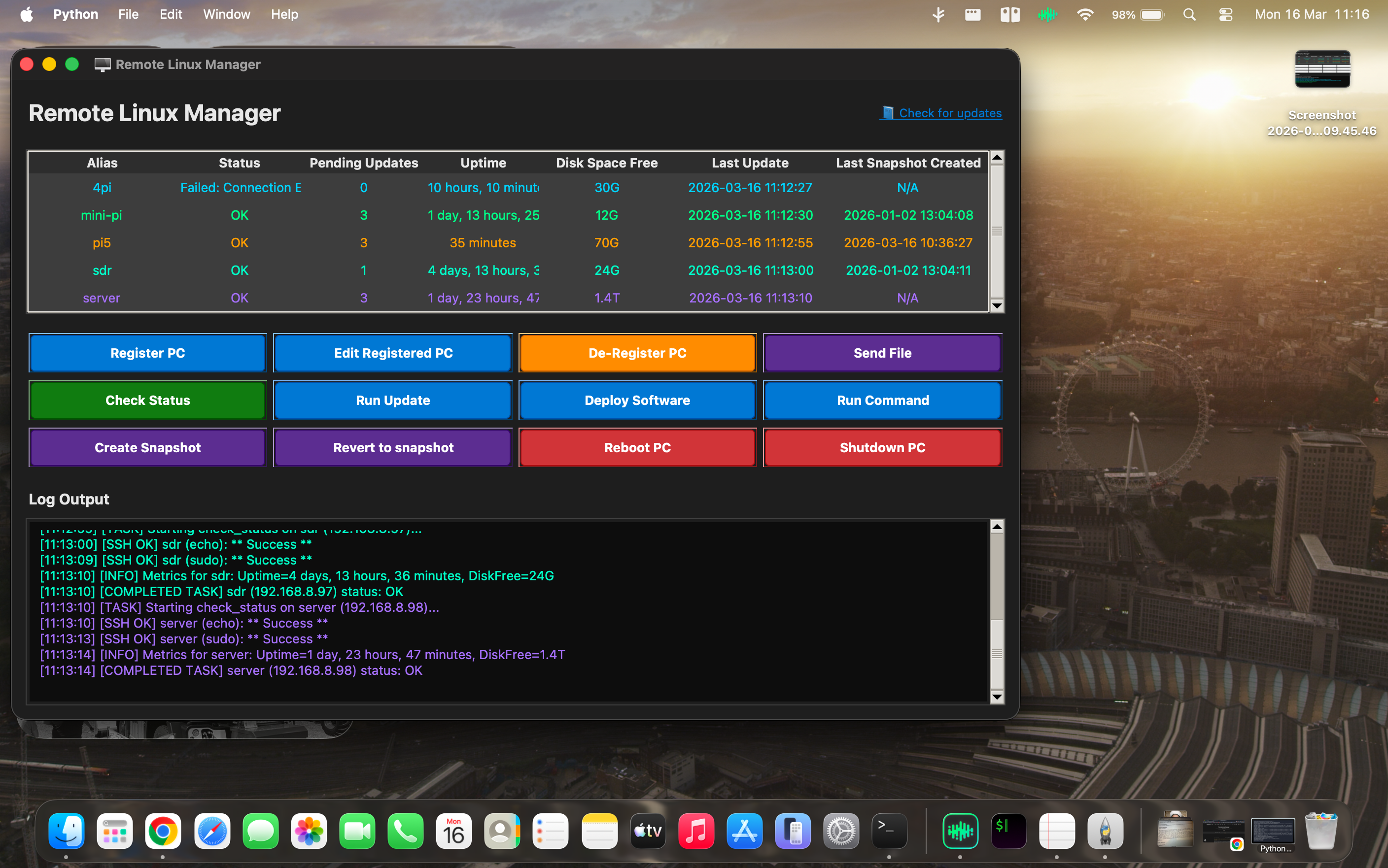
Fixed for running under Mac OS Tahoe
03/16/2026 at 11:20 • 0 commentsA small UI bug existed for running under Mac OS Tahoe where all of the buttons used a buggy tkinker library, updated to detect os and then use Macos library.
Linux and Windows unaffected by this bug
all working under Linux, Windows and Mac OS now
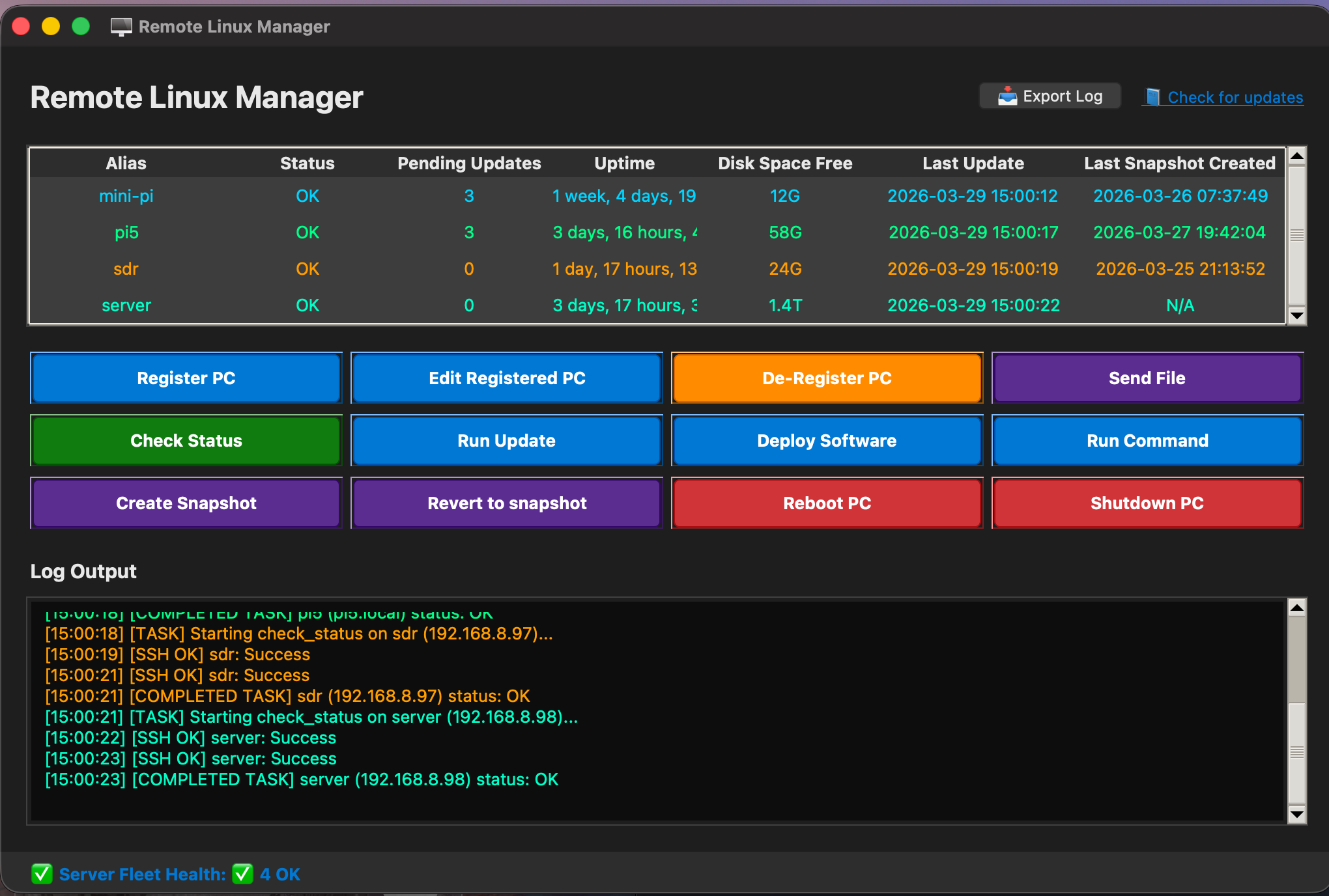
Screenshot under Mac OS Tahoe
![]()
-
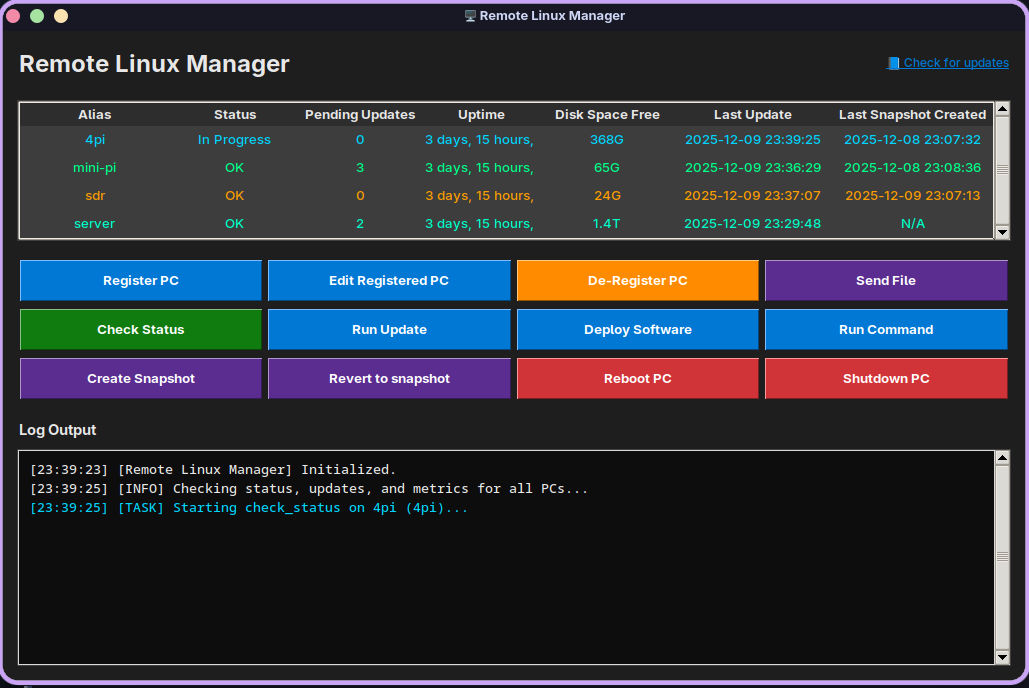
New version has send file option and updated run command
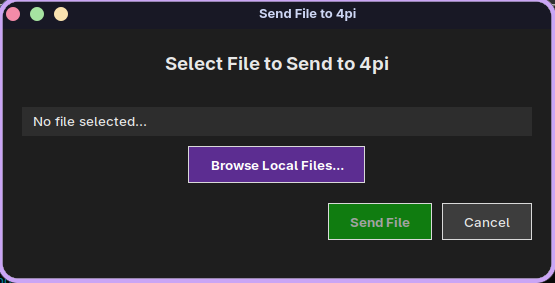
12/09/2025 at 23:49 • 0 commentsNew version has a 'send file' option where a local file can be sent to the remote pc users home directory
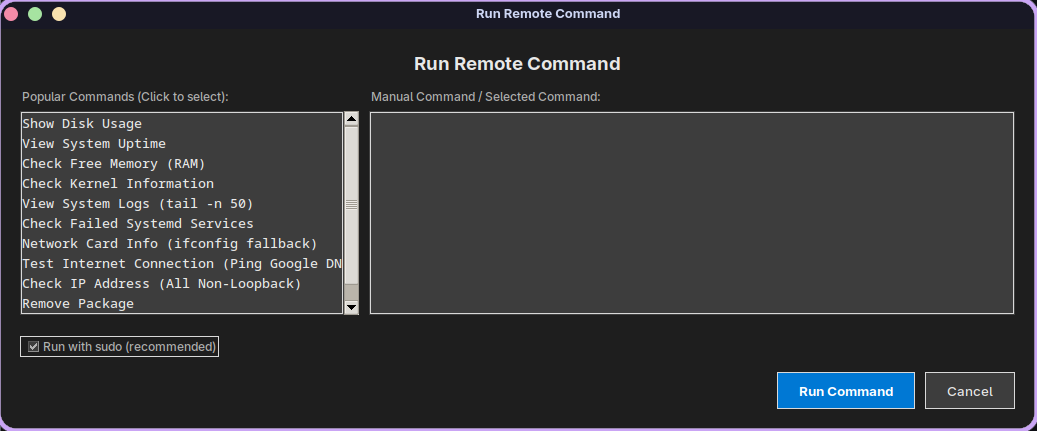
also updated the 'run command' view with a list of popular commands but the user can still enter their own commands if needed
also added Garuda Linux to the list of supported Linux pcs so the Linux launcher should now work on all popular Linux distributions
![]()
![]()
![]()
-
Linux.sh launcher now detects os and installs python
11/19/2025 at 21:59 • 0 commentsNew version of the linux.sh launcher now detects OS and installs the python dependencies based on detection of Arch based or Ubuntu based OS.
Here's a screenshot running under Pear OS NiceC0re
![]()
-
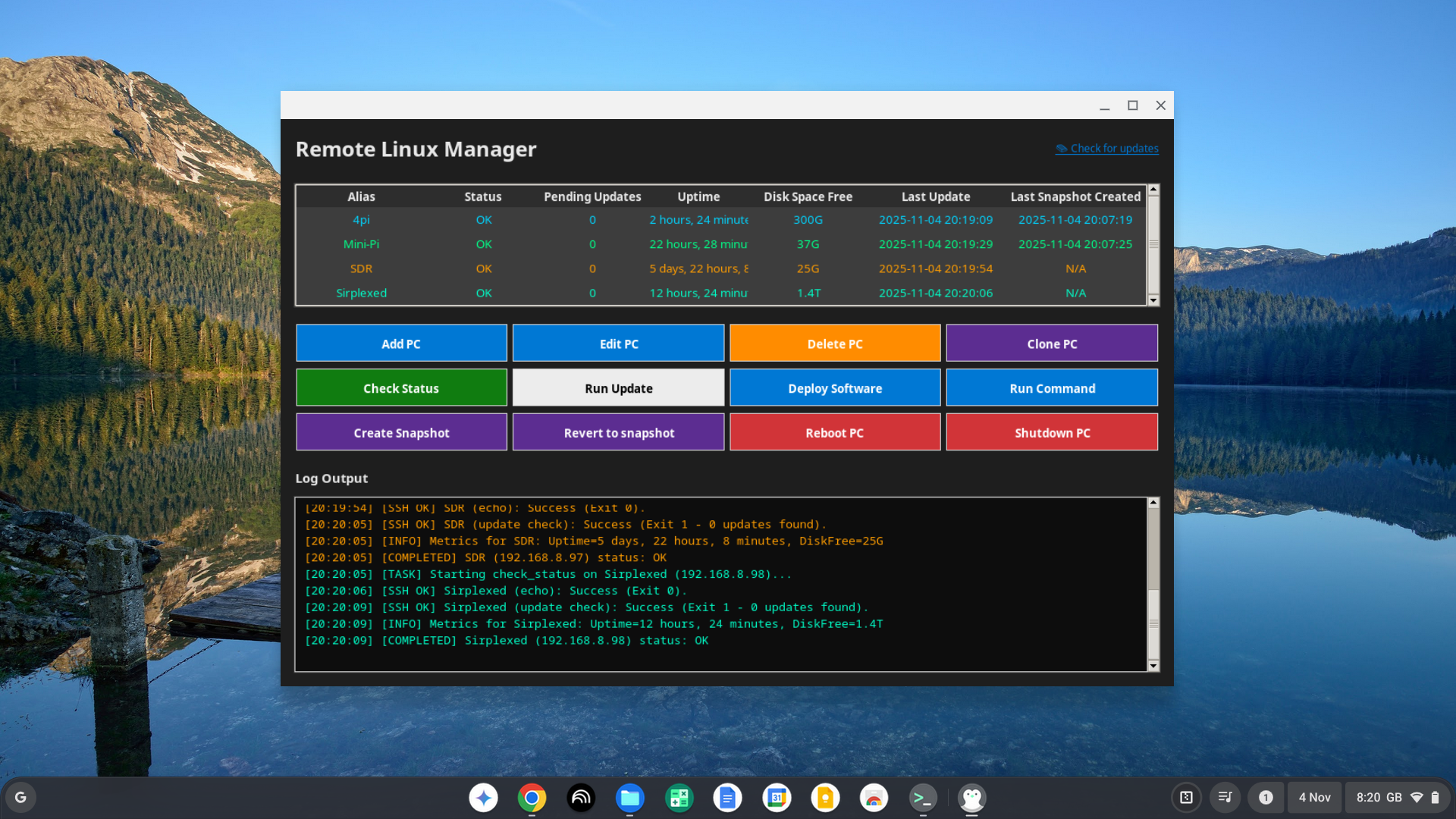
New version has colour coded pc list view
11/04/2025 at 20:21 • 0 commentsNew version has colour coded PC List view that ties up with the colour coded activity log view.
so now its very easy to follow each pc's log output.
if running on the linux development machine under chrome os, to fix the pc name lookup, install the following on the chrome os linux temrinal :-
sudo apt install libnss-mdns
sudo apt install samba winbind libnss-winbind
edit the nssswitch.conf file with :-
sudo nano /etc/nsswitch.conf
edit the hosts to use wins name lookup so it should look like :-
hosts: files wins mdns4_minimal [NOTFOUND=return] dns
save and exit. now the Linux remote app can be ran up with cd /manage-pcs
./linux.sh
Running on Chrome OS Flex
![]()
-
new version has coloured activity log view
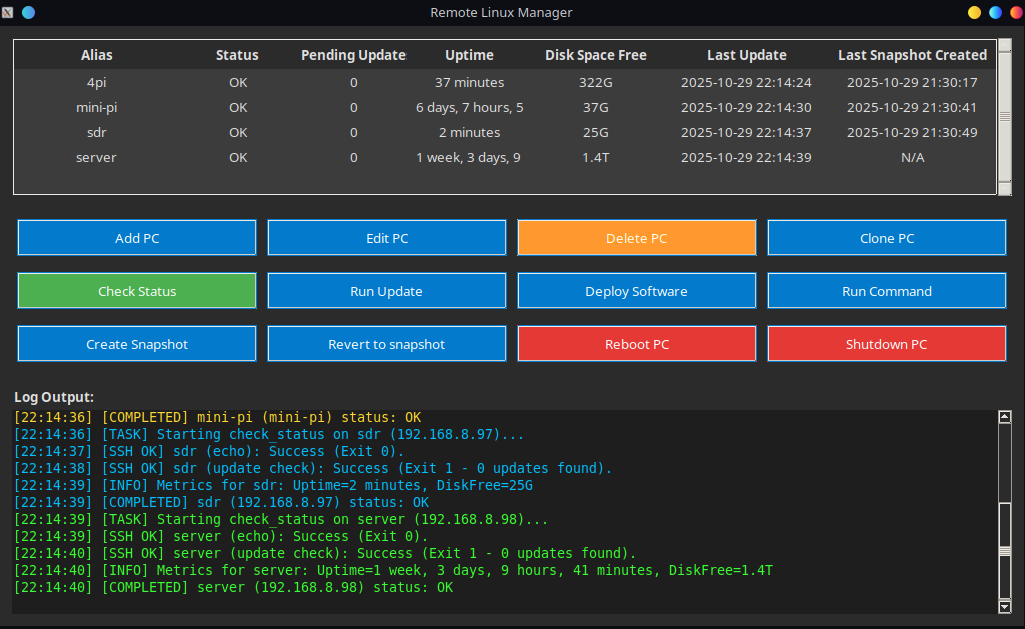
10/29/2025 at 22:19 • 0 commentsNew version has activity log window coloured for each pc in the list.
so much easier to follow.
also helps if you are running multiple operations at the same time.
e.g. updating software on one pc, whilst rebooting another pc and waiting for it to reboot.
![]()
Remote Linux Manager
The Remote Linux Manager is a robust, multi-threaded GUI application designed for centralising the management, monitoring, maintenance