Close
0%
0%

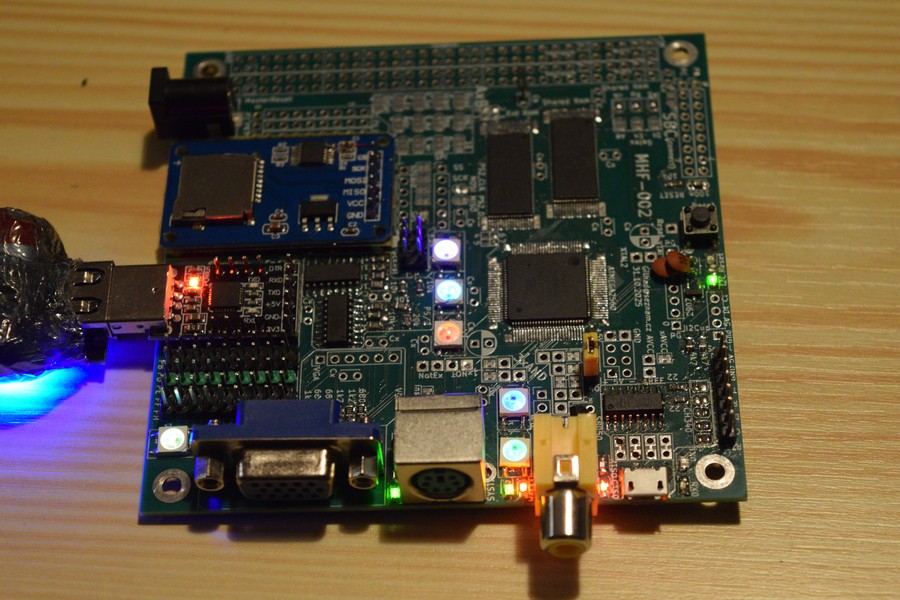
MHF-002 (Mega Home FORTH)

ATmega2560 based SBC with VGA, PS/2 and SD cards - meant to run FORTH now and serve as graphic card later.

Similar projects worth following
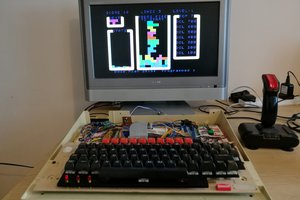
This 10 cm x 10 cm PCB will serve as Single Board Computer now, to develope software for display VGA/RCA based 40x25 character screen (and maybe later 320x200 graphics), managing PS/2 keyboard, SD card, USB Serial communication (with RTS/CTS flow controll) and maybe also other SPI and I2C periferials (like RTC). It will use external RAM and while developing it will also use FORTH as main system/language. Finally it will serve as graphic and I/O card for 8bit computer based on HD6309 processor.

This is second PCB (so MHF-002), with more than 75 improvements over previous PCB (called MHF-001).

PCBway.com generously sponsored manufacturing both those boards. Their work is flawless, easy to use, easy to solder/desolder and repeatedly resolder chips while testing different configuration and software options. Those improvements are result of actually using the MHF-001 board and adress discovered flaws in my design. Even with lot of reworks no trace nor pad was damaged during the tests

Current status:

MHF-002 PCB arrived, all modules (except gates) are successfully soldered and tested, now I need to change tests to libraries and combine it all together. Also I need to write better FORTH engine with enhanced 24bits pointers to be able address full External+Shared RAMs. More ideas about VGA + RCA output are to be tested too.

Older:

MHF-001 proved, that VGA signal can be generated clean and stable. Due bad PORTs assignment was characters little distorted, this should be fixed on this new card. Also I failed to solder the external RAM perfectly, due footprints oriented for machine work, not hand soldering, so it sometime worked, sometime not and preesig it by hand improved the chace for right results. New version have much longer pads on footprints, which I can solder reliably.

More similar improvements was discovered over time, but basicaly I was able somehow confirm all wanted features. 

Software needs be rewritten for new port usage and for better functionality. It is just matter of time and effort.

FORTH helped very much, as it allows interactivelly program the atmega over keyboard or serial line, without recompiling and uploading everything from start for any and every action wanted.  Interactivity simply rules :)

Main idea for this card is to share 128kB RAM with the HD6309 computer, where it will be mapped to one or two 8kB windows and let the CPU fill commands and data in on its own pace, then map the RAM to MCU (ATmega) and read (and execute) everything on its own pace. This will enable high throuhtput at cost of little latency added and paralel work of both systems.

Generating of VGA signal needs like 90% of time on MCU and it runs in Interrupt routine, to provide needed regularity. The rest of time is used for everything else. CPU is not bothered with such details and runs all the time at full speed.

I do work on this project from begining of 2024 (so nearly two years) and it goes forward slowly, but surly. Now I estimate like another year is needed to explore this card and turn to building the CPU part.
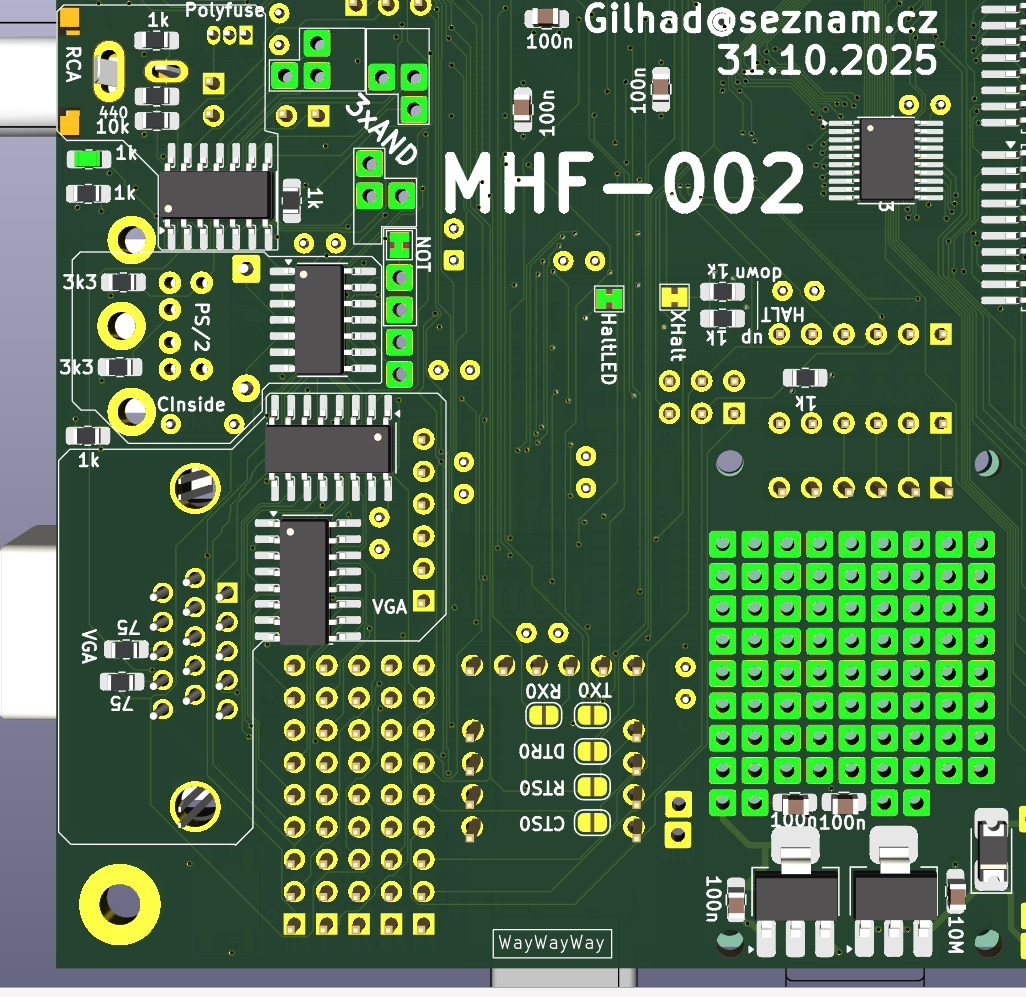
  • 1 × Arduino Mega Pro Cheap way to get core parts - MCU with crystal, reset block, USB block with CH340G and crystal and connector, Power block for 5V and 3V3 and few LEDs
  • 1 × SD card reader with level converter needs fix MISO to use CS
  • 1 × CP2102 USB 2.0 to TTL UART module for alternate USB A connection and RTS/CTS flow controll
  • 1 × conectors VGA, RCA, PS/2, Barell jack 12V
  • 2 × CY7C109D 128kB RAM External + Shared RAMs

View all 14 components

  • SystemBus

    Gilhad2 days ago 0 comments

    There are two copies of SystemBus, both paralely conected. Either one, or both may be used to stack with other PCBs like retrocomputer or another cards together. I will use female/male connectors (socket with long legs) in the inner position, but it is also possible to use pins downwards and socket upwards, alternation positions, if the F/M connectors are ont available or practical.

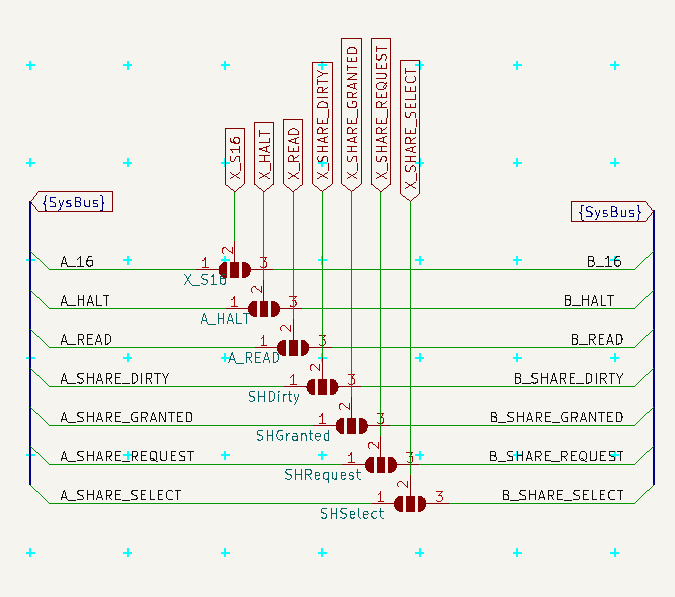
    The SystemBus contains the usual common power, 8bits Data and 16bits Address, then communication with GLUE divided to A and B parts and rest of pins is reserved for signals (like MasterReset).

    MasterReset is used for reseting all connected PCBs, while normal Reset resets only this PCB without affecting others.

    |SystemBus-schema.png|

    |SystemBus-side.png| view from side with sockets in outer and pins in inner holes

  • Configuration

    Gilhad12/28/2025 at 15:01 0 comments

    This PCB can be used in different ways and different configurations. There are a lot of solder-jumpers (some open, some bridged by default) to customize it for your needs.

    Serial connection

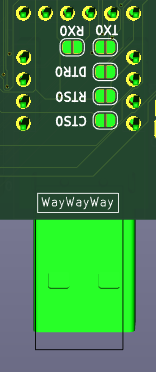
     RX/TX are on pins PE0/PE1, CTS/RTS are on pins PB4/PB5, all 4 are at their respective ports pins. DTR is connected to Reset block directly.

    Together they are on Serial connector on top edge for connecting any external Serial source (default). 

    |USB-Serial_pinhead.png|

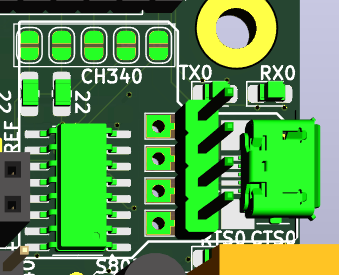
    Solder-jumpers there enable connection to CH340G USB-Serial convertor.

    |USB-Serial_CH340G_top.png|

    Another set of Solder-jumpers is under CP2102 module and allowe use of that module.

    |USB-Serial_CP2102_bottom.png|

    CH340G and CP2102 cannot be used together, or with external Serial (signals will conflict). 

    SBC config

    To use Shared RAM in SBC configuration is needed access to its signals (otherwise managed by GLUE) and maybe to its gates to SystemBus too - simply solder all jumpers in this part and use the new scheme

    |Shared_RAM_top.png|

    |config_SBC.png|

    AxB SystemBus connection - Graphic Card

    Graphic Card configuration is the final goal - this PCB would serve as Input/output for retrocomputer - SystemBus is connected to other PCB, where is retrocomputer and its GLUE is managing Shared RAM and some more signals.

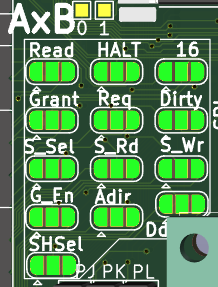
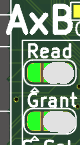
    There may be 2 such cards in system (one for VGA/RCA where screen takes 90% of time, other for SD card, PS/2 and Serial, where some transmission needs be uninterrupted by screen). One card will be named A and other will be named B and GLUE will talk to each separately. To became Card A solder left part of each of 10 jumpers, to became card B solder right part. (And in both cases unsolder SBC configuration.)

    |config_GLUE_top.png|

    |config_GLUE_top_A.png|

    |config_GLUE_top_B.png|

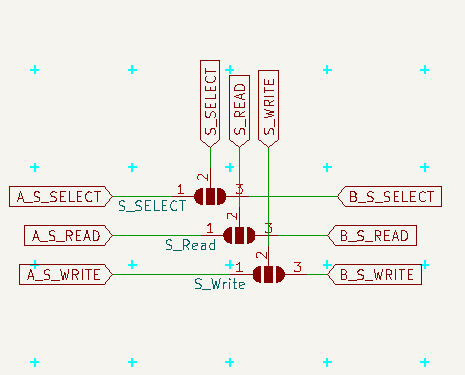
    |config_GLUE.png| This is communication from MCU to GLUE.

    |config_gates.png| Here is communication from GLUE to gates

    |config_shared.png| and here communication from GLUE to Shared RAM 

    Notice, that in order to read/write shared RAM the MCU need ask GLUE to set related signals (and GLUE will do it only if the Shared RAM is owned by MCU)

    HALT + LED

    For proper boot of retrocomputer may be needed to fill its RAM with the "ROM" part before it is started. To do so the HALT should be pulled DOWN (it is active low) and hold there until is all ready.

     If this PCB is supposed to do that, it would be good to solder pulldown resistor (and not pullup), after boot actively hold down the line and after setting the RAM (open gates via GLUE, manipulate A0..A16 and D0..D7 and set write signal via GLUE) hold it UP. 

    If this PCB is suppose to do that, but does not want to doo it, solder pullup resistor (and not pulldown), cut the XHalt jumper and use HALT LED for anything else (like SYSTEM_LED, but beware, it is also active low)

    If this PCB is not suppose to do that (the other (AxB) card should do it), do not solder any pull* resistor, cut the XHalt and use LED as you want.

    On SBC configuration this line is used to to write to Shared RAM, so do not solder pull* resistors, do not cut XHalt, but you may cut out the HaltLed or leave it to indicate writes to Shared RAM.

    Also you may cut the HaltLed and solder any output to this inverted LED or use the invertor for anything else.

    |config_HALT.png|

    |config_HALT_bottom.png|

    PS/2 Direct access + Inside

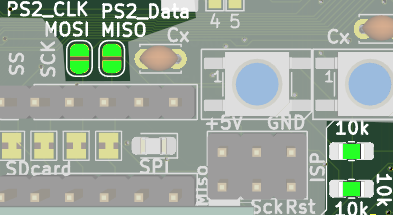
    If you want read the PS/2 direct and process it, solder the 2 jumpers near SPI/SD card (and change the two marked resistors to 1 kOhm ) Also you may want to cut the Inside jumper, as it is probabelly of no use in such scenario. It also interfere with SPI, which needs address in SW.

    |PS2_direct_top.png|

    SD Card

    SD Card may be cut off SPI and managed separatelly via its header, but it is probabelly of no use

    RCA source 40 x 80

    This pinhead selects source of graphic data for RCA - the pins are 40,signal,80 and the center (signal) should be connected to one of the sides  - 40 selects the UART1 output (and classical driver...

    Read more »

  • Debug LEDs

    Gilhad11/18/2025 at 19:01 0 comments

    As I need feedback while testing things, I usually use LEDs on Arduino, but LEDs needs IO pins and forgotten code may affect function later, so I decided to use one pin (PD4) for 6 Neopixel WS2812B which are serial driven. Setting different colors may indicate different states and should I accidentally forget somewhere some testing code, it will reveal soon and in non harmfull way.

    Read more »

  • RAM (External + Shared)

    Gilhad11/15/2025 at 06:18 0 comments

    External RAM may be used to have visible 64kB RAM inside MCU (but those 56kB extra is 1 tick slower to access).

    Shared RAM may be shared with retrocomputer or used as just storage with slower time then RAM but faster then anything else.

    Both are 128kB chips CY7C109D, as I found them to be cheap, accessible and 5V friendly. The truth is, that their output is  lower then 3.4V, but Atmega should be able use it anyway. 74HC245 gate may need power little lower than +5V, so I added resistor there to slightly decrease it (or maybe Schottky diode). I will see, if it is really needed.

    Note that near the RAM datalines may be permutated any way, as well as adderss lines, because it does not matter, the permutation will negate when the data are readed back. So it may be used to have better physical traces there (as I did).

    Read more »

  • SD Card + SPI + ISCP

    Gilhad11/15/2025 at 05:27 0 comments

    SD card formated with FAT system serve for storing and reading files. 

    Currently it uses SPI and Arduino library, but as I use timers, I update millis() just each screen refresh to make illusion of time for its timeouts.

    SPI have its LED and pinheader placed near SD card and may be separated by cutting solder jumpers (default connected). MISO/MOSI may serve also for PS/2 serial input when its (default open) solderjumpers are solrdered.

    ISCP connector is also there with pin 1 marked by white rectangle under SD reader. 

    Read more »

  • Serial + USB

    Gilhad11/14/2025 at 19:36 0 comments

    Common

    All marks are from MCU signal side of view. (RX is input, TX output, CTS is input, RTS is output, DTR is input).

    Default Serial uses USART0 (RX0/TX0 - PE0/PE1 pins) and RTS/CTS (PB5/PB4 pins) and DTR connected to Reset.

    There are 3 possible sources for Serial Communication

    • Serial pinhead - always conected to MCU, need all signals to be attached
    • CH340G with micro USB from Arduino Mega Pro - need to solder connect (RTS/CTS does not work with usual drivers)
    • CP2102 module with USB A - need to solder connect

    There can be two modes of communication

    • full with RTS/CTS flow controll - recomended - protect agains buffer overflow, when PC transmits more data (like a file, or Copy-Paste larger block)
    • simply RX/TX like on Arduino, buffer may overflow, cannot paste longer lines
    Read more »

  • PS/2

    Gilhad11/14/2025 at 08:02 0 comments

    Errata

    • all 10 kΩ resistors in PS/2 (8+2) should be rather 1 kΩ (otherwise it take too long for reading values, like 10 clock cycles)

    PS/2

    PS/2 have 2 lines - Clock and Data. See https://wiki.osdev.org/PS/2_Keyboard

    Clock runs at 10-17 kHz, 11 pulses (normal High, active LOW), data came as 

    • 1 start bit (always 0)
    • 8 data bits (least significant bit first)
    • 1 parity bit (odd parity)
    • 1 stop bit (always 1)

    The clock/data can be connected directly to PB2/PB3 MOSI/MISO via solder jumpers (default OPEN, solder to USE) and decoded as serial communication, but I will use two shift registers and R-C to detect, if we are Inside the packet or not, so I could read the data as one byte on port PF, when I do not use it as VGA data output. 

    Inside signal (connected via closed solder jumper, cut if not wanted) is HIGH when clock is changing, LOW, when clock stops and PSDat is valid. 

    PS-OE is active LOW and let the captured PS data go to port PF

    Read more »

  • Composite output

    Gilhad11/13/2025 at 10:43 0 comments

    The composite output is currently done via USART running on half system clock.

    One line is 64 uS long.

    Sync pulse should be 0 V, black should be 0.3 V and white should be 1 V.

    Read more »

  • VGA

    Gilhad11/07/2025 at 12:32 0 comments

    VGA need Vertical Sync (at start of each screen), Horizontal Sync (at start of each line) and Signal (inside the line, it is the pixels).

    Vertical Sync is generated by timer on pin PE4 (every 16.64 mS ~ 60 Hz)

    Horizontal Sync is generated by timer on pin PB6 (every 32 uS)

    VGA signal is generated in interrupt on timer overflow (every 32 uS = each 512  clock ticks)

    It needs pin PE7, where 16MHz (system clock) can be configured. As Arduino Mega does not have this pin connected, this was the main reason for making this PCB.

    Read more »

  • How it started

    Gilhad11/05/2025 at 12:46 0 comments

    Many years ago I bought  Omen Kilo (SBC with HD6309) and start to play with it. It worked, but did not anything visible (does it even run?), just communicated over Serial. Which was not so much satisfying.

    Read more »

View all 10 project logs

  • 1
    Building MHF-002 step by step

    I first time just took parts from Arduino Mega Pro and solder them to the PCB at right places, then I tested I it works and it worked. 

    Then I added one subsystem at time and tested that. This way it was not too much complicated and I wrote SW for each test extra. Also it makes more familiarity with the whole system, as it is build by logical steps.

    Problem is, that smaller parts are difficult to solder, when larger parts are already there.

  • 2
    Building it easier way

    Decide, which all subsystems are to be used, then solder the MCU first, then the RAMs, then the SMD caps and resistors and diodes, then ICs, then normal caps, then connectors, modules and pinheaders.

  • 3
    Submodules links

    Each submodule have its own description in logs. There is also schema, and top and bottom view where the parts mentioned are shown in green. Still is recomended to use KiCad and the full project files as main reference, but this should help with orientation.


View all 3 instructions

Enjoy this project?

Share

Discussions

Similar Projects

Does this project spark your interest?

Become a member to follow this project and never miss any updates