JP Gleyzes
-
pilot a plane with a joystick
12/14/2025 at 17:26 • 0 commentsThis is an "addon" for your buddy box !
Have you ever wanted to p pilot your planes "as a real one" ie with a joystick ?
This is now easy to try witha a single ESP32-S3-DevKit C N16R8
simply upload this code (after compilation of course).
Now this "trainer" board will be able to send data to the TX16s buddy box.
It will be easy for you to pilot with your joystick !
These boards are cheap (less than 5€). You will have to solder the tiny "solder pad" on the back side of your board to activate OTG mode (to power the joystick)
This set up could also be used (adpated) for disabled people who would like to try RC hobby.
-
compiling the source code
12/10/2025 at 06:24 • 0 commentsFollow these guidelines to compile the project
arduino IDE
Fisrt step will be to install the Arduino IDE. It can be found here. Simply download it and install it!
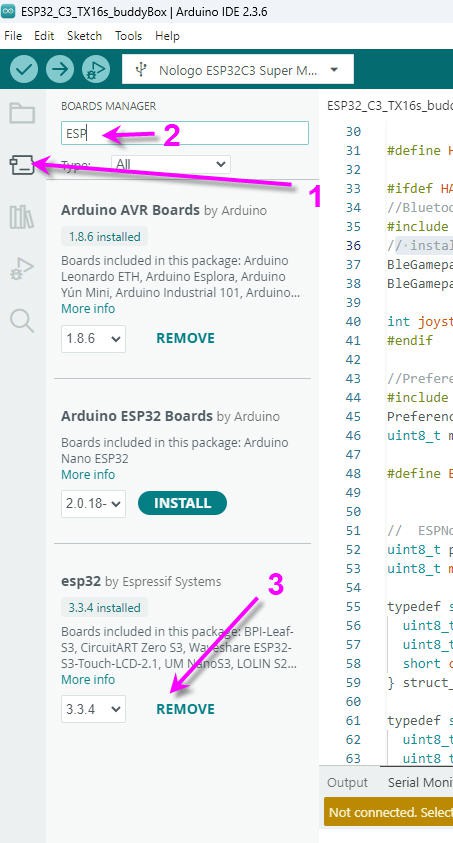
Run it and add the Espressif package for all your ESP boards.
- Go in the board manager tab
- filter for ESP32
- install Espressif package
![]()
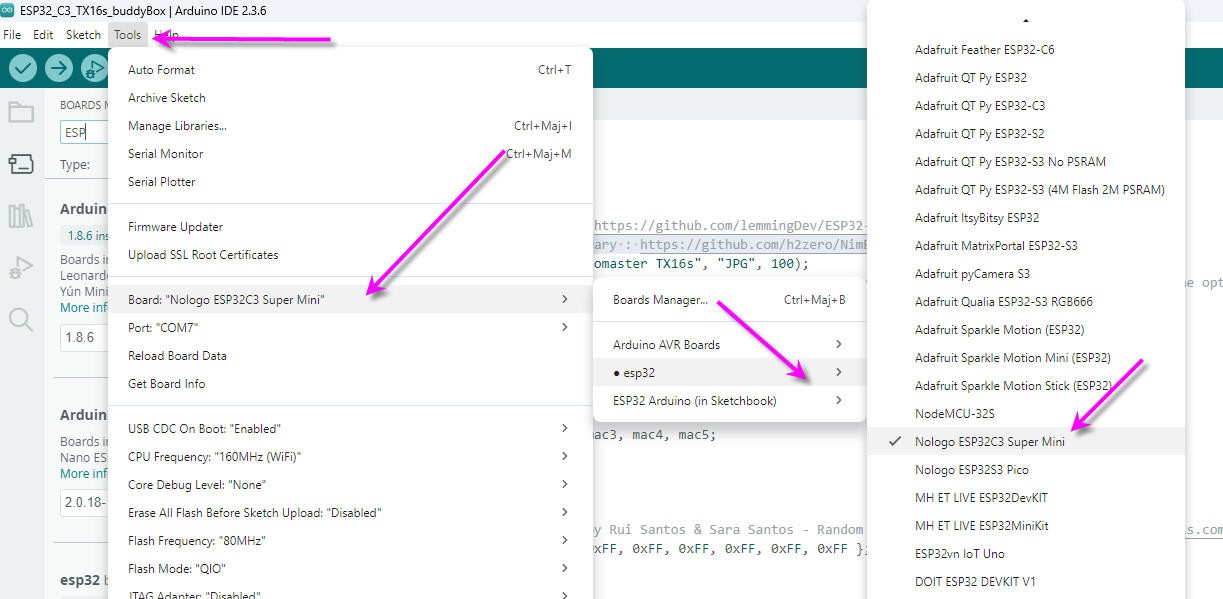
board selection
into the Arduino IDE, select the board : tools/board/ESP32/Nologo ESP32C3 Super Mini
![]()
Library installation
Four libraries must be installed for the .ino file to compile
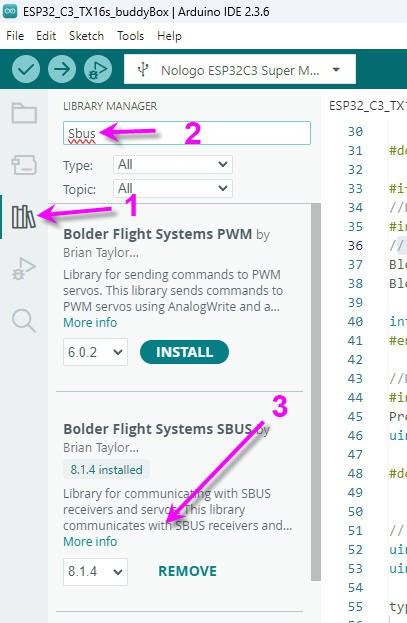
SBUS library bolder Flight
- select the libray tab
- filter with "SBUS"
- install Bolder Flight Systems SBUS
![]()
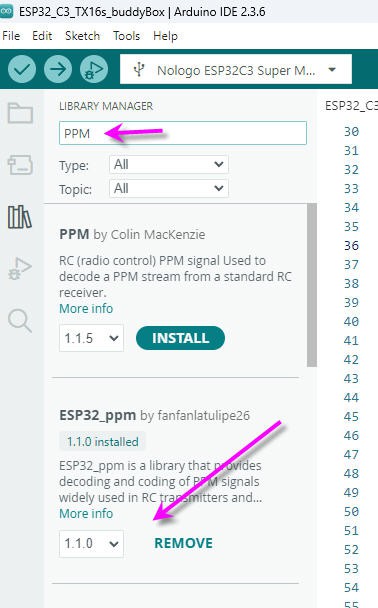
PPM library
- select the library tab
- filter with "PPM"
- install ESP32_ppm by Fanfan la tulipe
![]()
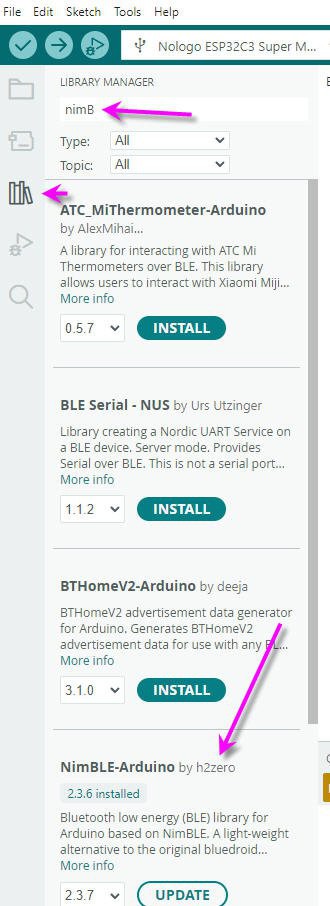
NimBLE library
- select the library tab
- filter with "nimBLE"
- install NimBLE-Arduino by h2zero
![]()
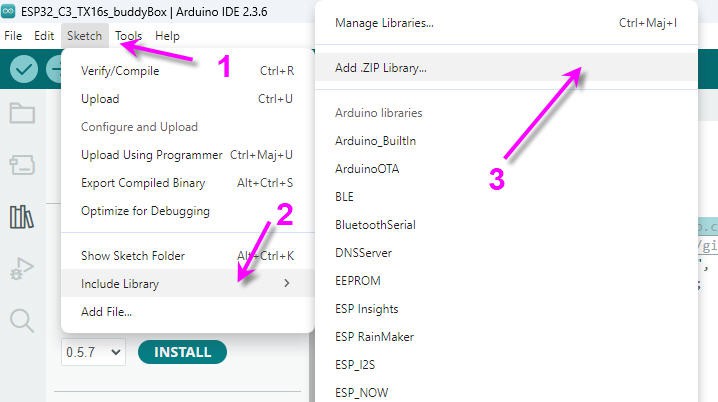
BLE gamepad libraryThis one is to be installed from github repository here : https://github.com/lemmingDev/ESP32-BLE-Gamepad
download the .zip file and drop it into the library folder of your arduino install.
then install it following sketch/include library/Add Zip library menu
![]()
Now you can compile the source code of my github repo
TX16s buddy box (wireless master/trainer)
a wireless buddy box for Radiomaster TX16s + Bluetooth joystick