Close
0%
0%

PR3 SCARA

a highly functional, highly affordable robotic arm, made entirely of 3d printed parts and off-the-shelf components.

Public Chat
Similar projects worth following
I think it doesn't make sense that we don't have a really good open source robotic arm product that is reasonably priced. As far as I can see, current projects lack either affordability, capability or a full feature set. I might prove myself wrong but I think recent improvements in 3d printing and low cost electronics should enable building a really great system for under 200$. I am talking automatic tool changing, Z-compensation module, integrated top view camera, web UI + teach pendant control and more... Robotics finally feels like it's taking off in a big way and we need open source affordable platforms that will enable wide reach for these new technologies.
3D printing is key here, I believe. I am very inclined to keep the parts printed for as long as possible, beyond prototyping. For this kind of systems, the geometric flexibility and freedom of iteration is too good to let go. That is, unless you are bothered by layer lines, and i really love the layer lines...

I decided to go with a PRRR SCARA configuration. Since my goal is maximizing value for cost, I very quickly decided on SCARA which I think can be made very useful while eliminating several elements of complexity relative to articulated arm. Its motion in the XY plane is separated from the Z translation which really simplifies the kinematics, and its rotational joints don't resist the load and so can stay very light.

The arm will be actuated by 4 nema17 stepper motors, a nice beefy one directly coupled to a lead screw for the Z axis, and 3 slim ones that will rotate the 3 joints couplers via timing belts.

Below the wrist I have a Z compensation module that will help with tool changing, vision based picking and Z axis collision detection. Lastly there will be a servo controlled tool changing mechanism with a 6 pin magnetic pogo connector that will feed tools with power and up to 4 IO pins (one of the pins will be taken for connection verification). 


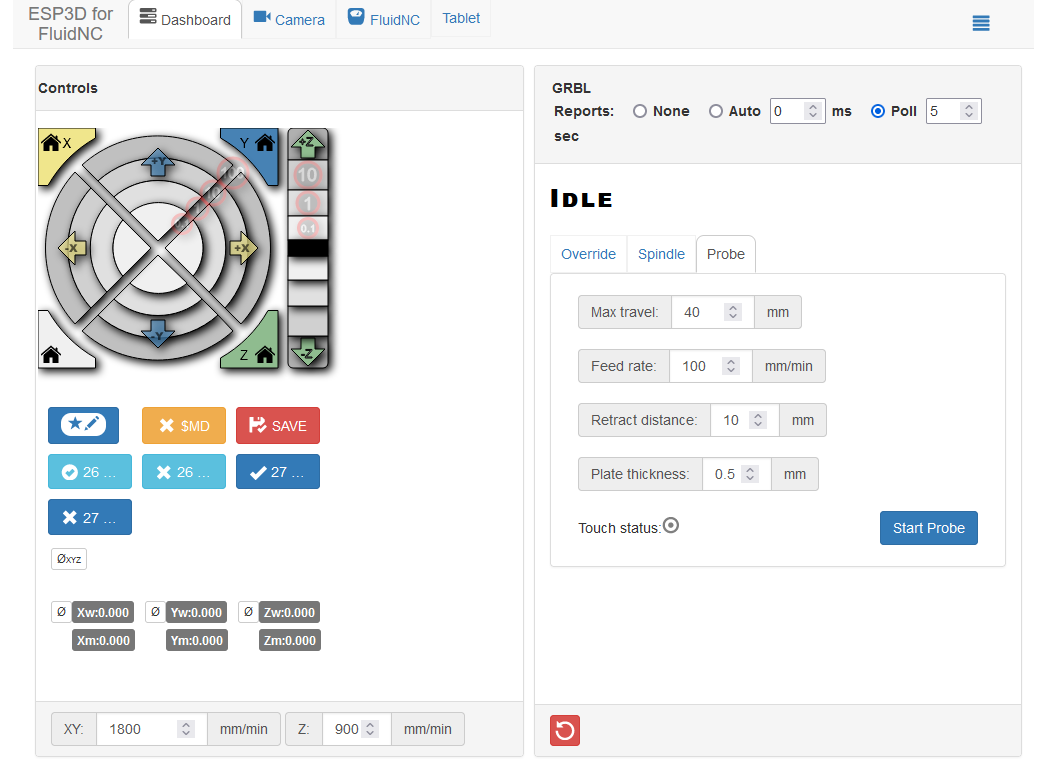
The controller I went for is the Fysetc E4. It is ESP32 based so i get built-in wireless and it has 4 integrated TMC2209 drivers which are smart, quite and should enable sensor-less homing. But most important, i get to use the awesome FluidNC firmware. It is an open-source ESP32 optimized CNC firmware that i found and it simply has everything i needed for this project.


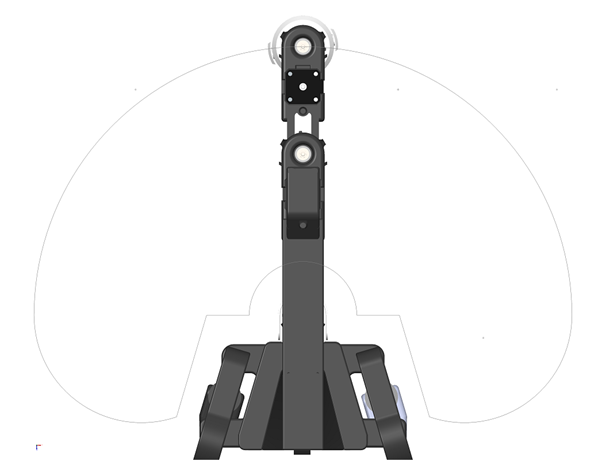
I think I will go with a 0.3m reach and hopefully up to 0.5 kg payload capacity. The main mechanical challenges are fighting flex in the tower and first joint and ensuring smooth stable Z axis movement. Iterations in their design should enable increasing reach and payload. 

My biggest inspiration for this design was Dejan's awesome 3d printed Scara project from How To Mechatronics. When I was looking for existing arms to make for myself I came really close to just making his, but I ended up deciding to go with this new design which I think solves some issues and vastly enriches the functionality. 
config.yaml

my current robot's configuration file

yaml - 3.23 kB - 12/22/2025 at 17:42

Download

  • ​Its alive! first movement sequence.

    Omer Inbar4 hours ago 0 comments

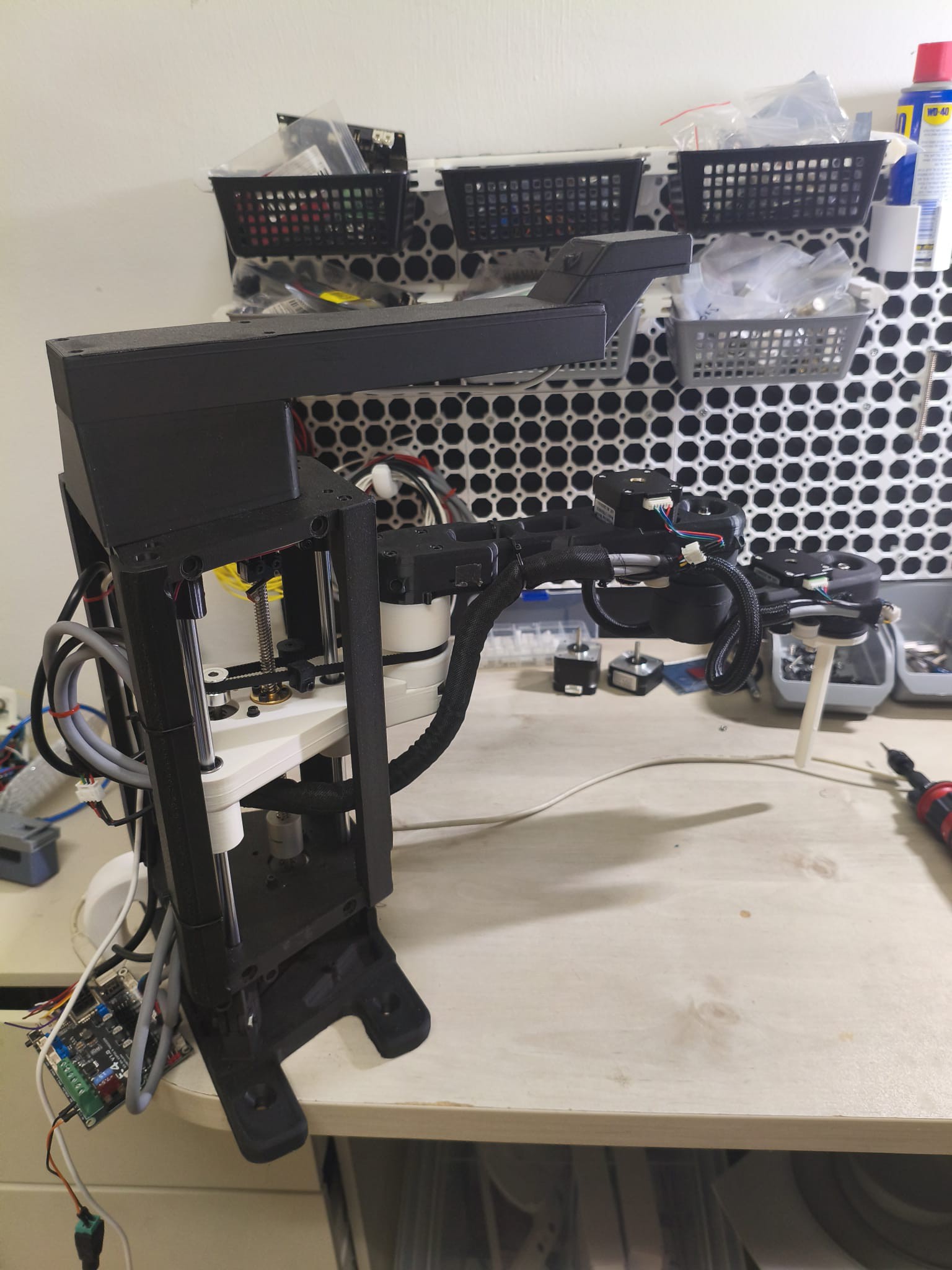
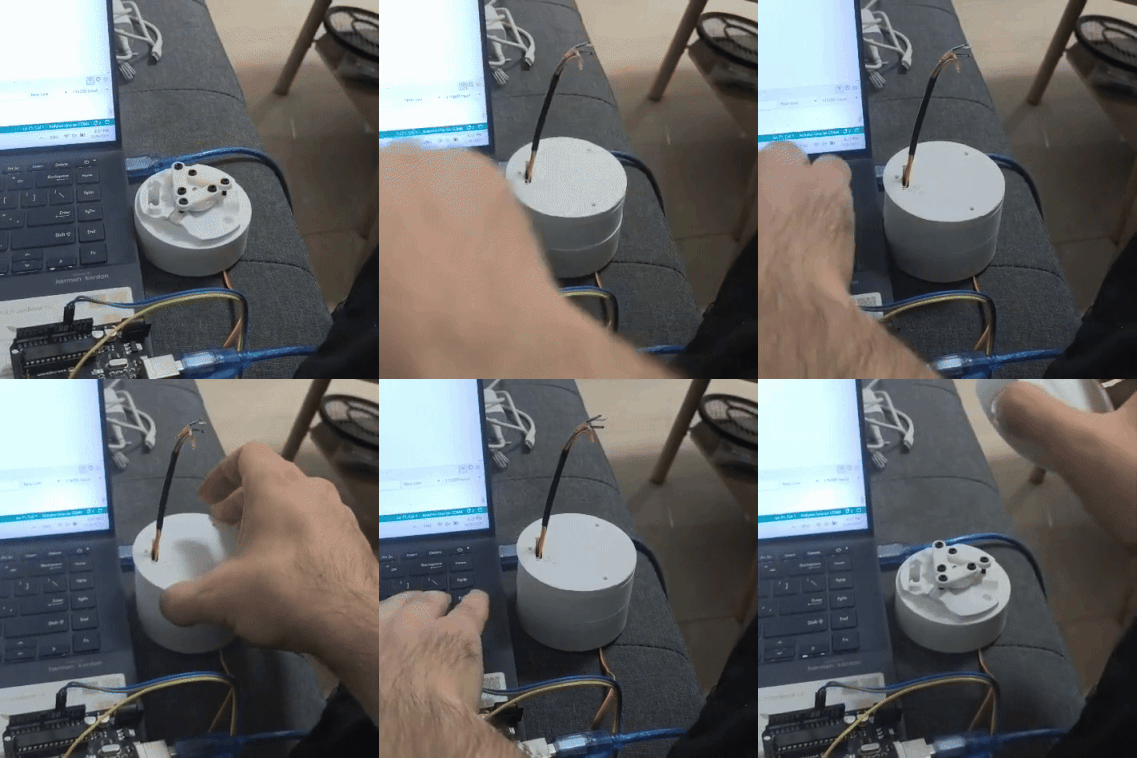
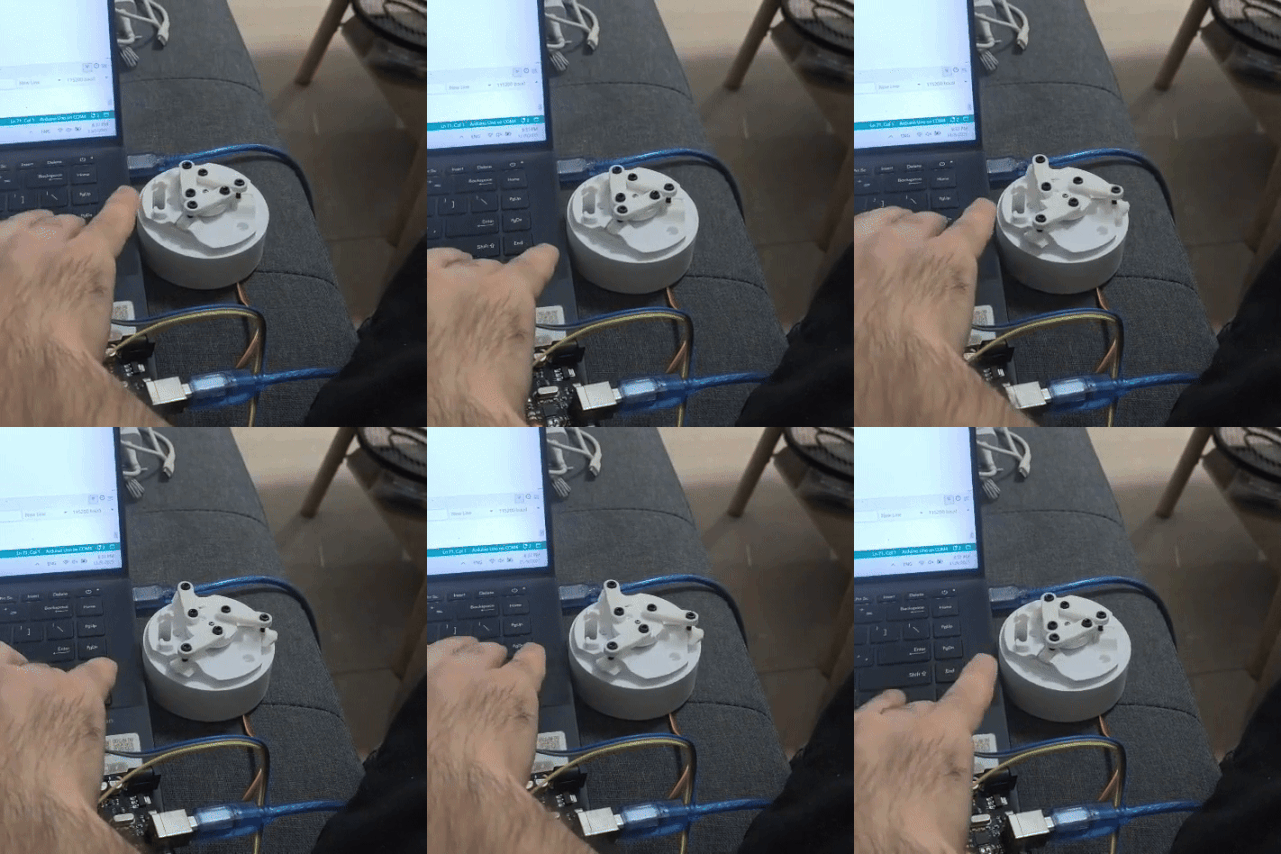
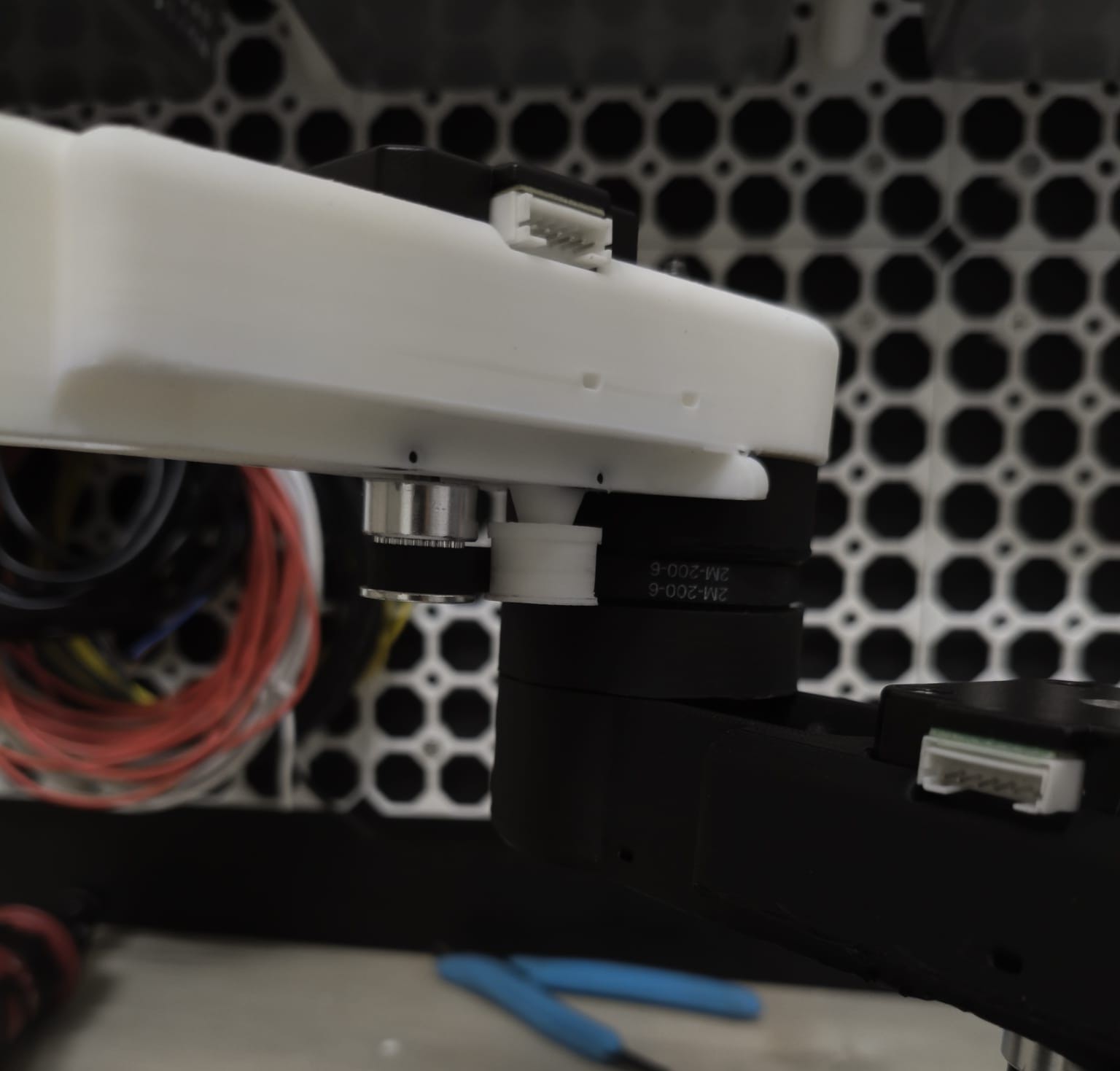
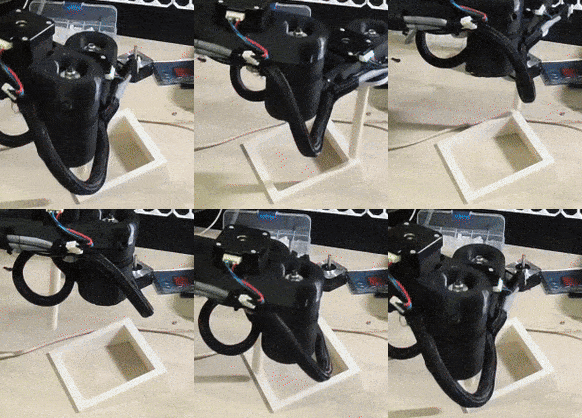
    I finally got all the pieces into a good enough shape to get the arm wired and running. I made some great progress on the end-of-arm assembly that I will share soon, but for now I am focused on figuring out the motion so i put a little pointer on the wrist.


    The wiring is pretty straight forward, my controller has 4 integrated TMC2209 drivers so i got a 4-wire braid going from the base to each motor. Since the wires are quite long, going all the way to the end of the arm, I got pretty concerned about EMI interfering with the signal lines that go to the tool and tool changer etc. To mitigate it, I got twisted pair shielded wires for each motor and I ran the power wires and signal wires on opposite sides of the arm.
    other then that, the cables need to have some slack to allow for the axes rotations (Tower-first link, first link-second link, second link-Z comp) so it did get a little cluttered and needs some tidying up later on.


    A little about the firmware. After I made some progress on the design I started looking into what open source tools are out there to allow me to program as little as possible and achieve the functionality I wanted (esp32 controller, automatic tool-changer, integrated camera, web UI, teach pendant). After a while I ran into Barton Dring's video demo where he does a square sequence on a little coaxial SCARA he made to showcase the experimental SignleArmScara branch of FluidNC.


    FluidNC is an open source CNC control firmware for the esp32 controller based on the older Grbl firmware that run on Arduino. It's robust, very feature rich and enables reconfiguration without recompilation (hence Fluid). As I dove into it, It almost felt like it was designed specifically for my project, It had a tremendous amount of what I wanted to achieve already built and demonstrated, including SCARA kinematics.


    The existing kinematics code does most of the heavy lifting of properly translating cartesian coordinates to shoulder+elbow rotations but since my arm is 4DOF I had to add a Z axis and wrist motors. for now I handle them separately in the config file but I will eventually need to incorporate them into the main motion planner to get synchronized movements that allows real (x,y,z,th) control of the tool.

    It's such a great feeling to finally see this thing move, although I hope to find a way to get the z axis a bit quitter and reduce the shaking at end of the motions.
    would appreciate any advice either mechanical or in code.

  • Top view camera integration

    Omer Inbar12/02/2025 at 20:40 0 comments

    Another feature that is sometimes found in industrial robotic arms and almost never in low-cost products is a top view camera that is integrated mechanically and programmatically with the arm. 

    A camera is often the component that turn a robotic arm from a CNC machine that accurately executes commands to an actual robot that reacts to its environment and makes discissions based on its perception of reality. I think its nice to make it actually part of the product instead of making users set up and integrate their on camera.

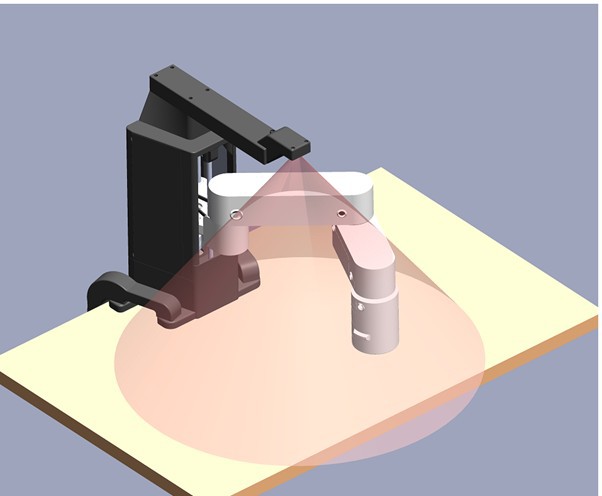
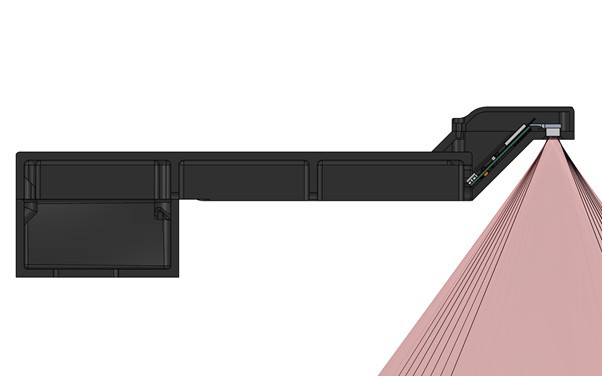
    Low-cost cameras are pretty incredible these days. The ov5640 I chose has a 5MP sensor, auto focus and on-board jpeg compression and it's like 5$. The camera connects to an esp32-s3 that will be powered from the robot's supply but will send the image feed via wifi only. I went with the 72 degree lens to minimize optical distortion but it means that to get a decent size working area i needed to mount it at least 200mm in front and 50mm above my tower.


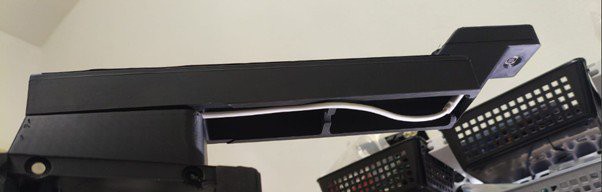
    I needed quite a long mounting arm, so to avoid vibration at the end I had to make it pretty robust. From 3d printing considerations I made it out of 3 parts: an elevation step connected to the tower top plate, a long hollow base and the actual mounting piece of the esp and the camera. I currently don't plan any fancy leveling plates etc and hope to fix slight misalignment with calibration, but we'll see...
    The esp's power USB cable is led along the arm, through the step and top plate and all the way to the 5V power supply at the base. 

    I am still not sure what should I do about lighting. I ordered a little led ring to mount around the camera but i am a bit skeptical it will be beneficial from such a low height.

    Once I get a good video feed to my web app it open's a huge range of functionality one can implement. After the pixel to XY coordinate mapping gets calibrated, we can send movement commands by clicking somewhere on the image or by pointing at it in real life, we can teach it specific targets to look for or just tell it in natural language. I am really excited to use it to test all the latest tools for vision based perception and manipulation and have the rapid progress is the technology improve its capabilities over time.

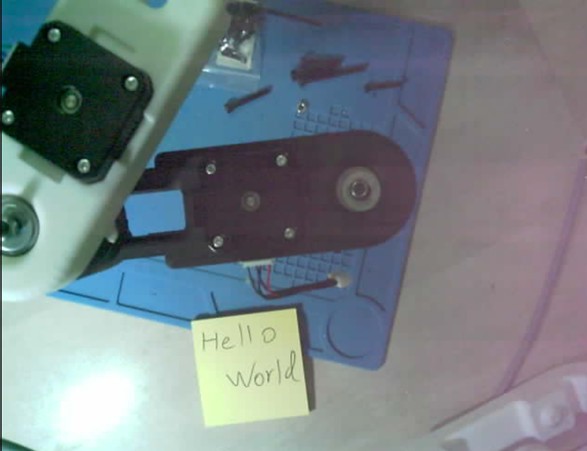
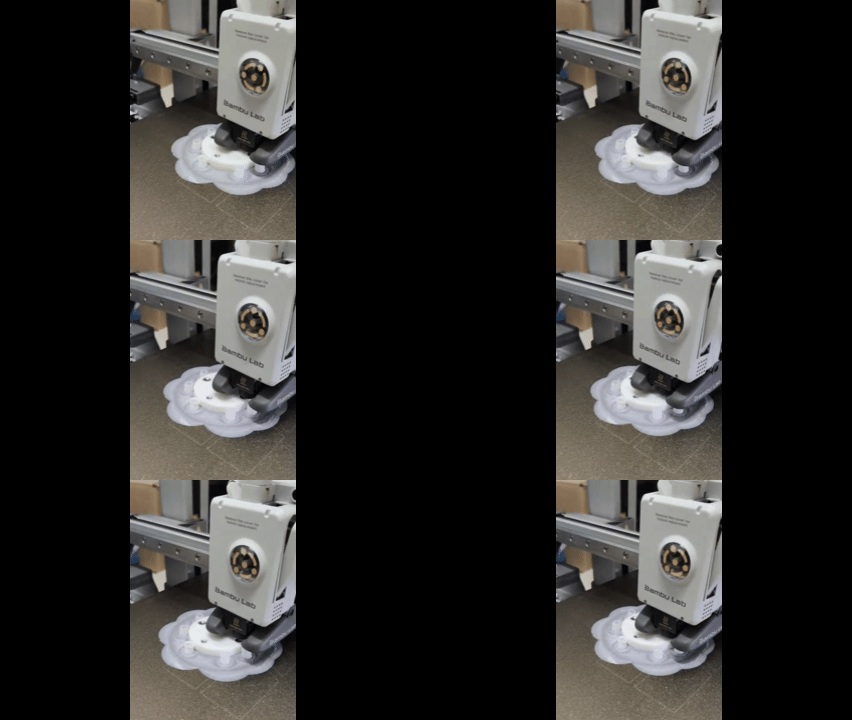
    The first thing my robot saw as it came alive - 

    Moon landing photo vibes... bit of work ahead to make it functional.


    I would love to hear from anyone with ideas on how to properly and affordably implement lighting for such applications.

  • Arm links design considerations

    Omer Inbar11/30/2025 at 20:56 0 comments

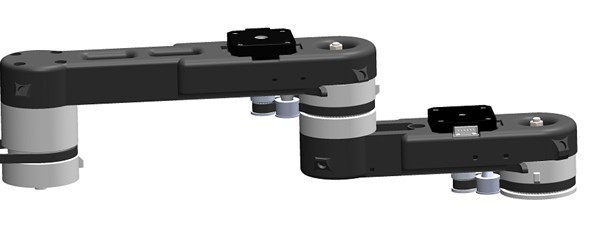
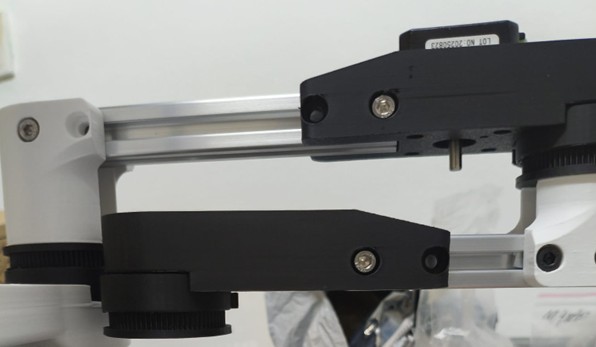
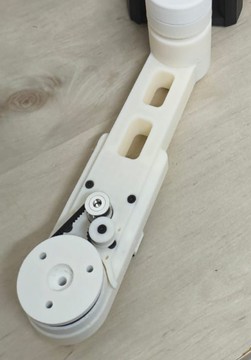
    The arm itself consists of two links moving on parallel planes. The second link is shorter so it can move entirely beneath the first but other then that they are identical. 

    On the first end, they have a rigid interface to the previous joint coupler, on the second end is the rotational interface to the next coupler, and in the middle, I’ve integrated the motor mount, belt tensioner, and cable routing features.

    In my original concept, I designed each link as two end pieces connected by a 2020 T-slot profile. The idea was to enable modular arm lengths by simply switching profiles, allowing for identical end-pieces for both links and saving print time.

    Eventually, I realized that the links are so packed with features that the profile turned out to be less than 50% of the total length. Switching to a single printed link resulted in a design that is much cleaner, simpler, and eliminates the profiles, nuts, and bolts from the BOM.  Additionally, since I intend to make covers for the arm, I actually can't freely change the link length without redesigning the covers. 

    To simplify the design and from lack of space I went with a stationary belt tensioning idler. I mount it so it "interferes" with the belt's path and then push the pulley into place with a little force. It rotates on a 3x8x4 bearing and has an M3 bolt as a shaft connected to nuts embedded inside the motor's cavity. I had to design and print a custom idler so I could iterate on its diameter until I got it to fit. Its not the easiest assembly but I really like how it runs now. 

    I put a lot of work into properly running the wires along the arm. I wanted it to look neat, but more importantly, I tried to eliminate EMI as much as possible. The cables will run in two dedicated channels that keep the signal harness and power harness as separate as possible and on the opposite side from the motor and i put little zip tie slots to enable nice management.


    The current link lengths are 195mm and 130mm for a total reach of 325mm. I believe this will change over time. Hopefully, as I improve the stiffness in the tower and first joint, I will be able to reach a little further without suffering from too much flex.

  • Adding a Z-compensation module

    Omer Inbar11/28/2025 at 17:57 0 comments

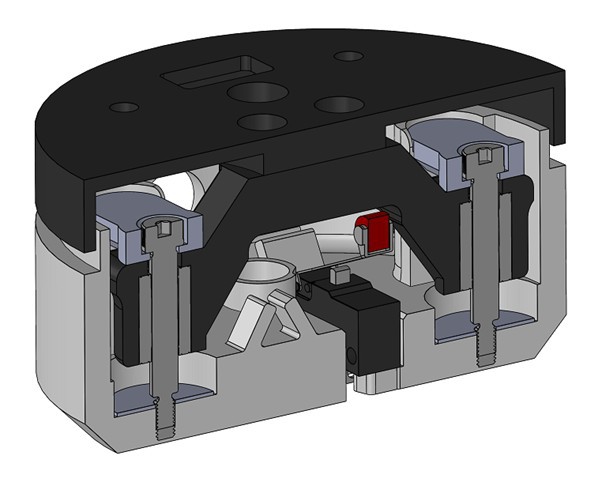
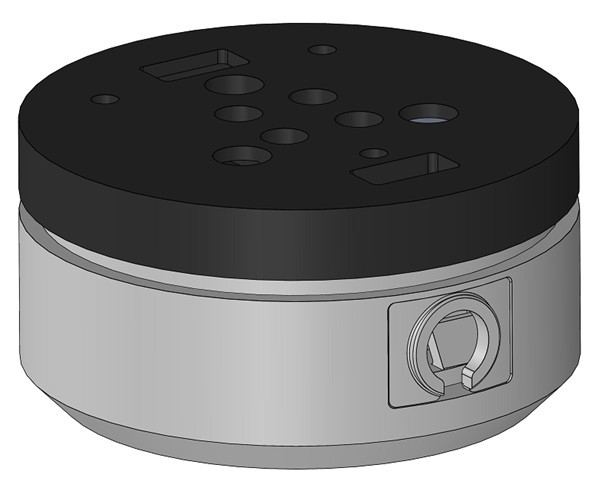
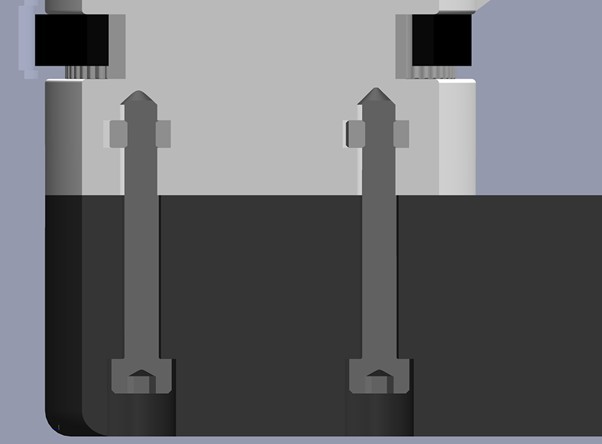
    A Z-compensation (or Z-compliance) module is a common component in industrial robotic arms. It consists of a base plate bolted to the robot and a floating plate that moves relative to the base against a spring, triggering a sensor at a known position. It is typically used in pick-and-place applications to pre-detect collisions or to pick objects targeted by top-view vision where the precise height is unknown.

    This is a feature I rarely see implemented in non-industrial products, yet I believe it is incredibly useful for a low-cost system.

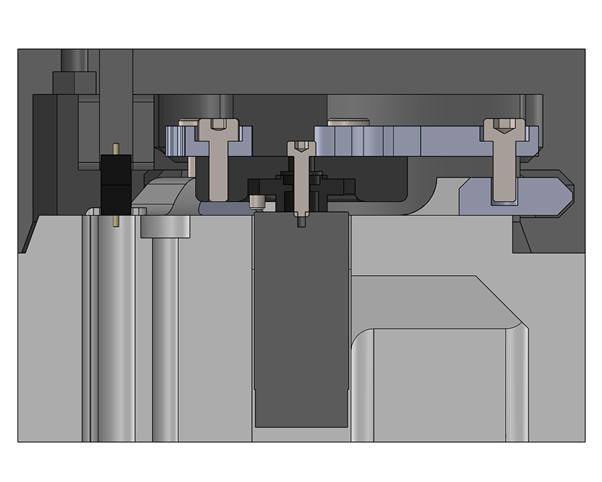
    Although it slightly feels like an overkill, I guided the floating plate on two 4mm linear bearings along shoulder screws bolted to the base, with springs between them. For the sensor, I mounted a simple limit switch on the base that triggers slightly before the end of the stroke. The module sits between the fourth joint and the Tool Changer.

    A trigger of the sensor will signal different things in different sequences and scenarios.  

    In a tool change sequence it signals contact with the tool and after OK from the verification pin it will initiate a servo grip.

    If triggered in an ordinary motion it will signal a collision and stop the robot.

    I initially designed a button on the Tool changer module to enable manual tool connection/disconnection but ended up deciding to dictate that when the robot is stationary, the Z-comp module will be used as the tool changer's button. I think it will be a really cool user experience.

    Something i will love to try at some point is simplifying the design by going for a compliant mechanism that basically acts both as the guide and as the spring. I am pretty sure I can design a 2 part printed module that will achieve the same functionality but i suspect the challenge will be keeping it rigid and immune to unwanted rotations. 


    If there are any experienced compliant mechanism designers out there i would love to hear your advice. 

  • ​ Automatic tool changer design

    Omer Inbar11/27/2025 at 16:36 0 comments

    Maybe the feature I am most excited about in this project is the automatic tool changer. Many DIY arms include a variety of tools, but almost no one, including a lot of higher-end products, did an automatic changing mechanism. I don't really understand why, maybe i will when i start the actual implementation...


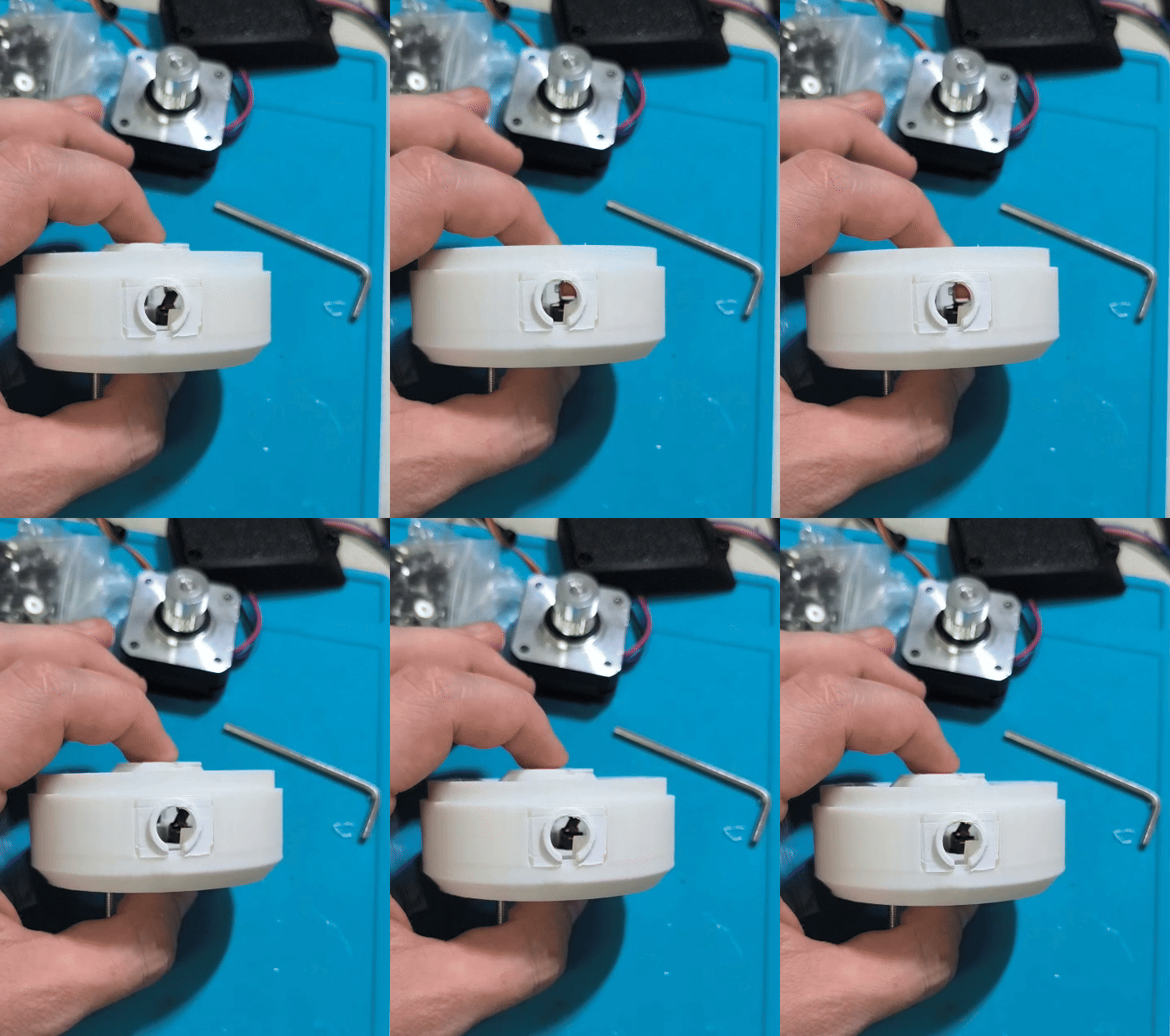
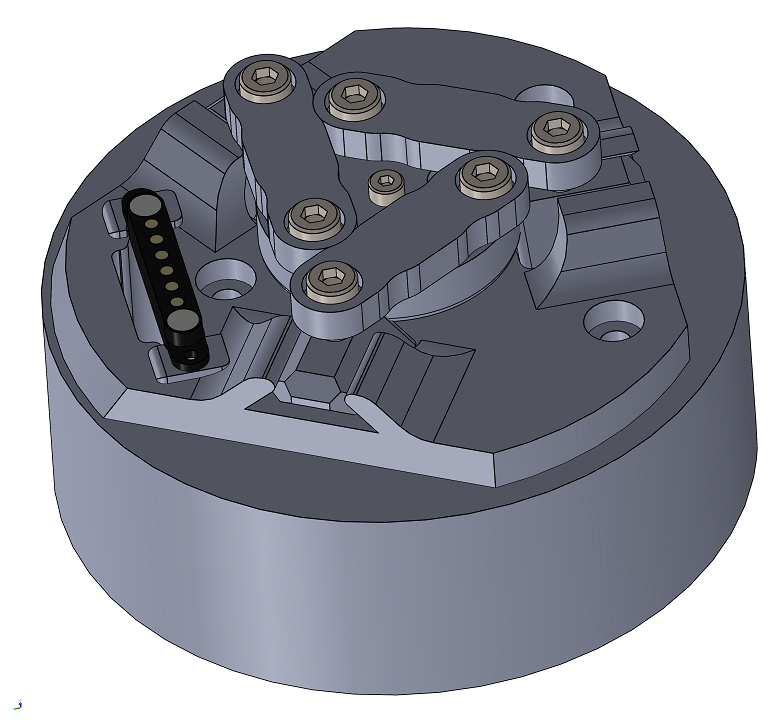
    The idea is to create an interface that allows for slight misalignment with the tool and to design a connection mechanism that pulls the tool to the actual center. After a connection is made, a 6 pin magnetic pogo pin connector provides power and signal to the tool while one of the pins is used as a connection verification signal. These pogo connectors are really great, they can handle slight inaccuracies in the tool's position and even magnetically pull it into place. 


    I tried a few concepts, and the one that worked best was a face-cam type mechanism but with links instead of cams actuated by a micro servo. It consists of quite a few parts but the assembly is not very difficult, using screws as shafts for the links and sliders. 
    What helps with connection to the tool is the Z compensation module (more on that in the next log) which signals to the controller that it made contact with an object bellow. During a tool-changing sequence, that contact signal will trigger the servo to grip and lock the tool in place.

    Automatic changing will enable applications that involve several different tools and open a world of functionality limited only by creativity. I'll definitely do all the basics: parallel gripper, pen plotter, magnetic gripper, pneumatic gripper, etc. But since they are so simple and cheap, you could make really specific tools for specific applications. I am really excited to experiment with that.


    Did i miss any good DIY projects that did this in the past? I’d love any references, and any and all suggestions for interesting tool ideas.

  • first iterations on tower design

    Omer Inbar11/26/2025 at 15:23 0 comments

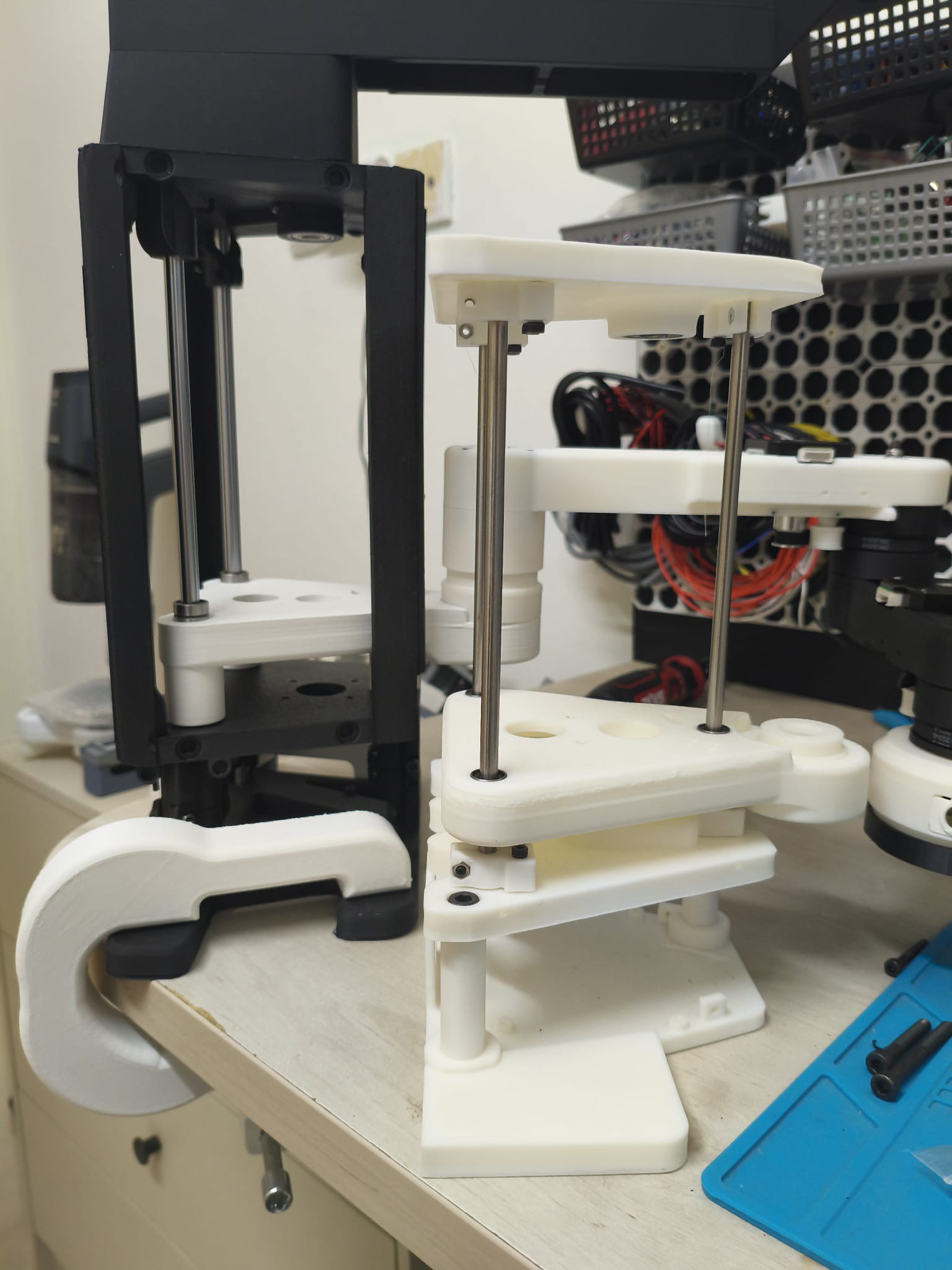
    The Z-axis actuation is done by moving a base plate along the robot’s tower. The tower’s stiffness under load is the main weakness of the configuration I chose. It’s actually quite difficult to make a 300mm tall, 3d printed linear actuator that is both stiff and smooth without going for expensive profiles and linear rails, which I wanted to avoid.


    Like others before me, I went with linear ball bearings on steel rods that serve both as the guides and as the main structural element, and they’re very cheap.

    My first build used 6 mm rods with 19 mm long bushings (LM6UU), and it was nowhere near strong enough, both in terms of bending and in the amount of play of the plate on the rods.

    For the next iteration I upgraded to 8 mm rods with 45 mm long bushings (LM8LUU) and added an external plastic frame, which turned out much better.

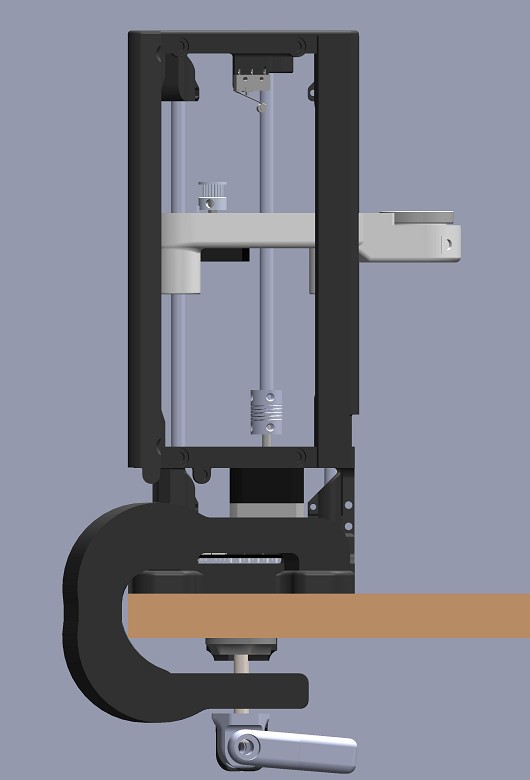
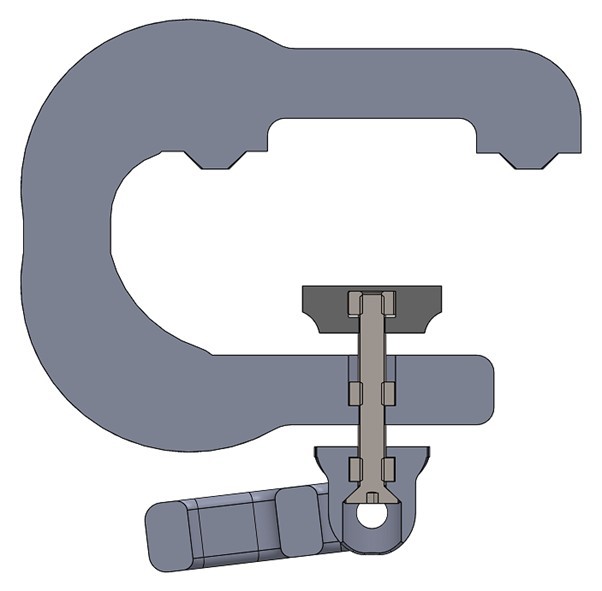
    The robot is mounted by clamping or bolting the flaps on the sides of its base, and those also bend a bit when force is applied to the top. In the second iteration I thickened the flaps and designed printed clamps that press nicely on all four corners of the base. To get that to work, the clamps have to make contact with the front corners first, because as they are tightened the clamp bends and that deflection increases the force on the back corners.

    there are still several regions in the tower that get some flex so i am still working on stiffing it up, looking into embedding steel brackets in the prints. if any one has some advice it would be most appreciated.

  • Rotational Joint Design Solved

    Omer Inbar11/25/2025 at 18:51 0 comments

    One of the key building blocks of this robot is the planar chain of rotational joints (shoulder → elbow → wrist). I wanted these joints to be rigid, smooth, low-backlash, and easy to assemble.


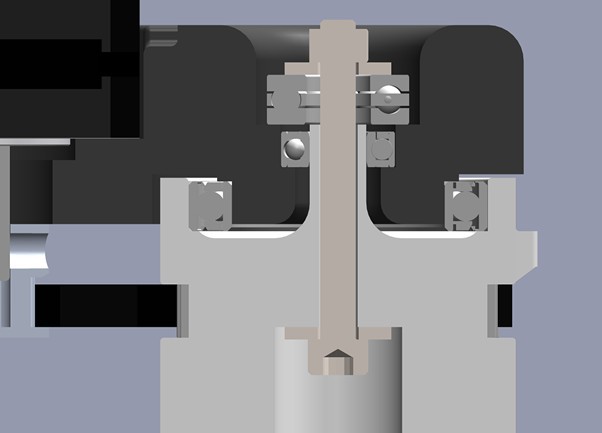
    Each joint uses a printed coupler that connects two links and also doubles as a GT2 timing pulley. The trick that made this work was combining a thrust bearing with a large radial bearing so the coupler can clamp tightly to the first link without adding friction. I added another smaller bearing along the axis for extra moment resistance and embedded M4 nuts into the print to bolt the second link firmly.

    I am very happy with the result, when printed at 100% infill its incredibly tough and feels very nice when rotated.
    I also really love the concept of embedded nuts in the important joints of the structure, it has a really nice high-end feel to it. if anybody has experience with embedding other metal components in prints i would really love to hear it.

View all 7 project logs

Enjoy this project?

Share

Discussions

Vittorio Lumare wrote 11/28/2025 at 21:29 point

I am excited to see this project done !

I would like to use it with the hand I am making, also low cost like this.

What is the expected payload? I need at least 3kg to be safe with manipulations. 

  Are you sure? yes | no

Omer Inbar wrote 11/29/2025 at 06:58 point

Awesome to hear!

I am afraid 3kg might be beyond what I'll reach with this design. I will start testing soon and see but I dont expect it to be very functional with above 1 kg payloads

  Are you sure? yes | no

Similar Projects

Does this project spark your interest?

Become a member to follow this project and never miss any updates