Michael Gardi
-
Uptime
a day ago • 0 commentsI just realized that the Lunar Lander for the PDP-1 link had stopped working. I don't know how long it's been down. My bad. The link is now functional (reboot). I have done what I should have in the first place and added an uptime monitor with alerts.
-
Yes It’s Possible
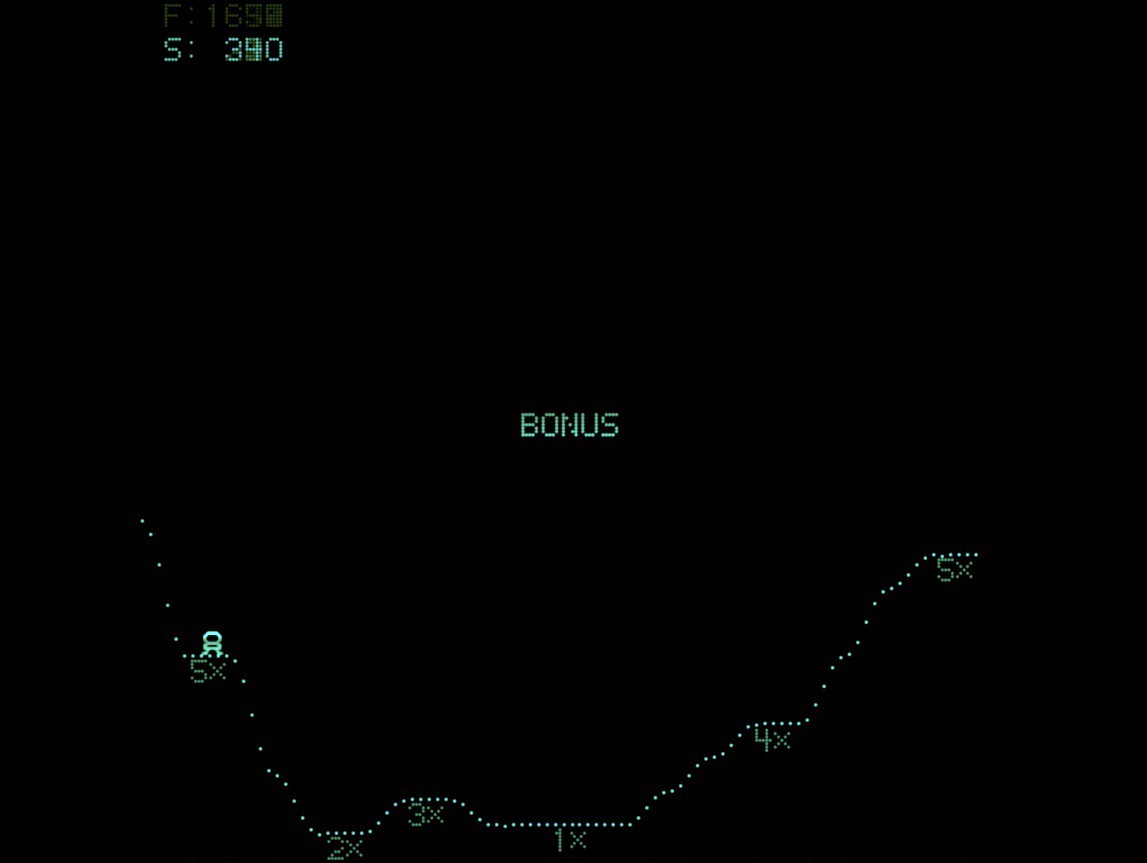
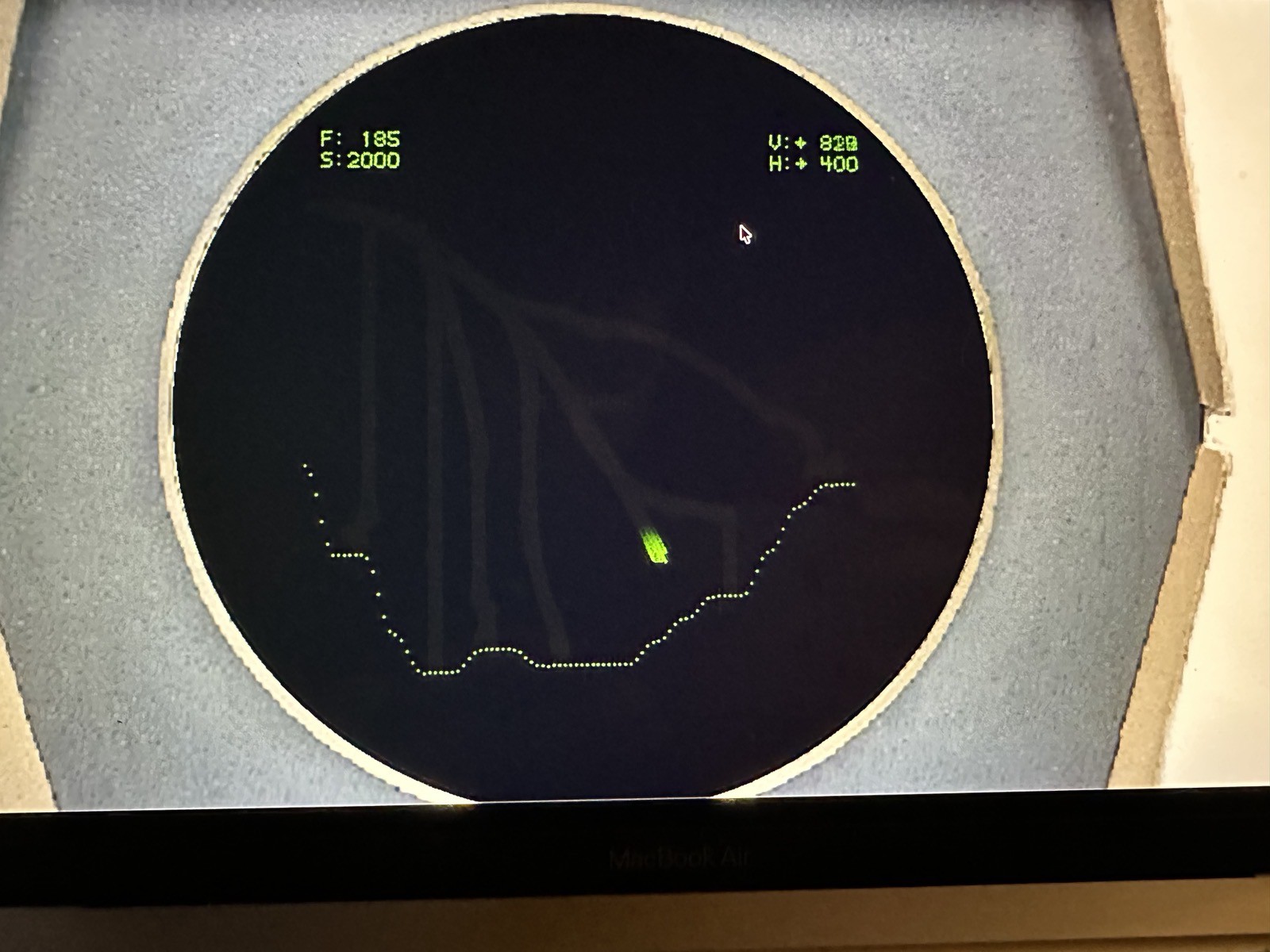
09/11/2026 at 17:22 • 0 commentsJust to prove it is possible to get the 1000 point bonus I present as evidence:
![]() It’s pretty cool that the score is exactly 2000 at this point. I’m looking into why there are contrails from previous landings on the screen. Not seeing this on any of my monitors. I would be tempted to leave this “feature” in as it indicates where you have landed already. On the actual PiDP-1 there are panel lights that show successful landing zones.
It’s pretty cool that the score is exactly 2000 at this point. I’m looking into why there are contrails from previous landings on the screen. Not seeing this on any of my monitors. I would be tempted to leave this “feature” in as it indicates where you have landed already. On the actual PiDP-1 there are panel lights that show successful landing zones. -
New And Improved Web Version
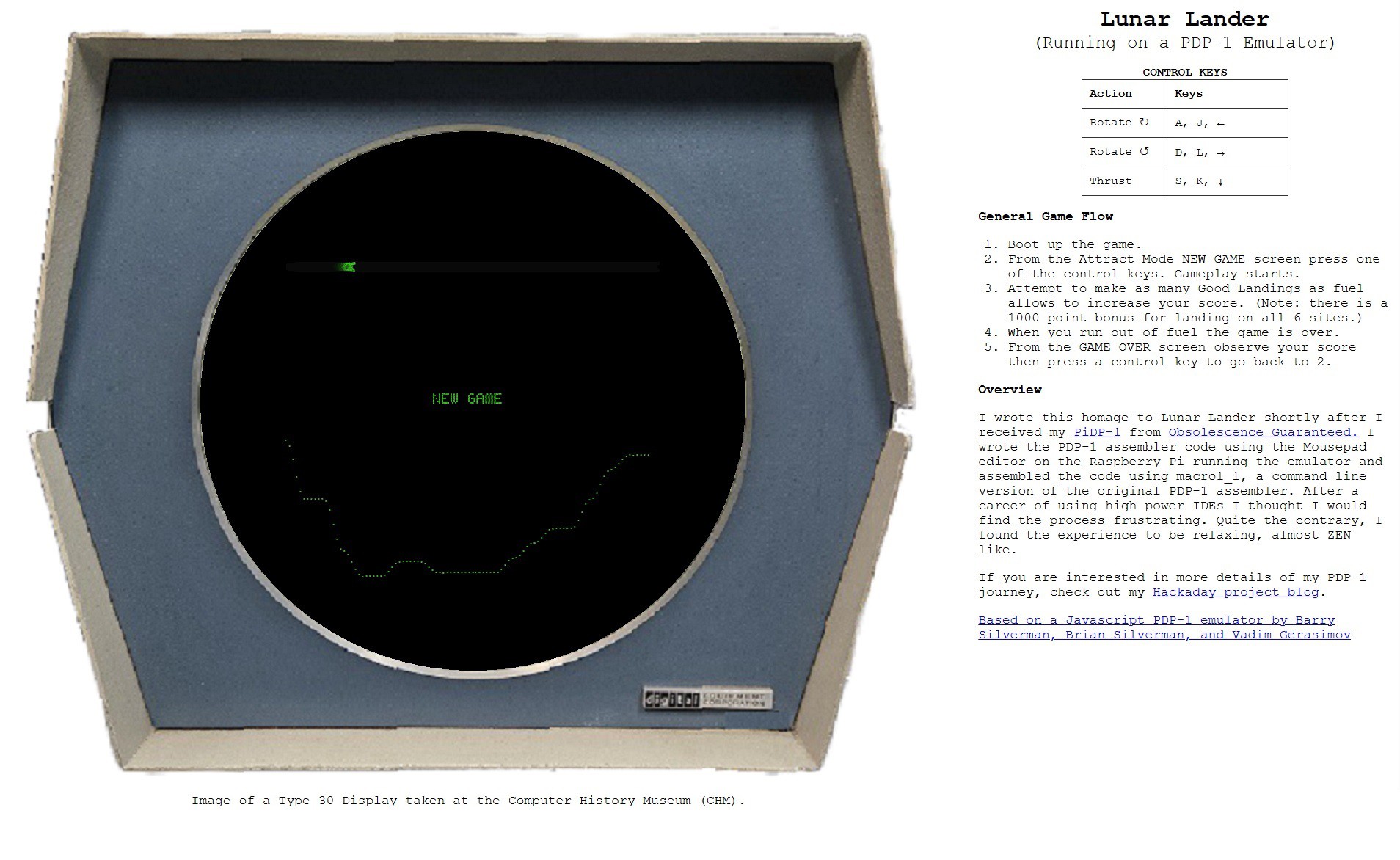
09/07/2026 at 21:20 • 0 commentsI have created a new Web version of Lunar Lander for the PDP-1, seen here in "full screen" mode under Chrome.
![]()
Yes I'm aware that this is a pretty large page. For performance/implementation reasons the actual displayable/drawable area has to be 512 x 512 pixels (the PDP-1 Type 30 display is actually 1024 x 1024). So the surrounding image of the Type 30 display has to be scaled accordingly. It sure feels a lot more immersive though IMHO.
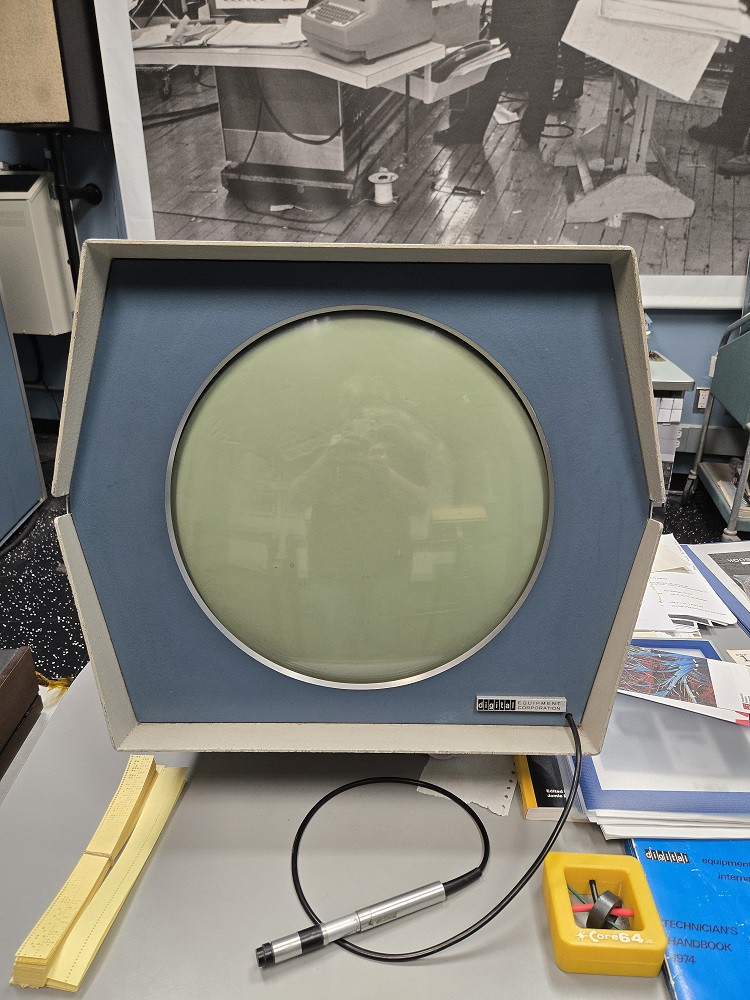
Speaking of the image, the picture above was taken fairly recently and sent to me by the Computer History Museum, where I believe they have the only working PDP-1 system. I did edit the image a bit by erasing the light pen cable, overwriting the screen area, and of course removing the background. Here is the original for reference.
![]()
The new version can be accessed directly via this link: Lunar Lander for the PDP-1.
-
Play My PDP-1 Lunar Lander In Your Browser
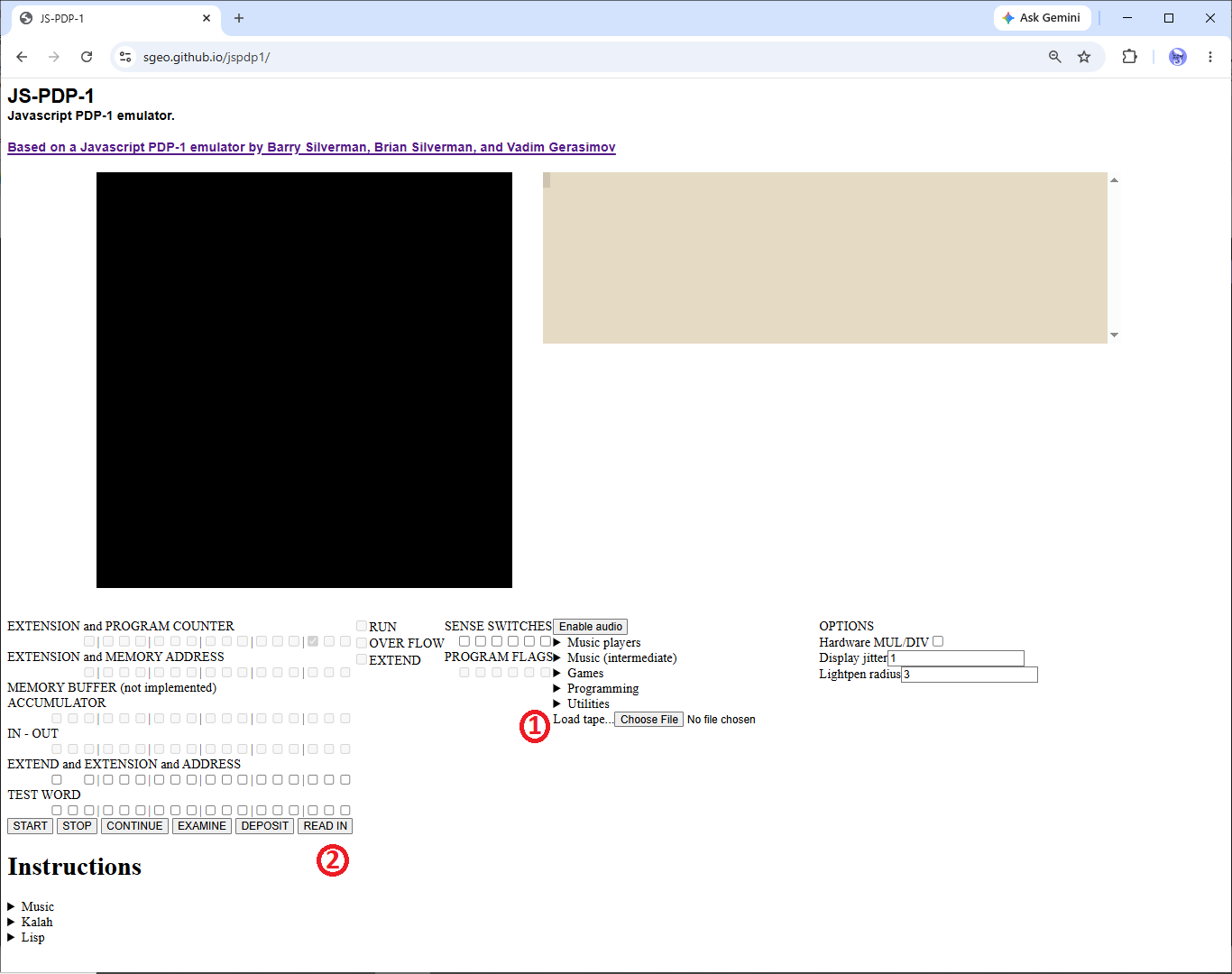
09/03/2026 at 16:29 • 0 commentsI recently created a version of my NRI 832 emulator that can be run in a browser. It got me thinking that maybe I could get my PDP-1 Lunar Lander up on the Web so that anyone could give it a try without having to download and setup a PDP-1 emulator. I knew that there was a pretty good JavaScript PDP-1 emulator out there and sure enough I found JS-PDP-1.
![]()
Lunar Lander runs really well on it, and it feels like a pretty faithful emulation. To run the program:
- Download lunar_lander.rim from the Files section of this project. Click the "Choose File" button and select the lunar_lander.rim file you just downloaded.
- Click the READ IN button and Lunar Lander will load and start running.
The keys to use are:
- Tap J or A to rotate the lander clockwise.
- Tap L or D to rotate the lander counter-clockwise.
- Press and hold down S or K to activate the thrust.
General game flow:
- Boot up the game.
- From the Attract Mode NEW GAME screen press one of the control keys. Gameplay starts.
- Attempt to make as many Good Landings (H<50,V<100) as fuel allows to increase your score. (Note: there is a 1000 point bonus for landing on all 6 sites.)
- When you run out of fuel you will probably crash one last time (for 5 points ;-) unless you were lucky to be very close to a soft landing.
- From the GAME OVER screen observe your score then press a control key to go back to 2.
-
Less Boring Bonus
03/28/2026 at 17:07 • 0 commentsUpon a sixth successful landing on the last unique target, after the normal score and fuel animations, the player will see the following screen counting up the score with 1,000 additional points.
![]() That's OK I guess but it feels a little underwhelming for such a monumental achievement right? After a little thought I realized that this was a fireworks moment. So I began playing around with a fireworks effect. Here is what I came up with.
That's OK I guess but it feels a little underwhelming for such a monumental achievement right? After a little thought I realized that this was a fireworks moment. So I began playing around with a fireworks effect. Here is what I came up with.Still a work in progress but at this point I decided to try and incorporate the code into Lunar Lander.
Much to my disappointment the additional code will not fit into the 4K memory limit of the PDP-1 without using the paged memory system (which I do not want to do for this project).
Sigh. I might at some point continue to work on fireworks as a stand alone demo. Lots of room for improvement.
-
No Hyperspace (Yet)
03/14/2026 at 18:16 • 0 commentsI was doing a some testing and noticed that the Hyperspace button on the game pad (right below) would cause the LEM to rotate first in one direction then the other on each press. That is because by convention the Hyperspace button on the original game controllers (left below) caused the left and right bits in the Test Word to be on at the same time. Since the left/right contacts on the original controllers were on opposite sides of a toggle switch, this could never happen by accident.
![]()
Since there is no Hyperspace feature in Lunar Lander and probably never will be I added a bit of coded to ignore the input if the left and right bits were set at the same time.
/ Input bits in AC. and (600000 / Check for hyperspace, left and right on. sad (600000 / Are left and right on? jmp pix / Yes - Ignore this input. / No - Process input. -
Restart
03/13/2026 at 18:47 • 0 commentsI added a mechanism for restarting Lunar Lander at any point while the game is running. It won't work from the GAME OVER screen (you can just click any button on the game controller) or the NEW GAME screen (game is already restarted).
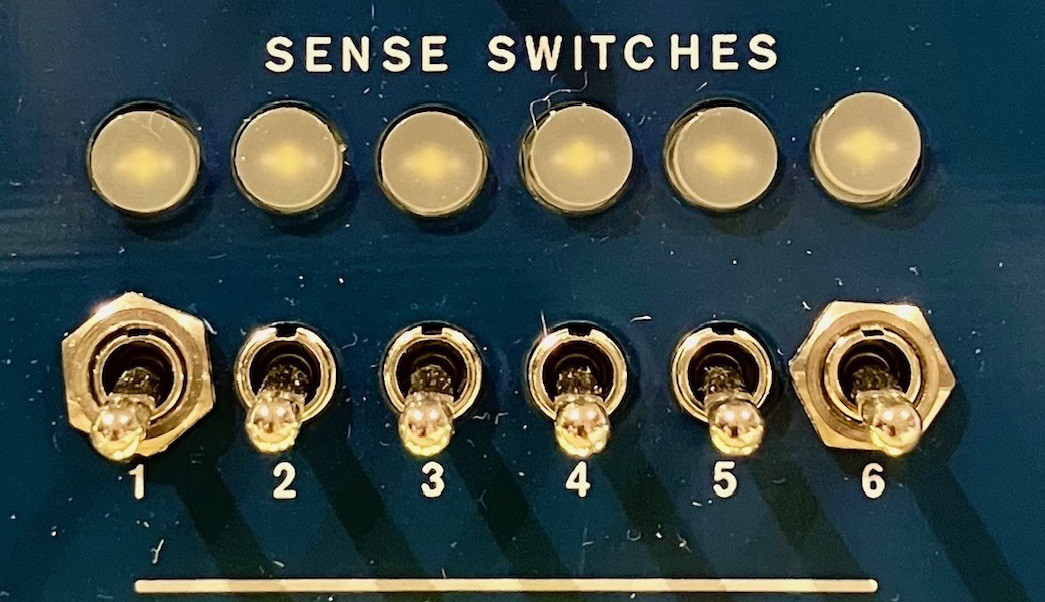
To restart Lunar Lander to the NEW GAME screen while playing, simply change the state of Sense Switch 1. So if it's ON turn it OFF and vice-versa.
![]()
The PDP-1 has a single instruction for determining the state of a Sense Switch.
Instruction   Code #            Explanation
~~~~~~~~~~~   ~~~~~~            ~~~~~~~~~~~
    szs       6400s0      Skip on ZERO Sense Switch.
Where s in the code is the switch number 1-6.
I added the following code in the New Game setup section.
sw1, 0         / Value of Sense Switch 1 at the start of a game.

/ Get the current state of Sense Switch 1.
    dzm sw1    / Default sw1 to 'off'.
    lac (1     / Value to set if Sense Switch 1 is "on".
    szs 10     / Skip if Sense Switch 1 is already off.
    dac sw1    / Set sw1 to "on".
Then at the start of the main game loop I added the following.
/ Check for restart signal.
    lac (0     / Default to Sense Switch 1 "off"
    szs 10     / Skip if Sense Switch 1 is off.
    lac (1     / Set to Sense Switch 1 "on".
    sas sw1    / Is Sense Switch 1 still in the same state?
    jmp ngm    /   No - Restart the game.
               /  Yes - Keep playing.
I did not want to tie the reset signal to a specific state of the sense switch (ON or OFF) so that the game would start correctly no matter what the initial state was.
-
Where Did I Land Again?
03/11/2026 at 19:52 • 0 commentsI added a 1000 point bonus for safely landing on all six zones in a single game. If you are meticulous like me you will probably attempt the zones from one side to the other in order and thus never lose track of which zones have been successfully conquered. On the other hand a better strategy might be to try the zones you find easiest first and might then forget which zones you have completed.
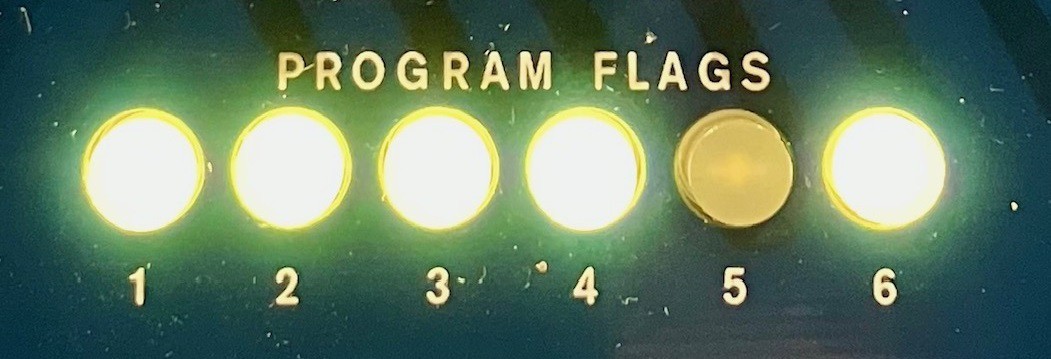
I have repurposed the Program Flags to light up upon each successful landing. The six lamps are now mapped to the six landing zones (from left to right) in the order they appear on the screen. I was using the Program Flags to keep track of some internal bookkeeping but now think that this is a better use of the feature.
![]()
So the player above is one safe landing (in the fifth zone from the left) from getting a 1000 point bonus. Let's wish them luck because at this point they are for sure running low on fuel.
I wasn't expecting this, but it turns out that there is something very satisfying about seeing a physical "contact light" turn on when you have successfully landed. Who knew.
The contact light on the Apollo Lunar Excursion Module (LEM) was an indicator in the cockpit that illuminated when one or more of the 67.2-inch probes extending from the footpads touched the lunar surface.
I posted the updated code to the Files section above.
-
A Bonus Log
02/15/2026 at 22:37 • 0 commentsAfter a few successful landings, one thing that I noticed all of my play testers doing was to pick one of the two 5x landing zones and repeatedly attempt to land only there. Makes sense. This will maximize the score and also minimize fuel consumption as both of those zones are not as deep into the "gravity well" as the lesser valued targets.
To discourage this behavior I have introduced a 1,000 point bonus to the score when a player lands successfully on all six targets in a single game. This dovetails nicely with the increase in initial fuel allotment to 1,999 units and the doubling the fuel bonus for a successful landing to 100.
Upon a sixth successful landing on the last unique target, after the normal score and fuel animations, the player will see the following screen counting up the score with 1,000 additional points.
![]()
I have updated the Files section with the latest source code.
-
Sometimes Coding Can Be Exhausting
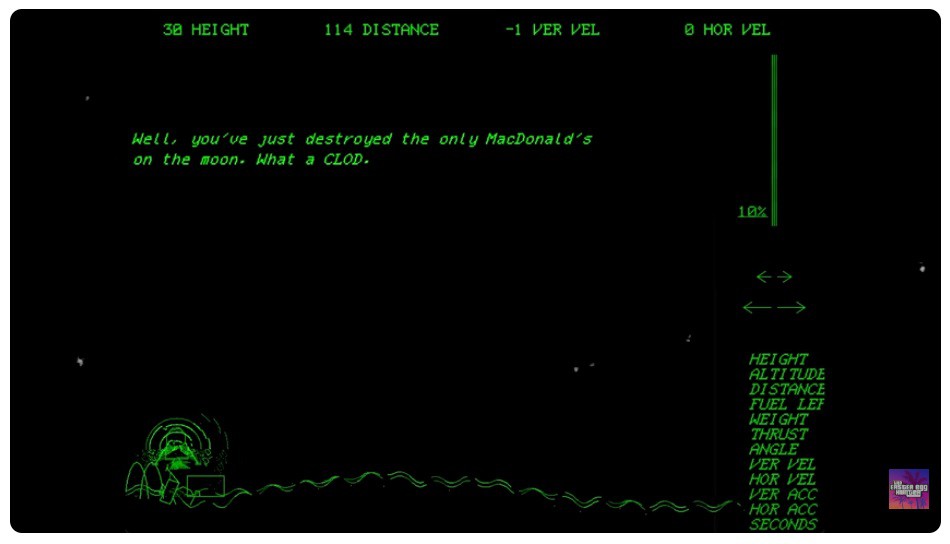
02/13/2026 at 21:08 • 0 commentsI was having a discussion of my Lunar Lander game with someone in the PiDP-1 Google Group, and they asked if my version had a McDonalds? I was a little confused so I did a bit of research. It turns out there was a 1973 version of Lunar Lander (called Moonlander) for the DEC GT40 (in essence an all-in-one PDP-11 with a VT11 graphics system and a display) that featured a McDonalds as an Easter egg. You had to "fly" to the right-most edge of the scrolling moon terrain to find the McDonalds (with golden arches). If you inadvertently (or purposefully) crashed into the McDonalds the game displayed the following message:
![]()
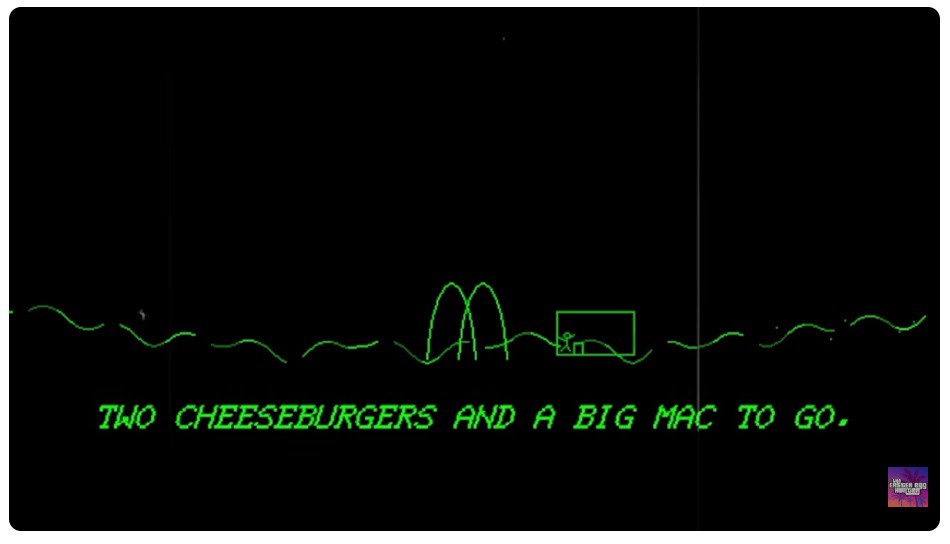
Upon successfully landing near the McDonalds, an astronaut would debark the LEM, go into the restaurant, and order..
![]()
then walk back to the LEM, get in, and fly away. Hilarious.
No, I did not immediately jump into my code and add a McDonalds. What caught my eye was the Moonlander LEM's exhaust.
I thought it was a pretty funky "straw broom like" look that matched the overall vibe of the game. Now obviously that version of Moonlander had way more pixels and horsepower available on the DEC GT40 to create that effect than I do on the PDP-1, but to me the animation signaled that something was definitely going on when the engine was firing.
I played around with the idea a bit and came up with a two pixel implementation that I'm pretty happy with.
Actually the video above masks the fact that the two pixels at the tip of the exhaust spike are randomly blinking. It's more pronounced on the actual screen. Worth part of an afternoon in IMHO.
I have updated the Files section with the latest source code.
Lunar Lander for the PDP-1
My PDP-1 Replica (PiDP-1) from Obsolescence Guaranteed has arrived and I want to do something cool with it.
 It’s pretty cool that the score is exactly 2000 at this point. I’m looking into why there are contrails from previous landings on the screen. Not seeing this on any of my monitors. I would be tempted to leave this “feature” in as it indicates where you have landed already. On the actual PiDP-1 there are panel lights that show successful landing zones.