 Arnov Sharma
-
1DEMO CODE—Minimal for Pico 2
Below is the code we used for phase 1 of this project.
/*
* =====================================================
*  PAL 8000 — Air Quality Monitor  Created by Arnov Sharma
*  Board   : Raspberry Pi Pico 2
*  Sensor  : Adafruit SGP40
*  Audio   : DFRobot DFPlayer Mini
*  LED     : PAL 8000 Eye (PWM, GPIO 0)
* =====================================================
*
*  Pin Map
*  -------
*  GP0  → PAL 8000 Eye LED (PWM)
*  GP4  → SGP40 SDA  (I2C0)
*  GP5  → SGP40 SCL  (I2C0)
*  GP7  → DFPlayer RX  (SoftwareSerial)
*  GP8  → DFPlayer TX  (SoftwareSerial)
*
*/
#include <Arduino.h>
#include <Wire.h>
#include <SoftwareSerial.h>
#include <DFRobotDFPlayerMini.h>
#include <Adafruit_SGP40.h>
#define LED_PIN 0
#define DF_RX 7
#define DF_TX 8
#define SGP40_SDA 4
#define SGP40_SCL 5
#define LED_IDLE 20
#define LED_PEAK 80
const uint16_t TRACK_MS[] = {
0,      // [0]  unused
4000,   // [1]  01
5000,   // [2]  02
4000,   // [3]  03
4000,   // [4]  04
2000,   // [5]  05
2000,   // [6]  06
3000,   // [7]  07
1000,   // [8]  08
2000,   // [9]  09
2000,   // [10] 10
10000,  // [11] 11
10000,  // [12] 12
9000,   // [13] 13
15000,  // [14] 14
0,      // [15] unused
0,      // [16] unused
1000,   // [17] 17
1000,   // [18] 18
};
#define INTERVAL_07 30000UL
#define INTERVAL_VOC 60000UL
#define INTERVAL_10 300000UL
#define INTERVAL_11 600000UL
#define SENSOR_RETRY 30000UL
#define VOC_GOOD_MAX 100
#define VOC_MODERATE_MAX 200
SoftwareSerial      mySerial(7, 8); // RX, TX
DFRobotDFPlayerMini player;
Adafruit_SGP40      sgp;
bool     sensorOK      = false;
bool     sensorWasLost = false;
bool     goodAlt       = false;
bool     modAlt        = false;
bool     elevAlt       = false;
uint16_t vocSmooth     = 0;
unsigned long lastTime07      = 0;
unsigned long lastTimeVOC     = 0;
unsigned long lastTime10      = 0;
unsigned long lastTime11      = 0;
unsigned long lastSensorRetry = 0;
void ledIdle() {
analogWrite(LED_PIN, LED_IDLE);
}
void ledFade(uint8_t from, uint8_t to, uint32_t ms) {
const int steps = 200;
int32_t  delta     = (int32_t)to - (int32_t)from;
uint32_t stepDelay = ms / steps;
for (int i = 0; i <= steps; i++) {
analogWrite(LED_PIN, (uint8_t)(from + (delta * i) / steps));
delay(stepDelay);
}
}
void ledBreatheForMs(uint32_t totalMs) {
const uint32_t BREATH_CYCLE = 2000;
uint32_t start = millis();
while (millis() - start < totalMs) {
uint32_t elapsed = millis() - start;
float t      = (float)(elapsed % BREATH_CYCLE) / (float)BREATH_CYCLE;
float norm   = sin(t * PI);
float bright = LED_IDLE + norm * (LED_PEAK - LED_IDLE);
analogWrite(LED_PIN, (uint8_t)bright);
delay(10);
}
ledIdle();
}
void playBlocking(uint8_t track) {
Serial.print(F("[PLAY] ")); Serial.println(track);
player.play(track);
delay(800);
uint32_t remaining = (TRACK_MS[track] > 800) ? TRACK_MS[track] - 800 : 0;
if (remaining > 0) {
ledBreatheForMs(remaining);
}
delay(200);
ledIdle();
}
bool initSensor() {
if (sgp.begin()) {
sensorOK = true;
Serial.println(F("[SGP40] ready"));
return true;
}
sensorOK = false;
Serial.println(F("[SGP40] not found"));
return false;
}
void pollVOC() {
uint16_t raw = sgp.measureVocIndex();
if (raw > 0) {
vocSmooth = (vocSmooth == 0) ? raw
: (uint16_t)((vocSmooth * 7 + raw) / 8);
Serial.print(F("[VOC] raw=")); Serial.print(raw);
Serial.print(F(" smooth=")); Serial.println(vocSmooth);
}
}
void reportVOC() {
Serial.print(F("[REPORT] VOC=")); Serial.println(vocSmooth);
if (vocSmooth <= VOC_GOOD_MAX) {
playBlocking(goodAlt ? 2 : 1);
goodAlt = !goodAlt;
} else if (vocSmooth <= VOC_MODERATE_MAX) {
playBlocking(modAlt ? 4 : 3);
modAlt = !modAlt;
} else {
playBlocking(elevAlt ? 6 : 5);
elevAlt = !elevAlt;
}
}
void setup() {
Serial.begin(9600);
pinMode(LED_PIN, OUTPUT);
analogWrite(LED_PIN, 0);
mySerial.begin(9600);
if (!player.begin(mySerial)) {
Serial.println(F("DFPlayer Mini not found"));
while (true) {
ledFade(0, LED_PEAK, 500);
ledFade(LED_PEAK, 0, 500);
}
}
player.volume(25);
delay(3000);
Wire.setSDA(SGP40_SDA);
Wire.setSCL(SGP40_SCL);
Wire.begin();
initSensor();
Serial.println(F("[BOOT] LED fade up"));
ledFade(0, LED_PEAK, 10000);
ledIdle();
Serial.println(F("[BOOT] track 14"));
playBlocking(14);
delay(2000);
Serial.println(F("[BOOT] track 07"));
playBlocking(7);
Serial.println(F("[BOOT] SGP40 warm-up..."));
uint32_t warmStart = millis();
while (millis() - warmStart < 27000UL) {
pollVOC();
ledIdle();
delay(500);
}
Serial.println(F("[BOOT] first VOC report"));
reportVOC();
unsigned long now = millis();
lastTime07      = now;
lastTimeVOC     = now;
lastTime10      = now;
lastTime11      = now;
lastSensorRetry = now;
Serial.println(F("[BOOT] done — entering loop"));
}
void loop() {
unsigned long now = millis();
if (!sensorOK) {
if (!sensorWasLost) {
sensorWasLost = true;
playBlocking(12);
lastSensorRetry = millis();
}
if (millis() - lastSensorRetry >= SENSOR_RETRY) {
lastSensorRetry = millis();
if (initSensor()) {
sensorWasLost = false;
playBlocking(13);
unsigned long t = millis();
lastTime07 = t; lastTimeVOC = t;
lastTime10 = t; lastTime11  = t;
}
}
ledIdle();
delay(500);
return;
}
pollVOC();
bool vocDue = (now - lastTimeVOC >= INTERVAL_VOC);
bool t10Due = (now - lastTime10  >= INTERVAL_10);
bool t11Due = (now - lastTime11  >= INTERVAL_11);
bool t07Due = (now - lastTime07  >= INTERVAL_07);
if (vocDue) {
reportVOC();
lastTimeVOC = millis();
} else if (t10Due) {
playBlocking(10);
lastTime10 = millis();
} else if (t11Due) {
playBlocking(11);
lastTime11 = millis();
} else if (t07Due) {
playBlocking(7);
lastTime07 = millis();
} else {
ledIdle();
delay(200);
}
}
Here's a little breakdown of this version of the code.
We use the following libraries in our sketch that you first need to install or update to the latest version in order to compile this code without any issues.
#include <Arduino.h>#include <Wire.h>#include <SoftwareSerial.h>#include <DFRobotDFPlayerMini.h>#include <Adafruit_SGP40.h>
This is the Pin Definitions & Constants that define which GPIO Pins are being used.
#define LED_PIN 0#define DF_RX 7#define DF_TX 8
We also added a section for controlling led brightness level.
#define LED_IDLE 20#define LED_PEAK 80
Here is the audio track timing table that stores the duration of each audio track in ms. This is used so the LED animation matches the audio length.
const uint16_t TRACK_MS[] = { ... };This section controls how often things happen, like the VOC report every 60s, Track 07 every 30s, and other things that happen at longer intervals.
#define INTERVAL_07 30000UL#define INTERVAL_VOC 60000UL
This defines Air Quality Levels. Less than 100 is good, more than 200 is poor, and between 100 and 200 is moderate.
#define VOC_GOOD_MAX 100#define VOC_MODERATE_MAX 200
Using the below section, we creates object for our MP3 player and SGP40 sensor.
SoftwareSerial mySerial(7, 8);DFRobotDFPlayerMini player;Adafruit_SGP40 sgp;
This stores the system state.
bool sensorOK = false;uint16_t vocSmooth = 0;
This is used for timing events.
unsigned long lastTime07 = 0;
We use the below function to keeps LED at low brightness.
void ledIdle()
We have a function for LED fade, which makes led smooth brightness transition.
void ledFade()
We also have a breathing effect function, in which LED pulses using singe wave, this make device look alive.
void ledBreatheForMs()
We have a playback function that plays a track, wait unitils it finishes, and runs the LED Breathing animation during playback of the track.
void playBlocking(uint8_t track)
There is an Init Sensor function that starts SGP40 and sets sensorOK.
bool initSensor()
Using the below function, set up reads raw VOC Values and also applies smoothing.
void pollVOC()
This does Smoothing.
(vocSmooth * 7 + raw) / 8
Using the below section, set up checks for VOC Level, Plays corresponding audio, if value is GOOD, track 1 or 2 will play, if value is moderate, track 3 or 4 will play, if value is poor, track 5 or 6 will play.
We added alternate tracks for creating variations.
void reportVOC()
Next is the setup function.
void setup()
In this, the serial starts, the LED is set up, the DF player is initialised, the volume is set, the I2C is initialized with the sensor, and the LED startup animation runs.
In Setup, we play the intro track, which is 14 then 7. During this playback, the sensor gets warmed up for 27 seconds, and after that first VOC report is provided with corrosponding track.
SIMPLE LOGIC
Our Device continuously monitors air quality using the SGP40 sensor. Based on the VOC readings, it classifies air quality into good, moderate, or poor and plays corresponding audio messages that we named 01 to 18 stored in the SD card through the DFPlayer.
The LED provides visual feedback by staying dim when idle and performing breathing animations during audio playback. We have used timers (millis) to schedule different actions like periodic announcements and system messages without blocking execution.
If the sensor disconnects, the system detects it, plays an error sound, and keeps retrying until the sensor reconnects, ensuring reliability.
At this stage, we had only developed the core logic for the PAL8000 to run offline, with no web app functionality included yet. The web features will be integrated later, toward the end of the build. This version of the code was focused purely on establishing and stabilizing the system. We went through extensive debugging during this phase, and in the end, everything came together really well.
-
2BACK BODY & SGP40 SENSOR ASSEMBLY
![]()
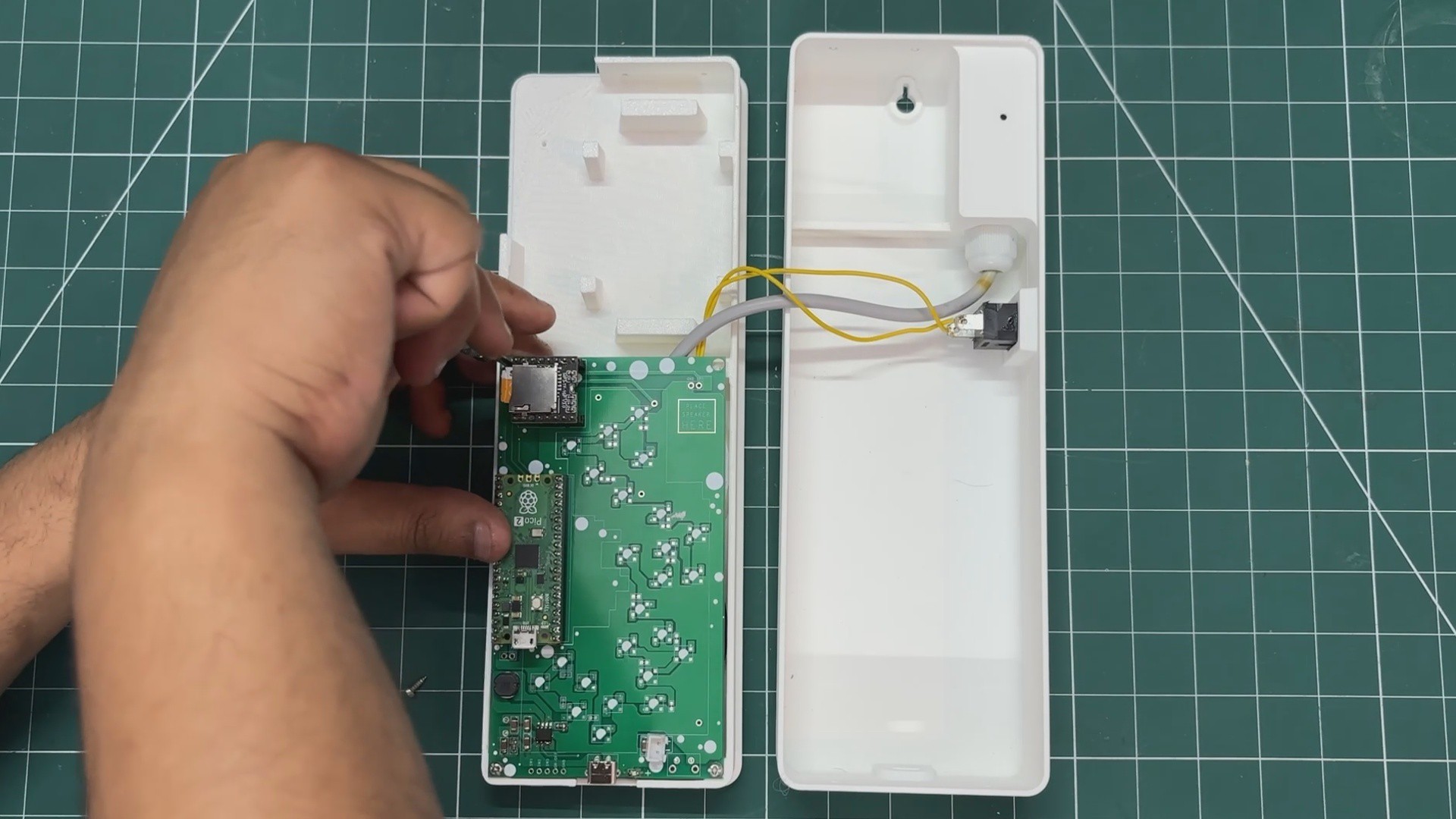
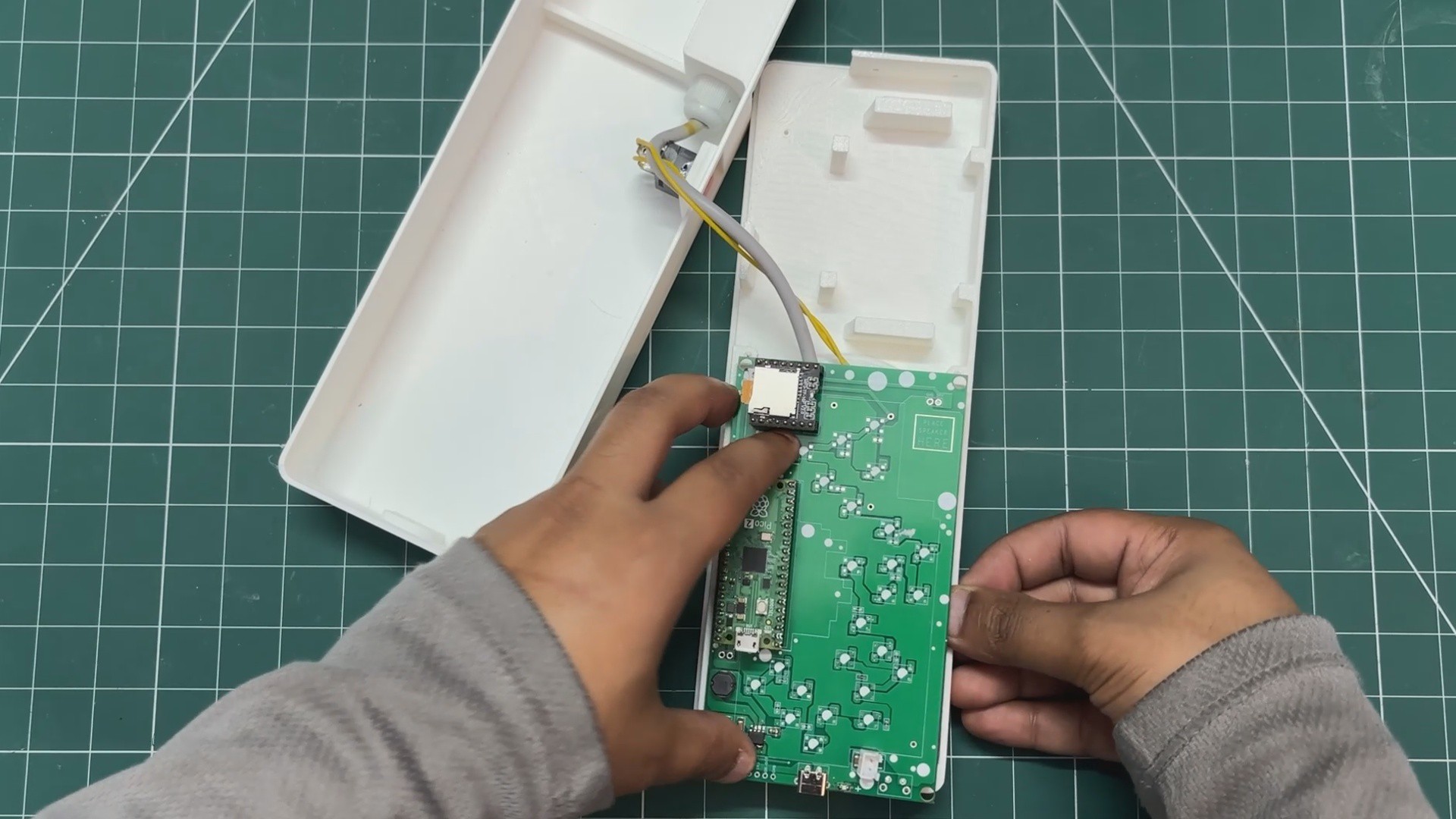
After the demo run, we desoldered all the components from the Pico driver board. We did this so we could reinstall them individually, along with the enclosure.
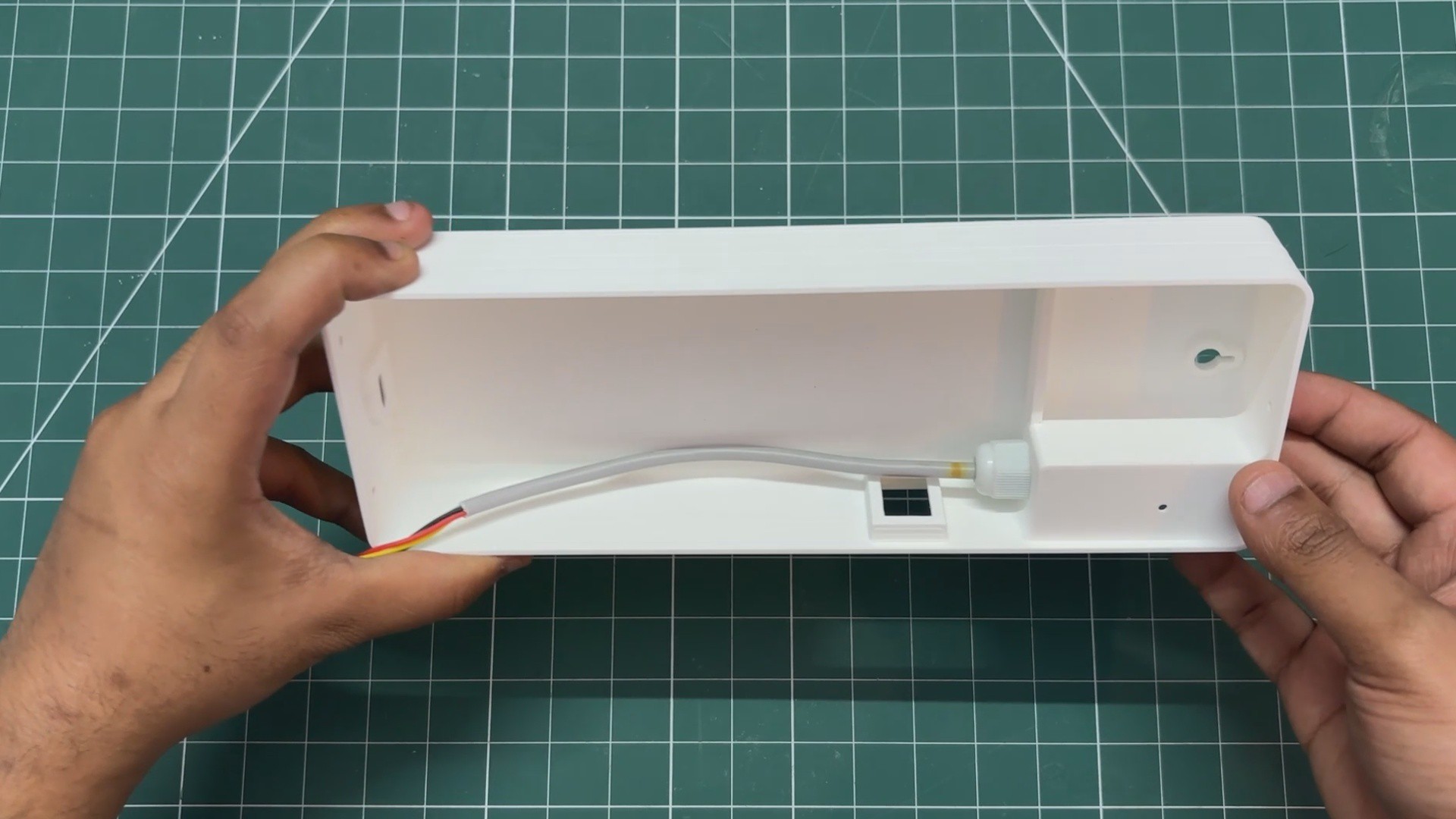
- We started by removing the retaining nut from the PG7 gland of the SGP40 probe, then passed the wire through the mounting hole on the back body.
- We positioned the SGP40 sensor in place and tightened the nut back, securing the PG7 firmly.
-
3BACK BODY & SWITCH ASSEMBLY
![]()
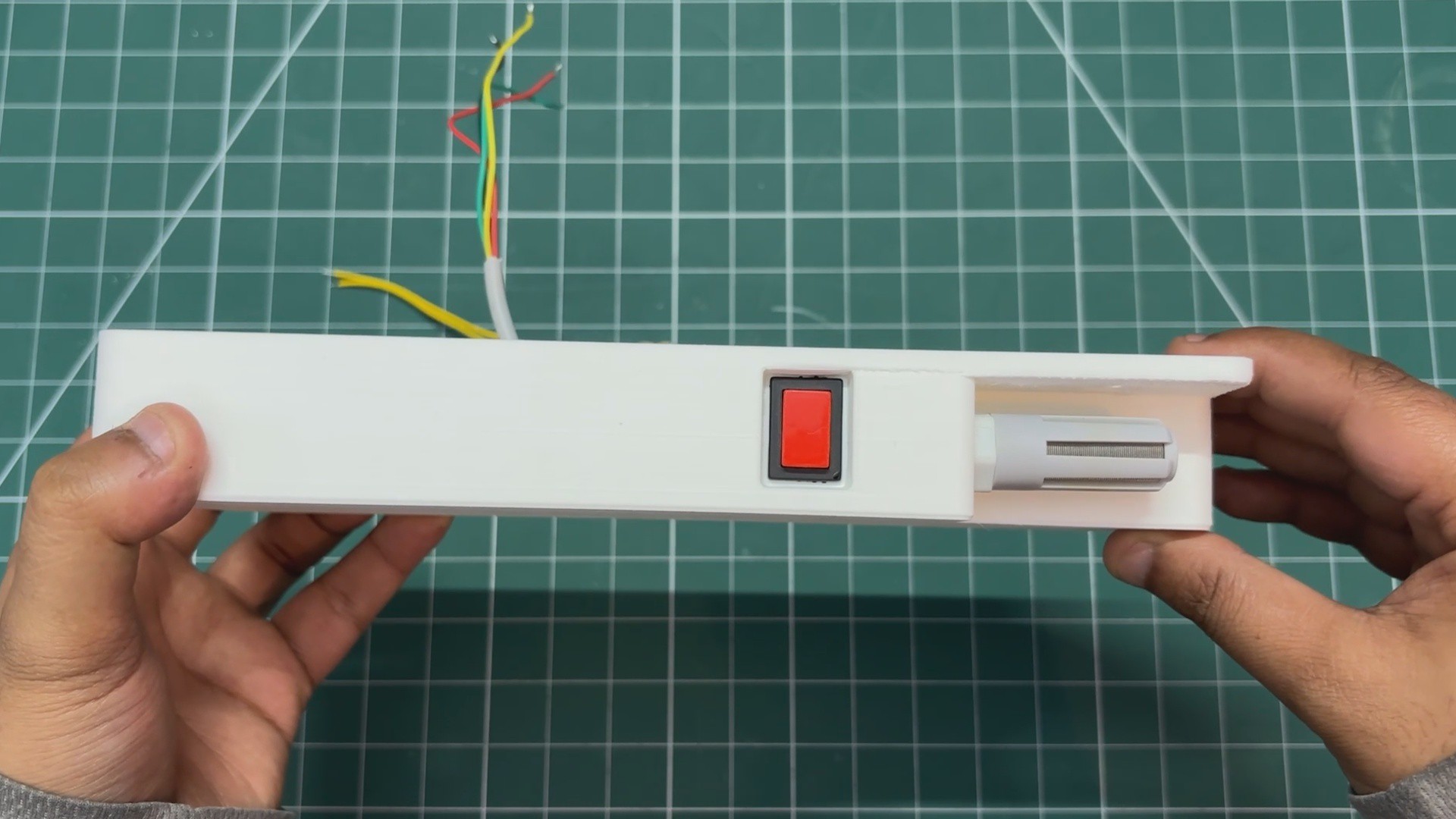
Next, we used a push button in the form factor of a rocker switch and positioned it in the slot on the back body. It is pressure-fitted into place, and the rocker switch includes two locking tabs that ensure it is held securely in position.
-
4SPEAKER GRILL ASSEMBLY
![]()
![]()
![]()
![]()
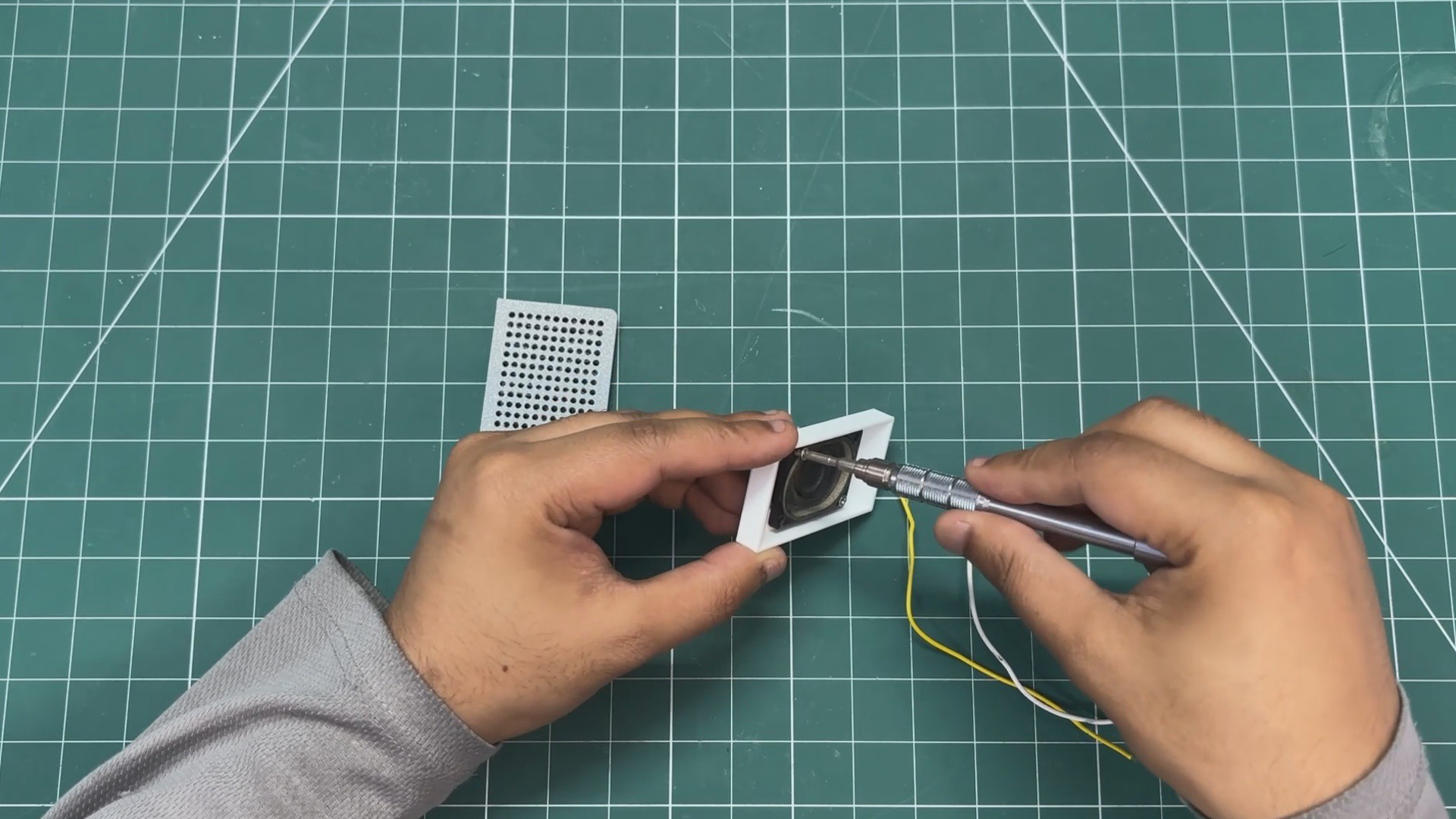
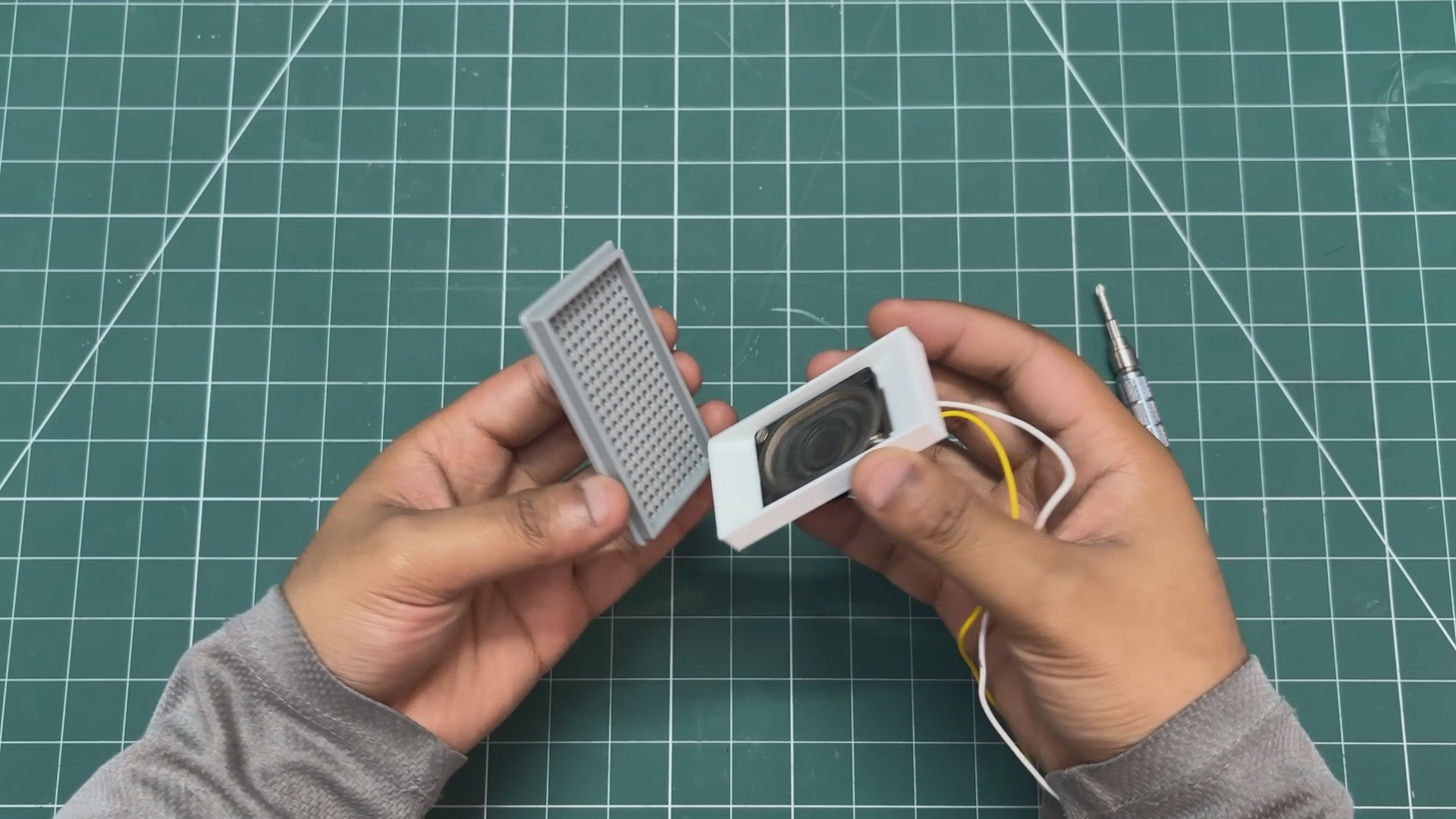
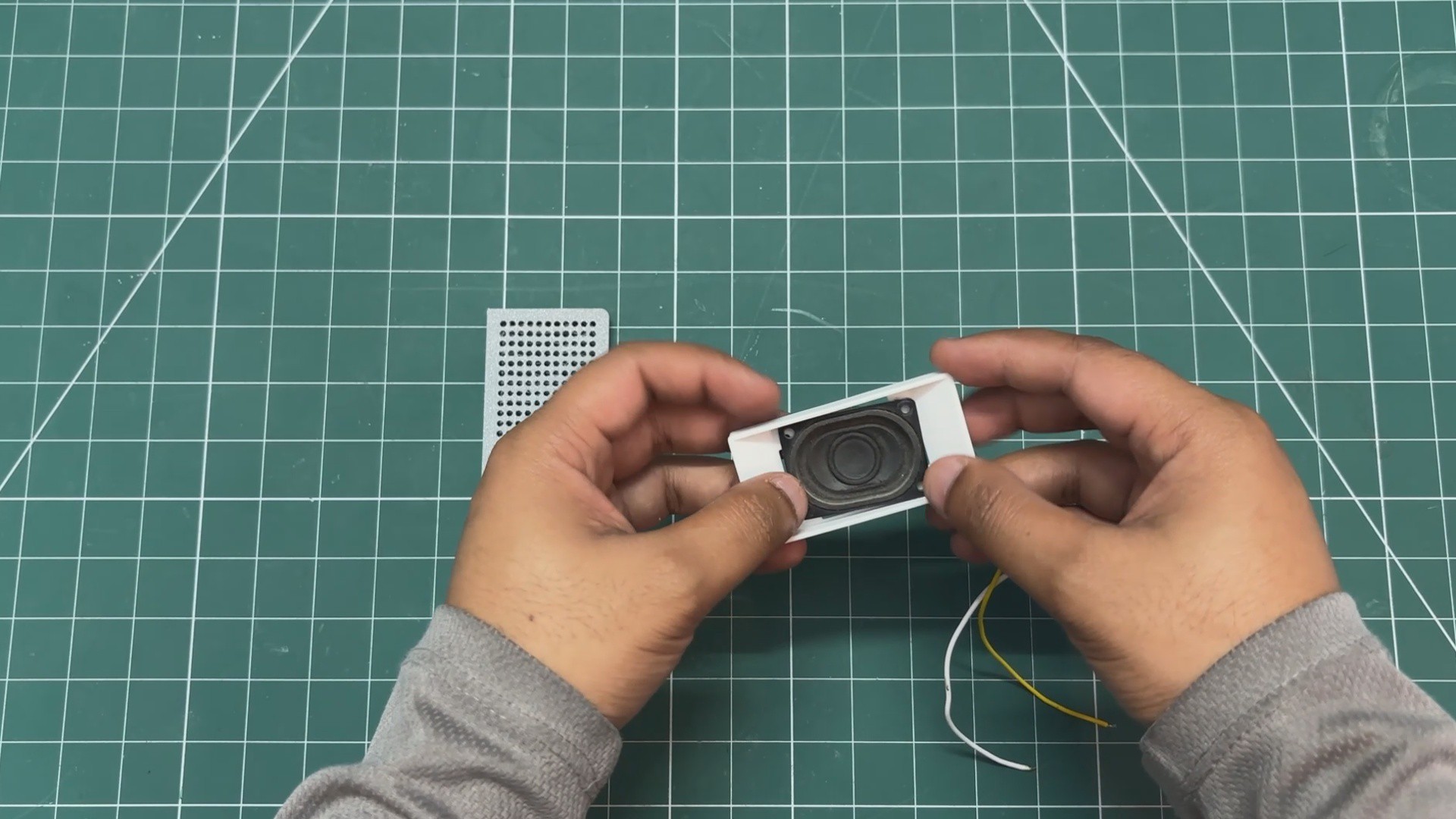
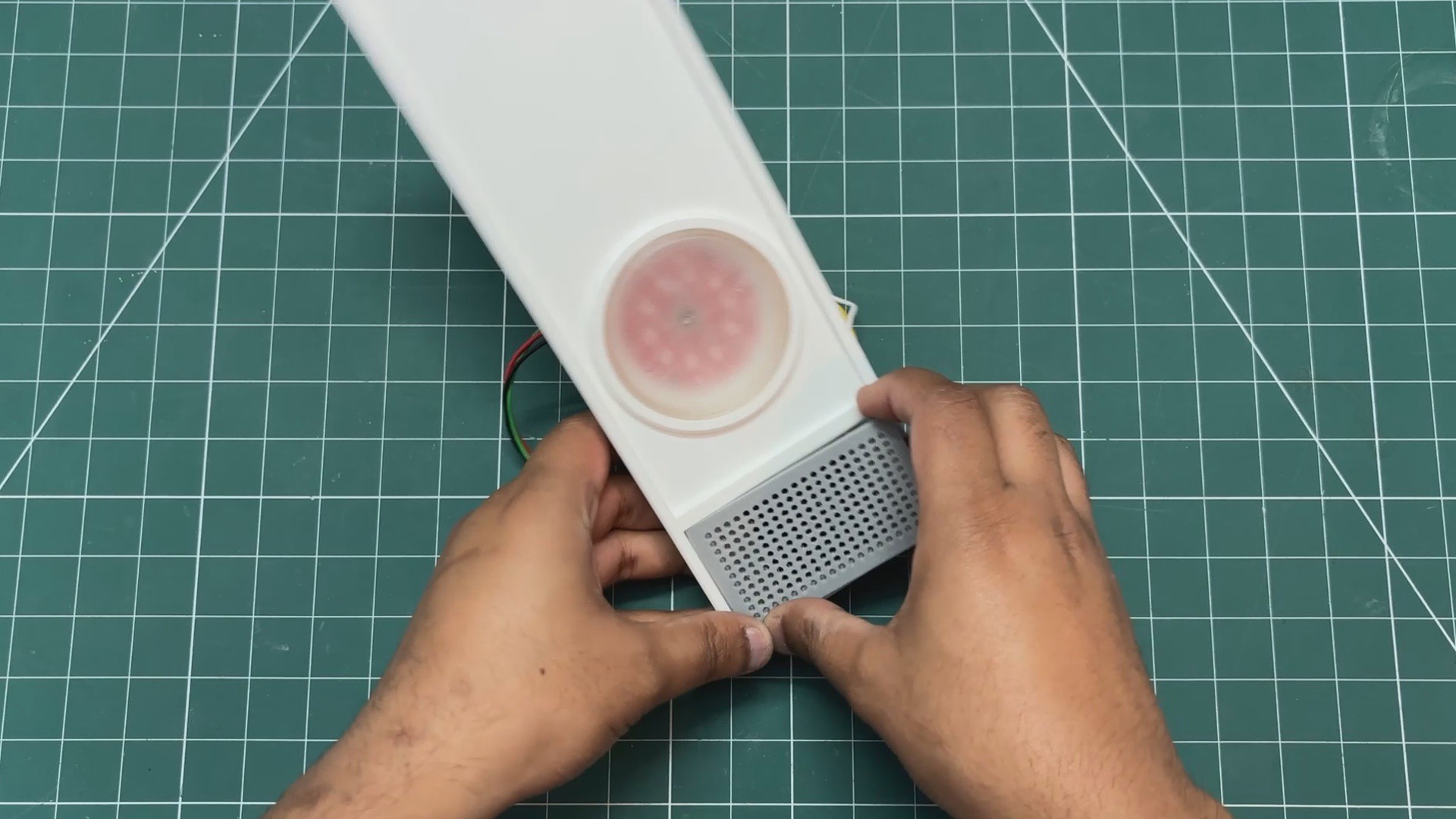
- The speaker grill is then positioned over the speaker holder, and both parts are pressure-fitted together.
-
5LED HOLDER & DIFFUSER ASSEMBLY
![]()
![]()
![]()
![]()
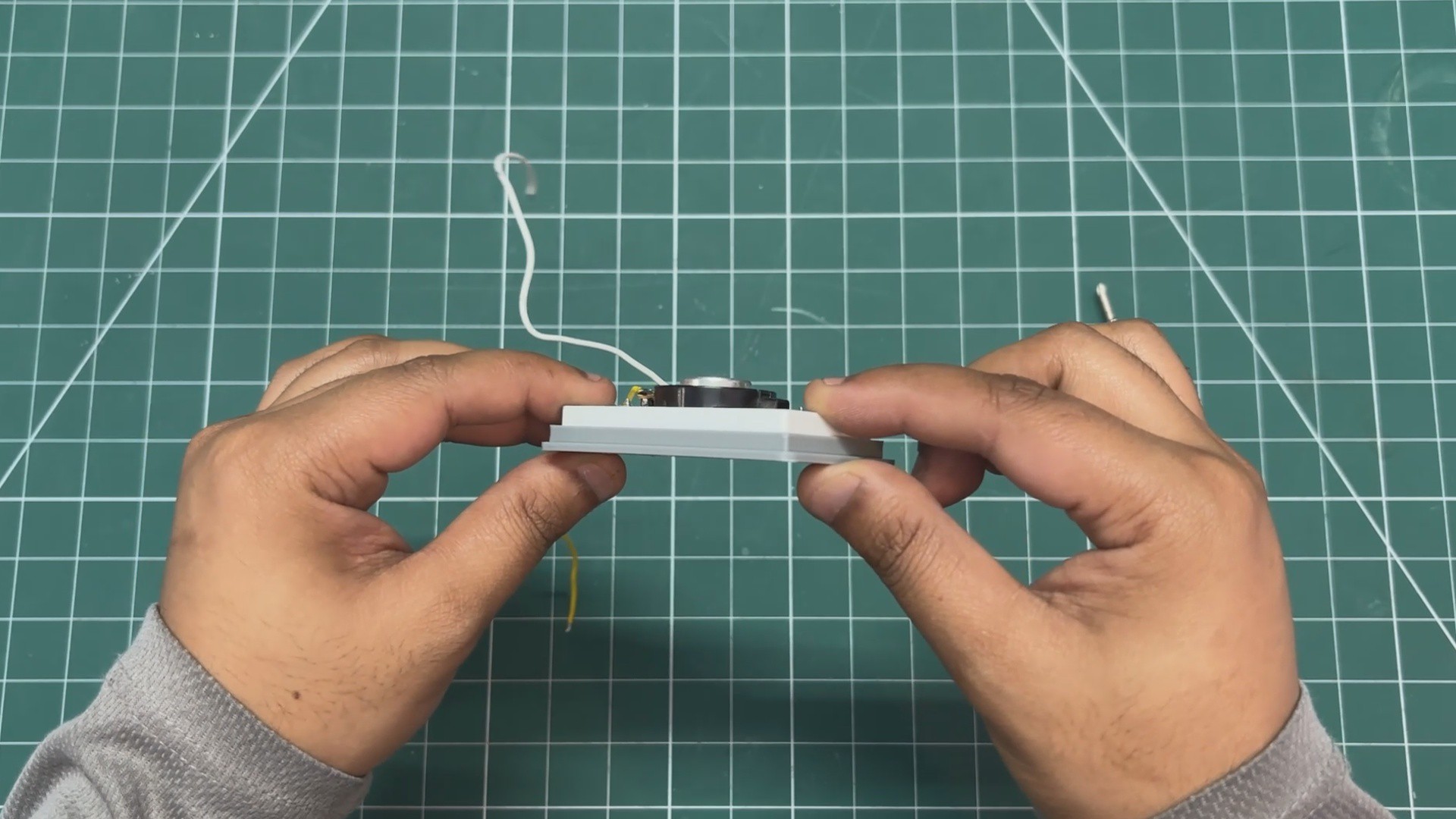
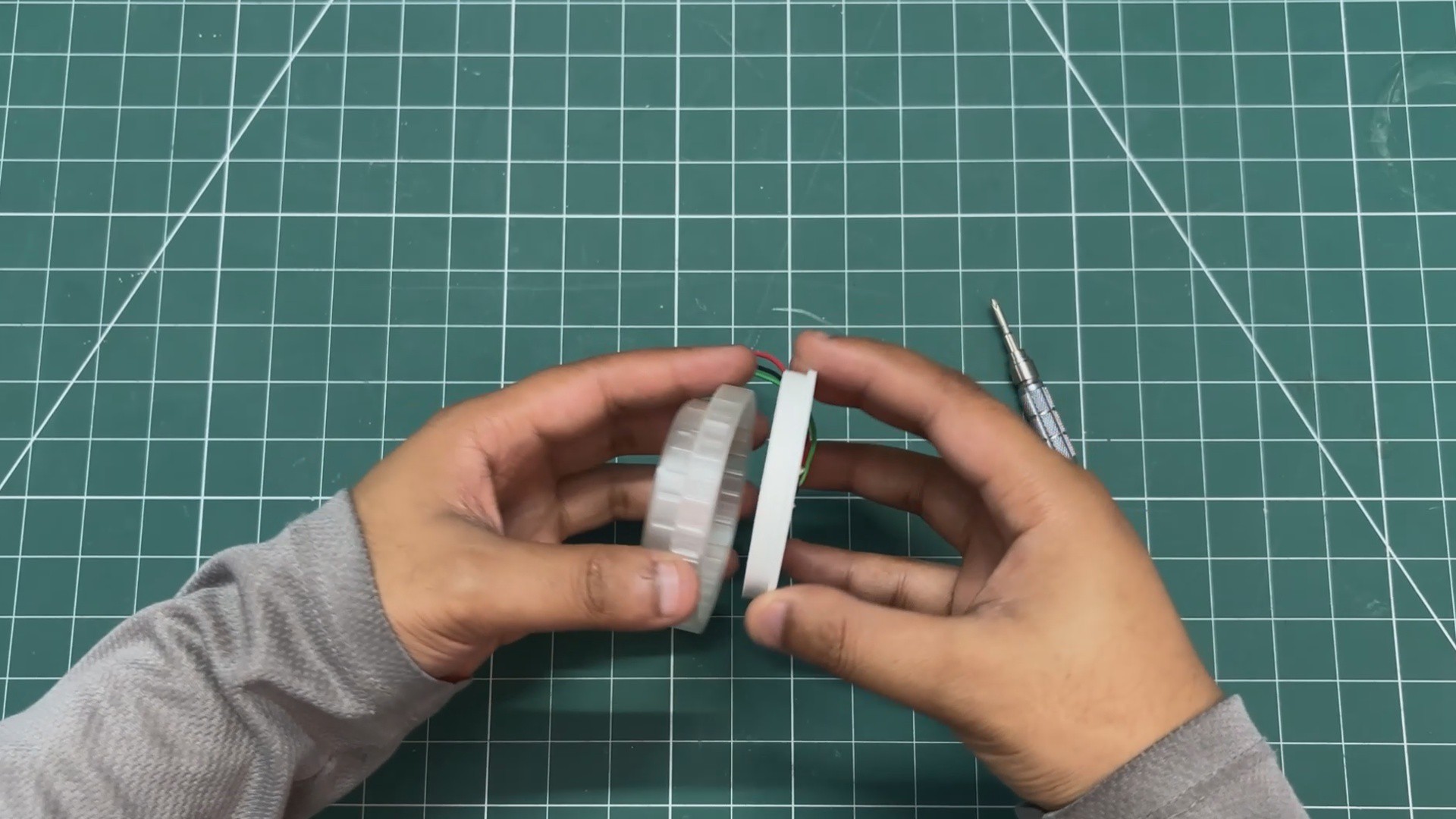
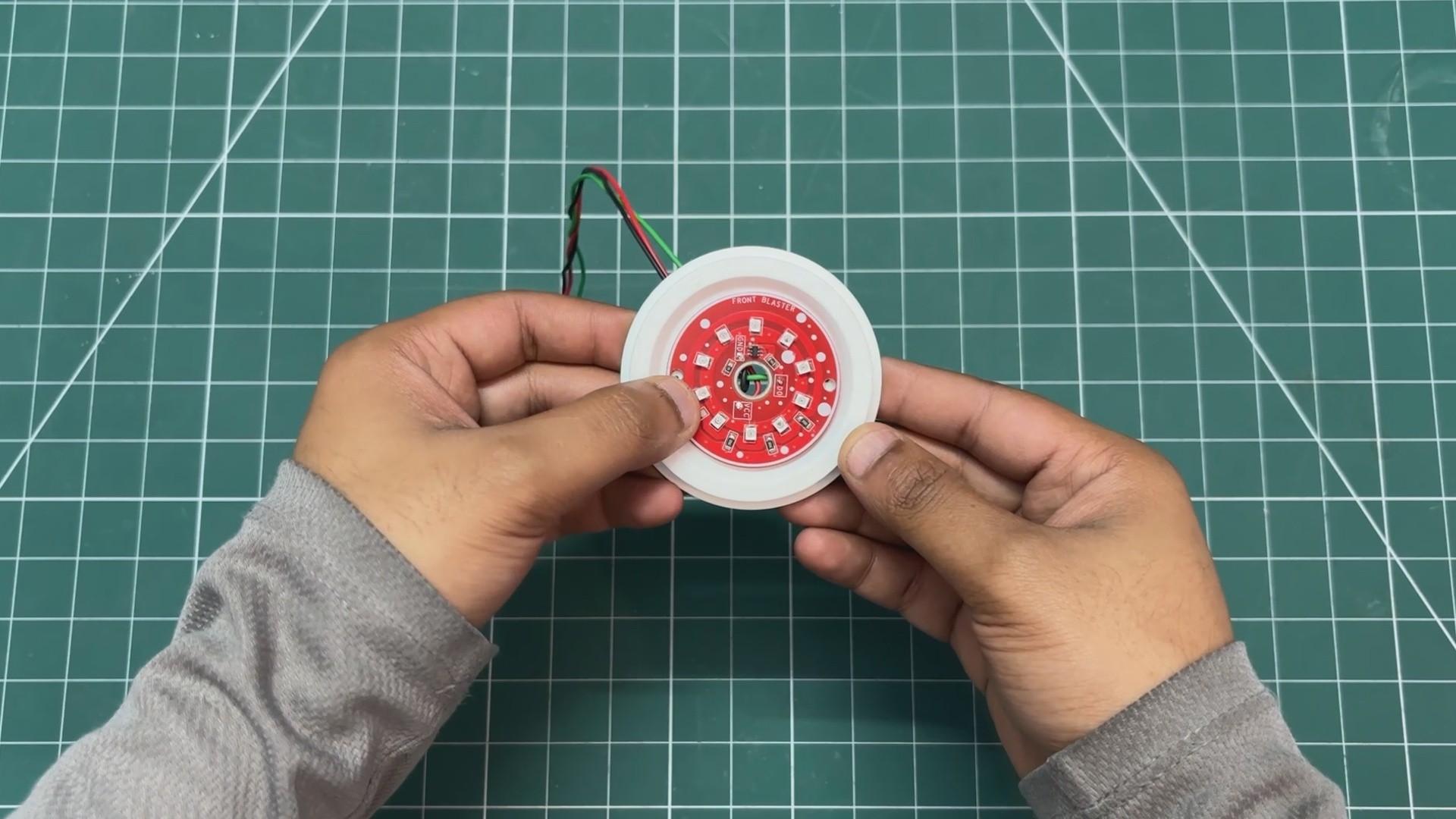
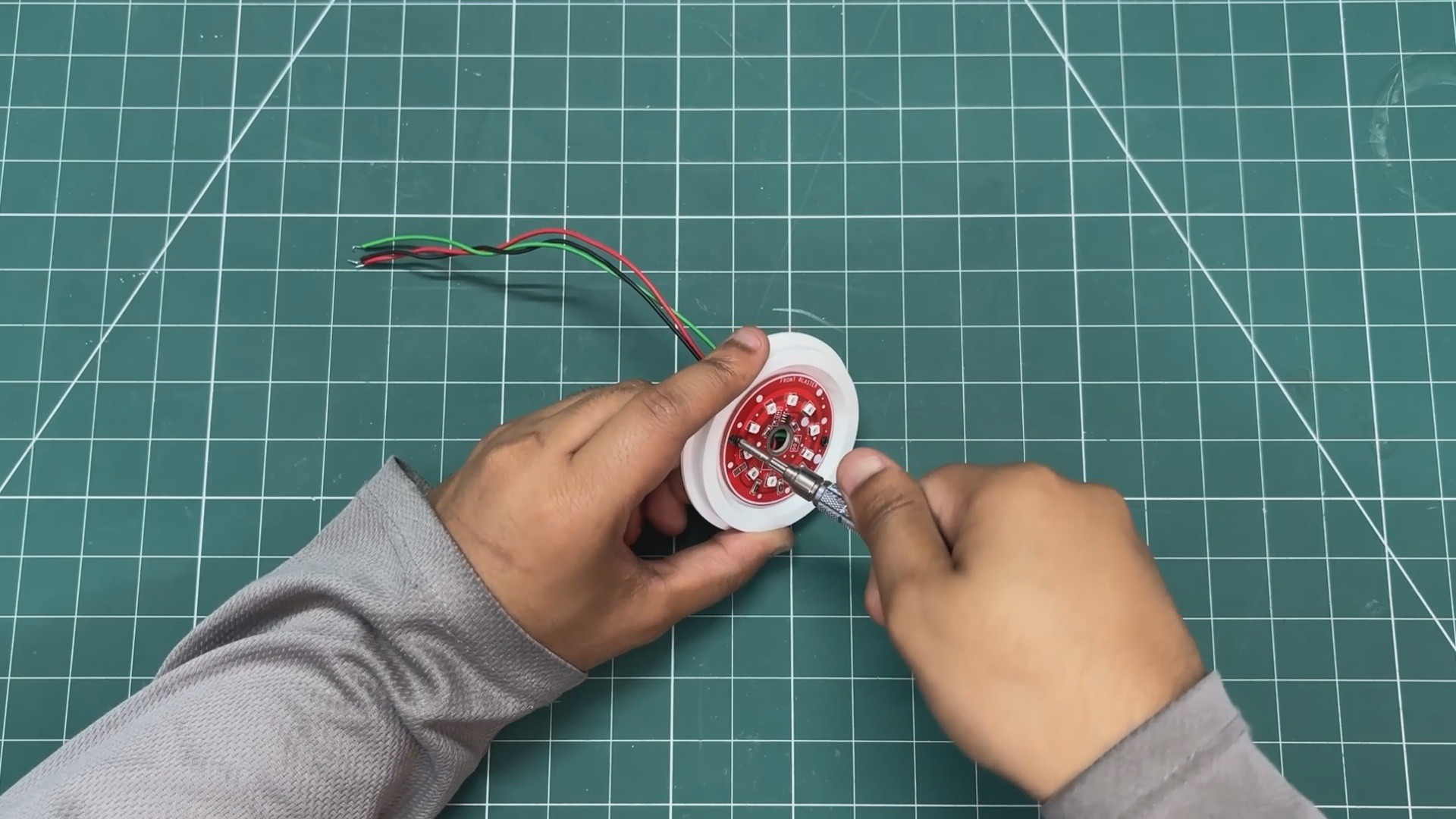
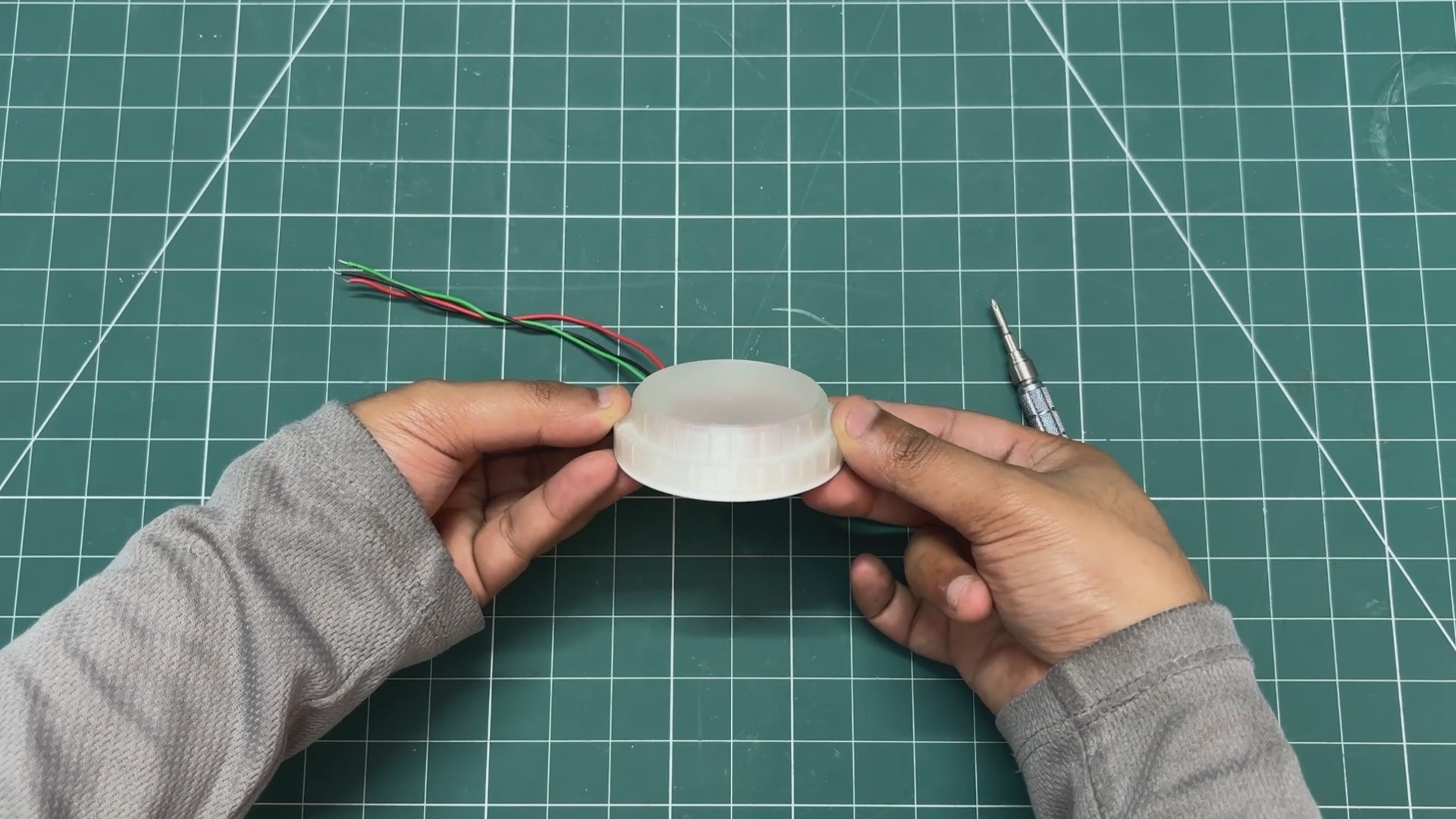
- The LED diffuser is placed on top of the LED board holder, and both parts are pressure-fitted together.
-
6FRONT BODY ASSEMBLY
![]()
![]()
![]()
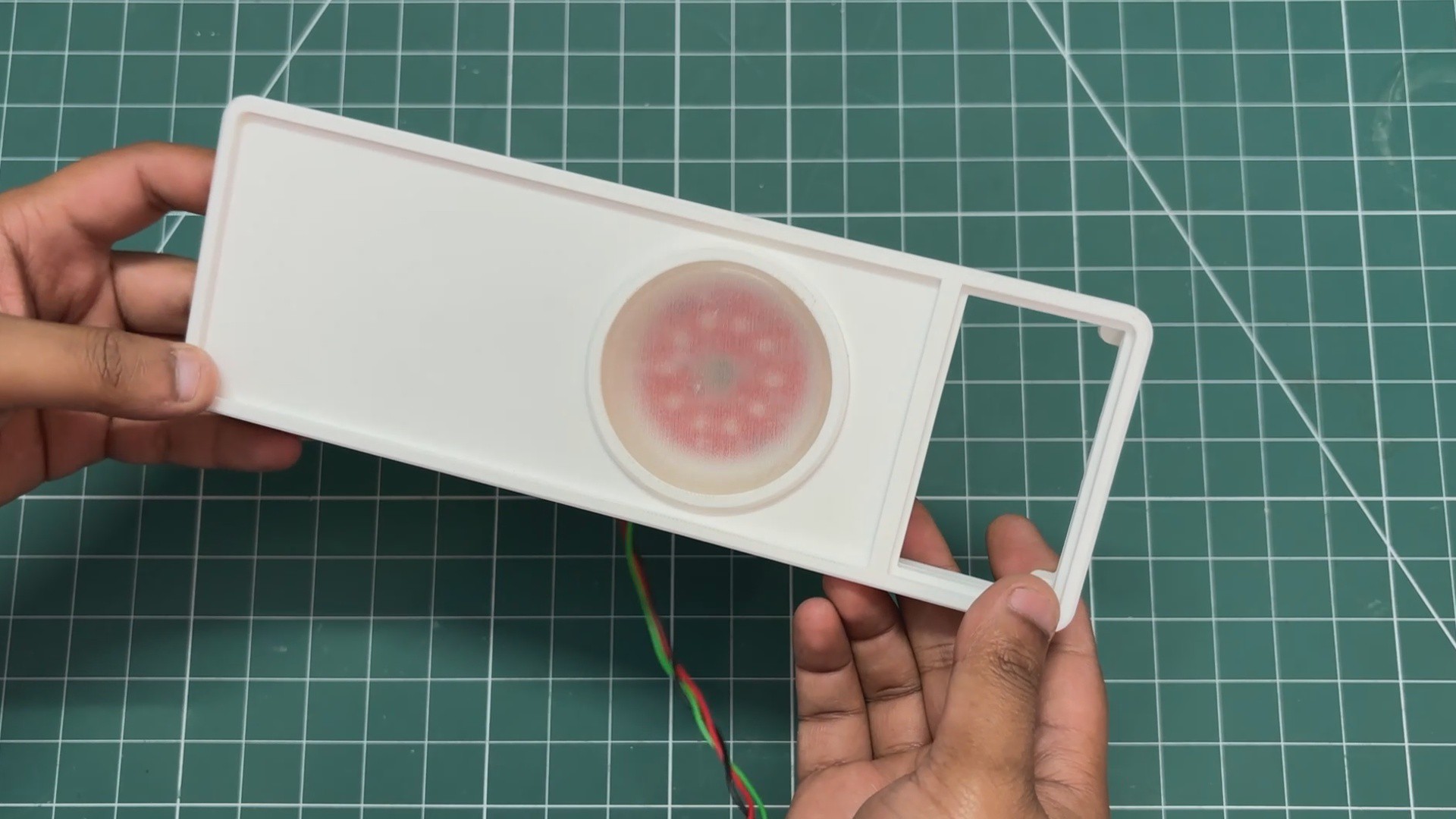
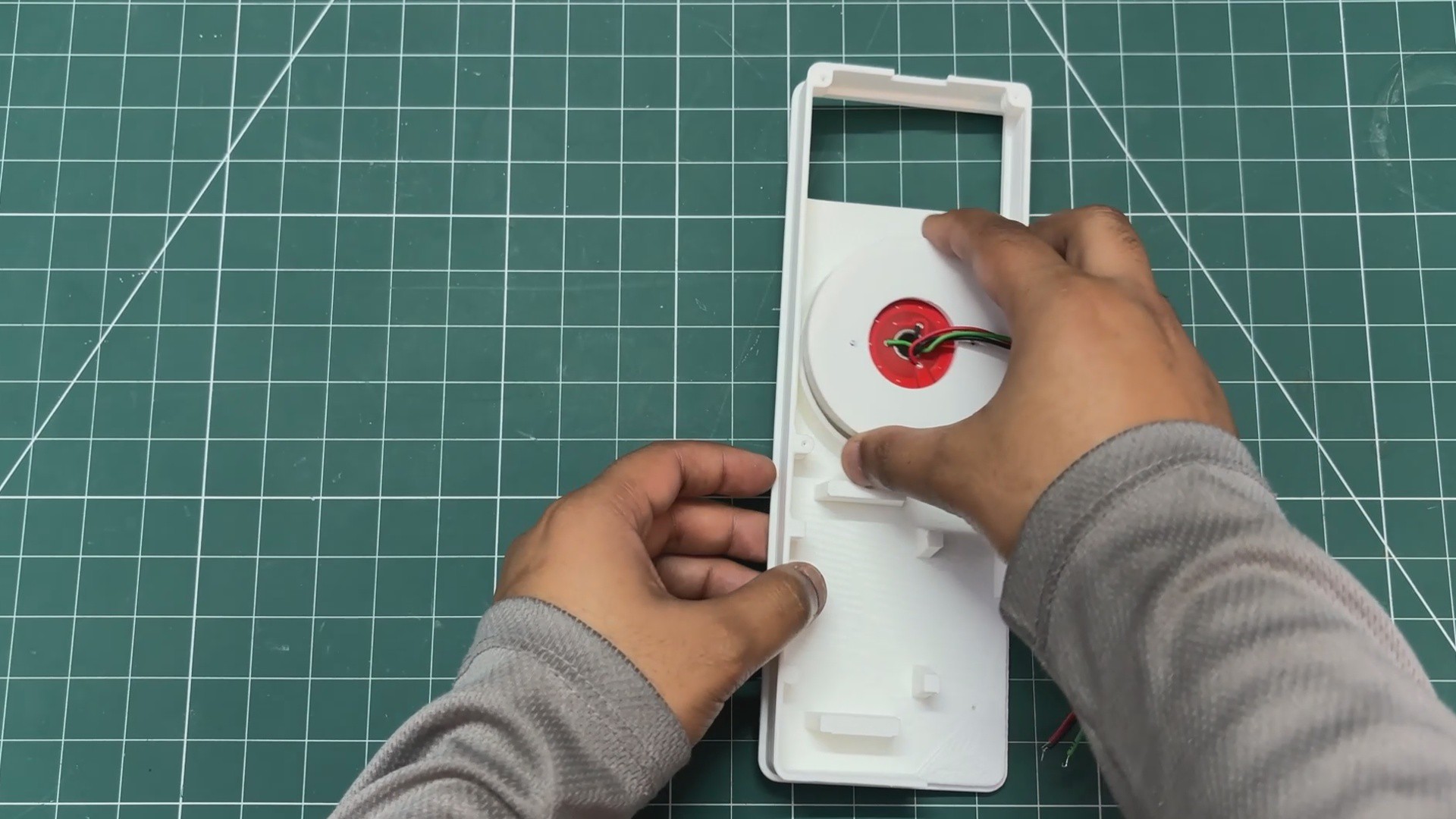
- Similarly, the speaker assembly is added from the front side and is also pressure-fitted into position.
-
7ReWiring Process
![]()
![]()
![]()
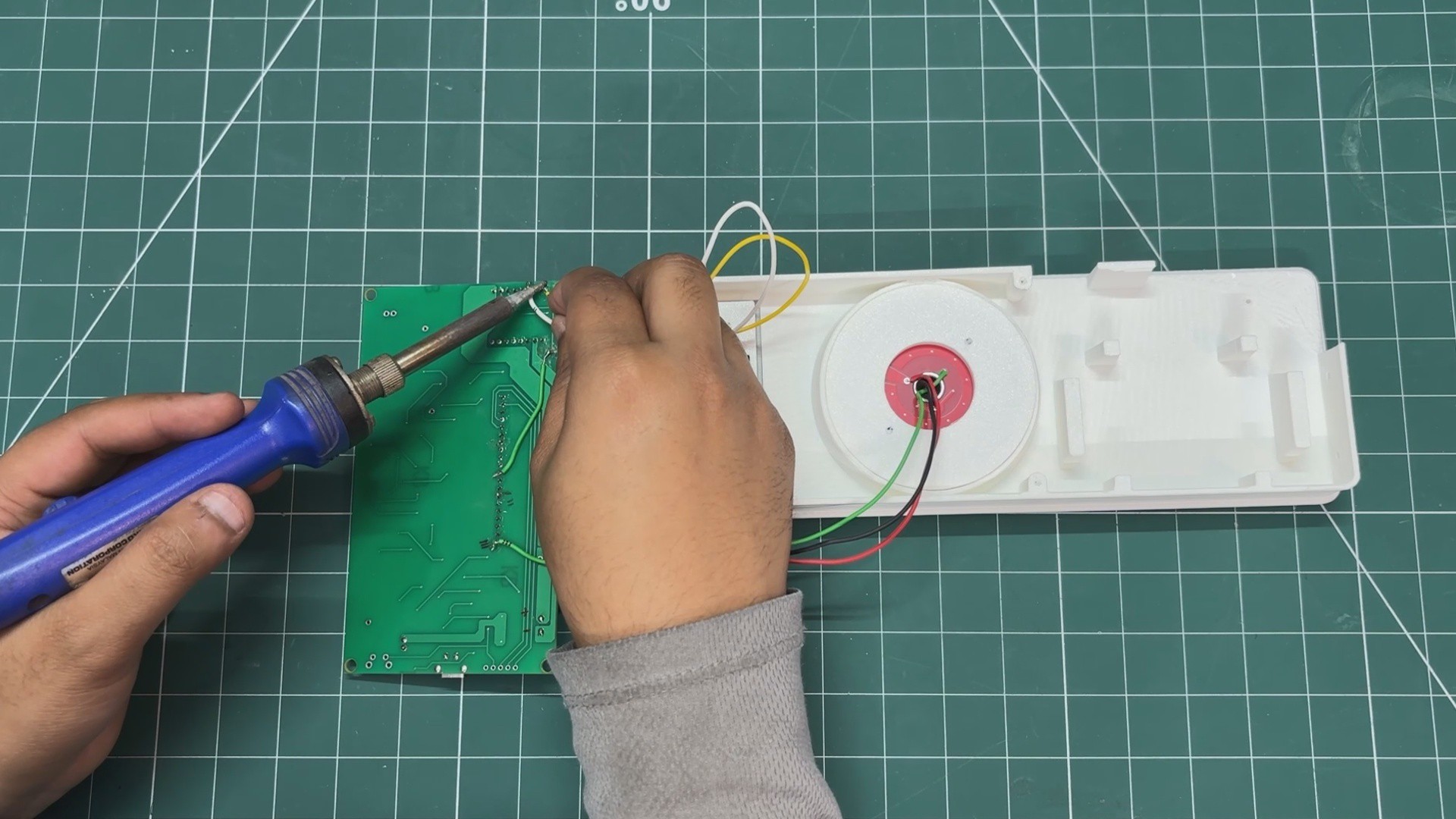
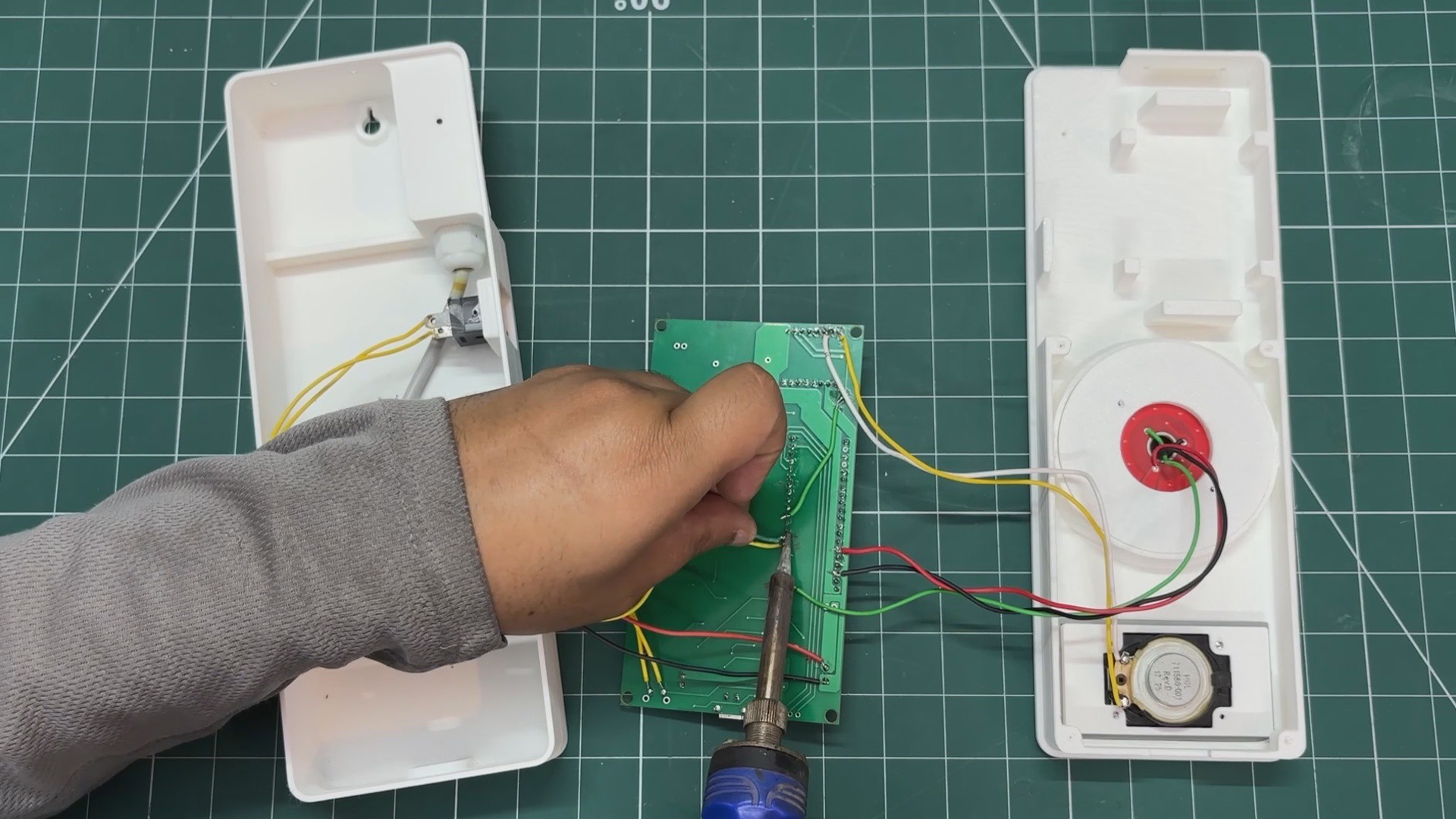
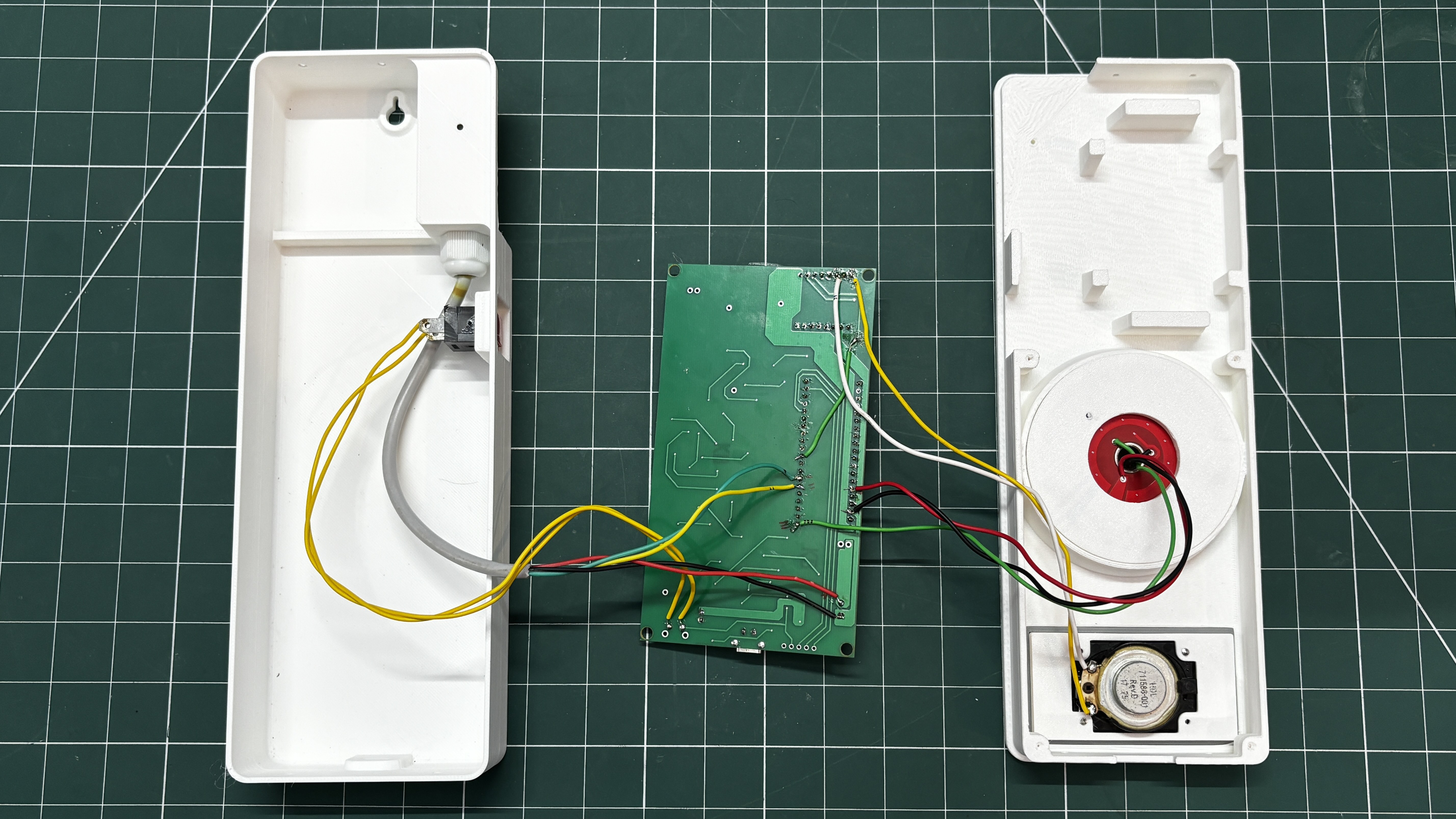
The Pico driver board is first reconnected to the LED board and speaker. We solder the LED board’s VCC and GND to the 5V, and GND of the Pico driver, and the speaker wires are connected to the DFPlayer’s SPK1 and SPK2 pins.
Similarly, we connect the SGP40 sensor’s SDA and SCL pins to GPIO4 and GPIO5 of the Pico. The VCC of the SGP40 is connected to the 3V3 pin of the Pico, and GND is connected to GND. Additionally, the rocker switch wires are connected to GND and the SW pin of the IP5306 IC. Pressing the rocker switch turns ON the IP5306 setup, and double-pressing the button turns the device OFF.
-
8PUTTING THINGS TOGETHER
![]()
![]()
![]()
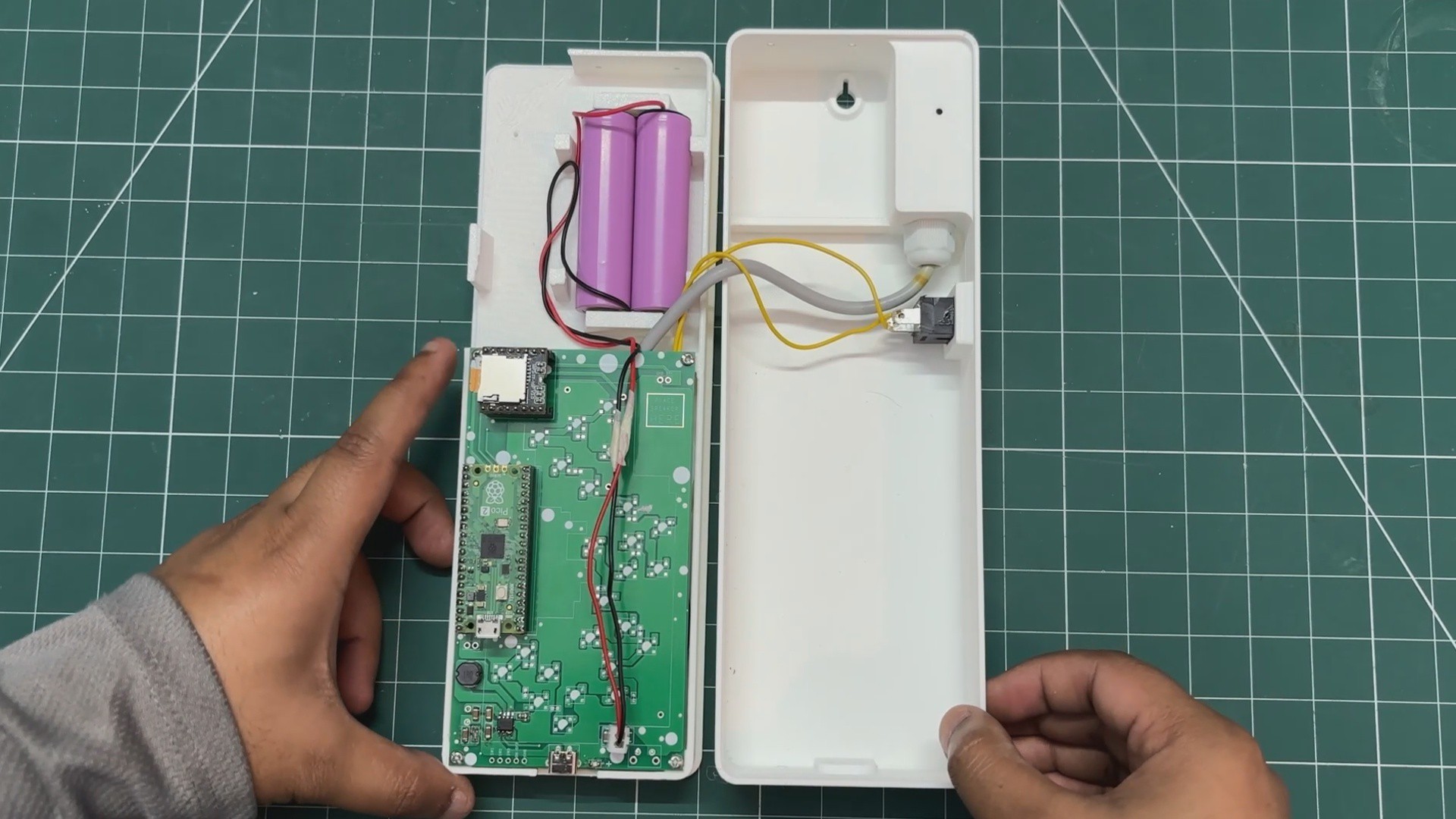
- We extended the length of the lithium battery connector so it could be placed on one end of the model and still connect to the Pico driver, whose connector is located on the opposite end.
- We then connected the lithium cell’s JST connector to the connector on the Pico driver and placed the battery into its mounting position.
-
9PICO W SWAP
![]()
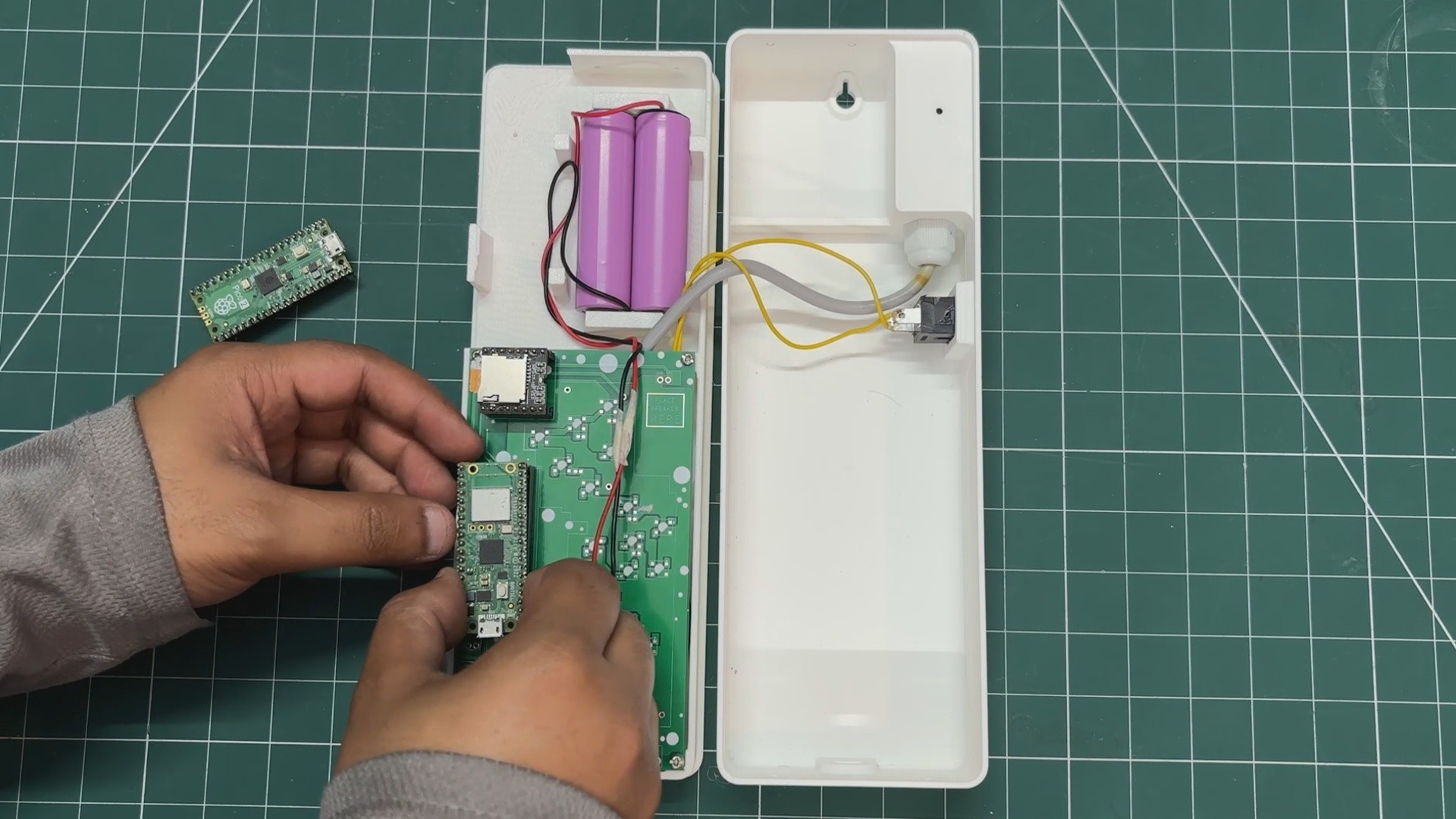
At this stage, with most of the assembly complete and only the final enclosure left to put together, we replaced the existing Pico 2 with a Pico W and uploaded the updated code with web app support. This upgrade enhances the project further by adding Wi-Fi connectivity.
-
10MAIN CODE—Web App for PICO W
![]()
We uploaded the sketch below to our PICO W.
#include <Arduino.h>
#include <Wire.h>
#include <SoftwareSerial.h>
#include <DFRobotDFPlayerMini.h>
#include <Adafruit_SGP40.h>
#include <WiFi.h>
#include <WebServer.h>
const char* WIFI_SSID     = "SSID";
const char* WIFI_PASSWORD = "PASS";
#define LED_PIN 0
#define DF_RX 7
#define DF_TX 8
#define SGP40_SDA 4
#define SGP40_SCL 5
#define LED_IDLE 20
#define LED_PEAK 80
const uint16_t TRACK_MS[] = {
0,      // [0]  unused
4000,   // [1]  01
5000,   // [2]  02
4000,   // [3]  03
4000,   // [4]  04
2000,   // [5]  05
2000,   // [6]  06
3000,   // [7]  07
1000,   // [8]  08
2000,   // [9]  09
2000,   // [10] 10
10000,  // [11] 11
10000,  // [12] 12
9000,   // [13] 13
15000,  // [14] 14
0,      // [15] unused
0,      // [16] unused
1000,   // [17] 17
1000,   // [18] 18
};
#define INTERVAL_07 30000UL
#define INTERVAL_VOC 60000UL
#define INTERVAL_10 300000UL
#define INTERVAL_11 600000UL
#define SENSOR_RETRY 30000UL
#define VOC_GOOD_MAX 100
#define VOC_MODERATE_MAX 200
SoftwareSerial      mySerial(7, 8); // RX, TX
DFRobotDFPlayerMini player;
Adafruit_SGP40      sgp;
WebServer           server(80);
bool     sensorOK      = false;
bool     sensorWasLost = false;
bool     goodAlt       = false;
bool     modAlt        = false;
bool     elevAlt       = false;
uint16_t vocRaw        = 0;
uint16_t vocSmooth     = 0;
unsigned long bootTime = 0;
unsigned long lastTime07      = 0;
unsigned long lastTimeVOC     = 0;
unsigned long lastTime10      = 0;
unsigned long lastTime11      = 0;
unsigned long lastSensorRetry = 0;
//WEB APP HTML
const char HTML_PAGE[] PROGMEM = R"rawhtml(
<!DOCTYPE html>
<html lang="en">
<head>
<meta charset="UTF-8">
<meta name="viewport" chljs-string">">
<title>PAL 8000</title>
<style>
*{box-sizing:border-box;margin:0;padding:0}
body{background:#111;font-family:'Courier New',monospace;color:#fff;min-height:100vh}
.outer{max-width:860px;margin:0 auto;padding:2rem 1rem}
.hal-face{background:#1a1a1a;border:1px solid #333;border-radius:16px;padding:2rem;position:relative}
.title-bar{display:flex;justify-content:space-between;align-items:center;margin-bottom:2rem}
.pal-title{font-size:28px;font-weight:700;letter-spacing:6px;color:#fff}
.pal-title span{color:#4a9eff}
.status-dot{width:10px;height:10px;border-radius:50%;background:#4aff88;display:inline-block;margin-right:8px;animation:pulse 2s infinite}
.status-text{font-size:12px;color:#888;letter-spacing:2px}
.eye-section{display:flex;justify-content:center;margin:1.5rem 0}
.eye-outer{width:280px;height:280px;border-radius:50%;background:#0a0a0a;border:3px solid #333;display:flex;align-items:center;justify-content:center}
.eye-ring{width:240px;height:240px;border-radius:50%;background:#0d0d0d;border:2px solid #222;display:flex;align-items:center;justify-content:center}
.eye-lens{width:190px;height:190px;border-radius:50%;background:radial-gradient(circle at 40% 35%,#cc2200,#8b0000 50%,#3d0000 80%,#1a0000);display:flex;flex-direction:column;align-items:center;justify-content:center;position:relative;animation:breathe 3s ease-in-out infinite}
.eye-reflection{position:absolute;top:28px;left:38px;width:45px;height:25px;background:rgba(255,255,255,0.08);border-radius:50%;transform:rotate(-25deg)}
.scan-line{position:absolute;width:100%;height:2px;background:linear-gradient(90deg,transparent,rgba(255,80,80,0.3),transparent);animation:scan 3s linear infinite;border-radius:50%}
.voc-label{font-size:11px;letter-spacing:3px;color:rgba(255,200,200,0.7);margin-bottom:4px}
.voc-value{font-size:48px;font-weight:700;color:#fff;line-height:1;text-shadow:0 0 20px rgba(255,100,100,0.8)}
.voc-unit{font-size:11px;letter-spacing:2px;color:rgba(255,200,200,0.6);margin-top:4px}
.voc-status{font-size:10px;letter-spacing:2px;color:#4aff88;margin-top:8px}
.metrics-row{display:grid;grid-template-columns:repeat(3,1fr);gap:12px;margin-top:2rem}
.metric-card{background:#222;border:1px solid #333;border-radius:10px;padding:1rem;text-align:center}
.metric-label{font-size:10px;letter-spacing:2px;color:#666;margin-bottom:6px}
.metric-value{font-size:22px;font-weight:700;color:#fff}
.metric-sub{font-size:10px;color:#555;margin-top:4px}
.bar-section{margin-top:2rem}
.bar-label{font-size:10px;letter-spacing:2px;color:#555;margin-bottom:8px}
.bar-track{height:6px;background:#222;border-radius:3px;overflow:hidden;margin-bottom:12px}
.bar-fill{height:100%;border-radius:3px;transition:width 1s ease,background 1s ease}
.footer-row{display:flex;justify-content:space-between;align-items:center;margin-top:2rem;padding-top:1rem;border-top:1px solid #222}
.footer-text{font-size:10px;color:#444;letter-spacing:2px}
@keyframes pulse{0%,100%{opacity:1}50%{opacity:0.3}}
@keyframes scan{0%{top:10%;opacity:0}10%{opacity:1}90%{opacity:1}100%{top:90%;opacity:0}}
@keyframes breathe{0%,100%{box-shadow:0 0 40px rgba(200,30,0,0.4),inset 0 0 30px rgba(0,0,0,0.6)}50%{box-shadow:0 0 70px rgba(200,30,0,0.7),inset 0 0 20px rgba(0,0,0,0.4)}}
</style>
</head>
<body>
<div class="outer">
<div class="hal-face">
<div class="title-bar">
<div class="pal-title">PAL<span>8000</span></div>
<div><span class="status-dot"></span><span class="status-text">MONITORING ACTIVE</span></div>
</div>
<div class="eye-section">
<div class="eye-outer">
<div class="eye-ring">
<div class="eye-lens">
<div class="scan-line"></div>
<div class="eye-reflection"></div>
<div class="voc-label">VOC INDEX</div>
<div class="voc-value" id="vocVal">--</div>
<div class="voc-unit">/ 500</div>
<div class="voc-status" id="vocStatus">CONNECTING...</div>
</div>
</div>
</div>
</div>
<div class="metrics-row">
<div class="metric-card">
<div class="metric-label">RAW</div>
<div class="metric-value" id="rawVal">--</div>
<div class="metric-sub">current index</div>
</div>
<div class="metric-card">
<div class="metric-label">SMOOTHED</div>
<div class="metric-value" id="smoothVal">--</div>
<div class="metric-sub">avg index</div>
</div>
<div class="metric-card">
<div class="metric-label">UPTIME</div>
<div class="metric-value" id="uptime">--</div>
<div class="metric-sub">hh:mm:ss</div>
</div>
</div>
<div class="bar-section">
<div class="bar-label">VOC LEVEL</div>
<div class="bar-track">
<div class="bar-fill" id="vocBar" style="width:0%;background:#4aff88"></div>
</div>
<div class="bar-label">0 ——— GOOD ——— 100 ——— MODERATE ——— 200 ——— POOR ——— 400 ——— HAZARDOUS ——— 500</div>
</div>
<div class="footer-row">
<div class="footer-text">SGP40 · I2C · PICO W</div>
<div class="footer-text" id="lastUpdate">LAST UPDATE: --:--:--</div>
</div>
</div>
</div>
<script>
function getStatus(v){
if(v<=100)return{text:'CLEAN AIR',color:'#4aff88'};
if(v<=200)return{text:'ACCEPTABLE',color:'#ffcc44'};
if(v<=400)return{text:'POOR AIR',color:'#ff8833'};
return{text:'HAZARDOUS',color:'#ff3333'};
}
function getBarColor(v){
if(v<=100)return'#4aff88';
if(v<=200)return'#ffcc44';
if(v<=400)return'#ff8833';
return'#ff3333';
}
function padZ(n){return String(n).padStart(2,'0')}
function fmtUptime(s){
var h=Math.floor(s/3600),m=Math.floor((s%3600)/60),sec=s%60;
return padZ(h)+':'+padZ(m)+':'+padZ(sec);
}
async function fetchVOC(){
try{
const r=await fetch('/voc');
const d=await r.json();
document.getElementById('vocVal').textContent=d.voc;
document.getElementById('rawVal').textContent=d.voc;
document.getElementById('smoothVal').textContent=d.smooth;
document.getElementById('uptime').textContent=fmtUptime(d.uptime);
var s=getStatus(d.voc);
var st=document.getElementById('vocStatus');
st.textContent=s.text;st.style.color=s.color;
var pct=Math.min((d.voc/500)*100,100).toFixed(1);
var bar=document.getElementById('vocBar');
bar.style.width=pct+'%';bar.style.background=getBarColor(d.voc);
var now=new Date();
document.getElementById('lastUpdate').textContent=
'LAST UPDATE: '+padZ(now.getHours())+':'+padZ(now.getMinutes())+':'+padZ(now.getSeconds());
}catch(e){
document.getElementById('vocStatus').textContent='NO SIGNAL';
}
}
setInterval(fetchVOC,3000);
fetchVOC();
</script>
</body>
</html>
)rawhtml";
void handleRoot() {
server.send(200, "text/html", HTML_PAGE);
}
void handleVOC() {
unsigned long uptime = (millis() - bootTime) / 1000;
String json = "{\"voc\":";
json += vocRaw;
json += ",\"smooth\":";
json += vocSmooth;
json += ",\"uptime\":";
json += uptime;
json += "}";
server.send(200, "application/json", json);
}
void handleNotFound() {
server.send(404, "text/plain", "Not found");
}
void ledIdle() {
analogWrite(LED_PIN, LED_IDLE);
}
void ledFade(uint8_t from, uint8_t to, uint32_t ms) {
const int steps = 200;
int32_t  delta     = (int32_t)to - (int32_t)from;
uint32_t stepDelay = ms / steps;
for (int i = 0; i <= steps; i++) {
analogWrite(LED_PIN, (uint8_t)(from + (delta * i) / steps));
delay(stepDelay);
server.handleClient();  // keep web server alive during fades
}
}
void ledBreatheForMs(uint32_t totalMs) {
const uint32_t BREATH_CYCLE = 2000;
uint32_t start = millis();
while (millis() - start < totalMs) {
uint32_t elapsed = millis() - start;
float t      = (float)(elapsed % BREATH_CYCLE) / (float)BREATH_CYCLE;
float norm   = sin(t * PI);
float bright = LED_IDLE + norm * (LED_PEAK - LED_IDLE);
analogWrite(LED_PIN, (uint8_t)bright);
delay(10);
server.handleClient();
}
ledIdle();
}
void playBlocking(uint8_t track) {
Serial.print(F("[PLAY] ")); Serial.println(track);
player.play(track);
delay(800);
uint32_t remaining = (TRACK_MS[track] > 800) ? TRACK_MS[track] - 800 : 0;
if (remaining > 0) ledBreatheForMs(remaining);
delay(200);
ledIdle();
}
bool initSensor() {
if (sgp.begin()) {
sensorOK = true;
Serial.println(F("[SGP40] ready"));
return true;
}
sensorOK = false;
Serial.println(F("[SGP40] not found"));
return false;
}
void pollVOC() {
uint16_t raw = sgp.measureVocIndex();
if (raw > 0) {
vocRaw    = raw;
vocSmooth = (vocSmooth == 0) ? raw
: (uint16_t)((vocSmooth * 7 + raw) / 8);
}
}
void reportVOC() {
Serial.print(F("[REPORT] VOC=")); Serial.println(vocSmooth);
if (vocSmooth <= VOC_GOOD_MAX) {
playBlocking(goodAlt ? 2 : 1);
goodAlt = !goodAlt;
} else if (vocSmooth <= VOC_MODERATE_MAX) {
playBlocking(modAlt ? 4 : 3);
modAlt = !modAlt;
} else {
playBlocking(elevAlt ? 6 : 5);
elevAlt = !elevAlt;
}
}
void setup() {
Serial.begin(9600);
pinMode(LED_PIN, OUTPUT);
analogWrite(LED_PIN, 0);
mySerial.begin(9600);
if (!player.begin(mySerial)) {
Serial.println(F("DFPlayer Mini not found"));
while (true) {
ledFade(0, LED_PEAK, 500);
ledFade(LED_PEAK, 0, 500);
}
}
player.volume(25);
delay(3000);
Wire.setSDA(SGP40_SDA);
Wire.setSCL(SGP40_SCL);
Wire.begin();
initSensor();
Serial.print(F("[WiFi] connecting to "));
Serial.println(WIFI_SSID);
WiFi.begin(WIFI_SSID, WIFI_PASSWORD);
int attempts = 0;
while (WiFi.status() != WL_CONNECTED && attempts < 30) {
delay(500);
Serial.print(".");
attempts++;
}
if (WiFi.status() == WL_CONNECTED) {
Serial.println();
Serial.print(F("[WiFi] connected! IP: "));
Serial.println(WiFi.localIP());
} else {
Serial.println(F("[WiFi] failed — running without web server"));
}
server.on("/",    handleRoot);
server.on("/voc", handleVOC);
server.onNotFound(handleNotFound);
server.begin();
Serial.println(F("[HTTP] server started"));
bootTime = millis();
ledFade(0, LED_PEAK, 10000);
ledIdle();
playBlocking(14);
delay(2000);
playBlocking(7);
uint32_t warmStart = millis();
while (millis() - warmStart < 27000UL) {
pollVOC();
server.handleClient();
ledIdle();
delay(500);
}
reportVOC();
unsigned long now = millis();
lastTime07 = lastTimeVOC = lastTime10 = lastTime11 = lastSensorRetry = now;
Serial.println(F("[BOOT] done"));
}
void loop() {
server.handleClient();
unsigned long now = millis();
if (!sensorOK) {
if (!sensorWasLost) {
sensorWasLost = true;
playBlocking(12);
lastSensorRetry = millis();
}
if (millis() - lastSensorRetry >= SENSOR_RETRY) {
lastSensorRetry = millis();
if (initSensor()) {
sensorWasLost = false;
playBlocking(13);
unsigned long t = millis();
lastTime07 = t; lastTimeVOC = t;
lastTime10 = t; lastTime11  = t;
}
}
ledIdle();
delay(200);
return;
}
pollVOC();
bool vocDue = (now - lastTimeVOC >= INTERVAL_VOC);
bool t10Due = (now - lastTime10  >= INTERVAL_10);
bool t11Due = (now - lastTime11  >= INTERVAL_11);
bool t07Due = (now - lastTime07  >= INTERVAL_07);
if (vocDue) {
reportVOC();
lastTimeVOC = millis();
} else if (t10Due) {
playBlocking(10);
lastTime10 = millis();
} else if (t11Due) {
playBlocking(11);
lastTime11 = millis();
} else if (t07Due) {
playBlocking(7);
lastTime07 = millis();
} else {
ledIdle();
delay(200);
}
}
Make sure to fill in your Router's SSID and password before uploading. We get the IP address for our Webapp in the serial monitor once the device gets connected to Wifi.
const char* WIFI_SSID = "SSID";const char* WIFI_PASSWORD = "PASSWORD";
The Logic of this updated code stays the same as before; we have only added Web app functionality. The web app itself is built entirely in a single block of HTML that lives inside our sketch.
const char HTML_PAGE[] PROGMEM = R"rawhtml(
<!DOCTYPE html>
<html lang="en">
<head>
<meta charset="UTF-8">
<meta name="viewport" content="width=device-width, initial-scale=1.0">
<title>PAL 8000</title>
<style>
*{box-sizing:border-box;margin:0;padding:0}
body{background:#111;font-family:'Courier New',monospace;color:#fff;min-height:100vh}
.outer{max-width:860px;margin:0 auto;padding:2rem 1rem}
.hal-face{background:#1a1a1a;border:1px solid #333;border-radius:16px;padding:2rem;position:relative}
.title-bar{display:flex;justify-content:space-between;align-items:center;margin-bottom:2rem}
.pal-title{font-size:28px;font-weight:700;letter-spacing:6px;color:#fff}
.pal-title span{color:#4a9eff}
.status-dot{width:10px;height:10px;border-radius:50%;background:#4aff88;display:inline-block;margin-right:8px;animation:pulse 2s infinite}
.status-text{font-size:12px;color:#888;letter-spacing:2px}
.eye-section{display:flex;justify-content:center;margin:1.5rem 0}
.eye-outer{width:280px;height:280px;border-radius:50%;background:#0a0a0a;border:3px solid #333;display:flex;align-items:center;justify-content:center}
.eye-ring{width:240px;height:240px;border-radius:50%;background:#0d0d0d;border:2px solid #222;display:flex;align-items:center;justify-content:center}
.eye-lens{width:190px;height:190px;border-radius:50%;background:radial-gradient(circle at 40% 35%,#cc2200,#8b0000 50%,#3d0000 80%,#1a0000);display:flex;flex-direction:column;align-items:center;justify-content:center;position:relative;animation:breathe 3s ease-in-out infinite}
.eye-reflection{position:absolute;top:28px;left:38px;width:45px;height:25px;background:rgba(255,255,255,0.08);border-radius:50%;transform:rotate(-25deg)}
.scan-line{position:absolute;width:100%;height:2px;background:linear-gradient(90deg,transparent,rgba(255,80,80,0.3),transparent);animation:scan 3s linear infinite;border-radius:50%}
.voc-label{font-size:11px;letter-spacing:3px;color:rgba(255,200,200,0.7);margin-bottom:4px}
.voc-value{font-size:48px;font-weight:700;color:#fff;line-height:1;text-shadow:0 0 20px rgba(255,100,100,0.8)}
.voc-unit{font-size:11px;letter-spacing:2px;color:rgba(255,200,200,0.6);margin-top:4px}
.voc-status{font-size:10px;letter-spacing:2px;color:#4aff88;margin-top:8px}
.metrics-row{display:grid;grid-template-columns:repeat(3,1fr);gap:12px;margin-top:2rem}
.metric-card{background:#222;border:1px solid #333;border-radius:10px;padding:1rem;text-align:center}
.metric-label{font-size:10px;letter-spacing:2px;color:#666;margin-bottom:6px}
.metric-value{font-size:22px;font-weight:700;color:#fff}
.metric-sub{font-size:10px;color:#555;margin-top:4px}
.bar-section{margin-top:2rem}
.bar-label{font-size:10px;letter-spacing:2px;color:#555;margin-bottom:8px}
.bar-track{height:6px;background:#222;border-radius:3px;overflow:hidden;margin-bottom:12px}
.bar-fill{height:100%;border-radius:3px;transition:width 1s ease,background 1s ease}
.footer-row{display:flex;justify-content:space-between;align-items:center;margin-top:2rem;padding-top:1rem;border-top:1px solid #222}
.footer-text{font-size:10px;color:#444;letter-spacing:2px}
@keyframes pulse{0%,100%{opacity:1}50%{opacity:0.3}}
@keyframes scan{0%{top:10%;opacity:0}10%{opacity:1}90%{opacity:1}100%{top:90%;opacity:0}}
@keyframes breathe{0%,100%{box-shadow:0 0 40px rgba(200,30,0,0.4),inset 0 0 30px rgba(0,0,0,0.6)}50%{box-shadow:0 0 70px rgba(200,30,0,0.7),inset 0 0 20px rgba(0,0,0,0.4)}}
</style>
</head>
<body>
<div class="outer">
<div class="hal-face">
<div class="title-bar">
<div class="pal-title">PAL<span>8000</span></div>
<div><span class="status-dot"></span><span class="status-text">MONITORING ACTIVE</span></div>
</div>
<div class="eye-section">
<div class="eye-outer">
<div class="eye-ring">
<div class="eye-lens">
<div class="scan-line"></div>
<div class="eye-reflection"></div>
<div class="voc-label">VOC INDEX</div>
<div class="voc-value" id="vocVal">--</div>
<div class="voc-unit">/ 500</div>
<div class="voc-status" id="vocStatus">CONNECTING...</div>
</div>
</div>
</div>
</div>
<div class="metrics-row">
<div class="metric-card">
<div class="metric-label">RAW</div>
<div class="metric-value" id="rawVal">--</div>
<div class="metric-sub">current index</div>
</div>
<div class="metric-card">
<div class="metric-label">SMOOTHED</div>
<div class="metric-value" id="smoothVal">--</div>
<div class="metric-sub">avg index</div>
</div>
<div class="metric-card">
<div class="metric-label">UPTIME</div>
<div class="metric-value" id="uptime">--</div>
<div class="metric-sub">hh:mm:ss</div>
</div>
</div>
<div class="bar-section">
<div class="bar-label">VOC LEVEL</div>
<div class="bar-track">
<div class="bar-fill" id="vocBar" style="width:0%;background:#4aff88"></div>
</div>
<div class="bar-label">0 ——— GOOD ——— 100 ——— MODERATE ——— 200 ——— POOR ——— 400 ——— HAZARDOUS ——— 500</div>
</div>
<div class="footer-row">
<div class="footer-text">SGP40 · I2C · PICO W</div>
<div class="footer-text" id="lastUpdate">LAST UPDATE: --:--:--</div>
</div>
</div>
</div>
<script>
function getStatus(v){
if(v<=100)return{text:'CLEAN AIR',color:'#4aff88'};
if(v<=200)return{text:'ACCEPTABLE',color:'#ffcc44'};
if(v<=400)return{text:'POOR AIR',color:'#ff8833'};
return{text:'HAZARDOUS',color:'#ff3333'};
}
function getBarColor(v){
if(v<=100)return'#4aff88';
if(v<=200)return'#ffcc44';
if(v<=400)return'#ff8833';
return'#ff3333';
}
function padZ(n){return String(n).padStart(2,'0')}
function fmtUptime(s){
var h=Math.floor(s/3600),m=Math.floor((s%3600)/60),sec=s%60;
return padZ(h)+':'+padZ(m)+':'+padZ(sec);
}
async function fetchVOC(){
try{
const r=await fetch('/voc');
const d=await r.json();
document.getElementById('vocVal').textContent=d.voc;
document.getElementById('rawVal').textContent=d.voc;
document.getElementById('smoothVal').textContent=d.smooth;
document.getElementById('uptime').textContent=fmtUptime(d.uptime);
var s=getStatus(d.voc);
var st=document.getElementById('vocStatus');
st.textContent=s.text;st.style.color=s.color;
var pct=Math.min((d.voc/500)*100,100).toFixed(1);
var bar=document.getElementById('vocBar');
bar.style.width=pct+'%';bar.style.background=getBarColor(d.voc);
var now=new Date();
document.getElementById('lastUpdate').textContent=
'LAST UPDATE: '+padZ(now.getHours())+':'+padZ(now.getMinutes())+':'+padZ(now.getSeconds());
}catch(e){
document.getElementById('vocStatus').textContent='NO SIGNAL';
}
}
setInterval(fetchVOC,3000);
fetchVOC();
</script>
</body>
</html>
)rawhtml";
It is written as a raw string using const char HTML_PAGE[] PROGMEM. The PROGMEM keyword tells the compiler to store this string in flash memory rather than RAM, which is important because the Pico W has limited RAM and a full HTML page would eat into it quickly.
The Pico W runs a lightweight HTTP server using the
WebServerlibrary.#include <WebServer.h>
Thisis the HTML Structure for the eye part.<div class="eye-outer"> <div class="eye-ring"> <div class="eye-lens"> <div class="scan-line"></div> <div class="eye-reflection"></div> <div class="voc-label">VOC INDEX</div> <div class="voc-value" id="vocVal">--</div> <div class="voc-unit">/ 500</div> <div class="voc-status" id="vocStatus">CONNECTING...</div> </div> </div></div>
And this is the CSS structure that makes it look like HAL's lens.
.eye-lens { width: 190px; height: 190px; border-radius: 50%; background: radial-gradient(circle at 40% 35%, #cc2200, #8b0000 50%, #3d0000 80%, #1a0000); animation: breathe 3s ease-in-out infinite;}@keyframes breathe { 0%, 100% { box-shadow: 0 0 40px rgba(200,30,0,0.4), inset 0 0 30px rgba(0,0,0,0.6); } 50% { box-shadow: 0 0 70px rgba(200,30,0,0.7), inset 0 0 20px rgba(0,0,0,0.4); }}As for how the page was built, we have used HTML and CSS. The HAL 9000 face is constructed entirely out of CSS. Three concentric
divelements styled as circles usingborder-radius: 50>#/strong###create the outer housing, the inner ring, and the red lens. The red glow effect on the lens is done withradial-gradientgoing from bright red at the centre to deep dark red at the edges, combined with abox-shadowthat pulses using a CSS@keyframesanimation calledbreathe. The scanning line across the eye is a thin, absolutely positioneddivanimated to travel top to bottom on a 3-second loop. The small lens reflection is just another smalldivrotated, and semi-transparent.For the Live Data, JavaScript running in the browser calls
fetch('/voc')every 3 seconds usingsetInterval. The Pico W responds with fresh JSON, and JavaScript updates the VOC number, status text, progress bar colour, and uptime counter in place by writing directly to the DOM usingdocument.getElementById. This technique is called polling, and it is the simplest possible way to get live data onto a web page without needing websockets or any complex infrastructure.We also added a progress bar at the bottom of the page, which is a plain
divinside a trackdiv. Its width is calculated as(voc / 500) * 100percent, and its background colour switches between green, yellow, orange, and red depending on which VOC threshold the reading falls into. Both the width and colour transition smoothly using CSStransition,so the bar slides and recolours rather than jumping.
PAL 8000 - Room Air Quality Meter
A Talking Room Air Quality Meter that talks and looks like HAL 9000 from the space odyssey 2001

Discussions
Become a Hackaday.io Member
Create an account to leave a comment. Already have an account? Log In.