 Rohan Barnwal

Project Overview
Thermal printers are everywhere—from retail stores and ATMs to restaurant billing systems and ticket vending machines. Their speed, simplicity, and low operating cost make them one of the most popular printing technologies for embedded systems.
While printing plain text is relatively straightforward, printing graphics and logos is often much more challenging. Every printer interprets bitmap data differently, and many low-cost thermal printers have very little documentation regarding image printing commands. As a result, developers frequently encounter distorted images, random characters, inverted colors, or completely blank printouts.
In this project, we'll learn how to print high-quality bitmap images on a QR204 58 mm TTL Thermal Printer using the Arduino UNO R4 WiFi. We'll use the Image2CPP tool to convert images into monochrome bitmap arrays and send them directly to the printer using standard ESC/POS commands.
During the development process, one particularly interesting challenge emerged. Although the printer supported ESC/POS raster graphics, the generated images appeared scrambled and unreadable. After extensive testing and debugging, it was discovered that the QR204 printer expects every bitmap byte to be transmitted with its bits reversed before printing. Implementing this simple transformation completely resolved the issue and allowed images to print perfectly.
By the end of this tutorial, you'll have a reusable boilerplate that lets you print any monochrome image simply by replacing the bitmap array generated by Image2CPP.
Features
- Print logos, icons, and graphics on a QR204 thermal printer
- Works with the Arduino UNO R4 WiFi
- Uses the standard ESC/POS raster image command
- Compatible with Image2CPP-generated bitmap array
- Supports full-width 384-pixel images
- Lightweight implementation without additional printer libraries
- Easy-to-use boilerplate for future projects
- Perfect for receipts, attendance systems, IoT devices, POS systems, and embedded applications
Applications
This bitmap printing technique can be integrated into a wide range of embedded applications, including:
- Smart School Attendance Systems
- Point-of-Sale (POS) Receipts
- Restaurant Billing Machines
- Inventory Management Systems
- RFID Access Control
- Visitor Management Systems
- Warehouse Label Printing
- Medical Devices
- Industrial Automation
- Event Ticket Printing
- IoT Dashboards
- Embedded User Interfaces
Software Required
- Arduino IDE
- Image2CPP
- Arduino UNO R4 Board Package
- USB Cable
Why an External Power Supply is Important
One of the most common mistakes when using thermal printers is powering them directly from the Arduino's 5V output.
Although the printer may successfully print text, bitmap images require a significantly higher current because hundreds of tiny heating elements are activated simultaneously.
During image printing, the thermal head can draw more than 1.5 A, which is far beyond what the Arduino UNO R4 can safely provide.
For reliable operation:
- Use a regulated 5V / 2A external power supply.
- Connect the grounds of the Arduino and the external supply together.
- Use short and thick power wires whenever possible.
This simple change dramatically improves print quality and eliminates random characters or incomplete images caused by voltage drops.
Wiring Diagram
The wiring is extremely simple.
Arduino UNO R4 WiFi QR204 Printer TX RX
RX TX
GND GND
External 5v Supply VCC
Important: The Arduino and the external power supply must share a common ground.
The final setup requires only a few connections and can be assembled in just a few minutes.
How ESC/POS Bitmap Printing Works
Most thermal printers communicate using the ESC/POS command set, originally developed for point-of-sale systems. These commands allow the printer to perform various operations such as:
- Printing text
- Changing font styles
- Adjusting alignment
- Feeding paper
- Printing barcodes
- Generating QR codes
- Printing bitmap images
For this project, we use the GS...
Read more »
 theschlem
 jon.knutton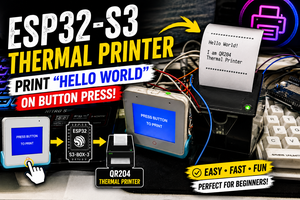

 XIA
XIA