 Roni Bandini

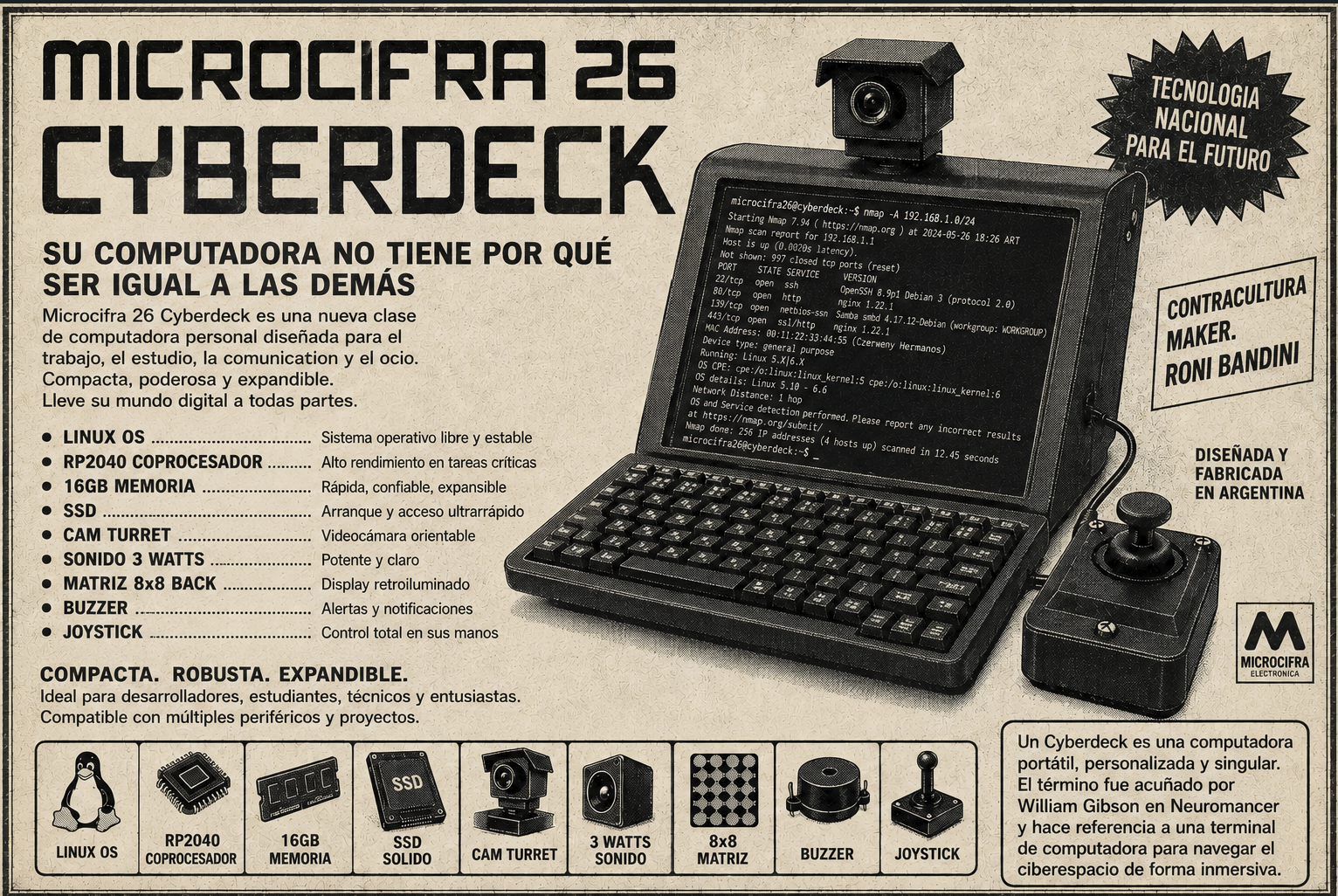
Coined in William Gibson’s seminal 1984 sci-fi novel Neuromancer, the term cyberdeck originally described a futuristic, portable terminal wired directly into the user’s neural interface to navigate the sprawling virtual landscape of cyberspace. In sci-fi lore, it was the ultimate tool for deckers and console cowboys—a seamless bridge between human consciousness and digital networks.
Beyond the realm of science fiction, the cyberdeck has evolved into a vibrant, real-world maker subculture. Today, a cyberdeck is a custom-built, highly portable computer tailored for individual utility and aesthetic expression.
The Idea
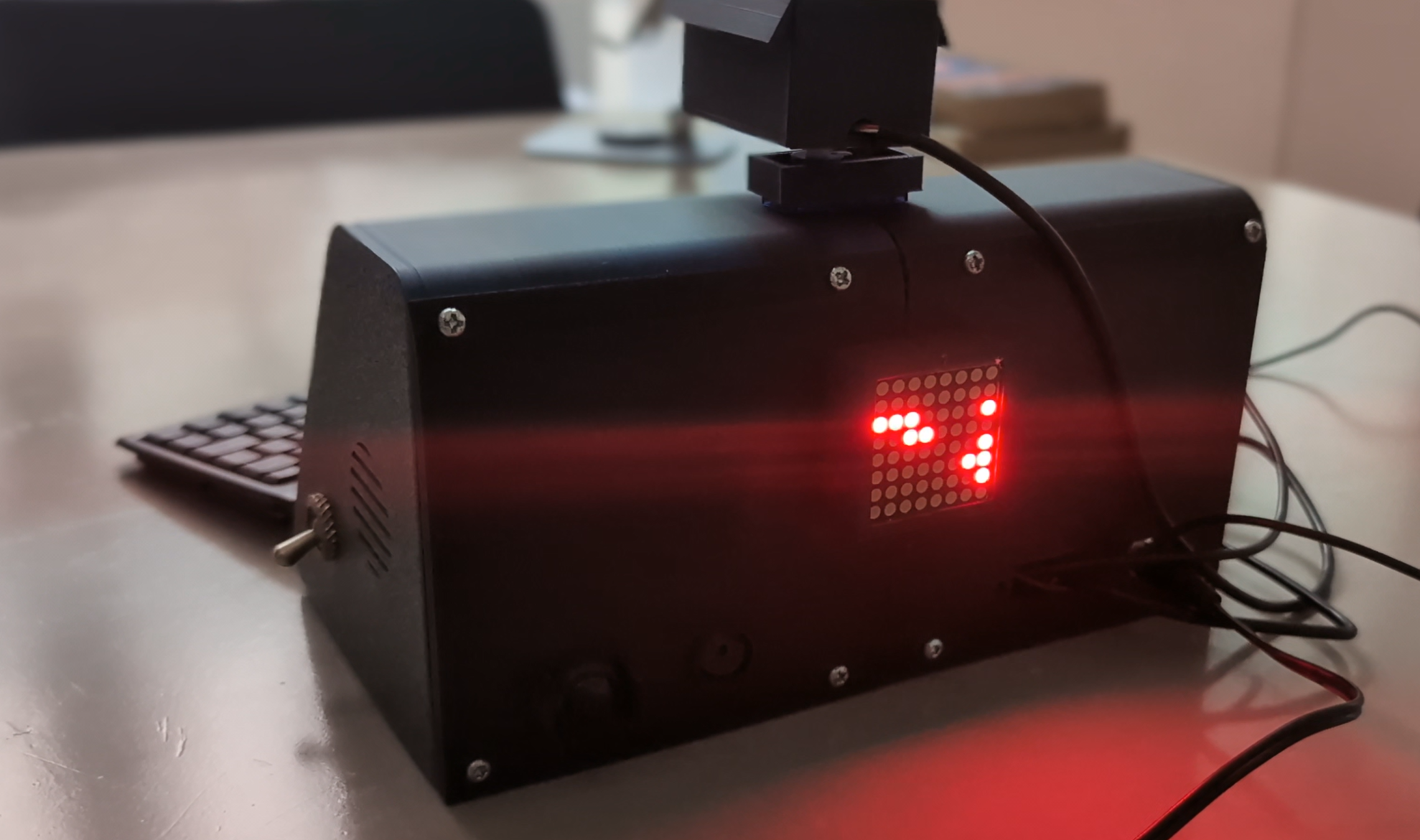
While drawing inspiration for Microcifra 26 from the distinctive aesthetics of vintage workstations, I wanted to move beyond a simple 3D-modeling exercise. My goal was to build a fully functional, tangible device packed with features missing from off-the-shelf computers—unconventional additions designed to spark conversation at tech conferences and maker spaces. To achieve this, I integrated a motorized miniature CCTV camera for dynamic visual capture, alongside a rear-facing LED matrix paired with a piezoceramic buzzer to scroll real-time status messages and sound classic 8-bit alerts to passersby.
Hardware
Microcifra 26 is built around a LattePanda IOTA, featuring an Intel N150 processor, 16 GB of RAM, and an RP2040 coprocessor. The 7-inch display connects through an EDP ribbon cable. Audio is routed through a 3-watt micro amplifier to a side-mounted speaker. The system also includes a buzzer for generating beeps, a USB camera with a microphone mounted on a servo, a UPS module with three 18650 batteries, an 8×8 LED matrix on the back, a potentiometer, and a toggle switch.
Parts
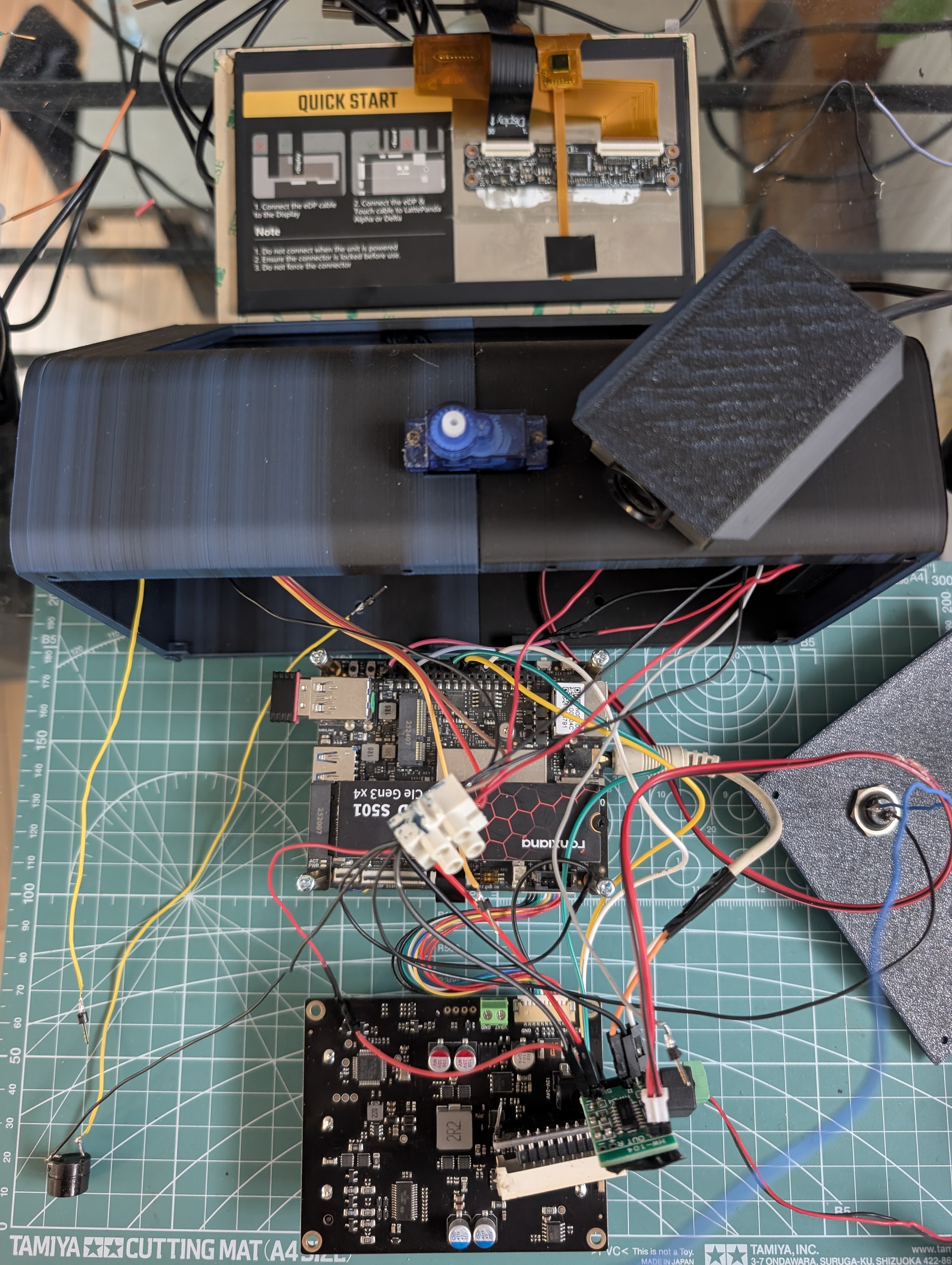
- LattePanda IOTA
- 7" EDP display
- USB mini keyboard
- USB camera
- Potentiometer
- 3 W speaker
- 3 W amplifier PAM8403
- SainSmart MAX7219 8×8 LED matrix
- Toggle switch
- Buzzer
- SG90 servo
- 3× 18650 batteries + UPS module
- KY-023 joystick
Circuit
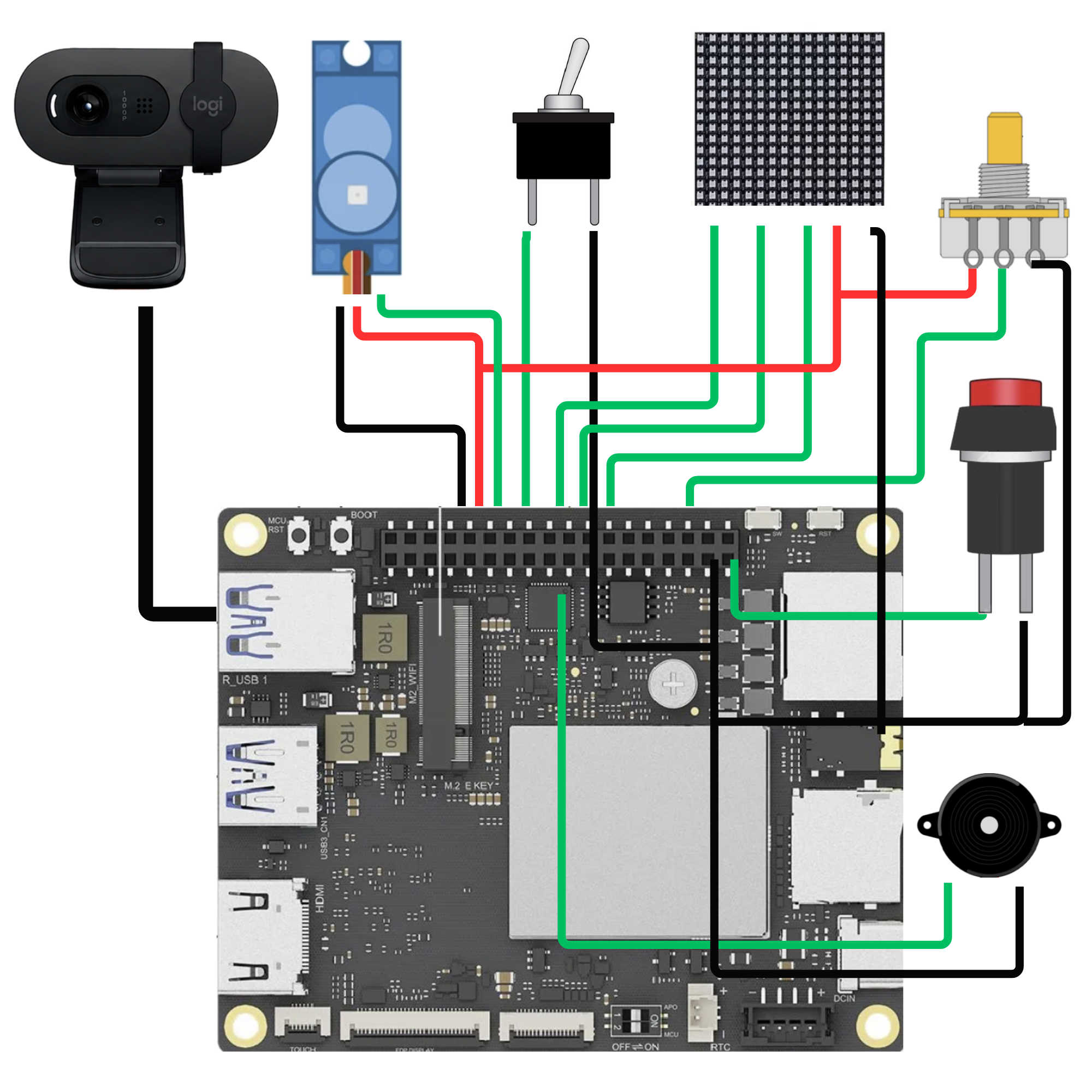
Power button: blue → SW
Potentiometer: gray → GP11
Buzzer: yellow → GP10
Toggle switch: yellow → GP1
Servo: orange → GP0
SainSmart MAX7219:
DIN → GP3
CS → GP4
CLK → GP2
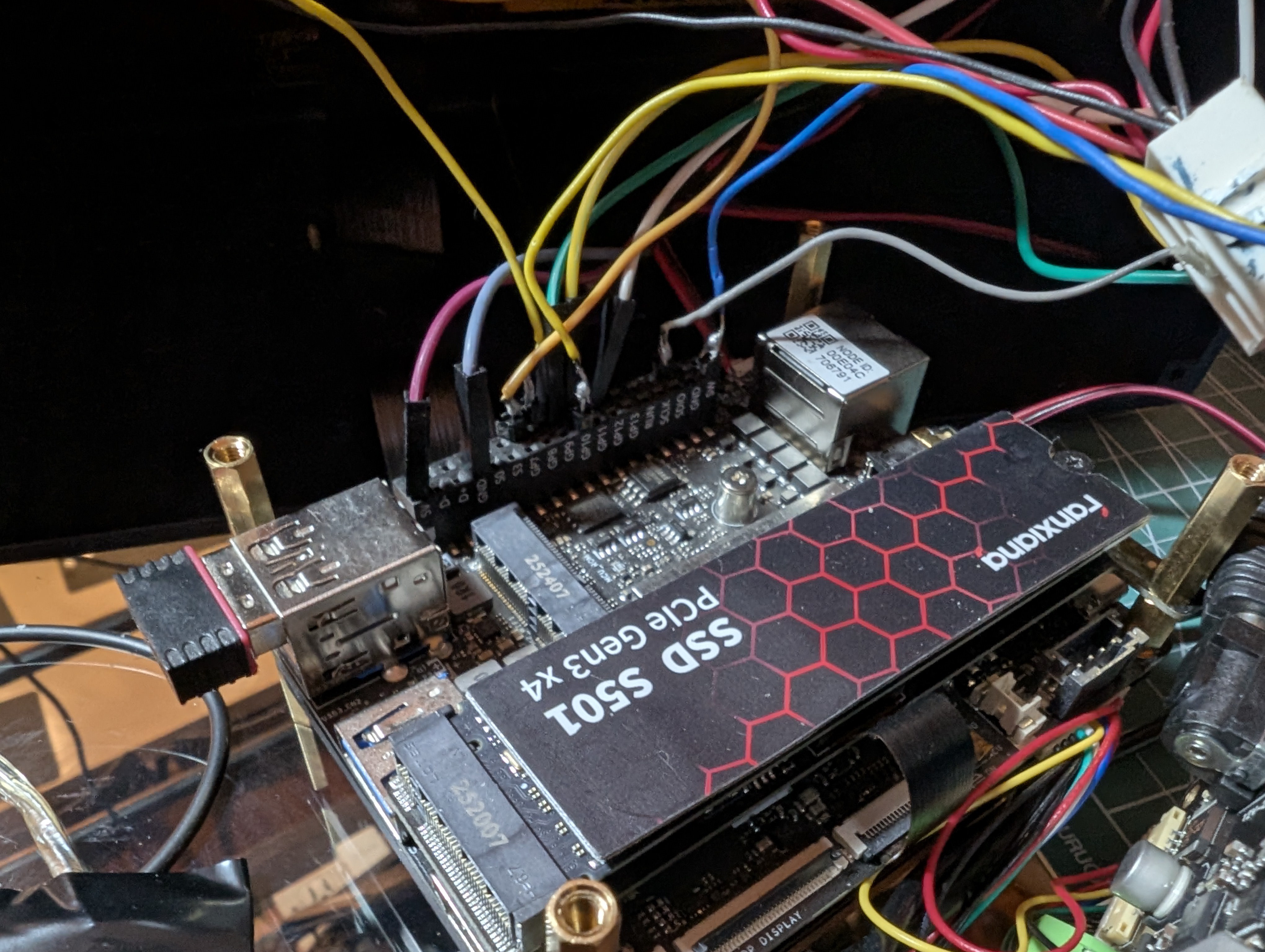
KY-023 joystick:
X → GP26
Y → GP27
SW → GP7
Audio
The LattePanda IOTA has a 3.5 audio output but there were a few issues getting audio to work correctly. After updating Ubuntu, audio later began failing intermittently with:
snd_hda_intel: cannot find the slot for index 0
error: -16 (EBUSY)
The cause was an old configuration file, lattepanda-audio.conf,
which had hard-coded snd_hda_intel to
ALSA slot index=0.
Whenever the USB webcam's audio
interface won the race to register as card 0, snd_hda_intel
had nowhere to go and failed. A second file, intelaudio.conf,
was also interfering with it through a conflicting dsp_driver
setting.
The fix was to delete:
/etc/modprobe.d/intelaudio.conf
/etc/modprobe.d/lattepanda-audio.conf
These files were no longer necessary because the kernel could correctly autodetect the hardware.
Then run:
sudo update-initramfs -u
sudo reboot

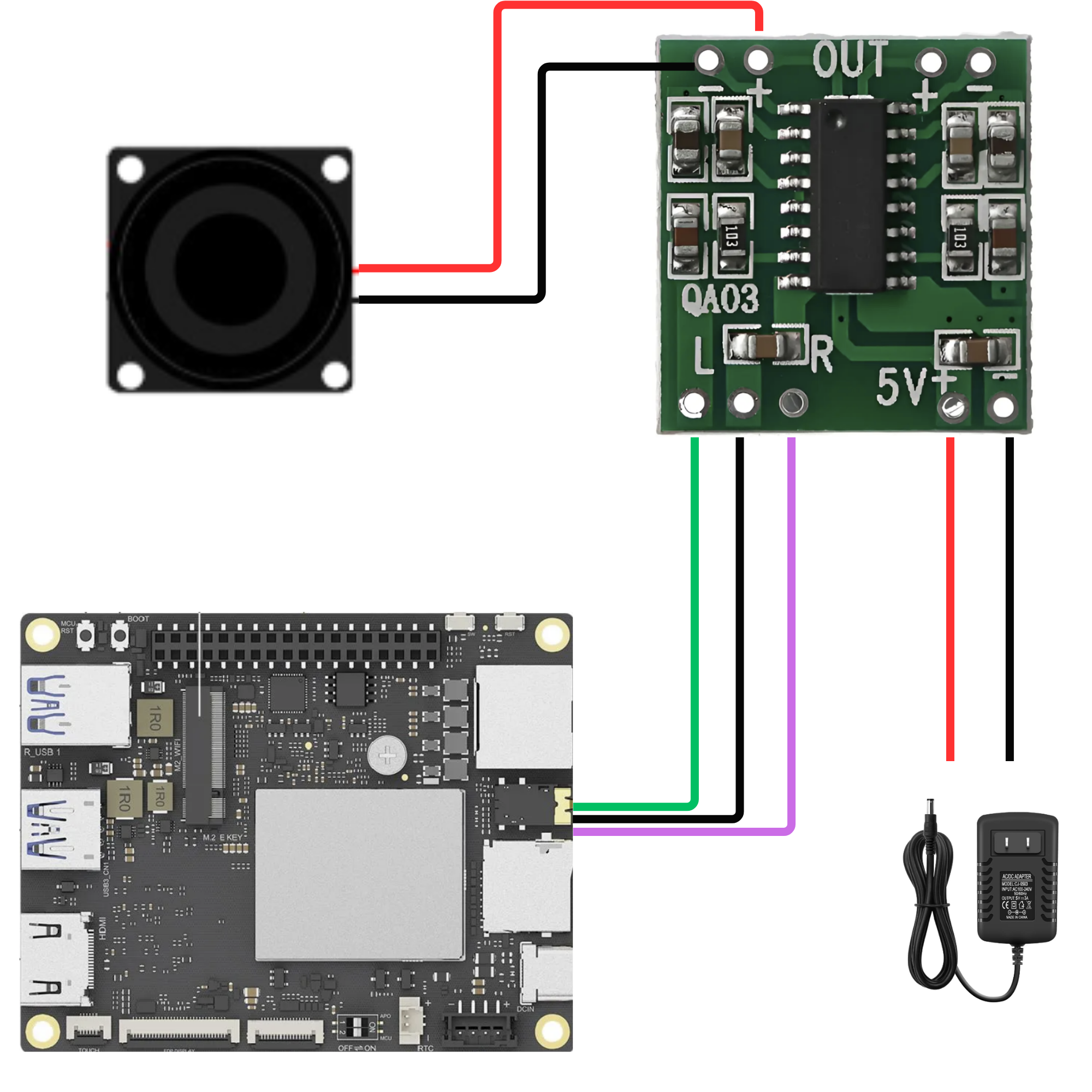
Since the audio is not amplified, I have added a 3 watts amp and a speaker.
Since the audio is not amplified, I have added a 3 watts amp and a speaker.
3d modeling
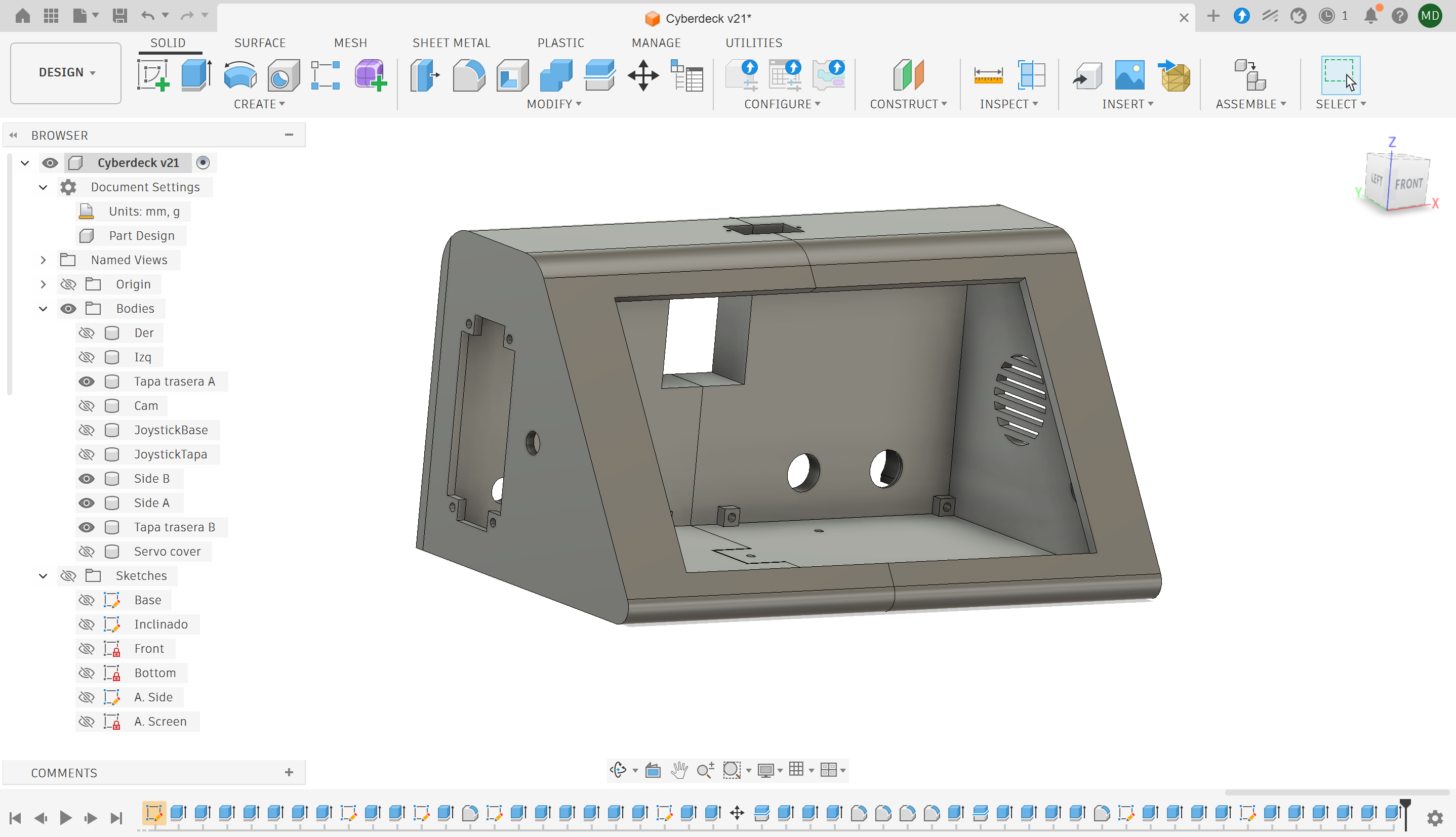
The electronics, configuration, and programming required a fair amount of work, but for someone without a design background, the biggest challenge was the 3D modeling.
I had to fit a considerable number of components into the enclosure while preserving the original aesthetic concept. The enclosure also had to be divided into separate parts so they could fit within the build volume of a Bambu Lab A1 mini.
Software
Microcifra 26 operates on two layers.
The main layer runs Ubuntu Linux on the Intel N150. The second layer runs on the RP2040 coprocessor, which has direct access to the GPIO pins connected to the additional hardware: toggle switch, potentiometer, LED matrix, buzzer, and servo motor.
The MicroPython main.py
file is uploaded to...
 Povilas Dumcius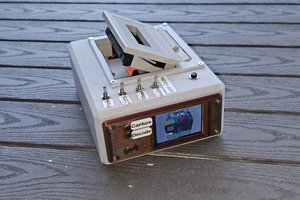
 BLANCHARD Jordan
 W. Jason Altice
 tangles