 mit41301

It is 50 years since the release of 8085 and tinyBASIC. Since I have some 8085 chips, I thought of making some simple and effective design.
There are many open source designs available online. Most of them uses many components which are not available now or having large area of board.
I was looking for something similar to Lee Hart's 1802 or Z80 design. I came across a similar design based on 8085 microprocessor.
The board having only six ICs. Out of which three are just simple logic ICs.
There are only three main components in the design. Microprocessor, 8kB RAM and 8kB ROM. The computer operates at 4.9152MHz using external crystal. So it is very easy to make.
The good thing about this design is it comes with circuit, layout and monitor program. It fits into a Altoids tin. Due to small available space, the board was designed in four layers. But signals uses only TOP and BOTTOM layers and the inner two layers used as power planes which simplifies easy routing.
The technical article was published in march 2019 Nuts and Volts magazine. The 8085 computer was sold as a kit and currently not available.
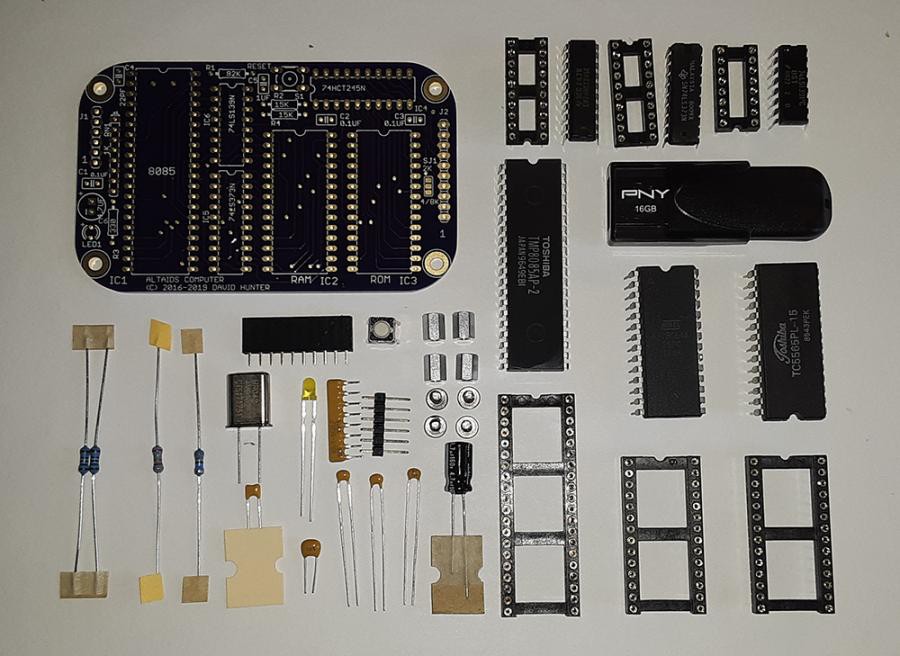
As we see it uses very few components.
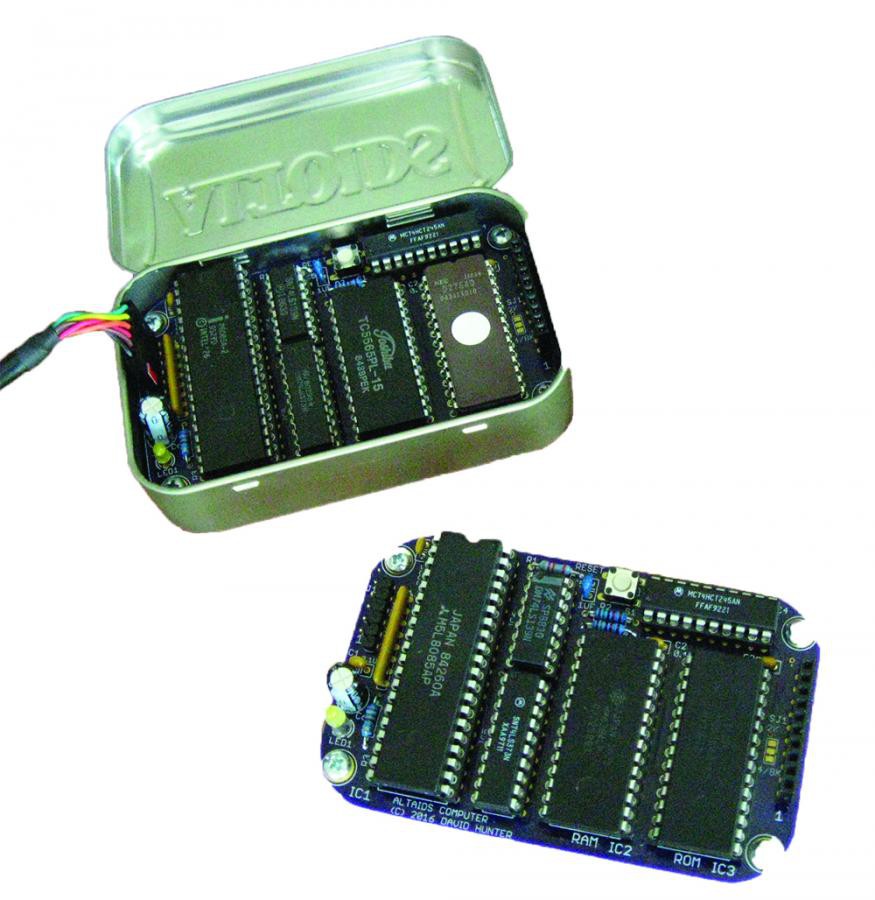
The assembled board looks like above picture.
It comes with inbuilt monitor program and tinyBASIC 1.0 with some additional commands.
The memory map is very simple.
Hardware Memory Map:
    0000H - 0EFFH    EPROM: TINY BASIC
    0F00H - 0FFFH    EPROM: ALTAIR TURNKEY MONITOR
    1000H - 1BFFH    EPROM: 8085 MONITOR
    1C00H - 1FFFH    EPROM: unused
    2000H - 3FFFH    SRAM
    4000H - 5FFFH    unavailable
    6000H - 7FFFH    RESERVED (decoded with I/O)
    8000H - FFFFH    OPEN

I/O Map:
    00H - 5FH    unavailable
    60H - 7FH    external I/O port
    80H - FFH    unavailable

Input Port:    60H
Output Port:    61H

Serial interface: 2400 baud, 8N1, Flow control: None

Because of processing of the serial data, sending text files from
TeraTerm requires delays for character and lines.  I found the following
settings very reliable:
Transmit delay =
    50 msec/char
    200 msec/line
I have tried all the monitor options and all of them works well without any major issues.
The original design uses 8kB EEPROM 28C64 for ROM space. But I have used 8kB NVRAM DS1225 in initial testing.
PALO ALTAIDS TINY BASIC VER 1.0

OK
>PRINT "HELLO, WORLD!"
HELLO, WORLD!
The monitor program was assembled using A85 assembler which is available now and works with Windows 11.
MONITOR ADDRESS VECTORS
The ROM subroutine addresses below may be useful for writing programs
on the Altaids computer.

MONITOR JUMP ADDRESSES
1000 COLD Monitor cold start
1003 WARM Tiny BASIC warm start

MONITOR VECTORS TO USEFUL ROUTINES (ENTER WITH CALL OPCODE)
1006 COUT Output char in A to serial port
1009 CIN Input char from serial port to A
100C PRTWD Output H,L as 4 Hex digits to serial port
100F PRTBY Output the byte in A as 2 Hex digits to serial port
1012 GETWD Get Hex word from serial port, return in H,L
1015 GETBY Get Hex byte from serial port, return in A
1018 PIN Get byte from input port, return in A
101B POUT Send byte in A to output port
101E DSPREG Display registers (registers are restored upon return)
1021 PUTSTR Send null terminated string pointed to by DE to serial port
Sample Assembly Language program listing using A85 assembler.
                        ; DEMO.ASM
                        ;
                        ; ALTAIDS computer demo
                        ; based on Altair demo from Popular Electronics, Feb 1975
                        ;
                        ; COMMAND TO ASSEMBLE:
                        ;    a85 demo.asm -l demo.prn -o demo.hex
                        ;
                        ;
   2000                     ORG    2000H
   2000   3a 80 20      DEMO:    LDA    VAR1
   2003   47                MOV    B,A
   2004   3a 81 20          LDA    VAR2
   2007   80                ADD    B
   2008   27                DAA
   2009   32 82 20          STA    VAR3
   200c   c3 00 20          JMP    DEMO
                        ;
   2080                     ORG    2080H
   2080   07            VAR1:    DB    07H
   2081   08            VAR2:    DB    08H
   2082   00            VAR3:    DB    0

   2083                     END
2000  DEMO          2080  VAR1          2081  VAR2          2082  VAR3
We can easily download the HEX file into the computer using the monitor command L(Load). We can also enter the opcodes directly into memory locations in RAM using Enter option in the monitor menu. We can also directly run the machine...
Read more »
 Clyde Shaffer
 will.stevens
 jimshortz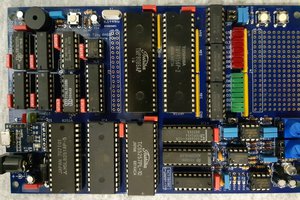
 Anders Hjelm
Nice project. Good luck!