jenna
jenna-
Main Control Selection - RV1126B RTSP streaming and camera function testing
07/18/2025 at 06:16 • 0 commentsWhen exploring "How to build an AI camera", clarifying its core functional positioning is crucial. AI cameras have a wide range of application scenarios, whether it is real-time monitoring in intelligent security, detail capture in industrial quality inspection, or dynamic recording in home care. The three major functions of RTSP streaming, photo shooting, and video recording are core pillars, directly determining the practical value of AI cameras in different scenarios.
Currently, many related products and projects face significant pain points in practical applications: RTSP streaming is prone to instability and excessive latency, which greatly affects scenarios requiring real-time feedback (such as security monitoring and industrial assembly line monitoring); when taking photos and recording videos, problems like frame freezes and blurriness occur frequently, seriously impacting the experience for both home users recording life moments and enterprises using them for document shooting and scene preservation. Therefore, a stable RTSP streaming solution combined with smooth photo-taking and video-recording capabilities is a core element in creating an excellent AI camera.
After comparing multiple products, we chose the RV1126B chip as the core processor for testing. The reasons for selecting it are mainly twofold:
First, its RTSP streaming function is stable, supporting both H.264 and H.265 encoding formats, and it can adjust the bitrate according to network conditions and device performance, outputting multiple streams to adapt to different network environments, whether it is a home network with limited bandwidth or a demanding industrial local area network;
Second, the RV1126B has excellent ISP image processing capabilities, ensuring the clarity of photos and the smoothness of video recording, providing high-quality output for both long-distance capture in security scenarios and dynamic video recording in home scenarios.
In conclusion, the powerful encoding/decoding and network streaming capabilities of the RV1126B make it a strong candidate for AI Cameras.
Below, I will test the three major functions of the camera: taking photos, recording videos, and RTSP streaming. I will examine the clarity, color contrast, and level of detail presentation of the photos taken, and at the same time, I will introduce photos taken by the iPhone 15 at 4K resolution as a benchmark for comparison. For videos, I will focus more on picture smoothness, frame rate stability, and storage costs. For the RTSP part, streaming stability, anti-interference ability, and real-time performance are the points I value.
Camera Photo Performance
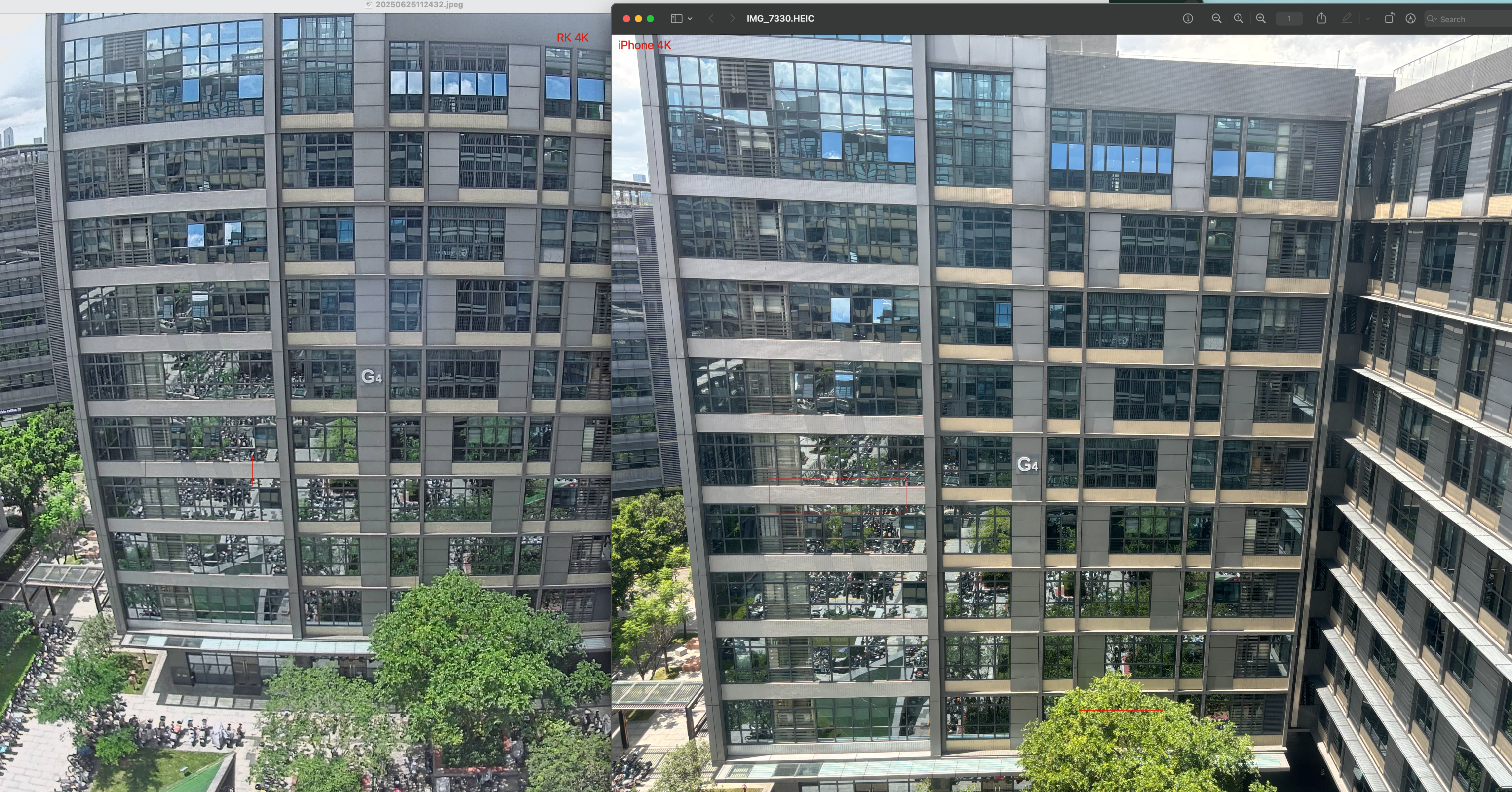
As an AI Camera, its photo quality is crucial. The original RV1126B is equipped with a photography unit that supports 4K resolution, fully meeting the needs of security and visual inspection. Below is a comparison of images taken by the RV1126B and the iPhone at the same 4K resolution. We can see that the image from the RV1126B has slight edge distortion, and the color contrast is slightly inferior to that of the iPhone. However, this is partly because the iPhone performs automated background processing on the images, enhancing color contrast and correcting distortion. In terms of image clarity, the effect captured by the RV1126B is no less than that of the iPhone.(Because HACKADAY limits the size of the uploaded file, the images are compressed)
![]()
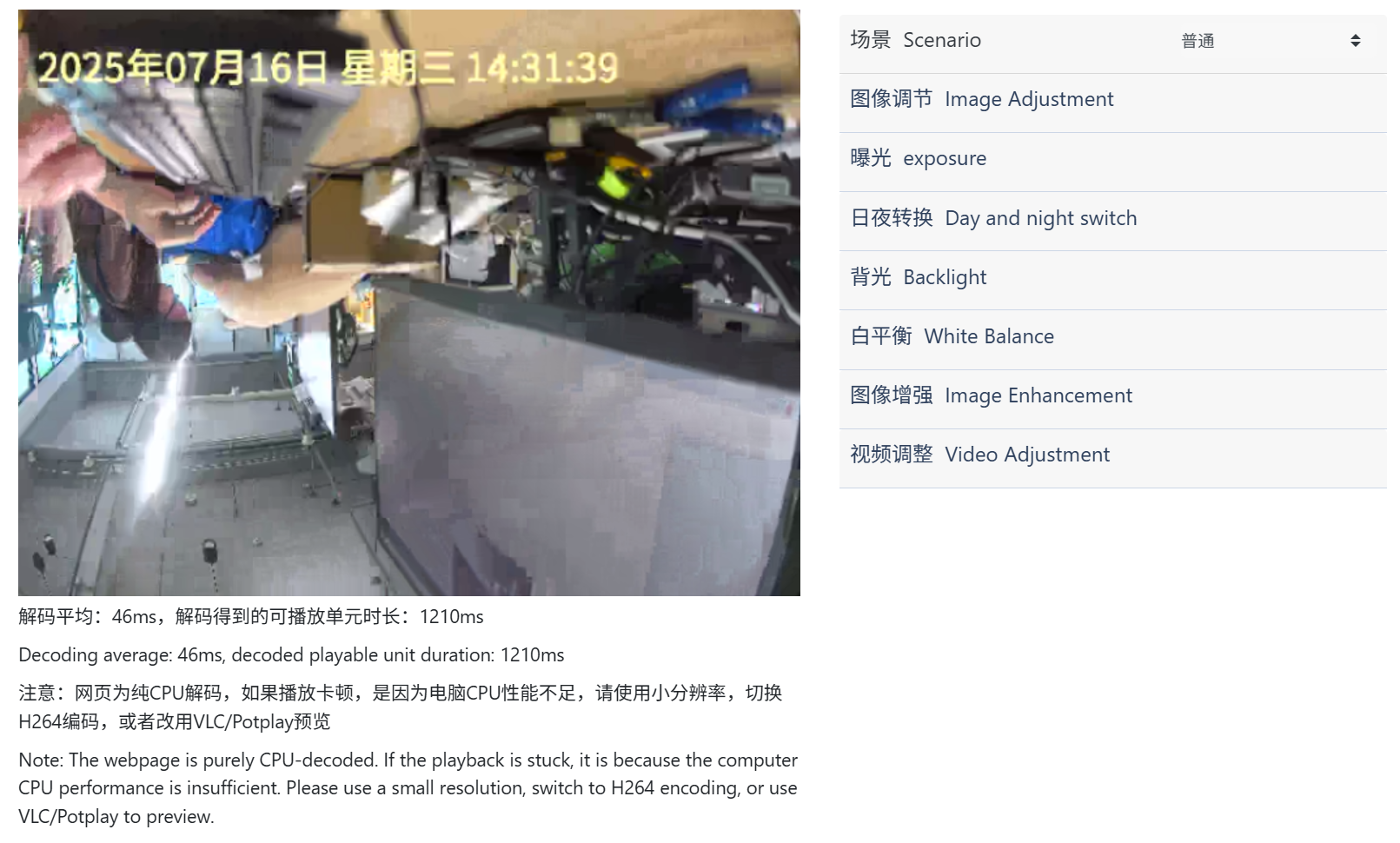
It is worth mentioning that on the IP Camera's website, users can adjust parameters such as brightness, contrast, exposure, and backlight compensation to obtain higher-quality images.
![]()
Video Recording
The quality of video recording is an even more crucial basic indicator for a camera, as it directly affects the accuracy of visual algorithm recognition. A good camera must have excellent clarity and detail restoration capabilities of the recorded frame,smooth images, stable frame rates, and lower storage costs.
The video quality presented by the RV1126B fully meets the above indicators. Let's take a look at its performance:
![]()
In terms of clarity and detail restoration, the RV1126B supports a maximum resolution of 4K. We can see that in the video,fast-moving people are not blurred and leave no afterimages, and high-frequency details such as fingers and text labels are clearly visible, which is crucial for scenarios such as recording subtle defects in industrial quality inspection and capturing life details in home scenarios.
Regarding smoothness and frame rate stability, during the subsequent 10-minute long video recording, the frame rate remained stable at 30FPS without frame drops or freezes. Furthermore, when recording fast-moving objects (such as the fast-moving person in the test video), the picture is coherent without freezing, and there is no frame tearing or blurring caused by frame rate fluctuations.
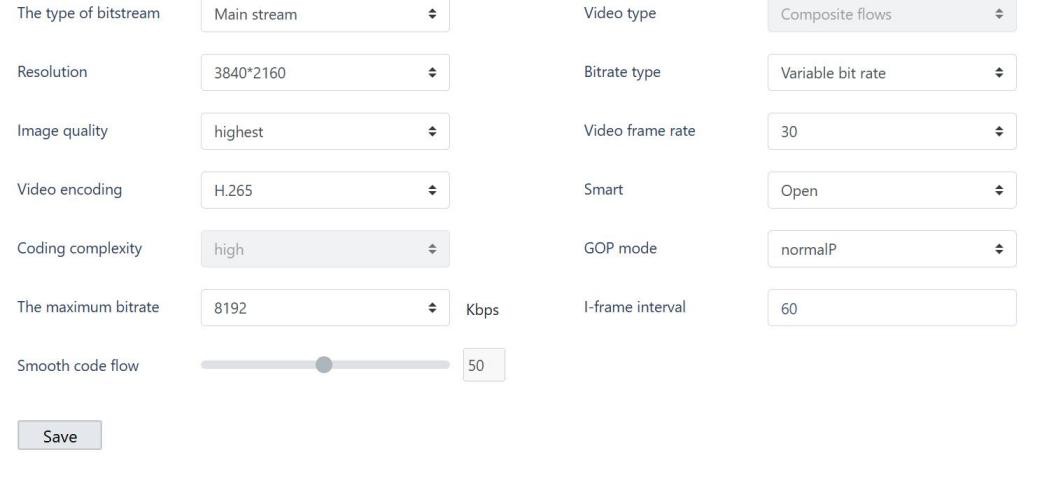
In terms of storage optimization, the RV1126B is equipped with a dynamic bitrate adjustment function, which can automatically reduce the bitrate when the frame changes smoothly and increase the bitrate when the picture is complex, achieving a balance between image quality and storage. The measured data shows that recording a 168-hour 4K video occupies approximately 786GB of memory, and commonly used storage hard drives on the market are usually above 1TB, which is fully compatible. This feature can significantly reduce storage costs for scenarios that require long-term video recording and storage (such as home security and unattended warehouse monitoring).
RTSP Streaming
As a core function for AI cameras to achieve real-time data transmission, RTSP streaming performance directly determines the experience of cross-device and cross-platform real-time interaction, and is crucial in scenarios such as remote monitoring and multi-terminal collaboration.
The following is a screen recording of the RTSP real-time video stream:
Streaming stability and anti-interference ability are important indicators of RTSP functionality. The RV1126B performs excellently in complex network environments. In actual tests, it maintained continuous high-load streaming for 24 hours without any connection interruptions, providing a reliable core guarantee for scenarios requiring 24/7 real-time monitoring (such as unattended computer rooms and smart park security).
The RV1126B also performs well in low-latency transmission and real-time response. In scenarios with extremely high real-time requirements (such as remote control of industrial assembly lines and emergency security incident handling), streaming latency directly affects decision-making efficiency. By optimizing the encoding process and transmission protocol, the RV1126B controls the end-to-end streaming latency within 500 milliseconds, which is much lower than the industry average. This means that when viewing the video remotely, near-synchronous real-time feedback can be achieved, ensuring rapid response at critical moments.
To meet the needs of different devices and network environments, the RV1126B supports multiple stream outputs (such as 4K main stream and 640x480 sub-stream) and is compatible with mainstream RTSP players (such as VLC, FFmpeg) and various security platforms. Whether it is a high-definition main stream required by high-performance terminals or a standard-definition sub-stream adapted to low-bandwidth devices, it can be flexibly switched to achieve seamless docking across scenarios and devices.
Overall
Overall, the RV1126B demonstrates significant advantages in building the core functions of AI cameras, but there are also some areas for optimization.
In terms of advantages, its core performance shows significant scenario adaptability in different functional dimensions:
1. Photo-taking performance: Balancing high definition and flexible adjustment
The image clarity at 4K resolution is comparable to that of mainstream consumer-grade devices, and it supports manual adjustment of multiple parameters such as brightness, contrast, and exposure. This enables it to easily cope with different light environments (such as complex light and shadow in industrial workshops and light and dark changes in home interiors), making it very suitable for scenarios that require flexible adjustment of image effects according to the scene (such as capturing subtle defects in industrial quality inspection and recording life moments at home).
2. Video recording: Balancing clarity, smoothness, and storage efficiency
- In terms of clarity, 4K resolution can accurately restore picture details, even fast-moving objects (such as products on assembly lines and children at home) can maintain sharp edges without afterimages;
- In terms of smoothness, it stably outputs at 30FPS, with no frame drops or freezes during long-term recording, ensuring the coherence of dynamic images (such as tracking moving objects in monitoring);
- In terms of storage efficiency, the dynamic bitrate adjustment function can intelligently adjust the bitrate according to the complexity of the picture,effectively controlling the file size while ensuring image quality, which is especially suitable for scenarios that require long-term video storage such as unattended warehouses and home security.
3. RTSP streaming: Providing stable and reliable support for real-time interaction
It has the ability to operate stably under high load for 24 hours, with end-to-end latency controlled within 500 milliseconds, and supports multiple stream outputs (such as 4K main stream and standard-definition sub-stream). This enables it to adapt to scenarios such as remote monitoring (such as store operators remotely viewing customer flow) and multi-terminal collaboration (such as security systems linking multiple display devices), providing reliable support for cross-device real-time interaction.
However, there are some areas for improvement: in terms of edge distortion and color contrast during photo-taking, it is slightly inferior to consumer-grade devices optimized by in-depth algorithms. For scenarios with high requirements for picture aesthetics (such as commercial display shooting), additional post-processing may be required.
We chose the RV1126B precisely because it can meet the rigid needs of most AI camera application scenarios in terms of core performance (clarity, stability, efficiency), and its shortcomings can either be compensated by parameter adjustment or post-processing, or have little impact on the practicality of core functions. Therefore, it is definitely an excellent AI Camera Main Control.
-
Main Control Selection - RV1126B Model Conversion Toolkit Test
07/10/2025 at 10:44 • 0 commentsWhy We Chose to Evaluate the RV1126B
When exploring how to build an AI camera, the first step is to define its application scenarios—different use cases determine completely different technical approaches. AI cameras can be widely applied in visual detection fields such as smart surveillance and precision agriculture, and this article will focus on a key technical aspect of embedded visual detection: the model conversion toolkit.
The smart surveillance industry is currently facing a core challenge: when migrating visual models from training frameworks like PyTorch/TensorFlow to embedded devices, there are widespread issues of significant accuracy degradation (caused by quantization compression) and dramatic increases in inference latency (due to hardware-software mismatch). These technical bottlenecks directly lead to critical failures such as false alarms in facial recognition and ineffective behavior analysis, making the efficiency of the model conversion toolkit a key factor in determining whether AI cameras can achieve large-scale deployment.
It is precisely against this industry backdrop that we decided to conduct an in-depth evaluation of the RV1126B chip. The RKNN-Toolkit toolkit equipped on this chip offers three core advantages:
- Seamless conversion between mainstream frameworks
- Mixed-precision quantization that preserves accuracy
- NPU acceleration to enhance performance
These features make it a potential solution to the challenges of deploying AI cameras, warranting systematic validation through our resource investment.
About "How to make an AI camera", one must first clarify its intended use—different applications require fundamentally different technical approaches. AI cameras can be utilized across numerous vision-based detection domains such as smart surveillance and precision agriculture, and this article will focus on a crucial technical element in embedded vision detection: the model conversion toolkit.
In the smart surveillance sector, the effectiveness of the model conversion toolkit has become a core technical threshold determining whether AI cameras can truly achieve scalable deployment—when transferring visual models from frameworks like PyTorch/TensorFlow to embedded devices, issues frequently arise such as drastic accuracy drops (from quantization compression) and surging inference latency (due to insufficient hardware operator adaptation), leading to critical failures like false positives in facial recognition and dysfunctional behavior analysis. These problems stem both from precision loss challenges caused by quantization compression and efficiency bottlenecks from inadequate hardware operator support.
The RV1126B chip, with its mature RKNN-Toolkit ecosystem, provides three key advantages: seamless conversion between mainstream frameworks, mixed-precision quantization that maintains accuracy, and NPU acceleration for enhanced performance. These make it a pivotal solution for addressing AI camera deployment challenges. This article will conduct rigorous testing of this toolkit's real-world performance throughout the complete model conversion workflow. We will focus on evaluating two key aspects: the compatibility of the model conversion toolkit and the detection speed of converted models. From a compatibility perspective, the RV1126B's RKNN-Toolkit demonstrates clear strengths—supporting direct conversion of mainstream frameworks like PyTorch, TensorFlow, and ONNX, covering most current AI development model formats and significantly lowering technical barriers for model migration; however, our testing revealed that certain complex models with special architectures (such as networks containing custom operators) may require manual structural modifications to complete conversion, posing higher technical demands on developers. Regarding detection speed, empirical data shows that the YOLOv5s model quantized to INT8 achieves a 31.4ms inference latency on RV1126B, fully meeting the 30fps real-time video processing requirement.
In summary, the RV1126B completely satisfies requirements for both detection speed and model compatibility. Based on these findings, we have selected the RV1126B as one of the core processing unit options for our AI Camera Version 2.
The model conversion toolkit and examples can be downloaded from the following links:
# Examples
git clone https://github.com/airockchip/rknn_model_zoo.git

# Model conversion toolkit
# Note: Please use Python 3.8 environment for installation
conda create -n rknn python=3.8
git clone https://github.com/airockchip/rknn-toolkit2.git

# Then navigate to the rknn-toolkit2-master/rknn-toolkit2/packages/x86_64 folder. First install the required dependencies by running:
pip install -r requirements_cp38-2.2.0.txt

# Next install rknn-toolkit2
pip install rknn_toolkit2-2.2.0-cp38-cp38-manylinux_2_17_x86_64.manylinux2014_x86_64.whl
The RKNN conversion environment setup is now complete.
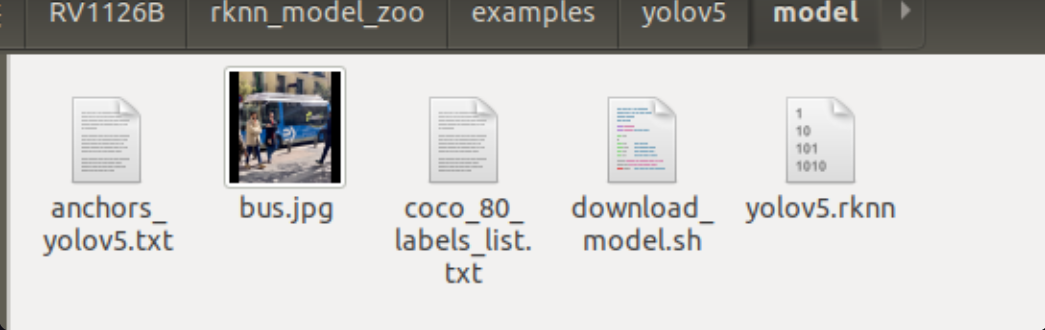
Open the prepared rknn_model_zoo folder and navigate to the examples/yolov5/python folder.
Download the yolov5s.onnx model file and place it in that folder.
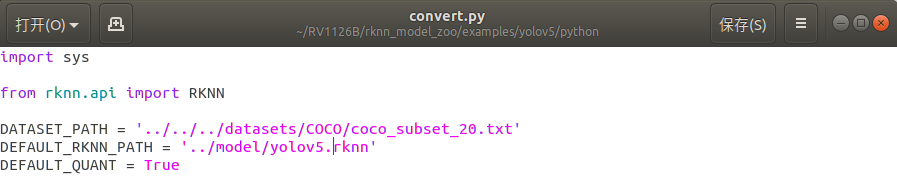
yolov5s.onnxView the convert.py file to modify the test folder and output path.
![]()
Run convert.py in the terminal to complete the conversion.python convert.py yolov5s.onnx rv1126b
The model quantization is now complete, resulting in a .RKNN file.
![]()
When the target device is a Linux system, use the build-linux.sh script in the root directory to compile the C/C++ Demo for specific models.
Before using the script to compile the C/C++ Demo, you need to specify the path to the cross-compilation tool through the GCC_COMPILER environment variable.Download cross-compilation tools
(If cross-compilation tools are already installed on your system, skip this step)Different system architectures require different cross-compilation tools. The following are recommended download links for cross-compilation tools based on specific system architectures:
aarch64:
armhf:
armhf-uclibcgnueabihf(RV1103/RV1106): (fetch code: rknn)
Unzip the downloaded cross-compilation tools and remember the specific path, which will be needed during compilation.The SDK materials that come with your purchased development board will typically include the compilation toolchain, which you will need to locate yourself.
Compile the C/C++ Demo
The commands for compiling the C/C++ Demo are as follows:# go to the rknn_model_zoo root directory cd <rknn_model_zoo_root_path> # if GCC_COMPILER not found while building, please set GCC_COMPILER path export GCC_COMPILER=<GCC_COMPILER_PATH> #It's my pathw export GCC_COMPILER=~/RV1126B/rv1126b_linux_ipc_v1.0.0_20250620/tools/linux/toolchain/arm-rockchip1240-linux-gnueabihf/bin/arm-rockchip1240-linux-gnueabihf ./build-linux.sh -t <TARGET_PLATFORM> -a <ARCH> -d <model_name> chmod +x build-linux.sh # for RK3588 ./build-linux.sh -t rk3588 -a aarch64 -d mobilenet # for RK3566 ./build-linux.sh -t rk3566 -a aarch64 -d mobilenet # for RK3568 ./build-linux.sh -t rk3568 -a aarch64 -d mobilenet # for RK1808 ./build-linux.sh -t rk1808 -a aarch64 -d mobilenet # for RV1109 ./build-linux.sh -t rv1109 -a armhf -d mobilenet # for RV1126 ./build-linux.sh -t rv1126 -a armhf -d mobilenet # for RV1103 ./build-linux.sh -t rv1103 -a armhf -d mobilenet # for RV1106 ./build-linux.sh -t rv1106 -a armhf -d mobilenet # for RV1126B ./build-linux.sh -t rv1126b -a armhf -d yolov5 # if need, you can update cmake conda install -c conda-forge cmake=3.28.3
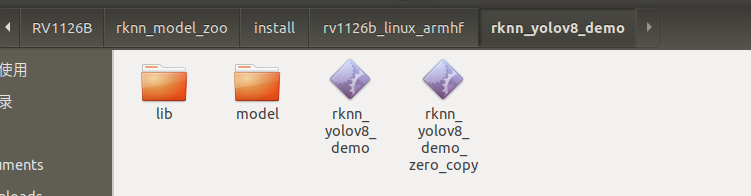
The generated binary executable files and dependency libraries are located in the install directory.
![]()
Transfer the generated binary executable files and dependency libraries to the target device via ADB connection.
### Get the IP address of the EVB board
adb shell
ifconfig
# Assume the IP address of the EVB board is 192.168.49.144

adb connect 192.168.49.144:5555

### adb login to the EVB board for debugging
adb -s 192.168.49.144:5555 shell

### From the PC, upload the test-file to the /userdata directory on the EVB board
adb -s 192.168.1.159:5555 push test-file /userdata/

### Download the /userdata/test-file file from the EVB board to the PC
adb -s 192.168.1.159:5555 pull /userdata/test-file test-file
Navigate to the board's folder and execute the detection experiment with the program file
./rknn_yolov5_demo model/yolov5.rknn model/bus.jpg
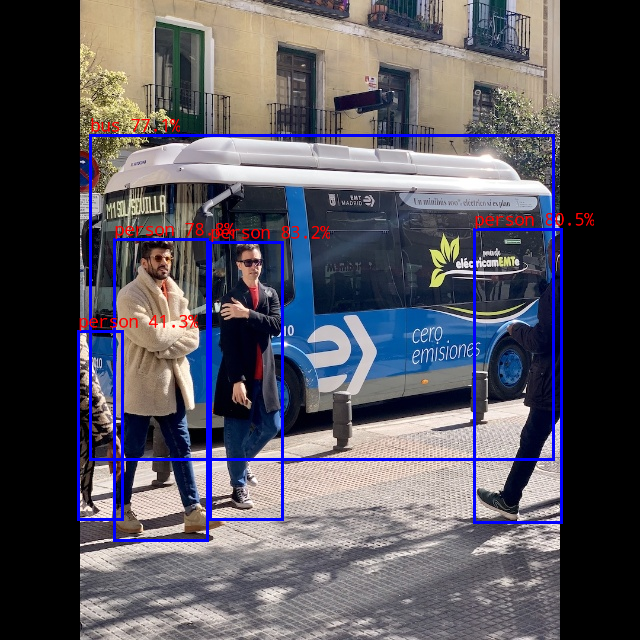
The detection results are as follows:
![]()
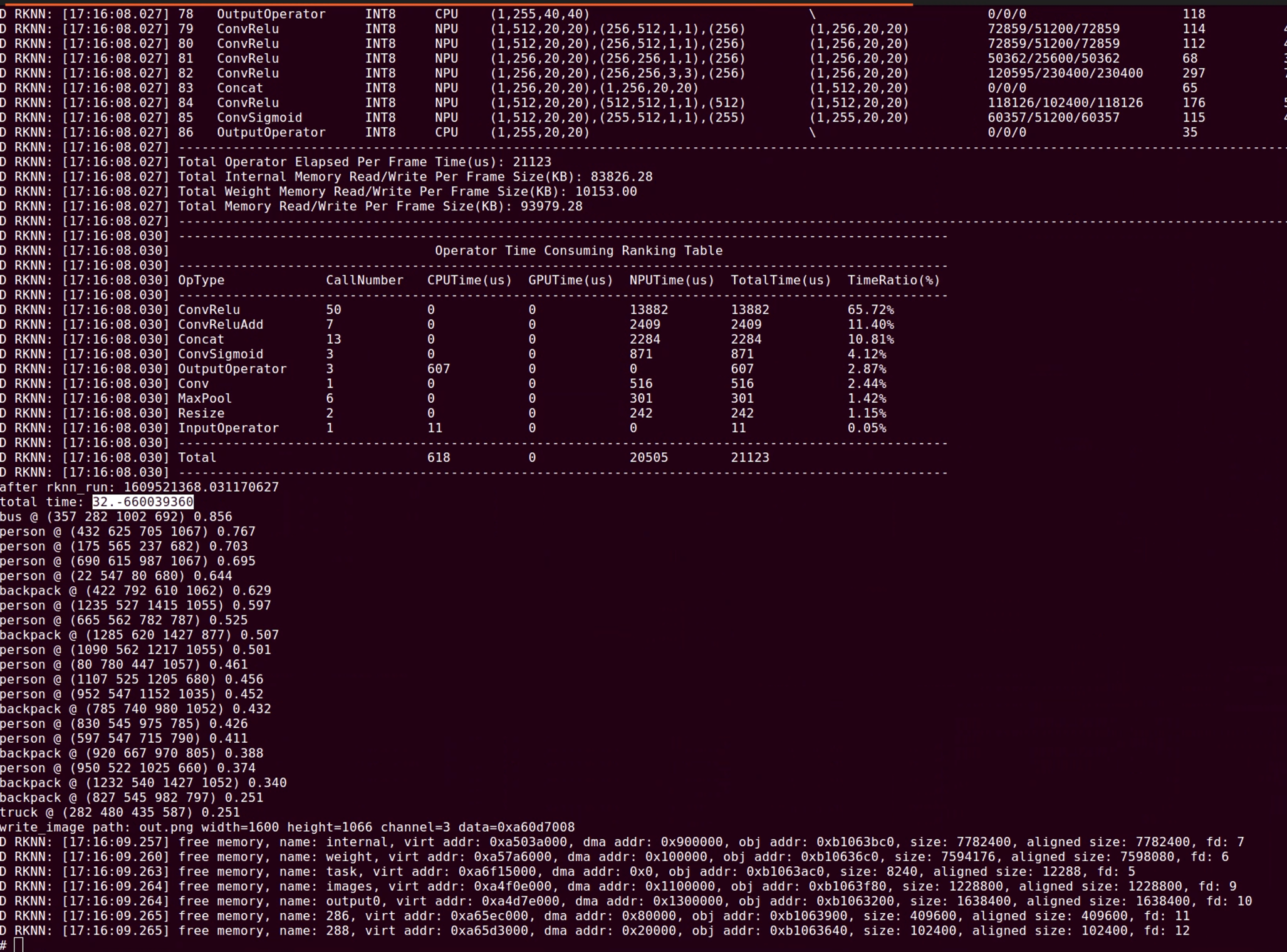
Inference Time:
For the YOLOv5s model quantized to INT8, the inference time for 640x640 resolution, including data transfer + NPU inference, is about 31.4ms, which can meet the requirement of 30fps video processing;
For the YOLO world model quantized to INT8, the inference time depends on the number of objects to be detected. The inference time is divided into two parts: the clip text model and the YOLO world model. For example, when detecting 80 types of objects, the time consumption is 37.5x80 + 100 = 3100ms; if only one object is detected, the time consumption is 37.5 + 100 = 137.5ms;![]()
Model Conversion Toolkit Support Table
Model files can be obtained through the following link:
https://console.zbox.filez.com/l/8ufwtG (extraction code:rknn)Model Name Data Type Supported Platforms MobileNetV2 FP16/INT8 RK3562/RK3566/RK3568/RK3576/RK3588/RV1126B
RK1808/RK3399PRO
RV1109/RV1126ResNet50-v2 FP16/INT8 RK3562/RK3566/RK3568/RK3576/RK3588/RV1126B
RK1808/RK3399PRO
RV1109/RV1126Model Name Data Type Supported Platforms YOLOv5 (s/n/m) FP16/INT8 RK3562/RK3566/RK3568/RK3576/RK3588/RV1126B
RK1808/RK3399PRO
RV1109/RV1126YOLOv6 (n/s/m) FP16/INT8 RK3562/RK3566/RK3568/RK3576/RK3588/RV1126B
RK1808/RK3399PRO
RV1109/RV1126YOLOv7 (tiny) FP16/INT8 RK3562/RK3566/RK3568/RK3576/RK3588/RV1126B
RK1808/RK3399PRO
RV1109/RV1126YOLOv8 (n/s/m) FP16/INT8 RK3562/RK3566/RK3568/RK3576/RK3588/RV1126B
RK1808/RK3399PRO
RV1109/RV1126YOLOv8-obb INT8 RK3562/RK3566/RK3568/RK3576/RK3588/RV1126B
RK1808/RK3399PRO
RV1109/RV1126YOLOv10 (n/s) FP16/INT8 RK3562/RK3566/RK3568/RK3576/RK3588/RV1126B
RK1808/RK3399PRO
RV1103/RV1106
RK1808/RK3399PRO
RV1109/RV1126YOLOv11 (n/s/m) FP16/INT8 RK3562/RK3566/RK3568/RK3576/RK3588/RV1126B
RK1808/RK3399PRO
RV1103/RV1106
RK1808/RK3399PRO
RV1109/RV1126YOLOX (s/m) FP16/INT8 RK3562/RK3566/RK3568/RK3576/RK3588/RV1126B
RK1808/RK3399PRO
RV1109/RV1126PP-YOLOE (s/m) FP16/INT8 RK3562/RK3566/RK3568/RK3576/RK3588/RV1126B
RK1808/RK3399PRO
RV1109/RV1126YOLO-World (v2s) FP16/INT8 RK3562/RK3566/RK3568/RK3576/RK3588/RV1126B
RK1808/RK3399PRO
RV1109/RV1126Model Name Data Type Supported Platforms YOLOv8-Pose INT8 RK3562/RK3566/RK3568/RK3576/RK3588/RV1126B
RK1808/RK3399PRO
RV1109/RV1126Model Name Data Type Supported Platforms DeepLabV3 FP16/INT8 RK3562/RK3566/RK3568/RK3576/RK3588/RV1126B
RK1808/RK3399PRO
RV1109/RV1126YOLOv5-Seg (n/s/m) FP16/INT8 RK3562/RK3566/RK3568/RK3576/RK3588/RV1126B
RK1808/RK3399PRO
RV1109/RV1126YOLOv8-Seg (n/s/m) FP16/INT8 RK3562/RK3566/RK3568/RK3576/RK3588/RV1126B
RK1808/RK3399PRO
RV1109/RV1126PP-LiteSeg FP16/INT8 RK3562/RK3566/RK3568/RK3576/RK3588/RV1126B
RK1808/RK3399PRO
RV1109/RV1126MobileSAM FP16 RK3562/RK3566/RK3568/RK3576/RK3588/RV1126B
RK1808/RK3399PRO
RV1109/RV1126Model Name Data Type Supported Platforms RetinaFace (mobile320/resnet50) INT8 RK3562/RK3566/RK3568/RK3576/RK3588/RV1126B
RK1808/RK3399PRO
RV1109/RV1126In the hands-on practice of "How to make an AI camera", the most challenging part is model conversion - after all, getting a model trained in PyTorch/TensorFlow to run in real-time on an RV1126B chip is like forcing an algorithm accustomed to five-star hotels to live in a compact embedded space, where precision crashes and inference delays can be brutal lessons.
Our real-world tests have provided the answer: with the RKNN-Toolkit toolkit, we achieved an inference speed of 31.4ms for the YOLOv5s model on RV1126B (solidly maintaining 30fps video streaming). Even more impressively, this toolkit directly supports the full range of models from MobileNetV2 to YOLOv11, and can seamlessly adapt to advanced requirements like pose estimation and image segmentation.
If you also want to build an AI camera that can "see and understand" the world, model conversion compatibility and detection speed will become critical metrics you can't ignore.
Stay tuned for more updates on our project, as we continue to expand the "How to make an AI camera" content series. -
Main Control Selection - LVGL UI Platform on AI Camera Feasibility Test
07/04/2025 at 08:32 • 0 commentsThe purpose of this test is to investigate the feasibility of developing a UI interface based on the AI Camera product platform, which will be built based on the LVGL framework, and compatibility issues will lead to problems that directly affect the user experience, such as face recognition results not being rendered normally, and object detection boxes being displayed abnormally.
The real-time visualization of AI analysis results (such as dynamic tracking frames, confidence value display, etc.) is highly dependent on the graphics rendering performance of LVGL, and compatibility defects may lead to delayed display or even loss of key information, greatly reducing the value of AI functions.
In summary, verifying whether the RV1126 development board is compatible with the LVGL tool library is crucial to the product function design of AI Recamera.Specific tutorials:
1. Run the routine
1.1 Grab the source code firstgit clone https://github.com/lvgl/lvgl.git git clone https://github.com/lvgl/lv_drivers.git git clone https://github.com/lvgl/lv_demos.git git clone https://github.com/lvgl/lv_port_linux_frame_buffer.git1.2 Switch branch(necessary)
cd lvgl
git checkout release/v8.1
cd ../lv_drivers
git checkout release/v8.1
cd ../lv_demos
git checkout release/v8.1
cd ../lv_port_linux_frame_buffer
git checkout release/v8.2
git branch -a
1.3 Create our project folder, copy the document and paste it inside(edit the address)
cp lvgl/lv_conf_template.h pro/milkv/lv_conf.h
cp -r lvgl pro/milkv
cp lv_drivers/lv_drv_conf_template.h  pro/milkv/lv_drv_conf.h
cp -r lv_drivers pro/milkv
cp lv_demos/lv_demo_conf_template.h pro/milkv/lv_demo_conf.h
cp -r lv_demos pro/milkv
cp lv_port_linux_frame_buffer/main.c pro/milkv
cp lv_port_linux_frame_buffer/Makefile pro/milkv
The following figure shows the distribution of files after completion
1.4 Next, make changes to the configuration file
Lv_conf.h
Changed to #if 1 to enable the content of the header fileModify the memory size to increase it appropriately
Modify the refresh cycle, adjust it according to the performance of its own processor, I set it to 30msSet the Tick timer configuration function
Enable the font that can be used, otherwise the compilation will prompt that it is not defined
Lv_drv_conf.h
Change to #if 1 to enable the contents of the header file:Enable the on-screen display: USE_FBDEV enable, set the path to /dev/fb0, which is set according to the actual situation of the board
Enable touchscreen inputs:
Lv_demo_conf.h
Changed to #if 1 to enable the content of the header fileTo enable the demo to be ported, the LV_USE_DEMO_WIDGETS is enabled here
Main.c
Set the correct path to the lv_demo.h header file
Modify the screen buffer parameters according to the LCD pixel size, the screen I use is 320*210 pixels
There is currently no mouse used, comment out the relevant code
lv_demo_widgets() is the entry point to the ported demoMakefile
Configure the cross-compiler
Incorporated into lv_demomouse didn't work, comment out
Run the compiled code in the root directory of the project file
Make clean

make
After compilation, the executable demo file is generated in the current directory
1.5 Mount a shared folder
Install the NFS server on the hostsudo apt install nfs-kernel-server
Open the /etc/exports file and add the following to the last line:/nfs_root *(rw,sync,no_root_squash,no_subtree_check)
Run the following command to restart the NFS server for the configuration file to take effect:sudo /etc/init.d/rpcbind restart sudo /etc/init.d/nfs-kernel-server restart
Execute on the development boardmount -o nolock 192.168.0.6:/nfs_root /mnt
192.168.0.6: IP address of the virtual machine
/nfs_root: the shared directory set for the NFS server
/mnt: After specifying this directory, Ubuntu files placed in the /nfs_root directory can be found in the /mnt directory of the board
Unmount the mountumount /mnt
1.6 Effect Display
Open the development board, log in to the adb shell connection, enter the shared folder, run the executable program, and get the following screen, the picture is clear and can be displayed normally, which proves that the development board based on the RV1126 chip fully supports the LVGL image library
./demo![]()
-
Main Control Selection - RV1126 Emedded Development Board Performance Test
07/01/2025 at 01:34 • 0 comments1. Executive Summary
The purpose of this test is to evaluate the feasibility of the RV1126 development board as a core processing unit for the second generation of reCamera, focusing on:
- Real-time video analysis capability (YOLOv5/SSD model performance)
- Long-term operational stability (temperature/power consumption)
- Development Environment Maturity (Toolchain Integrity)
Conclusion:
Final Recommendation: RV1126 may not be a good choice for 2nd-gen products(But RV1126B may be suitable), with the following conditions:
- Usage Constraints:
- Suitable for single-stream 1080P@30fps detection (7-10FPS YOLOv5s)
- Not recommended for multi-channel or high-precision scenarios
- Critical Improvements Required:
- Enhanced thermal design
- Real-time detection performance
- Outstanding Risks:
- Stability
- OpenCV-Python compatibility with quantized models
This report evaluates two commercially available RV1126 development boards (large: 10×5.5cm, small: 3.5×3.5cm) through:
- Network bandwidth testing
- Thermal and power measurements under CPU/NPU loads
- RTSP streaming performance
2. Test Results
2.1 Large RV1126 Board Performance
Network Bandwidth Results:
Test Type
Protocol
Bandwidth (Mbps)
Transfer
Packet Loss
Jitter (ms)
Duration
Key Findings
Conclusion
Single-thread TCP
TCP
93.1
222 MB
0%
-
20.03s
Fluctuation (84.4~104Mbps), 1 retransmission
Suboptimal TCP performance (93Mbps)
Multi-thread TCP
TCP
97.6 (total)
233 MB
0%
-
20.01s
Thread imbalance (20.8~30.5Mbps per thread)
Multithreading provides minimal improvement
UDP
UDP
500
596 MB
0%
0.165
10s
Achieves physical network limit
Validates gigabit-capable hardware
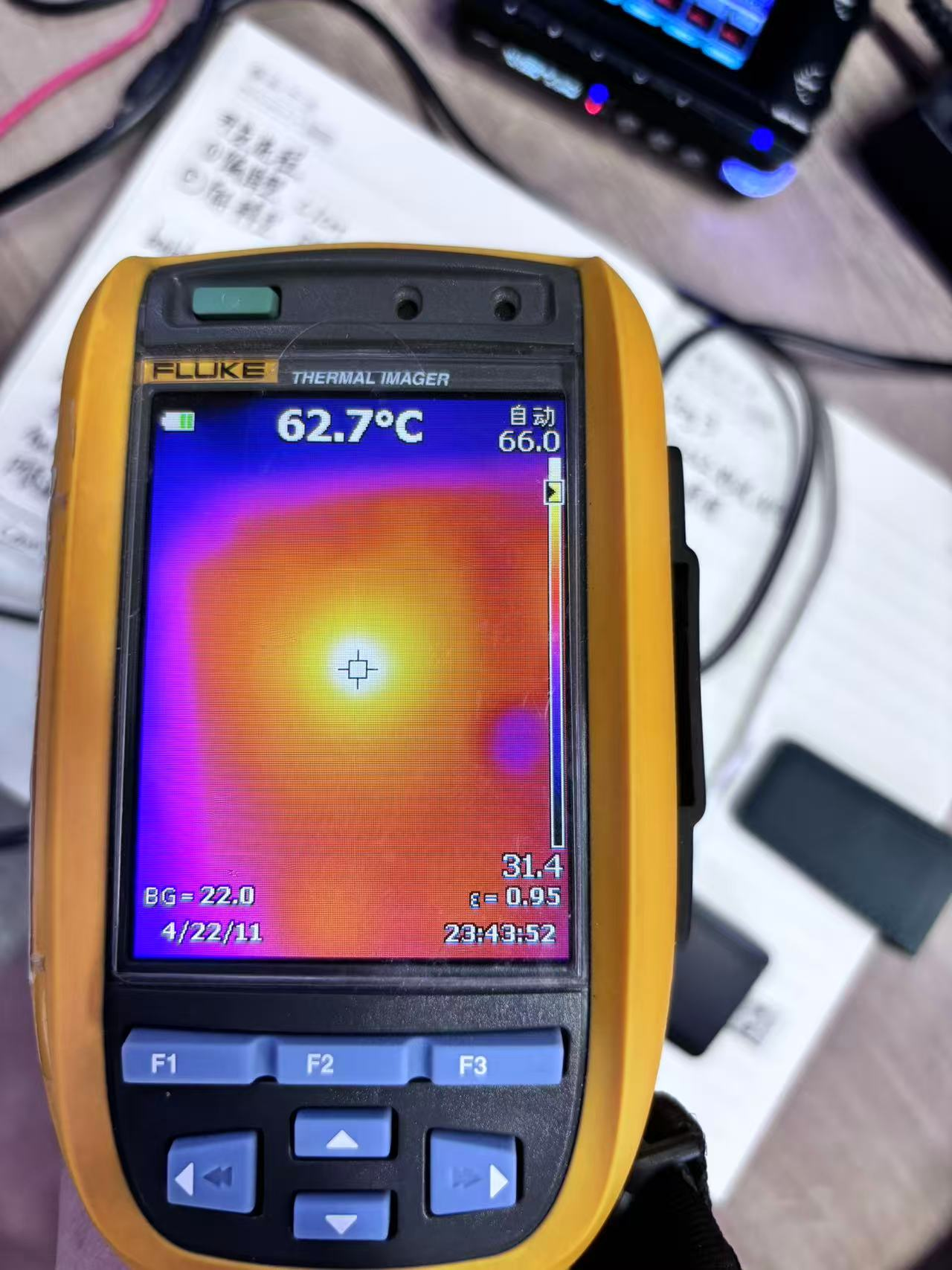
Thermal/Power Characteristics:
Scenario
Ext. Temp (°C)
Int. Temp (°C)
Power (W)
Observations
Idle
36
40
0.6~0.75
Baseline measurement
CPU stress test
62
70
1.2~1.4
30°C temperature rise
YOLOv5 inference
73
81
2.5~2.8
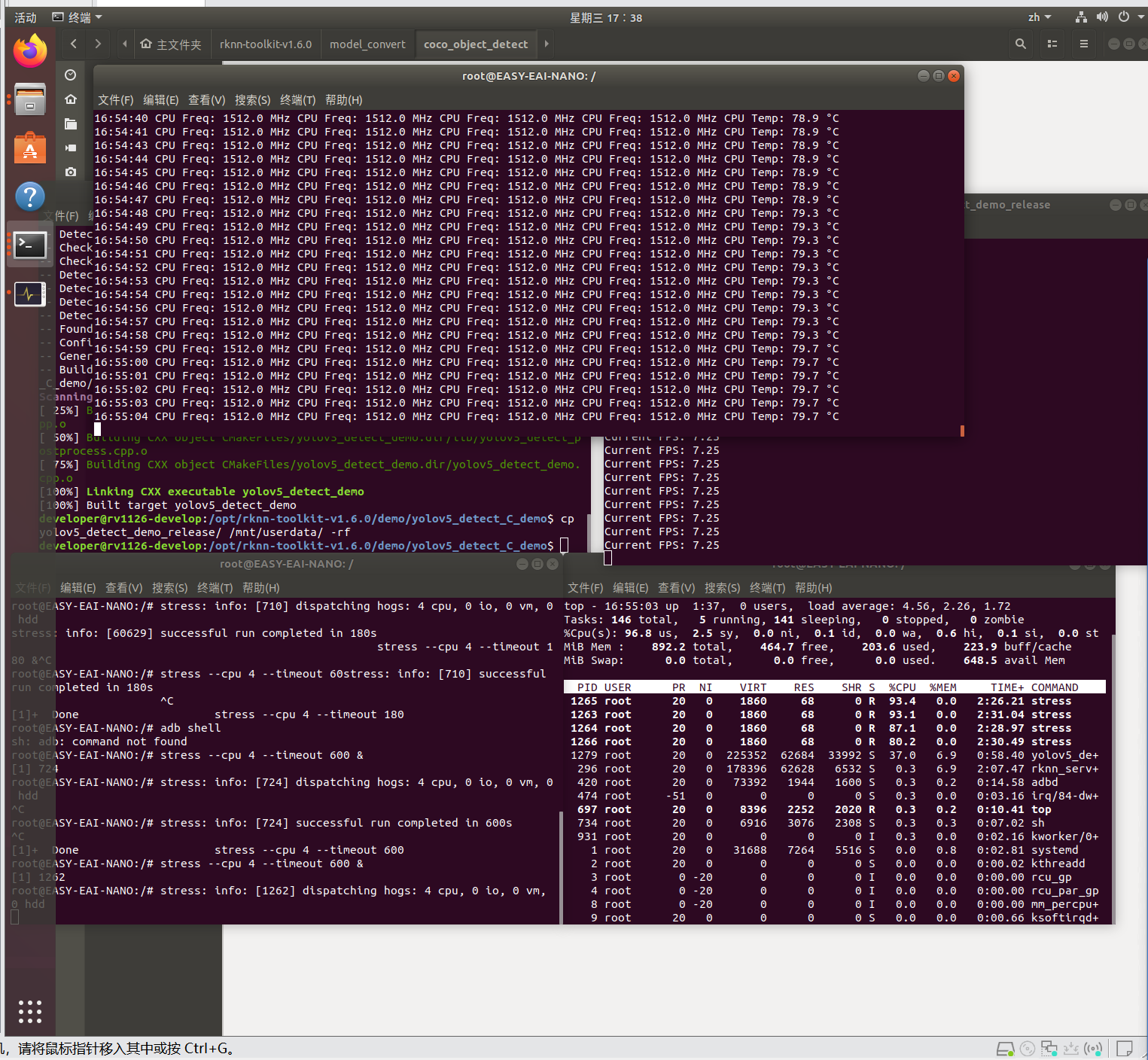
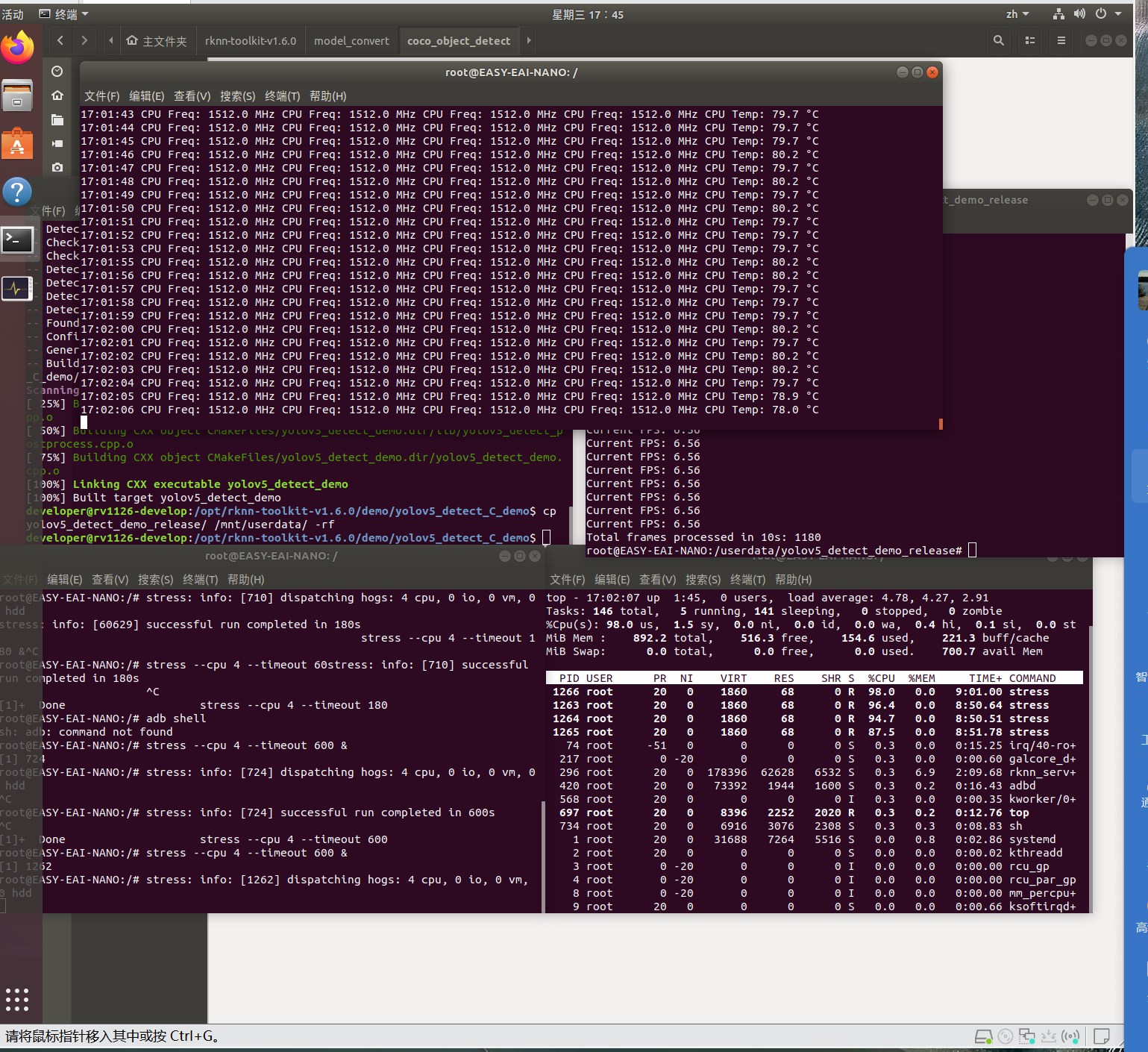
Frame rate drops from 7.35 to 6.56 FPS after 10 mins at 80°C thermal equilibrium
![]()
![]()
2.2 Small RV1126 Board Performance
Scenario
Ext. Temp (°C)
Int. Temp (°C)
Power (W)
Observations
Idle
36
45
0.6~0.7
Higher baseline temperature than large board
CPU stress test
45
52
1.05~1.2
7°C temperature rise
RTSP streaming
73
80
3.0~3.1
1920×1080 @ 2s latency, 15% CPU utilization
SSD detection
72
81
3.0~3.4
Power stabilizes below 3W despite 90% CPU load
Notes:
- Board size: ~10cm²
- RTSP streaming: 73-74°C, 2.65-2.7W power draw
3. Test Methodology
3.1 CPU Load Testing
export TERM=linux

stress --cpu 4 --timeout 60 &

top
3.2 Network Performance
Connectivity Test:
ping 192.168.253.2 -c 10Bandwidth Measurement:
# Server side:

iperf3 -s -B 192.168.253.1


# Client side:

iperf3 -c 192.168.253.1 -t 20 -P 4
3.3 Thermal Monitoring
while true; do echo -n "$(date '+%H:%M:%S') "; cat /sys/devices/system/cpu/cpu*/cpufreq/cpuinfo_cur_freq | awk '{printf "%.1f MHz ", $1/1000}'; cat /sys/class/thermal/thermal_zone0/temp | awk '{printf "%.1f°C", $1/1000}'; echo ""; sleep 1; done3.4 Power Consumption Testing
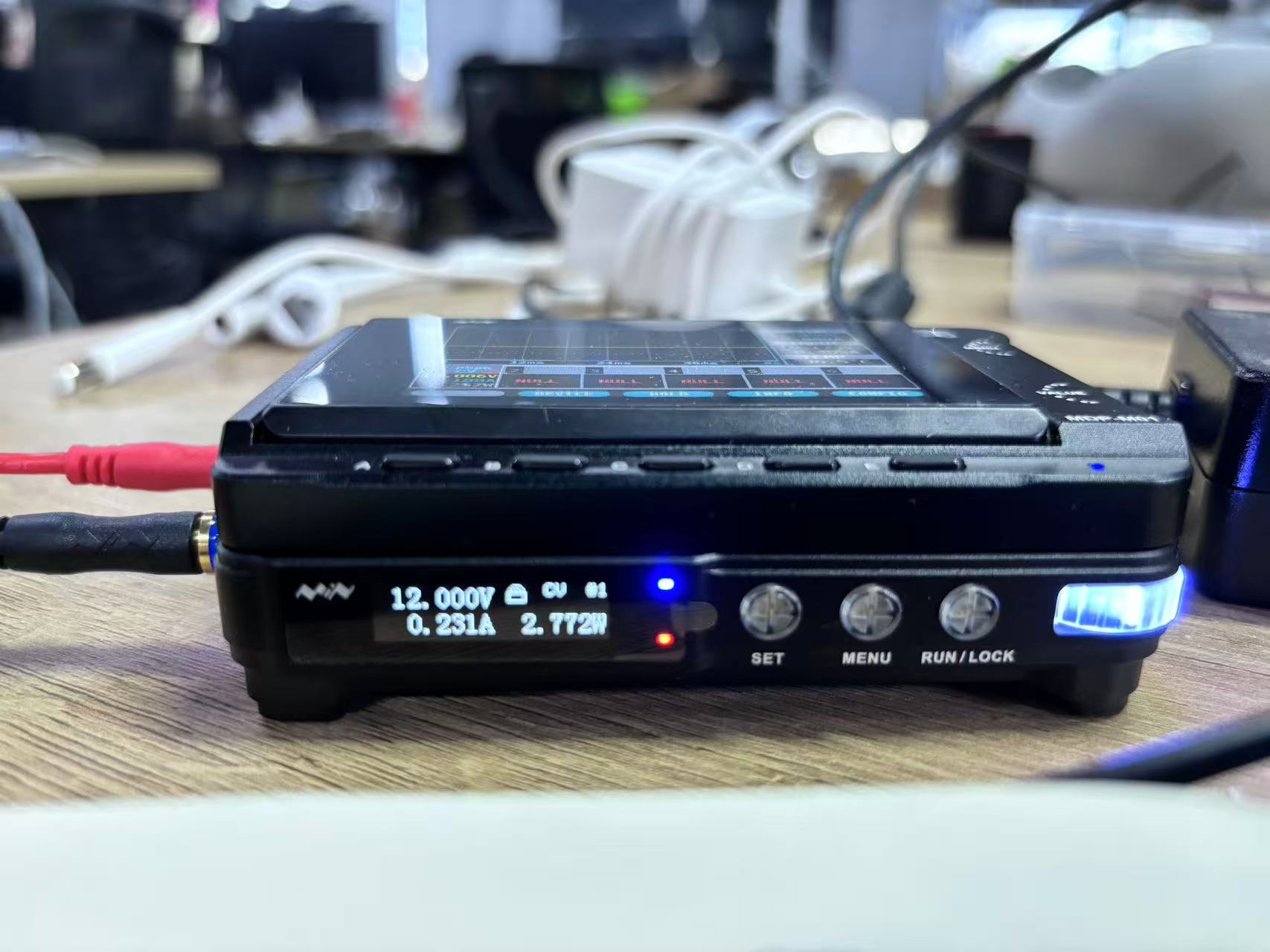
Testing Methodology :
1. Power the BV1126 development board using an adjustable power supply
2. Simultaneously monitor input power
3. Execute full-load test:
stress --cpu 4 --timeout 180 & # 4-core full load for 180 seconds
Important Notes :
1. Temperature sensor paths may vary across devices (common paths include thermal_zone0 through thermal_zone3)
2. Power testing requires real-time power monitoring capability
3. Recommend using heat sinks during full-load tests to prevent thermal throttling
4. Temperature data conversion: Divide raw values by 1000 (e.g., 45000 = 45.0°C)
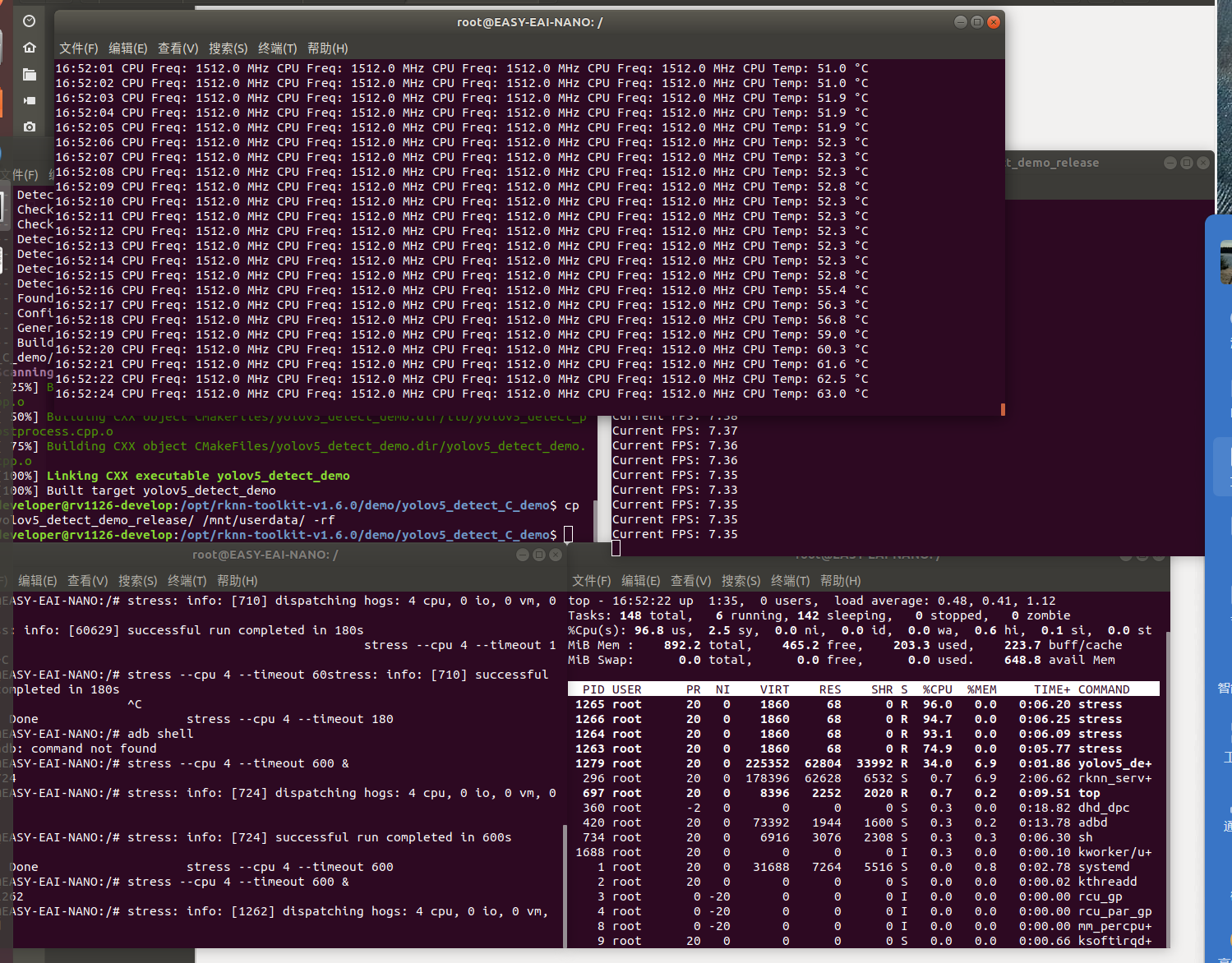
3.5 NPU+CPU Co-Loading Test (YOLOv5 on Large RV1126 Board)
Implementation Workflow :
1. Model conversion
2. Pre-compilation (PC-to-board cross-compilation)
3. Deployment of quantized algorithm model
Performance Observations :
● Reaches 80°C internal thermal equilibrium after ~3 minutes under dual full load
● After 10 minutes continuous operation:Inference frame rate decreases from 7.35 to 6.56 FPS
● Power consumption stabilizes at 2.5-2.8W
Starting state:
![]()
After 3 Minutes :
![]()
After 10 Minutes :
![]()
Overall
RockChip's official toolchain has good support, and the basic API documentation is complete, but it lacks detailed code files to show demos, and there is still a gap in community support compared with mature manufacturers such as Nvidia and Intel.
Requirement Scenario
Remarks
1080P@30fps Object detection
It can run stably, and the inference frame rate is about 7FPS
Long-term outdoor operation
requires improved heat dissipation scheme (the internal environment can easily exceed 60 degrees)
multi-channel video analysis
Not yet
- Usage Constraints:
-
PoC on SPI Display Integration
06/12/2025 at 03:06 • 0 commentsWe've been receiving numerous feedback and suggestions from users regarding the first-generation reCamera. Indeed, during our use of the first generation, we occasionally encountered areas where the user experience wasn't yet sufficiently friendly.
Therefore, before finalizing the form factor of the second generation, we will continue to conduct ongoing testing and development and update our test logs here on a regular basis.
We often encounter difficulties when using the reCamera 2002w:
- Obtaining the IP address during initial setup – For example, immediately after connecting the Ethernet cable to the reCamera.
- Verifying real-time configuration – Such as confirming whether the current resolution, frame rate (FPS), and video recording status are functioning as intended.
- Monitoring the camera’s field of view – When mounted in inaccessible locations (e.g., a ceiling corner), it is impossible to simultaneously view the live feed via a web interface.
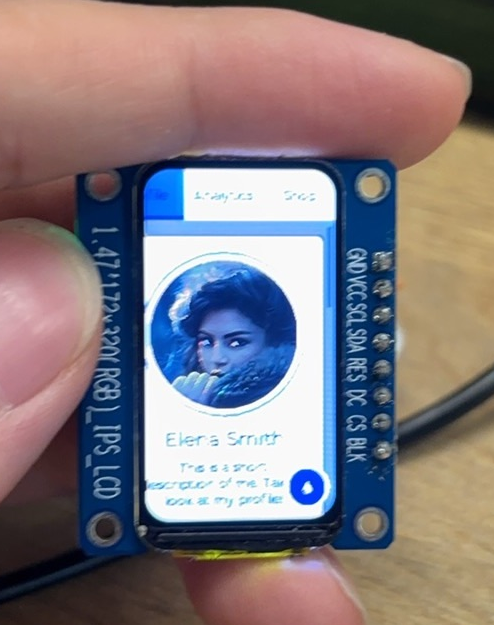
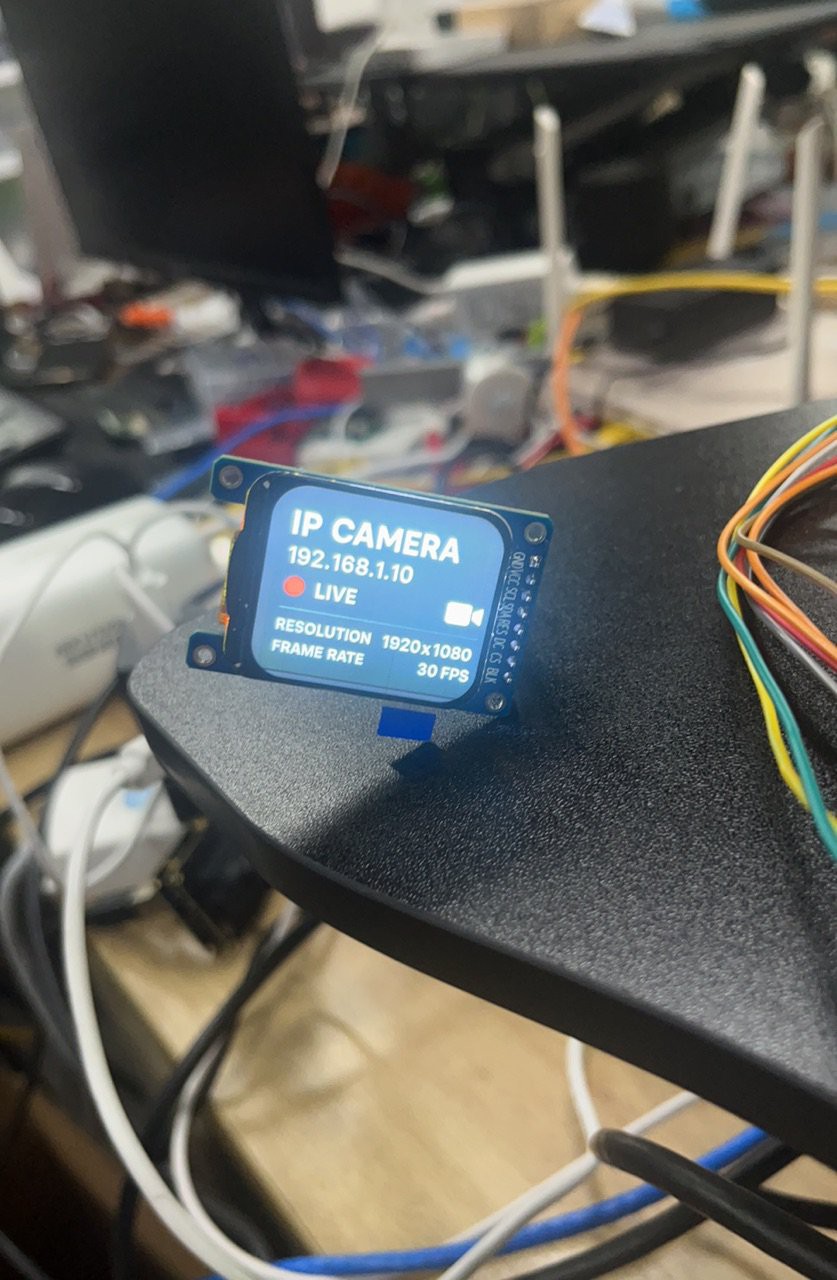
To address these issues, we have decided to integrate a small SPI display (not the Raspberry Pi screen) into our next-generation reCamera hardware.
We tested two different size display (1.69 and 1.47 inch), and designed a simple UI on it.
![]()
![]()
-
First-gen, reCamera 2002 (w)
04/28/2025 at 06:49 • 0 commentsFirst-gen reCamera
Core Board V1
So far, we have launched reCamera Core powered by RISC-V SOC SG2002. In addition to the onboard eMMC, there is also an onboard wireless solution ready for use. The wireless module, along with the onboard antenna, could provide you with basic Wi-Fi/BLE connection ability.
The difference between C1_2002W and C1_2002 is whether there is an onboard WIFI chip. They are from the same PCB design. The difference is that C1_2002 does not attach the Wi-Fi module.
Below are the introductions to these two core boards.
Board Features Version C1_2002w - eMMC
- WiFi/BLE module
- Onboard antenna
- External antenna connector1.2 C1_2002 - eMMC
- Extra SDIO to base board
- Extra UART to base board1.2 The schematic is as below:
Sensor Board V1
The sensor board we have currently developed is the OV5647.
Sensor OV5647 CMOS Size 1/4" Pixels 5MP Aperture F2.8 Focal Length 3.46mm Field of View 65° Distortion < 1% Image 2592 x 1944 (still picture) Video 1920 x 1080p @30fps, 1280 x 720p @60fps, 640 x 480p @60fps, 640 x 480p @90fps Interfaces - 4 x LED fill lights
- 1 x microphone
- 1 x speaker
- 3 x LED indicatorTop View Bottom View ![Up]()
![Bottom]()
Base Board V1
So far, we have developed two types of baseboards, B101_Default and B401_CAN. B401_CAN supports CAN communication and allows for the connection of more accessories, for example, you can connect a gimbal to achieve 360° yaw rotation full coverage and 180° pitch range from floor to ceiling.
B101_Default
Top View Bottom View ![Up]()
![Bottom]()
B401_CAN
Up Bottom ![Up]()
![Bottom]()
Peek Under the Hood: How to Build an AI Camera?
Log by log: See how we build reCamera V2.0! Platform benchmarks, CAD iterations, deep debug dives. Open build with an engineer’s eye view!