Close
0%
0%

Ultimate Brick Game: A Childhood Icon Rewired

The infamous “9999-in-1” handheld was never real — so I rebuilt it with a Pi Zero, a 2.4 TFT display, and a 4800mAh battery

Similar projects worth following
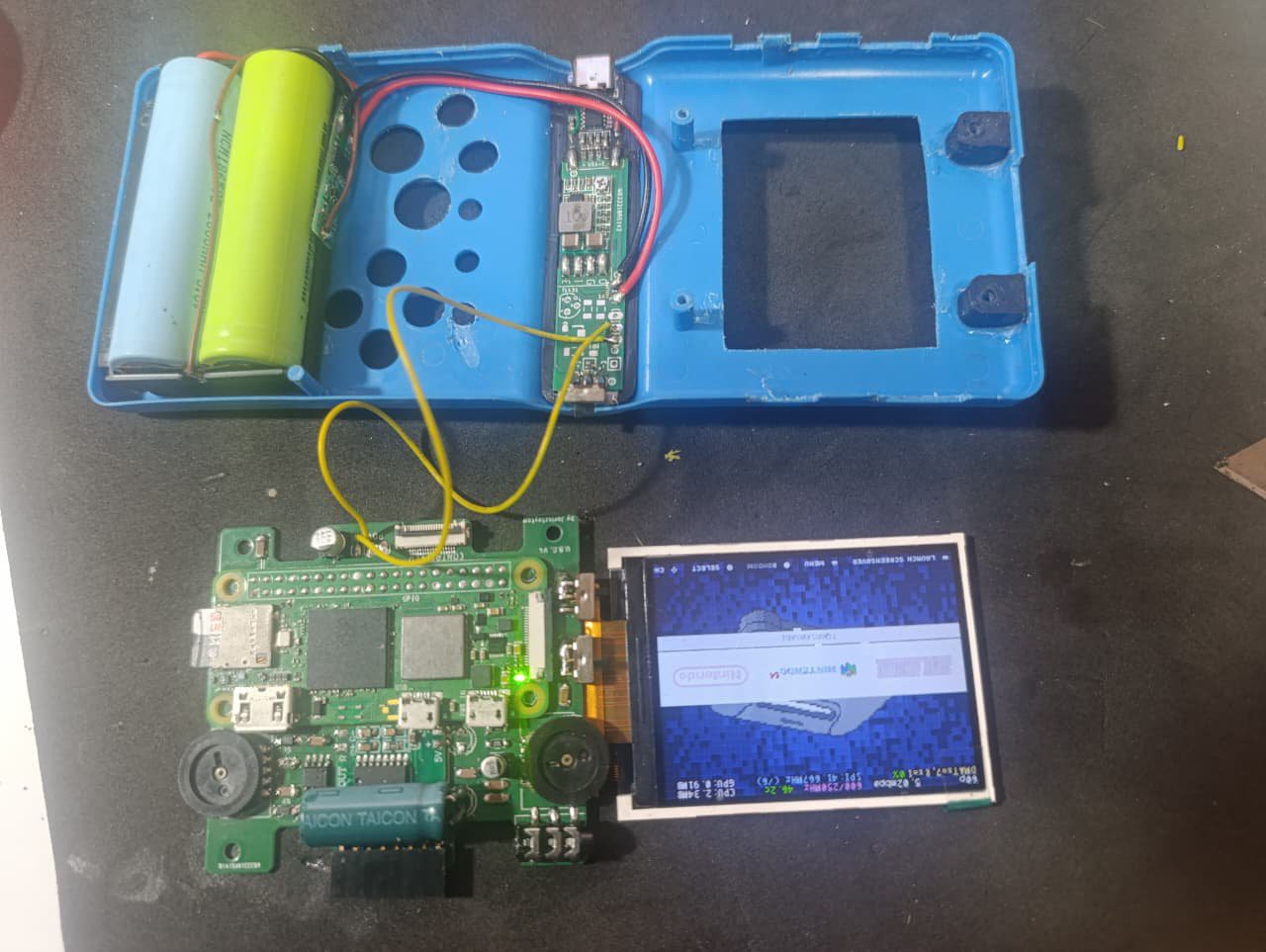
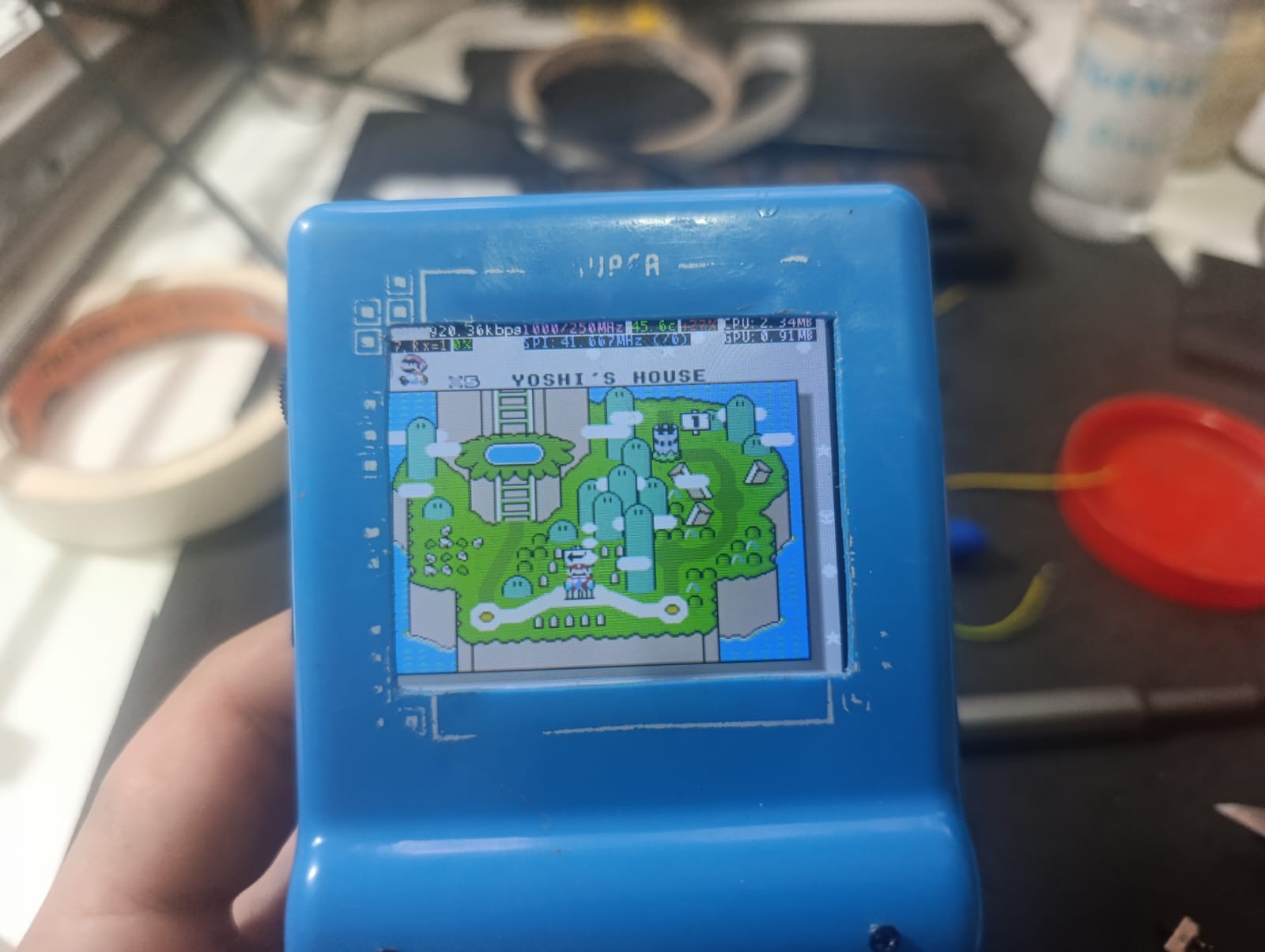
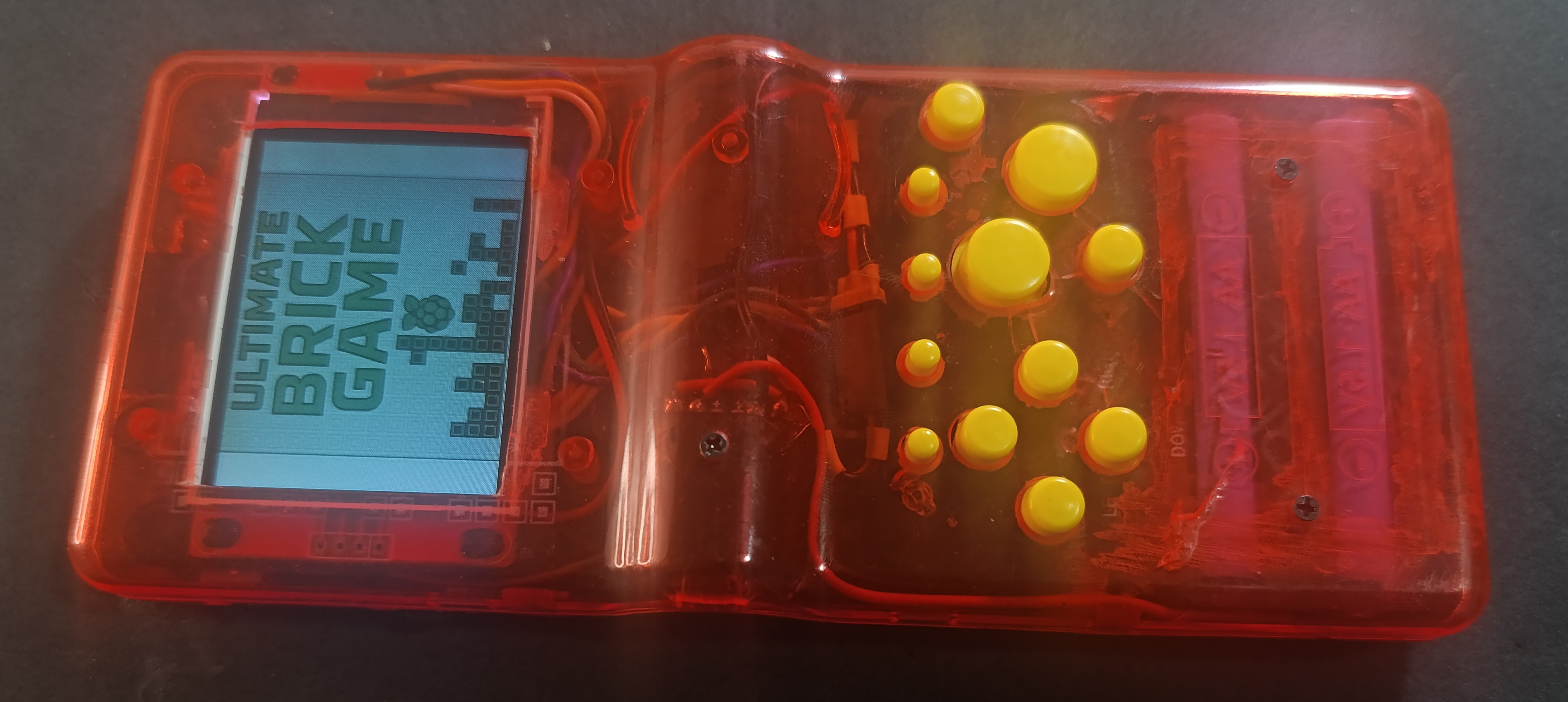
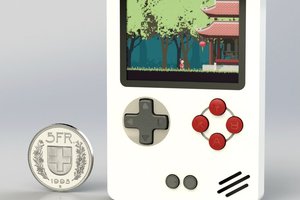
I took one of those infamous "9999-in-1" Brick Game handhelds — the ones we all know weren’t exactly honest — and rebuilt it from the inside out. Now it runs on a Raspberry Pi Zero 2W, with a 2.4 TFT display, custom 3D-printed supports, and a ton of new features like audio output, Bluetooth controller support, and in-game charging.

Note: This build is based on a first-case mod attempt using two Brick Game shells (each costing around R$15, or like $3 USD) to harvest all the necessary buttons and battery supports. This version is mostly a prototype to understand the required modifications.
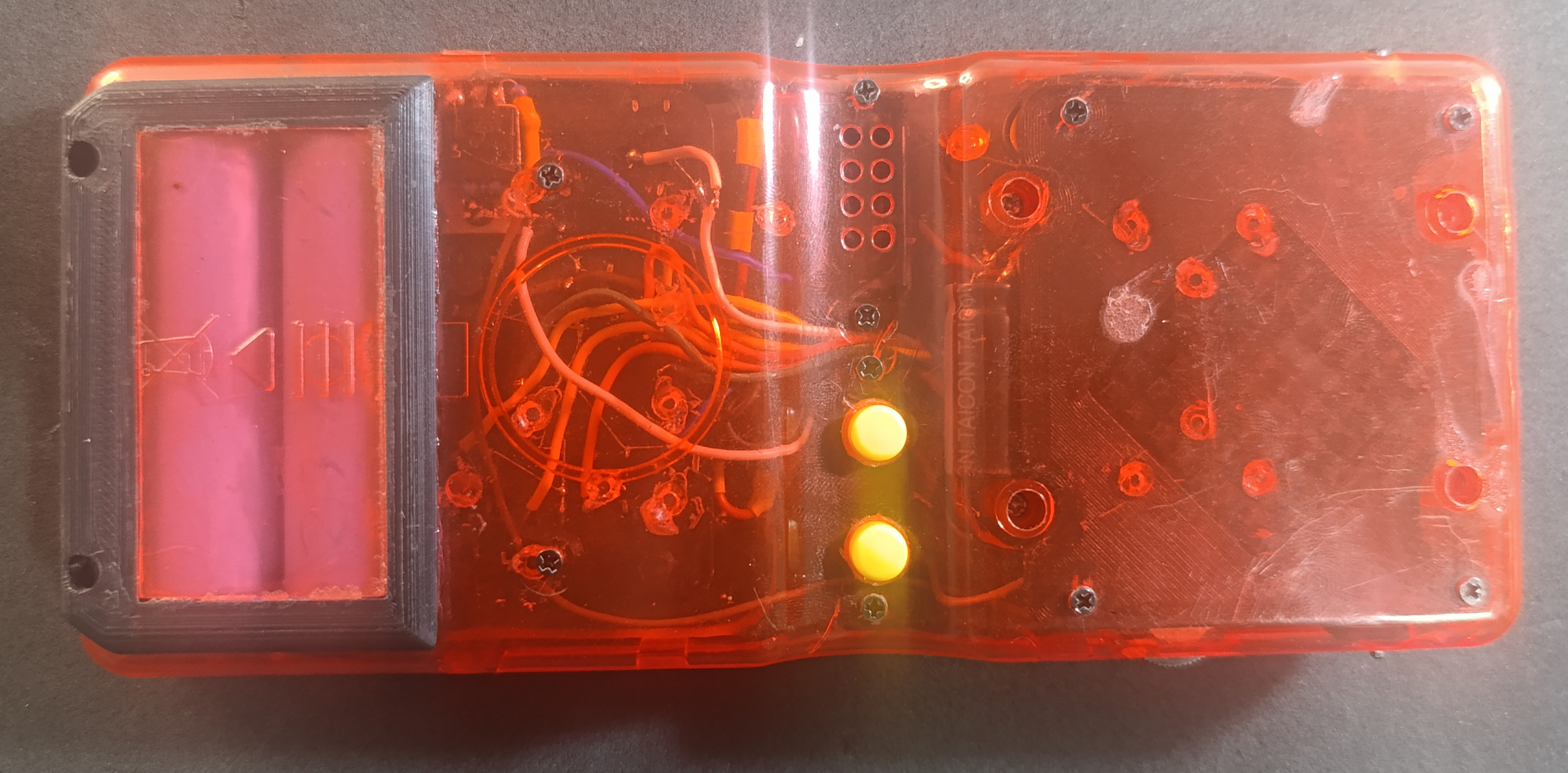
I'm now in the seccond version, some changes in the buttons layout, add a brightness controller for the display and put a USB C instead of the original Micro USB charger port.

  • Powered by a Raspberry Pi Zero 2W
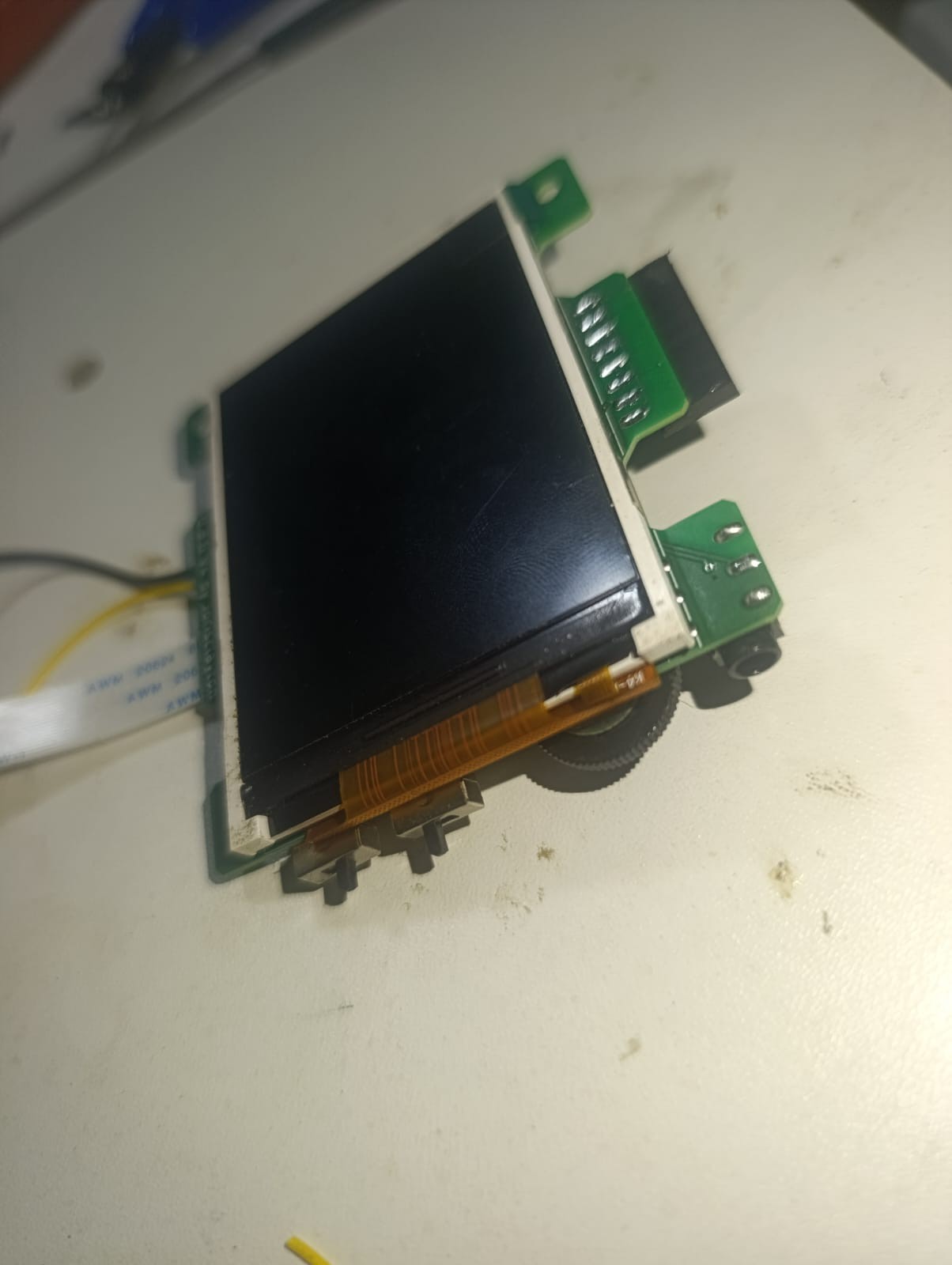
  • 2.4" SPI TFT display (ST7789) with 320x240 resolution and PWM brightness controller.
  • Two 2400mAh 18650 cells in serie (2S 8.4 Volts).
  • PAM8403 module using a notebook speaker.
  • Custom low-pass audio filter transforms the Pi’s PWM output into proper audio.
  • Added a 3.5mm headphone jack and a volume knob.
  • RCA video output wired to the top of the console.
  • Front panel includes extra buttons for X, Y and four rear buttons (L/R-style).
  • All parts held in place with 3D-printed supports, M2 brass inserts, and machine screws.
  • Bluetooth controller support and Wi-Fi enabled.
  • Can charge while playing.
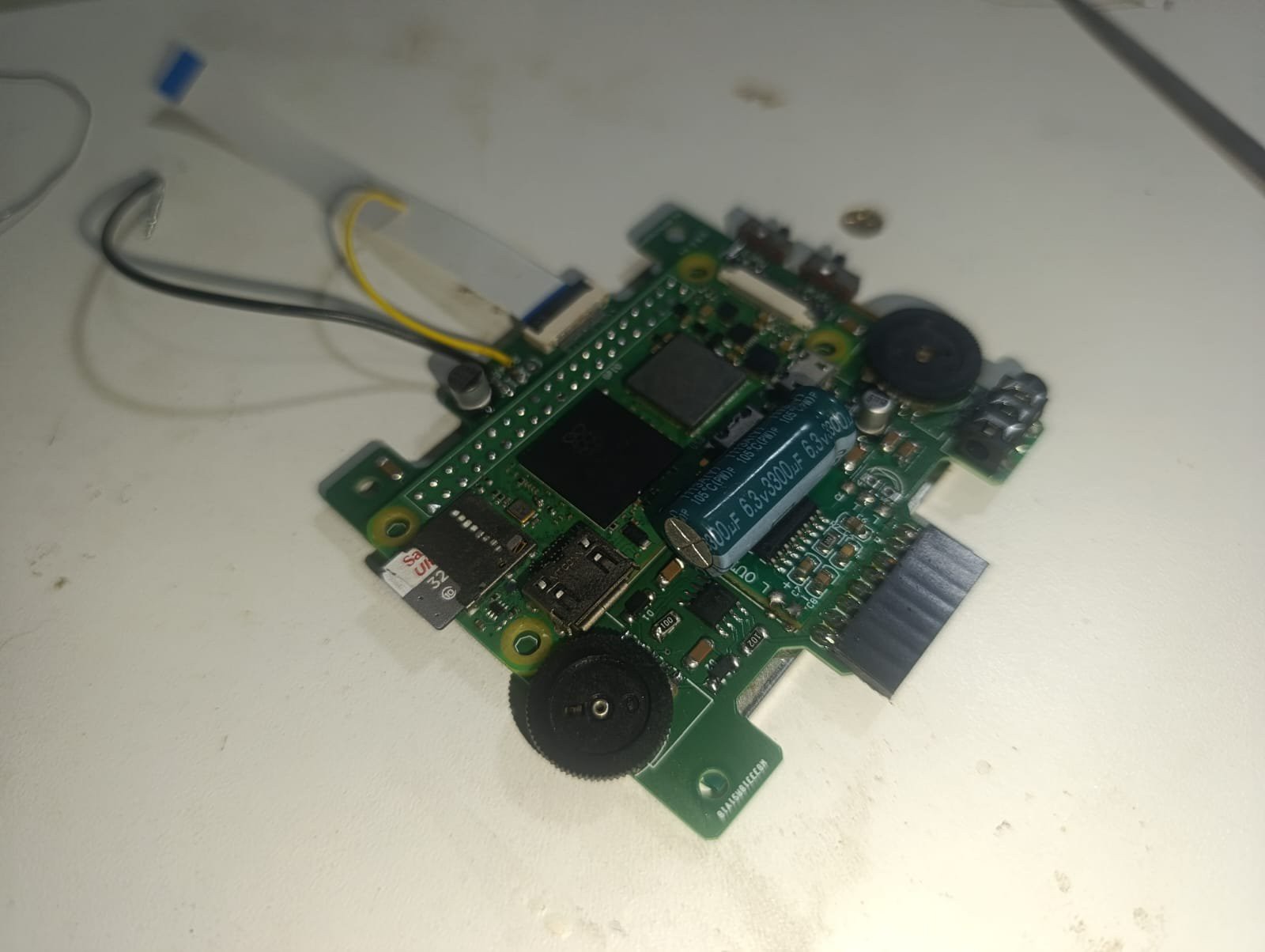
  • Has its own PCBs to avoid wiring a lot. 

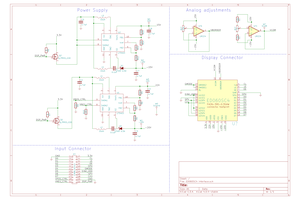
U.B.G V3 Schematic.pdf

The actual chematics for the console

Adobe Portable Document Format - 148.75 kB - 08/26/2025 at 01:42

Preview

3D models - V3.rar

Parts to assemble the console and templates to modify the original Brick Game shell.

x-compressed - 436.85 kB - 08/03/2025 at 01:46

Download

Buttons and pins layout.ods

V3 compatible buttons, sound, usb and display pins connections.

spreadsheet - 14.60 kB - 07/27/2025 at 22:06

Download

Configuration files.rar

All the files needed to make the U.B.G. work after the retropie installed. Has a pre compiled fbcp-ili9341 modifyed for the actual version of the handheld.

x-compressed - 4.38 MB - 07/27/2025 at 22:03

Download

  • U.B.G V3 - Printed Circuit Boards

    Jorisclayton08/26/2025 at 01:05 0 comments

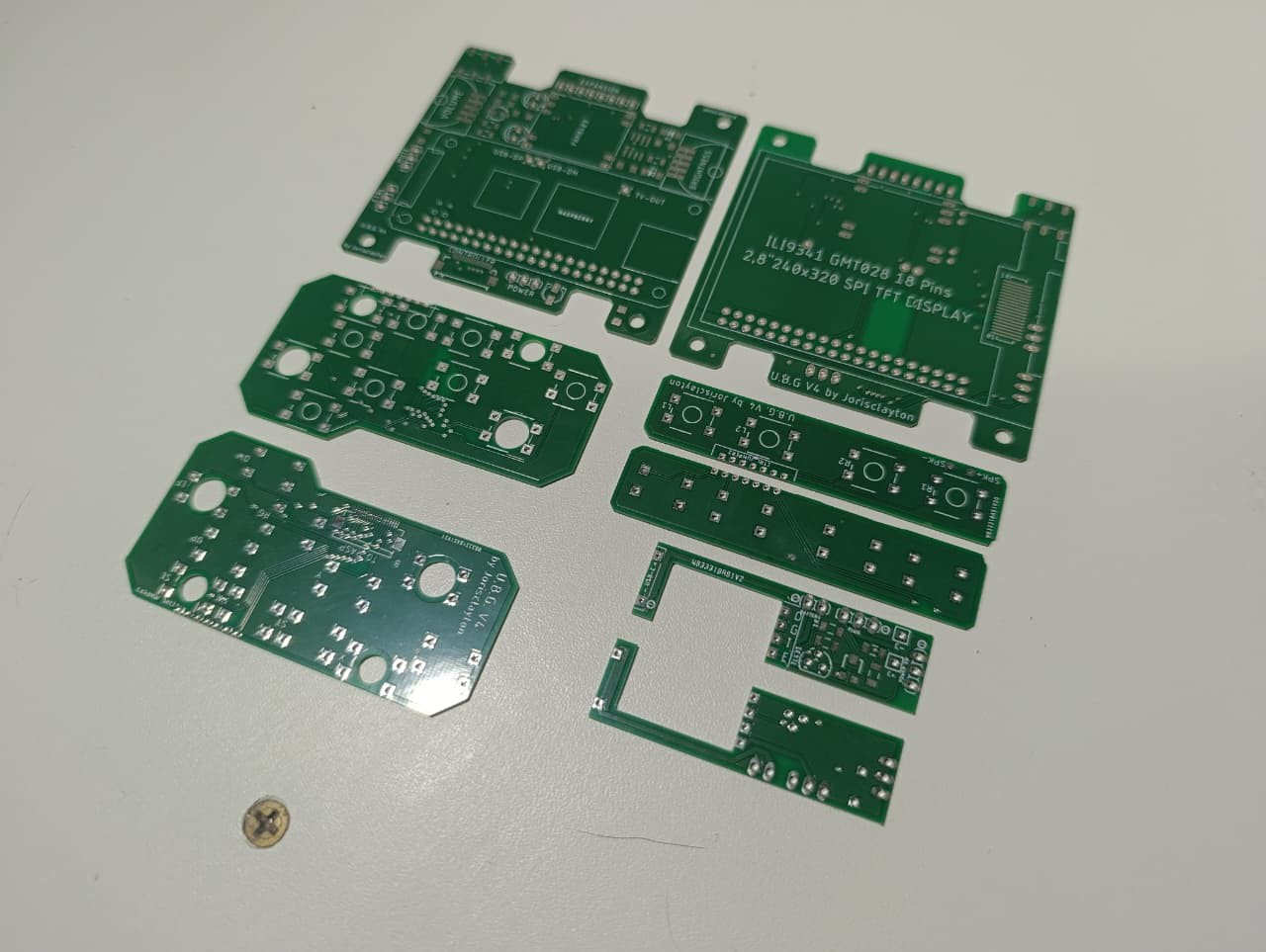
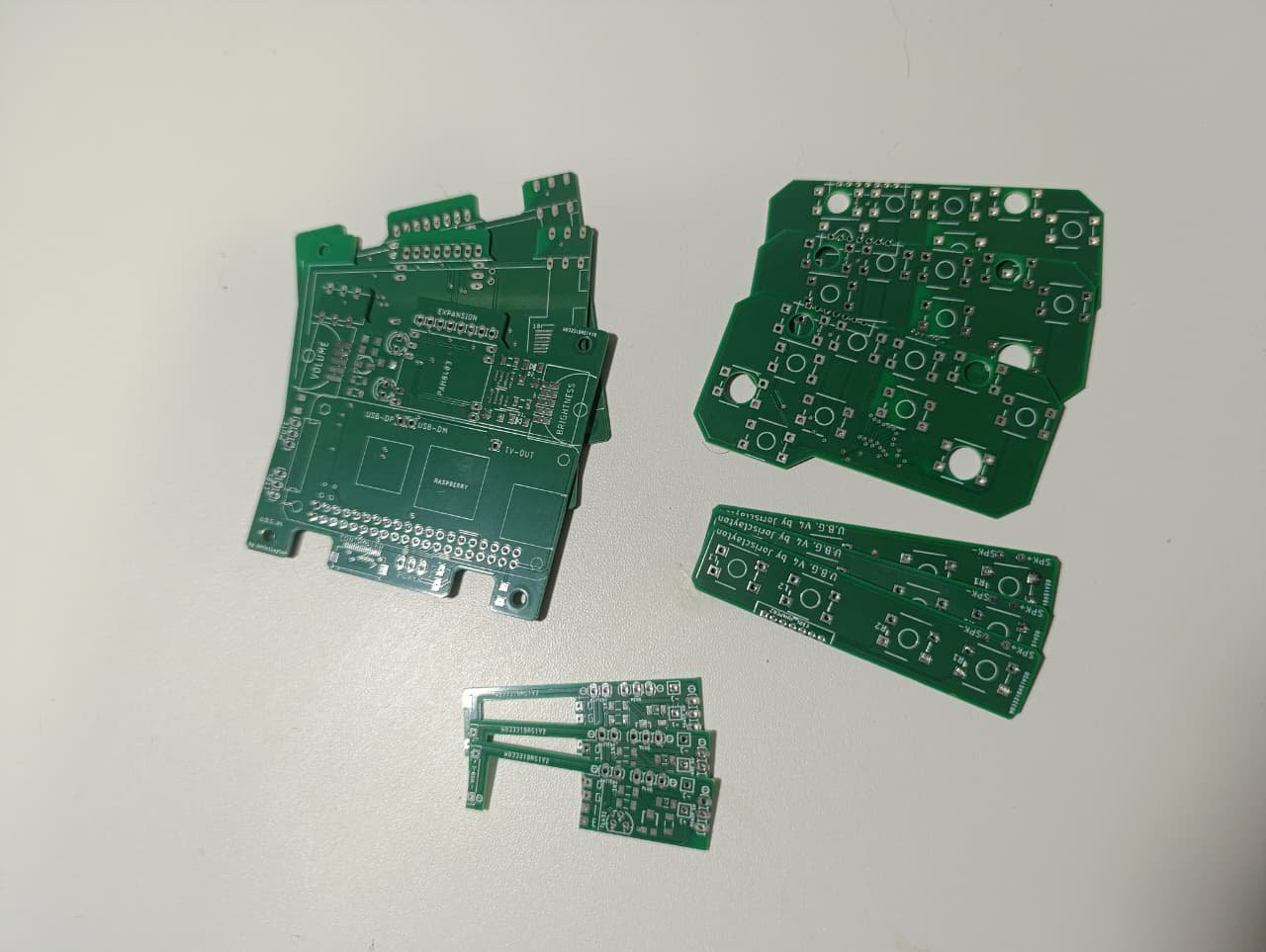
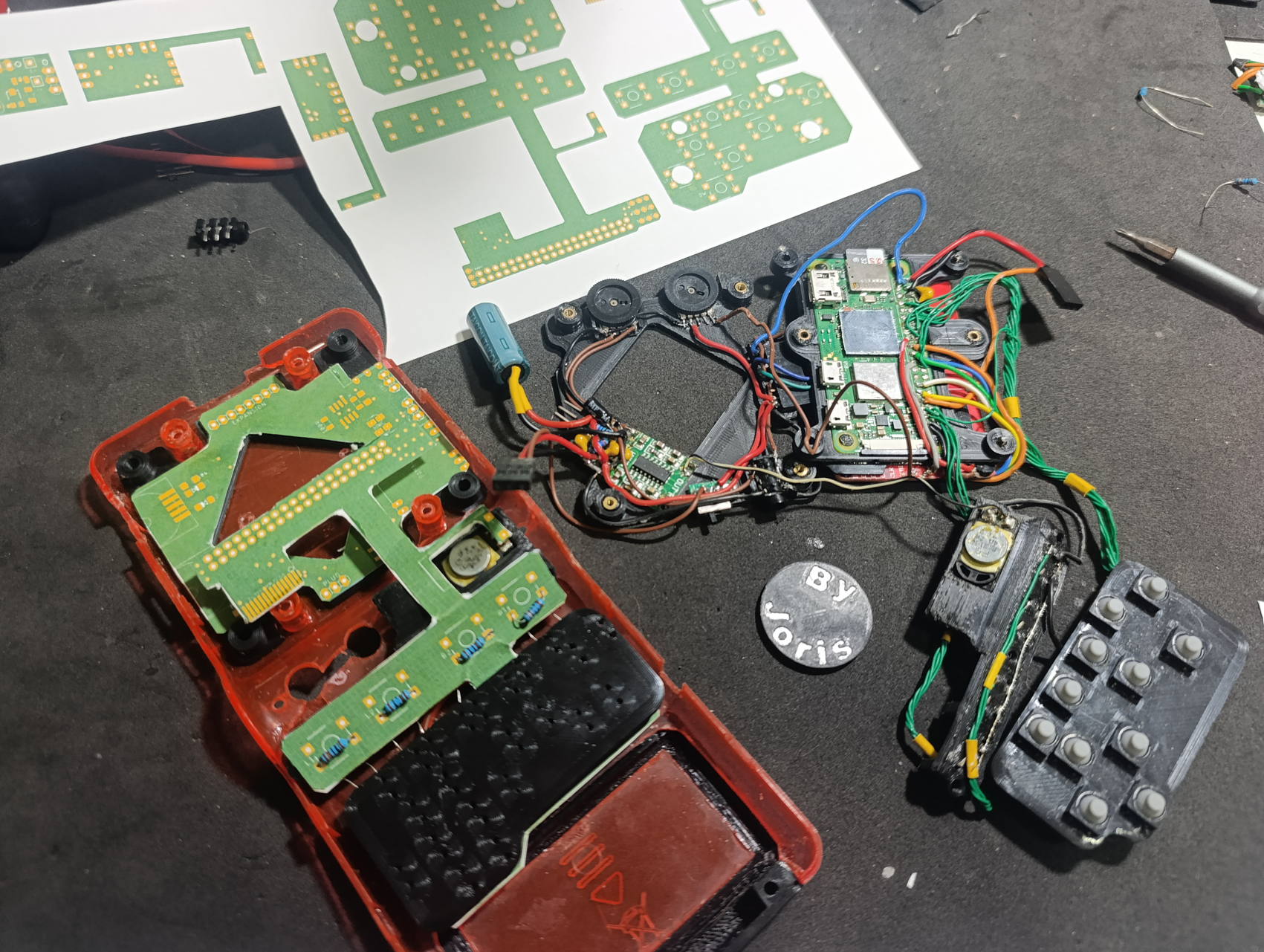
    I have completed the schematic and layout of the three printed circuit boards (PCBs) for the project, and I am ready to proceed with their production. Before finalizing the design, I conducted a series of tests to ensure that the boards would actually fit inside the console. To do this, I printed the layouts on paper and cut them out to test how they would physically fit. This gave me the opportunity to modify the shape of the boards slightly to ensure they would fit perfectly in the available space inside the console.

    The three boards have the following functions and features:

    • Main Board: This board will be responsible for several controls, including:

      • Volume control.

      • Audio generation using PWM (pulse-width modulation).

      • Display brightness control using a PWM circuit with an NE555 timer.

      • Headphone jack.

      • Mute switch for audio.

      • Switch to disable controller inputs (to allow the console to be stored in a pocket without unwanted inputs being triggered).

      • Expansion for additional connectors.

    • Power Board: This board will manage the console’s power and energy control. Its functions include:

      • Receiving power from the battery and the charger.

      • Regulating the voltage to 4.5 volts for the Raspberry Pi Zero.

      • Monitoring the battery level, using a TL431 to alert the user when the battery is nearly empty.

      • Power switch to control the enable pin of a step-down converter (97% efficiency tested with a bench load).

    • Flexible Board: This board will be responsible for connecting everything. Its functions include:

      • Connecting the controller buttons, speaker, USB pins, TV Out pins, and the TFT display to the Raspberry Pi’s GPIO pins.

      • Connecting the Main board to the Raspberry Pi by a 14 lines flexible connector.

      • Avoid the use of many wires, mostly from the controller buttons.

    The expansion connector on the main board will include the USB data pins and the RCA output from the Raspberry Pi. This will allow for the connection of USB controllers or keyboards, USB flash drives, and other devices. Additionally, it will be possible to directly connect the console to a TV using the RCA output. These additions provide greater versatility and functionality to the console, expanding the options for interaction and connectivity.

    These boards are a significant step toward completing the project, and I have already run several tests to ensure they function correctly before final production.

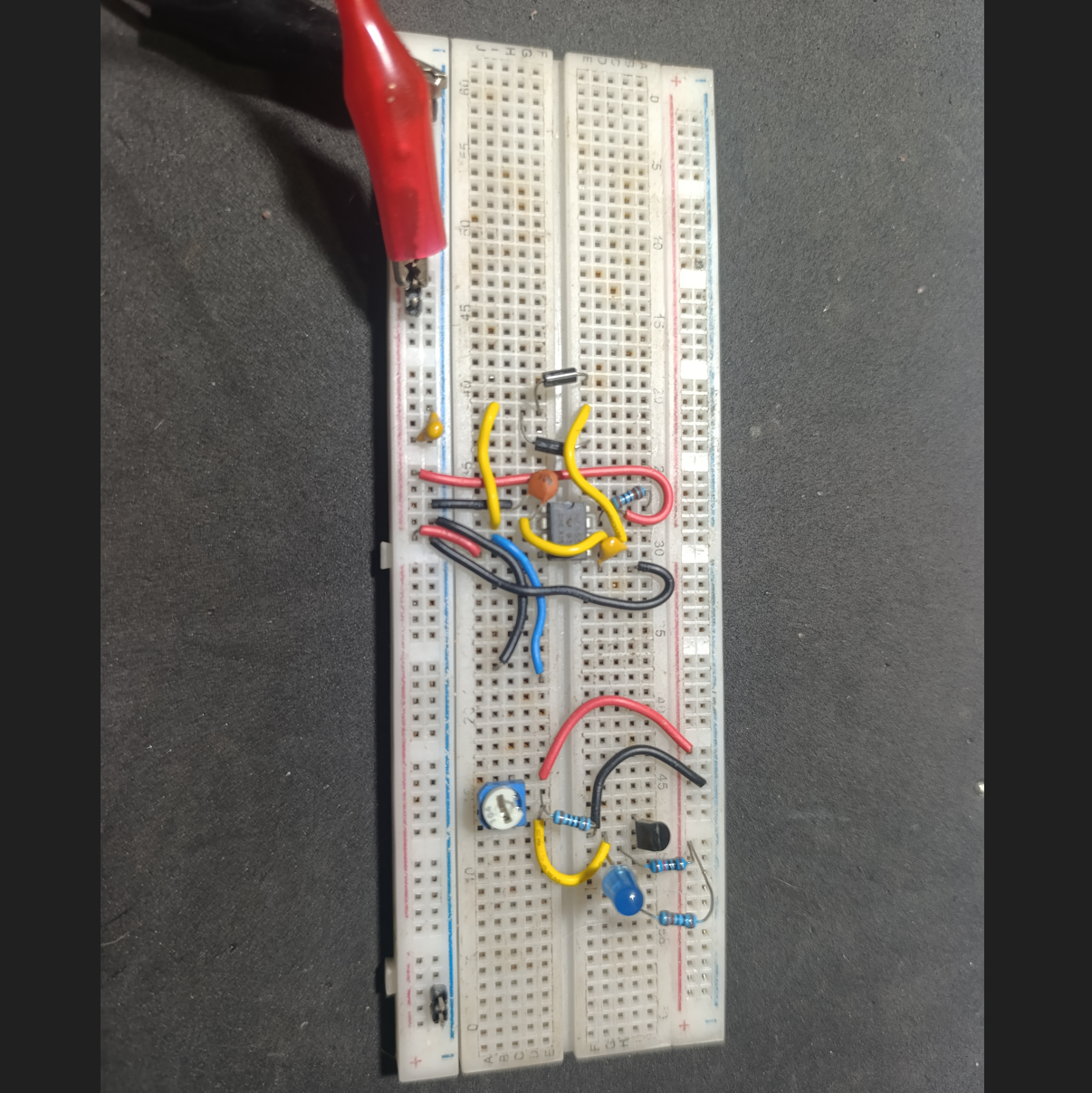
    I also built some circuits on a breadboard to test the PWM generator with the 555 and the battery monitor with the TL431, and both worked well before I transferred them to the PCBs. The PWM brightness control will be adjusted with a rotary potentiometer, similar to the one used for the volume knob. The TL431 only needed a few resistors to work properly, but I also had to create a voltage divider on its output to adapt the levels. The TL431 was outputting 2V for "off" and 4.5V for "on," so I adjusted it to 1V for "off" and 2.5V for "on," making the signals compatible with the Raspberry Pi’s GPIO pins.

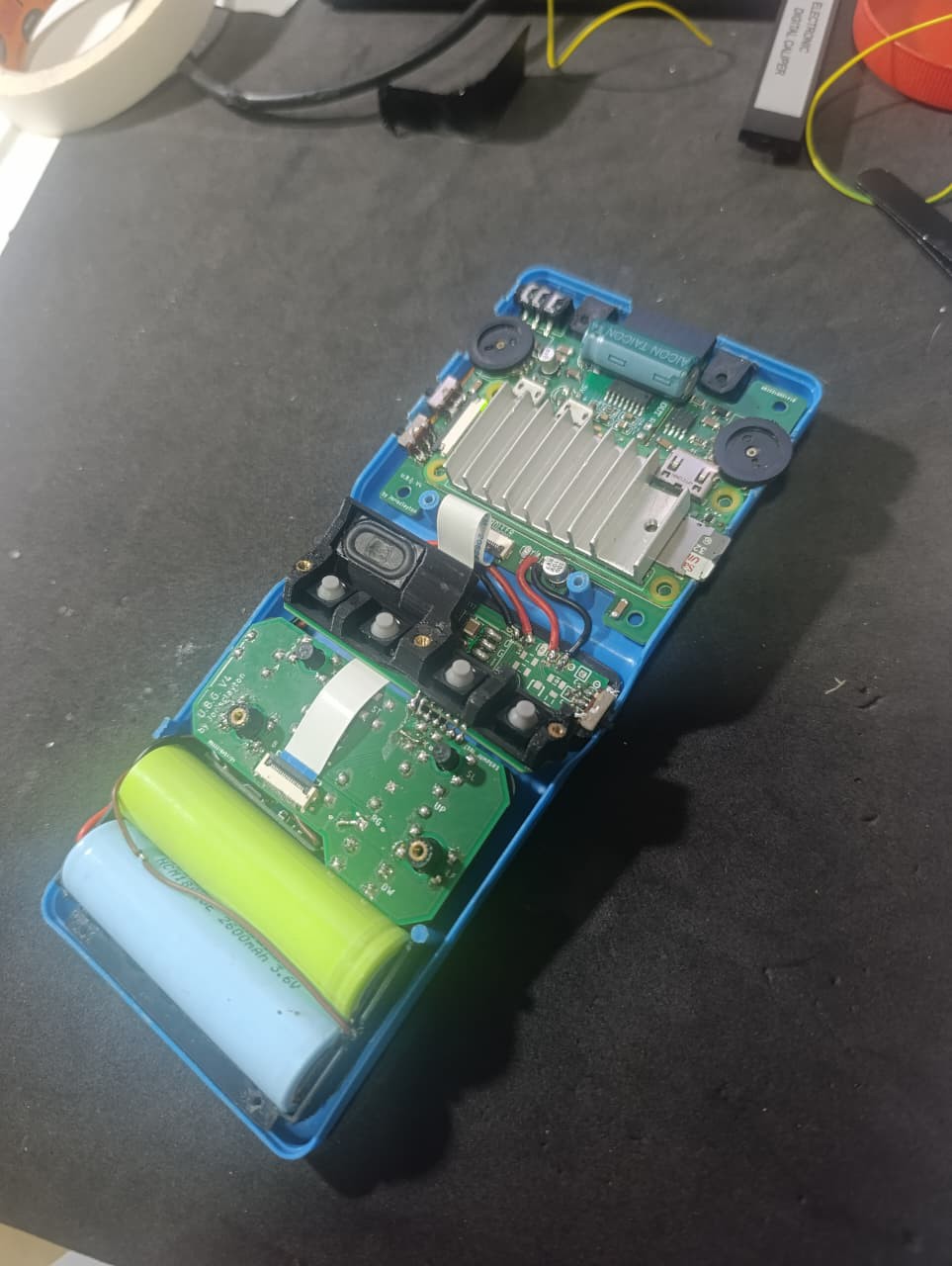
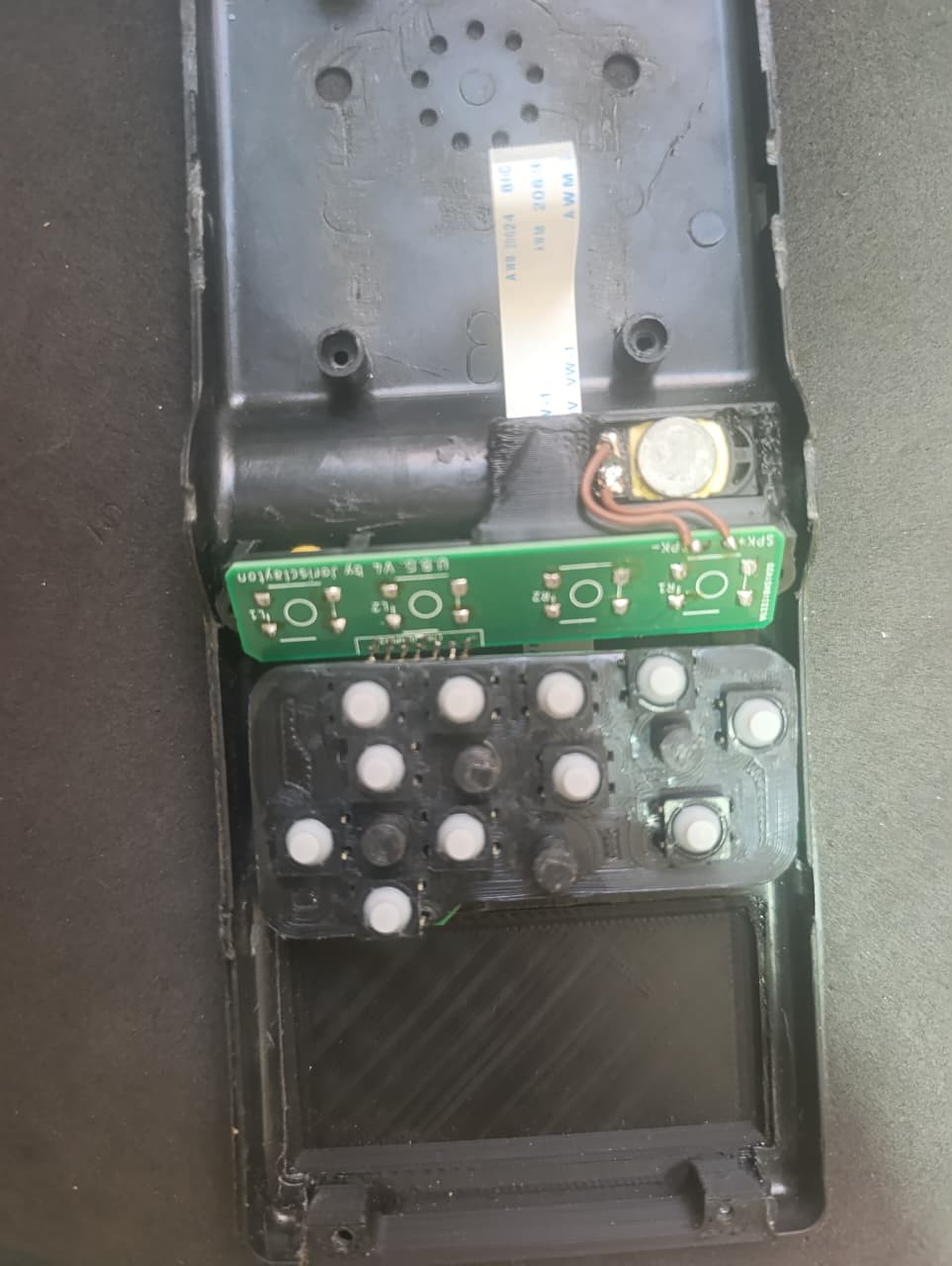
    I’m attaching some photos showing the console with the new 3D-printed parts, along with the paper PCBs I made to test the fits and footprints. These images give a good look at how everything lines up and fits together before moving on to the final PCB production.

  • V2.5 Test Video Now on YouTube

    Jorisclayton08/03/2025 at 02:08 0 comments

    I just uploaded a video showing the V2.5 version of the Ultimate Brick Game in action. This build was mainly used to test button layout, structural fit, and general usability before moving on to the final V3.

    In the video, I run a few games to demonstrate performance and controls, including Donkey Kong Country 2 (SNES), The Legend of Zelda (NES – Second Quest), and Spyro: Year of the Dragon (PS1).

    Check it out here:
    https://youtu.be/qvZEKYZuL_0

    Feedback and suggestions are always welcome!

  • Version 3.0 Designed – Schematics and 3D Models

    Jorisclayton08/03/2025 at 01:44 0 comments

    I'm ready with the V3 design. The 3D models are fine; I’ve already printed and tested them, and they fit properly. I created a complete 3D model of the whole console to help, since the components are getting very close to each other and the available space is disappearing quickly. I'm currently working with a version that I like to call V2.5, as it was made to test the button positions and the internal structures for the V3. The new controller layout works much better than in V1 and helped me identify the problems I needed to solve to design this new version.

    The software side will change just slightly, as V3 will include a Low Battery Warning to help save the game before a sudden shutdown. Some electronic components also need to be modified. The Raspberry Pi works fine when connected directly to a 3.7V source (operating between 4.2V and 3.2V), but the BMS cuts off the battery when it reaches around 2.6V — which seems to be normal behavior. However, this causes the system to crash before it powers down cleanly, so the handheld can be turned on again only to crash repeatedly.

    V3 will also feature a display brightness control, implemented through a rotary potentiometer similar to the one used for volume. Currently, in V2.5, the potentiometer is wired directly to adjust the TFT’s supply voltage — and while it works, it doesn’t provide perfect control. In the new version, I plan to build a PWM-based dimming circuit using an SMD 555 timer, which will offer smoother and more stable brightness adjustment.

    Additionally, V3 will include three On/Off switches with different functions: one to mute the audio, one to disable the controls (useful when storing the handheld while keeping it powered on, preventing unwanted input), and a third switch simply to power the system on and off.

    I came up with a solution to monitor the voltage, but distinguishing 3.2V from 2.8V is difficult due to how close those values are. I also couldn’t find a MOSFET that works well in that range, and a simple TL431 circuit wouldn’t function properly at these voltages. So I decided to switch to a 2S 2400mAh battery setup. With that, I’ll use a very compact and approximately 97% efficient step-down converter (I tested it with an electronic load and it performed really well). This circuit includes an enable pin, which will serve the same purpose as the MOSFET I used before, eliminating one component.

    For the battery monitor, I’ll build a small circuit using a TL431 and some resistors, which will pull a GPIO pin LOW when the battery level drops below 6.4V, indicating that the battery is nearly empty. The TFT display will then show a warning for the user, and the driver I’m using can handle this input.

    The 3D models will now be updated to fit a PCB. Yes, I’m considering using a printed circuit board to connect the electronic parts to the Raspberry Pi and the controller. I’ll use three PCBs: one of them will be a flexible board that connects the buttons to the main board via a flex connector and connects to the Raspberry Pi through solder points on the GPIO.

    I'm not yet done with the final electronic design, but I’ll work on that as soon as possible and try to build one. Currently, the V2.5 uses a lot of wiring (much thinner than what I showed in previous pictures), and it’s a bit complicated to assemble and troubleshoot — sometimes I need to desolder parts just to open things up, and it’s a mess.

    I’m already enjoying the console. I’ve played NES and SNES Zeldas, PS1 Spyro, and all the SNES Donkey Kong Country games — they all run great and the controllers fit well. For N64, I’m still having trouble configuring the controllers properly, but they work okay, and I’ve already played some Mario Kart 64 races. I’m having a lot of fun building this project.

    If anyone wants to build one of these, I’ll be happy to help as much as I can, but please wait until the V3 is finished, because I still need to fix some things and I’m sure new problems will appear once the...

    Read more »

  • Linux Configuration Files and Drivers

    Jorisclayton07/27/2025 at 21:58 0 comments

    As the project has progressed, I now feel comfortable sharing the configuration files and drivers required to make everything work. These include files necessary for Linux to properly output to the TFT display, recognize controllers, and send audio through a GPIO pin.

    The Raspberry Pi also needs to detect whether the RCA board is connected, so it can automatically choose between HDMI (TFT) or Composite Video Output. This is managed by swapping configuration files during boot based on GPIO states. I’ll describe all the parts below, and I’ve also created a "Backup" file containing the compiled driver for my specific display and the necessary scripts, already placed into the correct folders for plug-and-play use.

    In the future, I plan to add a feature to notify the user when the battery is low. The TFT driver already supports this — I just need a GPIO to be pulled LOW when the voltage drops below a threshold. I believe a TL431 could handle this by monitoring the battery voltage.
    Remember: this is an ongoing project. Some things have already changed from the first version of the U.B.G., and the current files work with the second prototype I'm testing. I'm confident they’ll work on the older version too — only a few controller pin mappings have changed, which I’ll update ASAP.

    All the files described below will be available for download, along with a how_to_do.txt file that explains what needs to be executed for everything to work properly.

    • FBCP-ili9341 Driver:  This one is responsible for controlling the TFT display and giving us a good refresh rate, as it works with the SPI protocol with very fast bus rates, close to 50 MHz. The display can act as an HDMI device and worked great for this project. Some parameters need to be configured when compiling the driver, all of them are better described in the driver's main page on Github (https://github.com/juj/fbcp-ili9341), but, if you are using the 320x240 ST7789 display, there are some changes needed to be made for the driver files to fit this specific one. As the ILI9341 doesn't default have this display I edited the st7735r.h and st7735r.cpp modifying the resolution and part of the SPI protocol communication as the images below. With this made, the driver has been compiled with some specific parameters to work well with this one command "cmake -DST7789=ON -DGPIO_TFT_DATA_CONTROL=5 -DGPIO_TFT_RESET_PIN=6 -DSPI_BUS_CLOCK_DIVISOR=6 -DDISPLAY_ROTATE_180_DEGREES=ON -DDISPLAY_INVERT_COLORS=ON -DSTATISTICS=0 .." (DSTATISTICS=0 must be used only if you don't want the FPS, bus speed, bus frequency and etc to be shown, it's really useful for troubleshooting process) and the command "sudo /home/pi/fbcp-ili9341/build/fbcp-ili9341 &" needs to be added to /etc/rc.local file.
      It’s important to note that this driver makes use of a partial refresh on the display screen, modifying only the parts that changed between frames and it uses some of the CPU. If your display can handle bigger SPI bus frequencies and accept a really good refresh rate, you can save some CPU by modifying some parts of the config.h file before compiling. I'm using "#define UPDATE_FRAMES_IN_SINGLE_RECTANGULAR_DIFF", this saved me a lot of CPU, turning able to run N64 games much better than before this change. Also, the ILI9341 driver page has a topic describing all the methods to get that CPU saving features.
    • Config.txt file - swap video modes: As the Raspberry Pi Zero cannot handle HDMI and Composite videos at the same time and I want the console to be able to display on a TV or monitor just by plugging it in, I made a simple script that monitors a GPIO pin to know if the console is running on handheld format or if it's plugged into the RCA cable adapter, so it checks at every boot or shutdown the state of the Brick Game and swaps between two config.txt files. Basically, it copies the content of a config.tft or a config.rca to the config.txt file; if it differs from the actual video output configuration, the script reboots...
    Read more »

  • All Parts Together - Wiring Finished and Now workin!

    Jorisclayton07/06/2025 at 19:46 0 comments

    This is my first working version of the console. I'm using it to figure out what should stay and what needs improvement in the final build — but it's already fully functional. I added a 50x50mm aluminum heatsink, and noticed that I’ll need a 0.5mm thermal pad to get good contact with the CPU. I also tried adding a 6300 µF capacitor on the main power line, but turns out it’s not really necessary — the audio was fine without it. On the other hand, I had some issues with the headphone jack connection and I’ll need to redesign that part.

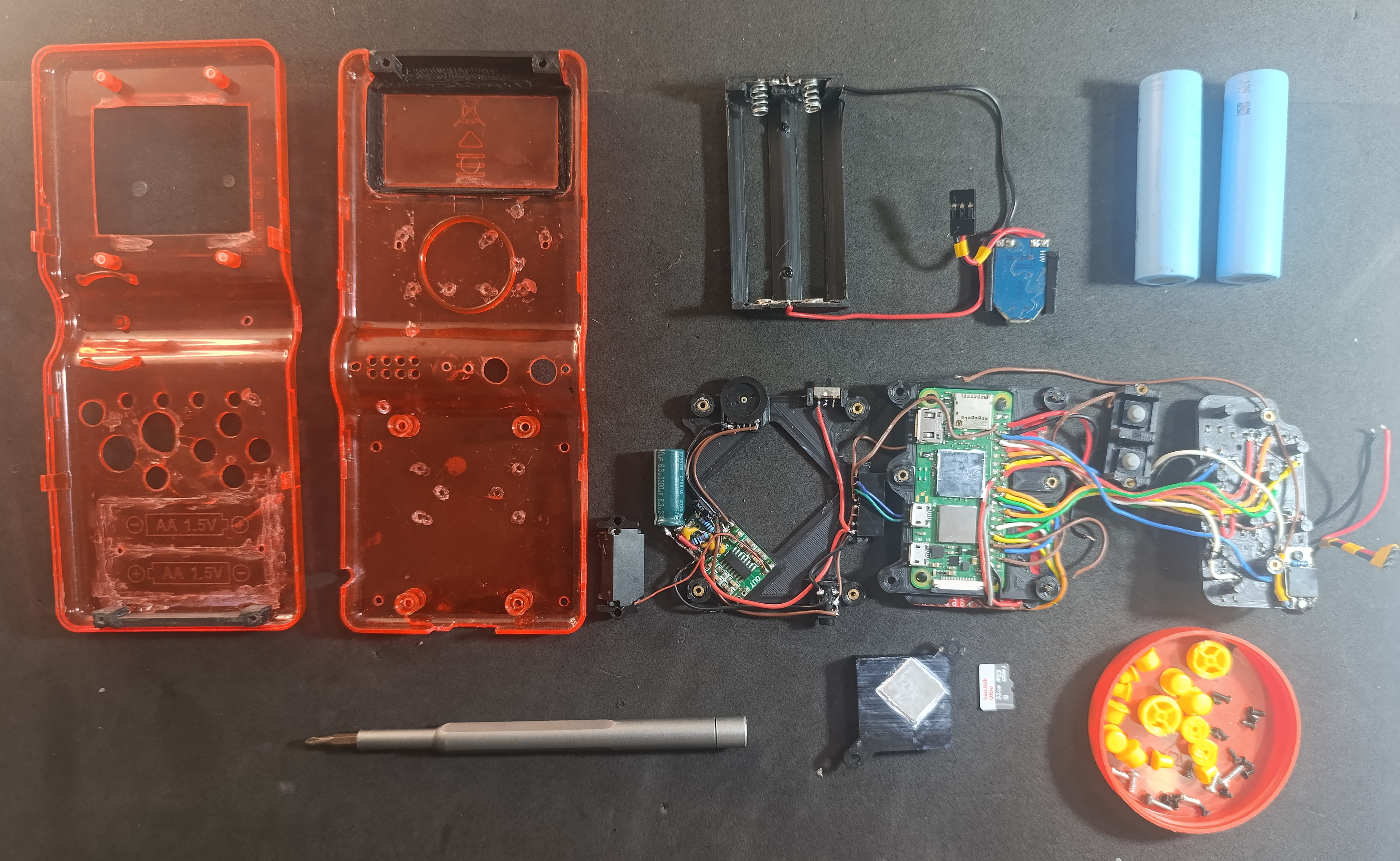
    The internal layout uses custom 3D-printed parts. All electronics are mounted on those pieces, held in place with M2 machine screws. The screen and the Raspberry Pi Zero W are fixed together in a single printed frame, which is then attached to a second frame that holds the audio amp (PAM8403), power button, RC filter, volume knob, and 3.5mm audio jack. All buttons — both front and rear — are also mounted on dedicated printed structures.

    The 18650 cells are held by springs, which makes them easy to replace. If I had access to a spot welder, I’d probably go with nickel strip and fixed terminals instead. The only parts glued to the shell are the ones that physically change the case — mainly the section I had to expand to fit the dual 18650s. I still managed to reuse the original battery cover, which gives a nice translucent look to the cells.

    It was a tight fit. I used wires that were way too thick, which made assembly harder than it needed to be. For the next version, I’ll use thinner, more flexible wires. I also had to trim the TFT display edges to make it fit the front shell, which made the cable connection a bit tricky — but it works fine.

    On the software side, I made a few changes that I’ll explain in detail later. I used specific drivers for the SPI display, configured GPIOs for both audio (PWM) and button input, and implemented two different config.txt files at boot — one for handheld mode (with the TFT screen) and another for RCA output when connected to a TV. I have to reboot to switch modes because the current driver setup can’t handle both at once. The charging port is still micro USB, but I’ll probably switch to USB-C next time.

    Rear buttons are not mapped yet, but in the next revision I plan to include full L1/L2/R1/R2 support with better positioning. The original speaker was terrible — I replaced it with a smaller but stronger one that sounds much better.

    The console uses very little power. With a light overclock to 1200 MHz, it still runs for over 8 hours on a full charge with two 18650s, and doesn’t overheat. The passive 50x50mm heatsink is enough — I won’t use an active fan anymore. The RCA+USB video output module is working fine. When I plug it in and reboot, it disables the TFT and enables RCA automatically, since I can’t run both displays simultaneously with the current configuration.

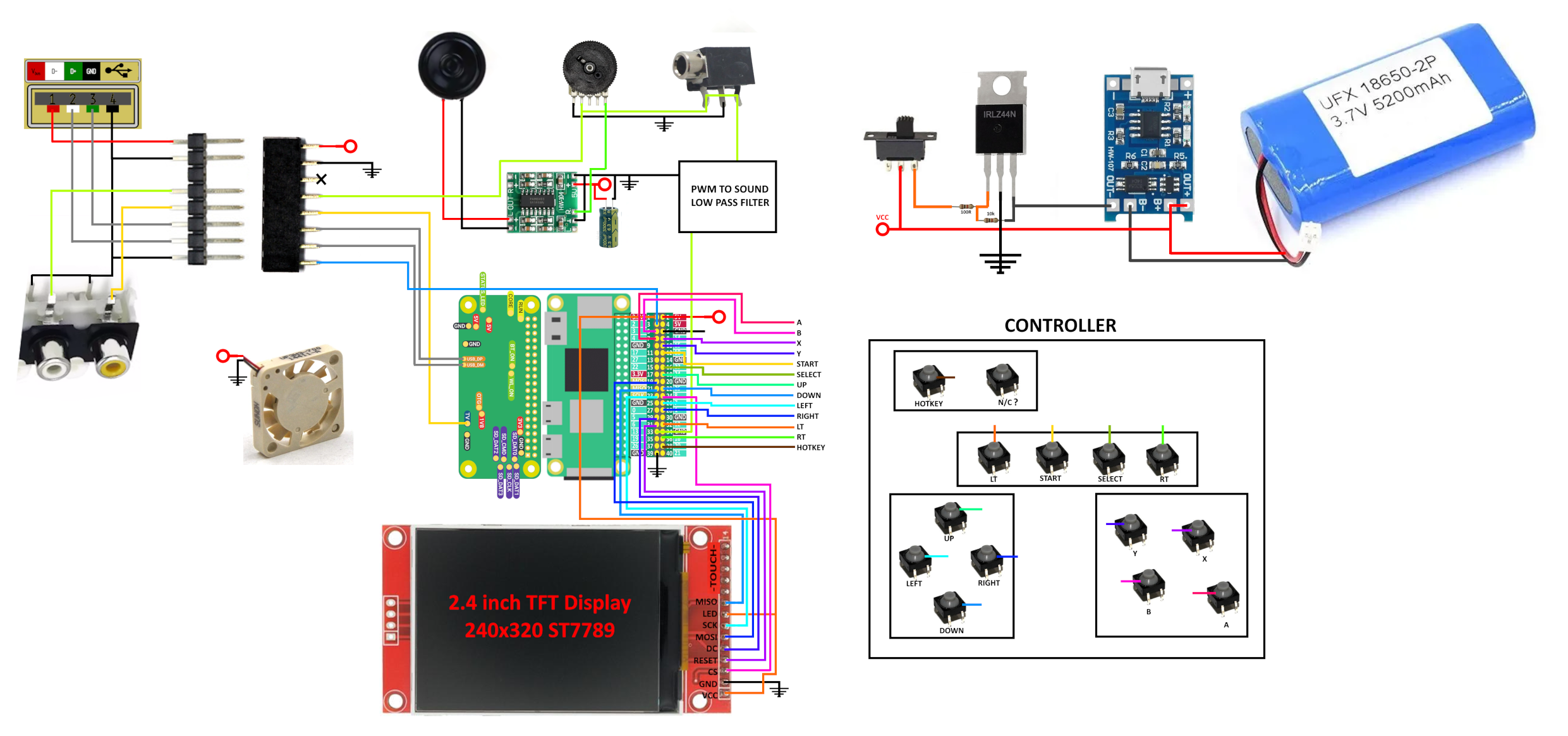
  • Ultimate Brick Schematic

    Jorisclayton07/05/2025 at 01:47 0 comments

    I already made a simple, easy-to-follow schematic. Its the version one and shows all the parts, including the Raspberry Pi, TFT display, sound, buttons, power, and battery components. Since I’m working with thin wires, it’s more than enough to follow and connect everything. I’m now testing the parts — the Raspberry Pi Zero arrived, and I’ve started wiring everything. As soon as possible, I’ll update the project with a working version of the console.


View all 6 project logs

Enjoy this project?

Share

Discussions

[deleted]

[this comment has been deleted]

Jorisclayton wrote 09/30/2025 at 16:25 point

thanks

  Are you sure? yes | no

Jorisclayton wrote 10/02/2025 at 21:45 point

Men, dont do Casino Propaganda on my project, please. Dont make me delete this

  Are you sure? yes | no

bob-easyeda wrote 09/10/2025 at 06:41 point

Nice job

  Are you sure? yes | no

jonathan Platts wrote 06/18/2025 at 16:53 point

More details please. What does it run?

  Are you sure? yes | no

Jorisclayton wrote 06/19/2025 at 00:44 point

It will run RetroPie, so any emulator up to Nintendo 64 will work. I'm still building it — the display and sound are already working, and now I'm working on the schematic and the HDMI (TFT display) / composite video switching logic, as I want it to be able to connect to a TV via RCA cable. Once that's done, I'll update the project.

  Are you sure? yes | no

jonathan Platts wrote 06/19/2025 at 06:43 point

Looking forward to updates.

  Are you sure? yes | no

Similar Projects

Does this project spark your interest?

Become a member to follow this project and never miss any updates