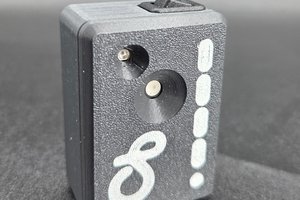
• Log #4: Anatomy of a radiator – from raw aluminum to the finished product.

    Amir4 hours ago 0 comments

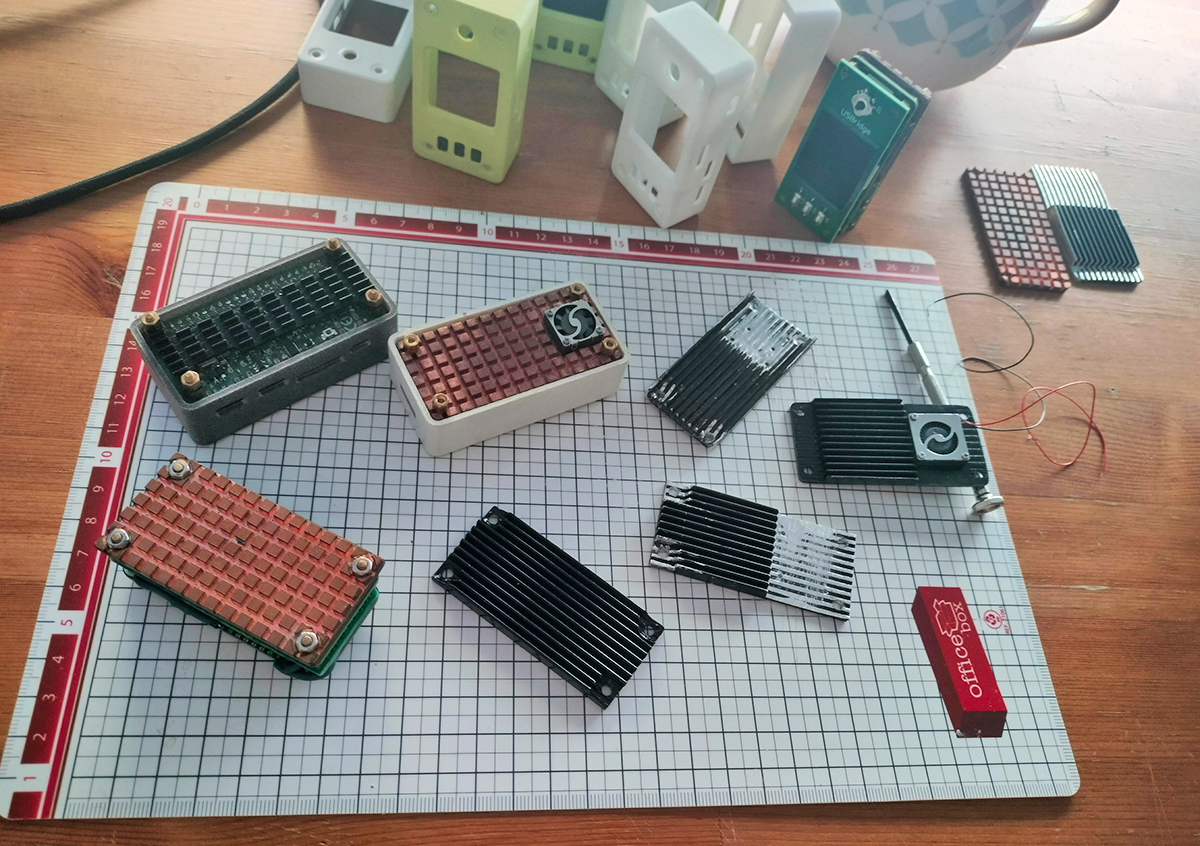
    I'd like to share behind-the-scenes details about the colossal amount of manual R&D and physical iterations that went into perfecting just one component of the USBridge-KVM 2.0.

    I started with standard, off-the-shelf aluminum fin extrusions and solid copper blocks. Since I'm not a professional lathe operator, I had to manually cut, file, and fit the aluminum extrusions. Every millimeter mattered to ensure the active turbine fan would fit perfectly in the case and air would be efficiently exhausted from the sides.

    Perfectly aligning the custom cooler mounts and mounting standoffs took several tries. A fraction of a millimeter off meant improper contact with the SoC or misalignment of the assembly inside the SLS 3D-printed case.

    Testing various thin-layer paints ensured a clean and professional-looking surface without isolating the aluminum or causing bubbling under constant thermal loads.

    James Dyson famously created 5,127 prototypes before completing his first vacuum cleaner. While I'm nowhere near that legendary number, my approach to hardware development remains the same: every component, no matter how passive it may seem, requires maximum effort to achieve the perfect balance of form, function, and reliability.

  • Feeding Text-Mode BIOS into Claude AI via SSH (Automation & Analytics)

    Amir05/17/2026 at 11:02 0 comments

    We decided to feed the digitized BIOS text directly into the Claude AI system to see how well the LLM model can analyze hardware configurations, detect anomalies, and assist with troubleshooting.

    The Setup & Workflow:

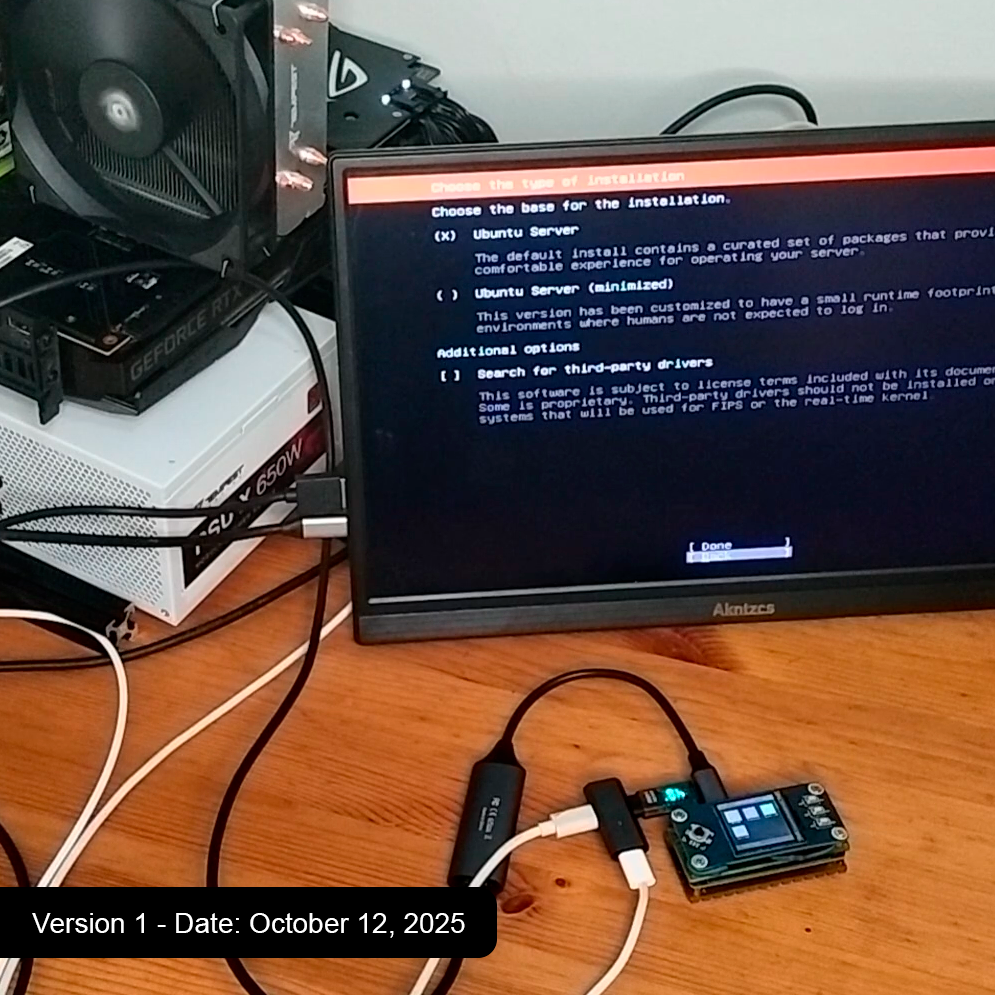
    • Host Connection: The USBridge captures the video output from the target machine (even during early boot/BIOS stage).
    • On-Device OCR: The KVM processes the video frames and converts the BIOS interface into a lightweight text stream.
    • SSH Streaming: The text is rendered inside a standard terminal window over SSH.
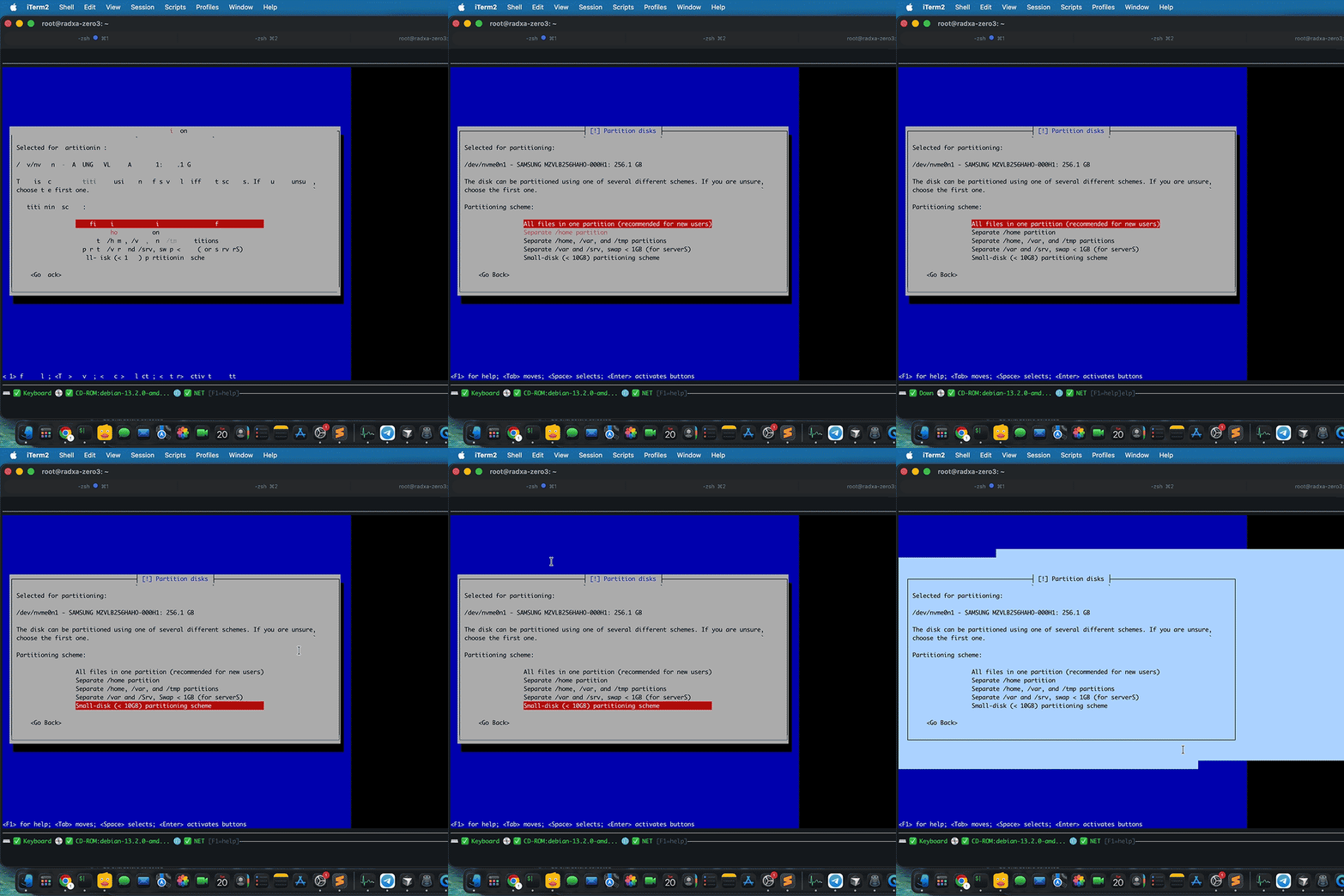
    • AI Integration: The digitized BIOS output is passed to Claude. As you can see in the video, the LLM perfectly parses the text layout, identifies the menu structure, and can provide real-time recommendations or even generate configuration scripts based on the active screen.

    Traditional IP-KVMs just send heavy, compressed video pixels. You can't grep a pixel, and you certainly can't easily feed a video stream of a BIOS error into an automation script. By converting the BIOS into text, USBridge makes the lowest level of PC architecture completely machine-readable. Imagine automated OS provisioning that can read BIOS errors, or AI co-pilots that can configure your motherboard settings remotely when a server crashes.

    Check out the video demo below to see Claude in action analyzing the KVM text stream!

    CrowdSupply: https://www.crowdsupply.com/usbridge-technologies/usbridge-kvm-2-0

    • Log #3: Taming the Thermals — From 70°C to 50°C

      Amir05/14/2026 at 16:35 0 comments

      As I neared completion of the USBridge-KVM 2.0 hardware design, I encountered a significant thermal limitation. Processing raw HDMI video signals for real-time text recognition and streaming 2K video over SSH requires substantial computational resources, especially for a compact build based on the Radxa Zero 3W.

      In my initial builds, I used a standard axial fan combined with 4-millimeter thermal pads to bridge the gap between the SoC and the heatsink. Under heavy loads, the processor temperature quickly rose to 70 °C. To ensure long-term stability and prevent thermal throttling, this was unacceptable.

      I decided to redesign the entire thermal scheme, making two major changes:

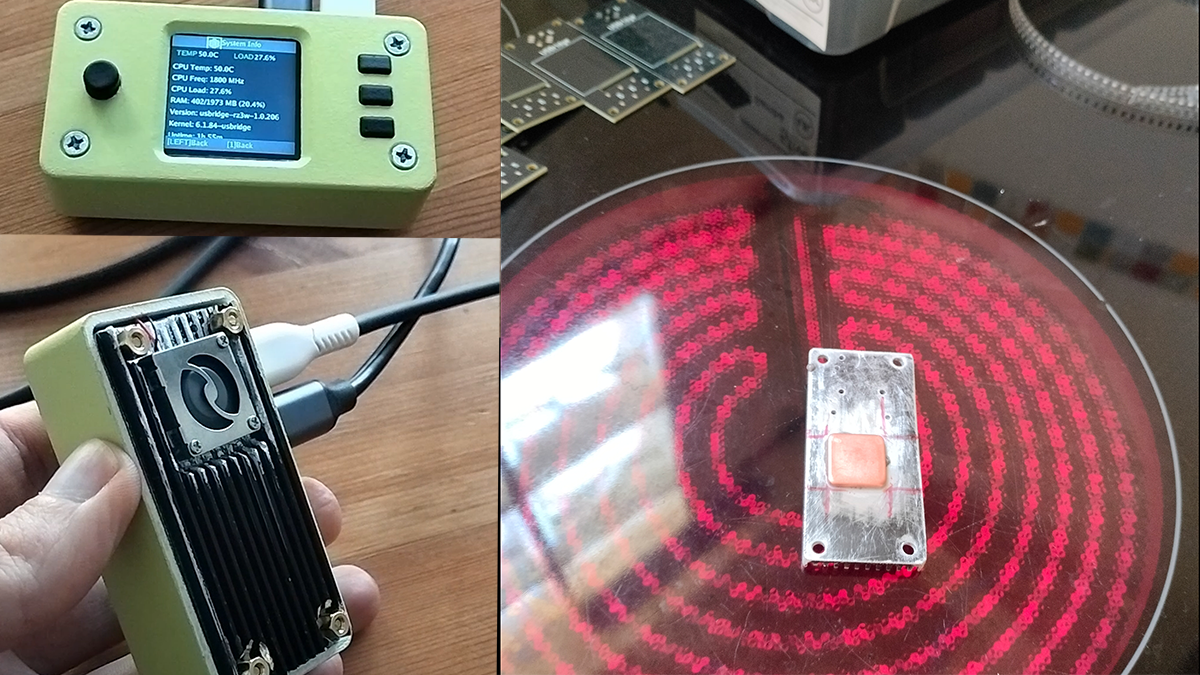
      Copper interface: I abandoned the thick and inefficient 4-millimeter thermal pads. Instead, I soldered a 2-millimeter copper pad directly to the heatsink. This provides a solid-metal interface with high thermal conductivity, which significantly reduces thermal resistance.

      Turbine cooling: I replaced the axial fan with a high-static-pressure fan (turbine). Unlike axial fans, which struggle to operate in tight enclosures, the turbine fan draws heat horizontally through the radiator fins and expels it from the side of the enclosure.

      The performance gain was immediate. After these modifications, the unit now maintains a stable 50.8°C under the same intensive load — a massive ~20°C drop.

      This iteration ensures that the device can handle continuous 2K video streams and OCR processing without any performance degradation. The thermal design is now ready for the production-grade SLS 3D printed enclosures.

    • Log #2: BIOS-to-Text in Action

      Amir05/04/2026 at 12:31 0 comments

      People keep asking me the same question: “Okay, but how does it actually work?” Let me show you.

      The GIF above shows a real-time SSH session. This is an actual BIOS screen—not a video stream or a screenshot. The device captures the raw video feed from the server, processes it using a built-in OCR model (running on the RK3566 NPU), and converts it into interactive text in real time, completely offline. Key presses are transmitted back via hardware HID emulation.

      All of this operates at a speed of ~10 kbps. For comparison: a standard video KVM requires 5–20 Mbps for the same screen. This means the system works perfectly over a 4G connection, a satellite link, or unstable hotel Wi-Fi—anywhere you’d normally give up and book a flight to the data center.

      What you can do in this mode: navigate menus, change boot order, copy serial numbers and MAC addresses directly from the terminal, run Expect scripts in the firmware menu, and execute automated BIOS operations. No monitor, no emergency cart, no agent on the host.

      This is the part of the project I’m most proud of. Everything else—virtual media, snapshots, power management—are useful features. But this one changes your perception of managing “bare-metal” hardware.

      Next blog post: immutable snapshots and why the host can’t touch them.

    • Log #1: The Genesis — Why BIOS-to-Text?

      Amir04/30/2026 at 11:54 0 comments

      I've always found traditional KVM-over-IP solutions to be unnecessarily heavy. Pumping a 1080p 30fps stream just to toggle a BIOS setting or configure a RAID array is complete overkill, and it inevitably falls apart over high-latency or low-bandwidth links.

      The concept for USBridge-KVM 2.0 grew from one simple question: Why am I streaming pixels when BIOS information is essentially just text?

      I decided to build a Layer 0 (L0) debugging interface that processes the video signal directly on the device, converting it into an interactive, SSH-native text stream. This does more than just save bandwidth; it fundamentally changes how we handle infrastructure automation.