Close
0%
0%

µLind (micro-lind)

- a 6x09 based retro computer

Public Chat
Similar projects worth following
This project started after my then 14 year old son found 3 intresting and for both of us unknown microprocessor: The 6809! I had since long been curious on how to build a microcomputer and was emediately intriged by the design of this exotic little chip. Being quite familiar with the 6502/6510 (both me and my son are avid Commodore users. GO 64!) I found the "advanced" features of the 6809 interesting. We started sketching on different ideas of what we would like a computer to be able to do. And my son who is an amazing datasheet reader found several features that made this processor intsesting to build a system on. For more in depth posts and info you are welcome to the project site: https://microlind.io

Disclaimer: 

When I started this journey down the 6809 path I had never heard of the TRS-80 or any of its siblings, I'm European and very much loyal to Commodore, with both C64 and C128 on the desk. In later days I started tinkering with Z-80 and ended up getting 2 Speccys (Sinclair ZX Spectrum). So Z80 and MOS6502/8502 are the only processors I really worked with in the 8-bit universe.

Goal (or what do I want):

So what do I want the final product be? Well as long as me and my son keeps getting better and better ideas it will evolve slightly over time, but in general it will be:

  • a micro computer system based on a 6809/6309 microprocessor
  • a serial controller with a regular RS232 port and a USB port (This will be the terminal port for debugging and updating etc.)
  • a 6522 VIA based dual joystick port (for all your gaming needs)
  • 8kB EEPROM for BIOS, drivers and monitor code (size might change if needed later)
  • 512kB static RAM with option for 512kB more on board (the system itself supports up to 4MB of RAM)
  • fully programmable address and control logic (3 GAL chips)
  • a PS/2 keyboard and mouse interface
  • interrupt controller for 15 unique and prioritized interrupts (it is also possible to set a mask to hide interrupts)
  • an addon port for a audio card (I have already designed a SID 6581/8580/Arm2Sid based board and started on a OPL3 based board)
  • an addon port for a video card (I have a VDC 8563/8568 based one with 2kB character ROM and a working on a V9958 based one)
  • an expansion port with full access to entire address space and all control signals (to be able to implement some smart DMA stuff later on)
  • and a CompactFlash card interface for the "unlimited" storage we all dream of. 

For the expansion port I have already started to design an similar sized expansion unit, with address logic, place for 2 extra 512kB RAM chips and 5 expansion ports. And I have designed a 24 bit parallel I/O module and started on a IEC interface for connecting Commodore drives to the system.  

The beginning:

Soon we had so many ideas that a project started to take form, and I started to draw a possible schematic in KiCad. After some simple testing and "proofreading" by my son I felt that we could be able to make a board of this. I even sat some limitations on the board, just to spice it up a bit, but in the end I had to make it in 3 stages to be able to manage the full scope, it was just too much to put on one board in one go for an microcomputer-rookie like me. 

Stage 1CPU, EEPROM for bios and test applications, RAM, address-logic (one GAL16v8), a serial controller and an expansion port.
Stage 2Stage 1 + Parallel port (6522), complete address logic (2 GAL22v10 and 1 GAL16v8), IRQ handler and addon ports for audio and video cards.
Stage 3Stage 2 + PS2 interface and CF Card addon port. There was no real estate left on the board for a full size CF socket.

Stage 1 ( status: TESTED):

So stage one was just a basic board with a EEPROM, a RAM, a GAL (for control signals) and a serial chip for communication. This basic board also have a single expansion port to be able to test small (and much cheaper) prototype boards for functions on later stages. This will hopefully let the next stage have lower probability for faults.
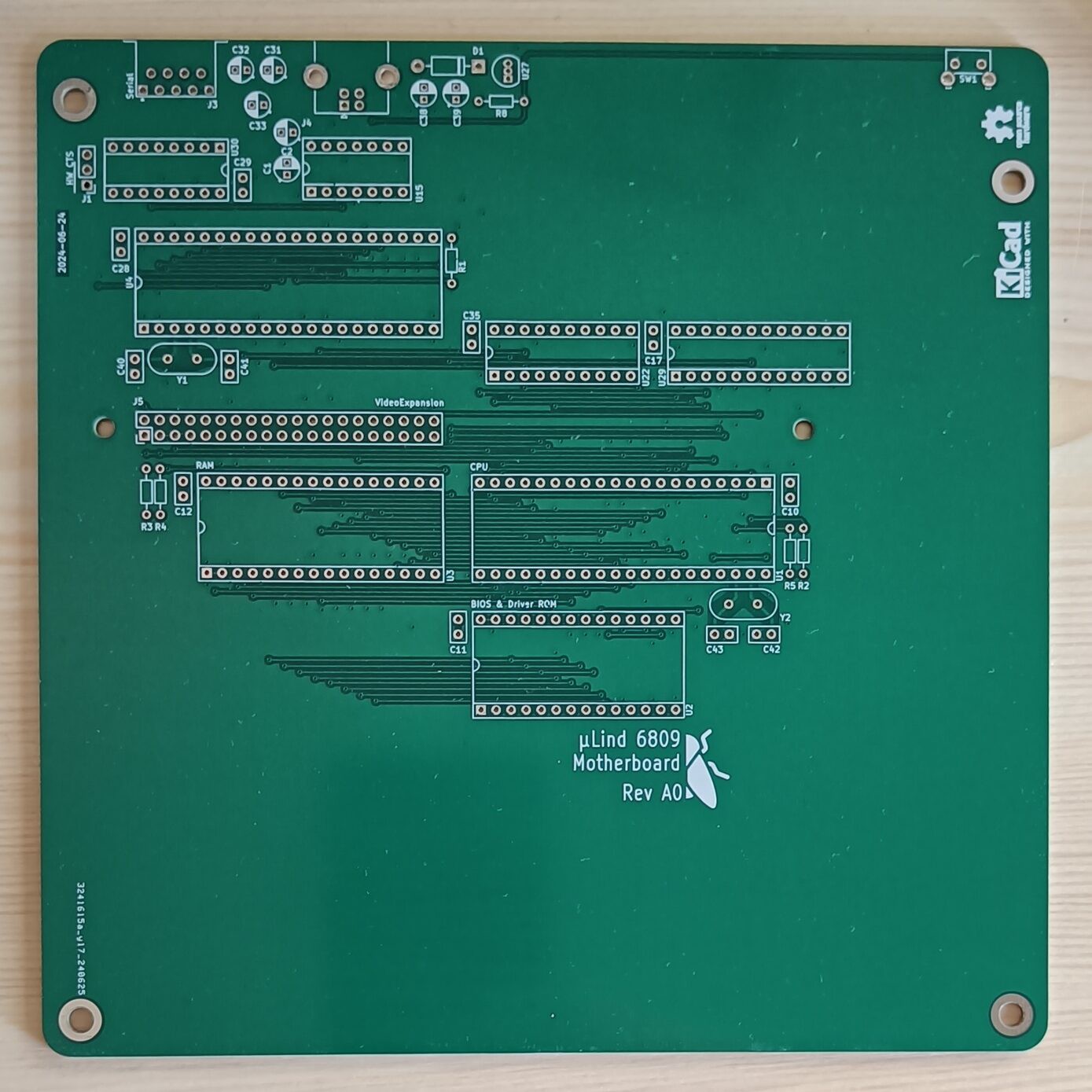
After assembly and testing of the stage 1 board, the conclusion is:

  • I forgot a pull-up on the DMA/BREQ pin on the CPU.
  • The power regulation and reset handling was not very good, has been complete re-drawn in stage 2.
  • The serial controller is very slow, is also replaced in stage 2. 
  • I forgot to pull out the spare pins of the GAL to the expansion header (the prototype boards need to have an ENABLE signal hand soldered to the GAL)

Apart from these points was the first prototype board successful! 

My son managed to write some code that simply echoes a word back when typed in the terminal in just some hours.

Stage 2 (TESTED and DONE):

The stage 2 is based on stage 1, with some modifications, bug...

Read more »

logic-stage2.zip

Logic chip code for stage 2.

x-zip-compressed - 2.13 kB - 04/01/2025 at 19:04

Download

motherboard-stage2.step

Model of stage 2 board in STEP format

step - 18.33 MB - 11/17/2024 at 18:43

Download

motherboard-Stage2.zip

Gerbers for the final stage 2 board.

x-zip-compressed - 2.04 MB - 11/17/2024 at 18:43

Download

motherboard-stage2.pdf

Final stage 2 board schematics.

Adobe Portable Document Format - 387.47 kB - 11/17/2024 at 18:43

Preview

  • 1 × MC6809 alt. HD63B09 Microprocessor
  • 1 × 28C64 Memory ICs / PROMs, OTP PROM
  • 1 × AS6C4008 Memory ICs / Static RAM (SRAM)
  • 4 × 74HCT245 Logic IC
  • 1 × 8MHz Crystal CPU Crystal

View all 24 components

  • Today I received the OSHWA Certification for microLind!

    Eric Lind08/15/2025 at 07:58 0 comments

    Now, when I feel that I start to get some order in what i have made for the microLind project, both hardware and software, I felt that I wanted to get a "stamp of approval", a Open Source HardWare Association certification. So I applied and hoped for the best, and today I finally received the mail with an approval!

  • Letting the magic smoke out!

    Eric Lind07/31/2025 at 11:04 0 comments

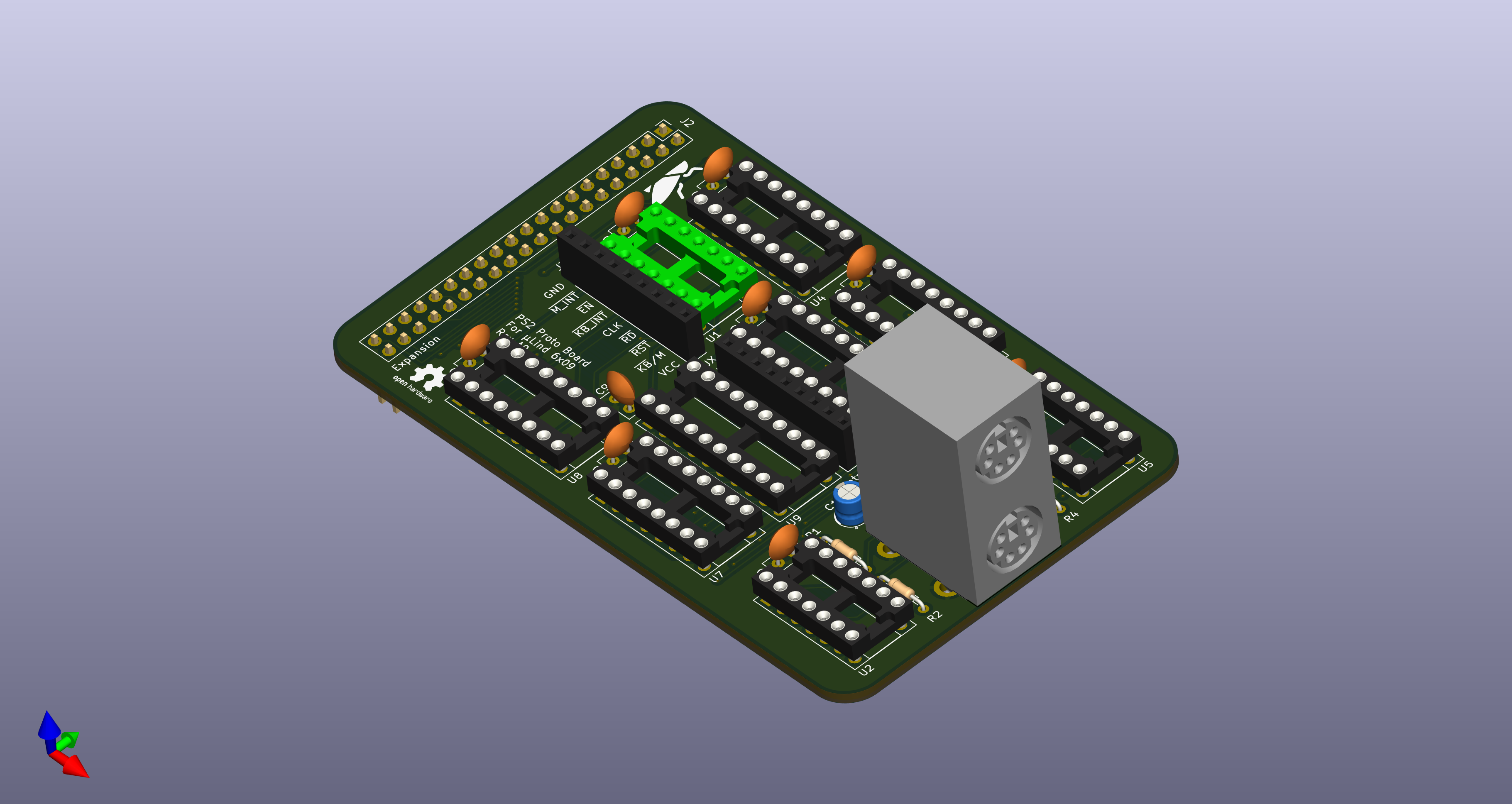
    So, I finally got around to test the PS2 interface prototype. I made a simple test program that only checks for the interrupt and then prints the key pressed value and connected the board up to a Arduino Mega and turned on the power.  I gave me some spurious interrupts but I was not surprised, after all, it is a prototype hooked up with test wires. So I decided to connect a keyboard.

    That is when the smell and pop came...  Nooo....
    I unplugged everything, but the Arduino was beyond saving. 

    So back to the schematics and looking at footprints. And low and behold, the footprint for the PS2 connector was mirrored. Which means that when I plugged in the keyboard I actually short circuited VCC and GND. And that is not something an Arduino likes.

    This is why we make the small prototype boards to test things. To build a new µLind prototype board would have been more expensive than an Arduino. 

  • Okey, lets dig in and find the fault!

    Eric Lind07/05/2025 at 14:22 0 comments

    So yesterday me and my son sat down and pulled out the logic analyzer to finally find the fault. First we used the oscilloscope to verify the power delivery, and it was rock solid. Then we hooked up the major part of the bus (on the peripheral side of the bus transceivers) and started logging...

    Well what do you know, when we started to verify the code with what we measured we found 2 things that will destroy any chances of stable execution:

    1. We found that when we loaded the stack pointer we used the wrong addressing mode, in the code we had "lds $E000" while it should be "lds #$E000". DOH! That meant we were loading the stack with an un-initialized value found at $E000 instead of loading it with actual E000. 
    2. We also found small artifacts, only 5-15ns long, that in certain conditions made the processor more or less halt or reset. These spikes only appeared during write instructions, which lead me to believe that it could be a reflection or a spike from changing direction on the bus transceivers. 

    So this artifact problem rushes the issue of adding pullups on the bus, which I already had planned for stage 3, but I need to add those pesky pullups on the BA, BS and R/W signals as well since I could see the blips there to. 

    Hopefully this will make the bus a bit more stable and well behaved. 


    TL;DR The Stage 3 is soon being ordered!

  • Ignoring the problems...

    Eric Lind05/15/2025 at 07:25 0 comments

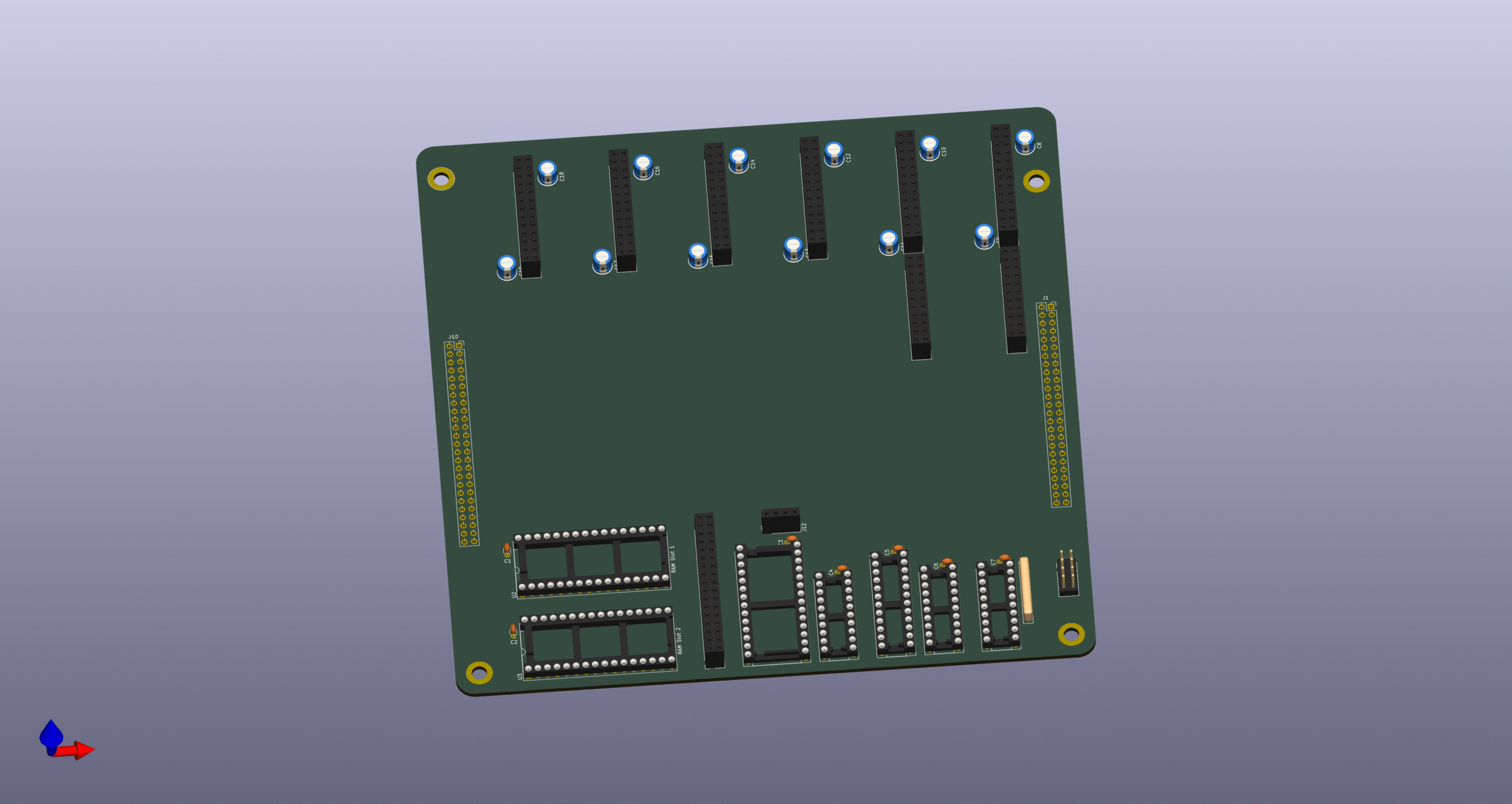
    While we are stuck in the fault tracing I decided to start working on an expansion backplane. We wanted a possibility to add expansion cards to the µLind system and we settled on following requirements for the backplane:

    • 6 expansion cards.
    • 2 of the ports should have a complete address bus to it (for use with DMA functions for example.
    • 2 sockets for 512kB ram, for up to 1MB of expanded ram.
    • Possibility to chain one more backplane to the first for additionally 6 ports and 1MB ram.
    • Slot for I2C expansion, giving the backplane a way of auto configure the different added expansion cards.
    • Possibility to add RTC clock.
    • Own address handler and IRQ handler.

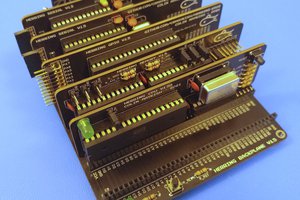
    So below is a picture of the first draft of the Expansion Backplane:

  • Why can't everything just work!!!

    Eric Lind05/06/2025 at 07:52 0 comments

    We have been working a lot on the Stage2 board with different SW concepts and Ideas, and now it was time for testing advanced IRQ handling. Like setting up a timer on the serial chip and use that to blink the LED.

    But when we flashed the ROM and started the application (the board has been standing unused on my desk for week now) nothing worked. So we scaled it back and only set the LED and just threw us in a loop after that. 

    Flashing ROM.

    Starting µLind...

    The LED turned on, but after 2s it turns off. We measured the 5v and it was good and clean... If the only thing we do is to write a 2 in a register and then we loop, and that does not work... I'm clueless! 

    So next step is to connect the logical analyzer and see what happens.... **Sigh**

  • Finally, Stage 2 is tested and working!!!

    Eric Lind04/16/2025 at 20:08 0 comments

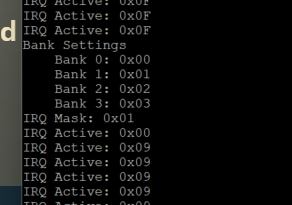
    Yesterday we finally got the IRQ-handler working on the stage 2 board! 

    That means that all features of stage 2 is tested and working properly. My son is now focusing on writing a SREC parser for our serial routines so we can simplifying testing of applications. No more flashing and swapping EEProms! And the final thing to test is the PS2 interface I built as an expansion for the Stage 1 board. At least I was smart to build the PS2 board so it would be possible to test stand alone, without any computer connected to it so I can test it without starting the Stage 1 board again! That one is relegated to the dusty shelf of history now!

  • All systems are go!

    Eric Lind04/05/2025 at 15:07 0 comments

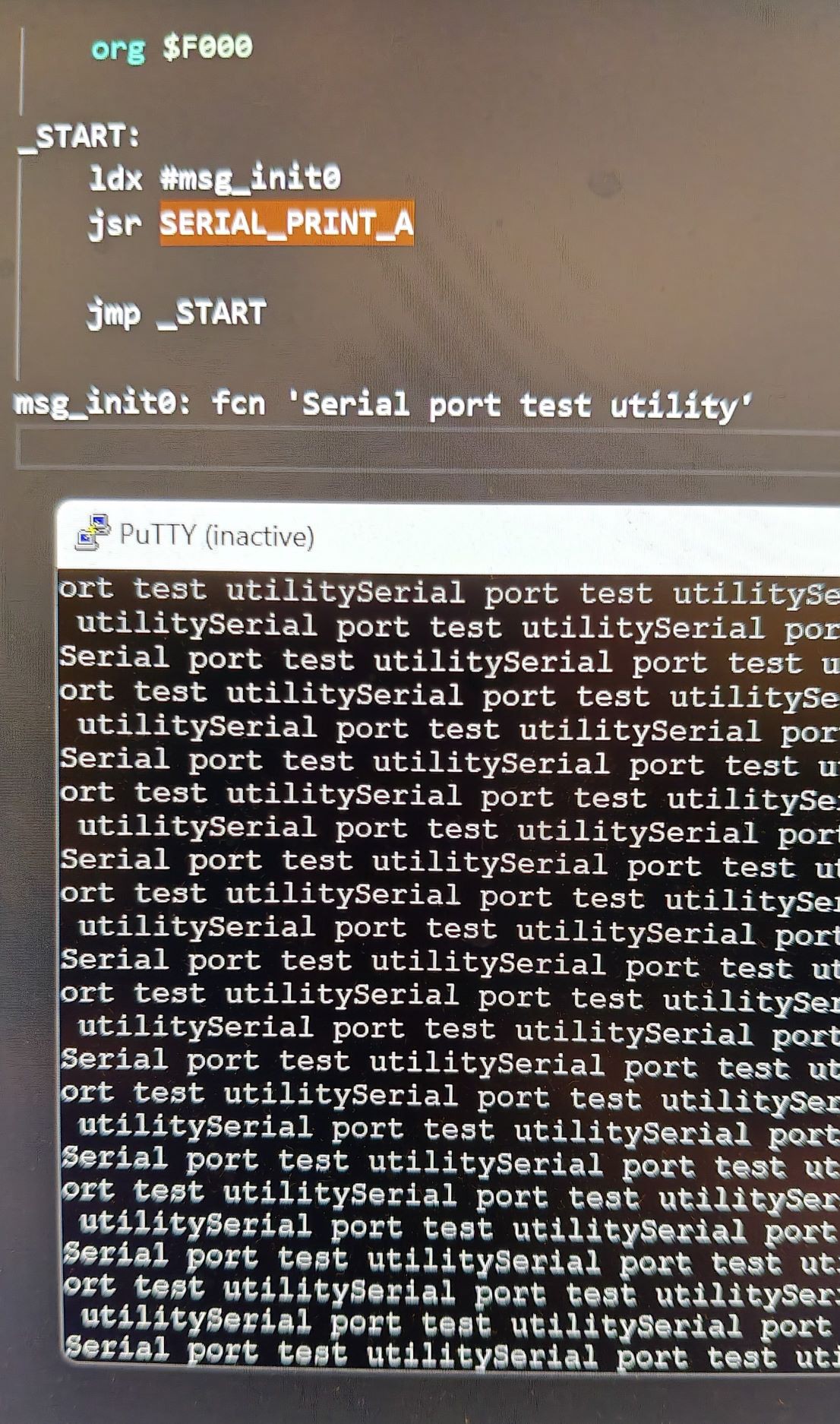
    Two days ago, we finally got all components working (sort of) on the stage 2! We sat down and made the serial communication work, there were just some minor tweaks to the code my son had written for the serial controller, and the tiny detail of actually start the serial tranciever after initializing (DOH!) and it worked perfect! 

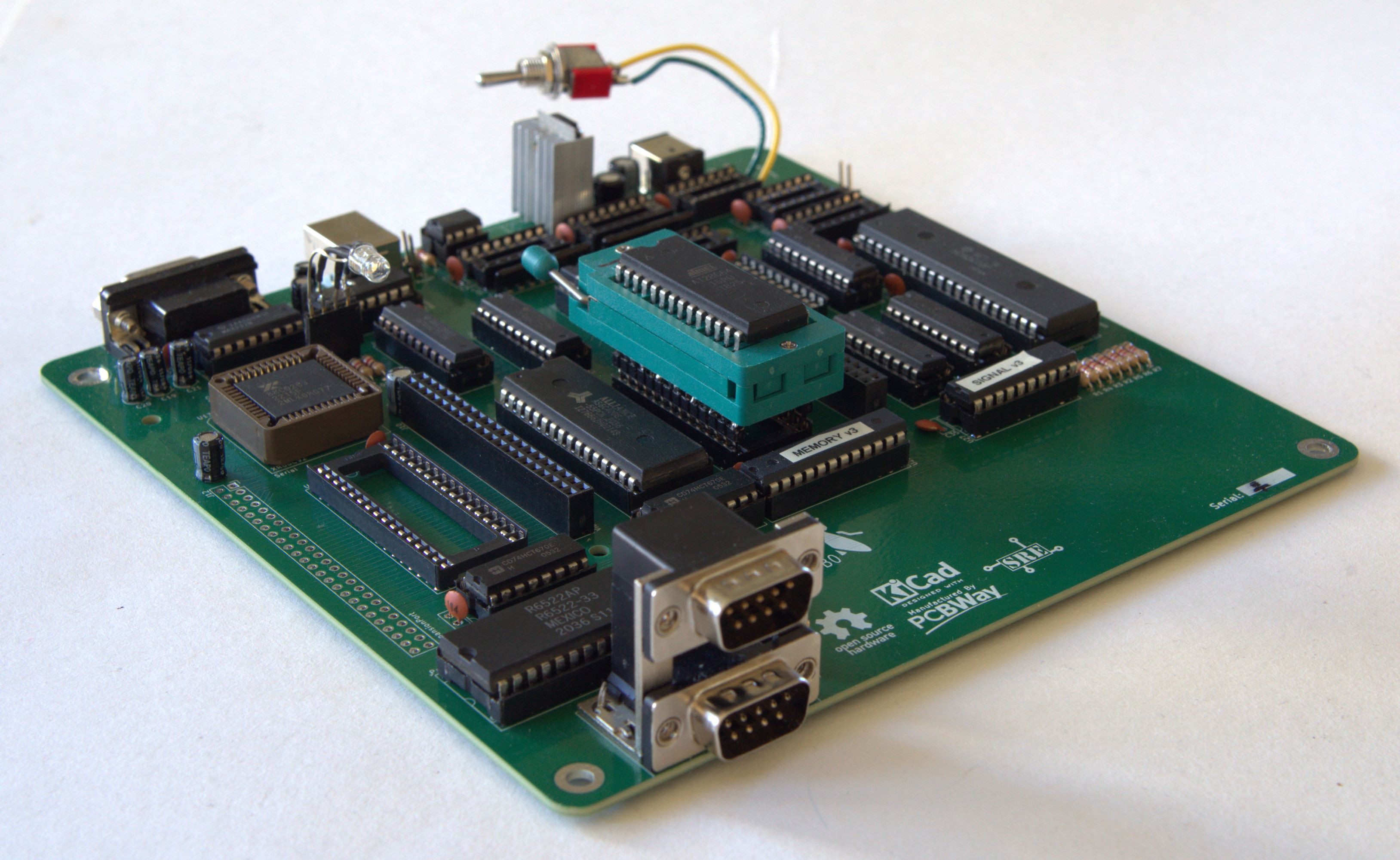
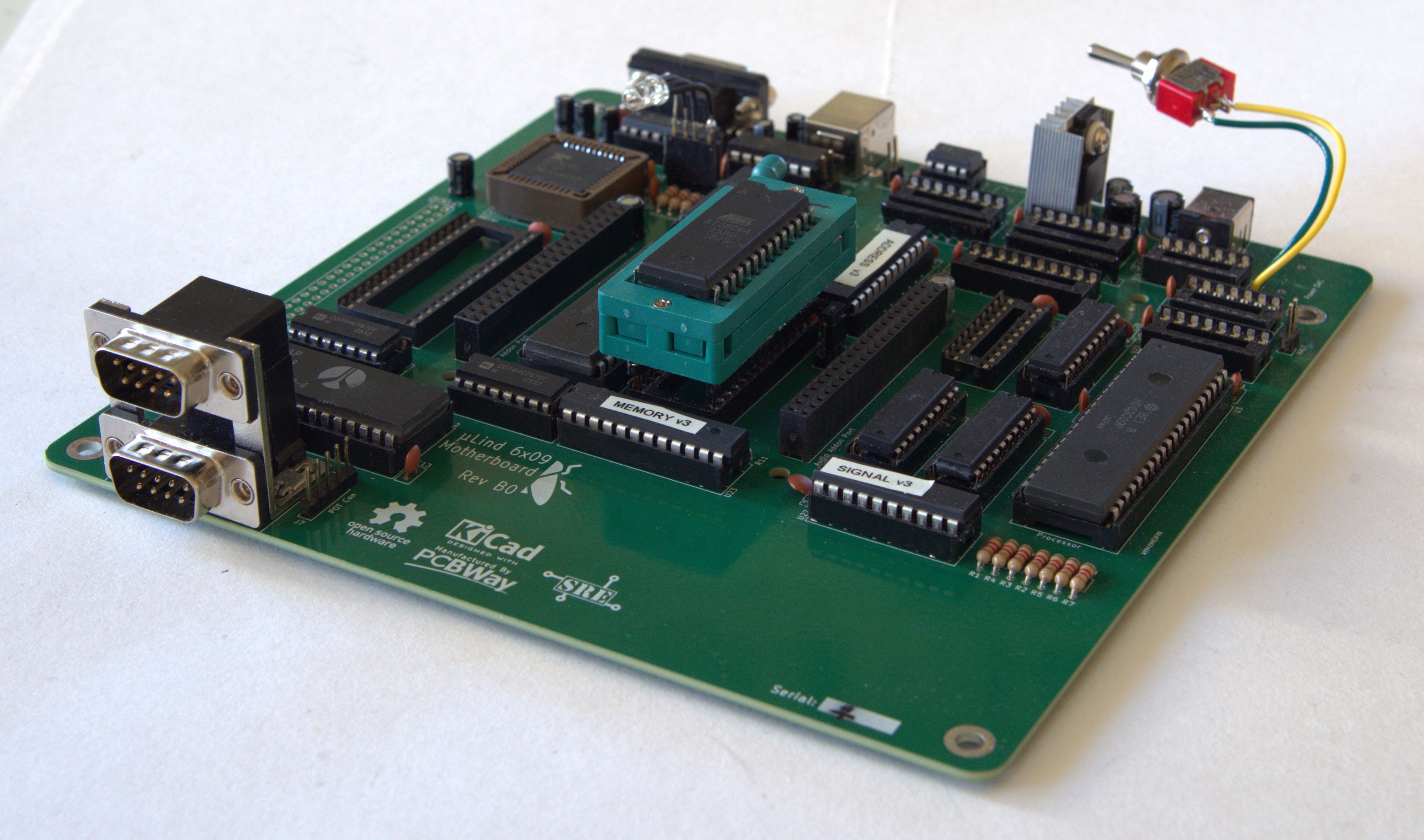
    The parallel port (joystick ports) needed a missing pullup resistor to not have the inputs floating. Small miss but the stage 3 drawings are already updated. So after this, the computer deserverd a beauty shot:

    So now the only thing that is left on stage 2 is the IRQ Handler, the 7 unpopulated circuits on the bord (apart from the extra RAM socket).

    Thank you PCBWay for helping me making this dream come true!

  • Stage 2 is working!

    Eric Lind04/01/2025 at 18:59 0 comments

    Today we finally got the stage 2 to work properly, we got a led blinking!

    We started with a small code that should cycle thru the colors of the rgb led we got connected to a register.

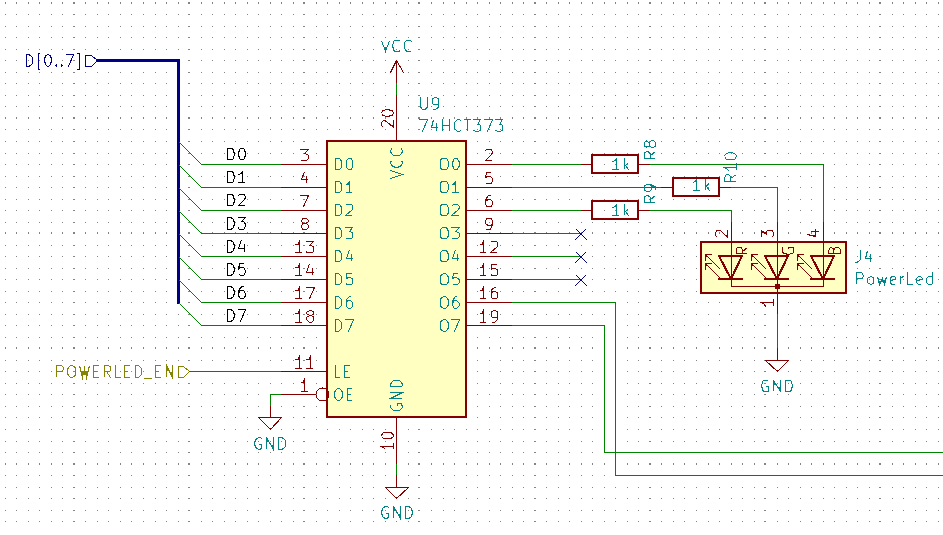
    When we tried the code the led only blinked once and was dark after that. When we looked in to the schematics we found that we were generating a active low enable signal from our address-logic and the 373 chip needed active high logic. 

    Easy fix, we just change a line in the GAL code:

    PIN 14		= !EXP_EN	; /* Enable Expansion Port     */
    PIN 15   	= !VDC_EN	; /* Enable Video Port         */
    PIN 16    	= !SNDR_EN	; /* Enable Sound Port Right   */
    PIN 17    	= !SNDL_EN	; /* Enable Sound Port Left    */
    PIN 18		= !CF_EN	; /* Enable Compact Flash      */
    PIN 19    	= !PAR_EN	; /* Enable Parallel Port      */
    PIN 20    	= !SER_EN	; /* Enable Serial Port        */
    PIN 21    	= PWR_EN     	; /* Enable PowerLed Port      */   <--- HERE!
    PIN 22    	= !IRQ_EN       ; /* Enable IRQ Handler        */ 
    PIN 23   	= !MEM_EN       ; /* Enable MMU                */ 
    

     After we fixed that we got it to light up, but not change color... Hmmm...  After some looking at the code we realized that if the stack was not properly set up the jump instructions used in the delay would not work. Said and done, we updated the code and added initialization of the bank register for good measure :

        org $FE00
    
    PWR_LED     EQU $F405
    BANK_REG_0  EQU $F400
    BANK_REG_1  EQU $F401
    BANK_REG_2  EQU $F402
    BANK_REG_3  EQU $F403
    
    _START:
        clrb
    LOOP:
        stb PWR_LED
        ldx #$03E8
        jsr DELAY_MS
        cmpb #$07
        beq _START
        incb
        bra LOOP
    
    DELAY_MS:
        lda #$7C            ; 2 cycles
    DELAY_MS_LOOP:
        nop                 ; 1 cycle
        nop                 ; 1 cycle
        nop                 ; 1 cycle
        deca                ; 1 cycles
        cmpa #$00           ; 4 cycles
        bne DELAY_MS_LOOP   ; 3 cycles
        nop                 ; 1 cycle
        nop                 ; 1 cycle
        nop                 ; 1 cycle
        nop                 ; 1 cycle
        nop                 ; 1 cycle
        nop                 ; 1 cycle
        leax ,-x            ; 5 cycles
        cmpx #$0000         ; 4 cycles
        bne DELAY_MS        ; 3 cycles
        rts                 ; 4 cycles
    
    STACK EQU $1000
    
        org $FF00
    
    HOOK_RESTART:
        ; Initialize the 6309 CPU in native mode
        ldmd #$01
    
        ; Initialize the bank registers
        clra
        sta BANK_REG_0
        sta BANK_REG_1
        sta BANK_REG_2
        sta BANK_REG_3
    
        ; Set up the stack
        lds #STACK
    
        lbra _START
    
    HANG:
        bra HANG
    
        org $FFF0
    
    vrestart: fdb HOOK_RESTART

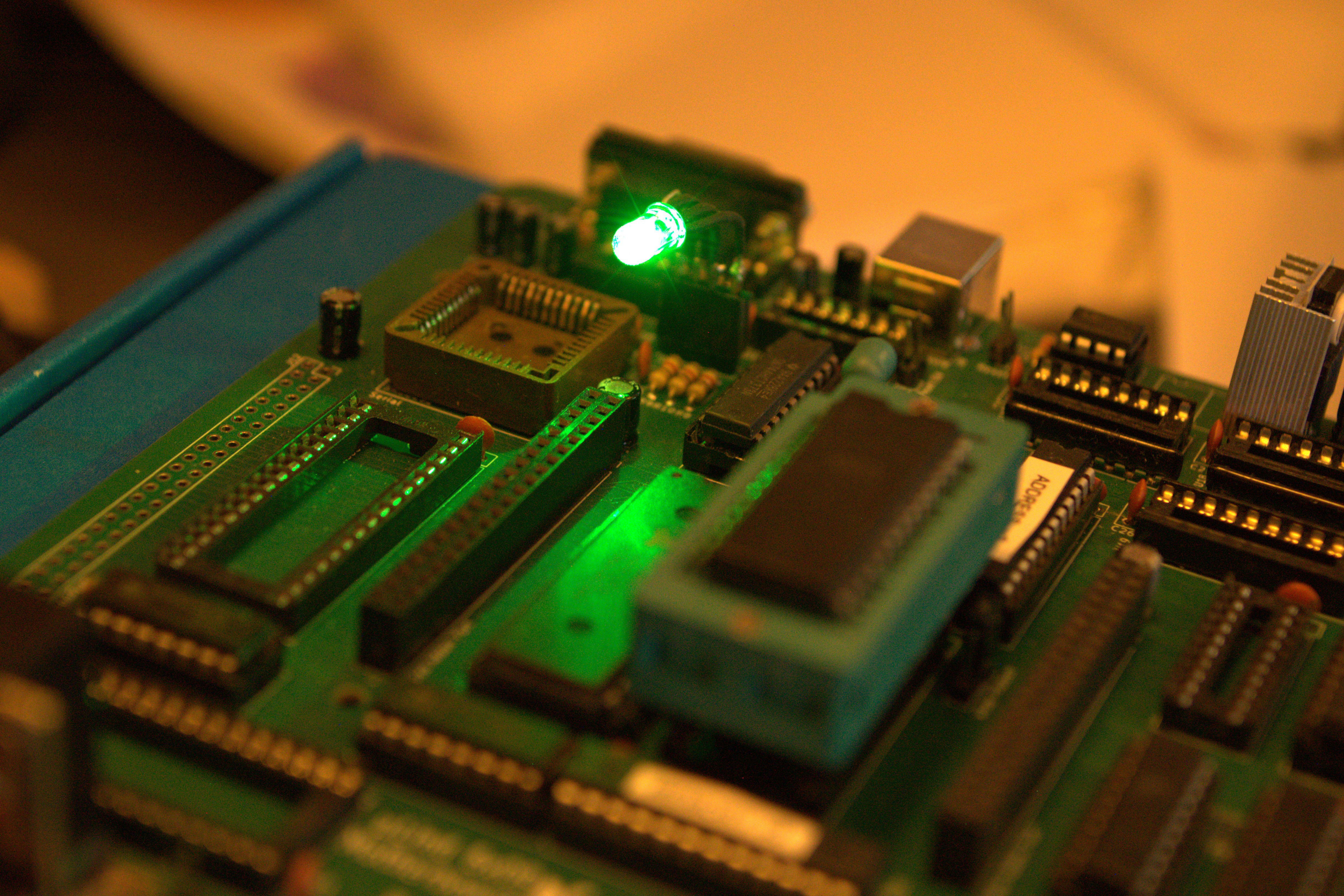
     With this fixes the power led started cycling as expected! IT WORKS! 

    This means that following works:

    • Signal logic
    • Address logic
    • Memory logic
    • Bank registers
    • PWR_LED register with led
    • Low RAM and ROM

    Next up is to get the serial port working, my son is working on a SREC parser so we will be able to upload code to execute and run.

  • Finally, all logic chips are validated!

    Eric Lind03/20/2025 at 18:59 0 comments

    Today we finally sat down and tested the Signal-Logic chip, the chip responsible for creating the RW and WR signals and also some other signals like the MEM_RD/MEM_WR that is used for the banking system.

    We have tried to validate this chip several times and did not get the correct functionality, on the contrary, we get the opposite functionality! Hmmm... When we expect a logical HIGH we got a LOW and vice versa. We even made a super simple 2 input and 2 output program to test but to no avail.

    After several attempts of testing and reading we finally got it to work as assumed (don't ask how we fixed it, it was magic...). So now we have all 3 logic chip working as intended and tested. So next step will be testing the new bus transceivers to make sure we don't fry our processor. And when that is done, we can start test ROM & RAM. 

    Name     Test ;
    PartNo   00 ;
    Date     2025-03-29 ;
    Revision 1 ;
    Designer Engineer ;
    Company  Sperly Retro Electronics ;
    Assembly None ;
    Location  ;
    Device   G16V8A ;
    
    /* *************** INPUT PINS *********************/
    PIN 2    =  A                         ; 
    PIN 3    =  B                         ; 
    
    /* *************** OUTPUT PINS *********************/
    PIN 18    = Y                      ;
    PIN 19    = X                      ; 
    
    /* ********************* LOGIC *********************/
    X = A & B;
    Y = A # B;

    This test program gave us inverted outputs and I did not figure out why. 

  • I'm still here...

    Eric Lind03/04/2025 at 07:21 0 comments

    I haven't dropped the project, I've just been struggling with both GAL- problems and real life time issues. But my son has started to design and develop BIOS routines for the new stage 2 board. 

    The issues with the GAL is either depending on my lack of programming knowledge regarding Goals or as I thought about this morning, a dodgy chip. Need to get a new one and try that. I have started building a test bench for Goals using an Arduino Mega, to be able to automate the testing of the address and logic GALs. 

    I hope I can solve this soon, both me and my son are anxious to start SW development on the stage 2 board. 

View all 16 project logs

Enjoy this project?

Share

Discussions

Frank Swygert wrote 12/09/2024 at 13:27 point

You might want to consider NitrOS-9 as a multi-tasking OS. It would have to be modified to run on your 6809 board, but it should be doable.

  Are you sure? yes | no

Eric Lind wrote 12/09/2024 at 17:20 point

I was actually thinking about that. I need to look in to what needs to be modified.

  Are you sure? yes | no

Alexey Vazhnov wrote 12/06/2024 at 22:32 point

MIT license— awesome!

  Are you sure? yes | no

Eric Lind wrote 12/09/2024 at 17:21 point

I have always been a strong supporter of open and free hardware/software.

  Are you sure? yes | no

Eric Lind wrote 08/18/2025 at 05:49 point

Now it is even OSHW Certified! 

  Are you sure? yes | no

Alexey Vazhnov wrote 08/18/2025 at 06:39 point

Amazing!

  Are you sure? yes | no

Similar Projects

Does this project spark your interest?

Become a member to follow this project and never miss any updates