Close
0%
0%

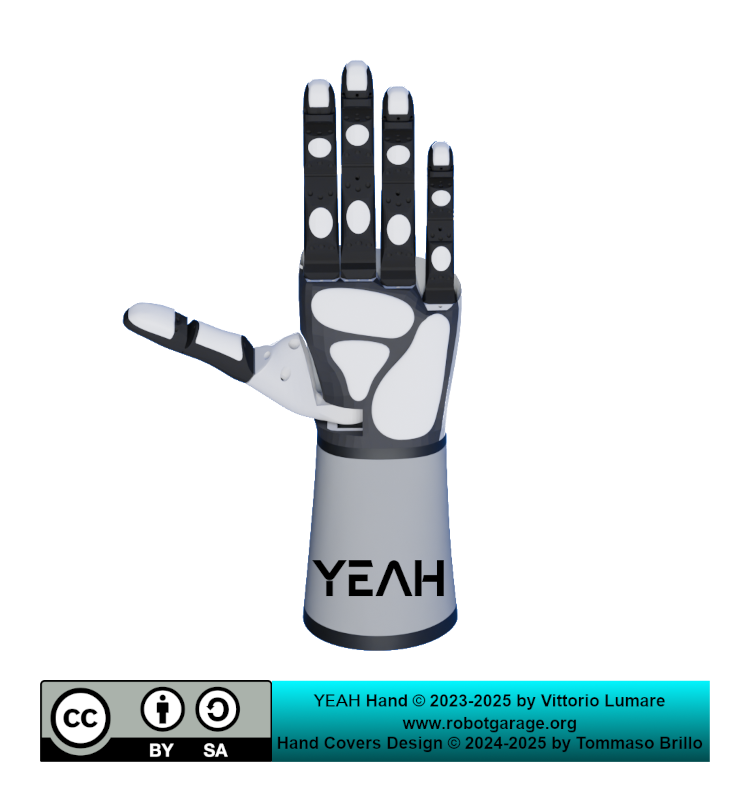
Yeah Robotic Hand (formerly Rebelia)

A low cost robotic hand for robots and humans

Similar projects worth following
Starting from
$
has orders / reviews
Ships from
Tindie Store: https://www.tindie.com/stores/robotgarage/

Welcome to the project page for the Yeah Hand, which was formerly developed under the name Rebelia, and now it's also a Public Invention project !!

This project aims to create a powerful, low-cost, and open-source robotic hand for researchers, developers, and enthusiasts.

The hand will be affordable and reliable.

It will be produced in 2 versions: robotic ( for manipulators, humanoid and service robots) and prosthetic (transradial amputees).

We believe that groundbreaking technology shouldn't be locked away in high-cost labs. It should be in the hands of developers, researchers, and makers like you.

Join the rebellion. Let's build the future, affordably.

Tindie Store: https://www.tindie.com/stores/robotgarage/


BUY ON TINDIE !


Project Status: Version 2 (In Development)

This project page documents YEAH Robotic Hand , formerly called Rebelia Robotic Hand V2, the next iteration of our open-source robotic hand.


Specs:

  • DOF: 15
  • Actuators: 5
  • Torque: 20 kg*cm (for each finger)
  • Sensors: Torque (for each finger)

Our commitment to open-source hardware remains unwavering. 

The previous version, Rebelia V1, is officially certified by OSHWA (Open Source Hardware Association). 

The licenses for the project are as follows:

Once Version 2's development is finalized and stable, we will submit it for a new OSHWA certification under the same set of licenses. This ensures that both versions of the project are fully recognized, compliant, and protected open-source hardware.

From Prototype to Product: Forging the Rebelia Robotic Hand

The Rebelia Robotic Hand works. 

We've moved past the concept stage and have a functional prototype that has proven its basic reliability. 

But now comes the hard part: transforming this prototype into a robust, consumer-ready product that can handle real-world tasks, and we need your help to do it.

Proven Durability: It's Not Just a Demo 

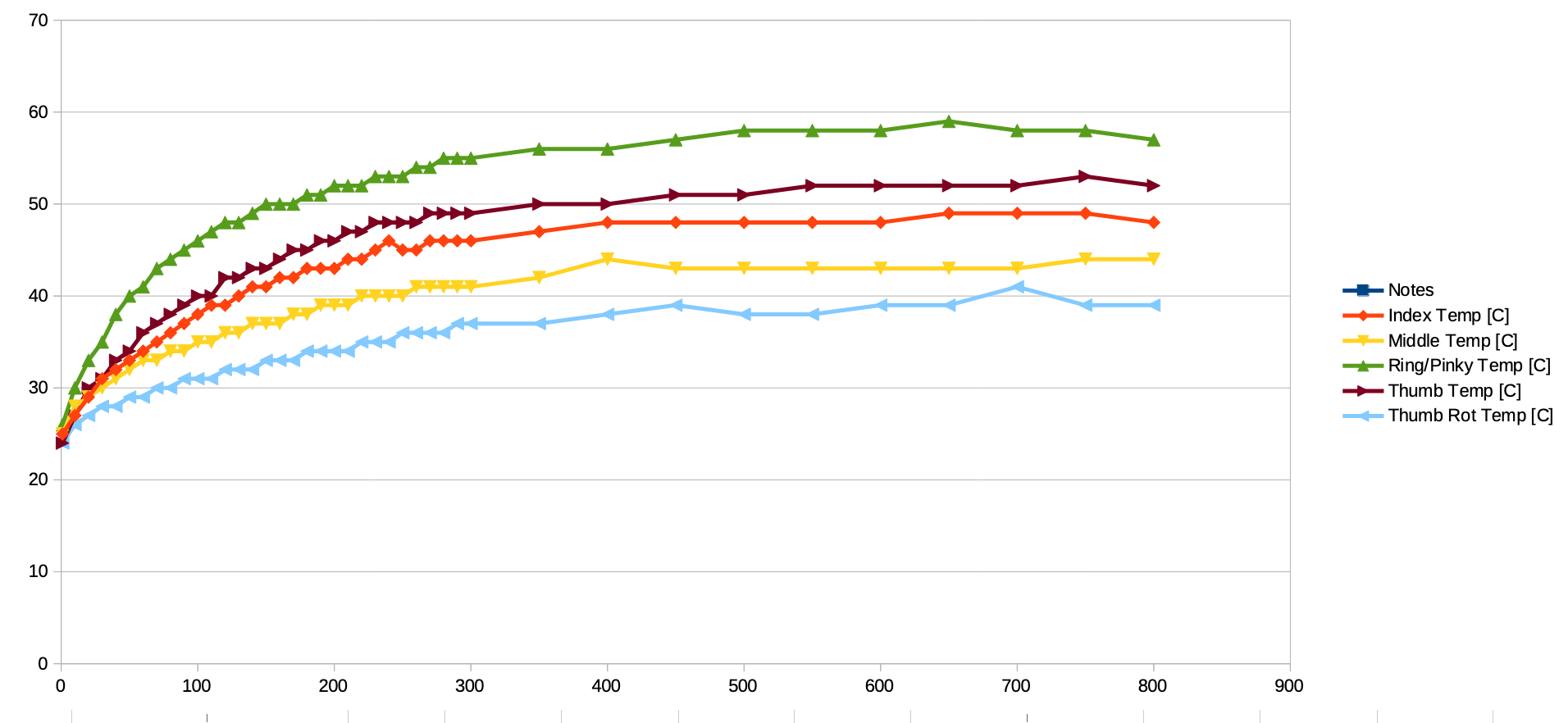
Our latest stress test pushed the hand through 500 open/close cycles of all fingers with a 330 unit force limit. 

The result? 

The hottest motor stabilized at a cool 58°C. Even after 800 cycles, the temperature held steady, proving the design is stable for continuous use. 

This isn't a fragile lab toy: it's a platform ready for refinement.

The Challenge: Beyond the Basics 

A hand that can just open and close is useful, but a great hand can perform a vast range of manipulations. 

We've identified key use-cases it needs to master:
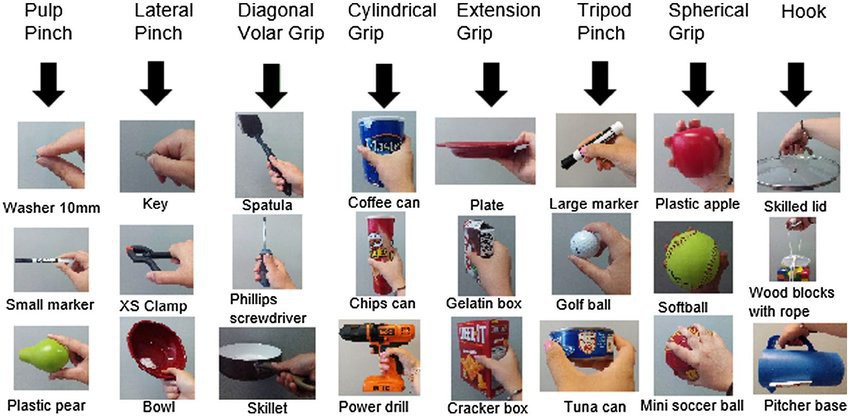
use-cases picture taken from here, under CC-BY-4.0

But our list isn't exhaustive. What are we missing? 

Suggest scenarios we haven't considered. Is it wielding a tool? 

Manipulating a delicate object? 

Performing a specific task in a workshop or kitchen?


Design Files & Licensing

This project is designed using a parametric, modifier-based workflow in Blender. The source .blend files contain the full design history and logic, allowing for powerful non-destructive customization.

  • Source Design Files: The native and preferred source files are the .blend files, which use Blender's modifiers to drive the parametric design.
  • Production Files: The .stl files provided are exported outputs from the source, ready for 3D printing.
  • Open Hardware License: All hardware design files are released under the CERN Open Hardware Licence Version 2 - Strongly Reciprocal (CERN-OHL-S-2.0). You can find the full license text here: Link to CERN-OHL-S-2.0
  • What this means for you: You are free to use, modify, and distribute the designs. However, if you distribute any modified version (a "Adaptation" under the license), you must release the source files for your modifications under the same CERN-OHL-S-2.0 license. This ensures the project remains open and contributions are shared back.

For builders who prefer a ready-to-use solution, fully-tested kits and assembled units are available from my shop.

An Open Invitation to Collaborate 

This is a copy-left, open-source project. It belongs to all of us. 

The potential technological solutions—from novel grip-pattern algorithms and sensor fusion to new materials and actuation methods—are infinite.


We challenge you to propose solutions, and we commit to implementing and testing the best ideas.

This isn't private, closed tech.

It's an open platform, it's affordable by design, and together, we can make it the best it can be.


Let's build the future of accessible robotics, together.
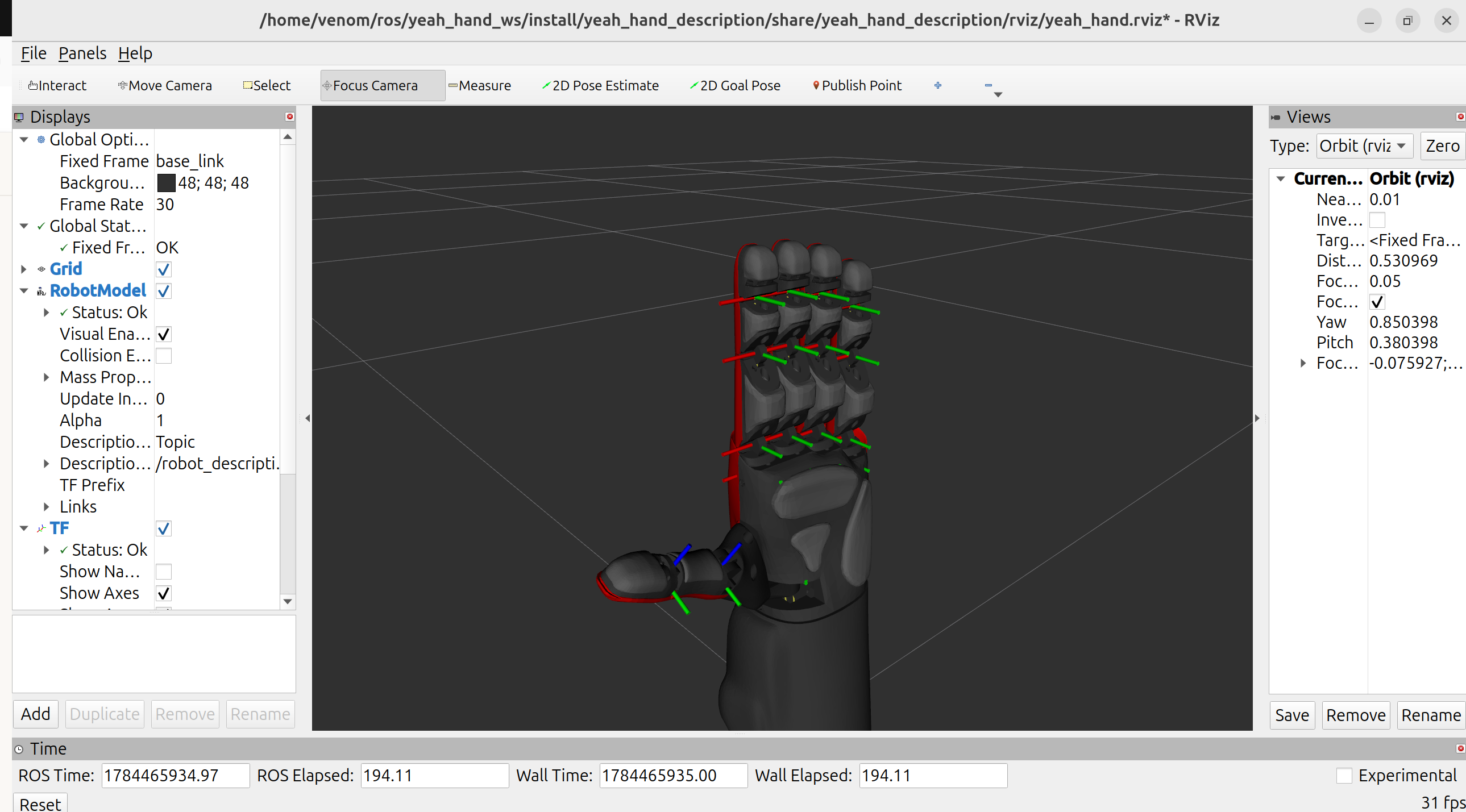
ISO-9409-1-50-4-M6 Flange (UR3).stl

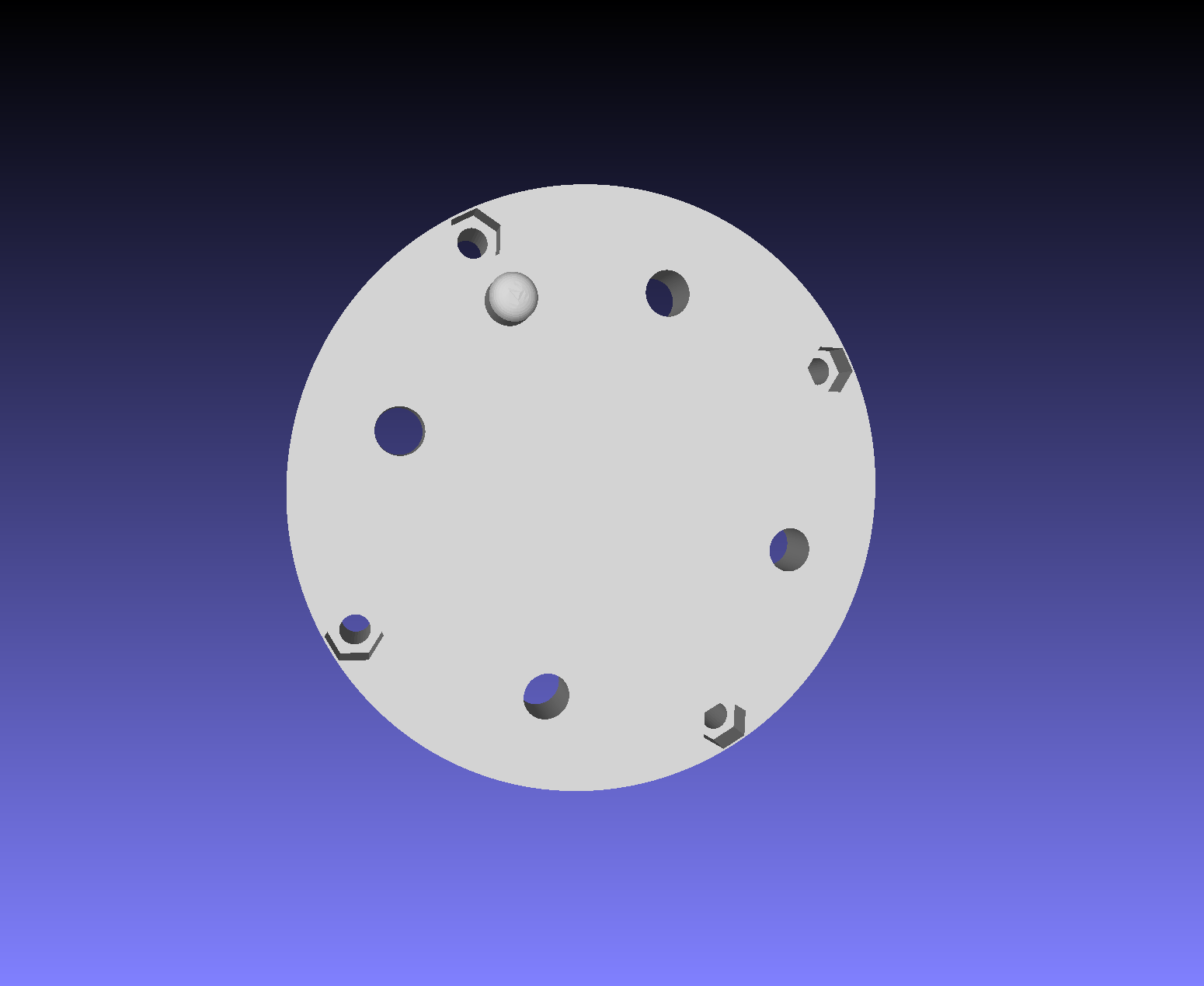
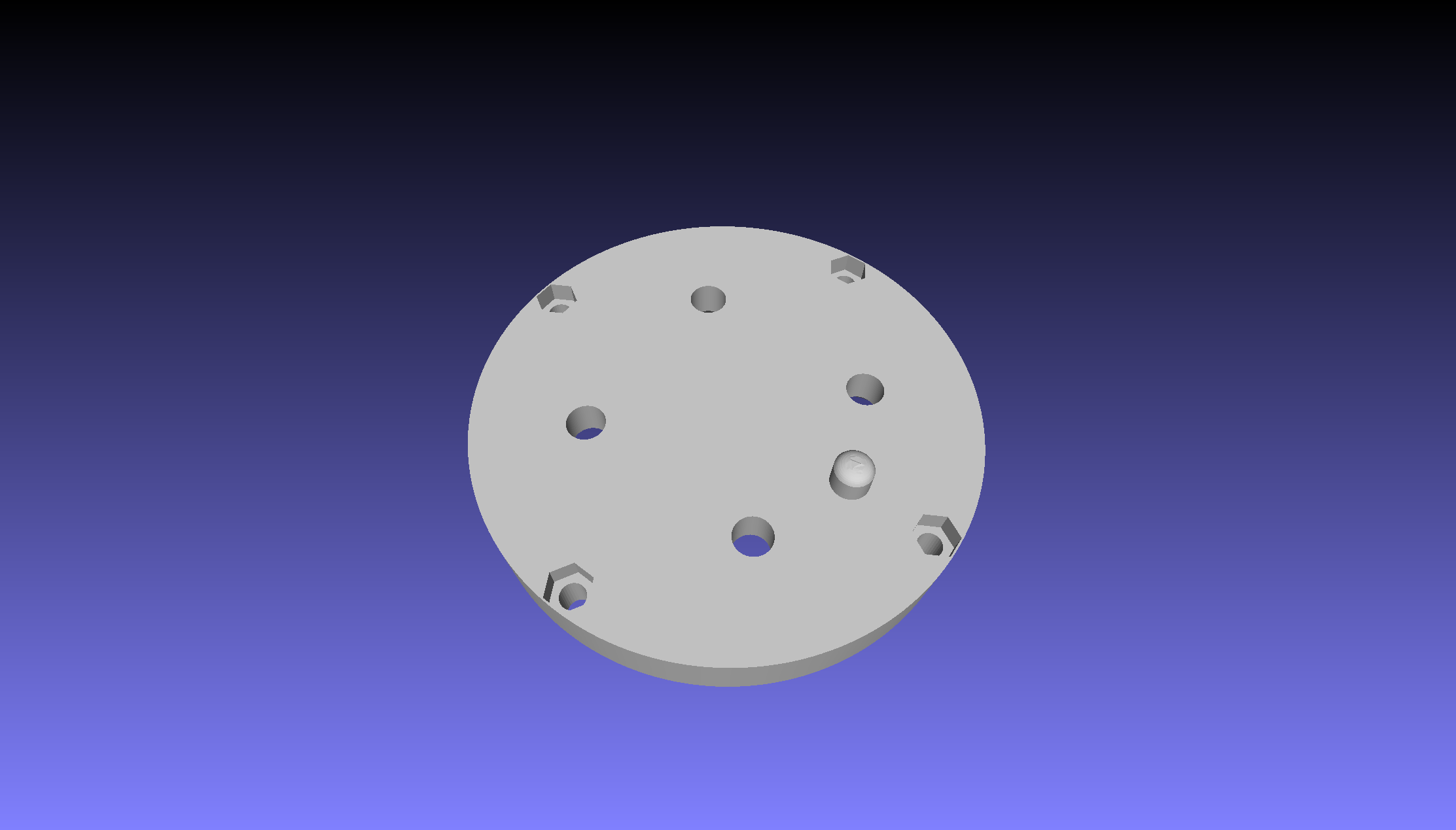
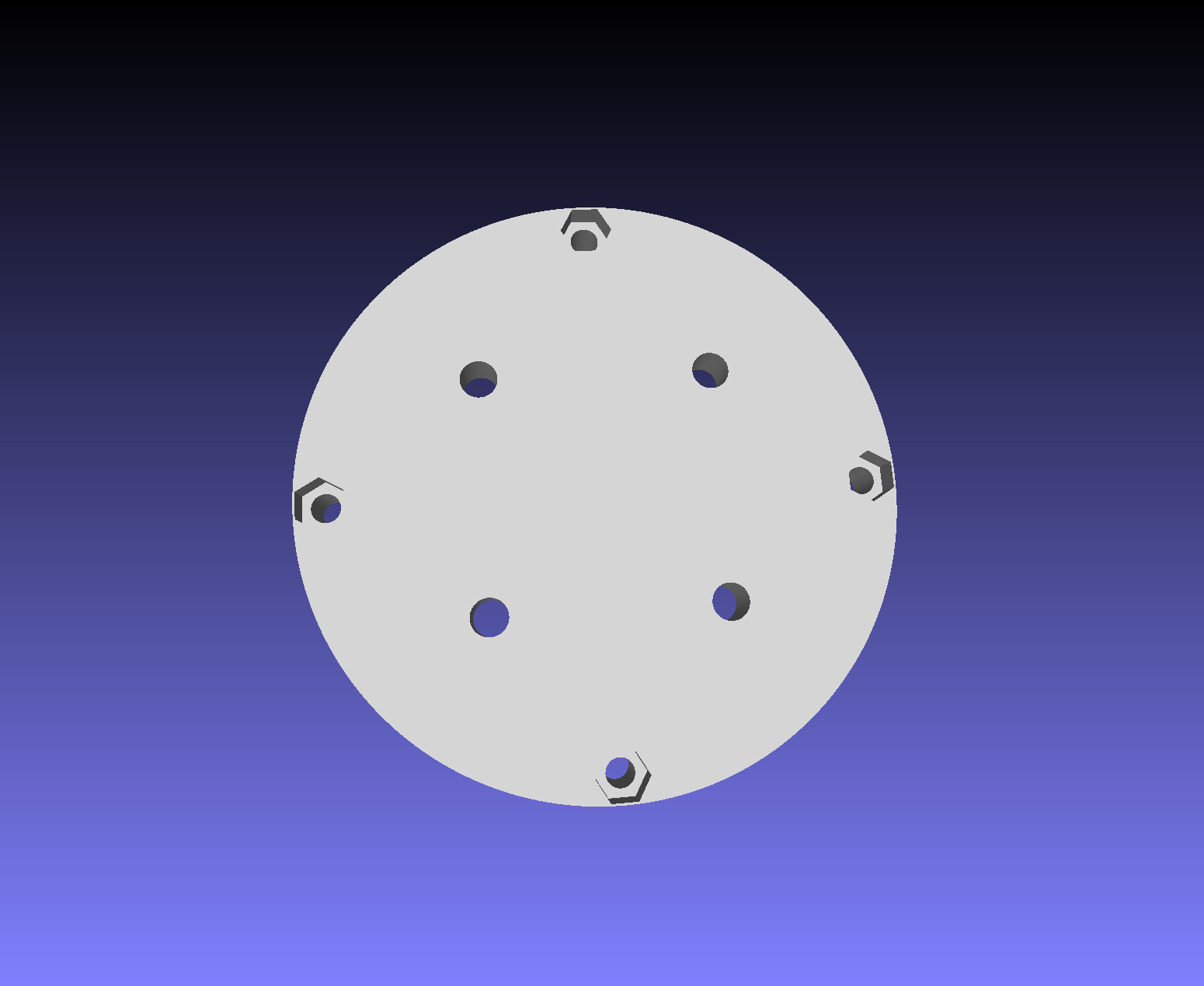
Mounting Flange ISO-9409-1-50-4-M6 Diameter:50 NumberOfHoles:4 HolesSize:M6 AlignmentPin:Yes Compatible Robots/Cobots: UniversalRobots (UR3, UR5, UR10, UR16) , Techman (TM5, TM12, TM14, TM17), Yaskawa (HC-10, HC-20, GP-4, GP-5, GP-12, GP-18, GP-20), KUKA (LBR iiwa/ LWR4+), Fanuc (CRX-series),

Standard Tesselated Geometry - 344.52 kB - 05/16/2026 at 13:08

Download

PCD-40-4-M5 Flange.stl

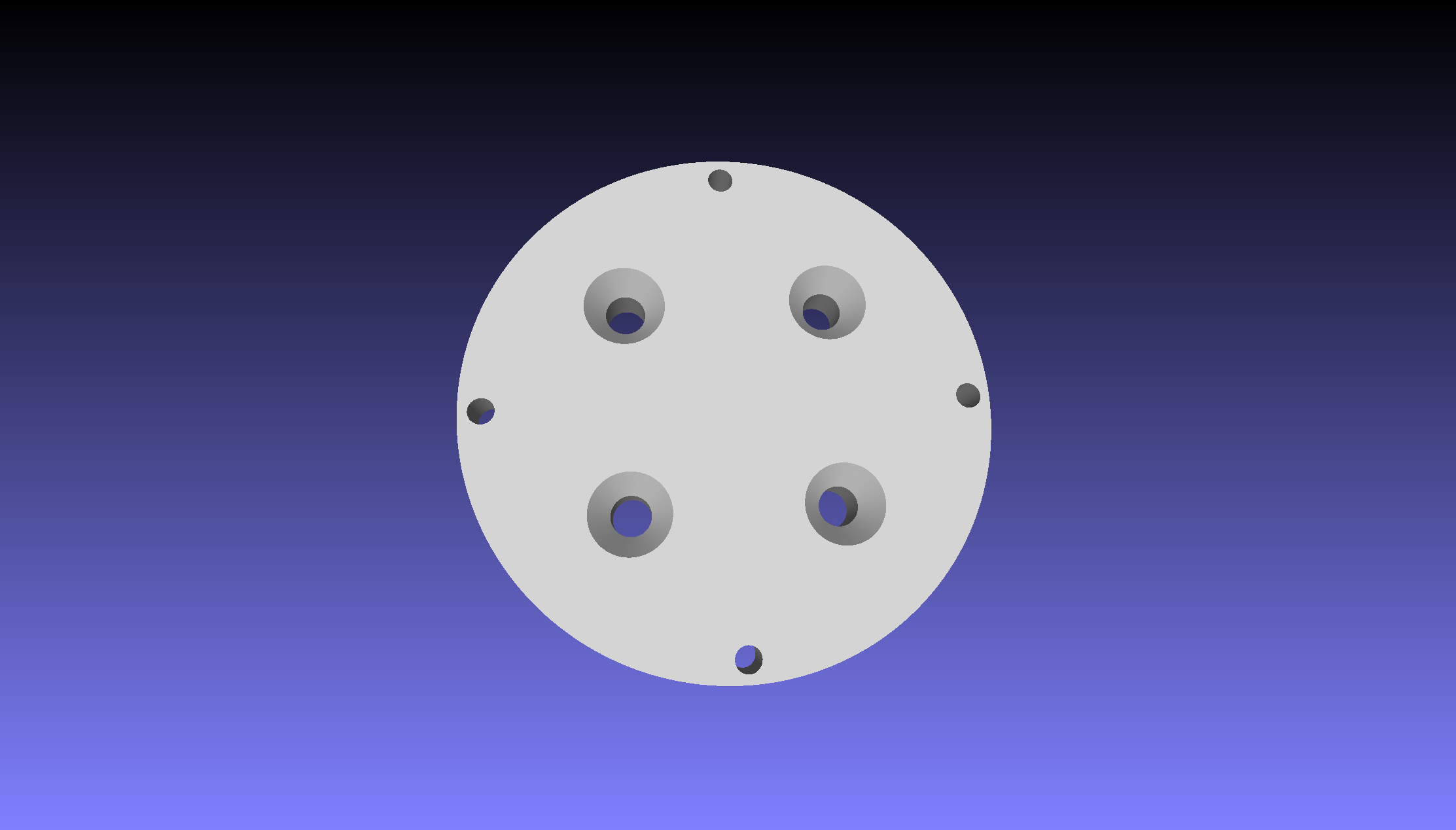
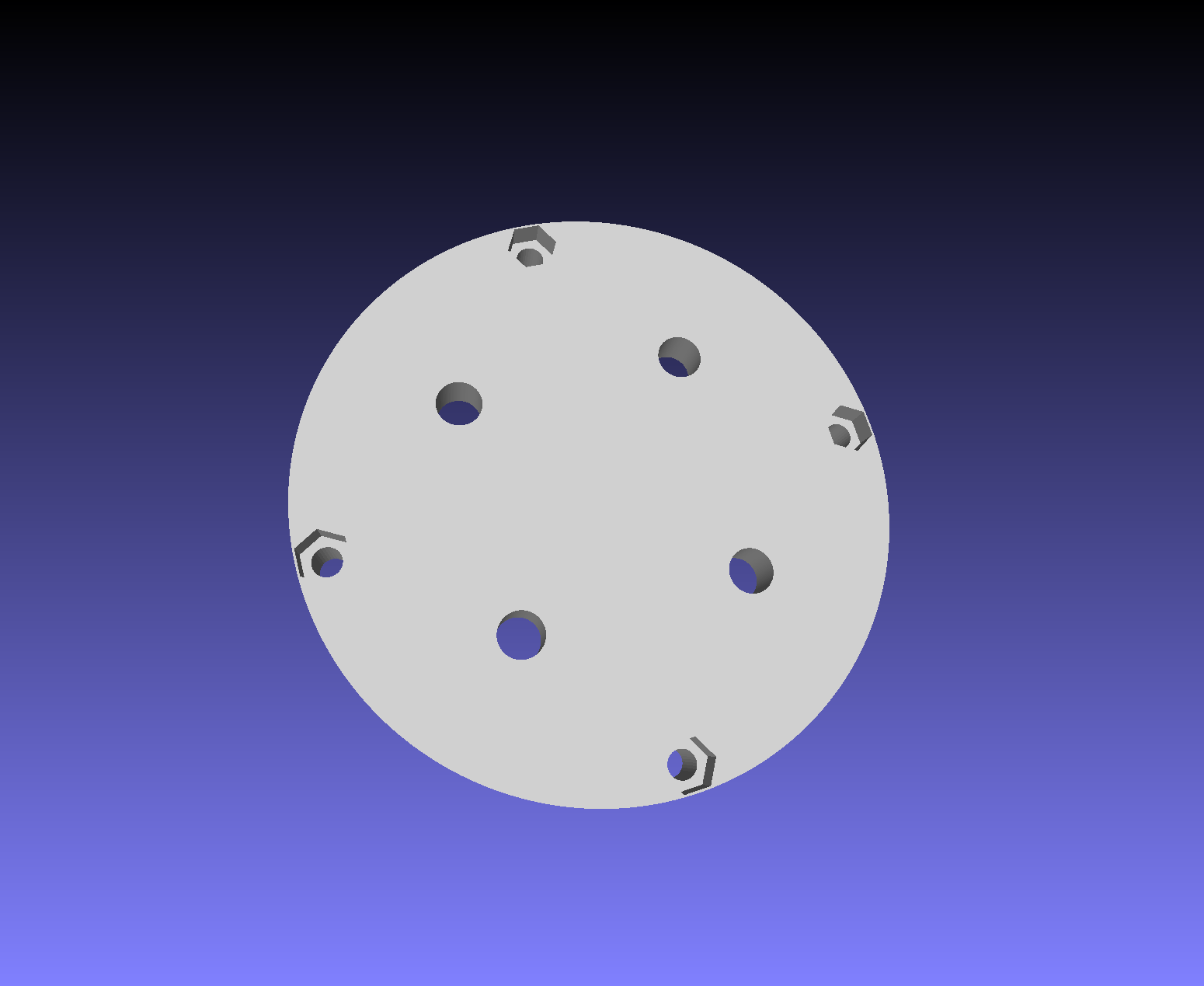
Mounting Flange PCD-40-4-M5 Diameter:40 NumberOfHoles:4 HolesSize:M5 AlignmentPin:No

Standard Tesselated Geometry - 237.97 kB - 05/16/2026 at 13:08

Download

PCD-40-4-M6 Flange.stl

Mounting Flange PCD-40-4-M6 Diameter:40 NumberOfHoles:4 HolesSize:M6 AlignmentPin:No

Standard Tesselated Geometry - 238.17 kB - 05/16/2026 at 13:08

Download

ISO-9409-1-40-4-M6 Flange.stl

Mounting Flange ISO-9409-1-40-4-M6 Diameter:40 NumberOfHoles:4 HolesSize:M6 AlignmentPin:Yes

Standard Tesselated Geometry - 345.10 kB - 05/16/2026 at 13:08

Download

Lower Cover Back.stl

[PLA] Lower Cover Back

Standard Tesselated Geometry - 6.39 MB - 05/07/2026 at 12:40

Download

View all 26 files

  • 1 × Creality Hyper ABS Filament Spool Skeleton and spools
  • 1 × PolyFlex TPU 95A Filament Spool Fingers and palm
  • 1 × PolyTerra PLA Filament Spool (for covers)
  • 1 × Raise3D Pemium PLA Filament Spool Covers, fingers
  • 5 × WaveShare ST3215HS Servomotor Tendon flexion and extension, Thumb rotation

View all 15 components

  • Manipulating Kitchen Objects 1

    Vittorio Lumare • 3 hours ago • 0 comments

    Manipulating some kitchen objects:

    • a glass
    • a cup
    • a bottle
    • a kitchen tray

  • Teleop Glove

    Vittorio Lumare • 09/16/2026 at 14:25 • 0 comments

    I made a teleop glove to control the yeah hand.

    It includes a bend sensors to control the closure/opening of the finger.

    To change the gesture, I just keep fullly open for 1 sec.

    Next step : improve reliability with moving median filter, this is the code:

    // Median filter implementation
    int medianFilter(int newValue) {
      const size_t SIZE = 13;
      static int values[SIZE] = { 0 };  // Odd number for median (3,5,7)
      static int index = 0;
    
      // Add new value
      values[index] = newValue;
      index = (index + 1) % SIZE;
    
      // Sort and get median
      int temp[SIZE];
      memcpy(temp, values, sizeof(temp));
    
      // Simple bubble sort for small arrays
      for (int i = 0; i < SIZE - 1; i++) {
        for (int j = i + 1; j < SIZE; j++) {
          if (temp[i] > temp[j]) {
            int swap = temp[i];
            temp[i] = temp[j];
            temp[j] = swap;
          }
        }
      }
    
      return temp[2];  // Return middle value
    }
    

     Current video is shown here: 

  • Grasping Showcase 1

    Vittorio Lumare • 09/16/2026 at 13:12 • 0 comments

    The low cost robotic hand project continues.

    The Yeah Hand grasping some objects. I am using a bend sensor to control the closure of the fingers.

    The adaptive behavior and the grasp strength are show here.

    The pinch grasp is not well controlled, I have to improve the bend sensor signal conditioning (C++) and the interfacing (electronics).

    The next time I will filter it with a median average filter, and I will improve the dynamics by designing a new board with different design, low pass filter and a better choice of the resistance value.

    At the moment the sensor is picking up much noise from the power supply and ambient electromagnetic interference

  • New Assembly Instructions and firmware

    Vittorio Lumare • 09/01/2026 at 10:58 • 0 comments

    The assembly instruction have been updated:

    • The method to attach the tendons to the thumb flexion spool changed
    • The document translation was improved, more respectful of the CE Regulation terminology.
    • The illustrations now are better, translated directly on the ODT format.

    The firmware was updated accordingly. Pinch grasp is more stable.

  • Updated firmware

    Vittorio Lumare • 08/16/2026 at 20:36 • 0 comments

    Firmware updated: better BT serial commands reception.

    Now the firmware can receive more robustly the messages from ROS.

    I improved the function by keeping just the last position received, but the other ros params are received and processed fully.

    This way no parameter set is lost, but the hand only cares on the last position sent without lagging due to the buffered queue.

    On the firmware repo.

  • Updated ROS Driver

    Vittorio Lumare • 08/16/2026 at 20:33 • 0 comments

    We added a new feature to the ros driver: the 'load_limit' parameter, to set the maximum limit for the torque of a specific servomotor.

    Usage example (setting load limit for the index servomotor):


    ros2 param set /yeah_hand_system load_limit index_servo_joint.load_limit 500

    Code on Github repo.

  • ROS Driver Released

    Vittorio Lumare • 07/19/2026 at 13:02 • 0 comments
  • Assembly Instructions Updated !!

    Vittorio Lumare • 06/28/2026 at 14:03 • 0 comments

    The Assembly and Operating instructions, in english language, have been updated!


    PDF on Github: https://github.com/opsobot/yeah-hand/tree/main/docs

    Please download them to assembly the hand!

  • Mounting Flanges

    Vittorio Lumare • 05/16/2026 at 13:22 • 0 comments

    Hi all, we finally completed 4 flanges for mounting the Yeah Hand on cobots and robotric arms.

    The flanges standards are:

    • ISO-9409-1-50-4-M6 (Universal Robots, Fanuc, KUKA, Techman, Yaskawa)
    • ISO-9409-1-40-4-M6
    • PCD-40-4-M5
    • PCD-40-4-M6

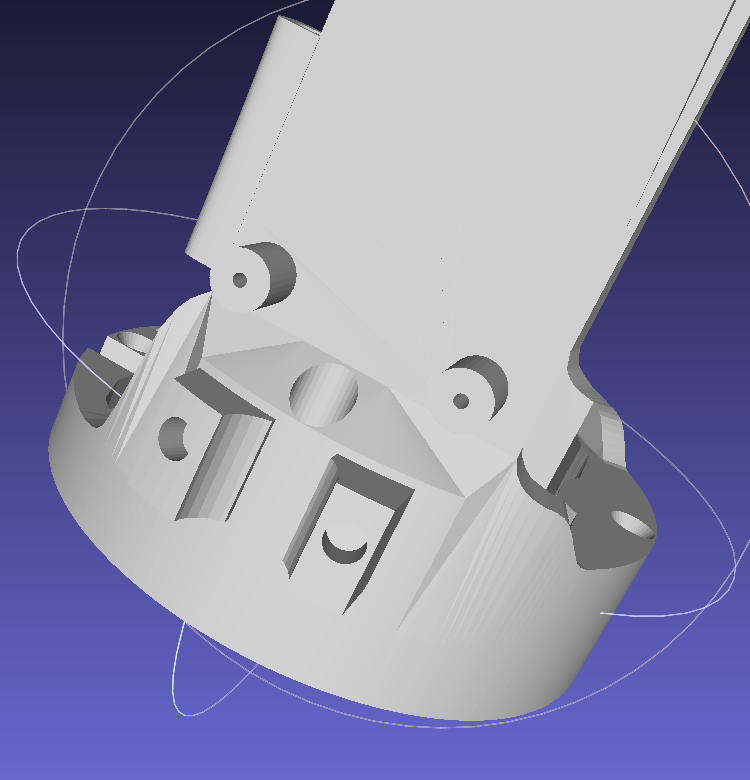
  • Power Plug Passage

    Vittorio Lumare • 05/07/2026 at 19:23 • 0 comments

    The Skeleton base has been modified to make room for the Power Plug.


    3D Printed Parts:


View all 44 project logs

  • 1
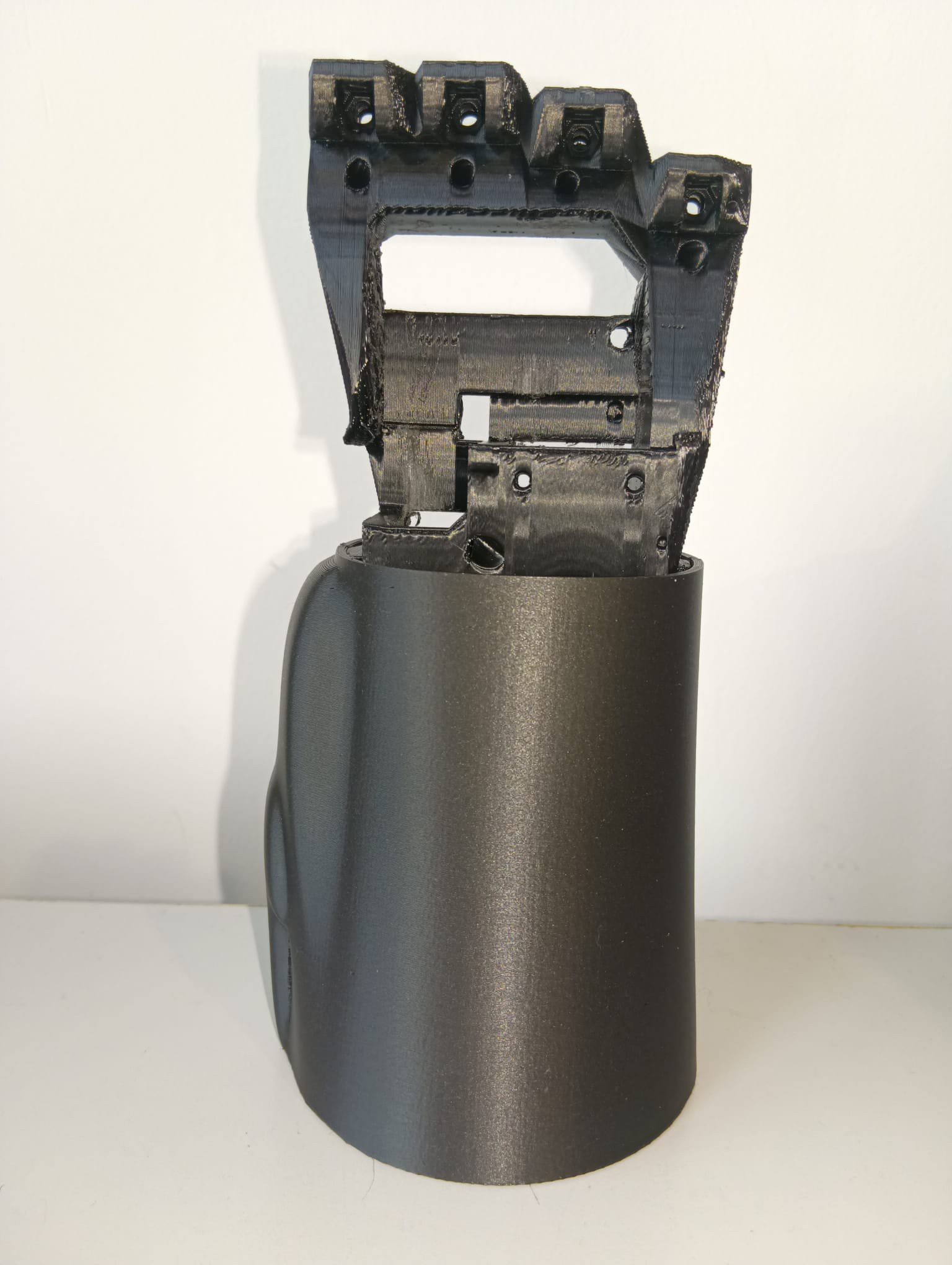
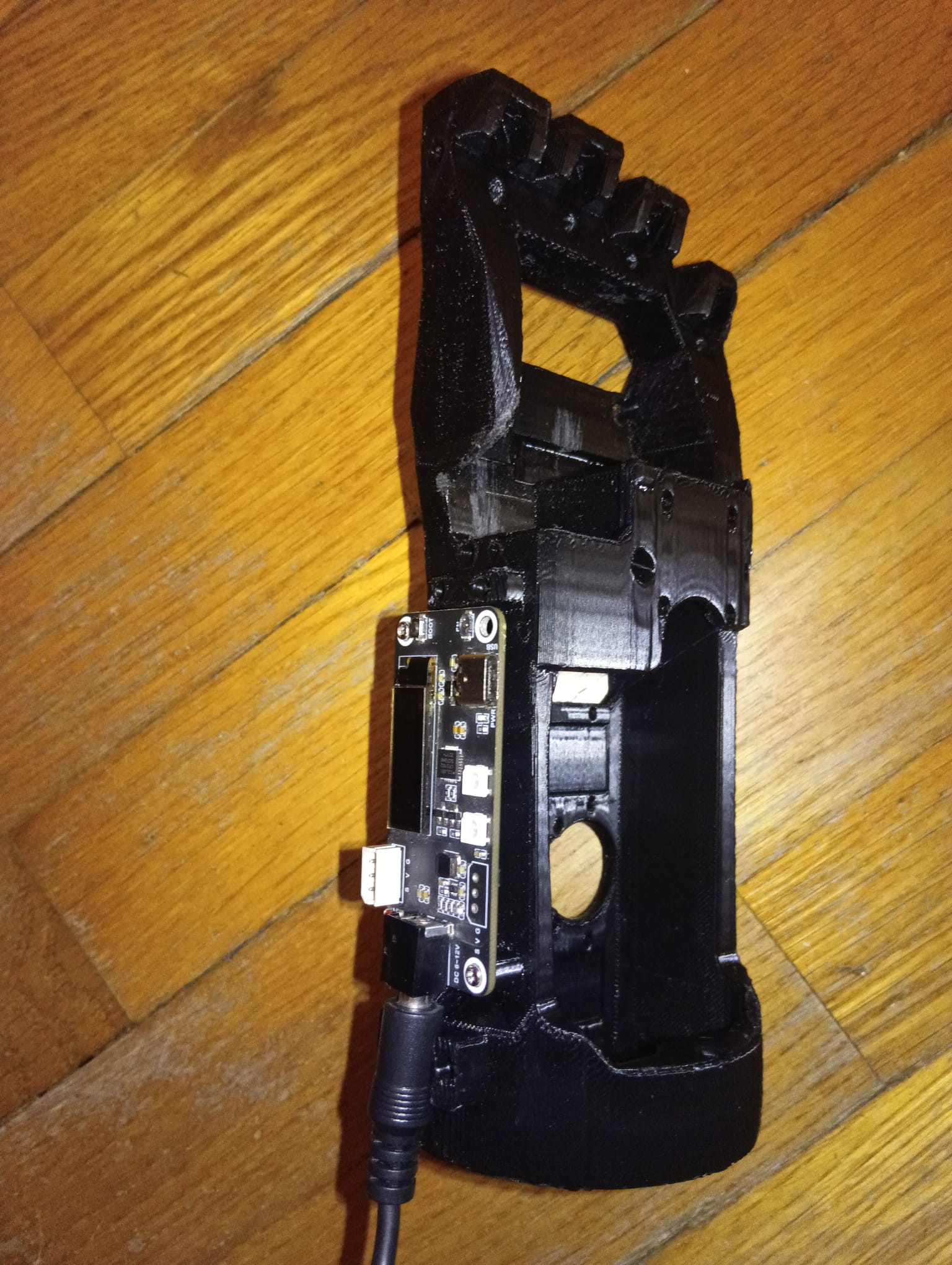
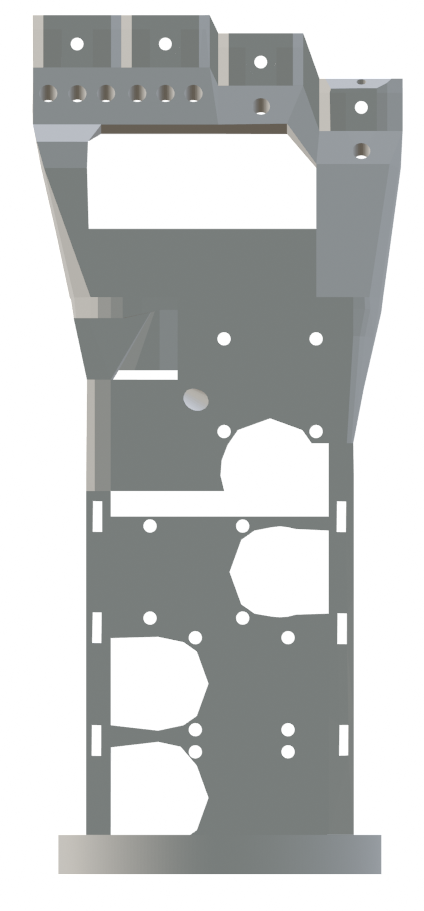
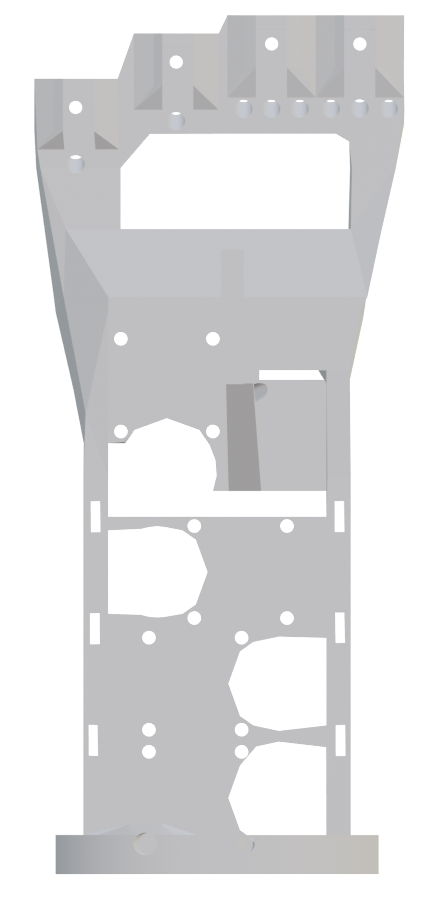
    Assembly : Initial Empty Skeleton

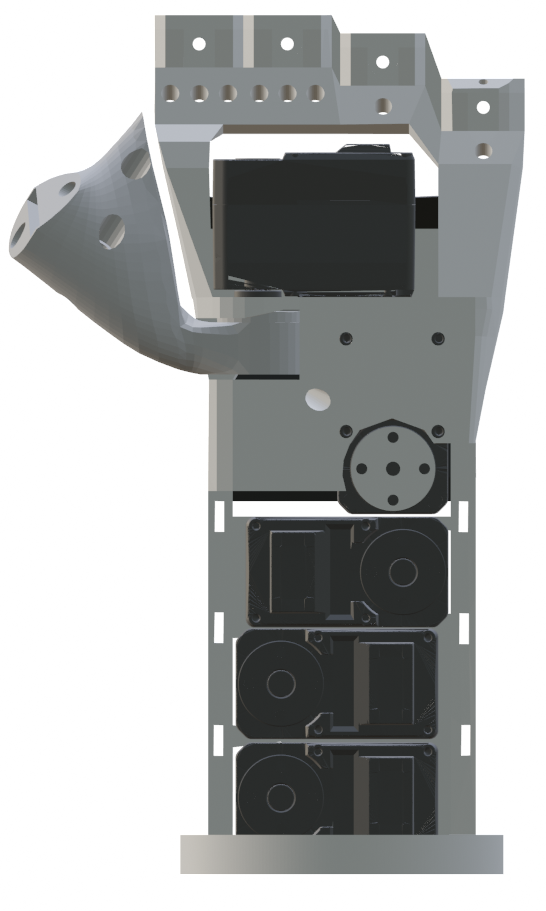
    The names of the holes and other parts are defined in the chapter Nomenclature of Parts.

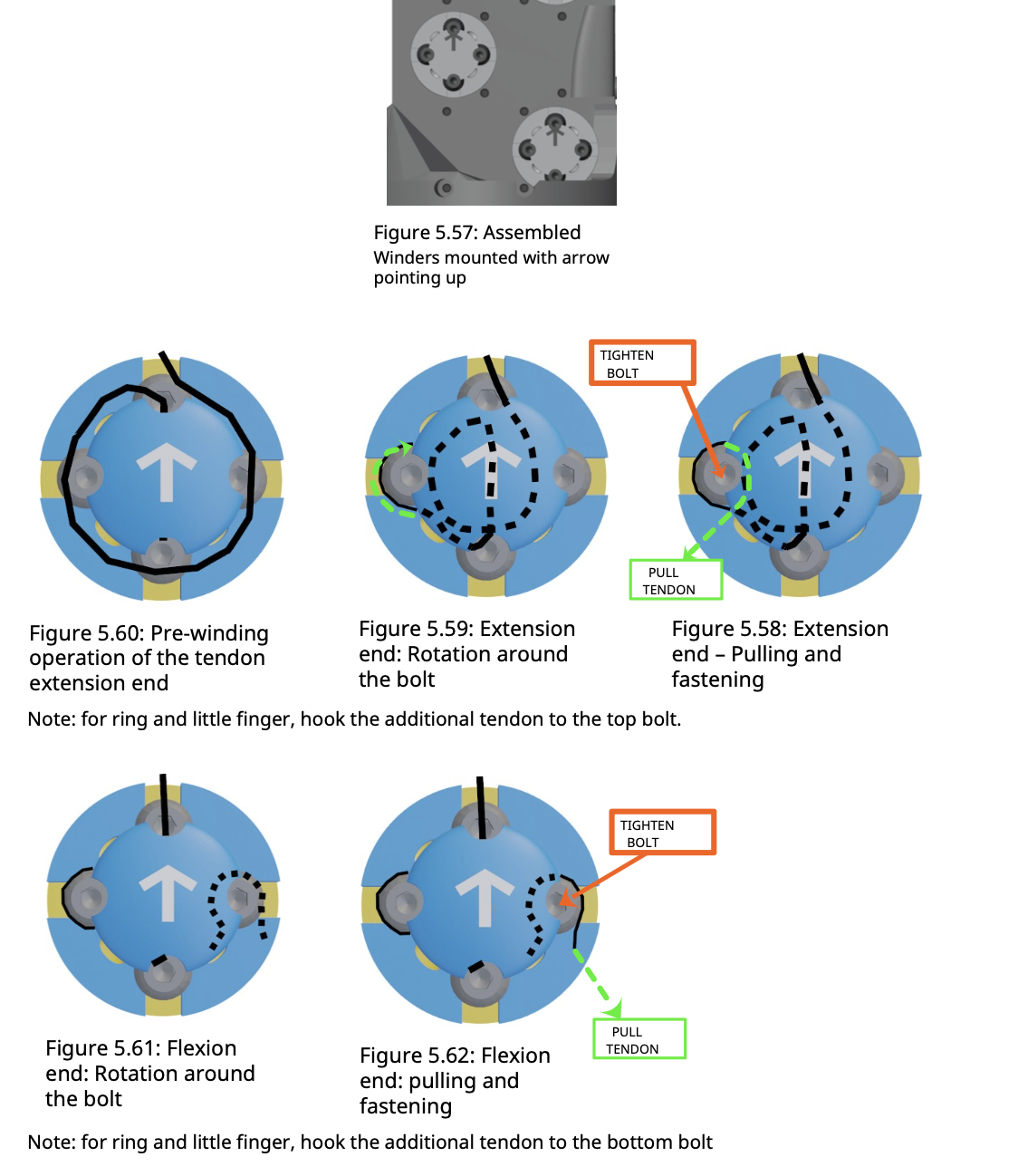
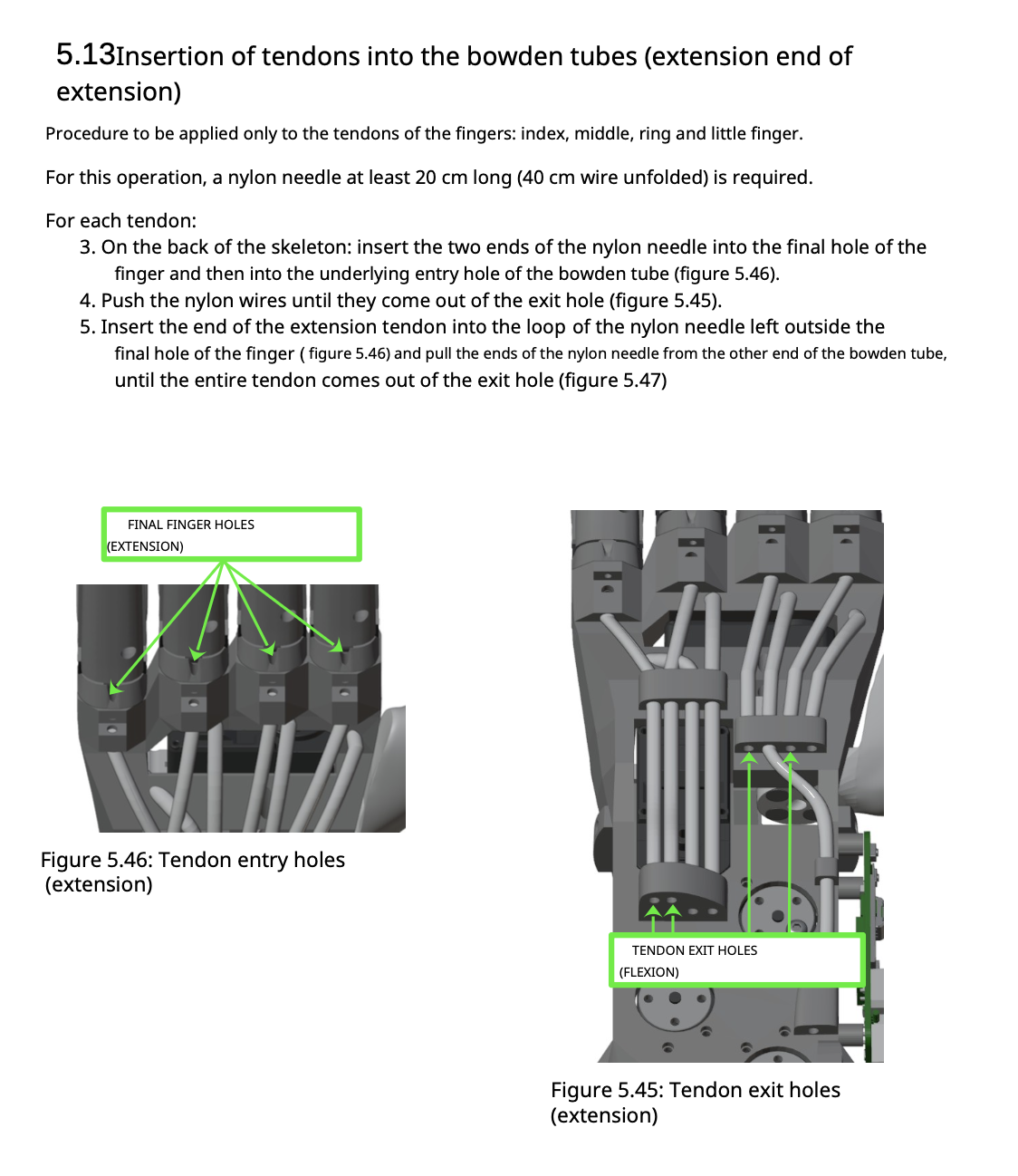
    The assemblage consists taking the hand’s skeleton and to install on it all the components following a precise sequence.

    IMPORTANT: If the sequence is not followed correctly, all components already installed will have to be dismantled till the moment the sequence was modified, in order to resume again the proper order of the sequence because there are parts that cannot be assembled after others.


    Skeleton - front view

    Skeleton - back view

  • 2
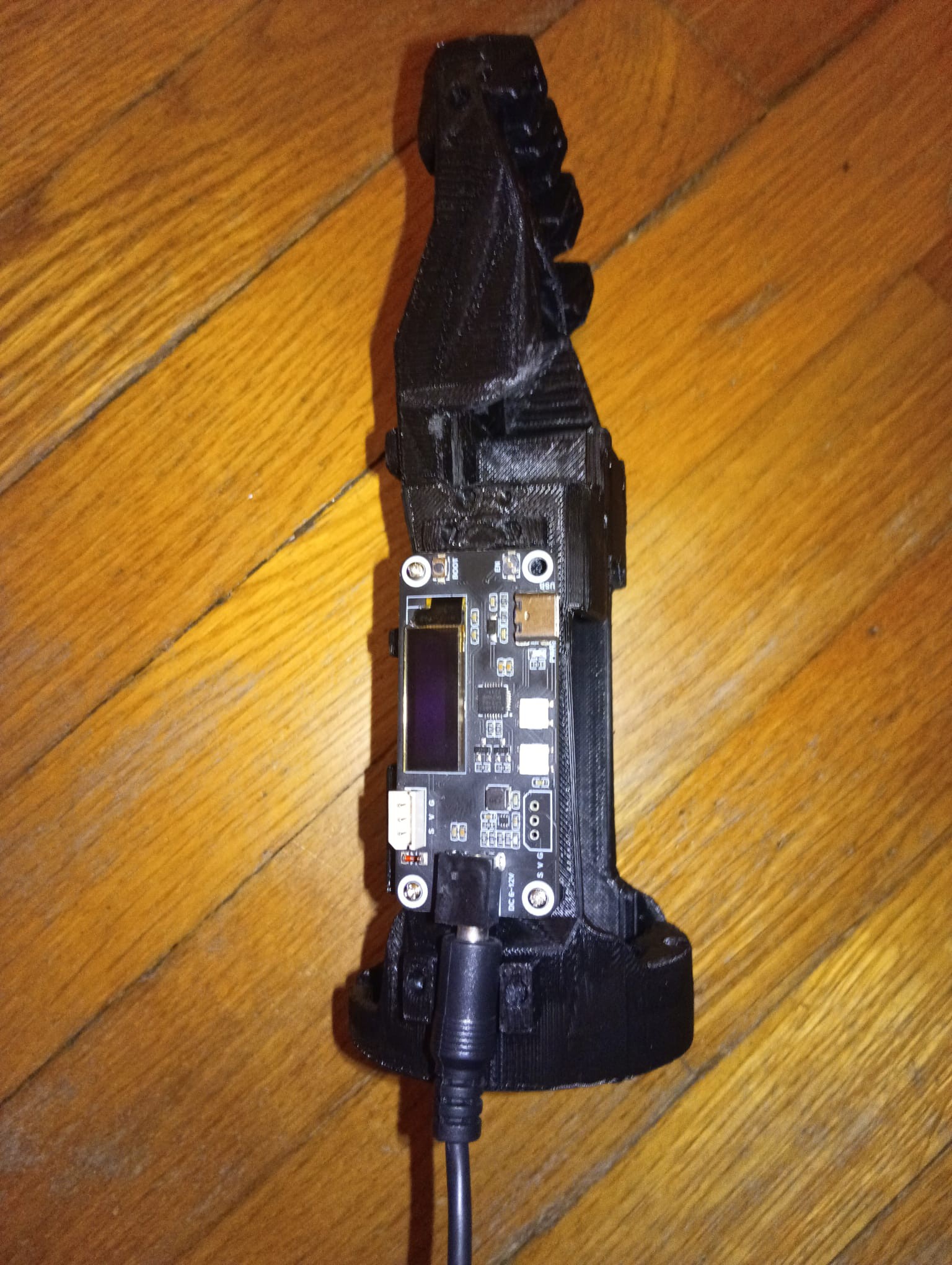
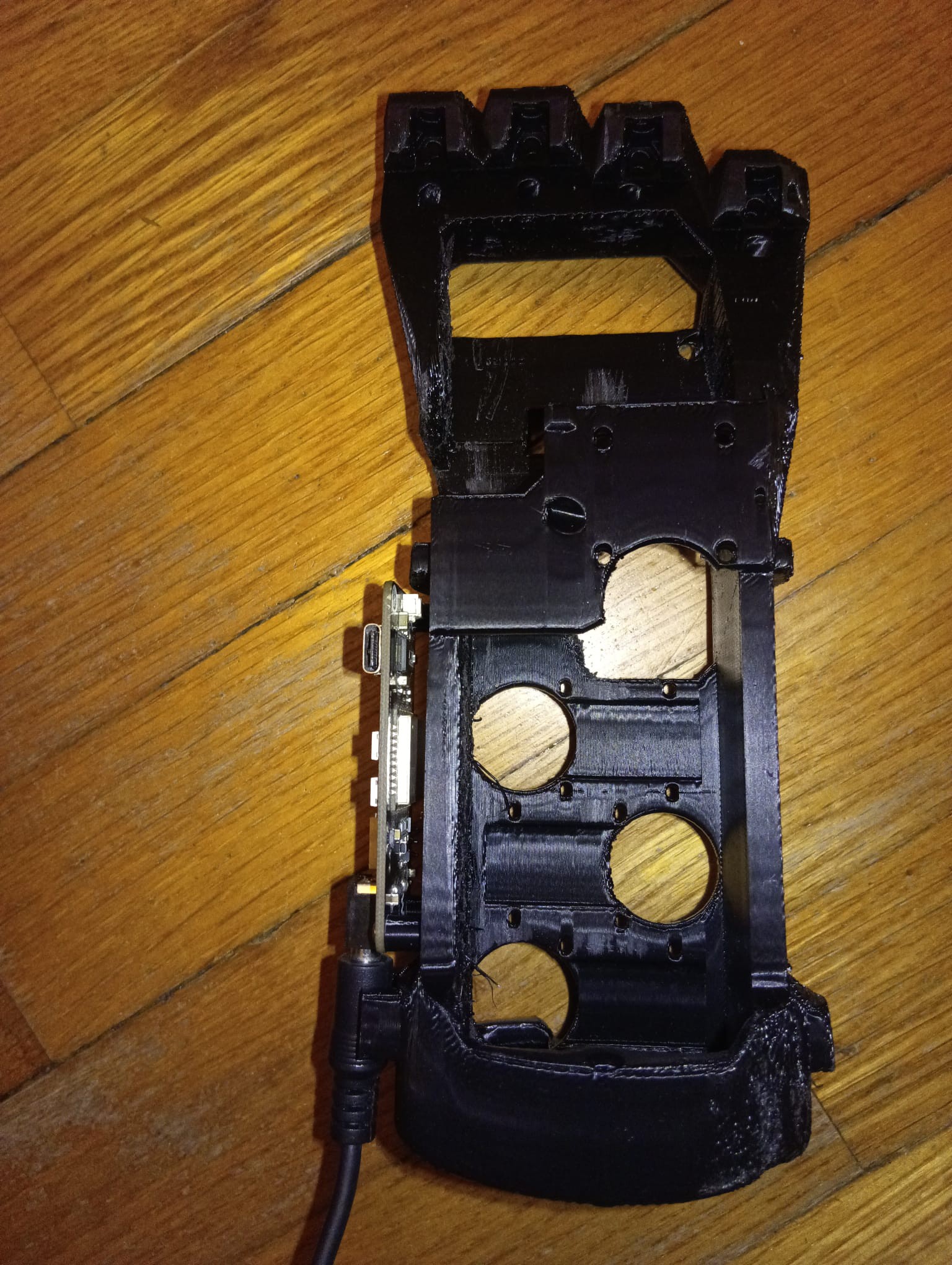
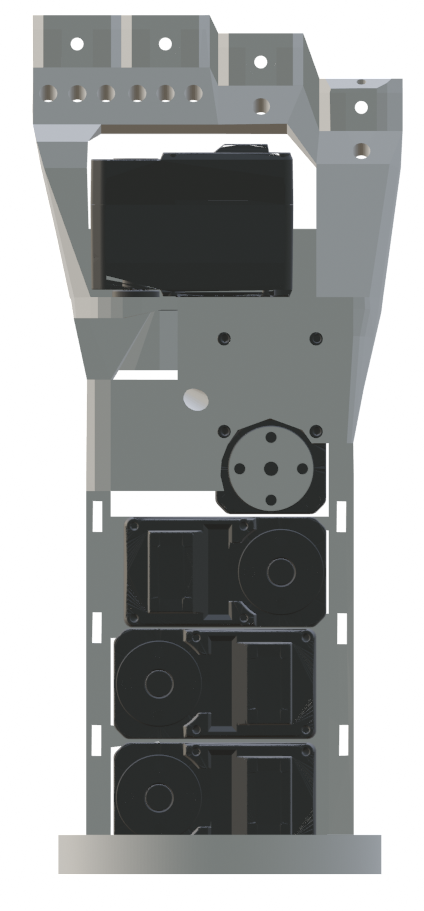
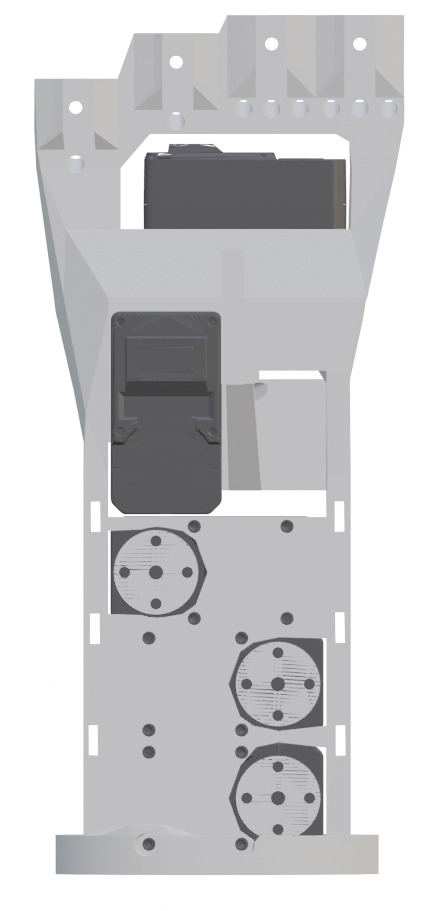
    Assembly : Servomotors Installation

    Note: each servomotors must be secured in its slot using 4 screws M2, 8mm long. TBD

    1. Install the Thumb Rotation Servomotor in the SSTR slot (Holes: MTR1, MTR, MTR3, MTR4)

      ◦ Note: Position the motor with the flange facing down. 

    2. Install the Thumb Flexion Servomotor in the SST slot (Holes: MTF1, MTF2, MTF3, MTF4)

      ◦ Note: Position the motor with the flange facing the front side of the skeleton. 

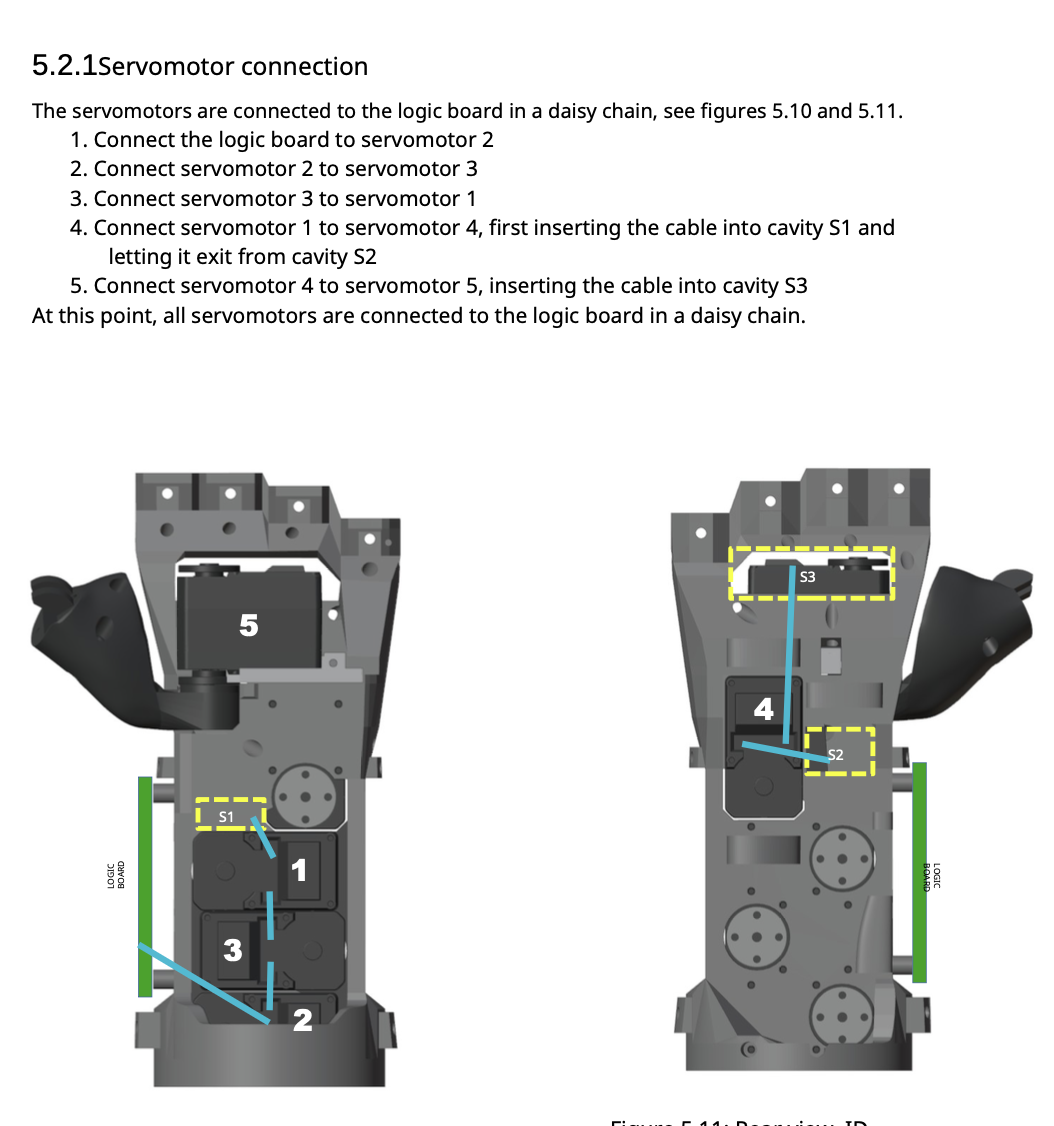
    3. Connect the servomotor in the SSTR slot to the one in the SST slot.

    4. Install the Middle Flexion Servomotor in the SSM slot (Holes: MM1, MM2, MM3, MM4)

      ◦ Note: Position the motor with the flange facing the rear side of the skeleton.

    5. Connect the servo motor in the SST slot. to the one in the SSM slot 

    6. Install the Ring Flexion Servomotor in the SSR slot (Holes: MR1, MR2, MR3, MR4)

      ◦ Note: Position the motor with the flange toward the rear side of the skeleton.

    7. Connect the servomotor in the SSM slot to the one in the SSR slot 

    8. Install the Index Flexion Servomotor in the SSI slot (Holes: MI1, MI2, MI3, MI4)

      ◦ Note: Position the motor with the flange toward the rear side of the skeleton

    9. Connect the servomotor in the SSR slot to the one in the SSI slot

    Left Hand – Servomotors Built-in – Front View


    Left Hand – Servomotors Built-in – Rear View

  • 3
    Thumb Base Installation

    1. Thumb Base on Thumb Rotation servomotor flange (4 bolts M3, 10mm long)    (Flange holes: SF1, SF2, SF3, SF4, Thumb Base holes: BT1, BT2, BT3, BT4)


View all 18 instructions

Enjoy this project?

Share

Discussions

Arnav V wrote 09/01/2026 at 17:37 • point

Extremely cool!

  Are you sure? yes | no

Vittorio Lumare wrote 09/10/2026 at 12:24 • point

Thanks a lot!  ❤️

  Are you sure? yes | no

Similar Projects

Does this project spark your interest?

Become a member to follow this project and never miss any updates