Close
0%
0%

CIJ Printer

An Open Source Continuous Inkjet Printer

Public Chat
Similar projects worth following
Here I'm trying to build a CIJ Printer by myself from common parts that you can buy online and in your local hardware store.

In my last inkjet project I built a piezo inkjet printer from scratch made of cheap electronics, pneumatic and 3D printed parts. I could get it to work, but I had a few problems with the reliability. The drop size was quite large, keeping the ink supply pressure steady was quite difficult and sometimes there formed drops on the nozzle or air got sucked into the printhead what both prevented the printhead from working. There also was a problem with clogging of the nozzle when not in use.

So I looked for a more reliable printing method and choosed Continuous Inkjet Printing.

CIJ printing is (as far as I know) only used in industrial or production applications and therefore super reliable. CIJ printers are working for years 24/7 with only minor maintenance. 

Even though CIJ printers have much more parts than piezo or thermal inkjet printers, all parts have a decent size - no sub millimeter dimension like piezo and thermal inkjet nozzles, so working on them, fixing problems and maybe also manufacturing them will be a lot easier.

How CIJ Printing works:

Here I will describe you in my own words based on my experience with my printer model how CIJ Printing works. The printer I have is an older model that uses pressurized air and vacuum instead of a special ink pump, what I think is really cool because it keeps everything simple and you can use any air and vacuum supply that you want.
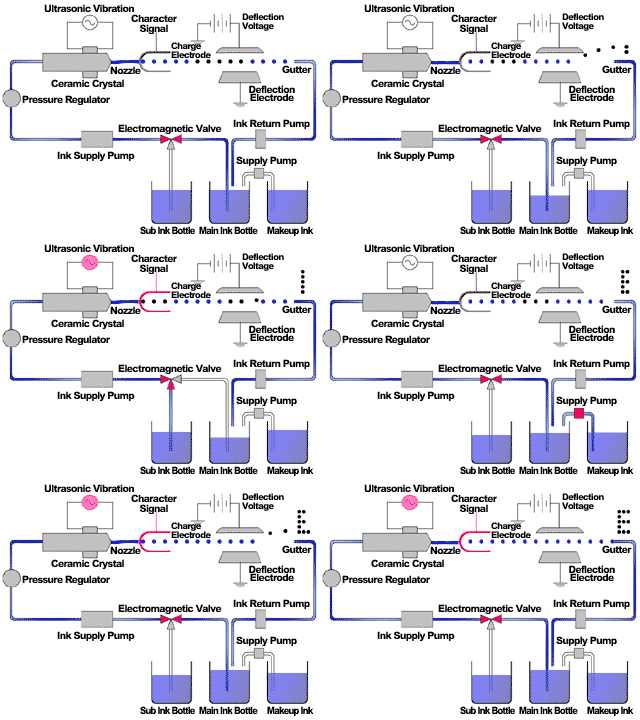
Animation from Wikipedia

CIJ printers need two different fluids to work - Ink and Make Up Fluid. 

Both fluids get mixed by the printer to reach the right viscosity. The make up fluid is essentially a solvent to dilute the ink.

My printer has an ink mixing assembly in which the ink get mixed and also the not used ink returns to. The chamber of it is set under vacuum and the adding of ink and make up fluid is controlled by two pneumatic driven rubber valves.

From the ink mixing chamber the ink gets transfered to a viscosity measuring cylinder by a pneumatic rubber pump. The ink cylinder is pressurized and connected to the nozzle which has a valve that stays closed until it reaches a certain pressure to prevent the ink from dripping from the nozzle when not under the right pressure. The pneumatic driven rubber pump is driven with 1 bar above set ink pressure to be able to pump the ink into the cylinder through an ink filter. The pump also has check valves at the in and outlet.

The cylinder has a floating magnet in it and multiple reed switches to detect the ink level. For measuring the viscosity the printer measures the time that it takes to empty the cylinder and according to the set flow time the printer adds ink or make up to the ink chamber - or nothing if everything fits and the ink level in the ink mixing chamber is high enough (it also has a floating magnet and reed switches). The viscosity is measured to get the same print quality at all times during operation.

The next step in the cycle is the printhead.

The "low pressure limit valve" at the printhead is connected to the nozzle which contains a piezo crystal that is driven with a frequency that breaks the ink stream up into dropplets using the Plateau–Rayleigh Instability. 

After the nozzle there follows a tunnel that is driven by a high voltage to charge the dropplet and after this there follows a high voltage deflection plate to kick dropplets out of the stream to form pattern on the printed surface.

The unused ink streams right into an ink return block which is connected to a sensor that prooves whether the charging has worked and from there it get sucked back into the ink mixing chamber by vacuum to close the cycle.

I think the pneumatics, hydraulics and their control circuits are quite simple and would not be very complicated to build for an open source system.

The electrical control of the printhead at the other hand, like the nozzle piezo drive, charging, deflection and sensing signal are more complicated,...

Read more »
LCD Controller.ino

ESP32S3 Code for the LCD Controller

ino - 43.27 kB - 05/13/2025 at 19:57

Download

  • Discoloration

    Dominik Meffert08/13/2025 at 06:07 0 comments

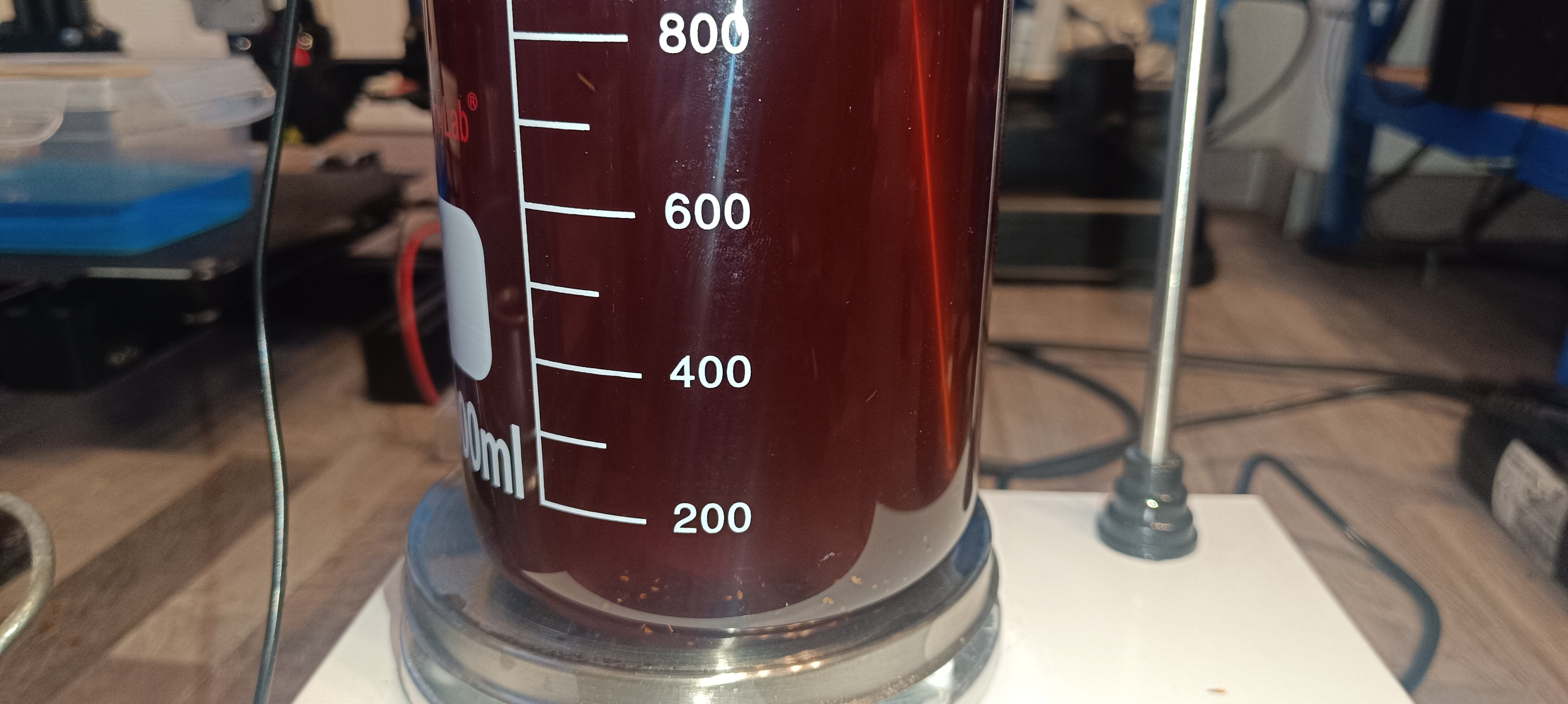
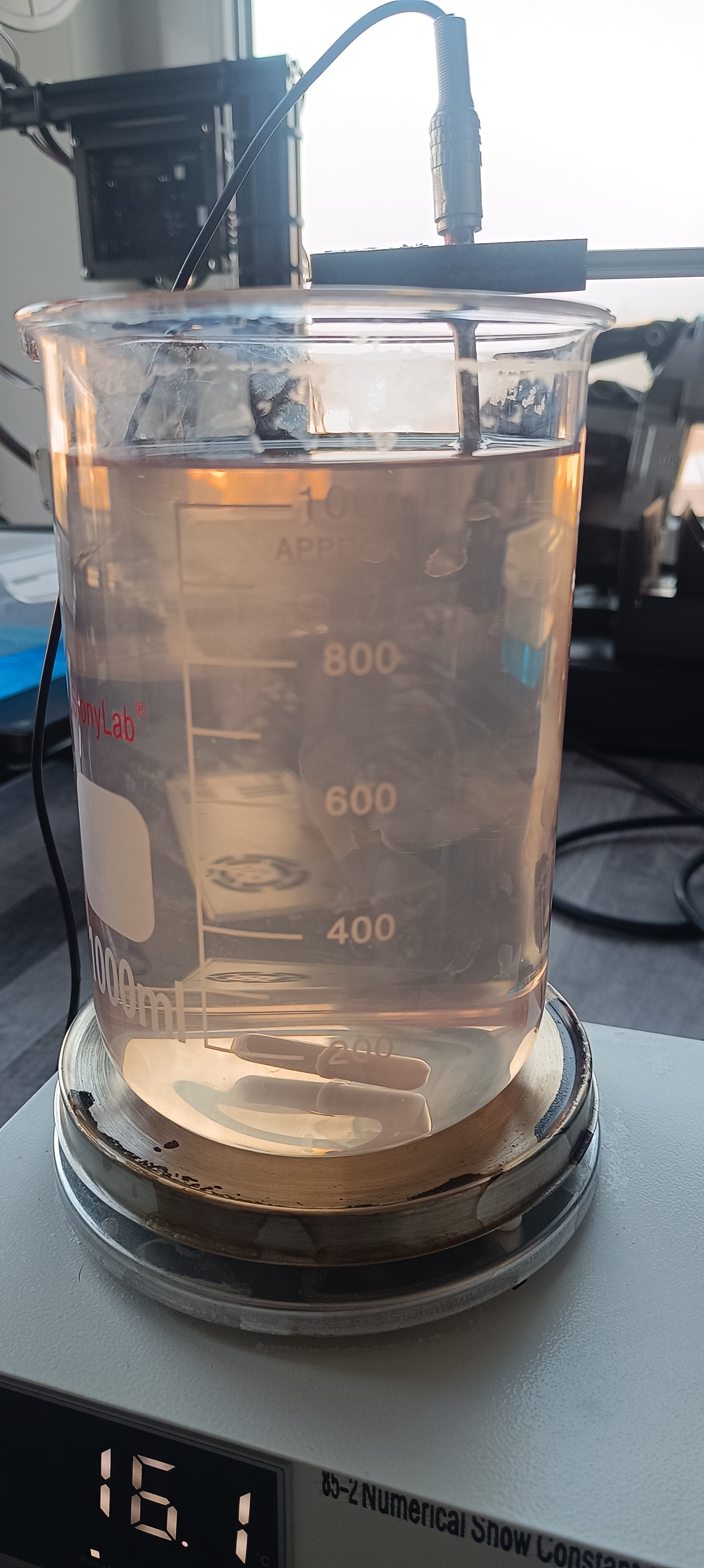
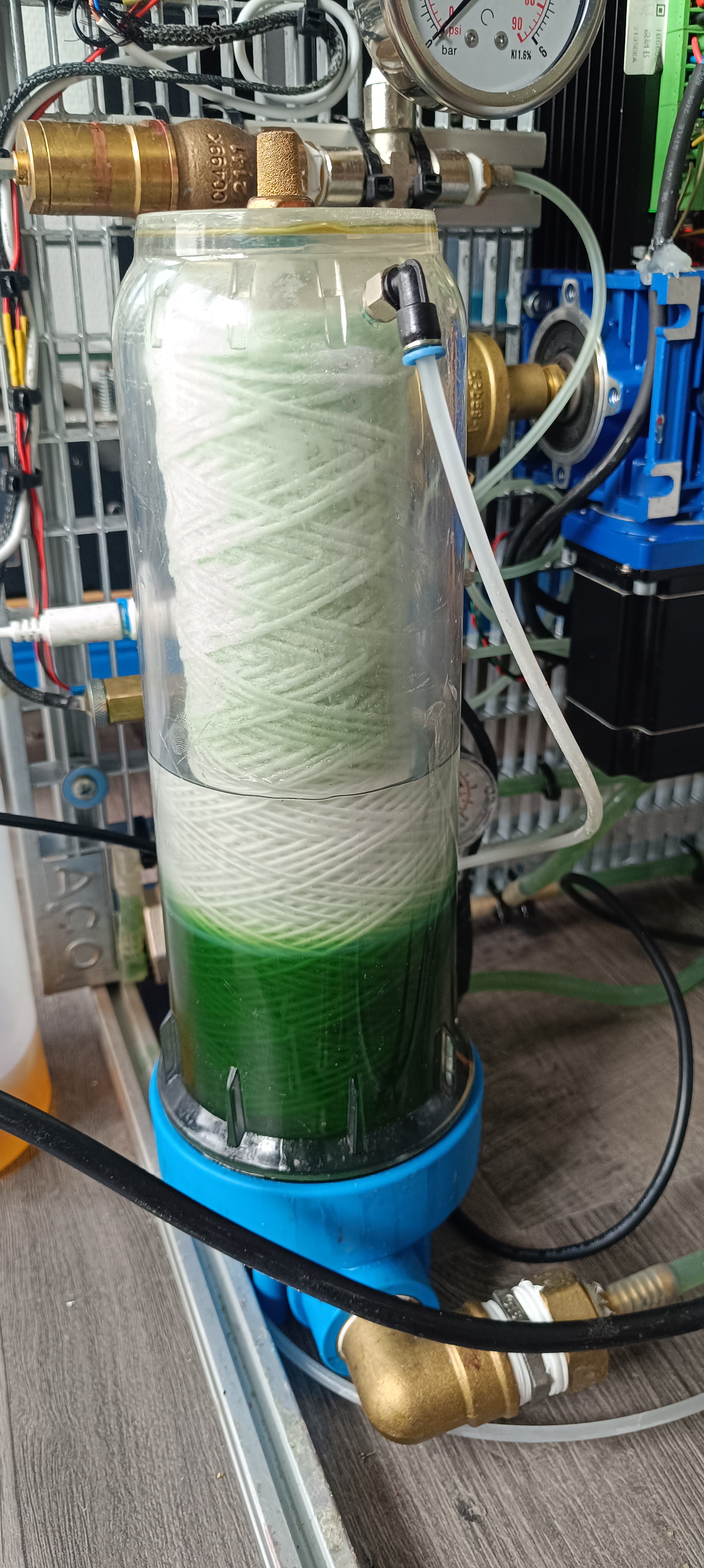
    When mixed with pure ethanol, the sandarac ink has a slightly yellow color depending on the mix ratio, but over the last few months, the ink inside the printer turned green, which shouldn't be happening.

    Transparent Ethanol on top of green Sandarac Ethanol Ink

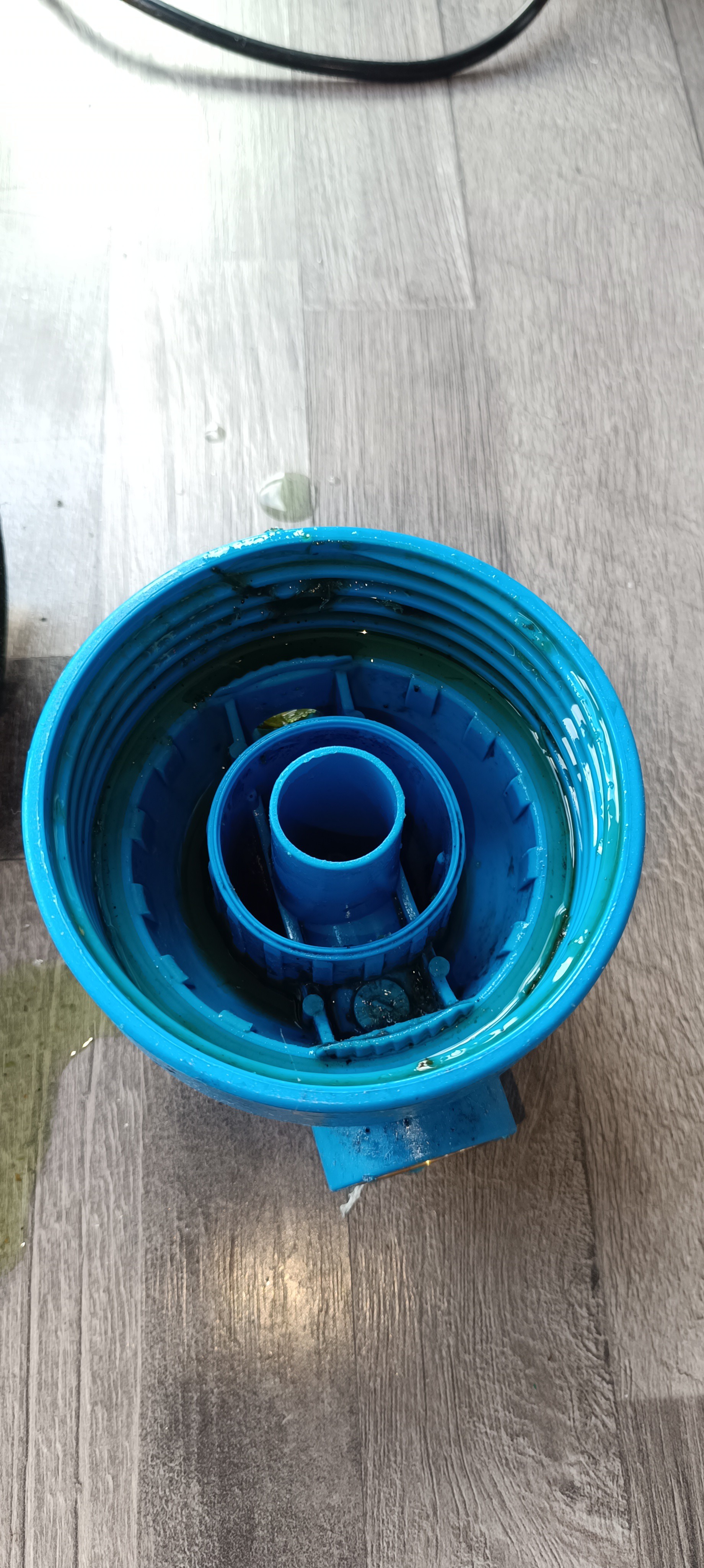
    Since yellow mixed with blue gives us a green color, I suspect that the blue color from the housing of the ink tank got dissolved by the ethanol and mixed with the ink. This already happened before when I used blue colored PU tubes for testing out the falling ball viscosimeter. After a while the transparent ink turned blue from the color of the tubes.

    Blue Tank Housing

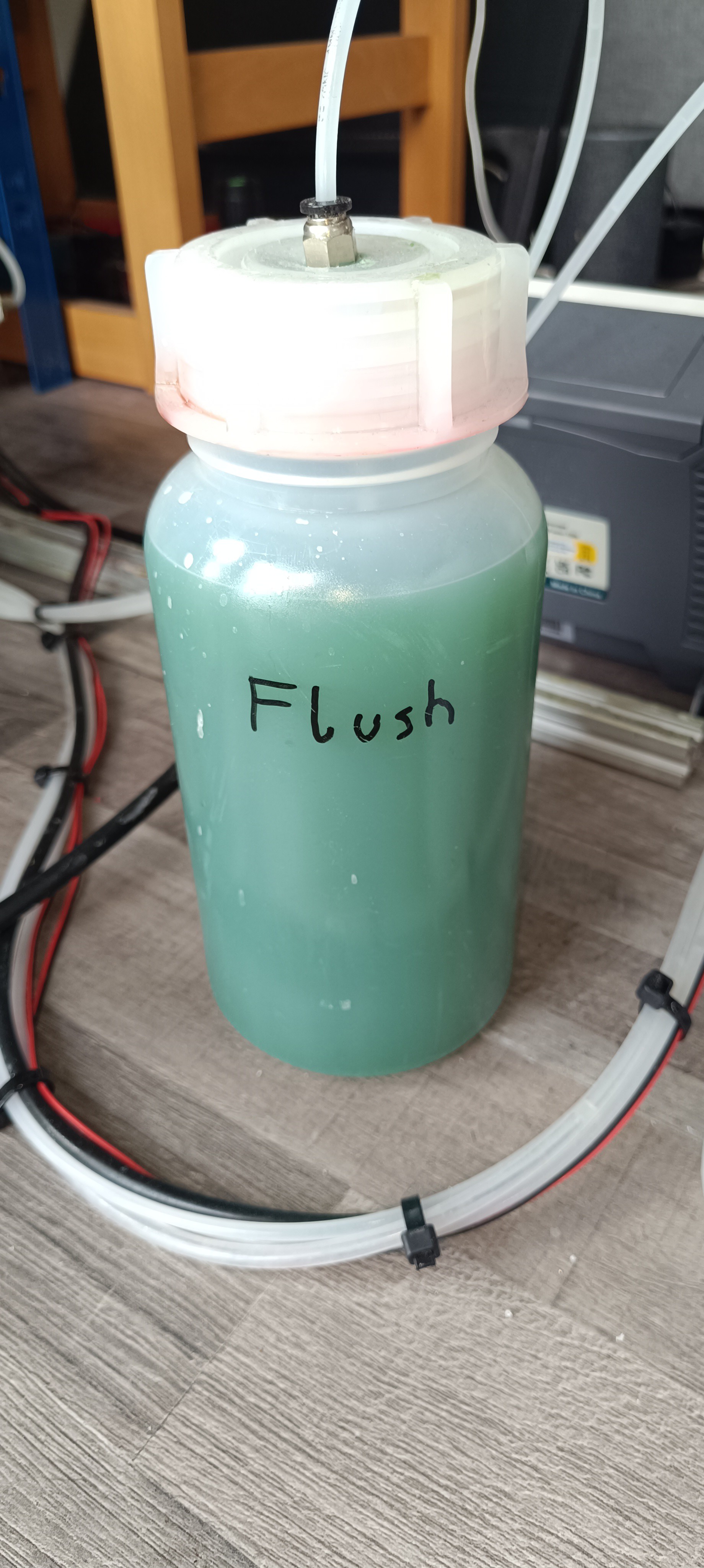
    Since the green color is an unwanted ink contamination, I started cleaning the system by flushing out the green ink.

    Flushed out Green Ink

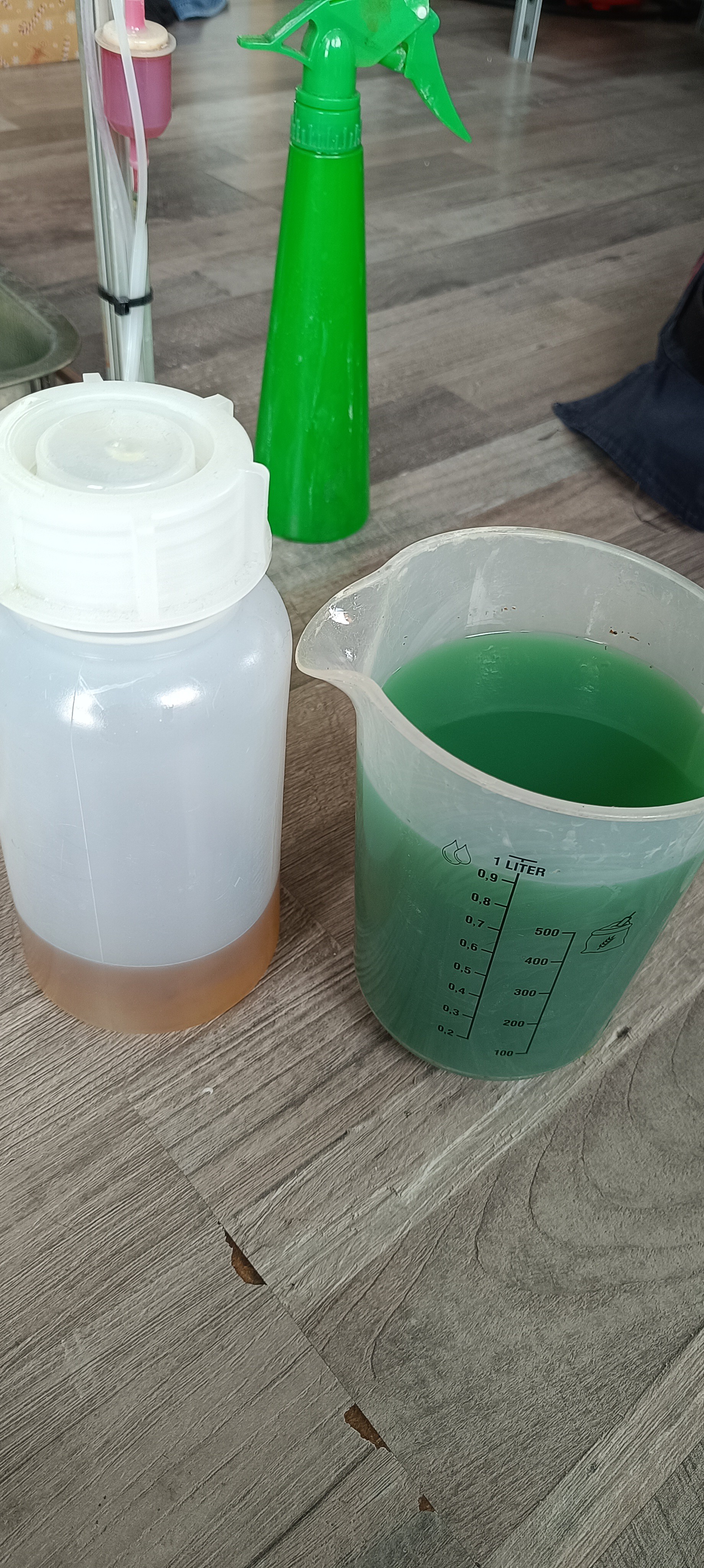
    Here you can see the green ink compared to highly concentrated sandarac ink.

    Sandarac Ink and Green Ink

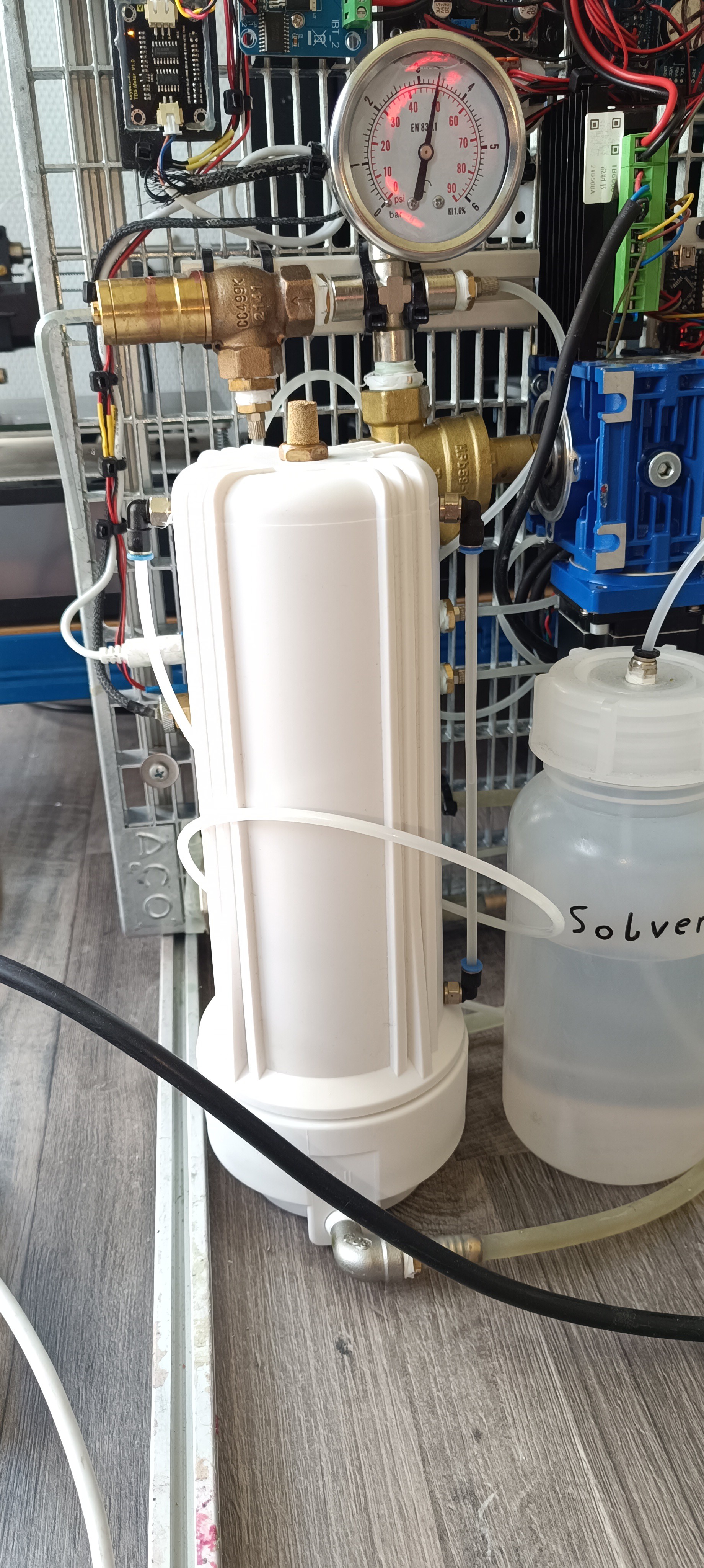
    To prevent discoloration in the future, I got a new tank made out of white Polypropylene.

    Unfortunately, the new one is no longer transparent. To still see the fluid level of the tank, I added a fluid level indicator to the side of it (just a 4mm PE tube).

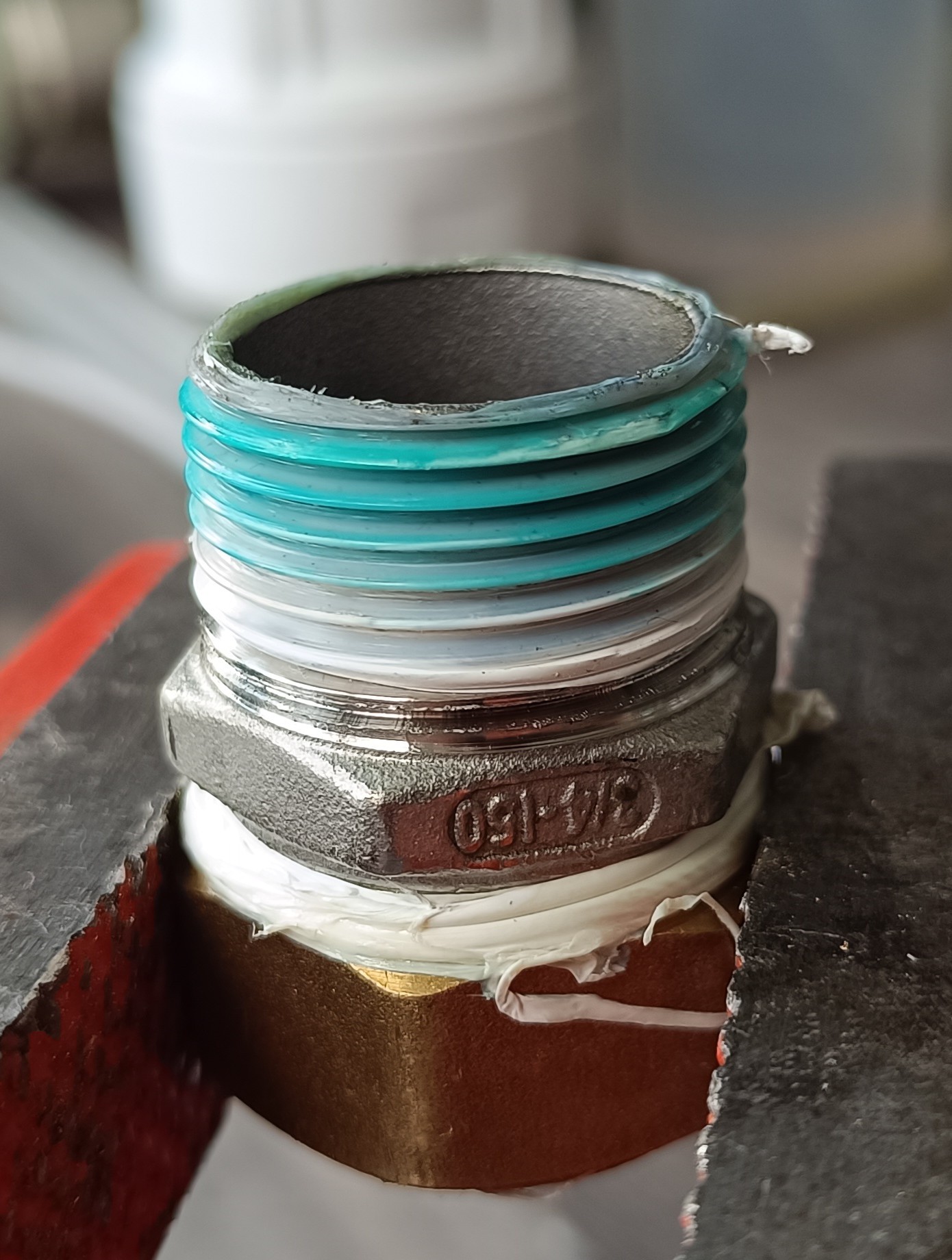
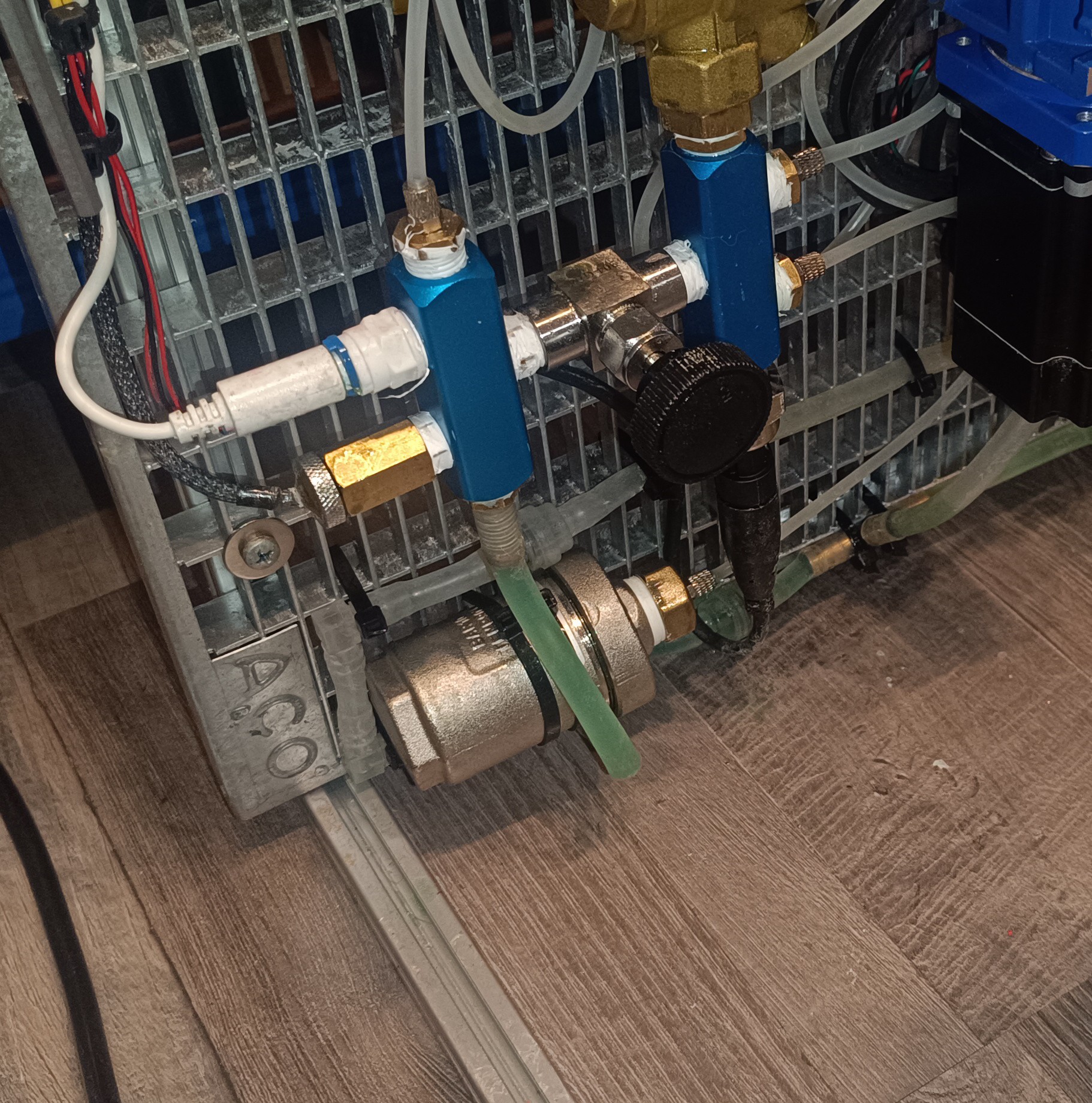
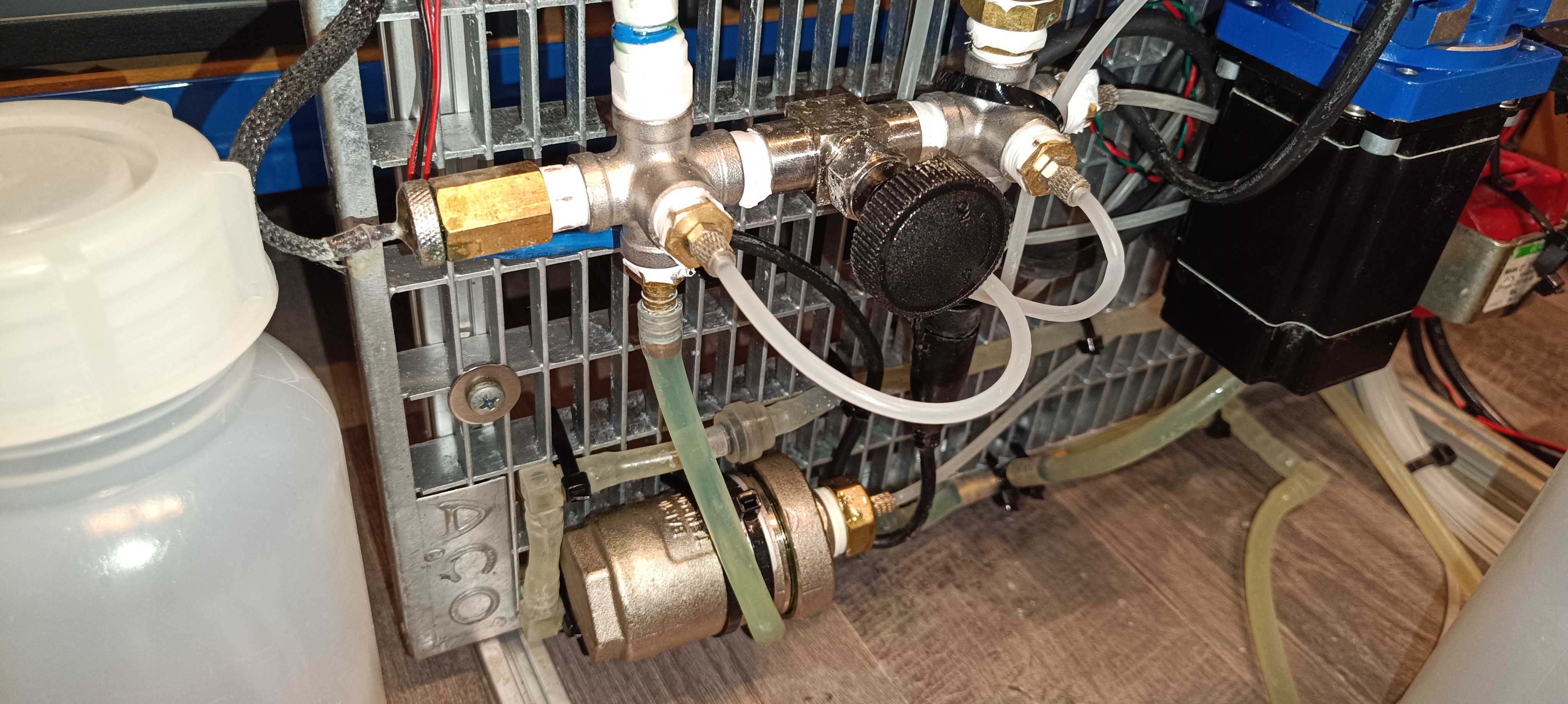
    When I disassembled the old tank, I found fittings with a suspicious blue color on top of the PTFE tape close to the tank.

    Blue Color on top of the PTFE Tape

    After I connected the new tank I flushed the system with pure ethanol and loaded it with fresh ink.

    New White Tank

    After loading the new ink I let it sit inside the machine for a week of vacation.

    When I came back, I saw that a certain part of the tubes had turned green again.

    A new green Color appeared

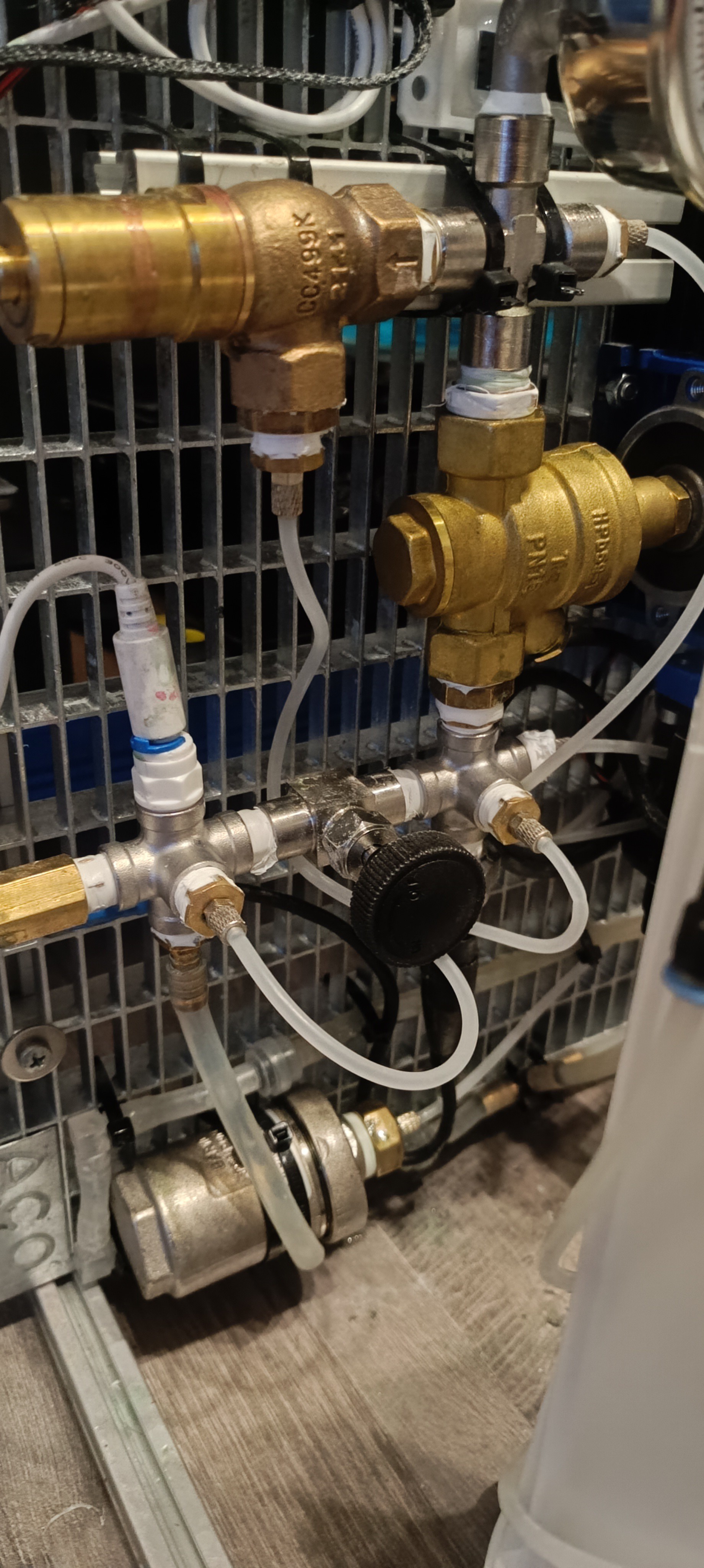
    The chances that the blue color from the anodized aluminum had also turned the ink green were lower than that of the tank housing, but to eliminate all risk, I ordered new fittings to replace the blue anodized parts.

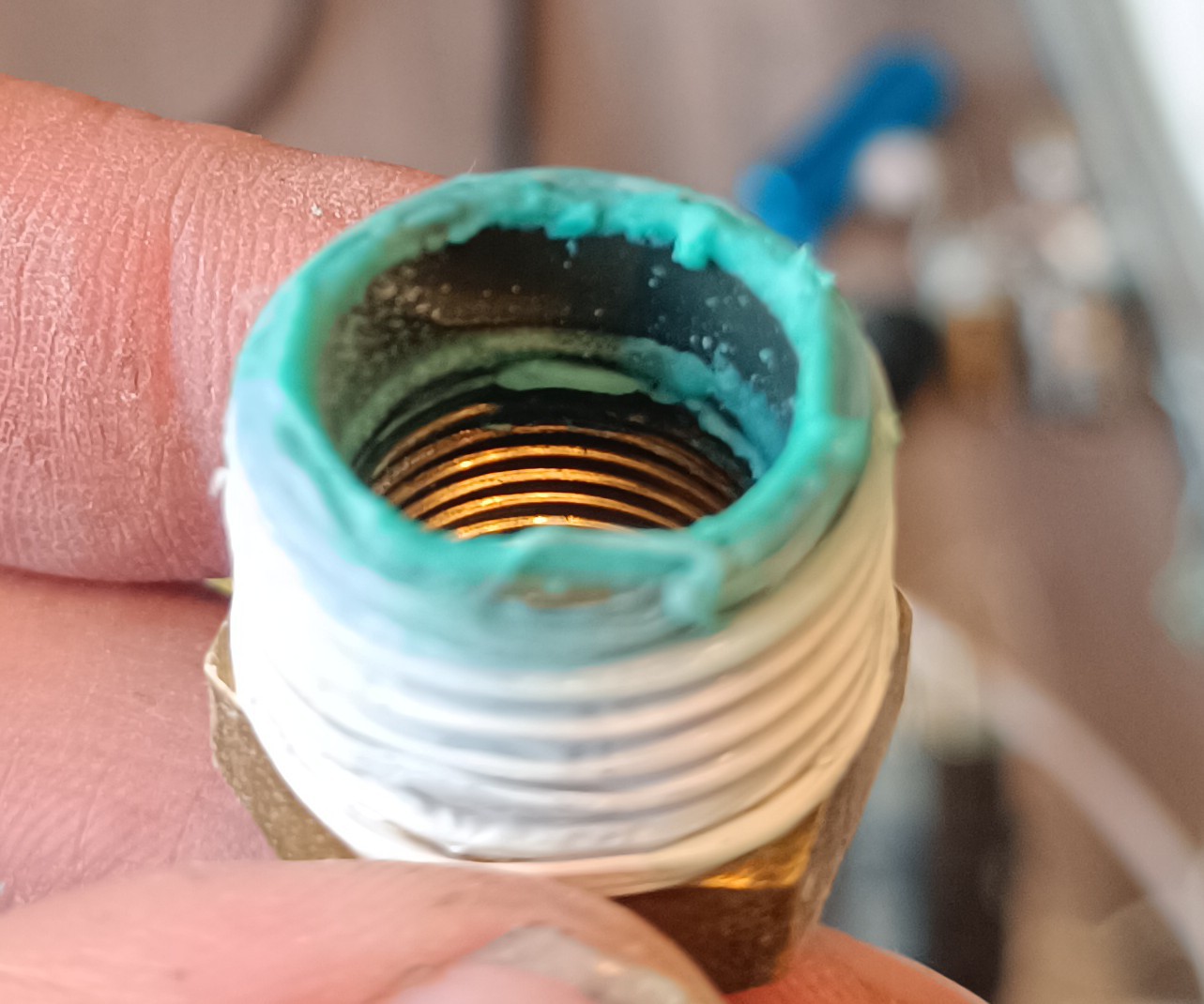
    When I disassembled the fittings, I saw that there was also a lot of blue residue inside them. Since the ink is not corrosive I could rule out that it was a sign of brass corrosion. Instead, I think it could either be color from the anodized fittings or just a buildup of the blue pigments from the tank housing that got stuck on the fitting walls.

    Blue Residue on the Fitting Walls

    When the new fittings arrived I once again cleaned the printer and loaded new ink into it.

    New Stainless Steel Fittings

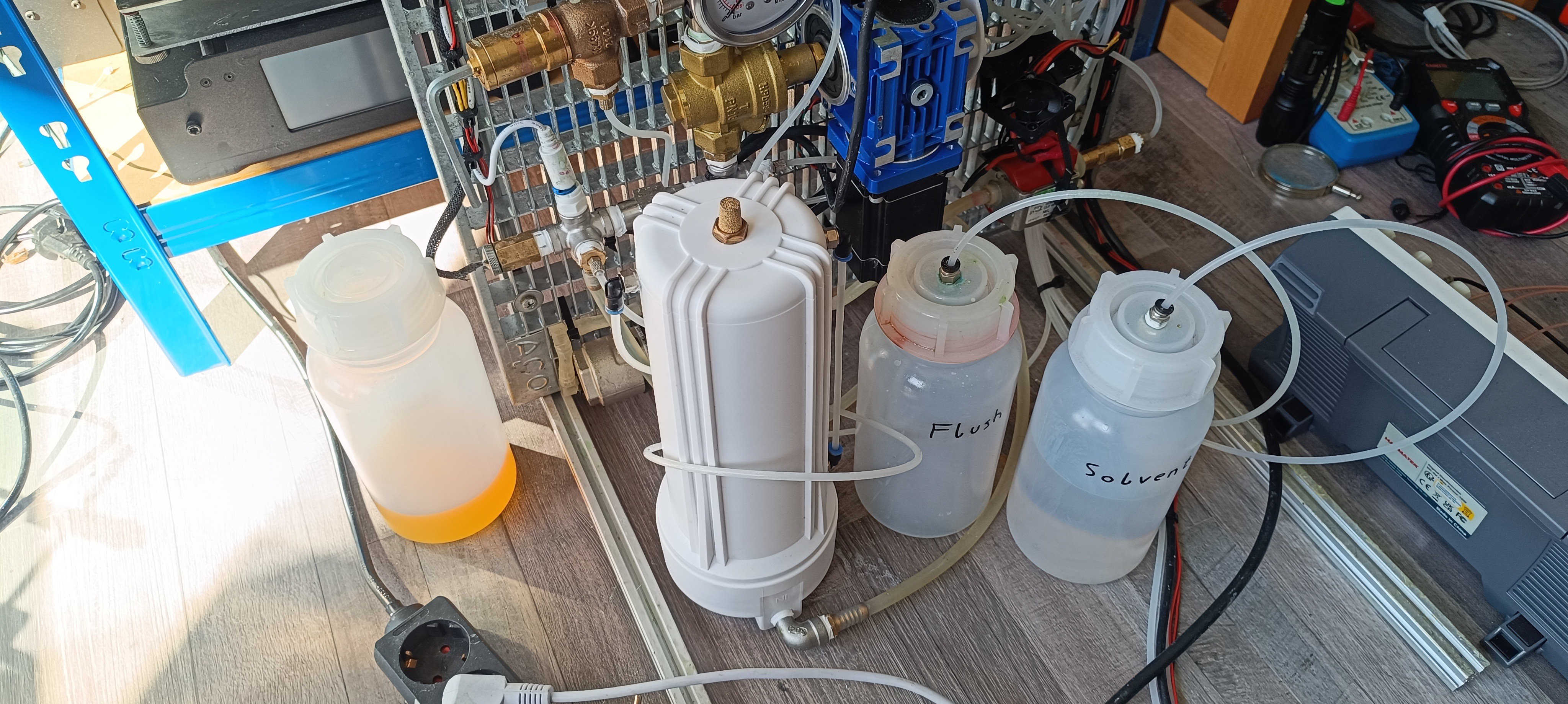
    I mixed 500ml of new sandarac ink and loaded half of it into the printer.

    Ink Tank and new Sandarac Ink

    But when I came back to the machine a day later, the same tube turned green once again.

    The green color appeared again

    I'm currently suspecting that there is still some residue on the walls of some fittings, which turns the ink green, and that after more flushing, it will disappear at some point, since there are no more colored parts in the system.

  • Motorized Pressure Regulator

    Dominik Meffert07/23/2025 at 05:15 0 comments

    For the last weeks, I was searching for a way to adjust the ink pressure via software, so that the printer can react to changes in room temperature and viscosity to keep the jet velocity constant.

    Until now, I used a pressure regulator to adjust the pressure by hand while looking at the jet velocity indicator. For controlling pressure via software, it was necessary to either get a new pressure regulator that could accept a control signal or add a motor to the existing pressure regulator. Since I had problems with other pressure regulators getting stuck from dried ink in the past - the ethanol sandarac ink is very sticky and could easily be used as a medium strength glue - I preferred to stay with the pressure regulator that worked and so I started looking for a way to add a motor to it.

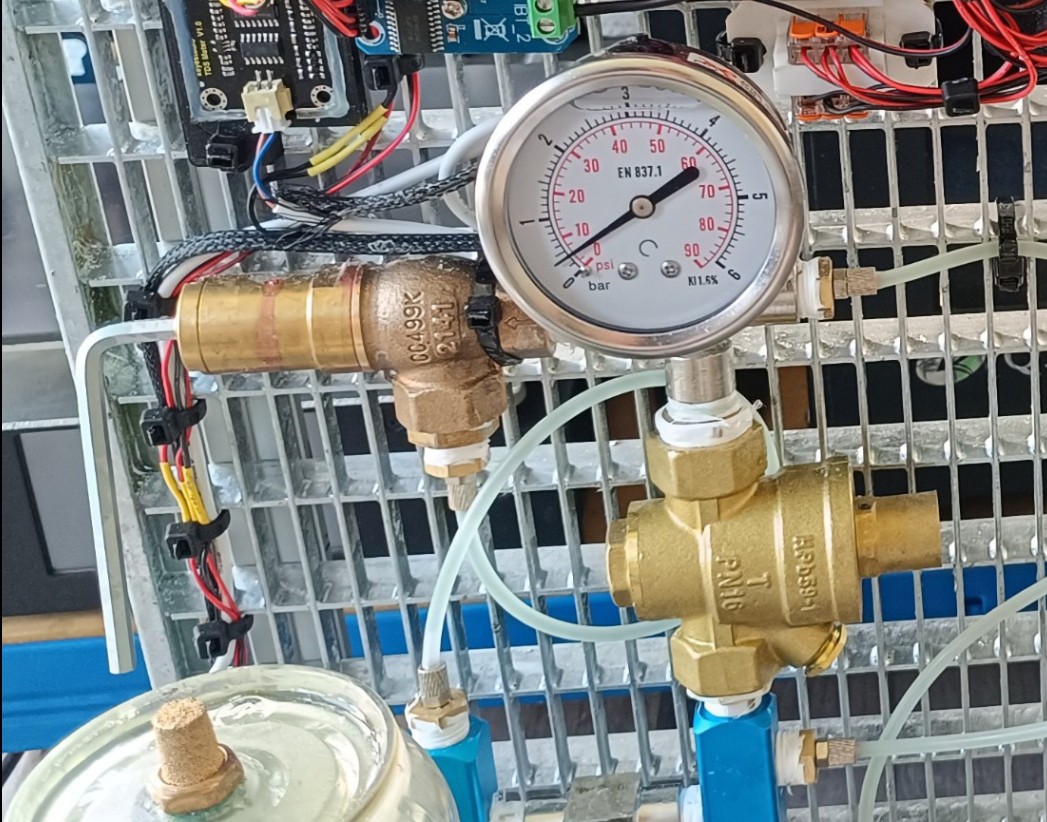
    While commercial CIJ printers usually use a PWM-controlled ink pump in combination with a fixed size restriction in a feedback line, this is currently not an option for this project, since these specialized pumps are very expensive and the cost for building this printer should be as low as possible with no specialized parts. Because of that, I'm currently using a cheap ULKA EX5 24V vibratory pump in combination with a relief valve for setting the pump pressure (usually to 50 psi), a pressure regulator for setting the ink pressure (varying between 30 and 40 psi), and a damper that helps keep the pressure stable.

    1/2 inch PN16 Type Pressure Regulator

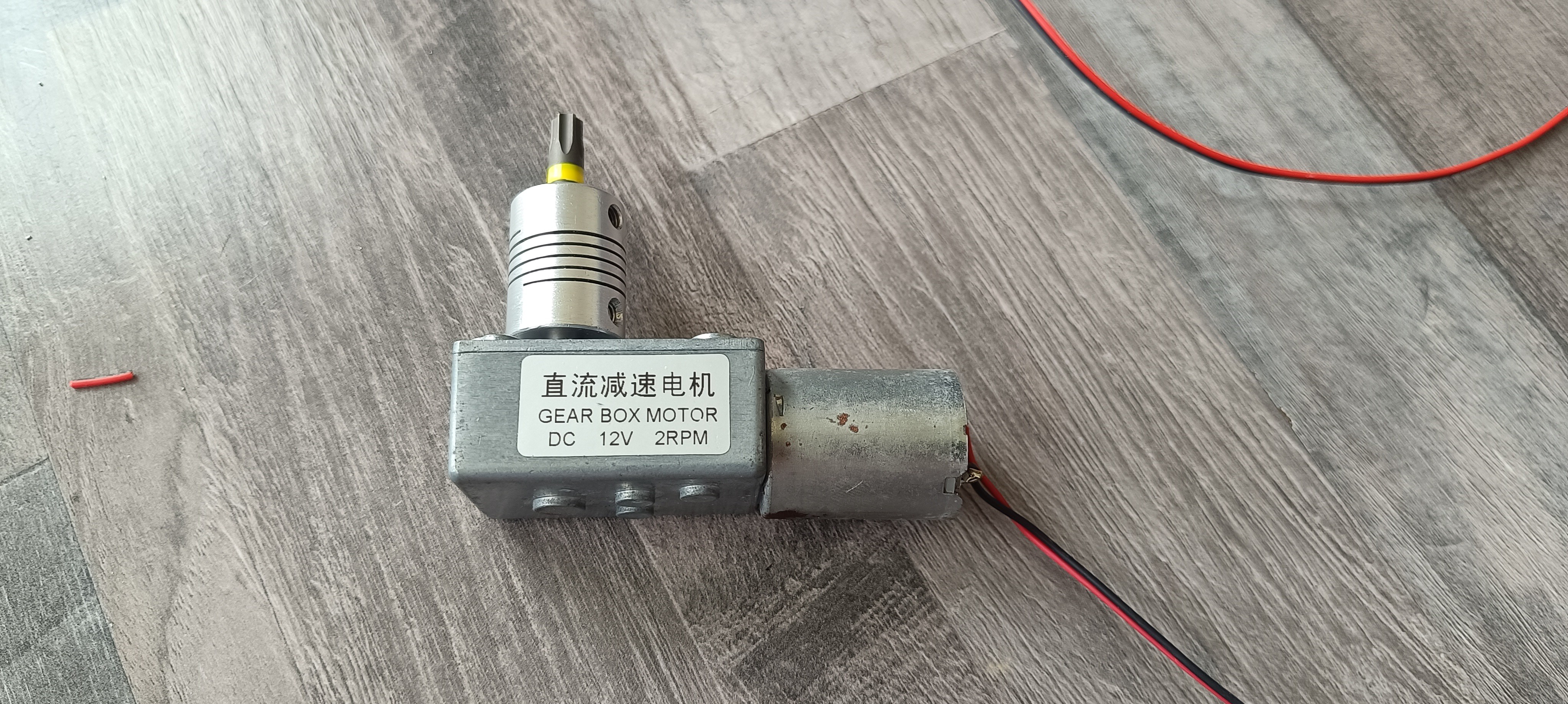
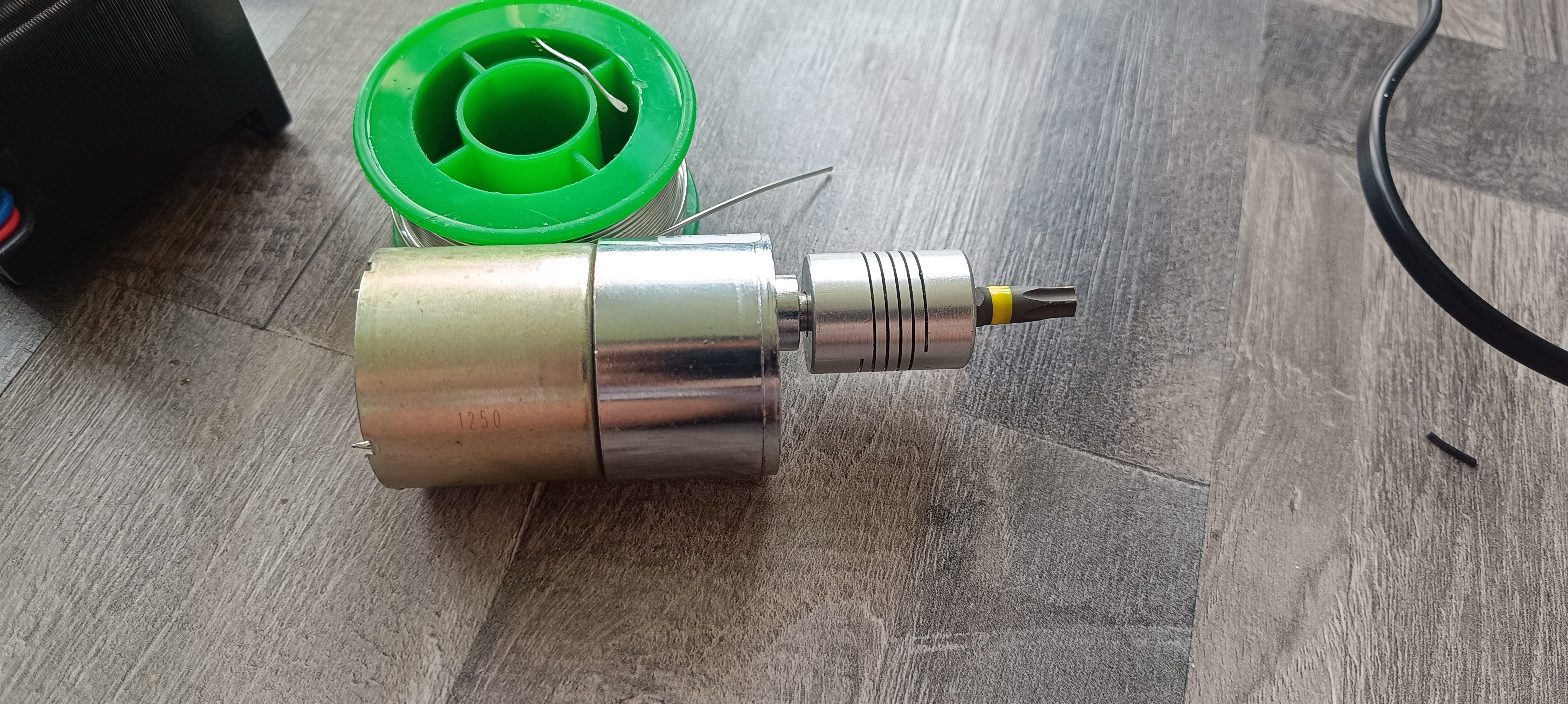
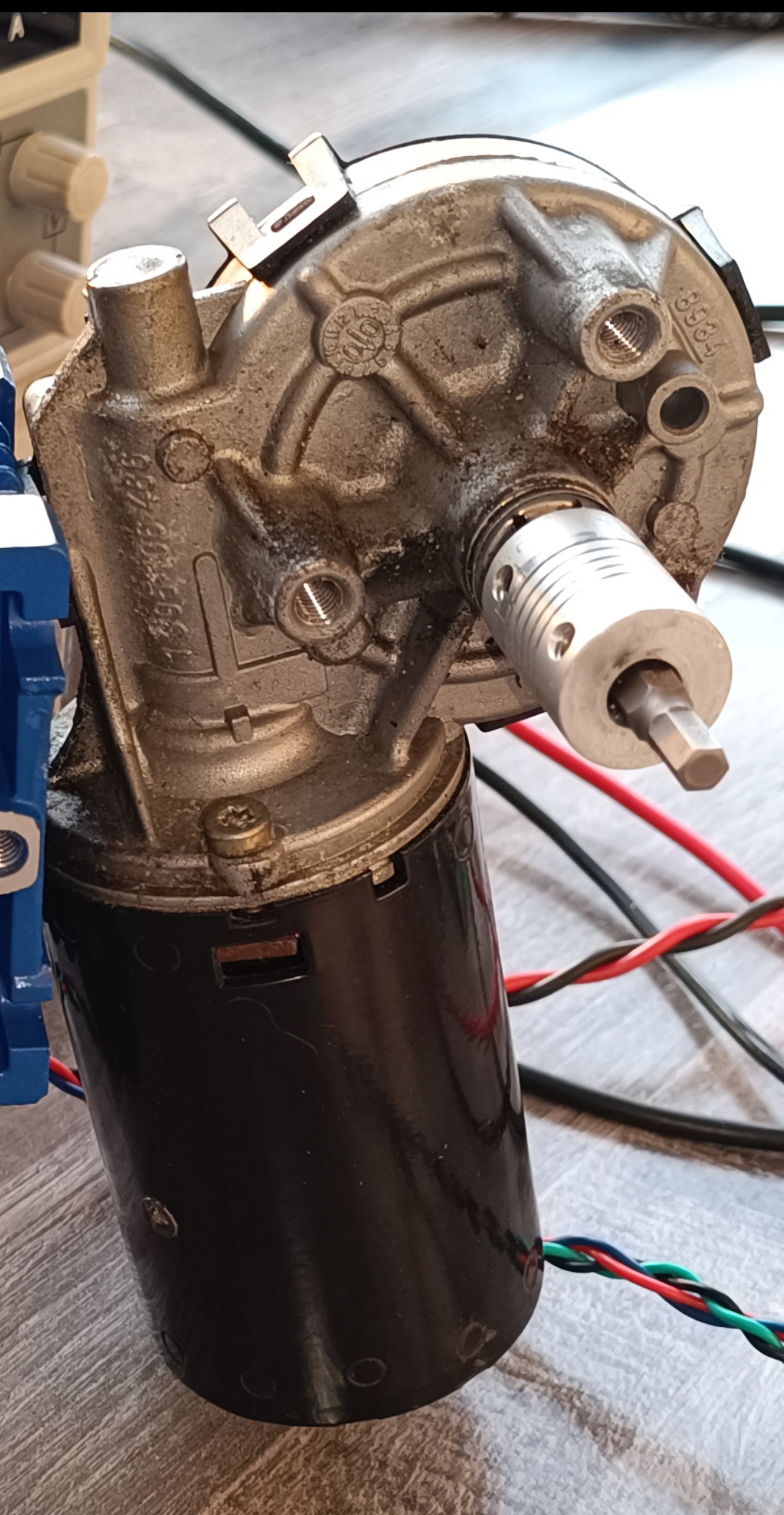
    I started by testing out some geared DC motors I had at home and quickly realized that the pressure regulator model I'm using needs more torque to turn than the motors I had could provide.

    Geared DC Motor 2RPM
    Geared DC Motor 100RPM

    Because of that, I looked for something that could provide more torque and got an old windshield wiper motor.

    Windshield Wiper Motor

    The motor had enough torque to turn the pressure regulator, and I could control direction and speed with an H Bridge. After trying the motor out for a while, it turned out that the speed of the motor could only be reduced to some extent until the motor failed to start up, and that the motor coasted for a bit when not actively braked, so that the precision was not that high with this setup. Another problem with it was that there was no way for the software to know the motor's position, so that the motor could overtighten the pressure regulation screw and damage the pressure regulator if the pressure sensor reading or TOF reading were incorrect.

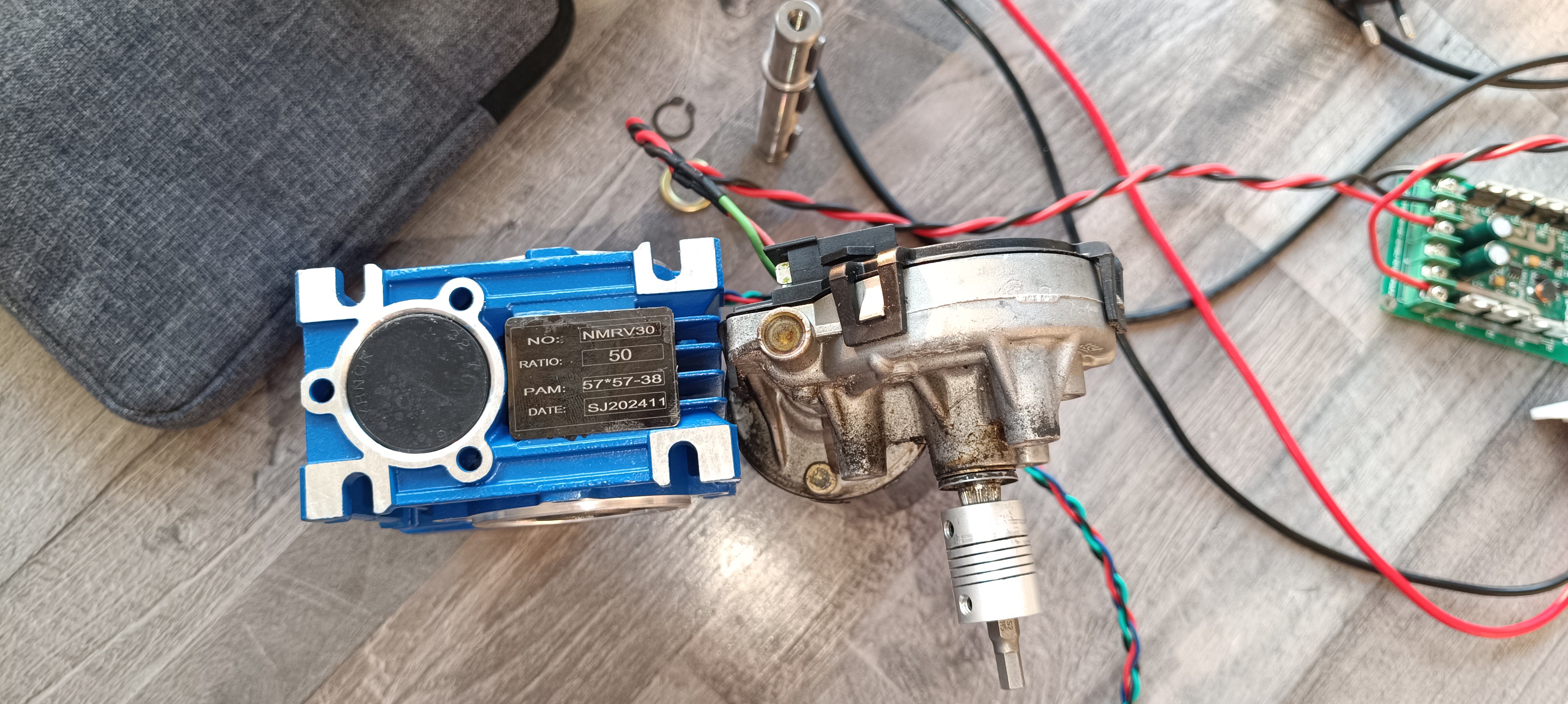
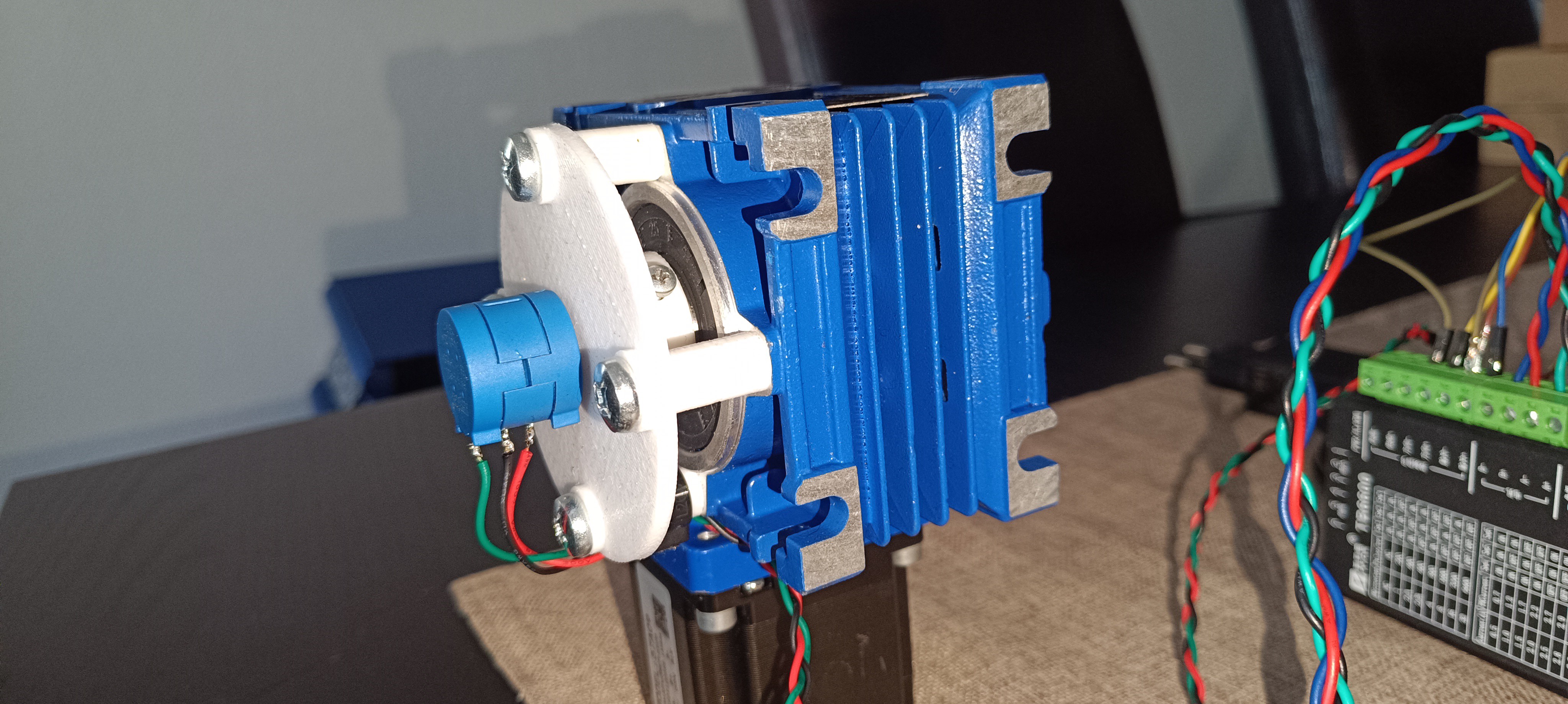
    Because of these problems, I decided to use a Nema 23 stepper motor in combination with an NMRV030 50:1 gearbox and a 3590S multiturn potentiometer to get more precision and position feedback.

    MEMA 23 Motor with large Gearbox

    Gearbox next to Windshield Wiper Motor
    Shaft Adapter

    When the gearbox arrived, I 3D printed a shaft adapter and mounted the motor onto the gearbox.

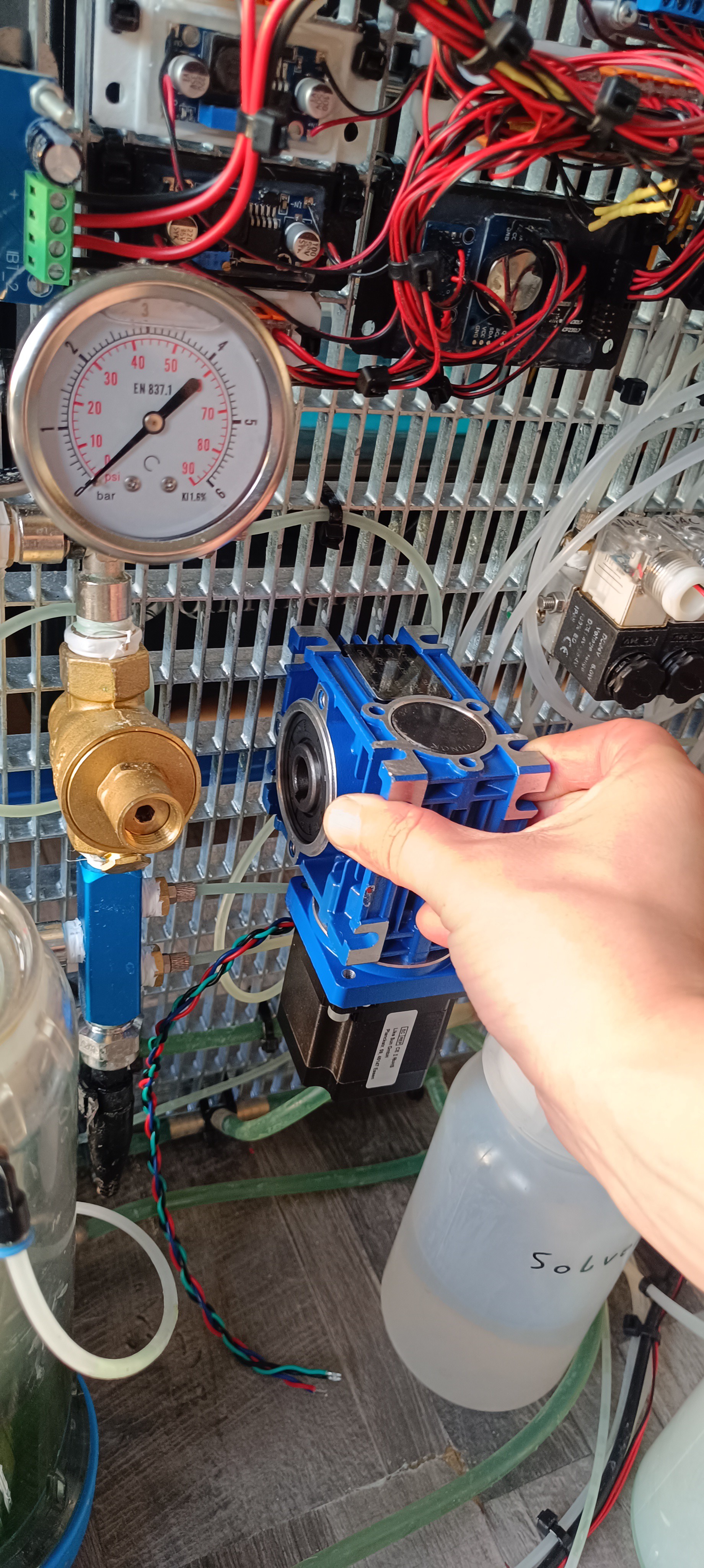
    Gearbox next to Pressure Regulator

    With the adapter in place, the gearbox was ready for testing and designing a mounting bracket for the multiturn potentiometer.

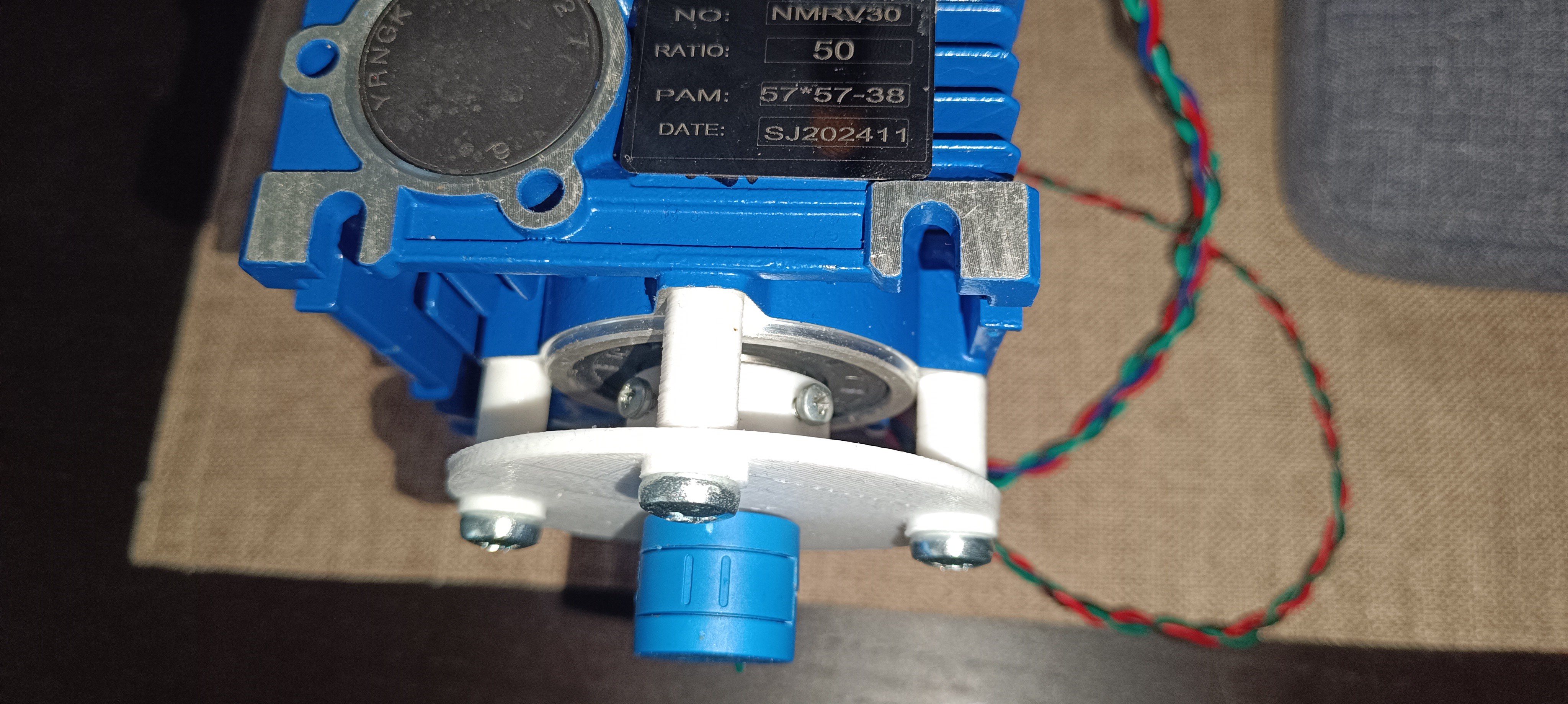
    Multiturn Potentiometer Mounting Bracket
    Motor Assembly with Stepper Motor Driver

    I 3D printed a plate with a hole in the middle for holding the potentiometer, and four holes on the side for mounting it on the gearbox with the help of some spacers to have enough space to fit in a 3D printed adapter that connects the potentiometer shaft to the gearbox's output. The potentiometer was now able to track the exact position of the gearbox over multiple rotations, and it was possible to use an Arduino Nano for controlling the stepper motor driver and reading the potentiometer to limit the gearbox's movement to a certain range.

    I uploaded some code to the Arduino that continuously moved the shaft two turns back and forth to see if everything kept working over a long time, and it turned out that the PLA shaft adapter failed after a while due to wear, so I had to buy one that was made out of steel. Because the steel adapter...

    Read more »
  • Vertical Layout

    Dominik Meffert06/03/2025 at 05:27 0 comments

    New Layout

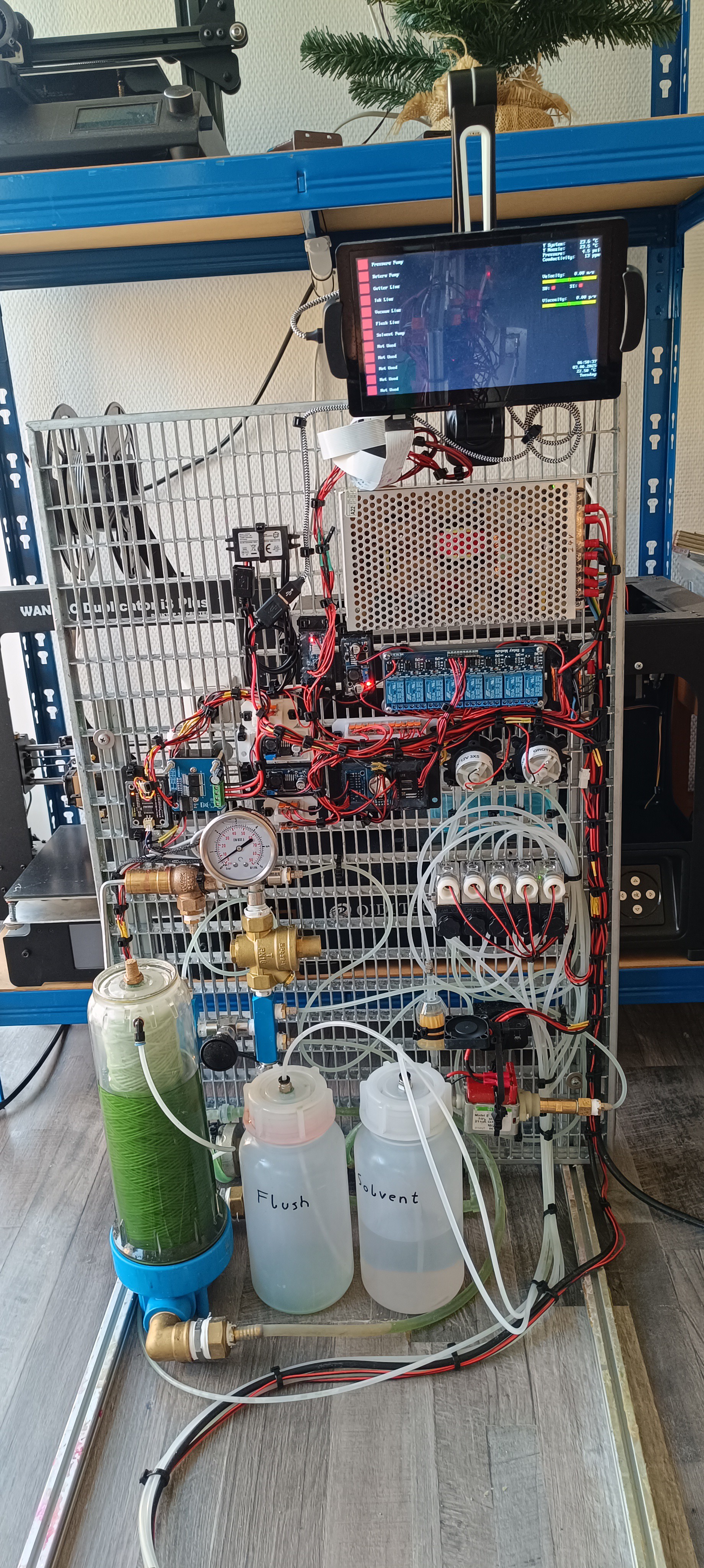
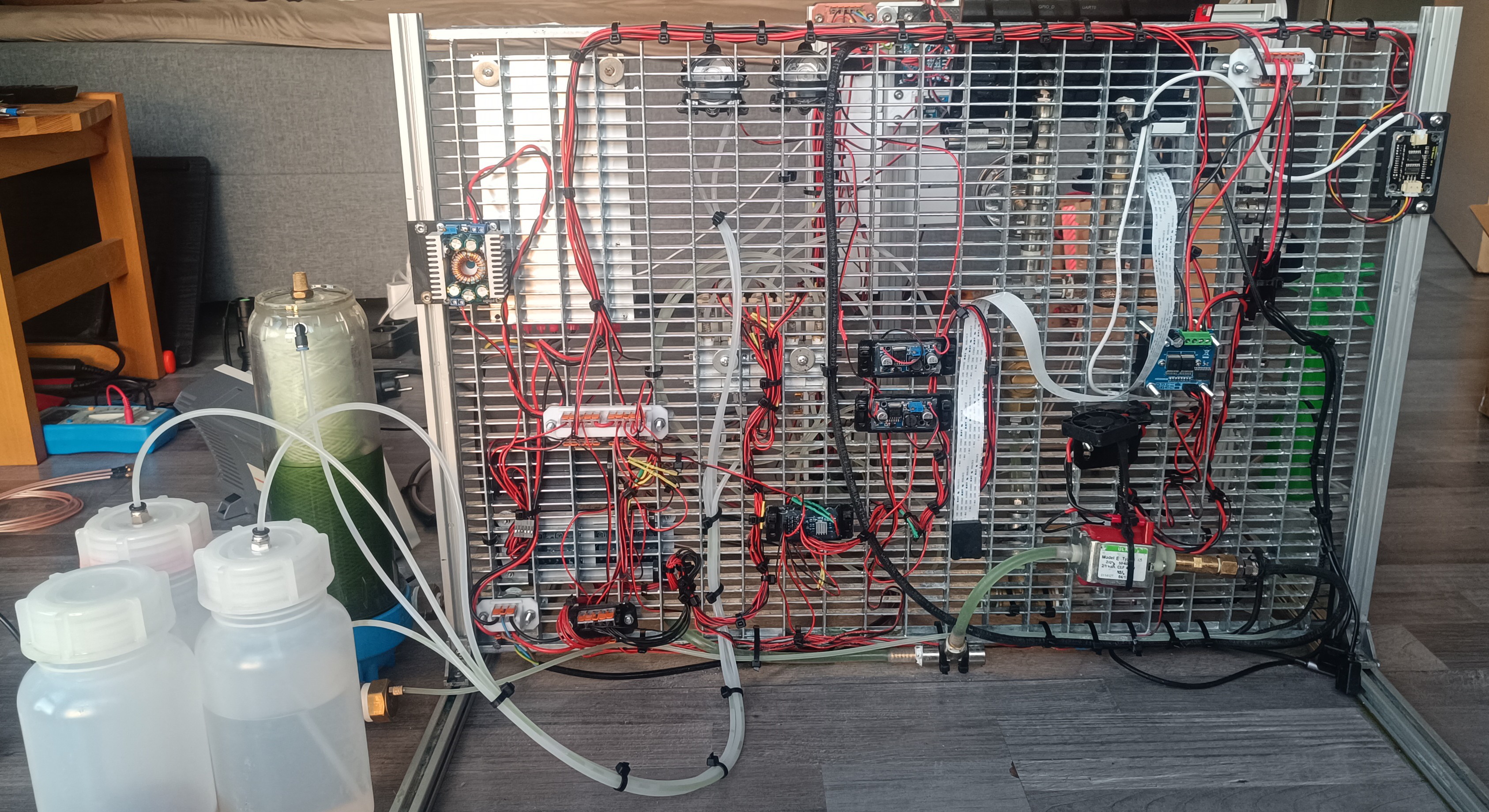
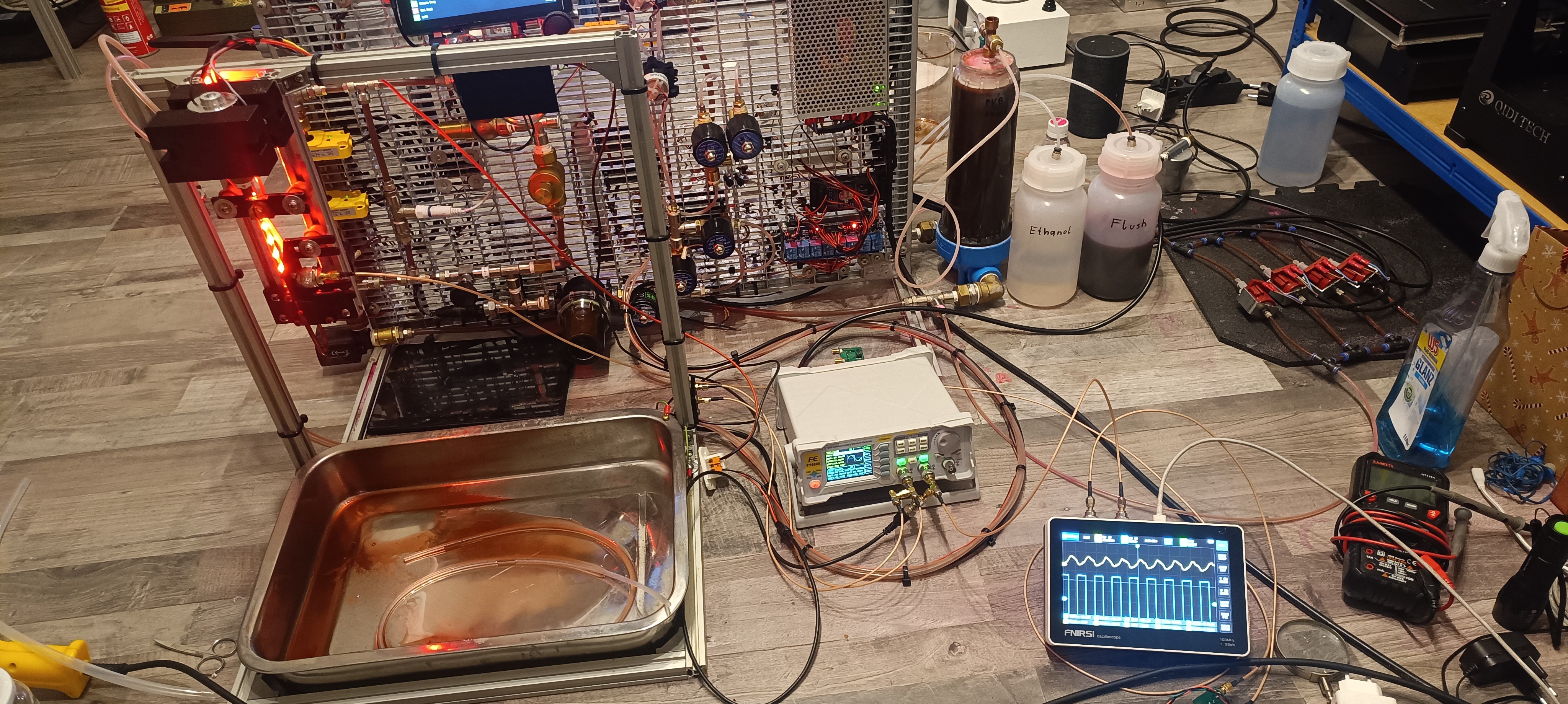
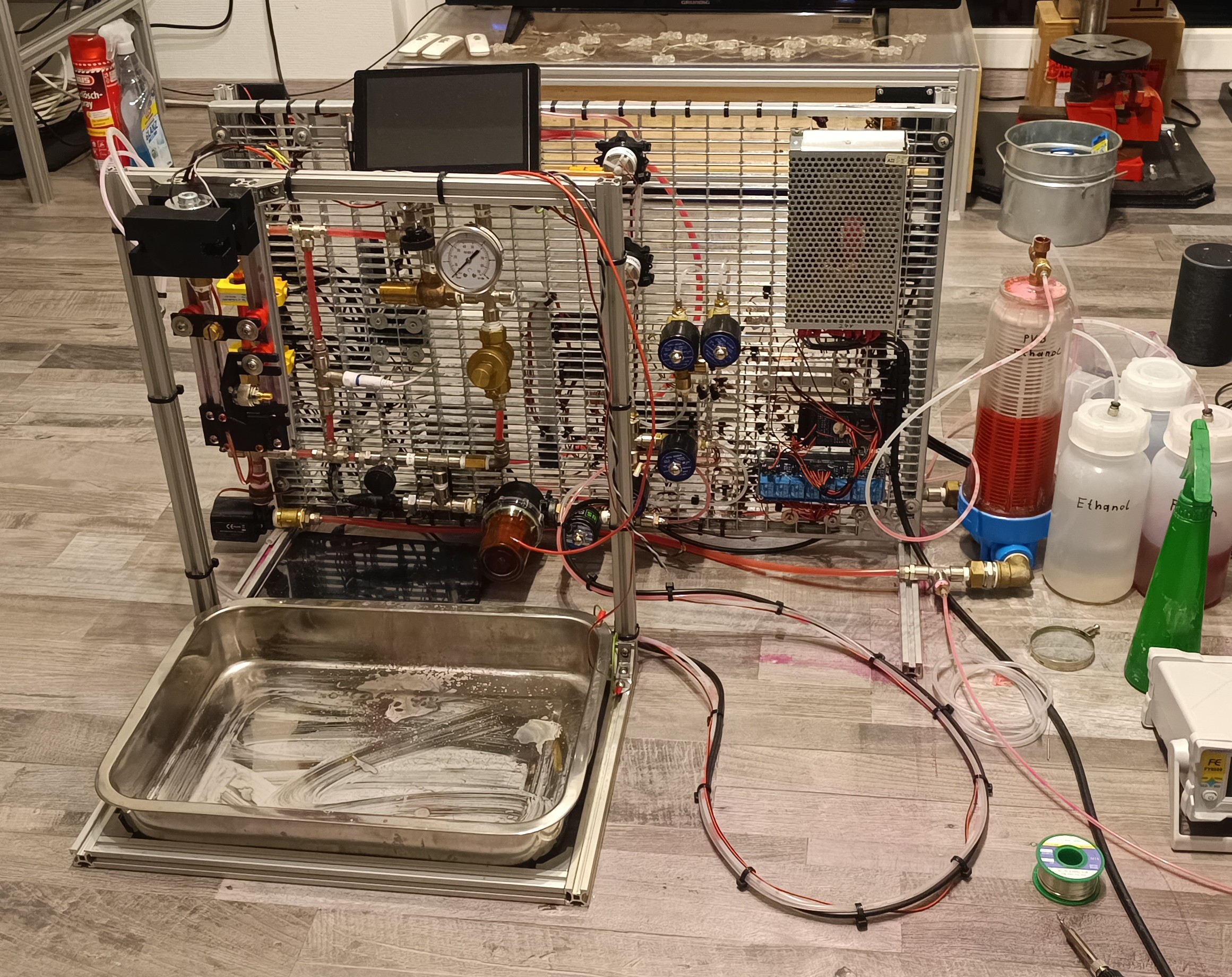
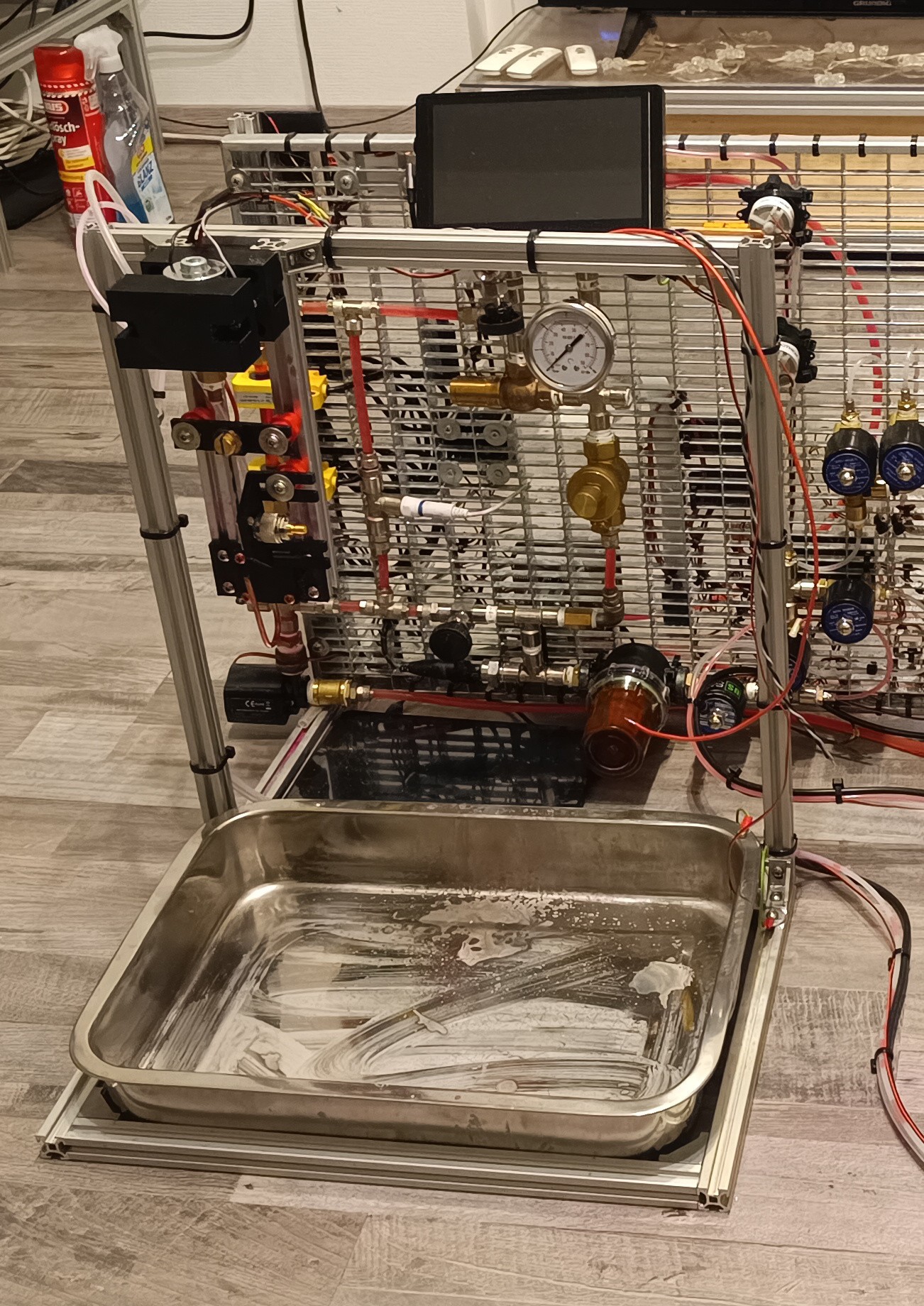
    Over the last few days, I completely disassembled and reassembled the printer to tidy up the wiring, plumbing, and component arrangement to use previously unused space. To reduce the overall footprint of the machine, I changed the layout from a horizontal to a vertical design, placed the tank and bottles in front of the machine, and also removed all parts from the backside of the grid. 

    With the new layout, the machine now has a similar width and depth as the typical 3D printer - it's just a little taller.

    CIJ Printer Prototype with 3D Printers in the Background

    All of the components are now mounted on the front of the grid, and with that, also all of the weight, so that the machine only needs support feet at the front side since it wouldn't tip towards the backside.

    This way, it's now possible to place the machine pretty close to a wall to reduce the space it takes in the room.

    The Backside of the Machine

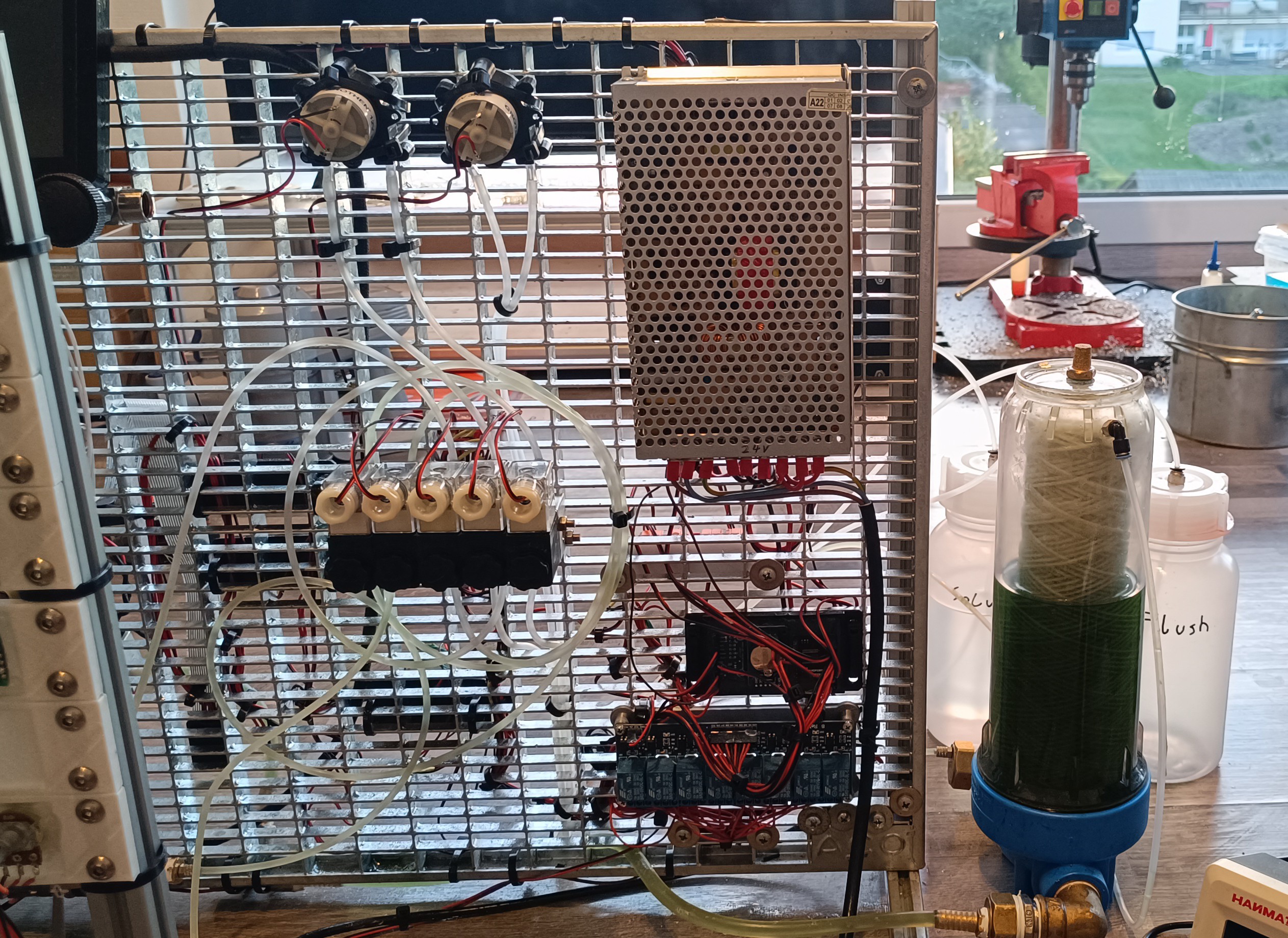
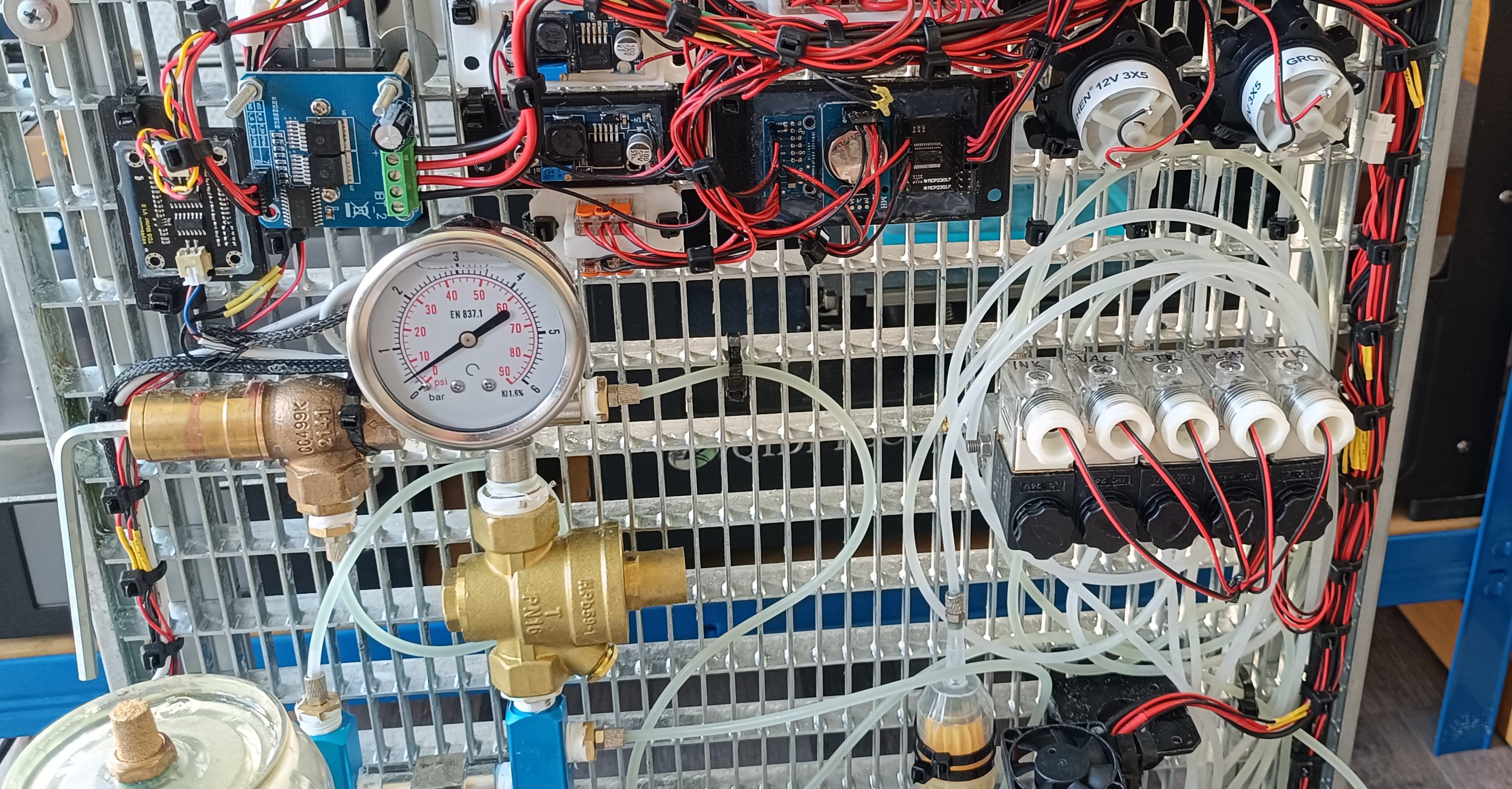
    Components

    With no longer any components hidden at the backside, it's now possible to see all used components at once, which I hope will make understanding the function of the machine easier.

    Here is a small list of the machine's components, starting from the bottom of the machine:

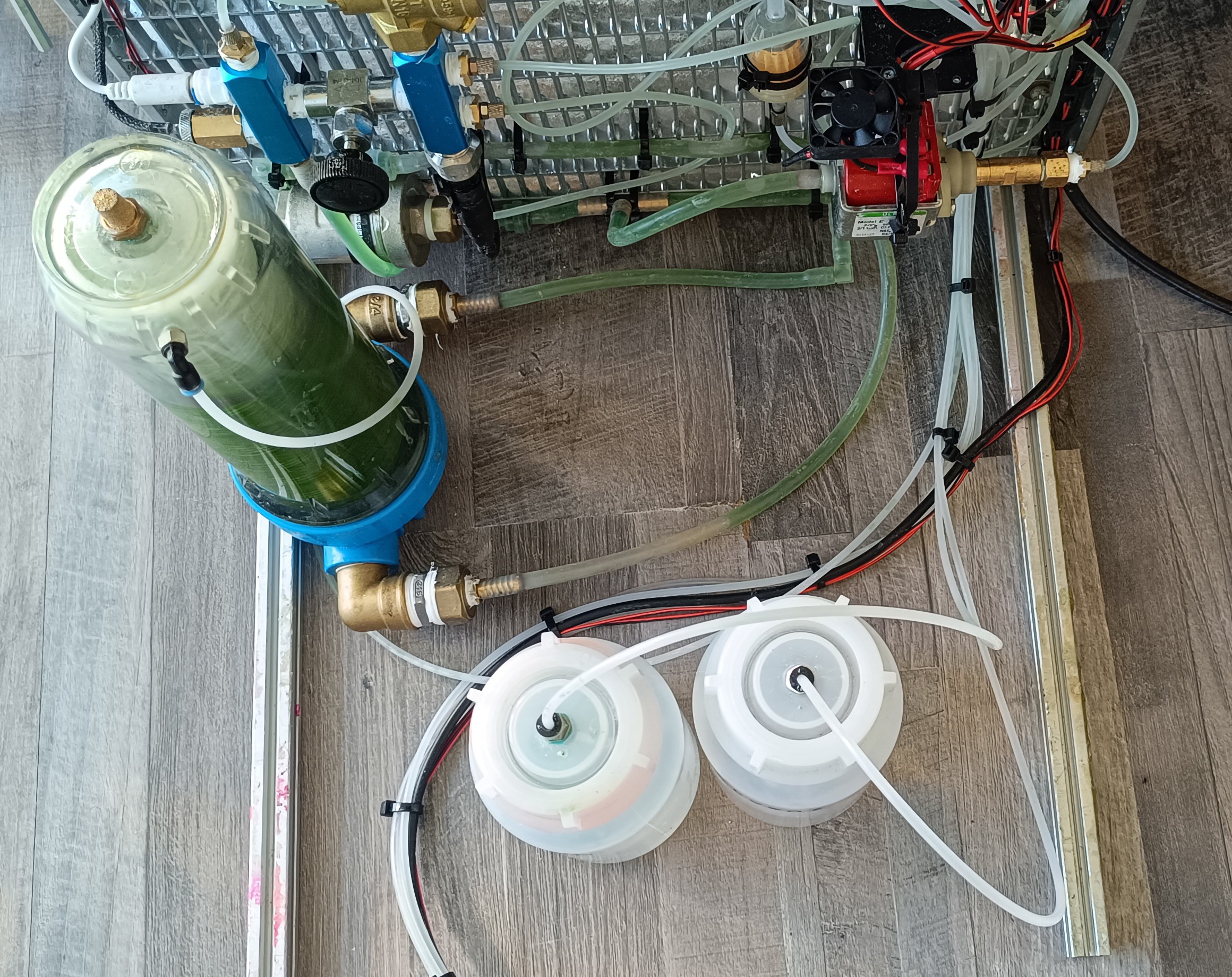
    Flush bottle, solvent bottle, ink tank with vent and return line inlet at the top and in and outlet at the bottom of it, silicone tube with check valves, damper, pressure pump with fan, gutter filter, fluid distribution assembly made of low-pressure side with inlet from relief valve, TDS sensor, temperature sensor and outlet/inlet for draining, maintenance valve, and high-pressure side with inlet from pressure regulator, pressure sensor, connection to damper and connection to ink valve.

    Starting on the left of the picture:

    Relief valve, pump pressure gauge, and pressure regulator. Valve assembly on the right with the solvent pump and return pump above it.

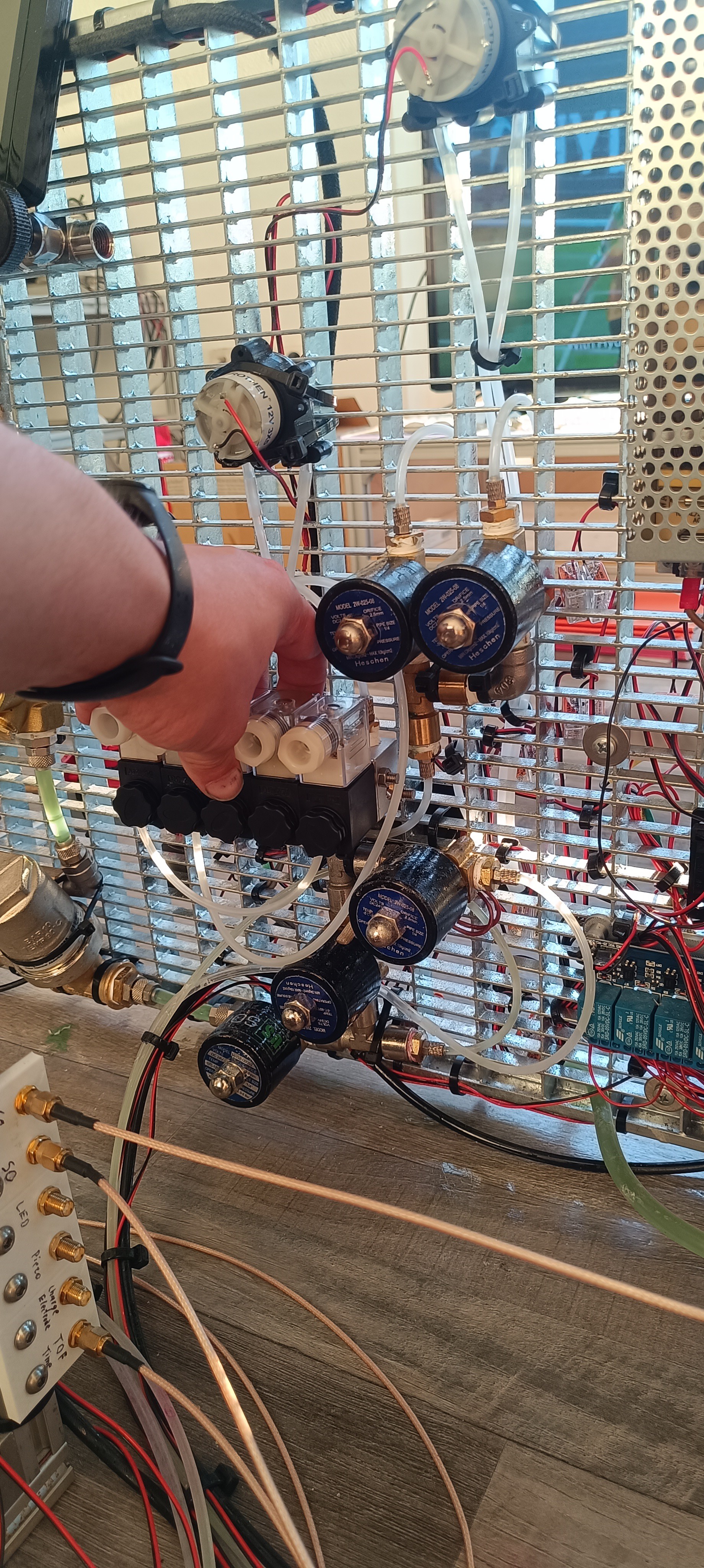
    Valves from left to right are the ink valve, vacuum valve, gutter valve, flush valve, and tank valve.

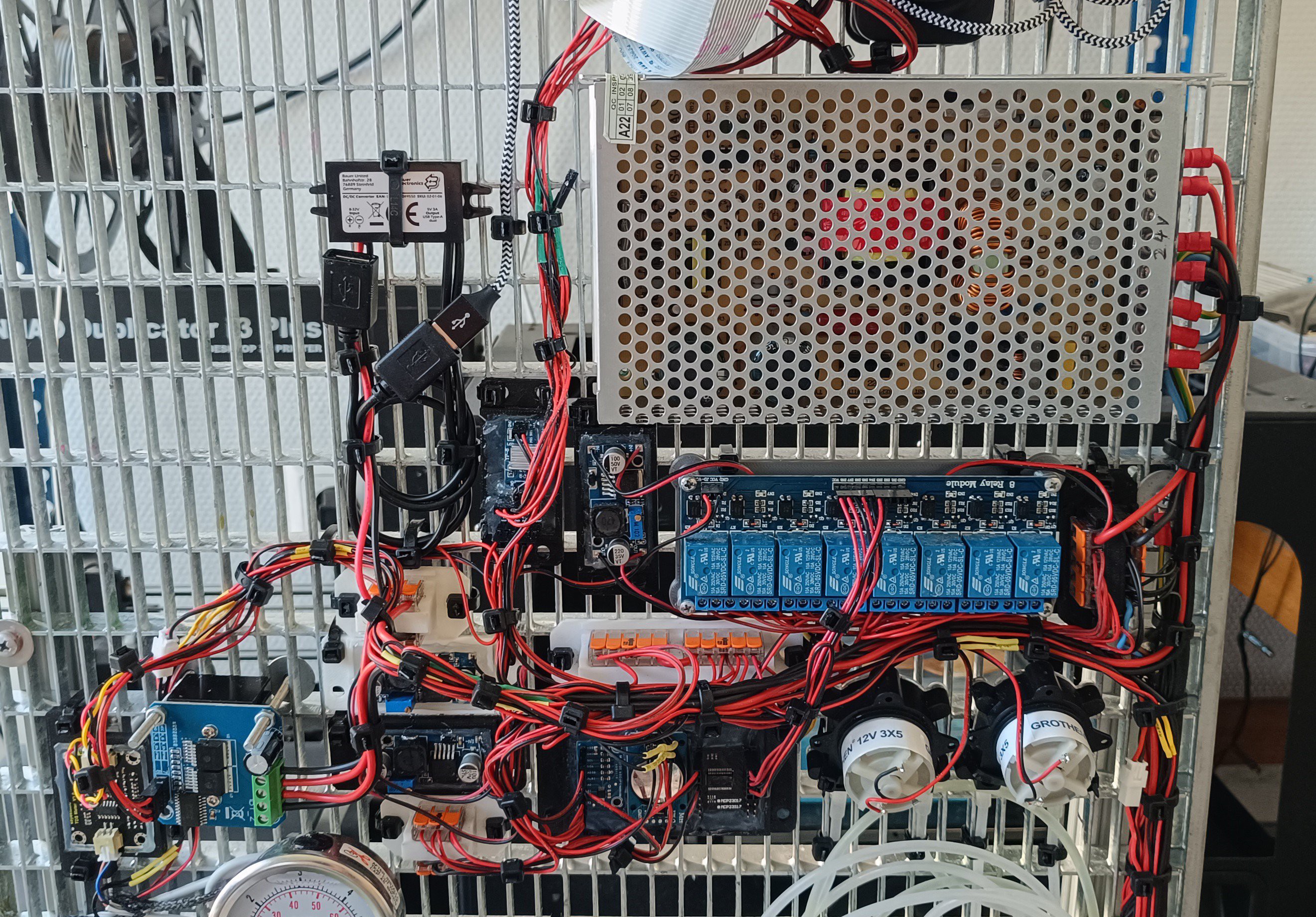
    Almost all of the electronics are located in the middle of the grid to keep it organized. The only exemptions are the lines leading to the sensors, pumps, valves, and printhead.

    Starting on the left of the picture:

    TDS sensor amplifier, BTS7960 for pressure pump, LM2596 for solvent pump, LM2596 for return pump, WAGO distribution for I2C, WAGO distribution for 24V, USB power supply for LCD, AMS1117 3.3V for 3.3V to 5V level shifter, LM2596 for 5V logic, WAGO distribution for 5V, ADS1115 for the sensors, DS3231 for time and date, MCP23017 for digital IO, 8ch relay module for switching the valves, WAGO distribution for 24V and GND of the valves, main power supply 24V 10A.

    I think this is the first time I listed all of the electronics used for fluid management together since they were spaced all over the machine before.

    At some point in the future, the printhead driver electronics and high-voltage power supplies will also be added to the machine.

    I'm currently working on these but it will still take more time to get them ready. TOF is working; Phasing will be next.

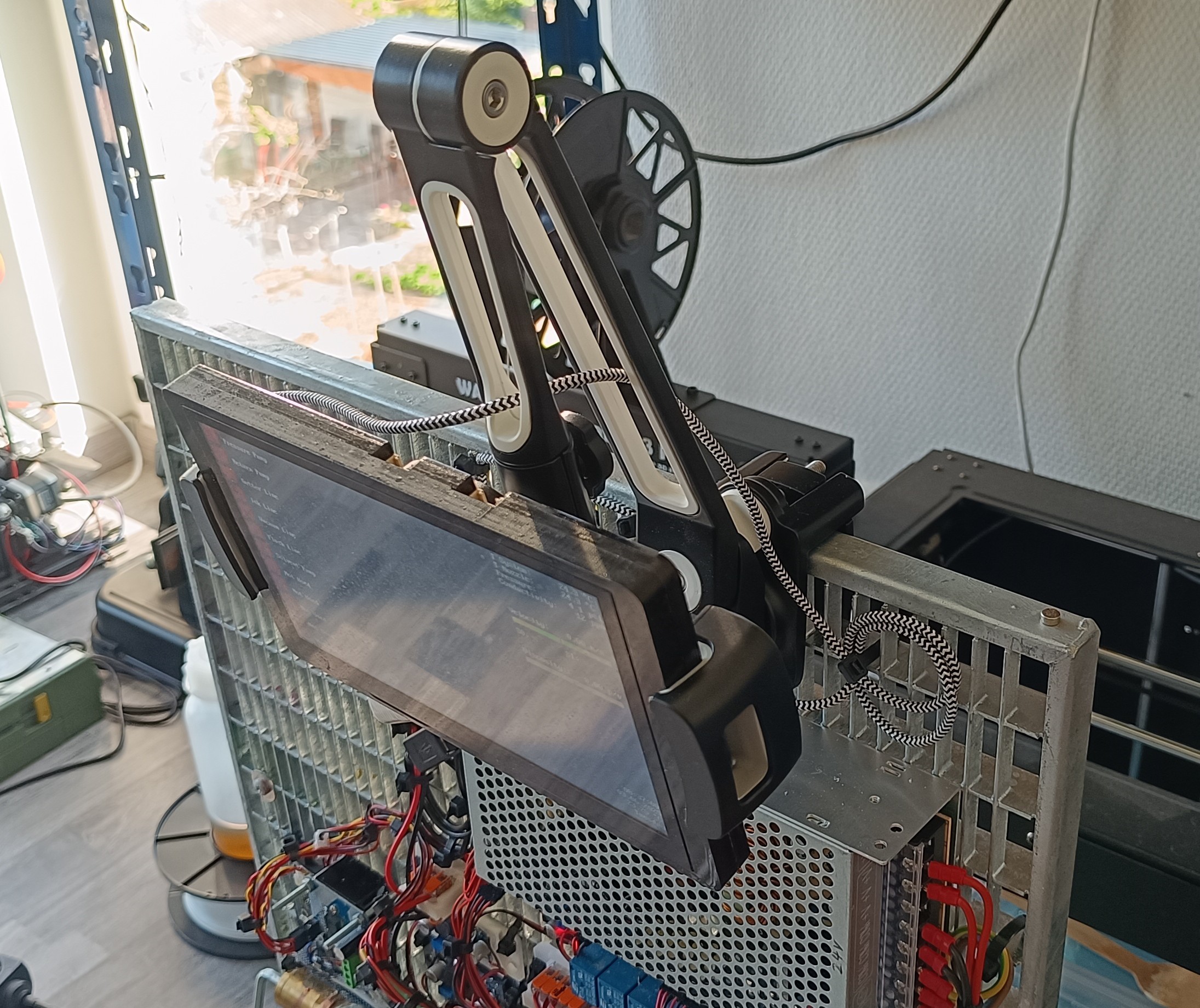
    The LCD is now mounted on a tablet holder at the top of the frame.

    I think with the new layout the CIJ printer prototype now looks a bit less experimental than before. My plan for the future is to place the machine on the floor next to a plotter or other machine on which the CIJ printhead can be mounted for applying ethanol-based ink, varnish, or glue to a surface.

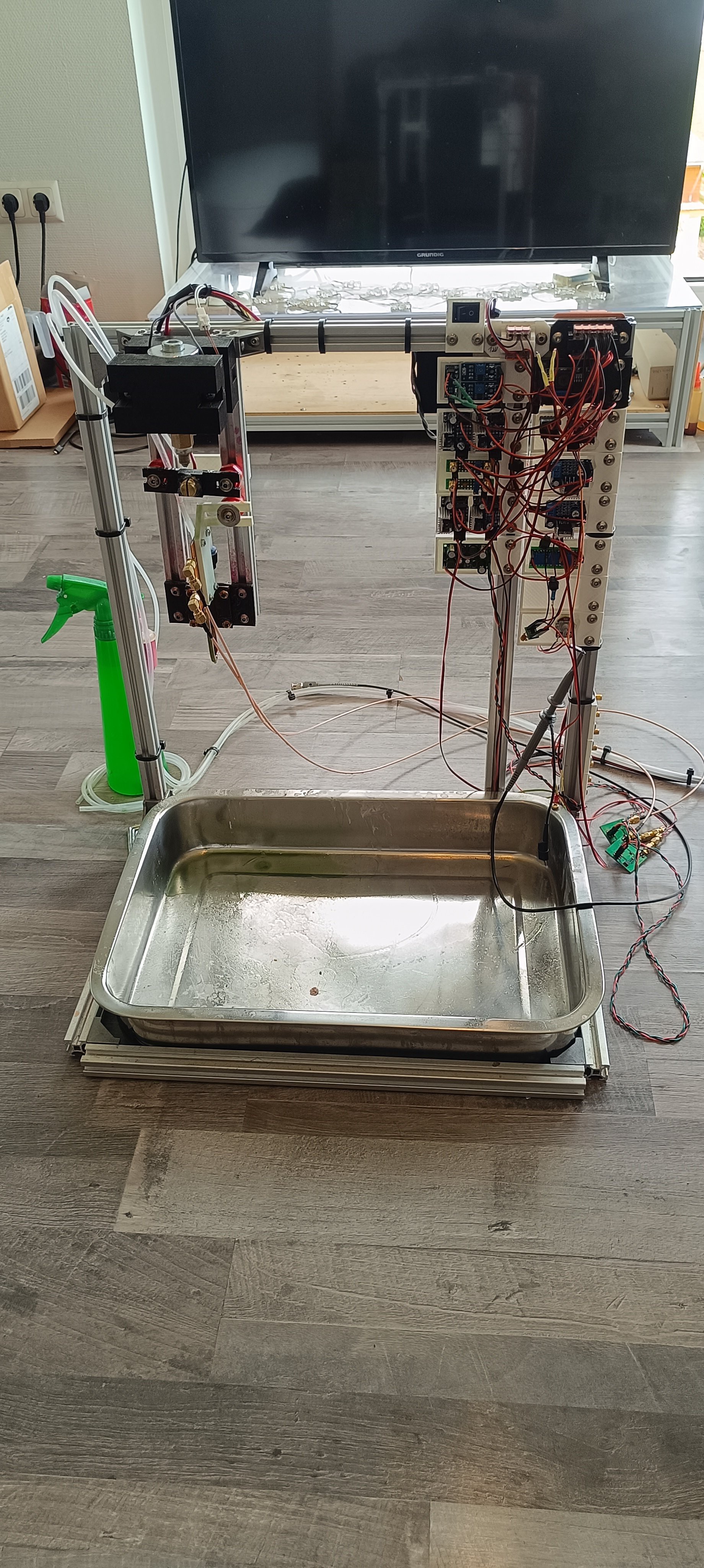
    Fluid Management Part and Printhead Test Stand Part

    With that, optimization of the fluid management part is done for now and I will continue working on the printhead driver electronics, so that I can hopefully soon get the phasing to work.

    Printhead Electronics Test Stand

  • New Valves for a compact Design

    Dominik Meffert05/19/2025 at 01:28 2 comments

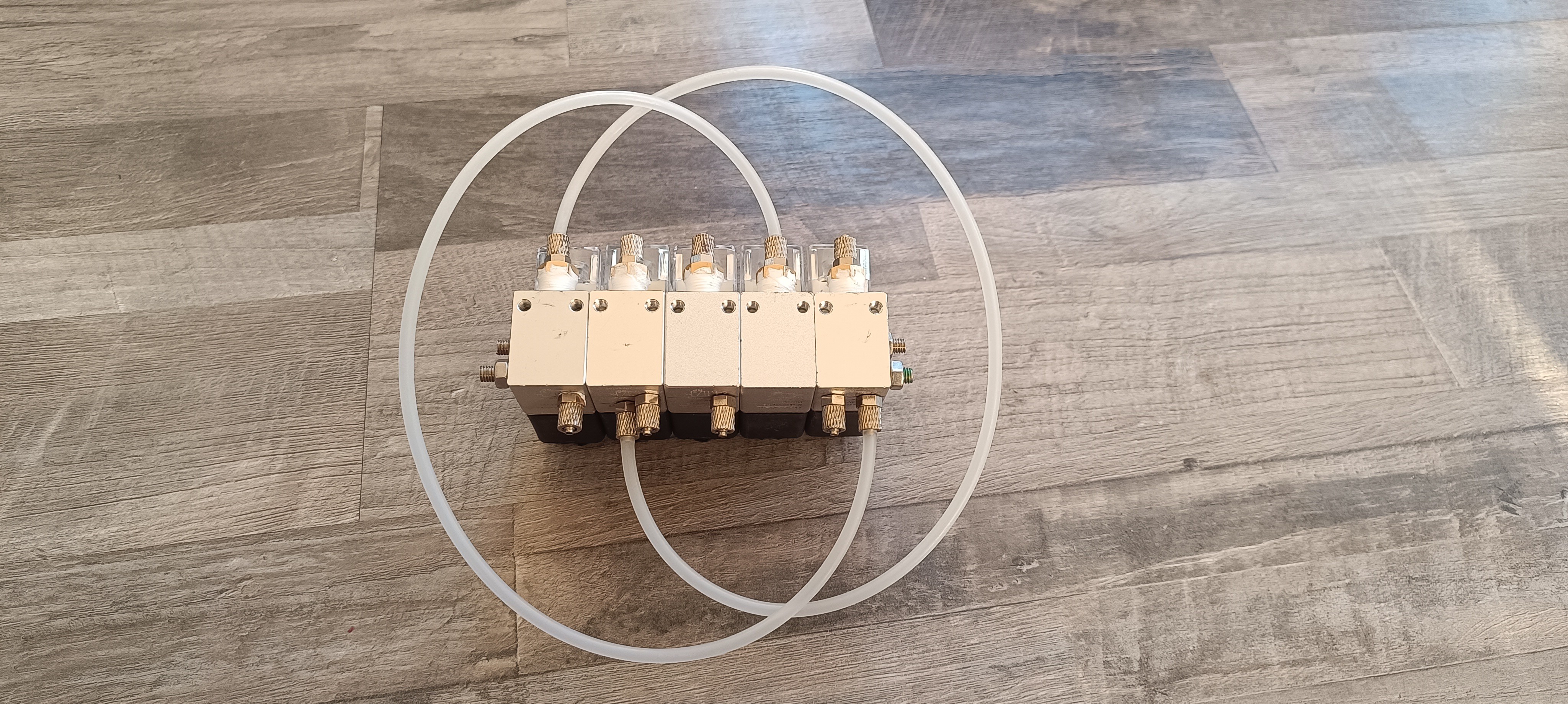
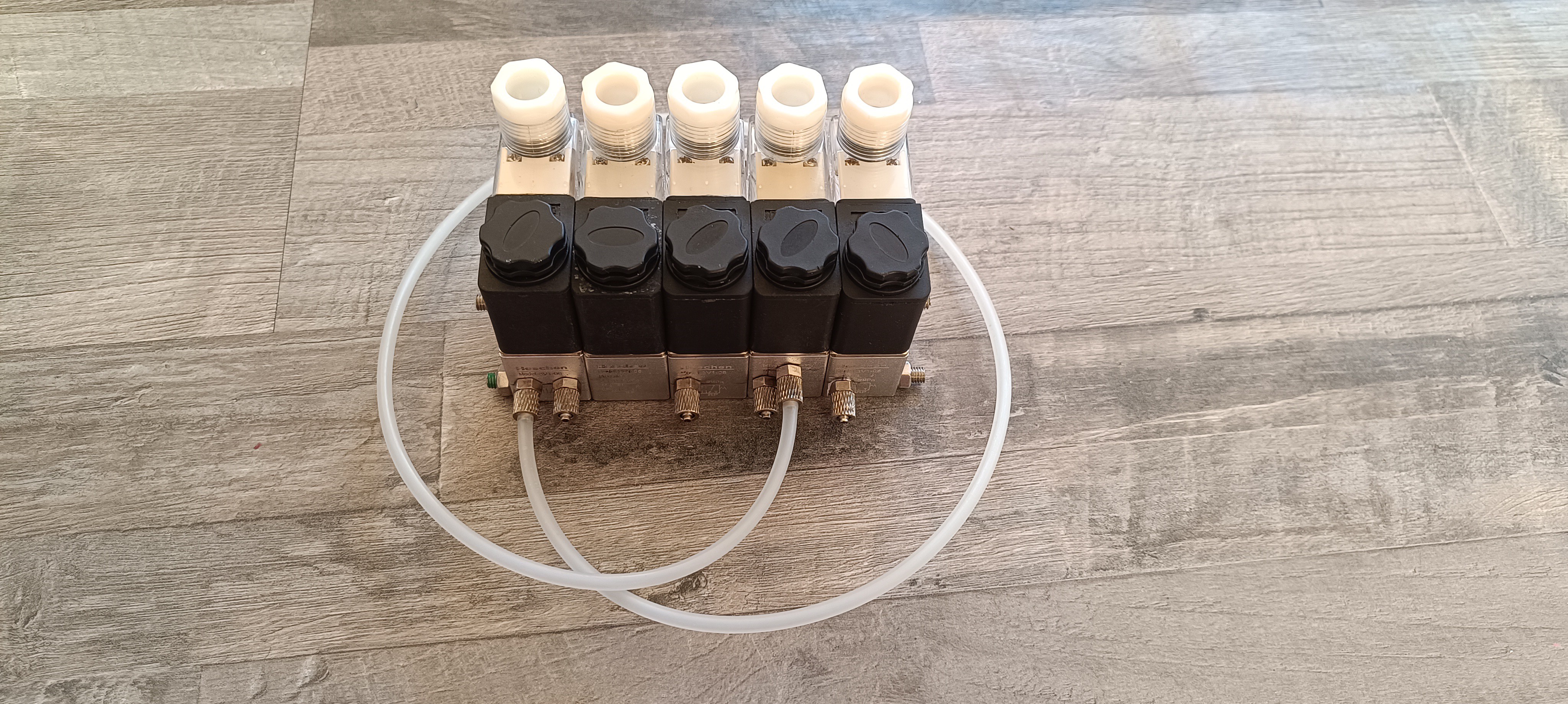
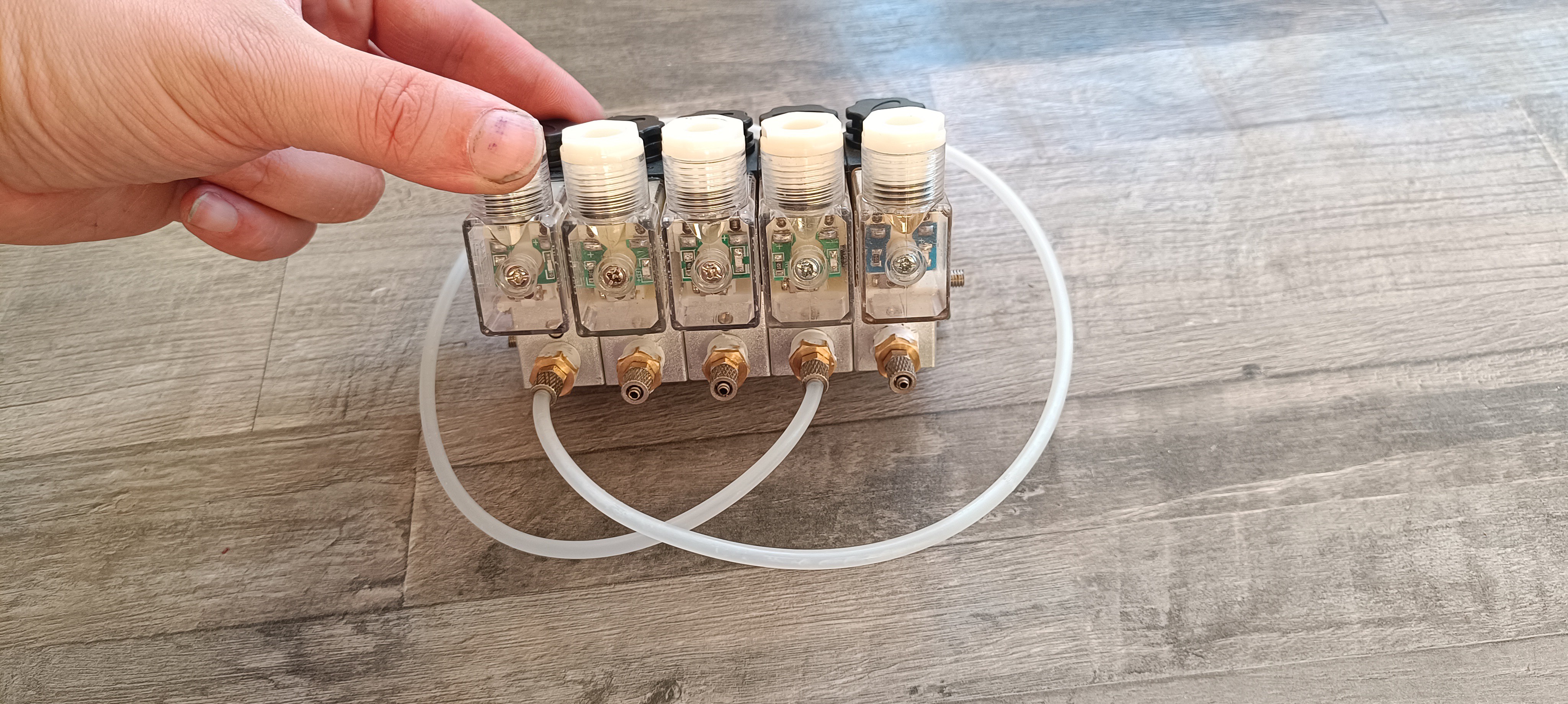
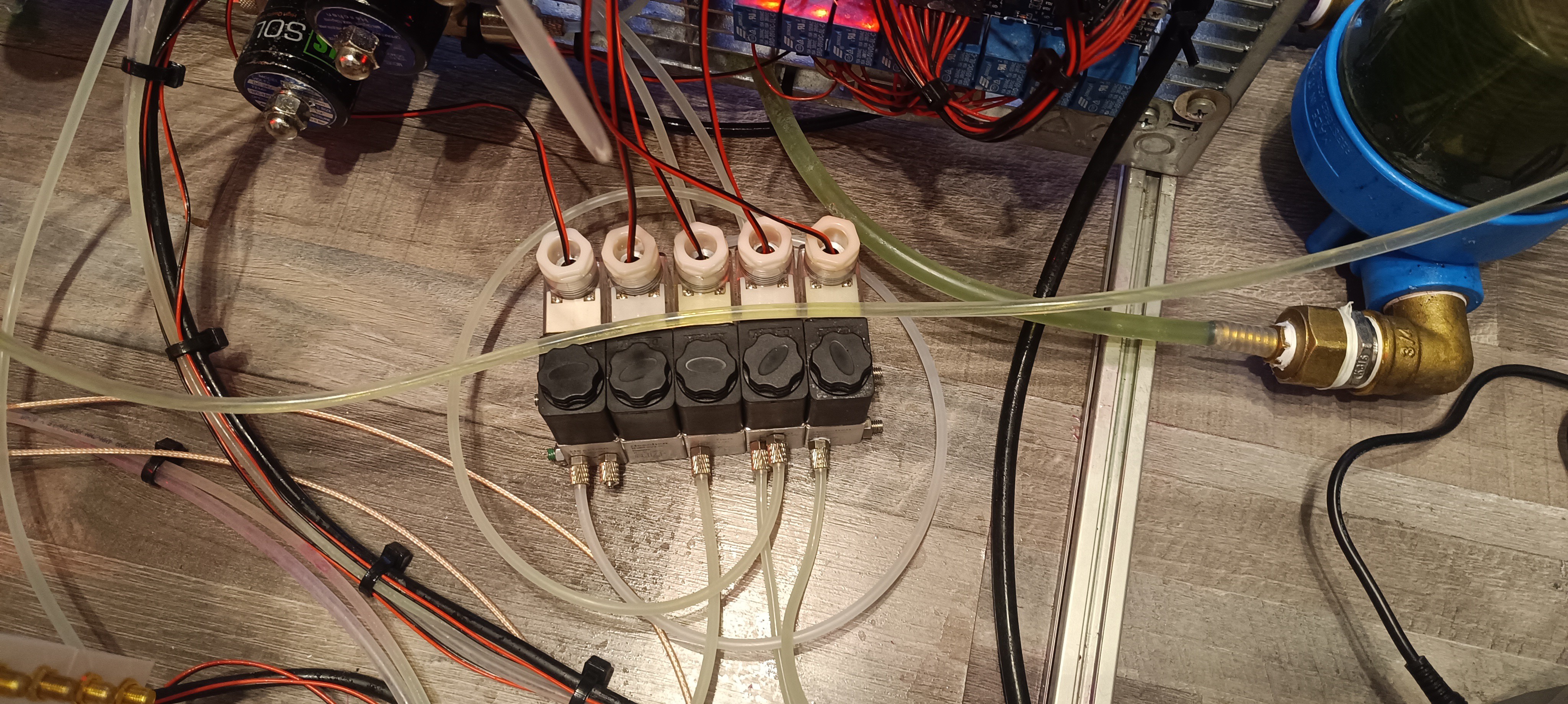
    For the goal of a more compact design, I spent the week modifying some 3V1-06 valves.

    For that, I drilled 5mm holes through the two mounting holes which are usually meant to be used with special screws, to be able to stack five valves and connect them with two M5 threaded rods.

    Far accessing either the inlet or outlet side I cut M5 threads either close to the edge for accessing the outlet side or in the middle of the valve's front side for accessing the inlet side.

    I then connected M5 fittings to them for the tube connections.

    The ink, tank, and flush valve are closed with 1/8-inch plugs, which are sealed with PTFE tape.

    To not block the new connection on these valves I placed a cut-in-two washer at the bottom of the thread so that the plug stops far enough from the bottom to keep the new connection open while sealing the 1/8 inch side connection.

    The vacuum and gutter valve are connected via the 1/8 inch side connection which is sealed by a 12*3mm O ring.

    Two tubes are used for connecting the ink valve's outlet to the vacuum valve's inlet and for connecting the flush valve's inlet to the tank valve's inlet.

    On the inlet side, I used 1/8-inch plugs with M5 threads cut into them as adapters.

    To suppress the voltage spike that occurs when the valves are turned off, I added an IN4007 diode to each valve's terminal connection. 

    After assembly, I connected everything and checked for leaks.

    For that I let the machine run while tidying up the room.

    After sealing one leak, new valves seem to work just as well as the old ones while looking much more organized and compact.

    While connecting the new valves I also cleaned up the wiring a bit.

    I think this update is another step towards a compacter design.

  • Reducing Complexity

    Dominik Meffert05/12/2025 at 20:02 0 comments

    While there is still much work to do on the charging electronics, the current fluid system design can be considered complete. It's been working reliably for about a year now, with only minor changes from time to time to make it even more reliable.

    So, I thought now would be a good time to remove parts that are not essential to reduce cost and complexity. Currently, the frame has a large size of about 100*50cm, which I plan to reduce to at least half its size over time.

    Falling Ball Viscosimeter

    One thing that sometimes caused problems was the falling ball viscosimeter. When not used for a while, it happened that the steel ball got stuck at the bottom of it, and it was needed to disassemble it, clean all parts with ethanol, and assemble it again. Since the falling ball viscosimeter became redundant by using a ratio of pressure divided by jet velocity for the viscosity reading, I thought it would be better to remove it to have one less point of failure on the machine. So, I removed all parts of the viscosimeter, including the 2 inductive sensors, the polycarbonate tube with steel ball, and the fittings. 

    Peltier Heater / Cooler

    With these parts removed, there was still the brushless pump for circulation and the Peltier cooler/heater left. The circulation line is used for mixing the ink with solvent when the jet isn't active. It also has a higher flow rate than the inkjet and is used for pushing the ink through the main filter to keep it clean. So, the circulation line had to stay.

    The heater/cooler was used for keeping the ink at a reference temperature of 25⁰C when using the viscosimeter because viscosity changes with temperature. With the viscosimeter removed, there is no need to keep it.

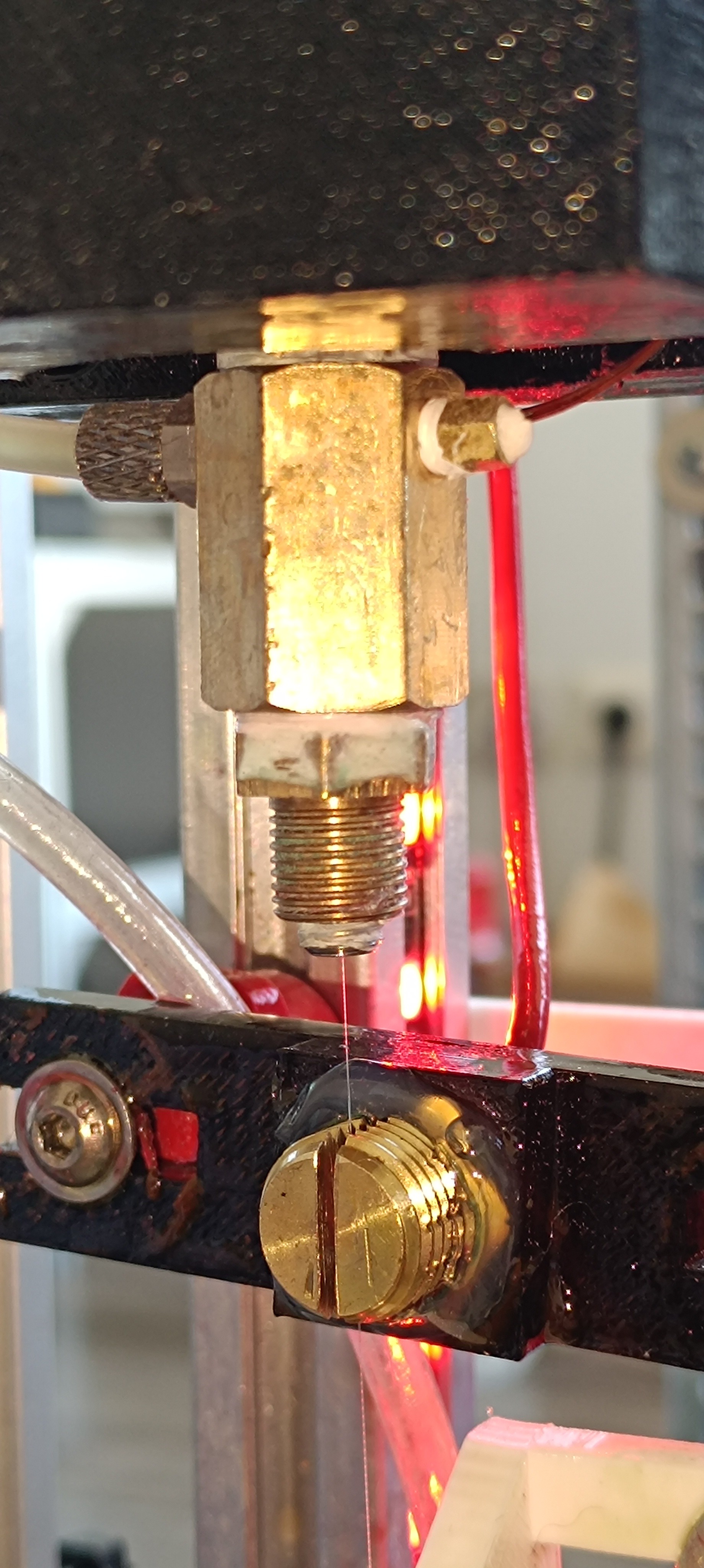
    To still be able to take temperature changes into account, I finally added a temperature sensor to the nozzle assembly which reads the temperature as close as possible to the ink jet before it performs the TOF reading.

    Maybe this can later be used for temperature compensation of the viscosity reading.

    Nozzle Thermistor (on the right)

    Brushless Pump

    Now the big question was what to do with the brushless circulation pump.

    At the time, I decided to remove it and replace it with another peristaltic pump to only have two different sorts of pumps on the printer instead of three. Later I found another solution to it.

    External Pressure Pumps

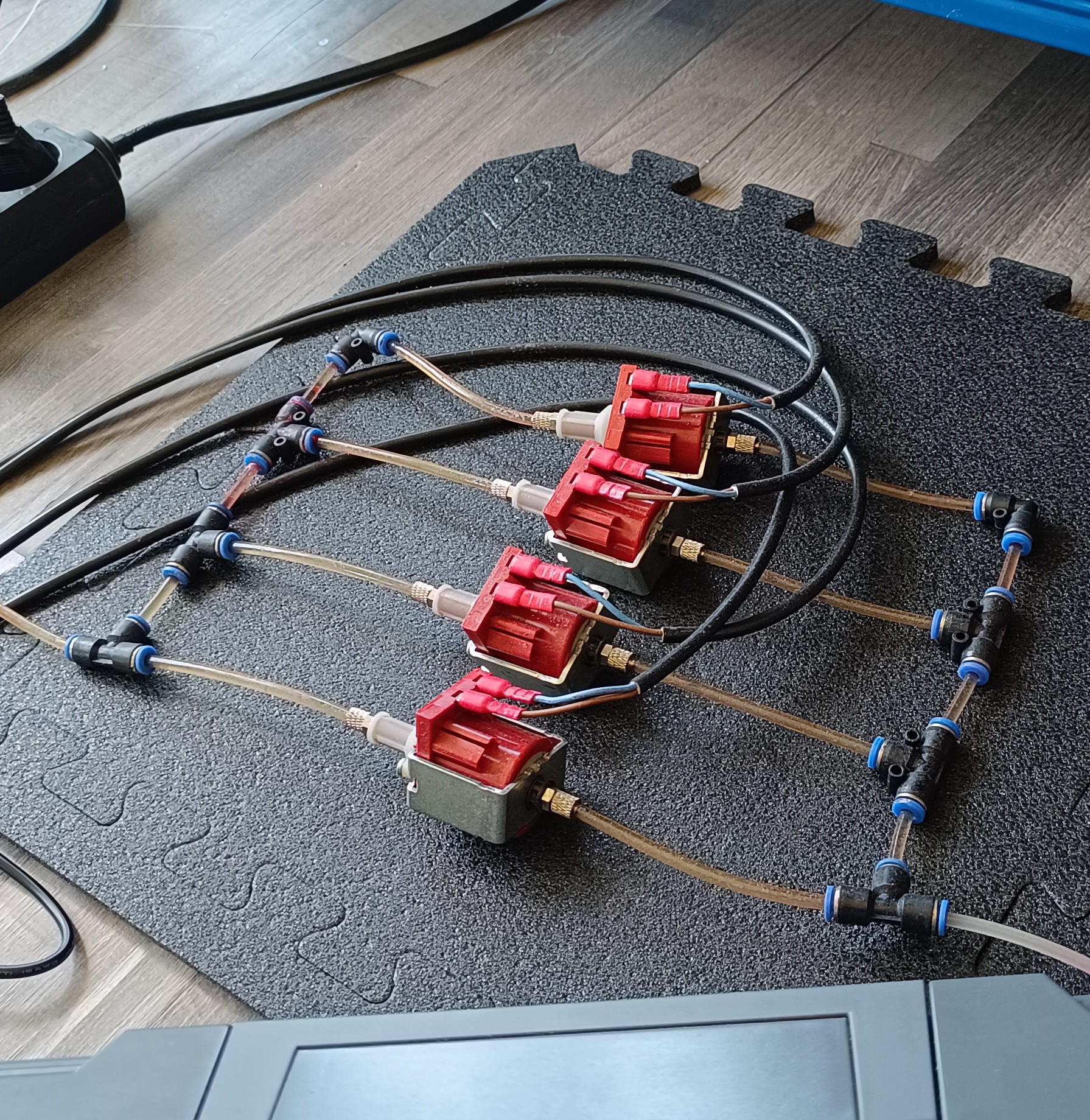
    Another problem that I wanted to solve for a long time was that the pressure pumps were located outside the printer frame. I used four small pumps instead of one large pump because when used as intended, they are only allowed to run for two minutes until they need a one-minute break to prevent overheating.

    Four small Pressure Pumps

    To solve this, I decided to use one large 24V vibratory pump and run it on a lower-duty cycle while cooling it with a small fan.

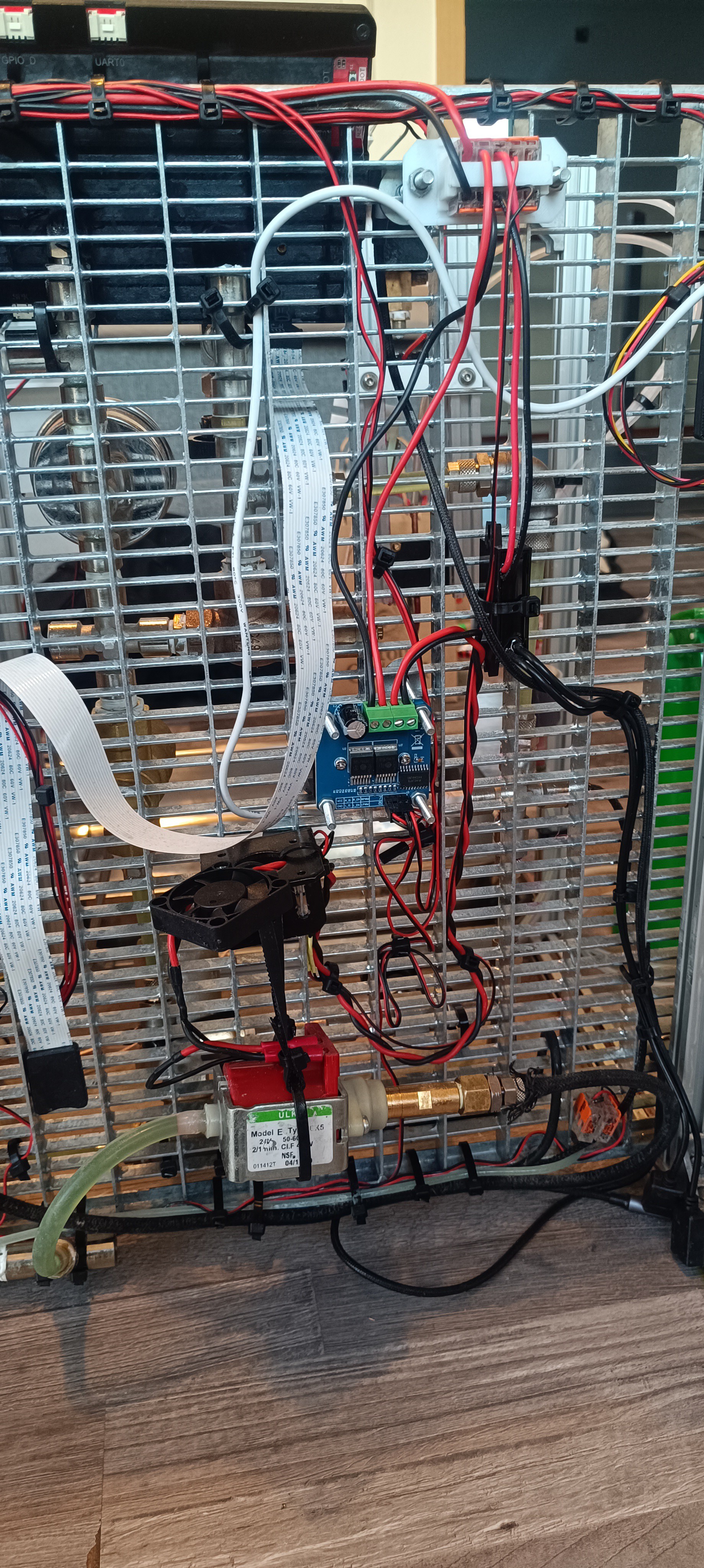
    New Pressure Pump

    The pump I used for that is the ULKA EX5 24V, which is normally powered by AC. However, since these pumps already come with an integrated diode, they use only one half-wave of the AC cycle and can, therefore, be driven by pulsed DC without any problem. For driving it, I used the same BTS7960 H-Bridge that was used for driving the Peltier module before, because it was suitable for driving the pump, and I already had it wired to the printer controller and power.

    I used a signal with 50Hz and a 30% duty cycle to drive the pump. To keep it cool, I used a 40*40*10mm 24V fan, and to not transfer the vibration to the printer frame, I used two short pieces of gt2 belt and some zip ties to let the pump hang from an angle bracket. In addition to that, I used a silicone tube for the inlet and an NBR tube for the outlet because the vibration of the pump was transferred through the PE tube I used before, which caused a lot of noise.

    To protect the pump from overheating in case the pulse signal would freeze and expose the pump to DC for some time, I installed a bimetal switch that would...

    Read more »
  • Jet Velocity - Time of Flight Reading

    Dominik Meffert03/22/2025 at 12:40 0 comments

    Relation between Jet Velocity and Pressure, Viscosity

    In CIJ printing, there are two important key values that can change during operation, so it's important to track and control them.

    These are viscosity and pressure which both affect the jet velocity:

    - An increase in viscosity leads to a decrease in jet velocity while a decrease in viscosity leads to an increase in jet velocity when the pressure stays constant.

    - An increase in pressure leads to an increase in jet velocity while a decrease in pressure leads to a decrease in jet velocity when the viscosity stays constant.

    Viscosity is affected by temperature changes and solvent evaporation. A higher temperature leads to a lower viscosity and a lower temperature leads to a higher viscosity. A higher solvent content leads to a lower viscosity and a lower solvent content leads to a higher viscosity.

    Relative Viscosity is measured by a falling ball viscosimeter and the ink temperature can be controlled by a Peltier module. The solvent content can be controlled by adding solvent via a peristaltic pump or by adding pre-mixed ink to the ink tank. Adjusting the temperature and solvent content usually takes some time until the solvent has mixed with the ink and the set temperature is reached.

    In contrast to that, pressure is not affected by external factors and can be measured with a pressure sensor and controlled with a pressure regulator or a PWM-controlled pump, which makes fast and precise pressure adjustments possible.

    Since a constant jet velocity is important for reliable operation and good print quality I added a way for measuring the jet velocity to the printer.

    Great thanks to Robert H. and @Paulo Campos for helping me with that.

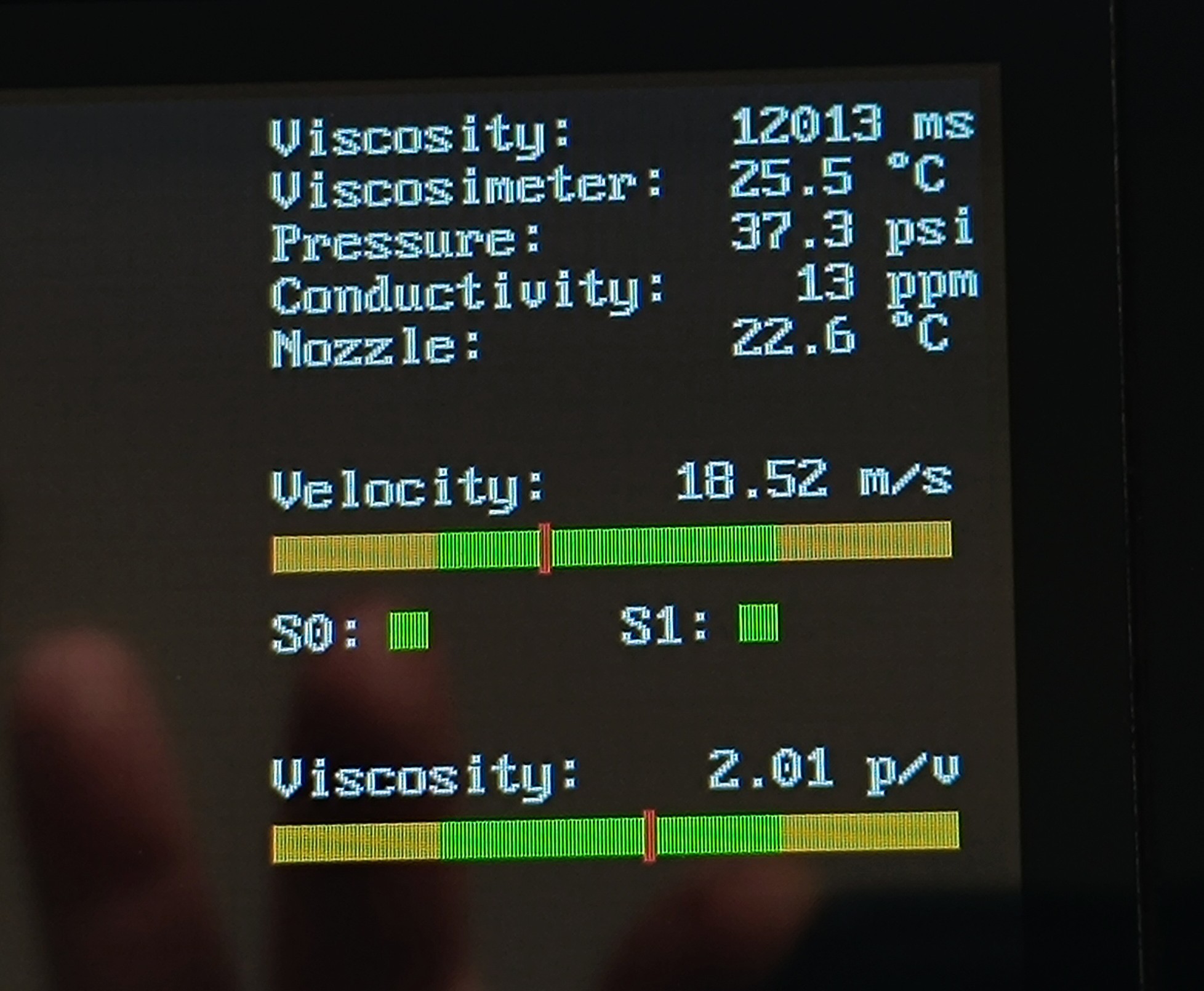
    Jet Velocity Bar and Velocity / Pressure Ratio Bar

    The jet velocity is measured by counting the Time of Flight (TOF) that an ink droplet needs to travel between two sensors that have a fixed distance between each other. The distance is then divided by the TOF to get a reading in distance per time.

    This new TOF sensor should make it easy to keep the jet velocity constant by looking at the reading while adjusting the pressure. Currently, I'm using a bar with a "proven to be good" value in the middle and a small good range around it while adjusting the pressure regulator by hand. In the future, this could be automated if needed.

    S0 and S1 are timeout indicators that can help with troubleshooting by indicating which sensor has a problem.

    I also added another reading which shows the ratio between pressure and jet velocity to get information about how much changes in viscosity affect the jet viscosity.

    Recent tests have shown that with the viscosity of the currently used resin ethanol mix, small changes in viscosity caused by temperature variation have very little effect on the jet velocity. Since the printer is used inside the house the ink temperature should also not drop much below 20⁰C and rise not much above 30⁰C.

    Based on this, I think changes in room temperature across different seasons will have less effect on the viscosity and jet velocity than solvent evaporation over time.

    In contrast to that, each psi difference has a noticeable effect on the jet velocity, so that a more precise pressure control would have a positive effect on reliability and print quality.

    TOF Sensor as Functionality Test

    In addition to measuring the jet velocity, the TOF sensor can also verify the function of breakup and charging. It relies on charged groups of ink droplets for time measurement, which is only possible if both processes are working correctly.

    When no signal is detected on the TOF sensor this can indicate the following problems:

    - A clogged nozzle

    - A misaligned jet

    - Problems with the piezo

    - Problems with the charge electrode

    - Problems with the TOF sensor

    This can help with troubleshooting and could be used for pausing the print in the future if a problem is detected.

    Building the TOF Sensor...

    Read more »
  • New Ink for the Printer

    Dominik Meffert02/25/2025 at 06:17 0 comments

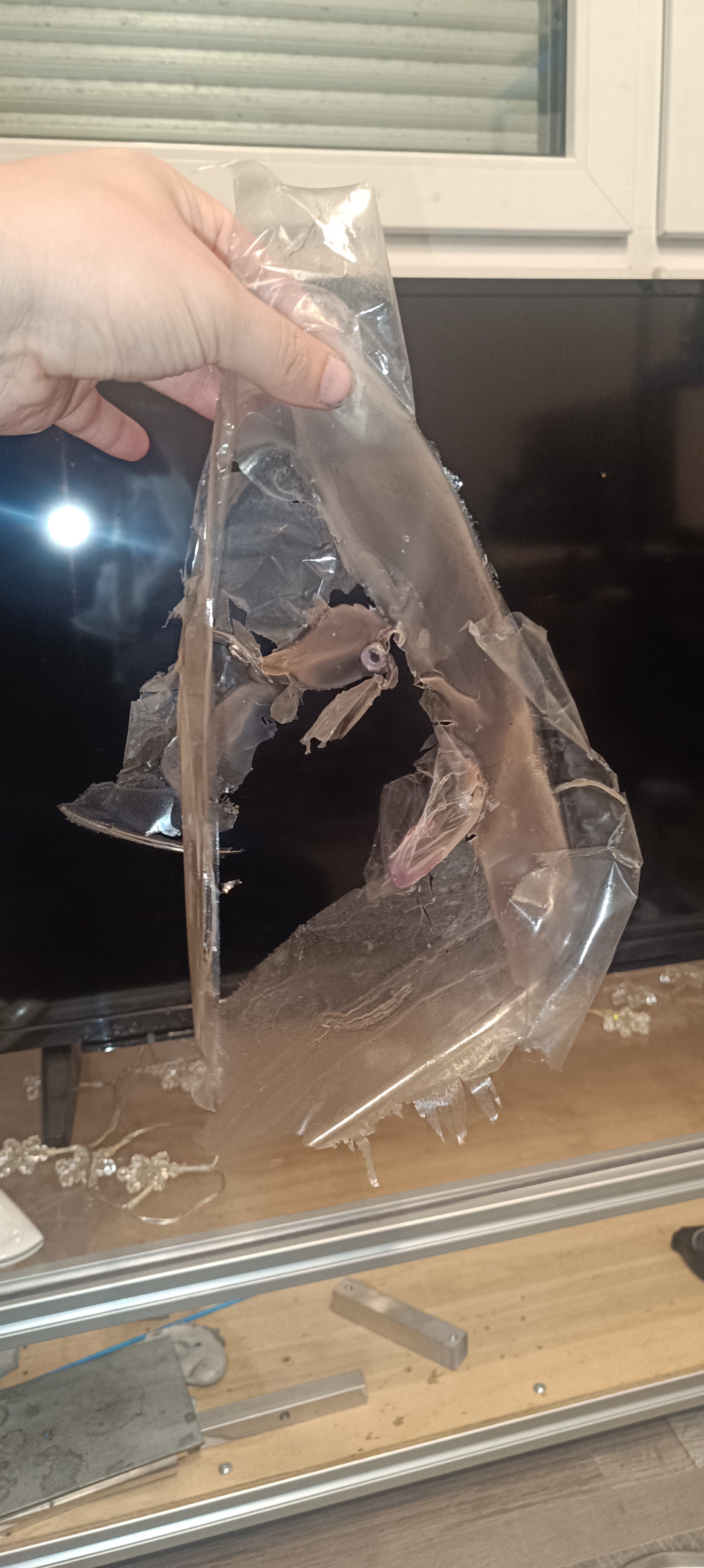
    Until now, I used a mix of polyvinyl butyral and ethanol as ink for the printer, and even though PVB worked well for regulating the viscosity of the mix, the dried-up ink layer had bad adhesion properties so that it was constantly peeling off into flakes which gave it a very dirty look. 

    PVB / Ethanol Ink
    The PVB Layer was easy to peel off

    Because of that, I started searching for other ethanol-based inks.

    Shellac

    The first thing I found was shellac, which was often used as an alcohol-based furniture varnish in the past. 

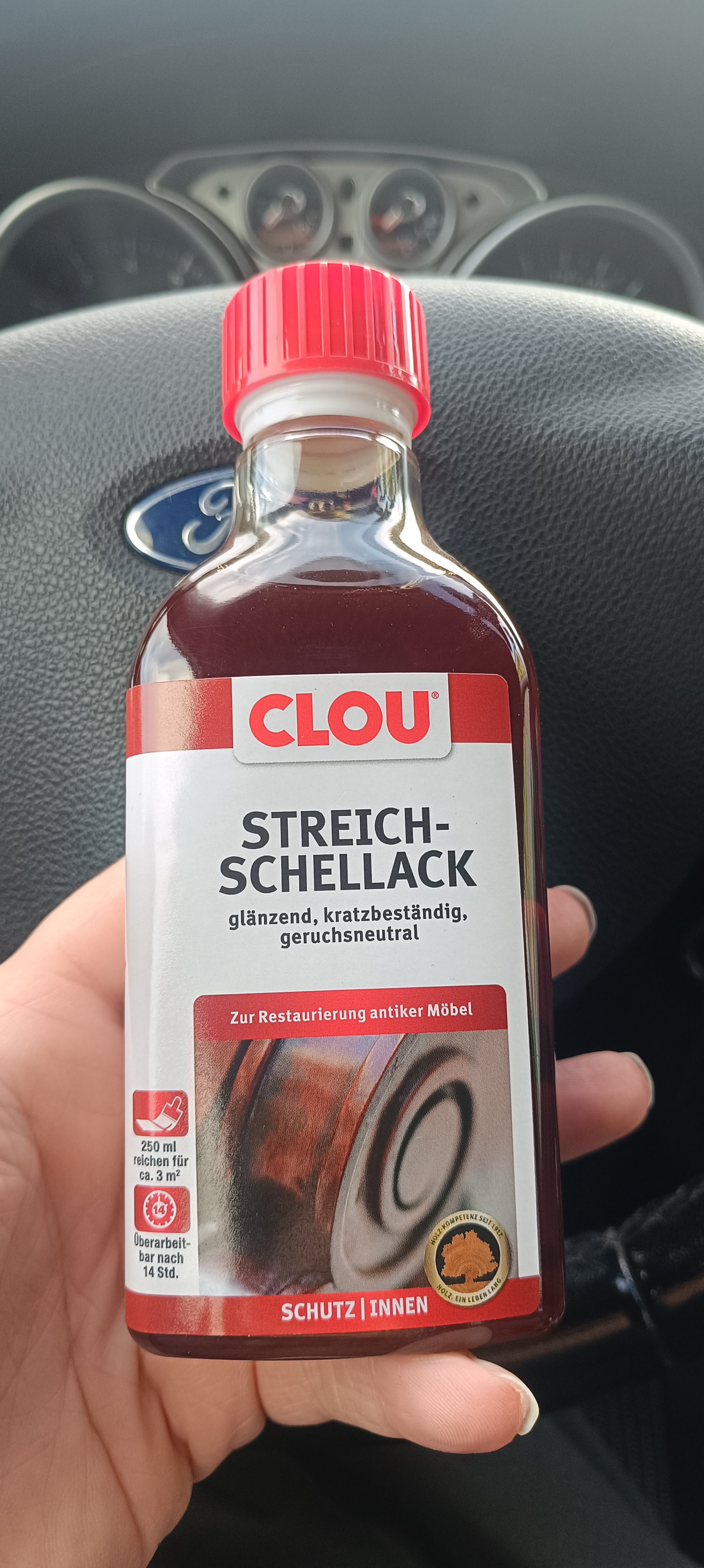
    So, I went to the hardware store to get a small bottle of it for testing out the surface finish.

    Bottle of Shellac from the Hardware Store

    To test for the surface quality, I poured a small amount of it into the drip tray and let it dry.

    After waiting some time, I checked the surface quality, and it looked very promising.

    The shellac made a smooth, clear, shiny, and nonsticky surface with good adhesion to the stainless steel of the drip tray.

    Since the varnish is alcohol-based, it was also possible to fill up the bottom of the tray with ethanol and let it dissolve the shellac, which makes cleaning it up very easy.

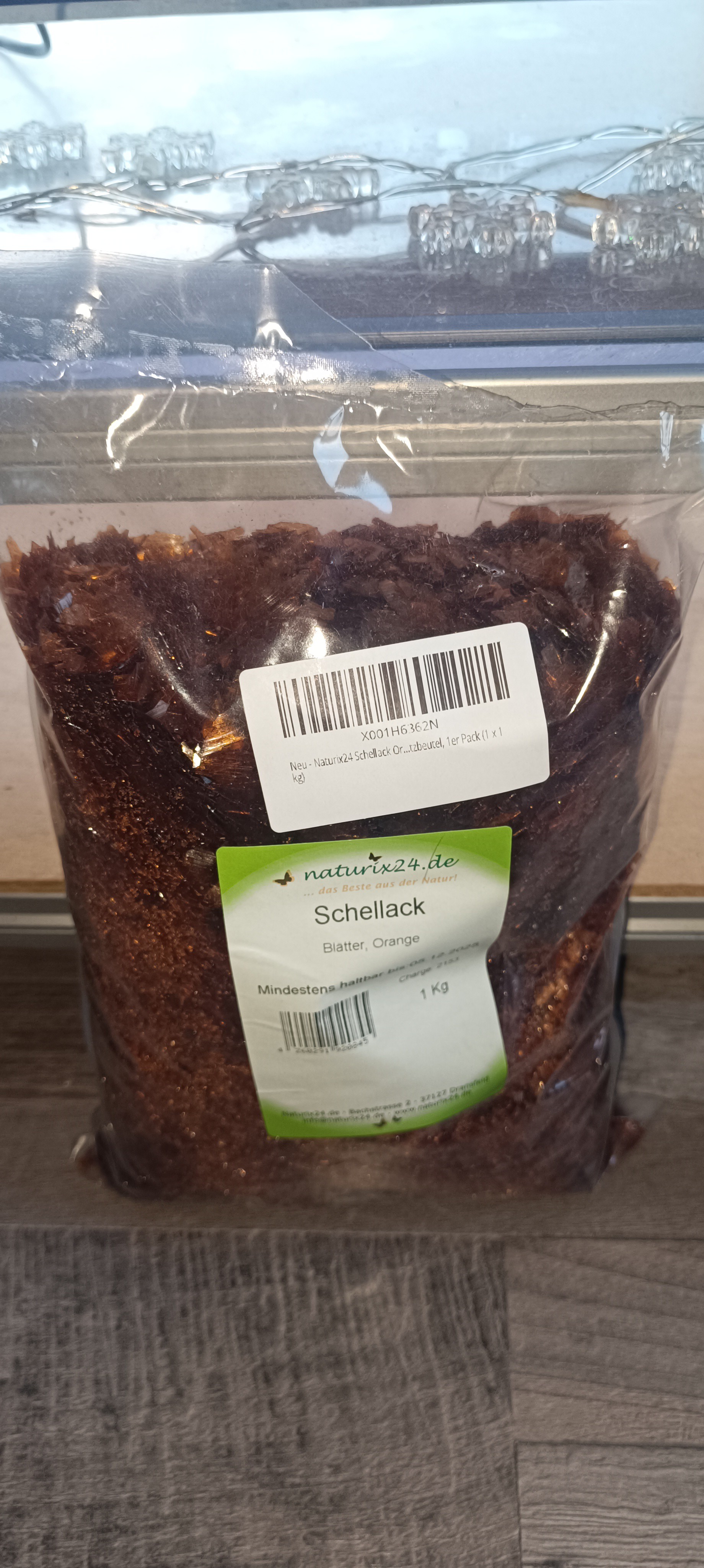
    So, I ordered a bag of shellac for loading it into the printer.

    Bag of Shellac
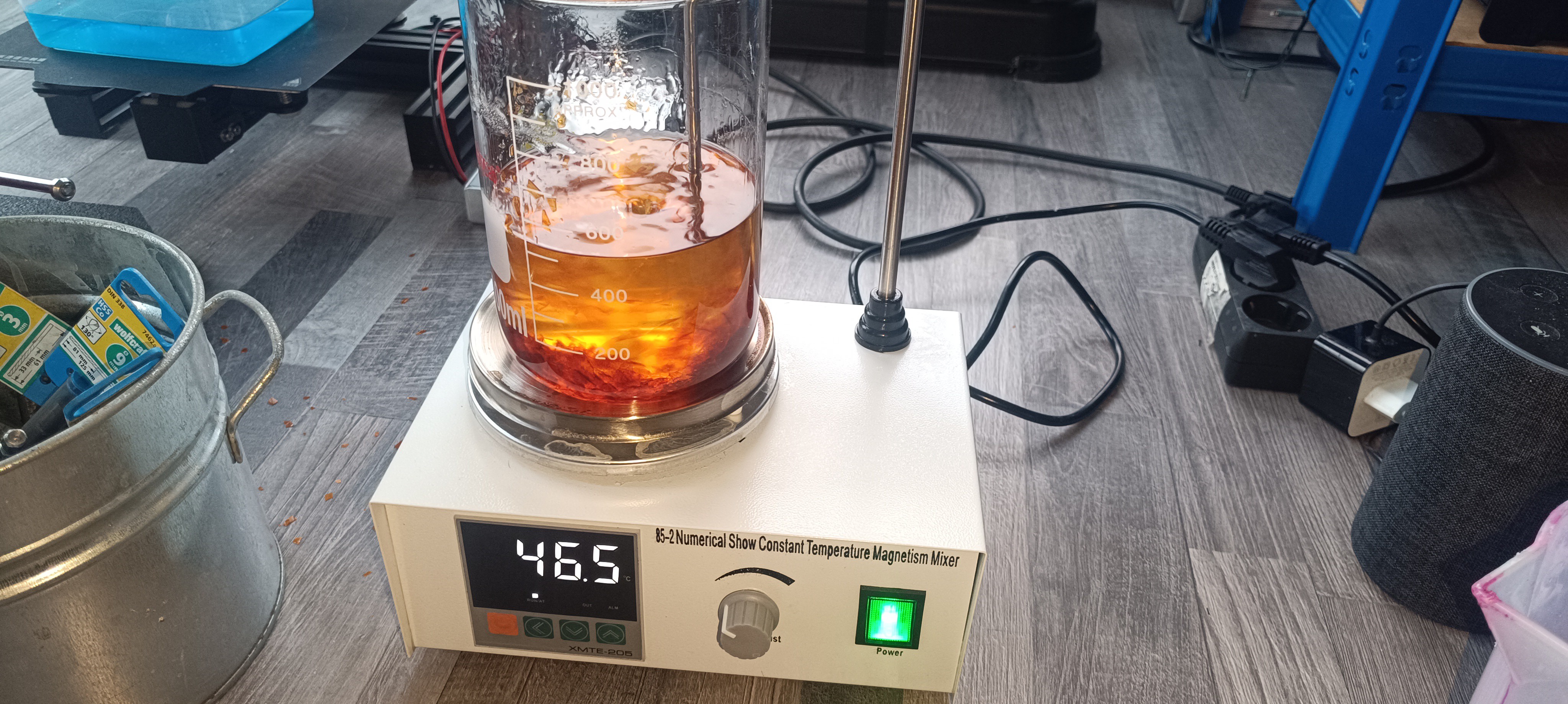
    Mixing Ethanol with Shellac

    Higher Concentration gives the Ink a brownish Color
    Running the Printer with Shellac

    It turned out that the shellac flakes were easy to mix with ethanol, and depending on the concentration, the color reached from orange to dark brown. It also worked well to change the viscosity based on the concentration.

    When testing the charge + feedback signal it also worked as well as before.

    All in all, it can be said that shellac-based ink is superior to PVB ink with a nice surface finish and an easy preparation process.

    The only drawback of it could be the brown color and the fact that shellac is made by shellac lice, which could maybe raise ethical concerns.

    For this reason, I continued testing out other inks.

    Plant-based Varnish

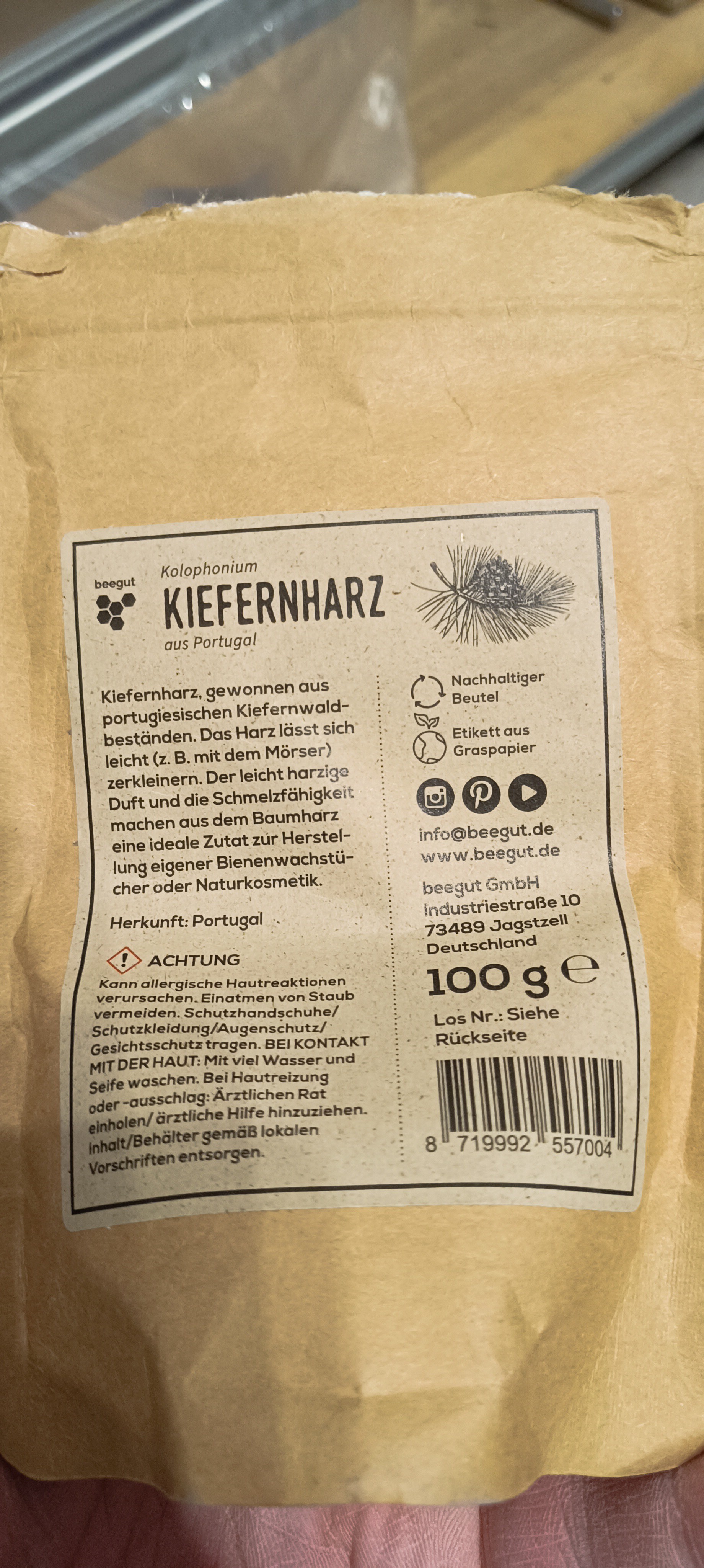
    The next thing I tried was colophony/pine rosin.

    Colophony / Pine Rosin

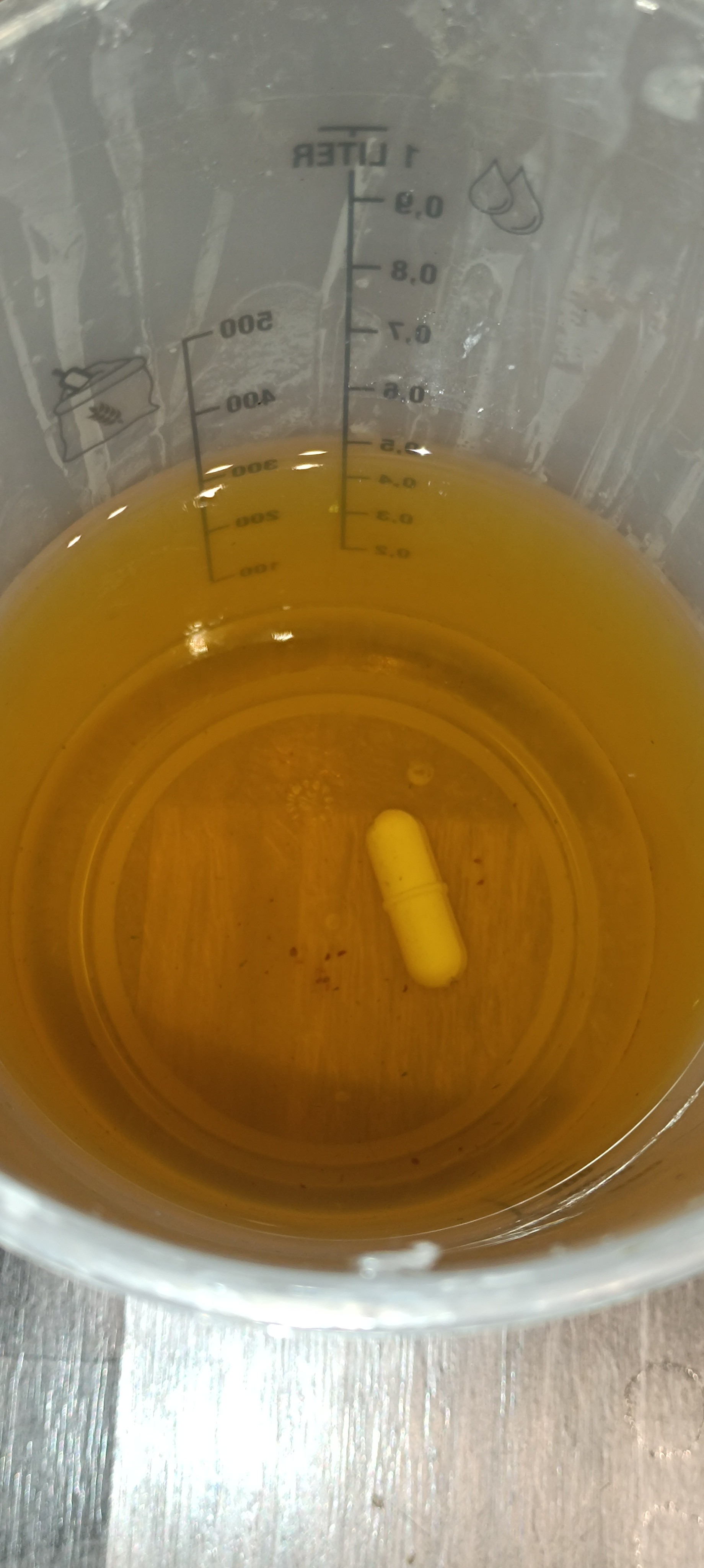
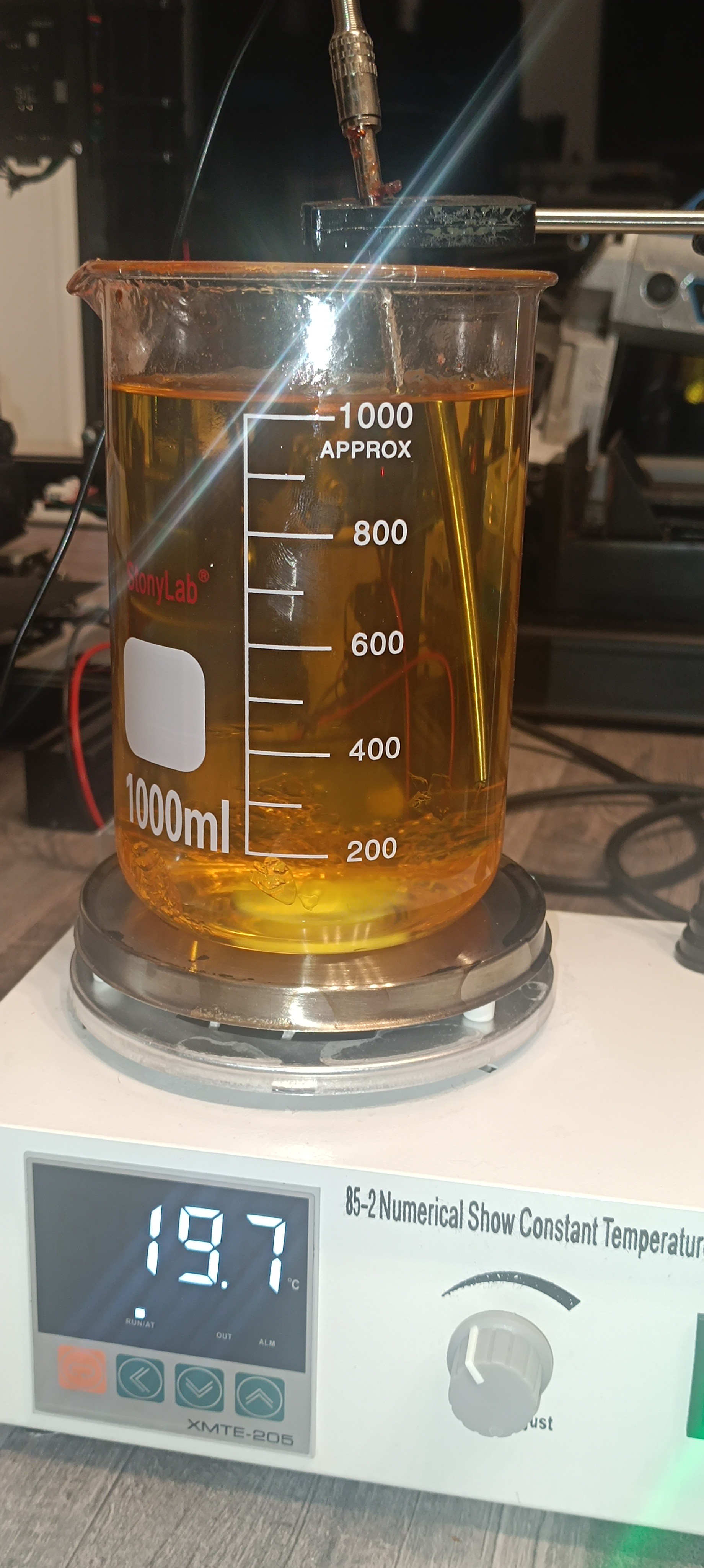
    Dissolved Colophony
    Clear / Yellow Color Colophony Ink

    The good thing with colophony was that it dissolved very well when mixed with ethanol and the color was much more clear compared to the shellac.

    But when I then tested out the surface finish in the drip tray as with the shellac before, I quickly realized that this mixture would not be suitable for using it in the printer.

    While the surface finish looked ok at first glance, it turned out that it was rather glue than a varnish since it remained very sticky even when fully dried.

    For fast printing of text or binder jetting and also to prevent a sticky mess when working with it, it would be better to select an ink that fully dries as fast as possible while forming a smooth nonsticky surface. So, the search continued...

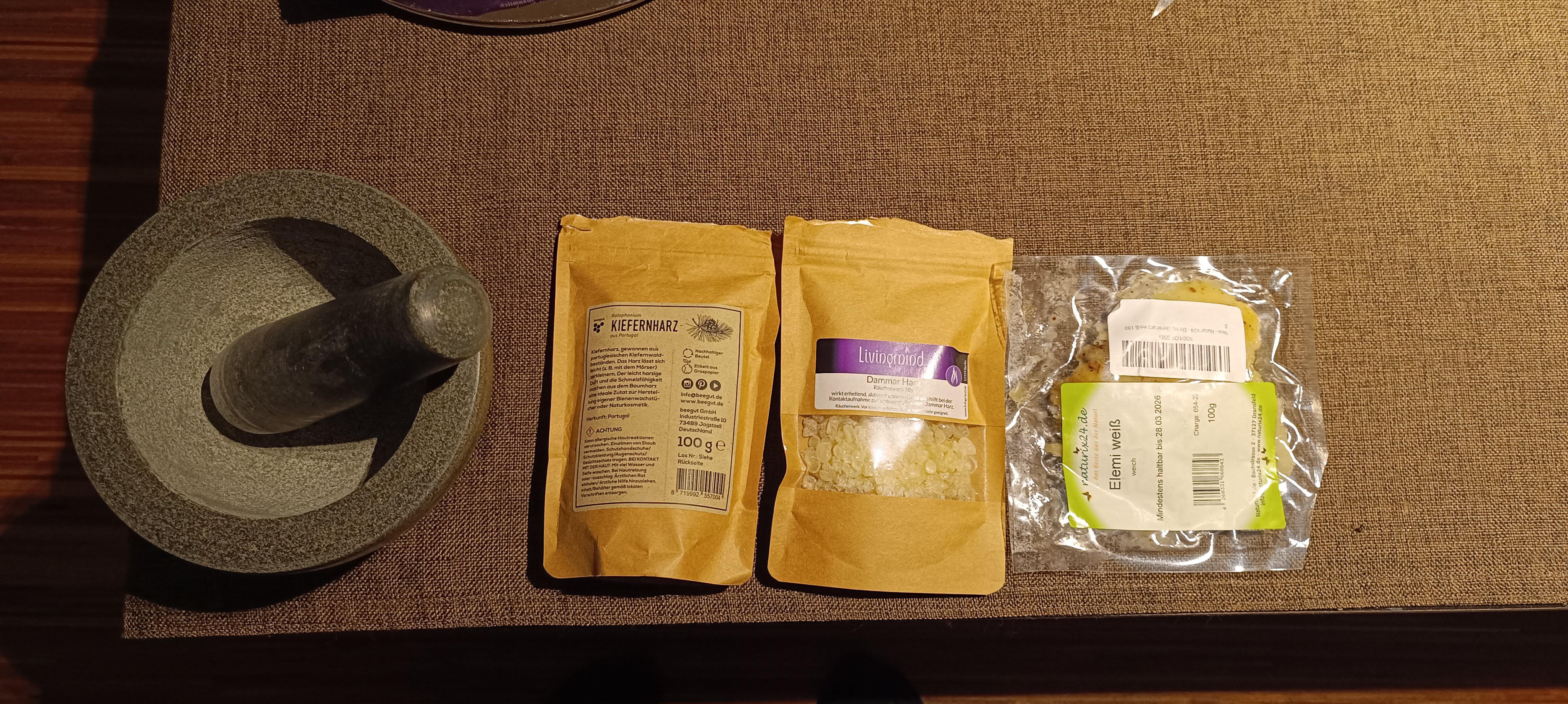
    Colophonium, Gum Dammar and Elemi

    Just to mention it, I also tried out gum dammar, which turned out not to dissolve in ethanol, and elemi, which dissolved, but the surface was more like wax than varnish or ink.

    Trying out solvent-based Varnish

    To leave nothing untested, I also tried out solvent-based varnish from the hardware store, which I think was important for gaining the experience, but I wouldn't recommend it or try it again, especially not in winter when opening a window brings the temperature down to frosty levels.

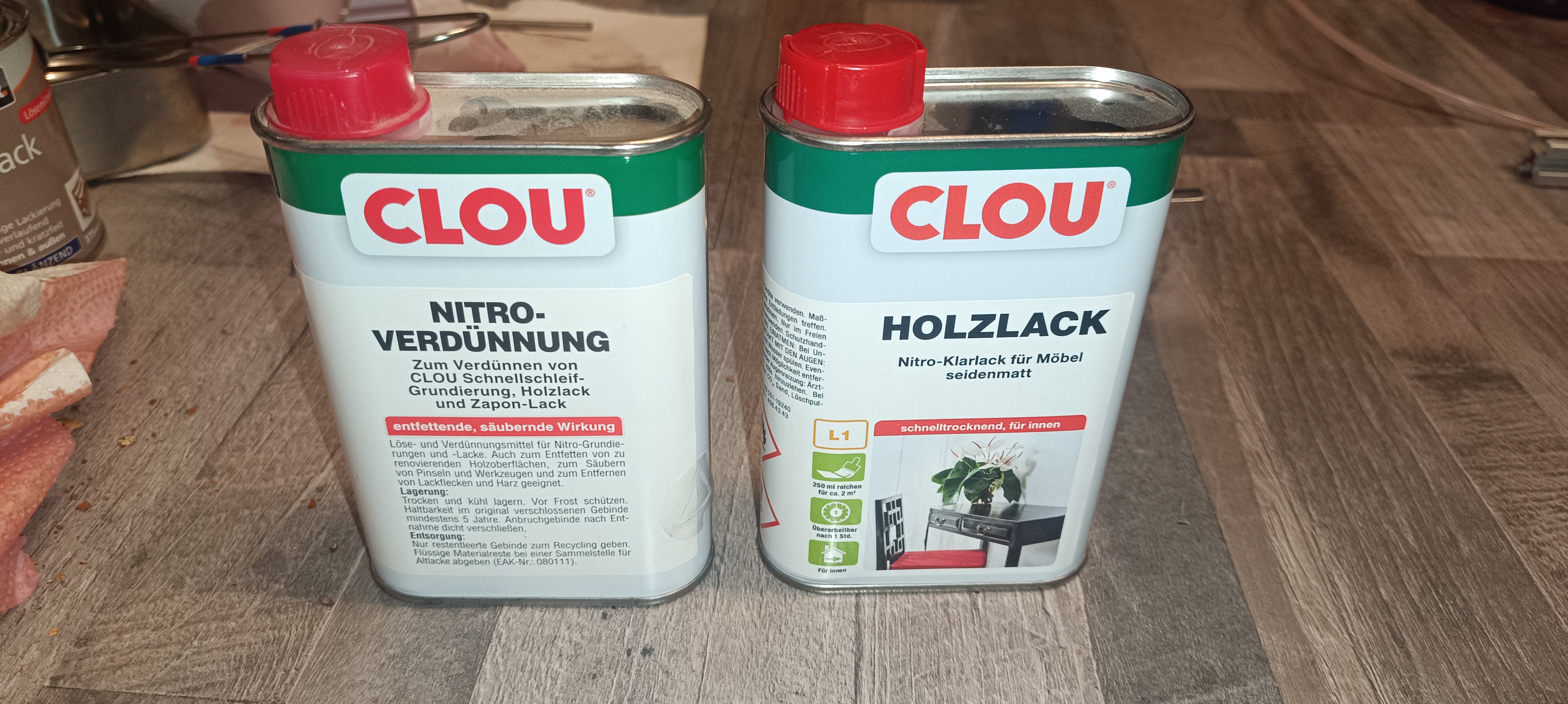
    Nitrocellulose based Varnish

    I started with mixing 1l nitrocellulose-based varnish and checking how the mixture ratio influenced its viscosity.

    It turned out as expected - the varnish-to-solvent ratio influenced its viscosity.

    After working for some time with it, the smell got so horrible that I decided not to continue testing with it, since I'm planning to use the printer inside the same space where I live, like any other 3D or desktop printer.

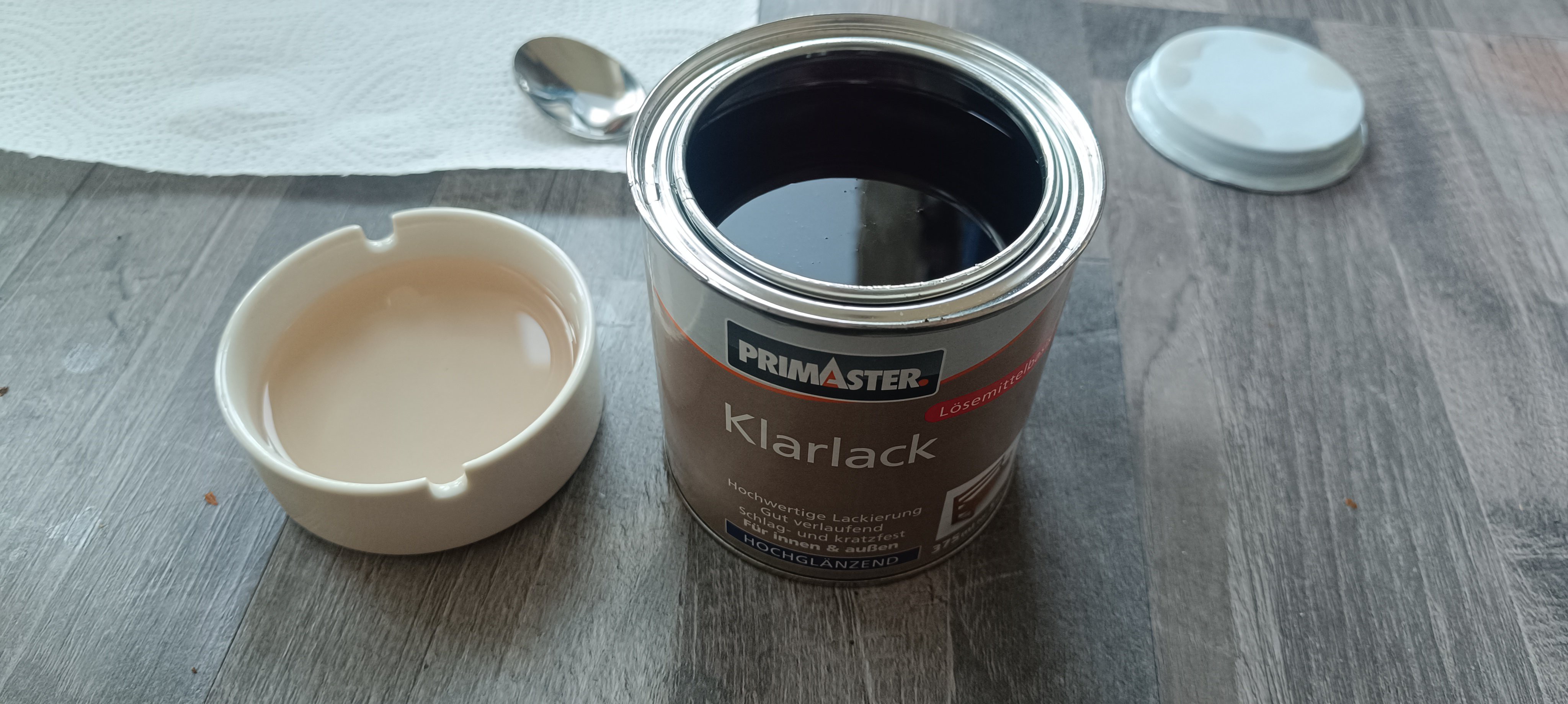
    The next thing I tried was using alkyd resin-based varnish, which I mixed with white spirit "Reinigungsbenzin".

    Alkyd-based Varnish

    Varnish dissolved in White Spirit "Reinigungsbenzin"

    It turned out that the...

    Read more »

  • Test Stand and DIY Amplifier

    Dominik Meffert01/31/2025 at 04:32 0 comments

    My next goal is to measure the speed of the ink stream by using two sensors and counting the time the droplets need to travel from sensor to sensor.

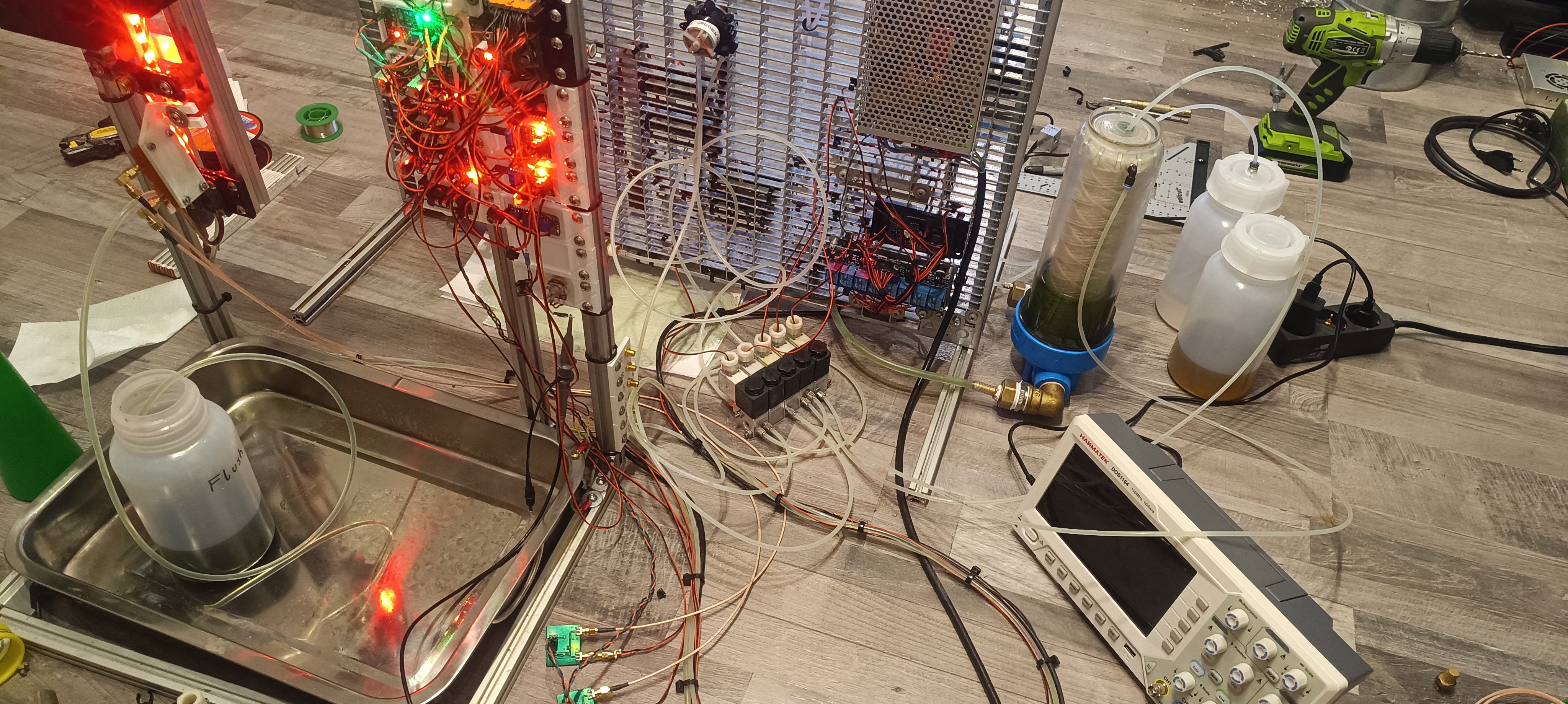
    To make work on the electronics easier, I built a new printhead test stand with a drip tray for catching ink drops that miss the gutter.

    Current Look of the Printer
    Printhead mounted on the Test Stand

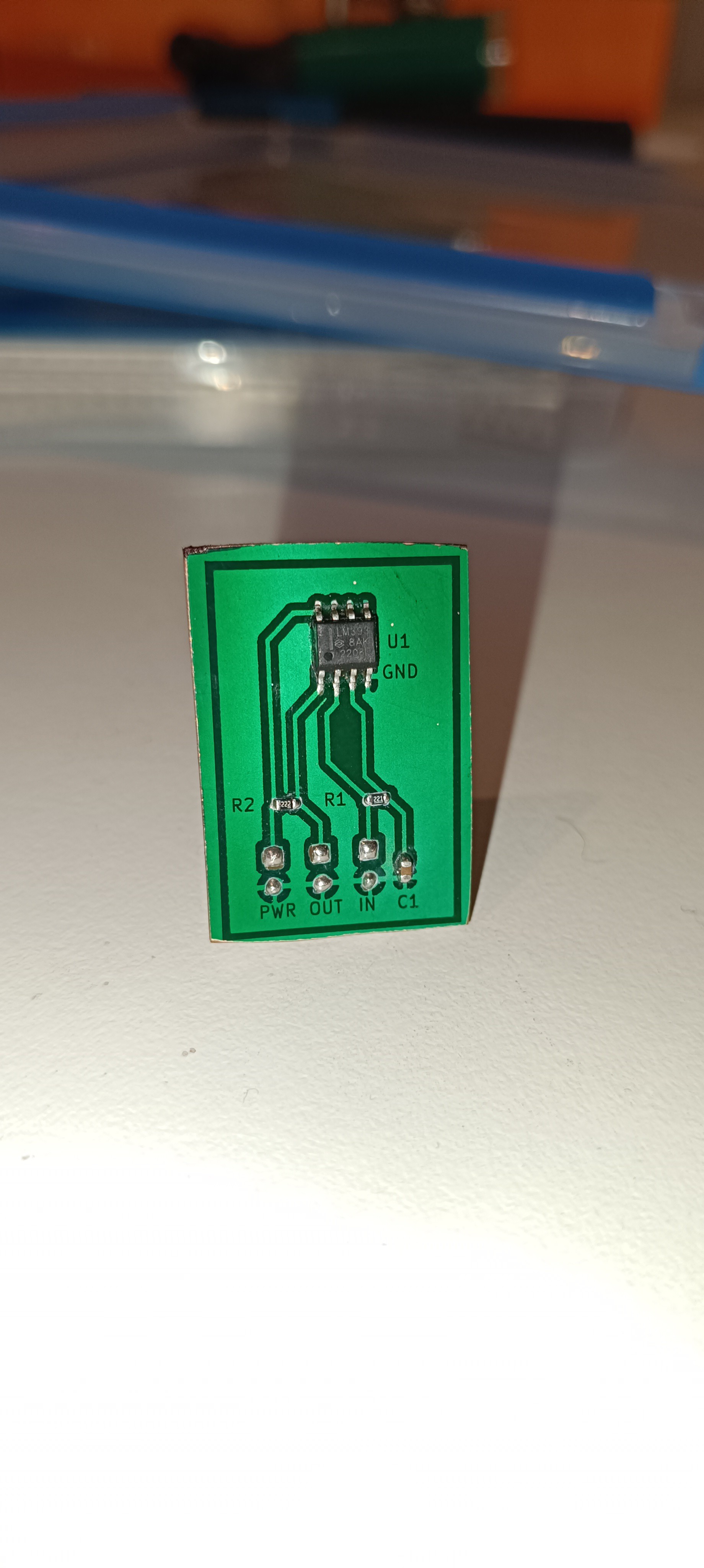
    After everything was in place, I tried building an amplifier for measuring the small charge that would be applied to the droplets by a Time-of-flight test signal.

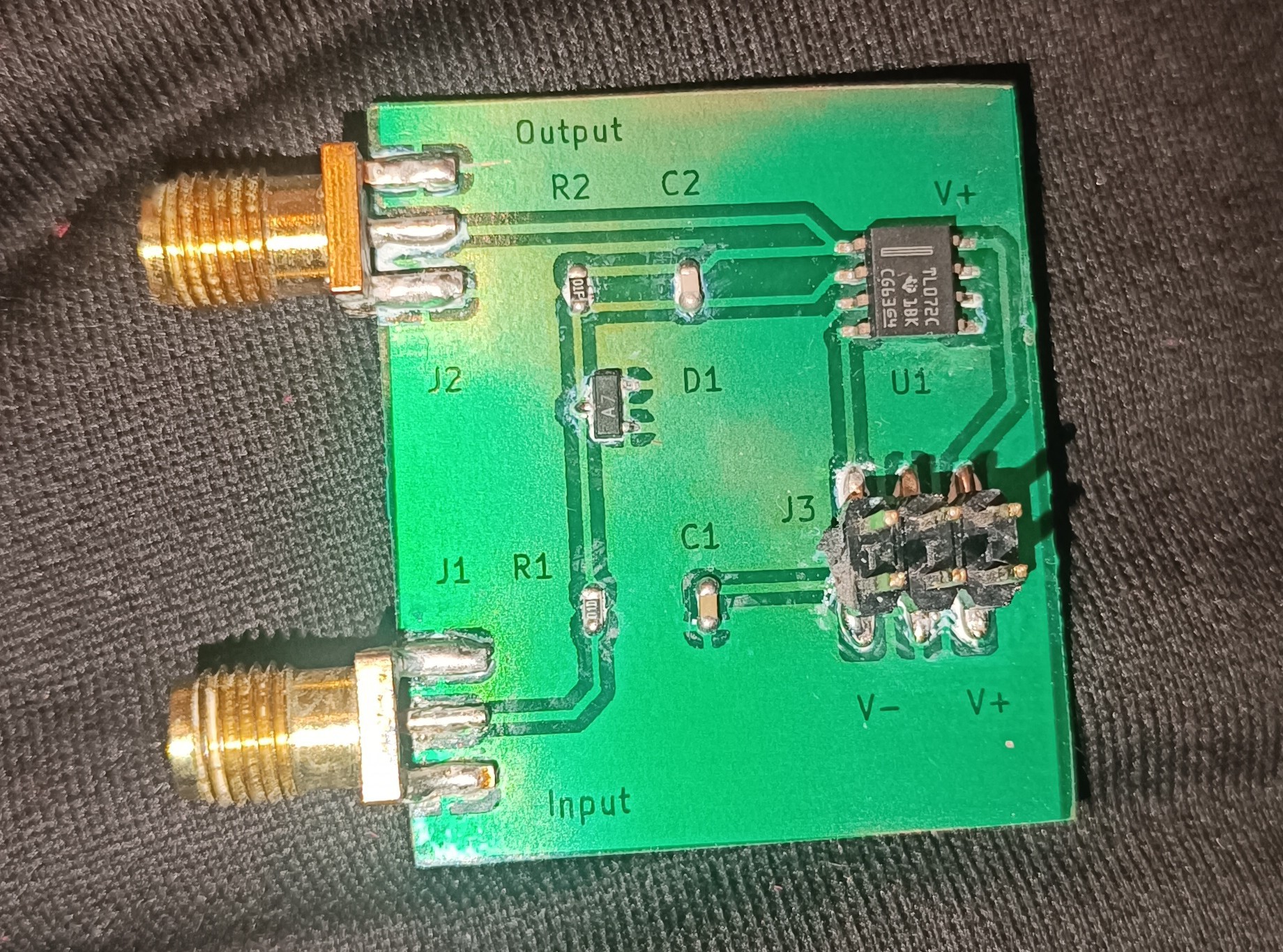
    The Amplifier's Schematic

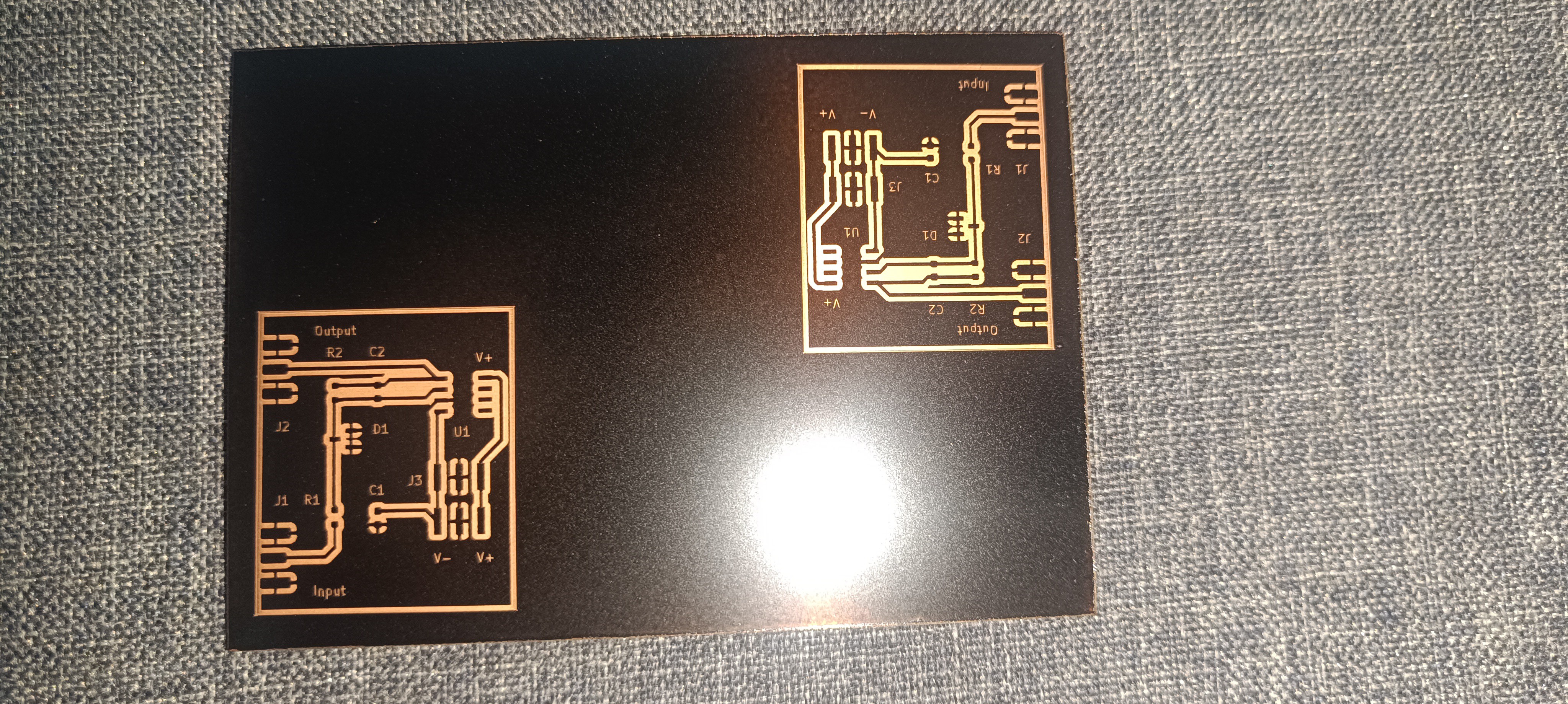
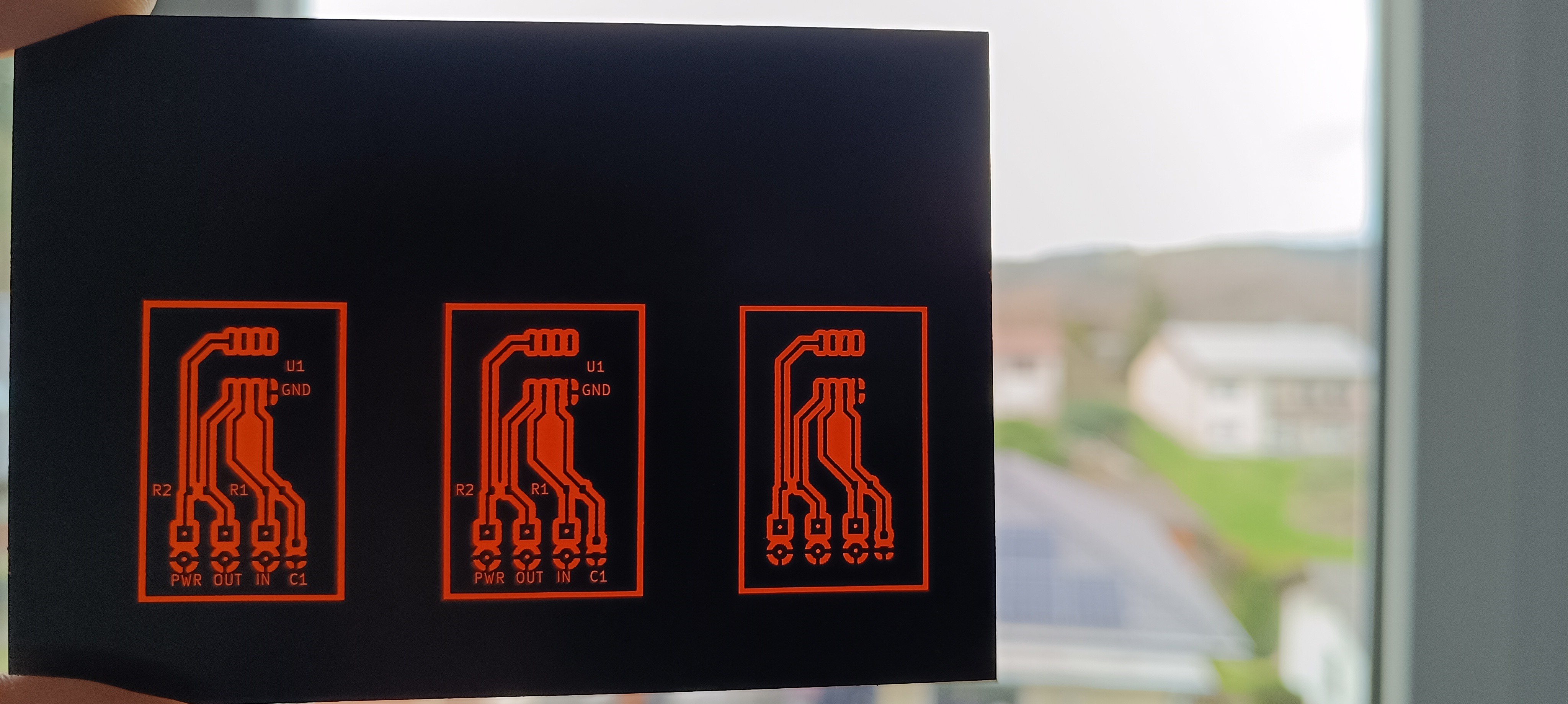
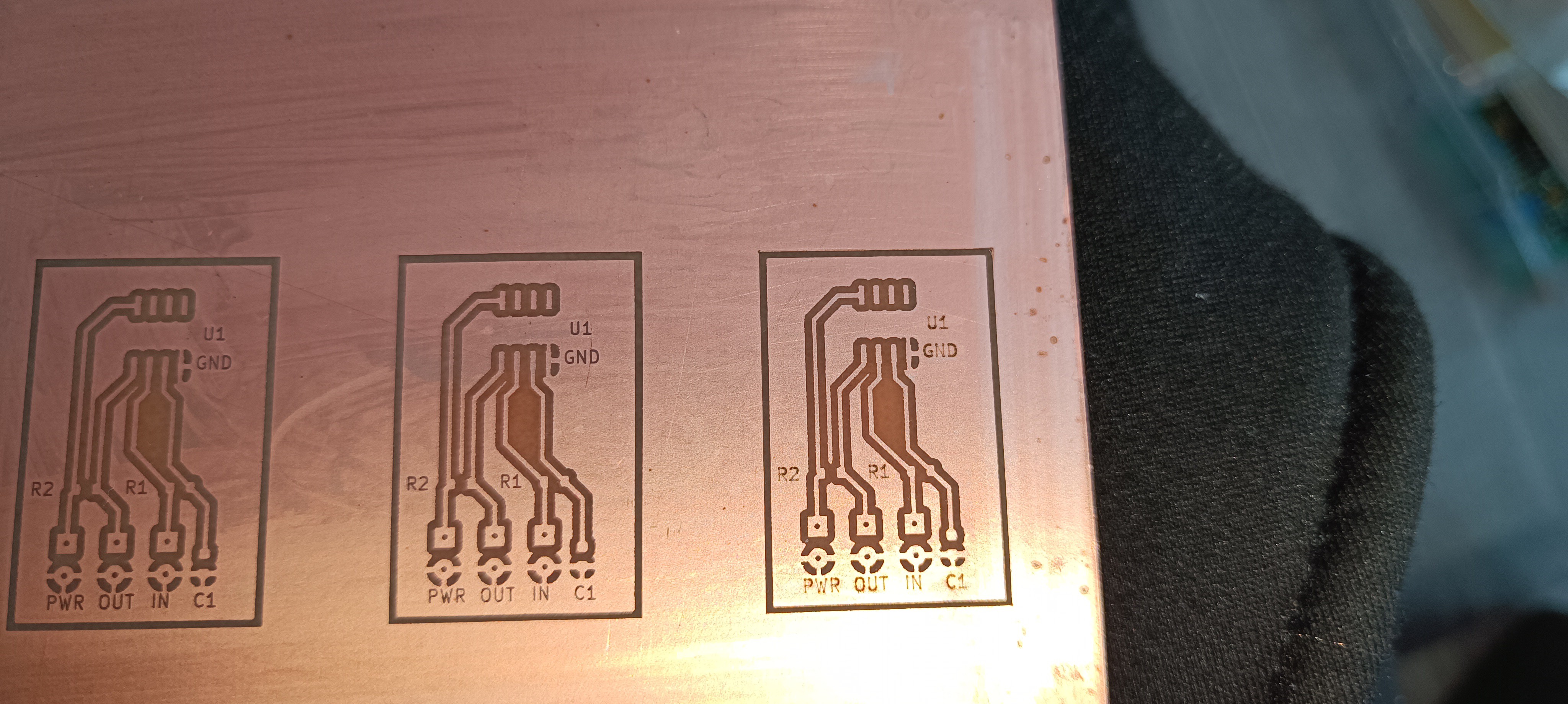
    Lasered PCB

    PCB after Etching
    Cleaned up PCB

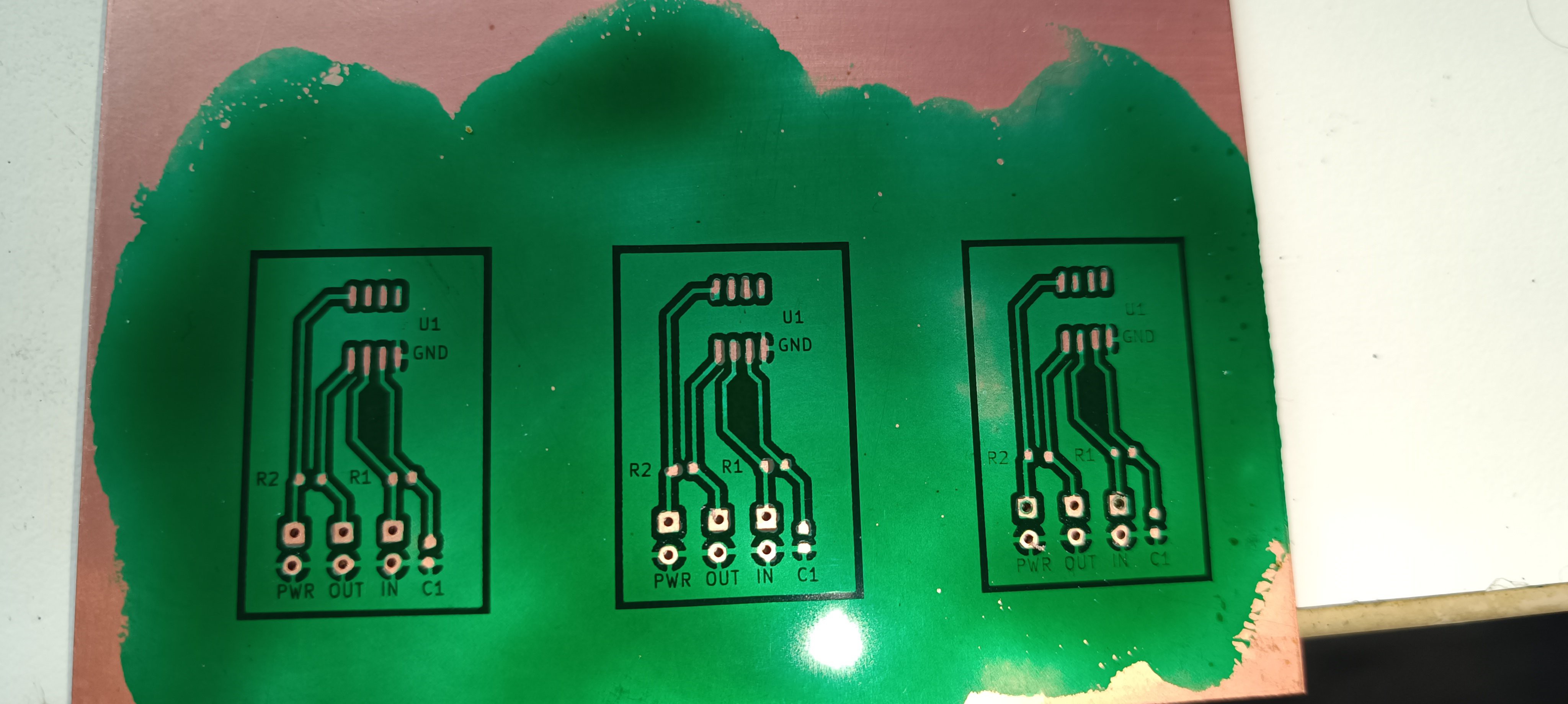
    PCB with Solder Mask
    Finished Amplifier

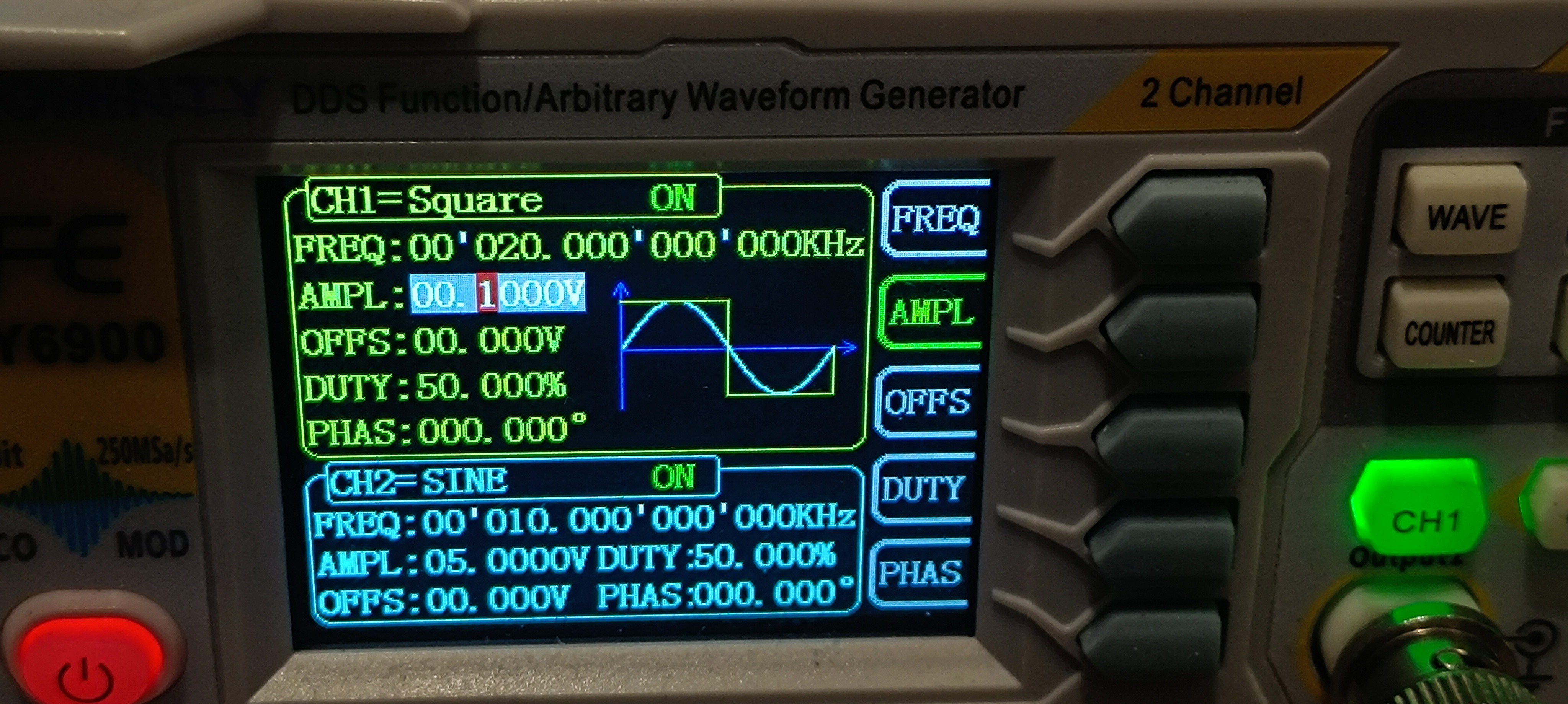
    To verify that the amplifier works, I did a quick test of the new amplifier by applying a 0.1V 20kHz signal and looking at the amplifier's output.

    Signal Generator with Test Signal
    Output of the Amplifier

    The test showed that the amplifier is turning the sent 0.1V square wave signal into a 0.25V triangle wave.

    While I didn't expect the output signal to be a triangle wave and I also thought that the amplification would be a bit higher, the test showed that the built circuit was working.

    So, I built a sensor out of a UHF connector that I connected to the amplifier for detecting the charge on the droplets and applied a test signal to the charge electrode.

    UHF Connector as Sensor
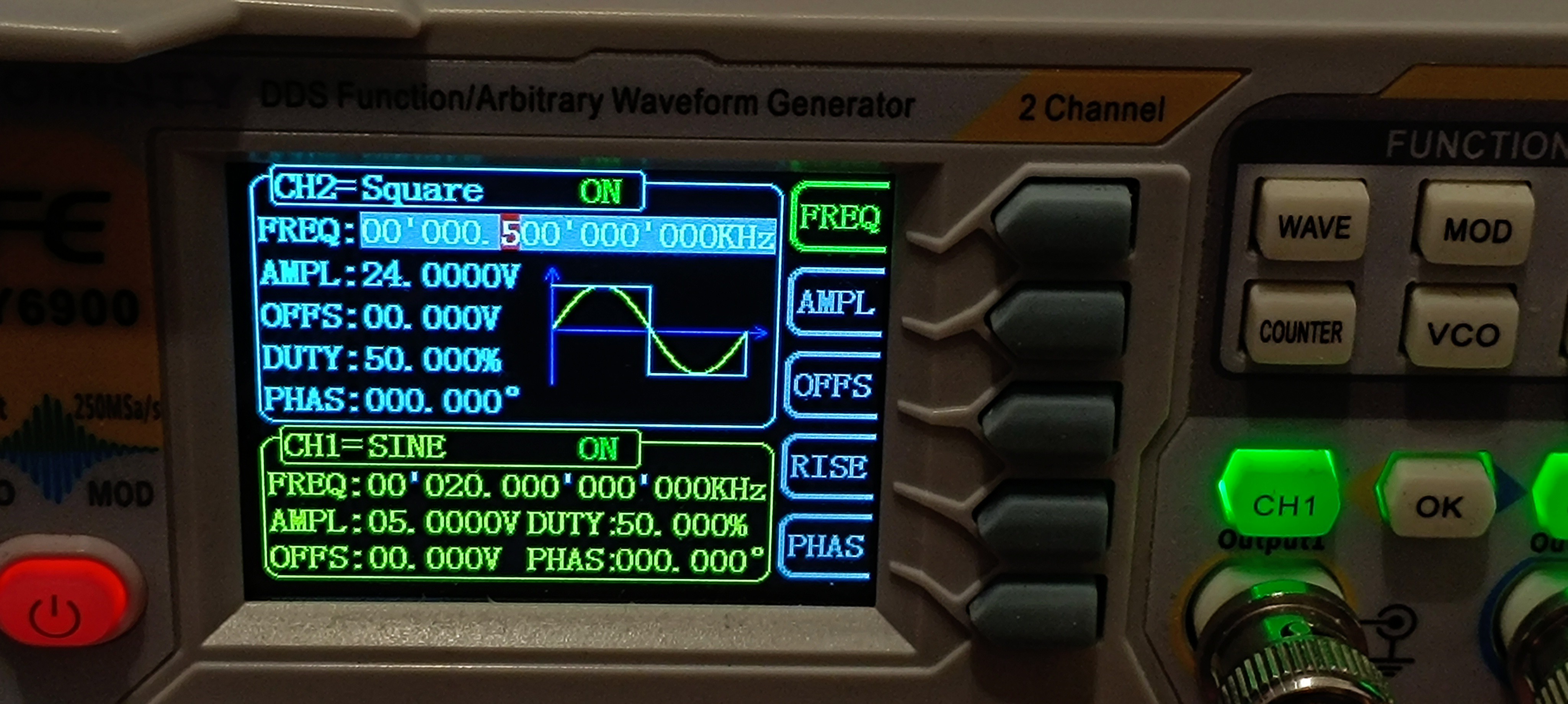
    24V 500Hz Square Wave sent to the Charge Electrode
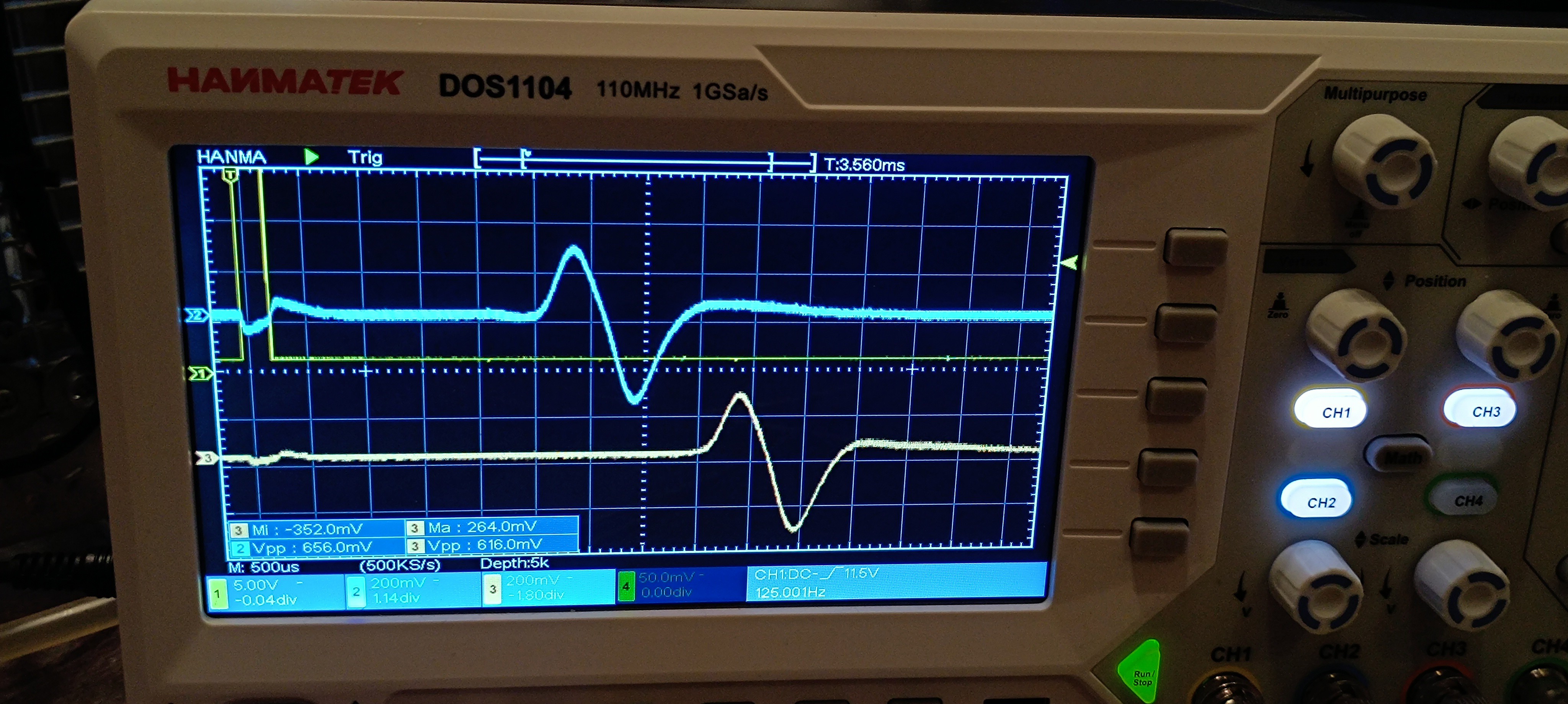
    Feedback Signal from the Amplifier

    Conclusion after the first Test:

    For now, it looks like it's possible to send a test signal to the charge electrode and receive a feedback signal through the amplifier.

    This is an improvement compared to the AD620 amplifier that I have used so far since the old amplifier only worked randomly, and most of the time, it didn't work at all. 

    The new amplifier, however, is working pretty reliably so far.

    Here is a short video of the test:

    At the moment of writing this, I already built another one and added a TDA2030 amplifier and a high-pass filter to each one of the two to further amplify the signal and filter out the 50Hz mains frequency.

    Amplified and filtered Signal of two Sensors

    I also built a new sensor assembly made out of a PCB. The new one provides two sensors with a fixed distance between them so that the jet velocity can be calculated by using the known distance and the measured time delay between the signal appearing on the first sensor and the signal appearing on the second sensor.

    New Sensor Assembly

    The next step would be building a peak detector to get the signals ready for feeding them into a microcontroller to measure the time delay.

    When that's done, it should be possible to get a stream velocity reading, which would be the first real progress on the printhead driver electronics.

    After that, the same circuit could be used to test for the phase shift that works best for charging, but the current amplifier design is too slow to detect groups of charged droplets at the needed frequency. 

    So, a redesign of the amplifier circuit would be needed before it's ready for this test.

  • Making PCBs

    Dominik Meffert01/31/2025 at 01:39 0 comments

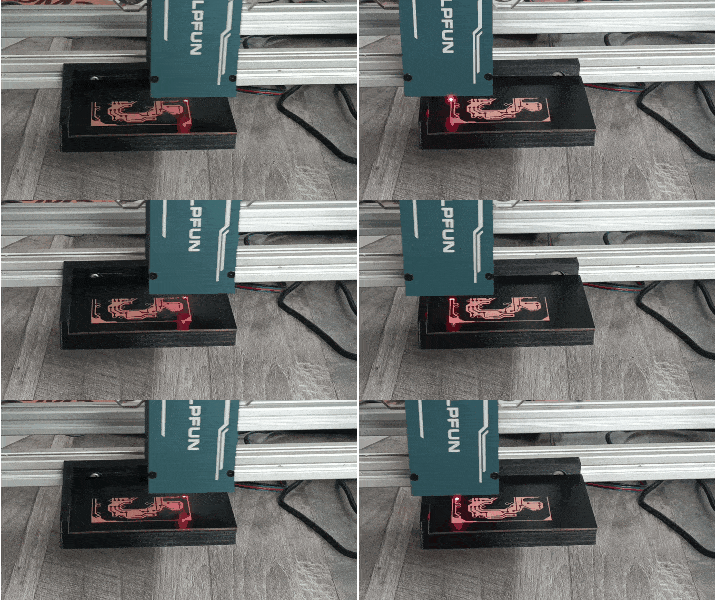
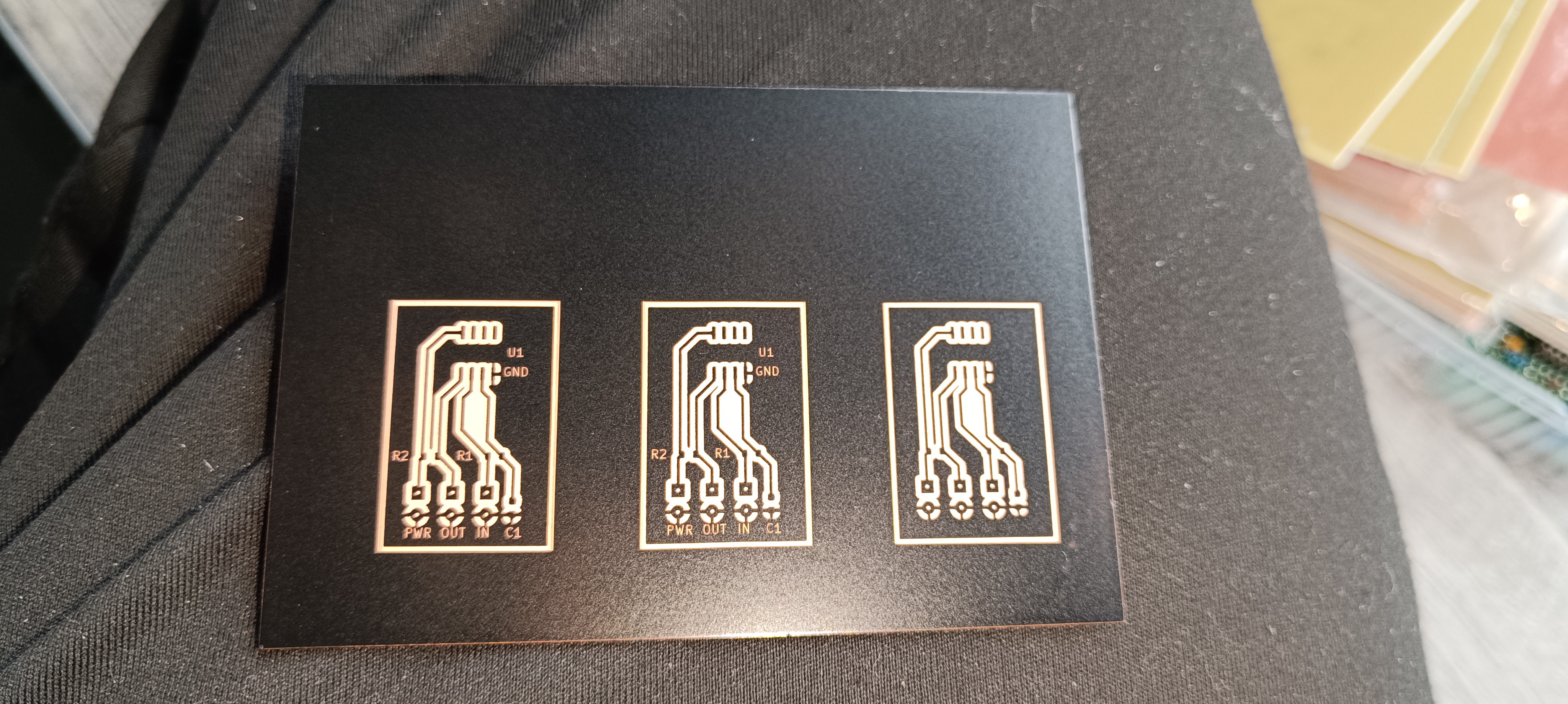
    Some time ago, I bought a pulsed 1064nm IR laser (Sculpfun IR2) for metal engraving and I recently figured out that this laser is the perfect tool for removing spray paint from copper PCBs without any residue.

    A year ago I tried the same with a common 450nm laser, but this laser rather burned the paint off while leaving a lot of residue on the PCB. 

    My guess would be that the pulsed operation mode of the new laser is the decisive factor here, which causes the paint to chip off or evaporate when hit with the laser instead of just getting burned away.

    PCB Manufacturing Footage:

    Laser in Operation
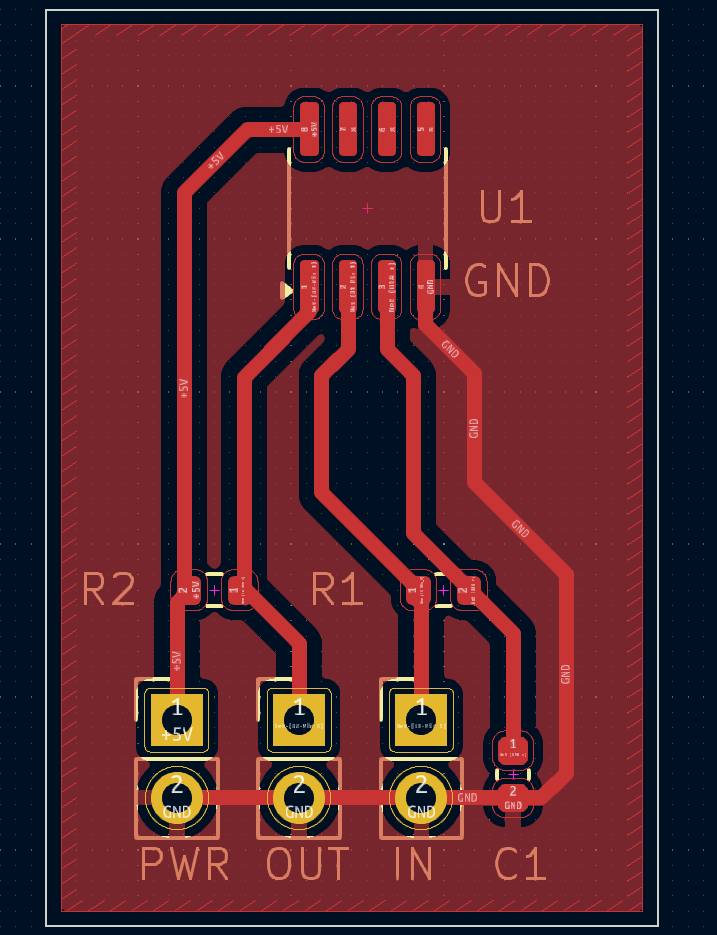
    PCB drawn in KiCad

    Lasered PCB
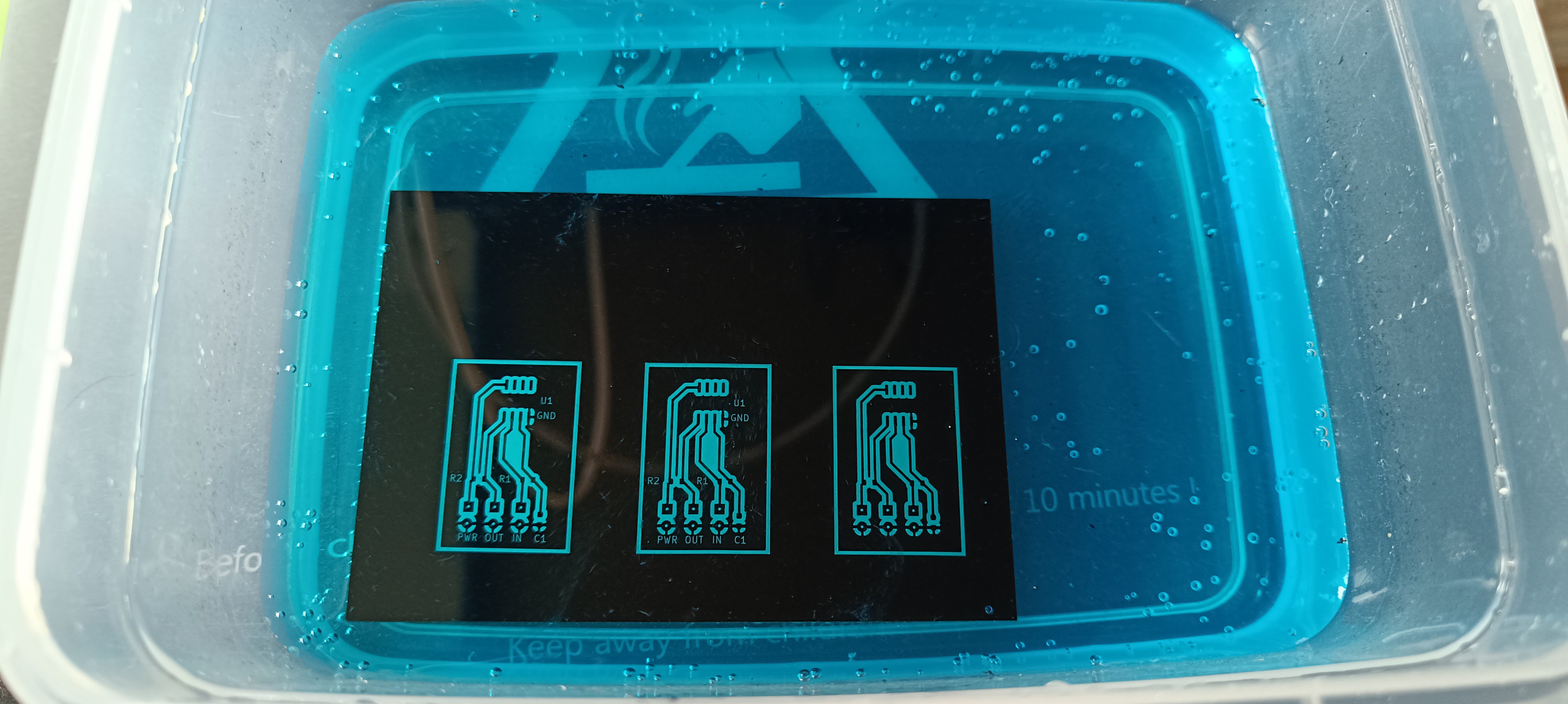
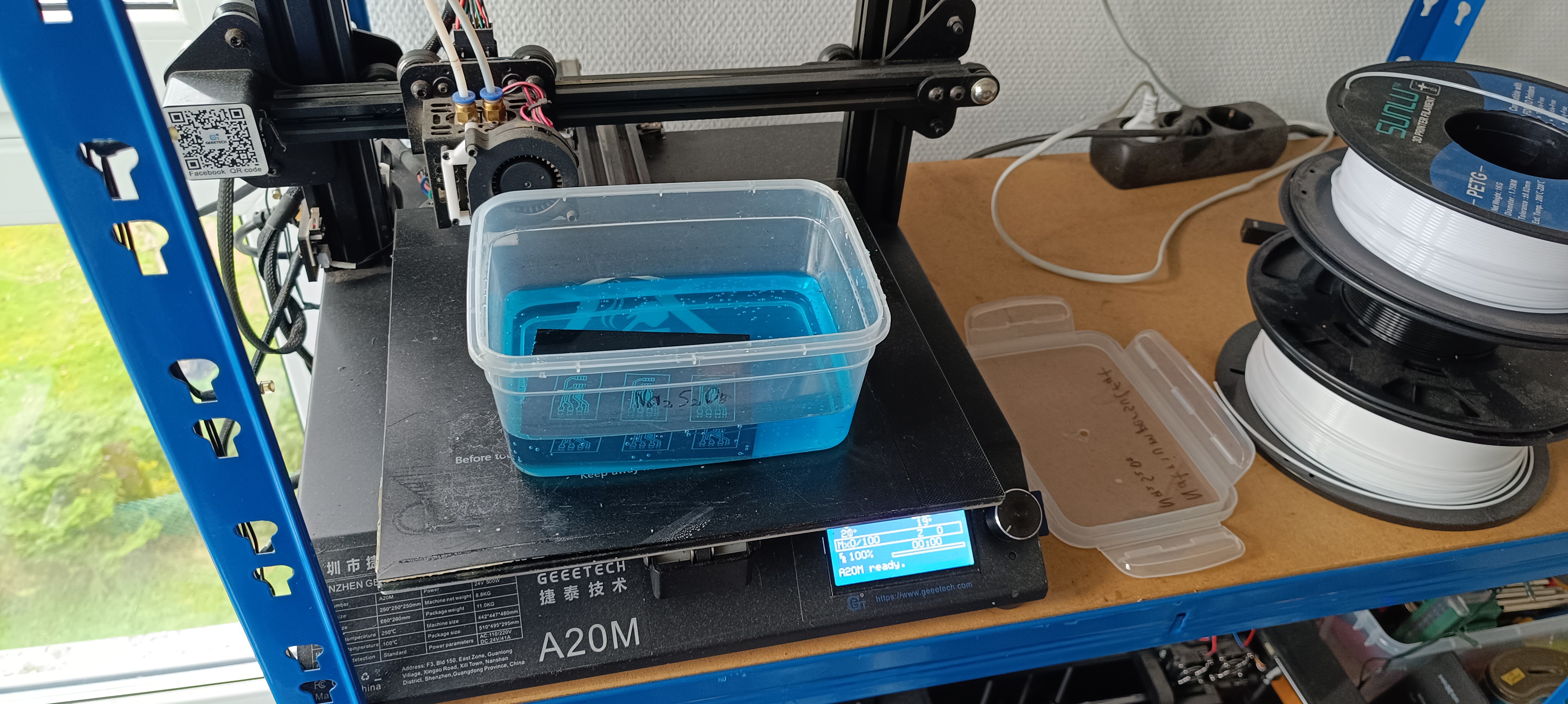
    PCB Etching in Sodium Persulfate

    Heating the Solution for Faster Etching

    Etched PCB

    Paint cleaned off with Acetone

    Applied UV Solder Mask

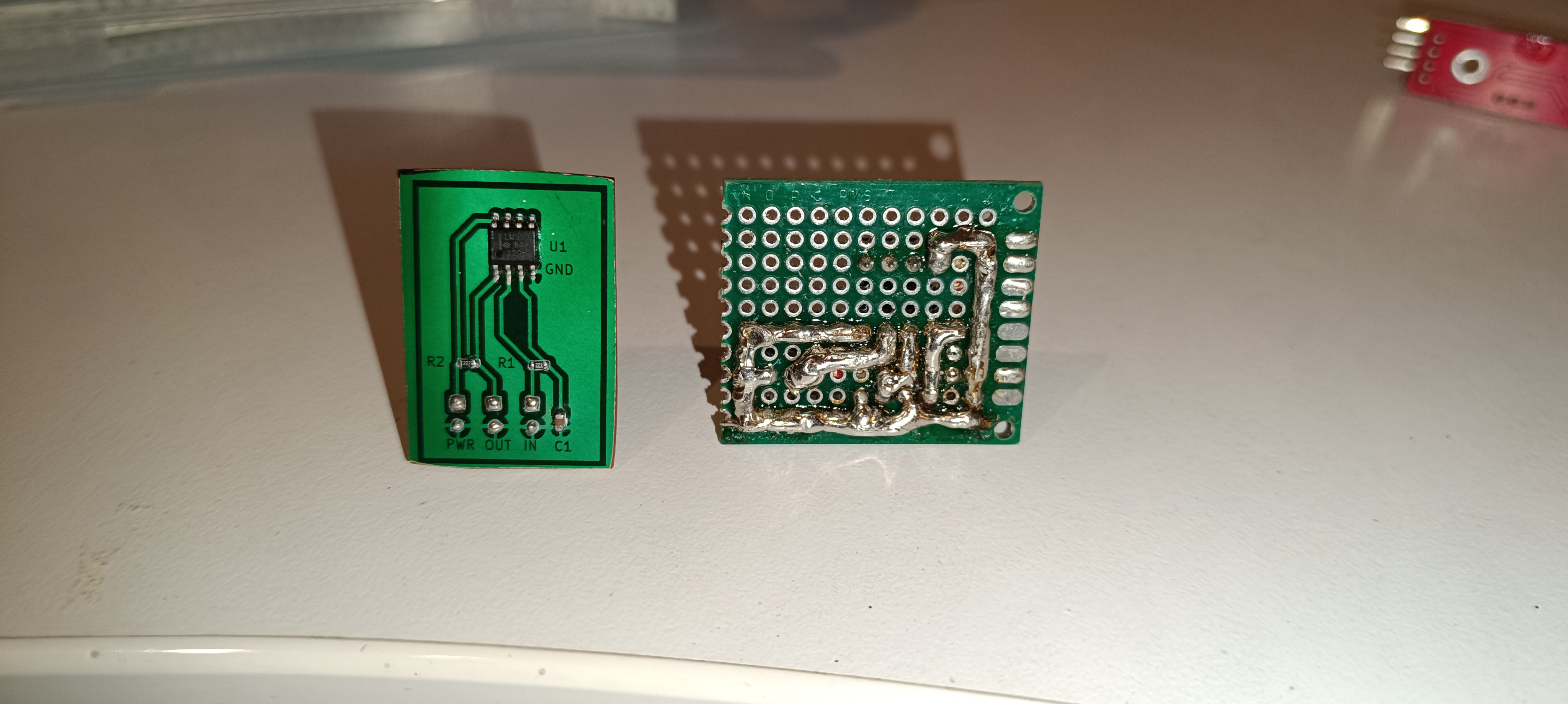
    Cut out PCB with Components soldered in using Solder Paste and a Hot Air Solder Station

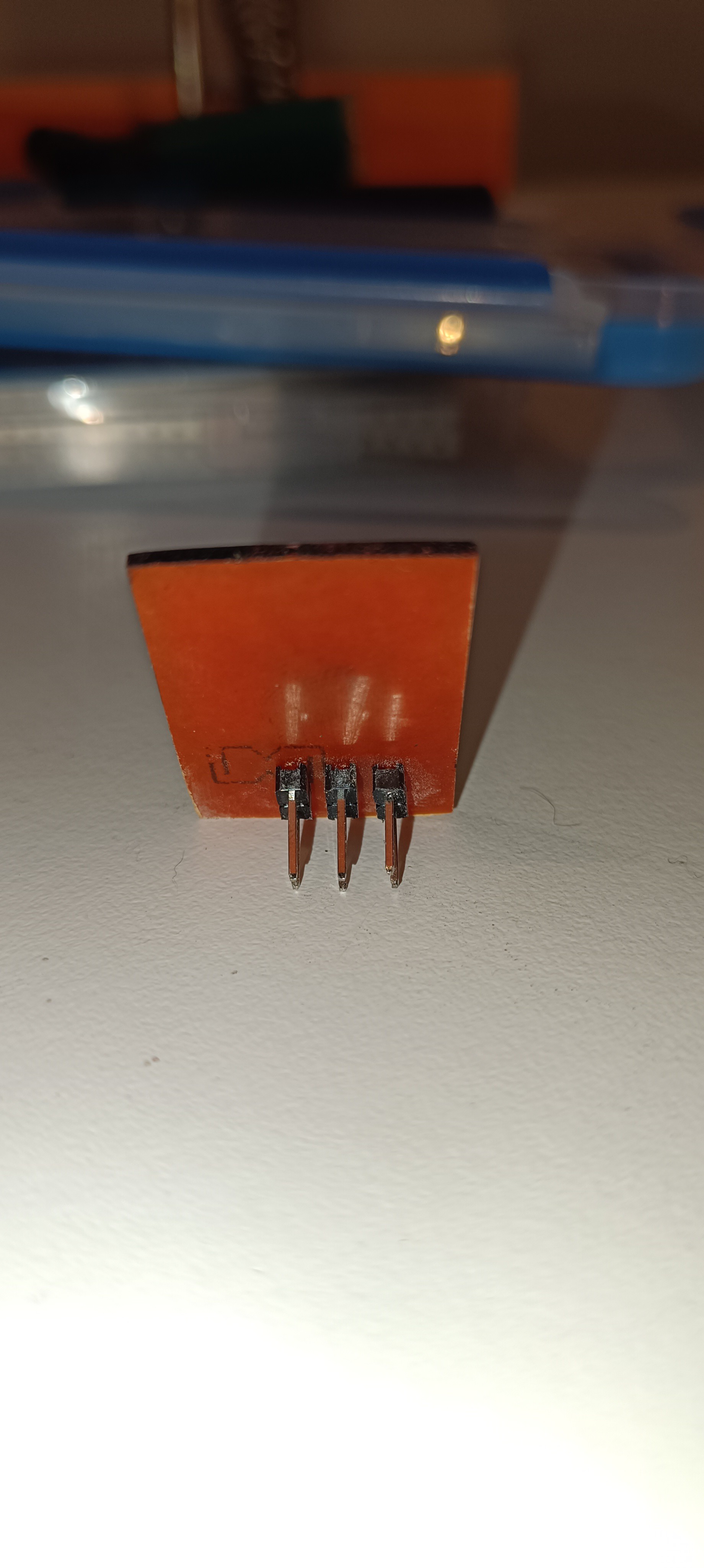
    Backside with Pins - Later Designs got surface-mounted Pins to avoid drilling Holes

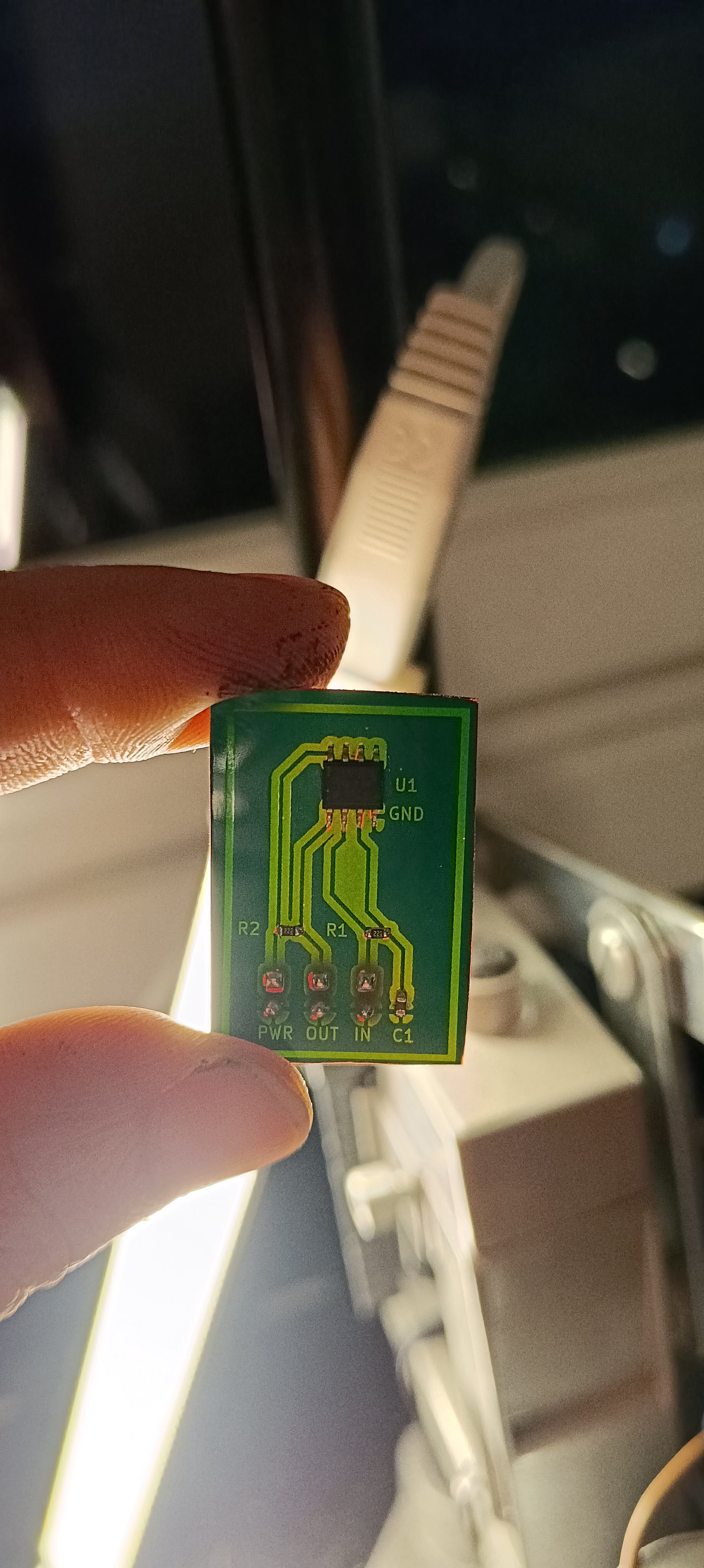
    Finished PCB

    I think having figured out a way of PCB manufacturing that works well for me will help move the project forward and will also be very useful for future projects.

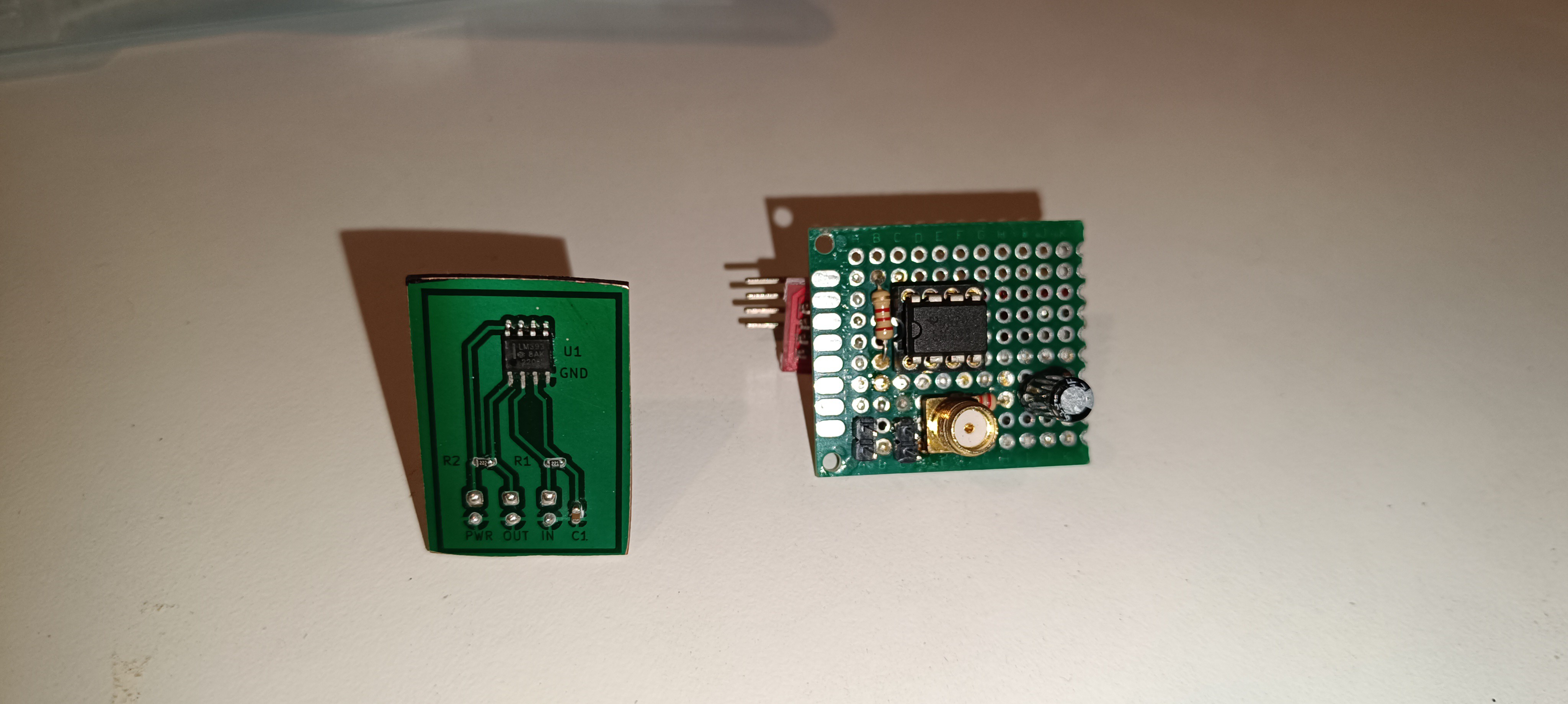
    Until now, I always had to build circuits on perfboards and connect the components with solder wire. This was a lot of work and also looked ugly compared to the new design.

    New Design VS Old Design (Front)

    New Design VS Old Design (Back)

    It's also an advantage that the circuit and PCB layout can be designed on PC for lasering it 1:1 onto the copper PCB. 

    This makes the process similar to 3D printing, which will make it easy to share the design with others and will ensure that each copy of it will be identical. 

  • Quick Update

    Dominik Meffert01/17/2025 at 09:11 0 comments

    Recent Updates:

    Here is the progress since the last build log:

    - I figured out a way of designing and manufacturing PCBs that works well for me so that it will be possible to build the needed circuits for the project as proper PCBs.

    - I built a TL072-based amplifier by myself to replace the AD620 amplifier that I used so far, which never worked reliably. The new amplifier seems to work much better, while the amplification is currently very low.

    - I built a test stand for the printhead, similar to the drop breakup test stand, but out of 2020 profiles and only 500mm high.

    - I tried out many different resins for replacing the PVB and ended up using gum sandarac, which is plant-based and has better solubility, finish, and adhesion than the PVB.

    - I added filters to the printer to keep the ink clean and prevent the lines and nozzle from clogging.

    - I got a new oscilloscope that has 4 channels so that a trigger signal + the signals of the 2 new amplifiers can be displayed in the same timescale to verify that both work correctly.

    Will try to write more buildlogs with text and footage of the work I did over the last months when I can find the time for it.

    Future Plans:

    I'm currently working on a time-of-flight counter for measuring the ink stream's velocity. This will ultimately be used for manual and later automatic pressure adjustments to compensate for changes in viscosity which appear when the machine is used after being off for some time.

    Currently, the printer can measure a relative viscosity reading while heating/cooling the ink inside the printer to 25⁰C since the viscosity changes with temperature.

    Hardware-wise, there is also a peristaltic pump installed for adding ethanol to the tank to compensate for evaporated ethanol and keep the viscosity steady.

    While the feature is currently not activated, it would already be possible to use the viscosimeter reading for automatically adding ethanol.

    The stream velocity reading + (auto) pressure adjustment will be used for a finer adjustment in addition to the viscosimeter which can bring the ink stream velocity to the right level immediately.

    This, in combination with the viscosity regulation, the right piezo frequency, and the nozzle drive, will ensure that the stream breakup will always occur at the same position (inside the charge electrode). 

    Once a favorable piezo frequency, nozzle drive setting, and stream velocity are found, these settings can stay as they are since the TOF-based pressure compensation will keep the stream velocity constant at all times during operation and also when the machine is started again after being off for some time.

    Even the older CIJ printer models use a TOF counter, so I think this will be a very important step in getting the machine running.

    Once this is working, the next thing will be trying to get the phase test working again.

    When I tried that last time, I had no way of knowing the ink stream velocity, so I worked with random conditions and only got random results.

View all 61 project logs

Enjoy this project?

Share

Discussions

Lichao wrote 06/25/2023 at 06:15 point

this project is amazing ! 

  Are you sure? yes | no

Dominik Meffert wrote 09/22/2023 at 16:49 point

Thank you :)

  Are you sure? yes | no

Michal Lenc wrote 04/18/2023 at 06:42 point

Dear Dominik, incredible, what you have been able to achive on your workdesk. If your printer will be acting up, don't worry. I have worked with CIJ printers from several brands. And, once you put them in the production, they are FAR from working 24/7 with minor maintenance. Actually, I would say, if you are not in very clean enviroment, there is a constant battle with everything what makes them print. It doesn't matter what brand, all of them suck.

  Are you sure? yes | no

Dominik Meffert wrote 04/18/2023 at 16:35 point

Hi Michal,

thank you very much :)

Oh... that sounds like there will be a lot of problems ahead of me, with the project, in the future 😅

If I can get it to work, I want to use it for 3D printing. So, if it would keep working for at least some hours, it would be fine.

  Are you sure? yes | no

Paulo Campos wrote 01/17/2022 at 00:29 point

I have worked with CIJ printers at least 18 years with projects and fluids. i'm impressed with your audacity and progress. Certainly the nozzle is not a big challenge, you can buy in Swiss (ruby) and assembly in a laser cutted plate, the diameter of the jet is governed by the size of droplet we want, 75 microns is most recommended. This give a wavelength of

  = 4.51x 75= 331 microns.

Also, the jet velocity at 40 Psi is 20~22 m/sec. If  divided by the wavelength, it gives the optimum frequency.

  =22 m/s / 331microns= 64000.Hz

In practice, other frequency / nozzle sizes can be used that are not 'optimum', for example 60 micron/ 64kHz, but these still work, they are simply less efficient or increase the frequency. Increasing Frequency you increase printing speed but get difficulty for ink formulations. 

Viscosity is a very important step in project, we can describe Viscosity using Stokes Law and do one kinematic viscometer but dynamic Viscometer also possible and workable, in my thought Dynamic is more cheap and easy , I have some experiments using one needle with detection rods as sensors.  I can calculate both for you.

 I recomend you 75u  as we can get the best resonancy for drops in 64Khz with around 2800mBar/40psi, but till 100u we sill can get some workarounds. At past I worked in my 'hobby time' with some PCBs and HV PS for CIJs and I can say you there is no chance of success without phasing control and for do it you will need add one FPGA to your project. I have the PCB and HV Power project  ready without firmware, I can share you and share experience., I got success in many things .   Have a nice week! 

  Are you sure? yes | no

Paulo Campos wrote 01/16/2022 at 23:57 point

Awesome progress Dominik! Congratulations! 

  Are you sure? yes | no

Dominik Meffert wrote 10/29/2022 at 07:28 point

Thank you very much :)

Sorry for the late reply. I paused the project for over a year and just read your comment.

Interesting insight. I'm planning to use a 100micron 3D printer nozzle, because they are cheap and available everywhere. 

I would really like to read more about your PCB and HV power project.

  Are you sure? yes | no

srbin25 wrote 10/27/2021 at 19:56 point

how connect CIJ print head with Arduino if it is possible?

  Are you sure? yes | no

Dominik Meffert wrote 11/02/2021 at 15:38 point

My current plan is to control everything with a Raspberry Pi so that I can write a python script with GUI for all the settings and infos. I think it will also take more time until I can get the project to an usable stage because I'm currently working on another project which I want to use for creating the printhead parts.

  Are you sure? yes | no

Hexastorm wrote 06/10/2021 at 08:36 point

Great to see you are still up with inkjet printing. In the past, I did some research into this topic.
What I would recommend is the book (inkjet technology for digital fabrication). A pdf can be found online.
TNO, a research institute from the Dutch State, also build one setup see https://www.tno.nl/media/2533/tno_highviscous_material_inkjetprinter.pdf .  I was not involved but building it took a crazy amount of time. The CIJ head used air for droplet selection instead of electricity.
This gave it the ability to print high viscous non conductive fluids.
A problem encountered was the wavy-ness in the final result and low through put. You can see it in the image (3D graded product made of three high viscousmaterials) in the linked pdf.  Dr. René Jos Houben did most of the work and use this as a query term to find out more.  I think some of the patents, if any, got transferred to a company called Nordson.
What I would recommend;

 - do research in the field of laser induced forward transfer

   This is a very active area of research and from what I understand relatively easy.
   It requires a coated glass plate and a laser to heat and release a droplet.

 - think of applications

Crazy applications I heard of is injecting droplets in chicken meat.  This preserves the dead meat longer. Also, some people were active in the making of perfume. This required making well defined mixtures.  Some chemicals are extremely expensive so if you can deliver small dosages or make small mixes that could be nice.

- make images of droplet formation with a stroboscopic camera

Everyone in this field does this. It's real easy and allows you to understand the process much better. Ideally you use global shutter camera with LED

Anyhow, good to see you are making so much progress :-)..

Also, the TNO project was not a commercial success.  Which must have been frustrating for those involved.

  Are you sure? yes | no

Paulo Campos wrote 01/17/2022 at 00:36 point

Dear Hexastorm, TNO project is really interesting! Thanks. Increase the ink viscosity is a good way to printing over difficult adhesion substrates, like polyolefins. CIJs printers has this limitation.

  Are you sure? yes | no

heinz wrote 05/28/2021 at 06:21 point

Wow 😍 This already looks too professional to be built by me for some precision dispensing.

Very cool, thanks for sharing.

  Are you sure? yes | no

Dominik Meffert wrote 05/28/2021 at 15:54 point

Thank you very much :)

If I can find out how to build the CIJ nozzle there will be more progress, soon.

  Are you sure? yes | no

Does this project spark your interest?

Become a member to follow this project and never miss any updates