WJCarpenter
-
Buttoning up
09/27/2026 at 00:49 • 0 commentsThe last step was to stuff everything inside and close up the kickpanel. I knew from my previous limited experience working on things like this that they don't always go back together the way they came apart. This turned out to be no exception to that.
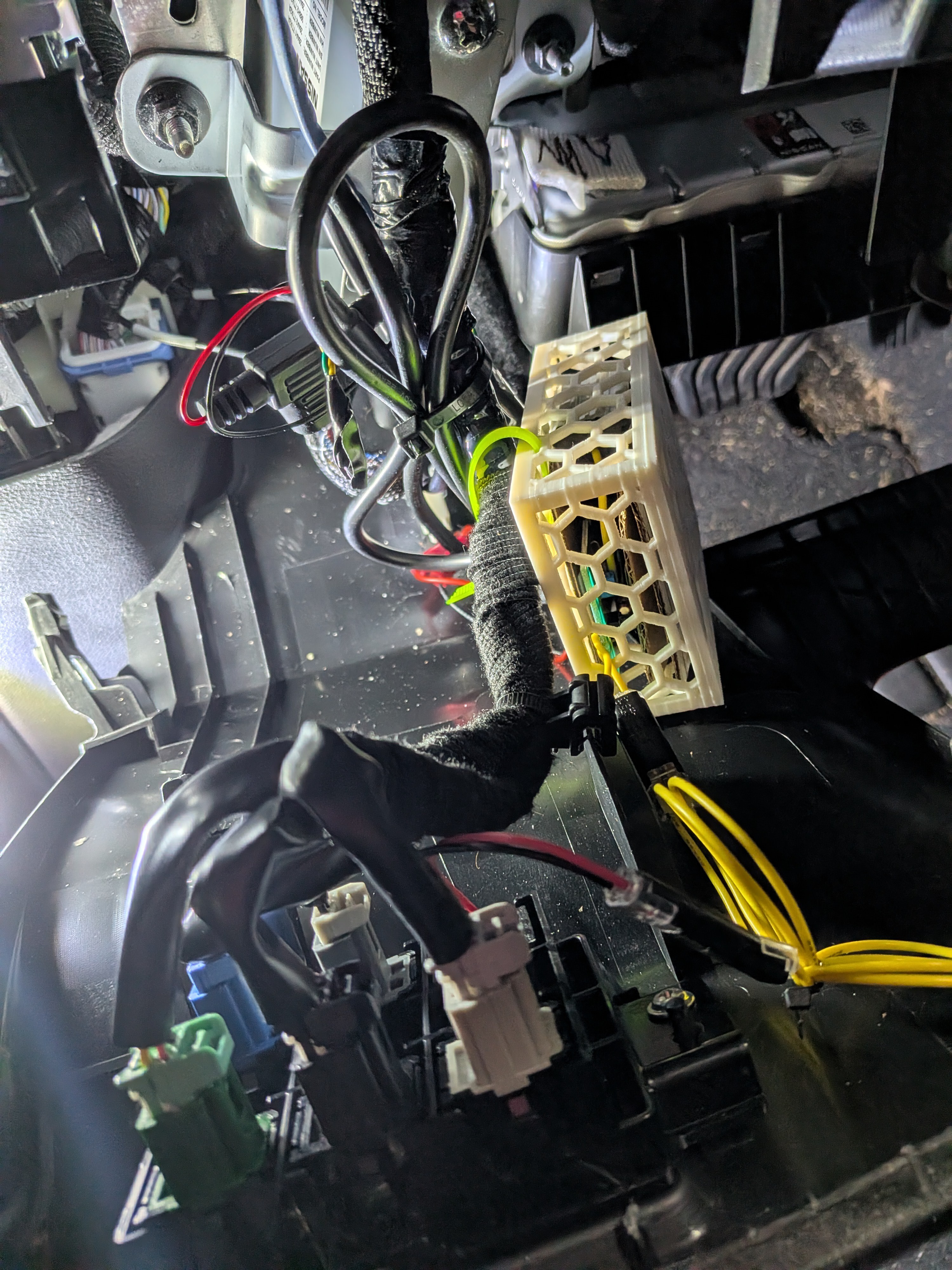
I tried a couple different ways to zip-tie my little box into place inside the dash. I had already spliced in some extra wire for the switch end and the buck converter end to give myself some maneuvering slack.
![]()
Unfortunately, every place that I tried to put that box seemed to get in the way of closing up the kickpanel. In the end, I let the little white box sort of float and be out of the way. It's plastic, and I hoped it didn't lead to an annoying rattle. Later testing showed that so far, so good. I also hope that it doesn't someday stress the soldered or crimped connections in the wires to break the circuit.
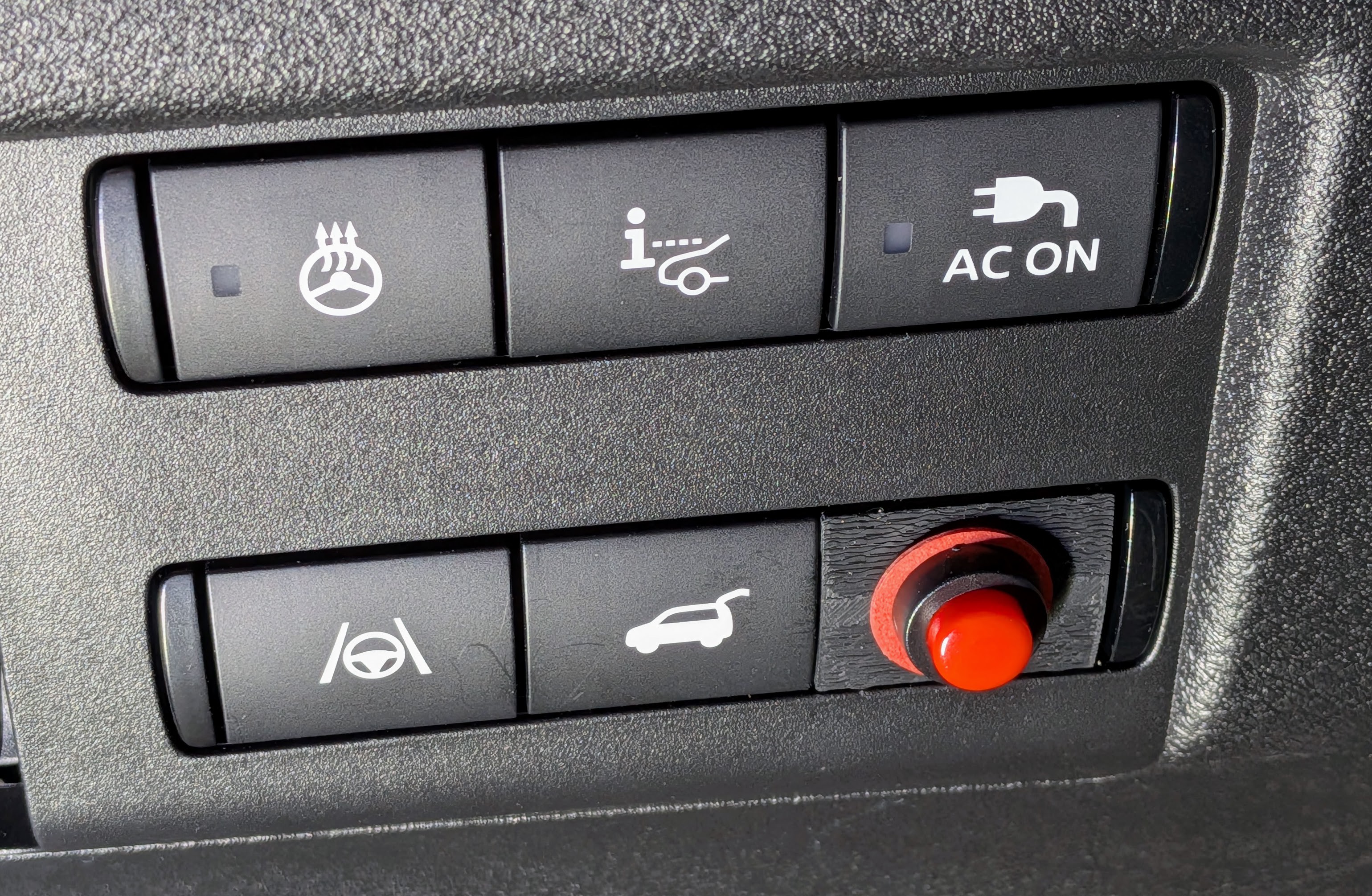
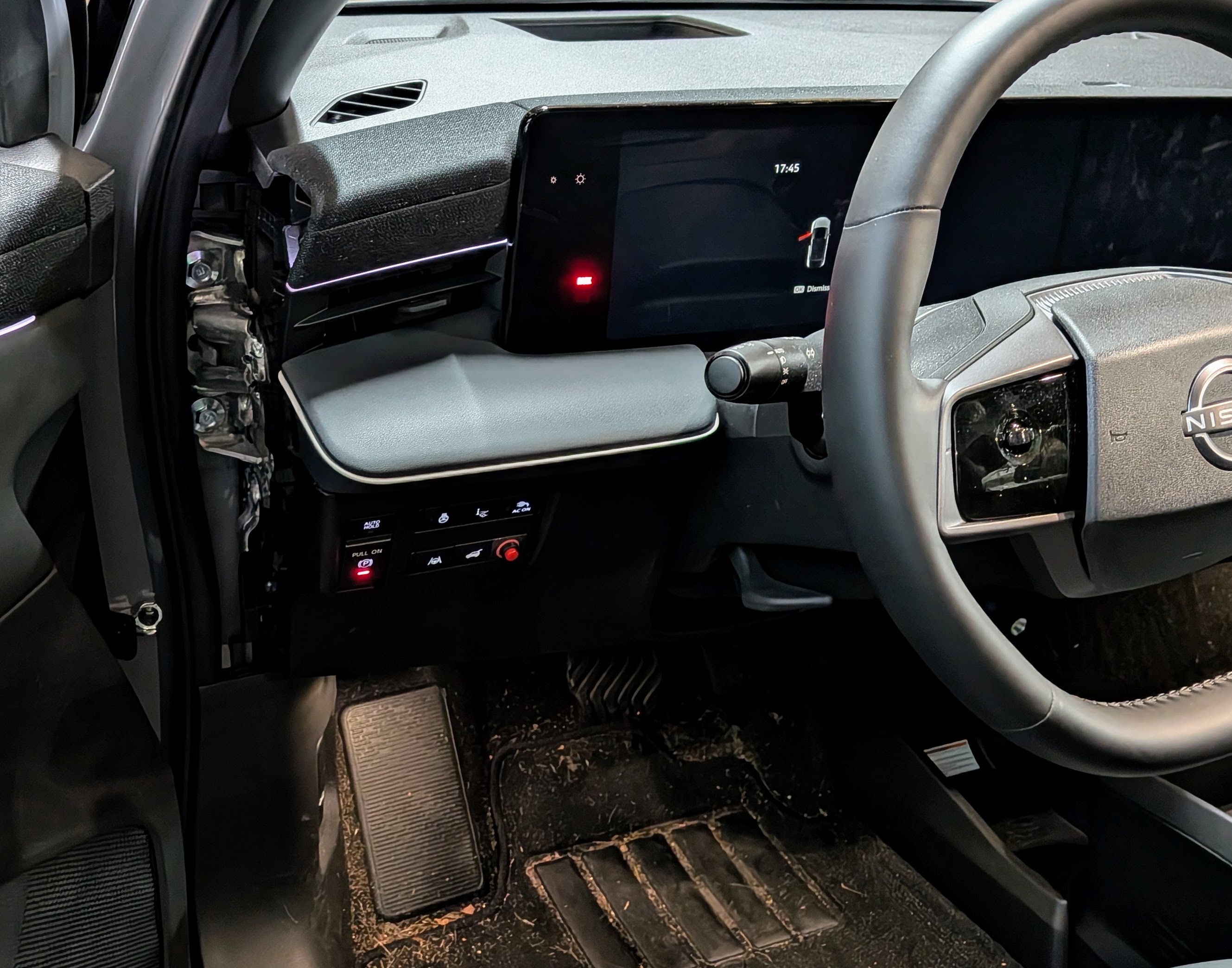
Here's a look at the final result.
![]()
My 3D printed switch blank doesn't look completely like the other switches, but it's also not especially visible in normal use.
![]()
Victory!
-
Wires, wires everywhere
09/27/2026 at 00:31 • 0 commentsSetting aside for the moment that I have no definitive wiring diagrams for this car, there are a few options for powering the remote. This is a subject area where I did a lot of iterative discussions with Gemini AI to try to figure out what is best.
Here are some of the things considered:
- Find a source of always-on 12Vdc power. The remote itself is designed to operate from a coin cell battery, so it doesn't draw much current. In fact, it probably draws no current at all until a button is pressed. But the buck converter is drawing a little bit of power all of the time. It's probably not much current, but with an extended idle period for the car (for example, parked at the airport during a long trip), it could drain the 12Vdc car battery. That battery tends to be relatively small in an EV.
- Instead of wiring the momentary switch to the button on the remote, short out that button (ie, always pressed) and have the momentary switch control the always-on source of power to the buck converter. That solves the long-term drainage problem, but it brings in two new problems.
- When power is applied to the buck converter, it has to go through some ramp-up before it applies power to the remote circuit. I don't know how long that period is, but it could be long enough to make it seem like the button press didn't "take". I tried an experiment to see how long that ramp-up delay was, but the experiment failed because....
- The remote has a "stuck button" lock-out feature. The remote has some algorithmic detection of the button being stuck in the pressed position. For example, maybe the remote fell between seat cushions or you are sitting on it. When the remote detects that, it refuses to send any radio commands. This seems to be the case for my remote, so it completely rules out this alternative wiring scheme.
- Wire the buck converter to the wires feeding the 12Vdc power socket (aka, the cigarette lighter socket). I pursued this briefly, but the physical layout of the dashboard interior made it really difficult to reach those wires. At least I assume so, though it's possible that those same wires also traveled through the area where I was already working. The other problem is that the power to that socket is shut off as soon as the car is turned off. When parking in the garage, it would be an annoyance to have to remember to close the garage door before turning off the car. It would be an acceptable but not ideal solution.
- There are various 12Vdc signal wires running around. As the name implies, they are only for signalling various things to other components in the car and are not intended to carry more than a tiny current. Tapping any of those wires (assuming I could find them) might not be enough to continuously power the buck converter, or it might interfere with whatever the signal was originally intended to control.
- I was about to give up and pursue the 12Vdc power socket plan when I was lucky enough to notice something that provided an ideal solution (described next).
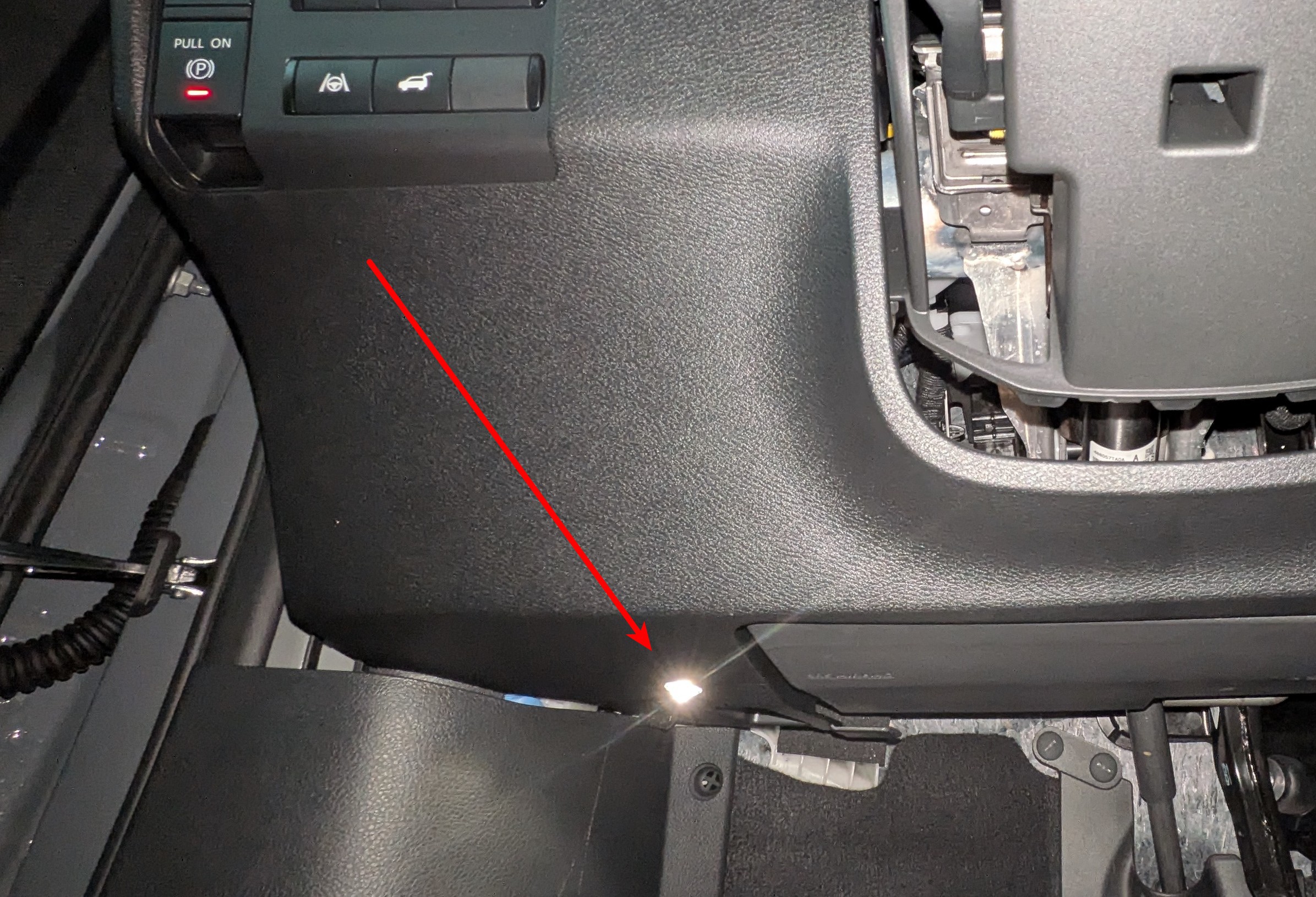
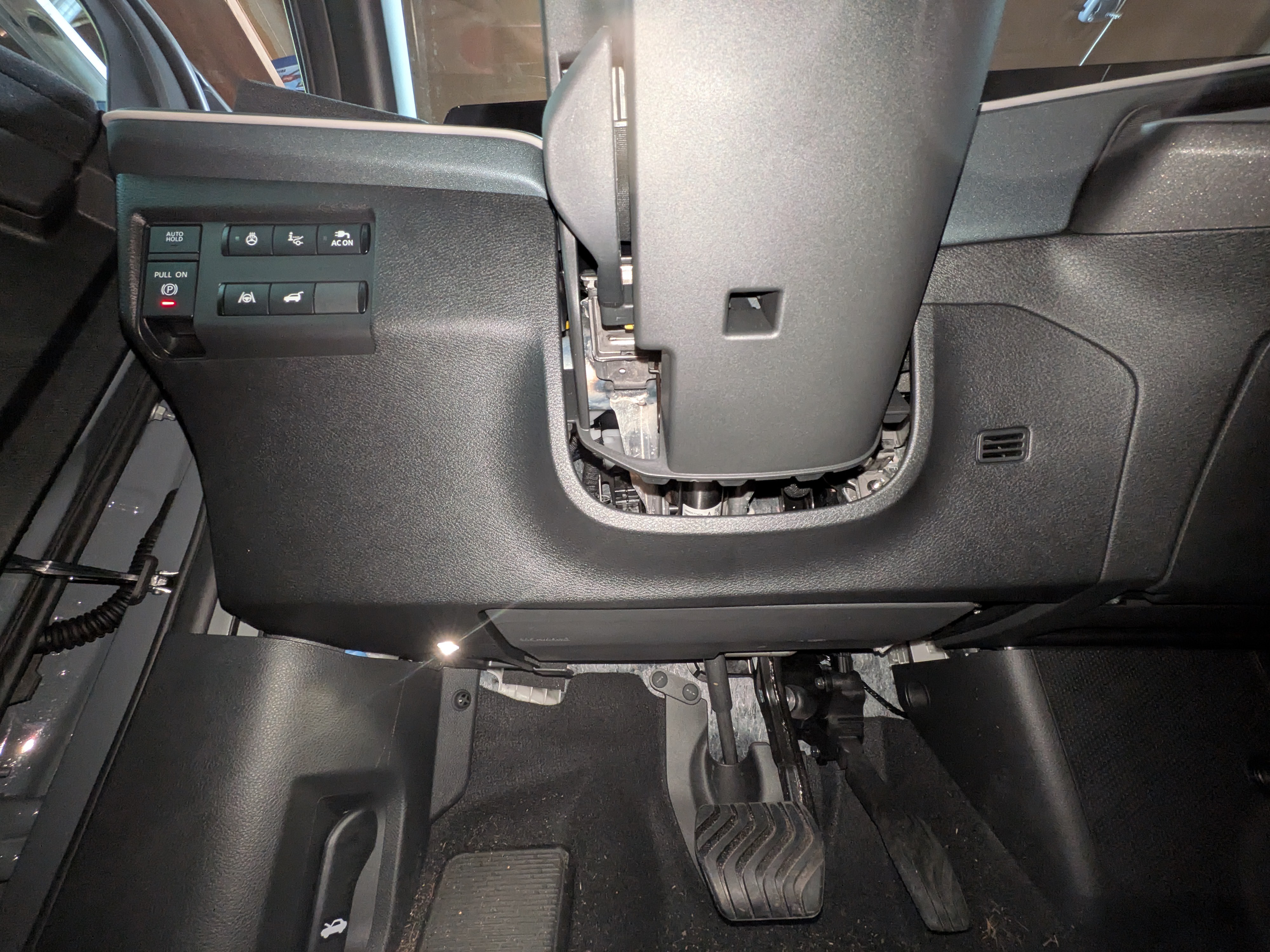
There is a small LED light that shines into the footwell area. You might have noticed it in the photo of the complete kick panel.
![]()
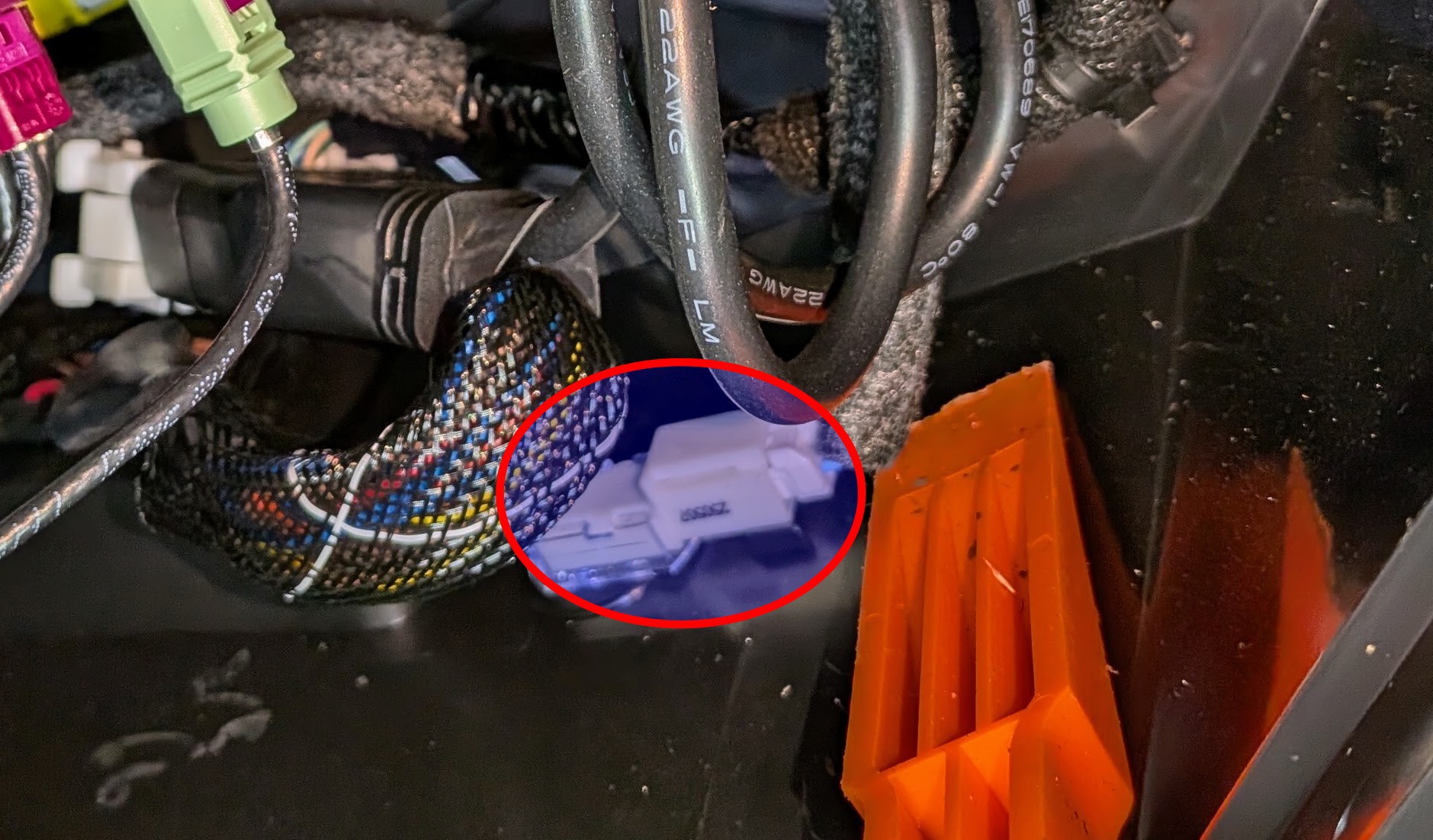
Here's the connector for that LED on the inside of the kickpanel. (The orange thing is just one of my pry tools, not part of the car stuff.)
![]()
There are 2 wires (blue and white), and it's a simple "dumb" LED powered by those wires. The LED is part of the courtesy light scheme that comes on when you unlock or open the driver door and that stays on for a little while after the car is turned off. That's a good type of power timing for using the remote control.
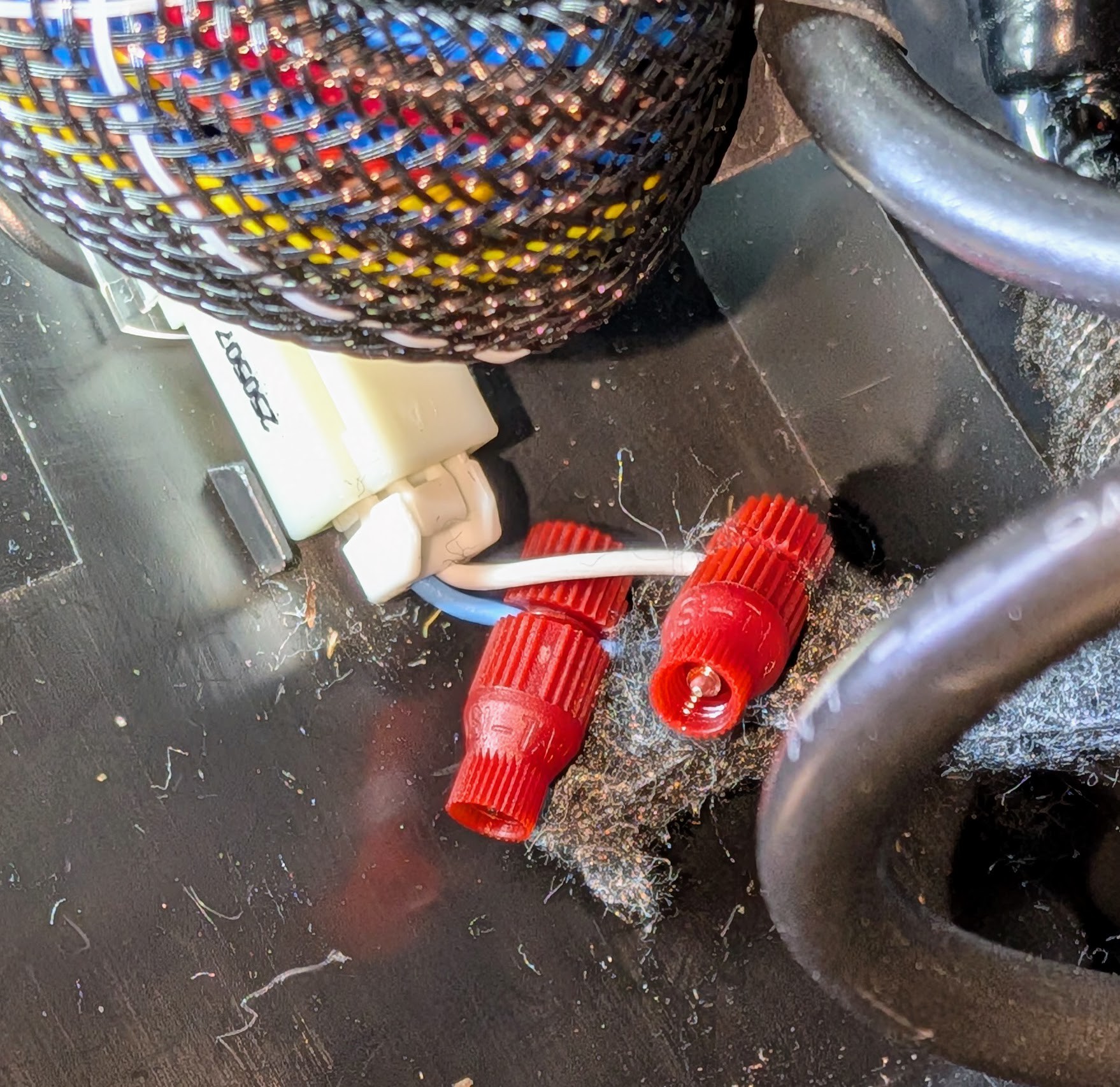
I tapped into that pair of wires with Posi-tap connectors and used my multimeter to sort out power and ground. After attaching the leads for the buck converter, I was able to operate the remote while not noticeably affecting the LED brightness.
![]()
(After completing everything and being "done" with the project, I had a moment of panic. I had only tested that LED power while sitting in the car in my garage. Why should that LED remain lit while I was actually driving around? It would be quite annoying to have to turn off the car to close the garage door after leaving or to open the garage door when returning home. I tested that the next day, and it turned out the good way. That LED was on the whole time. I think I just got lucky with a 50/50 choice made by the Nissan engineers.)
-
Getting into the dashboard
09/26/2026 at 23:16 • 0 commentsThe time had now come for the part of the project I felt least comfortable about: opening up the dashboard. My main fear was that I would do some irreversible damage, even if it was only cosmetic.
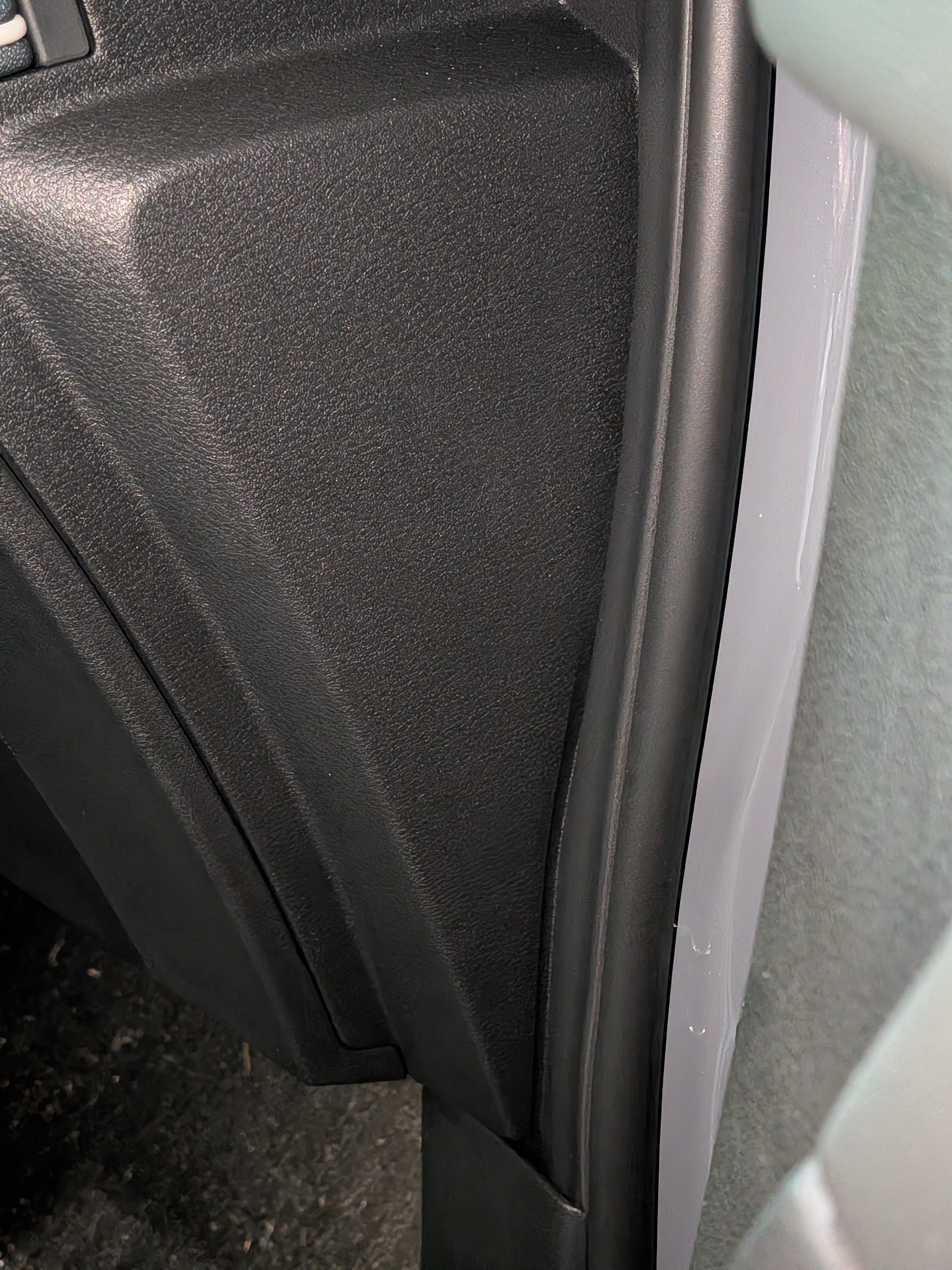
The first thing I tried was a complete dead end. If you open the front door, there is a small triangular panel on the side of the dashboard. This is the passenger side in the photo, but it's the same sort of thing on the driver side.
![]()
If I took that panel off, the bank of six switches would be only a few inches away. I could reach in and take care of business. If I happened to do some cosmetic damage to that panel, well, it's not very visible.
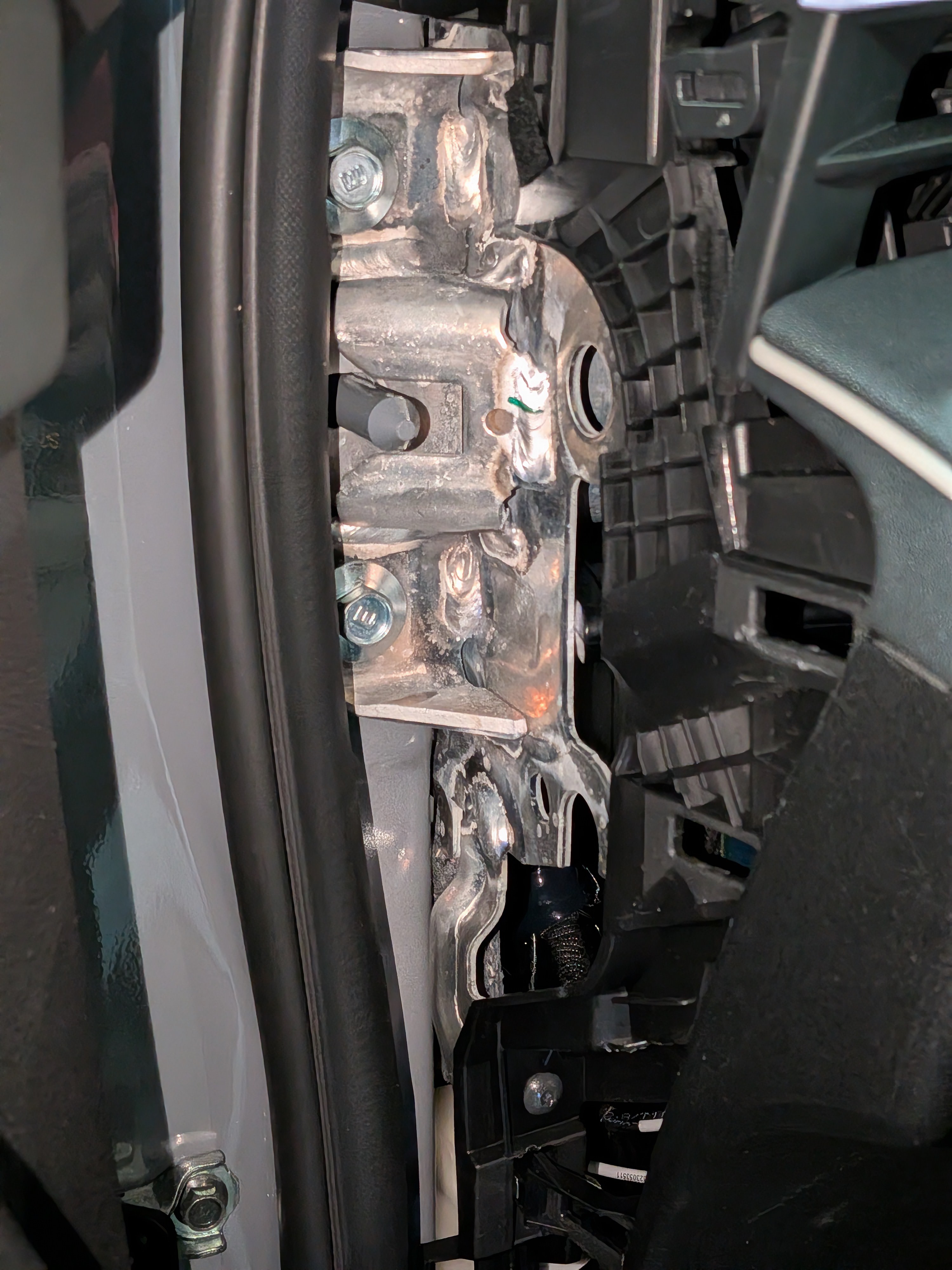
Alas, when I took the panel off, I found all sorts of metal and plastic bracketry that didn't look very easy to get past or remove. I couldn't even get my pinky finger through there.
![]()
I turned my attention to the large kick panel under the steering wheel. I asked for advice on a popular forum, but there were no takers (probably because of limited experience with the 2026 model). I was especially cautious because there is an airbag down there that I didn't want to mess with or mess up.
![]()
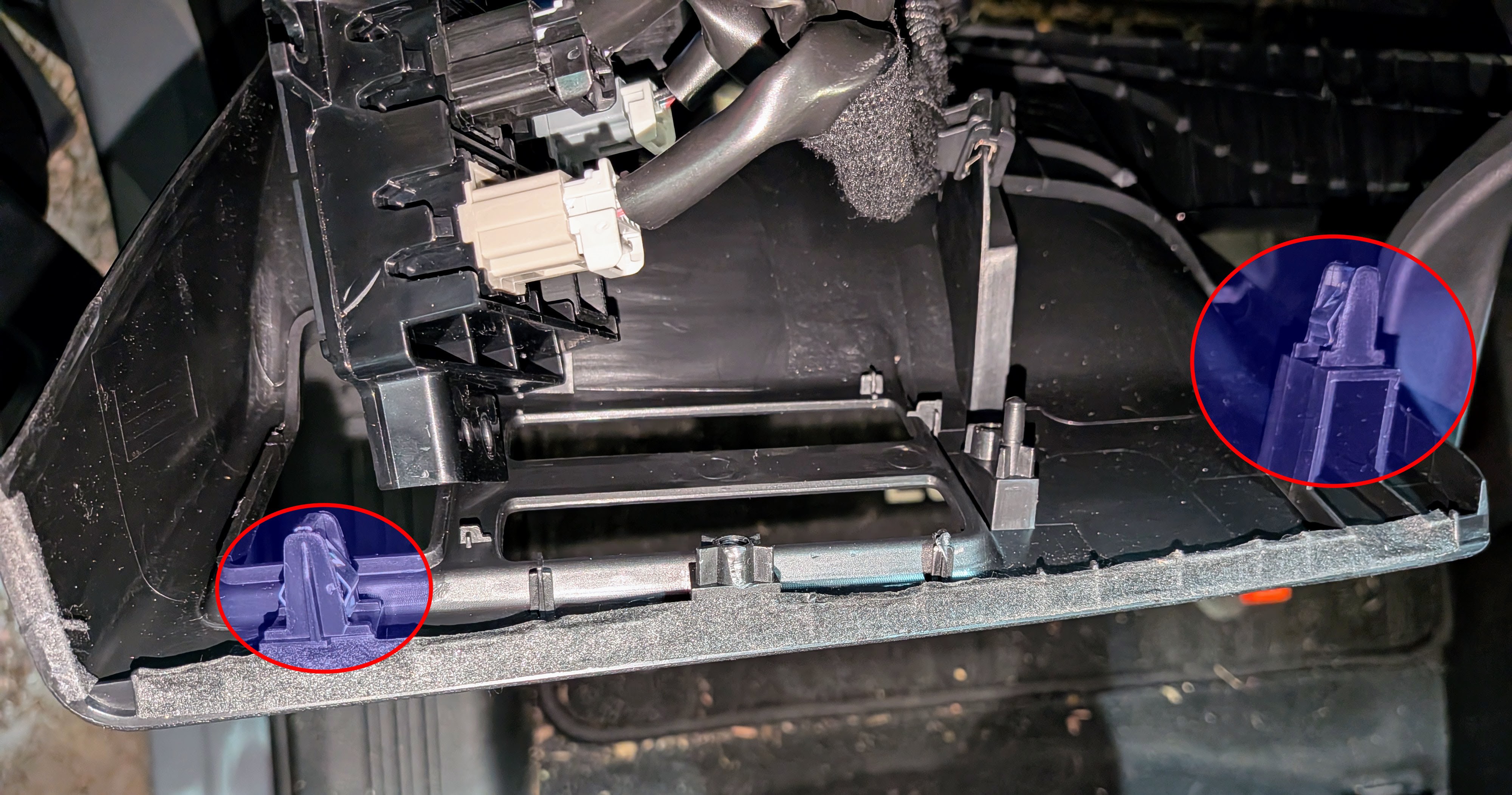
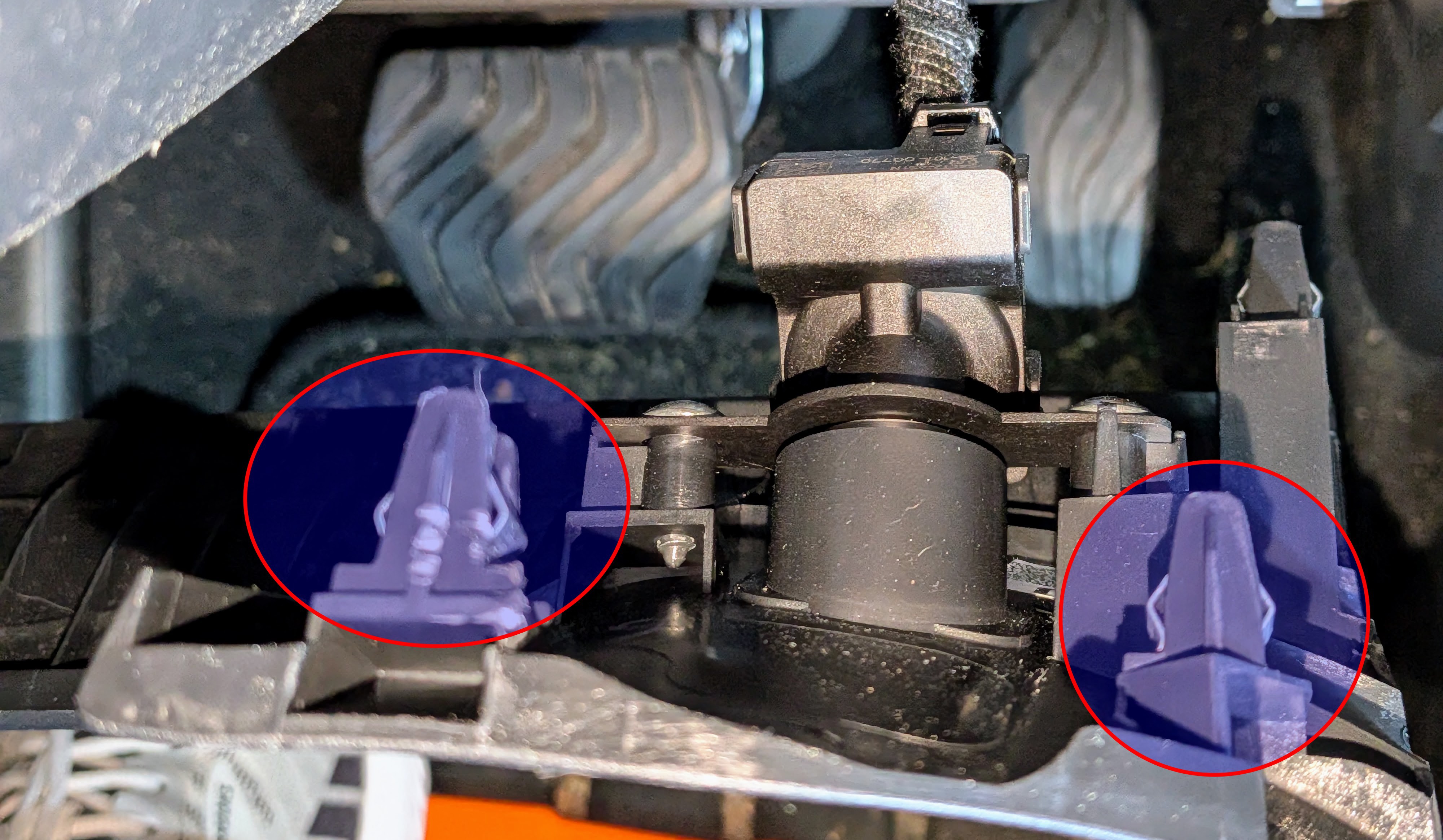
I procrastinated for quite a while, hoping that some information would surface. I eventually took a chance and just pried the top of that panel out. There turned out to be 2 press-fit connectors on the left side and 2 more on the right side. The bottom of the panel has a sort of leg that tucks into the top of another panel on the left. Here are pictures of the left and right sides of the kickpanel with the clips highlighted.
![]()
![]()
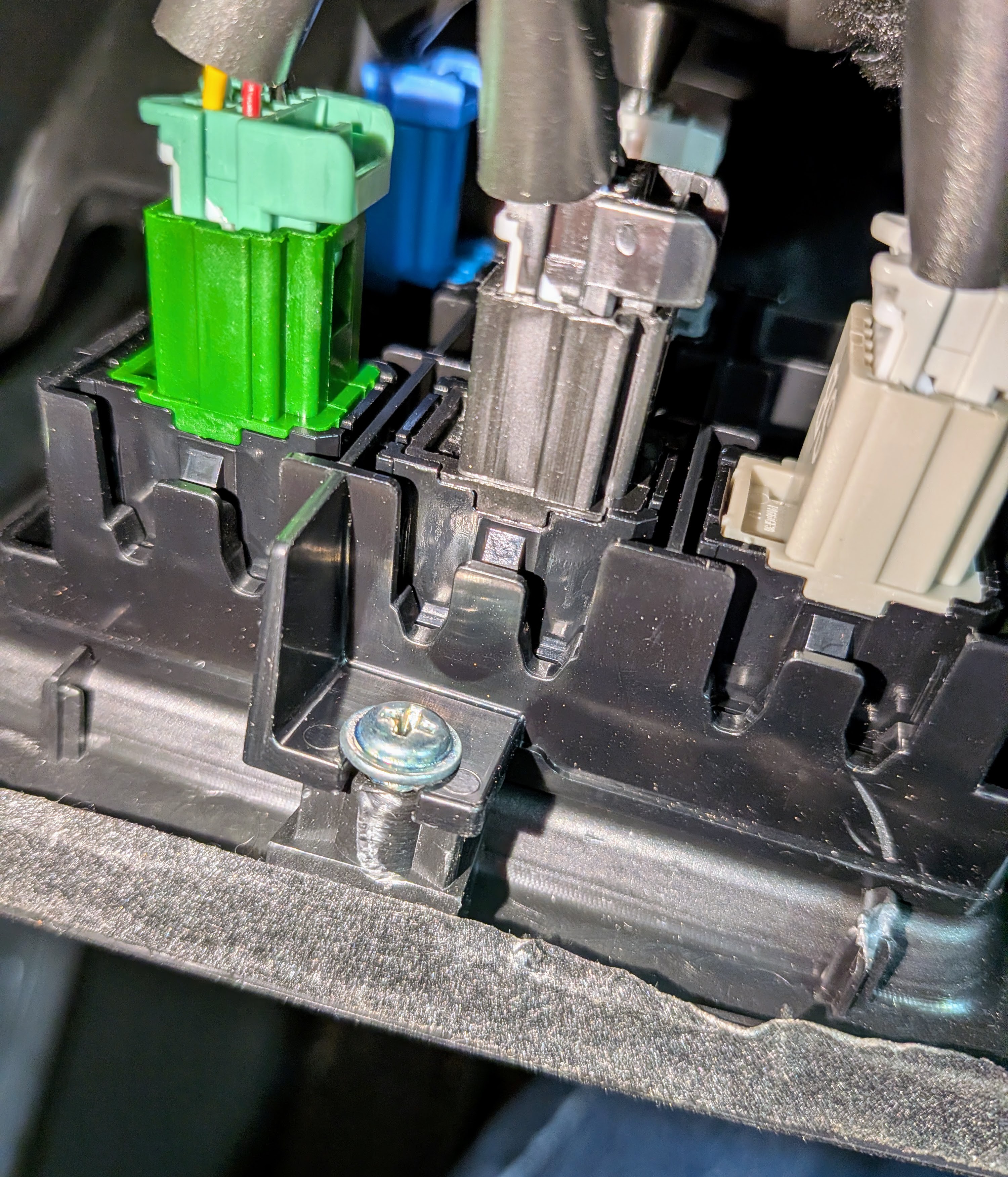
The panel of 6 switches is attached to the left side of the panel with 3 screws. There are a few other things attached to each side, so it takes some care to handle things. In the image of the left side, above, I had already detached the 6 switch panel (you can see the white and gray connector for one of those switches). Here's a better look at it before it was detached. You can just make out the switch blank in the right rear.
![]()
Each switch is held in place by a couple of plastic tabs that press against a flat piece of the switch. Except for the aggravation of working in a tight space, it's easy to pry up those tabs with a small screwdriver and push the switch blank out the front of the panel. Here's an image of a dry-fit with a spare 3D printed switch blank before going at it with the real stuff.
![]()
-
Wiring and smoke testing
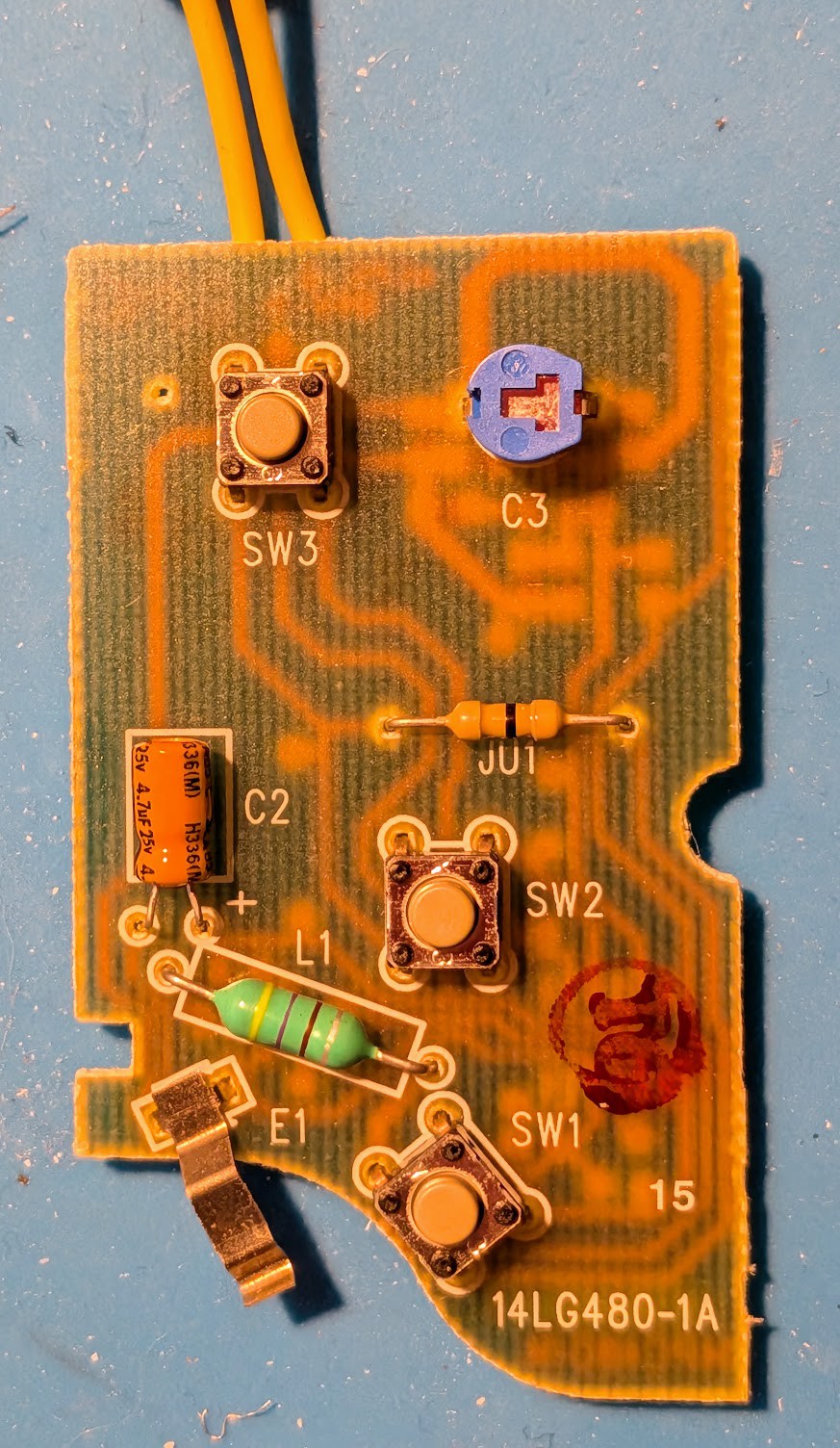
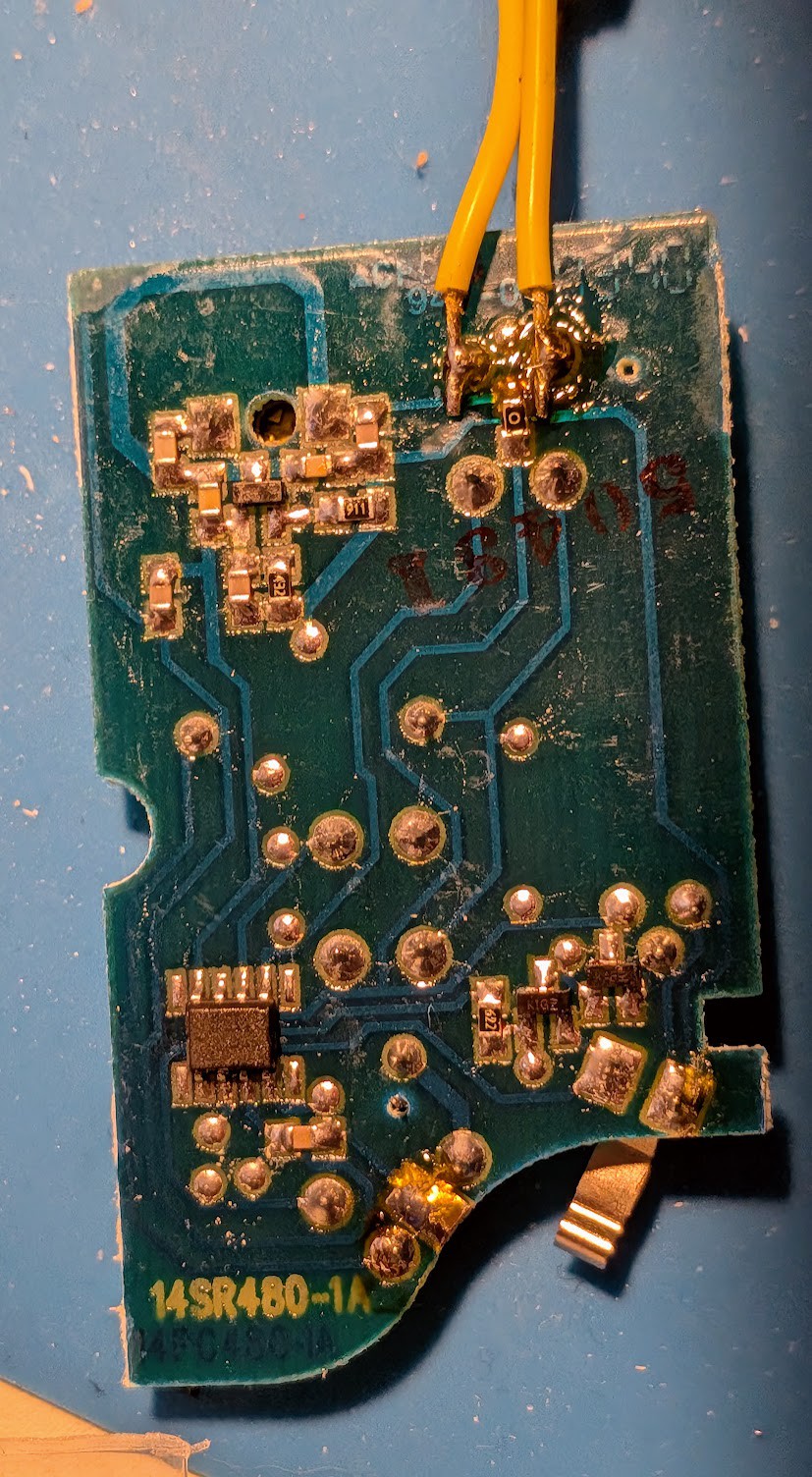
09/26/2026 at 22:11 • 0 commentsIt's easy to disassemble the Craftsman remote. The case opens up so you can replace the battery, and you can completely release the circuit board by prying a couple of plastic clips. Here are the two sides of that circuit board.
![]()
![]()
By the time I took those photos, I had already doped out the contacts for SW3 and soldered some wires (yellow) to them. The small metal tab (E1) sticking from the bottom of the board is the battery ground contact. The battery plus contact is a small blob of solder nearby. The matching tab that presses against it is not shown (it's integrated into the plastic remote case). I soldered red and black wires to those contacts.
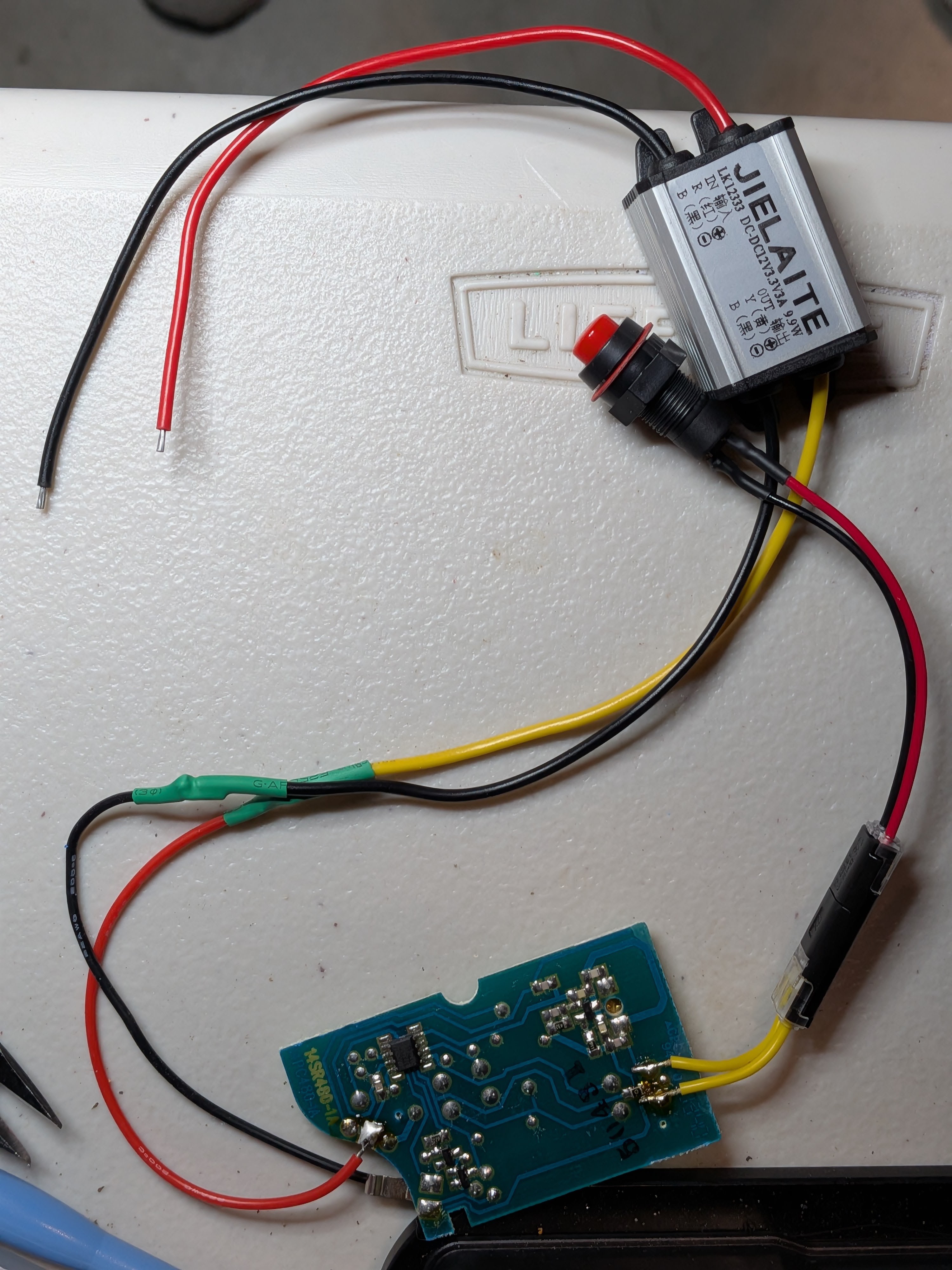
The coin cell in the remote provides 3Vdc. I think there are some voltage regulators on the circuit board, but I can't make out the markings. I knew I would find (possibly noisy) 12Vdc in the car wiring, so I bought a cheap 12Vdc-to-3Vdc buck converter (widely available for only a few dollars). The buck converter turned out to actually be 12Vdc-to-3.3Vdc, so I crossed my fingers that the circuit board would be OK with that (it was).
Here's everything wired up and ready to test.
![]()
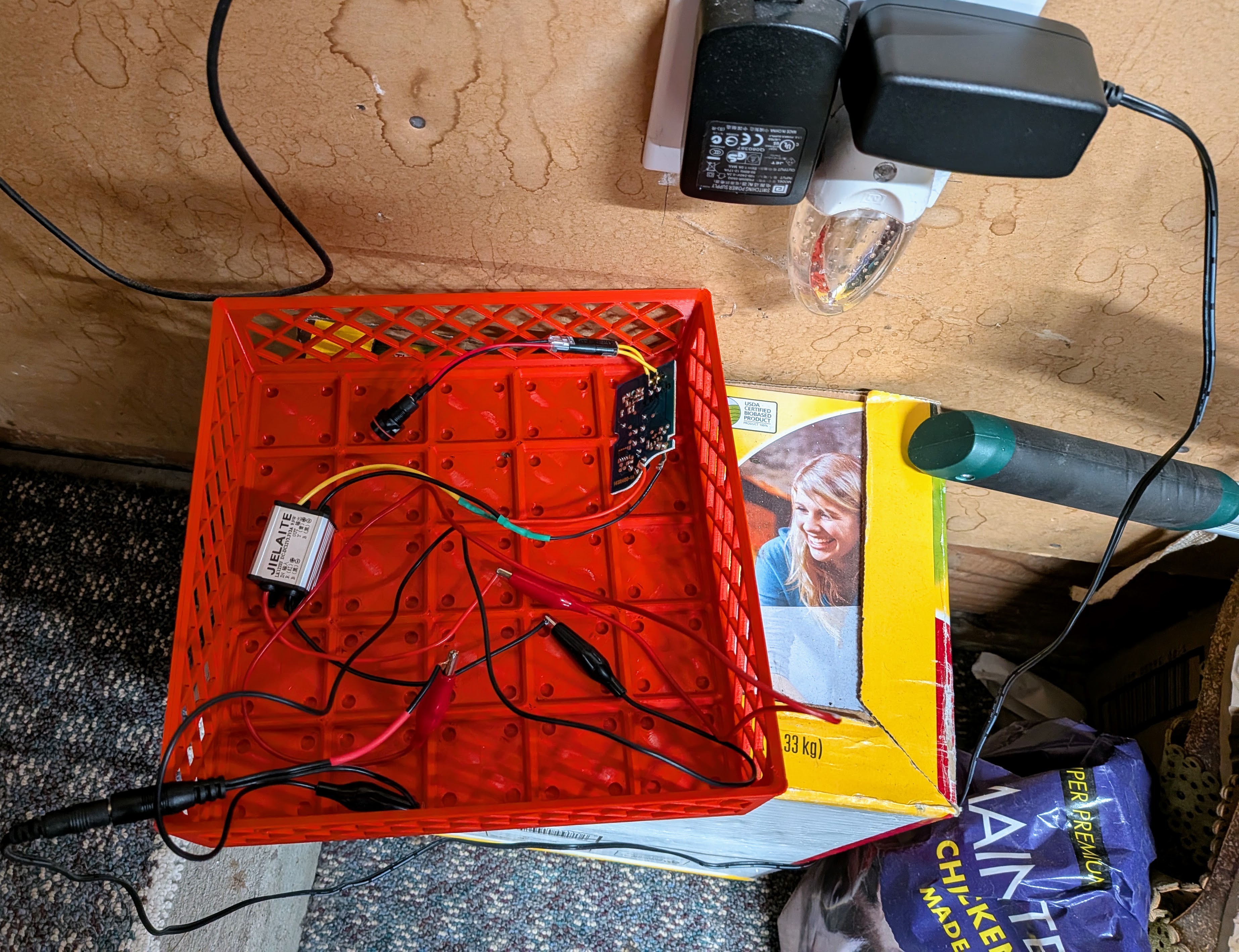
And here's everything in a rat's nest wire up with a 12Vdc wall wart for actual testing. When I pressed the button on my switch, the garage door activated. You can't ask for more than that!
![]()
There's a small blunder in that photo. I hadn't removed the nut from the switch before crimping the connector onto the red and black wires. The nut will not fit over that connector, so I had to re-do that. Doh!
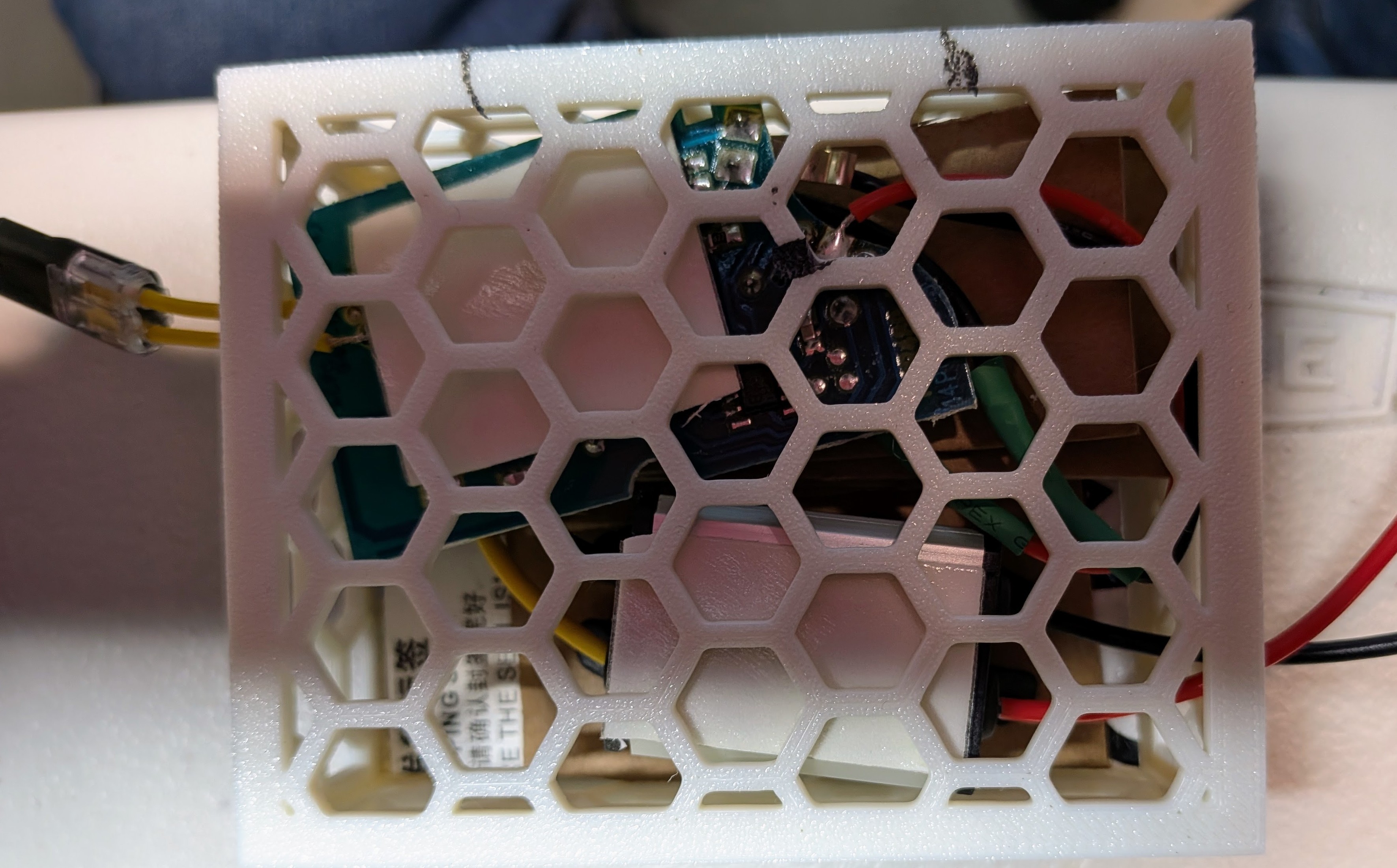
Satisfied with the smoke test, I made a small 3D printed box to hold the circuit board and the buck converter. I used this 3D model because I had used it for some other projects in the past. It has an option for a nice sliding lid that clicks into place. The hexagonal holes are big enough to let the connectors pass through, and I could also thread zip-ties through to mount the box somewhere. I didn't want them to create an annoying rattle inside the dashboard, so I padded the inside of the box with scrap corrugated cardboard.
![]()
Those large white rectangles inside the box are double-sided foam tape. There wasn't enough box surface for it to hold, so I had to unpack everything and put a piece of cardboard in the bottom of the box for the tape to stick to.
This kind of concludes the deterministic and easy part of the project. Time to start ruining my new car.
-
Switching switches
09/26/2026 at 21:28 • 0 commentsEven though I have lots of switches in my larder, I didn't have what I needed for this project.
Stop me if you've heard this before.
- I wasn't in a crushing hurry, so I ordered some switches on eBay from an overseas seller. When they arrived, I saw that they were not momentary switches but latching on/off switches. That's no good for this application. I contacted the seller. They apologized for the error and gave me a refund. Except for lost time, I can't really complain about that.
- By now, I was in a little bit of a hurry to get the switches I needed, so I paid a bit more to get some from a US-based seller who promised fast delivery. When they arrived, I found them to be the sort of switches I needed. But they arrived in Amazon packaging, and I quickly figured out that the seller was one of those jerks who just sells Amazon items after a 100% mark-up. I detest those people, but all I could do was leave a negative review.
OK, with momentary, normally open switches in hand, I was ready to wire up my Franken-remote.
-
Replicants
09/26/2026 at 20:57 • 0 commentsBefore I had found the Nissan part number for the switch blank, I was thinking about creating a replacement via 3D printing. I continued thinking about that even after I had the Nissan replacement part in my hand. I got out my calipers and started doing measurements.
Overall, it's a complex shape, but the complexity is mostly a stack of rectangular solids with the central cavity carved out. Those are all pretty simple. The only modestly complex sub-shape is the visible head of the part, which has a curved surface. Because of that simplicity, and to make the model available to the widest audience, I chose to do the model in OpenSCAD. I made the model parametric and added a few options that I needed for this project. The parameters might make it useful for someone to create a similar part with different dimensions or features.
The 3D model lives in this git repository: https://gitlab.com/wjcarpenter/3dprinting/-/tree/main/parametric-nissan-switch-blank?ref_type=heads. It's also published here: https://makerworld.com/en/models/3356038-parametric-nissan-switch-blank.
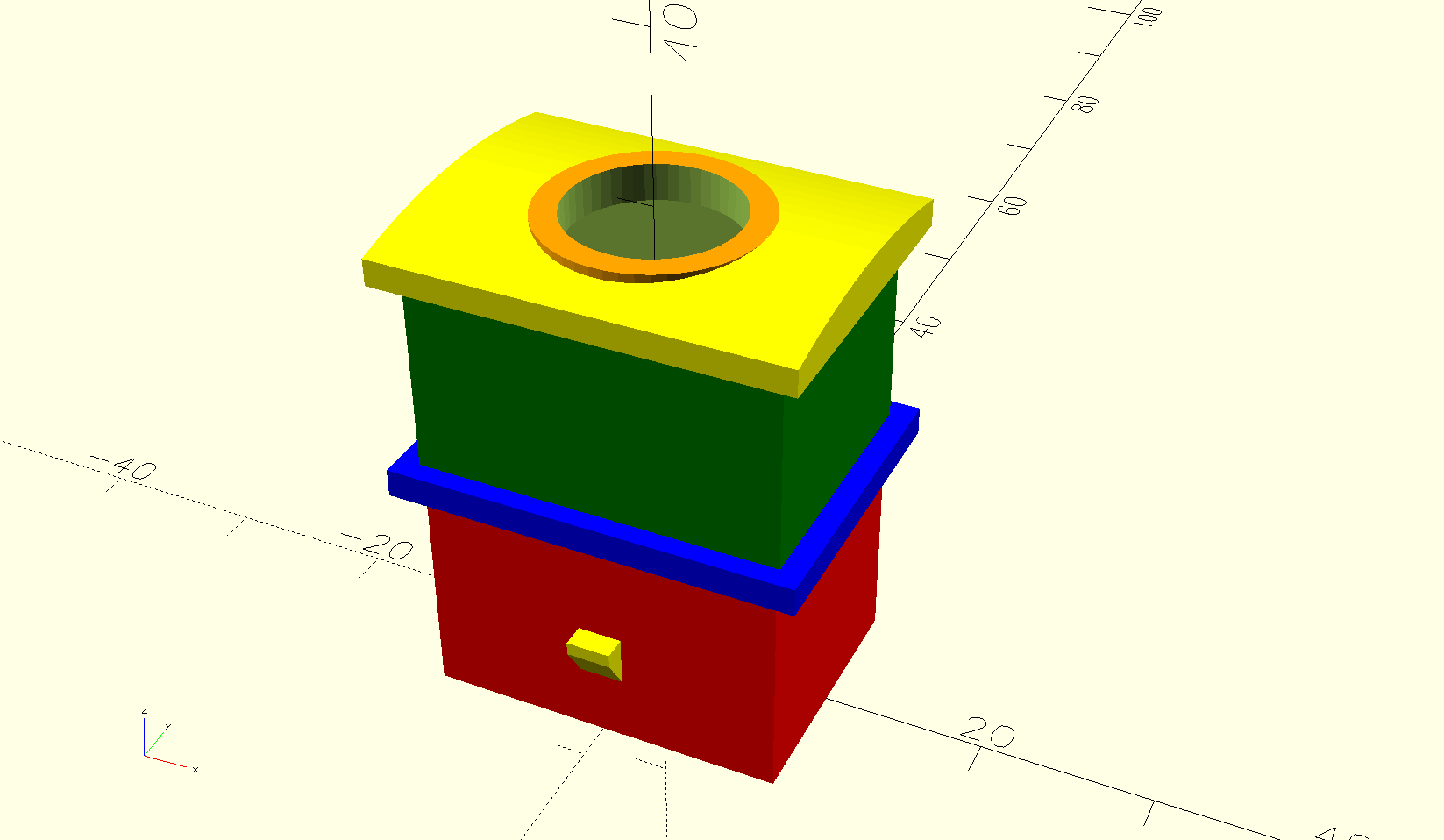
The internal cavity of the part is about 12mm in the shorter dimension. I decided that a momentary switch with a mounting hole of 10mm was about as big as I could go. Even at that, there is not enough room in the cavity to apply the nut to hold the switch in place. More about that below. Here's an image of the final rendered model with the hole created for the switch (surrounded by 13mm flat ring).
![]()
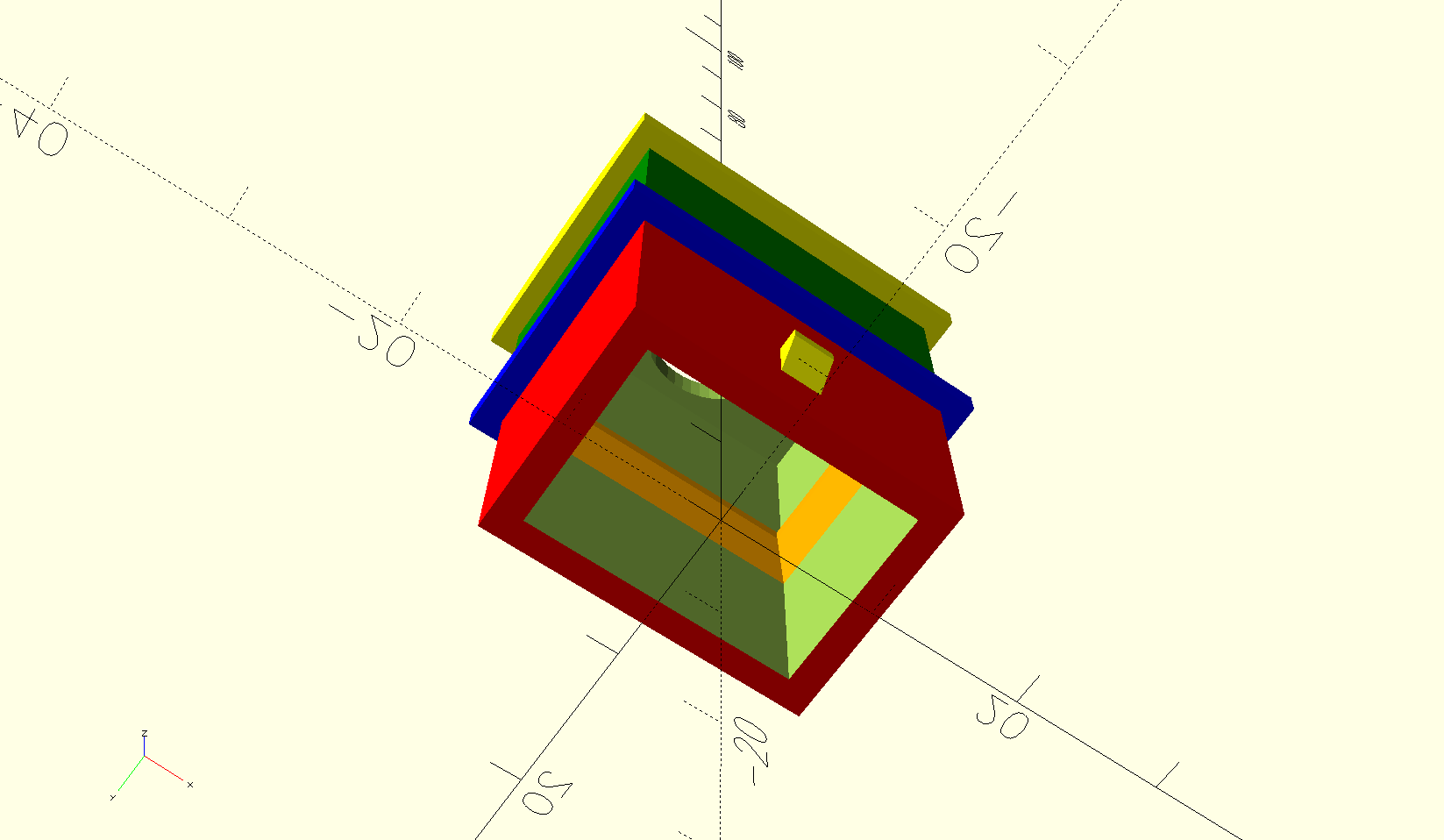
My plan was to use hot-melt glue (the 3D modeler's duct tape) to hold the switch in place. To give it some extra grip, I modeled some ledges inside the cavity. You can see them in orange in this view.
![]()
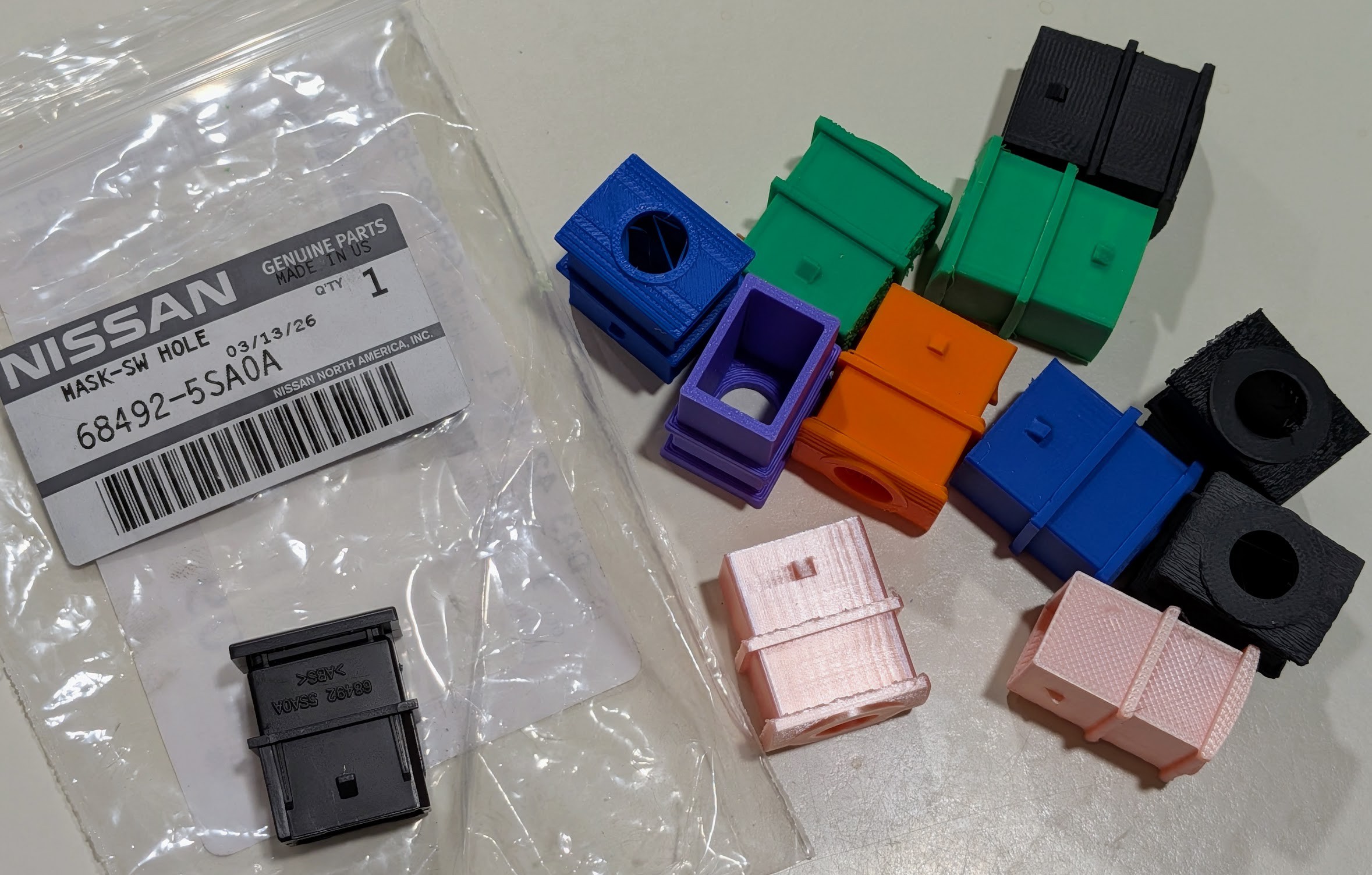
As with most 3D model designs, I knew I would have to iterate with test prints. That's to help dial in the dimensions and also to experiment with different techniques for getting the best surface finish on the visible head of the part. If you are interested, you can read about that via the 3D model links mentioned above. For your amusement, here is a team photo of my little menagerie of test prints. Each was printed with whatever filament was handy at that moment.
![]()
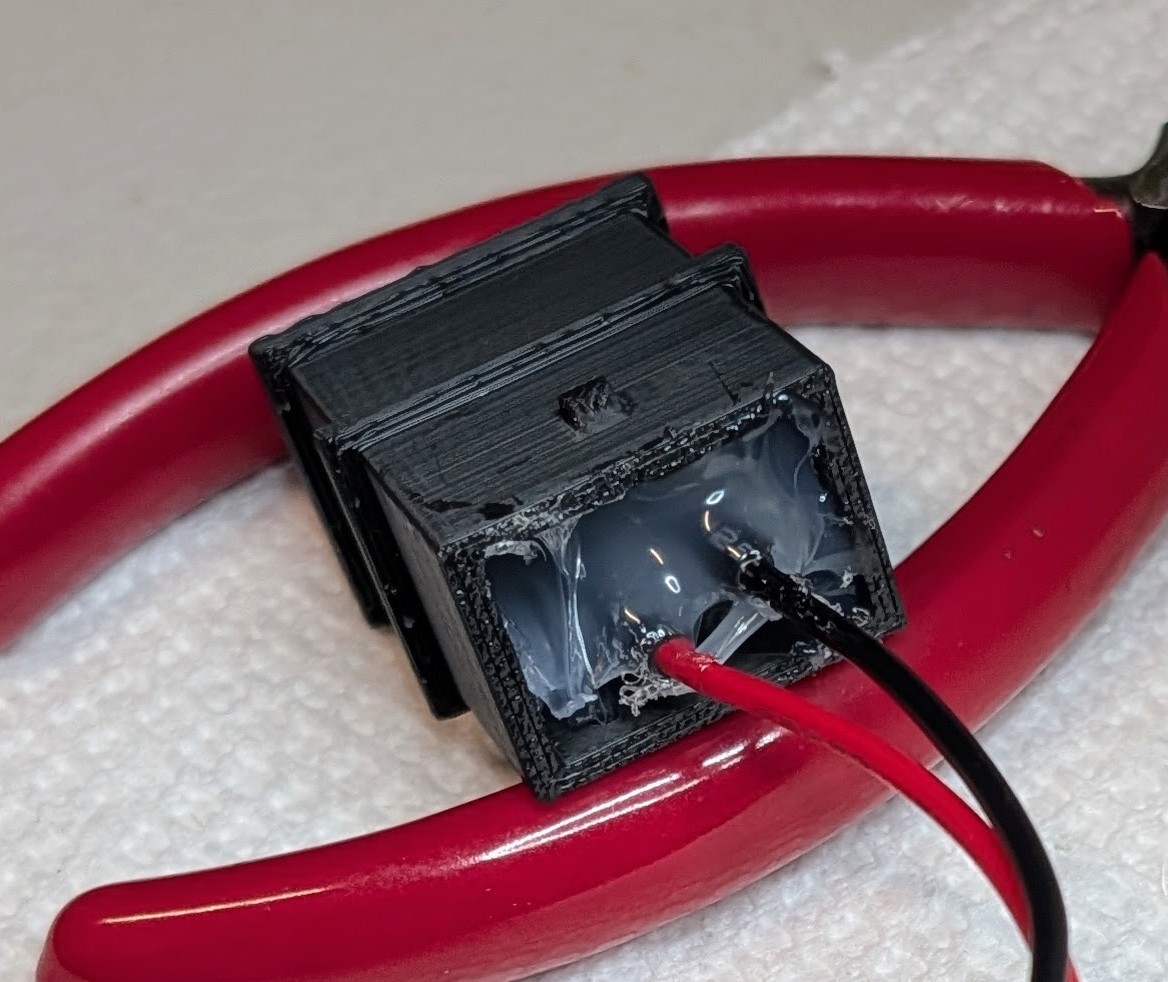
The Nissan part was injection molded with ABS plastic. My final print was done with black Sunlu PC-ABS filament. Here's a picture of it with the switch inserted and the hot-melt glue applied.
![]()
Ugly but serviceable.
-
Dash it all
09/25/2026 at 22:25 • 0 commentsMy self-imposed requirements boiled down to something like this:
- I want to use all or part of the existing remote
- I want it to be powered by the car instead of a battery
- I wanted it to be mounted in a convenient location
- I wanted it to not look like a mad bomber's pile of wires and other nonsense
- I wanted it to be reversible for that day I eventually sell the car
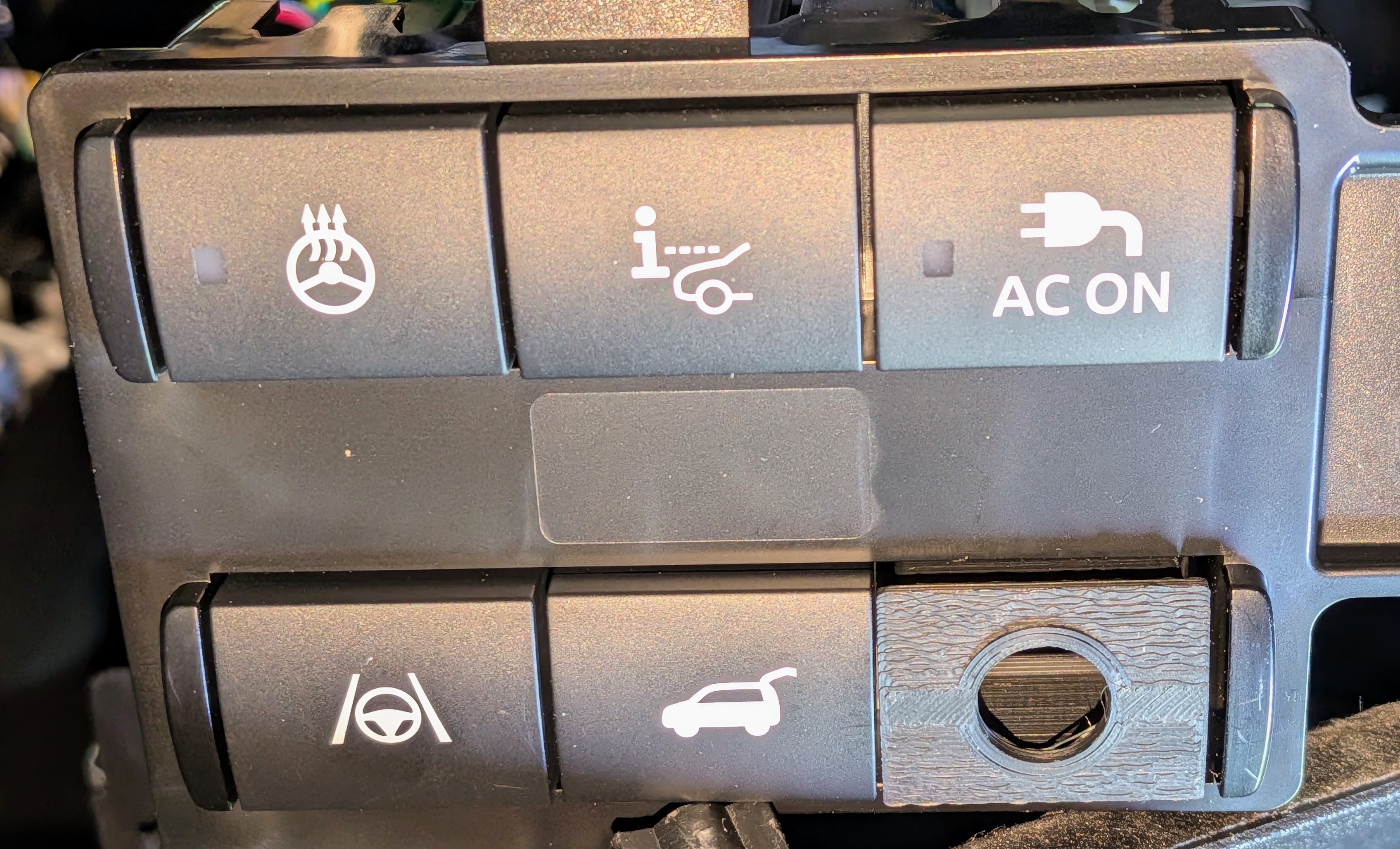
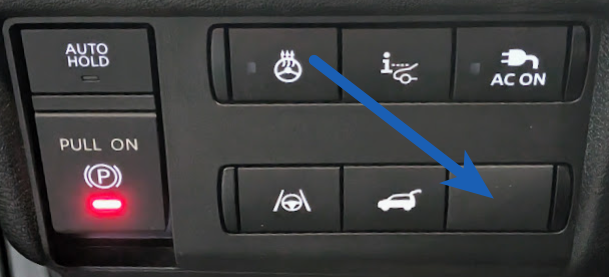
My car is the "Platinum" trim level of the Nissan LEAF, so a lot of things are present as factory features. Even so, there is a blank switch position available:
![]()
I figured I could put a momentary switch in that position, hide the remote circuitry inside the dashboard, and power the remote from wiring I'd find inside the dash.
Based on general knowledge, I assumed I could push that blank button out from the other side of the dash. I'd like to replace it with something that looks just like it but which is a momentary, normally open switch. Because the car model is so new, parts information is sketchy. There might be such a part, but I couldn't find it, and neither could the Nissan dealer parts department that I asked. A couple of the populated switches are momentary and might do the job, modulo the wrong icon on them. Even those where hard to track down. The ones I was able to find were listed at US$50-75, and the parts person was not completely sure it was the right part for my model.
I could pop out the existing blank and drill a hole in it to mount the switch, but I was a little leery of that. What if I messed it up and wrecked the blank? What if I wanted to undo it when selling the car? It seemed smart to get another switch blank. It was another adventure to find that part number. I eventually found something that might be right and was cheap enough to take a chance: Nissan part 68492-5SA0A, "MASK-SW HOLE". (Spoiler: It turned out to be the right part, even though they explicitly say it does not fit my vehicle. It took about a month to arrive.)
-
Rolling, rolling, rolling....
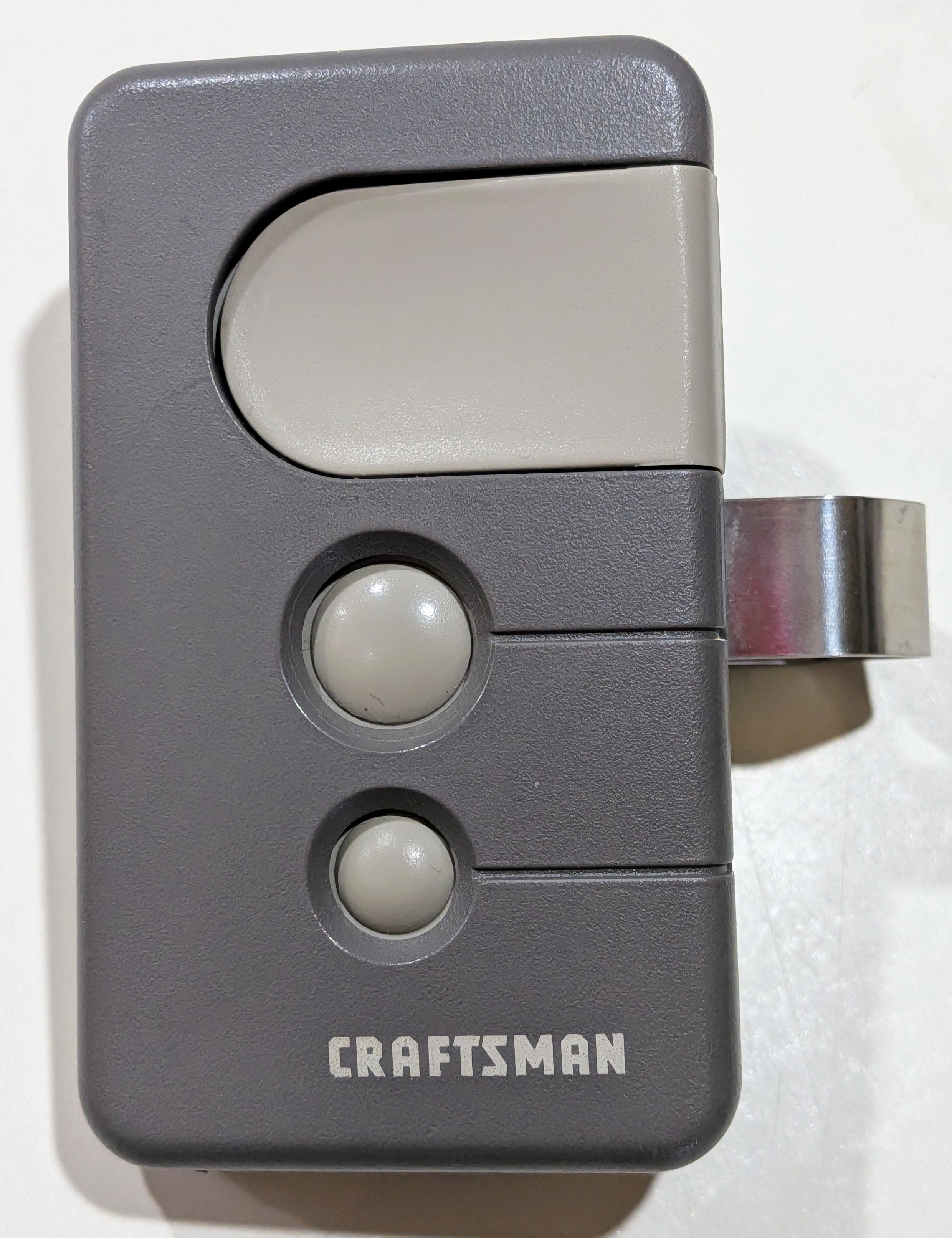
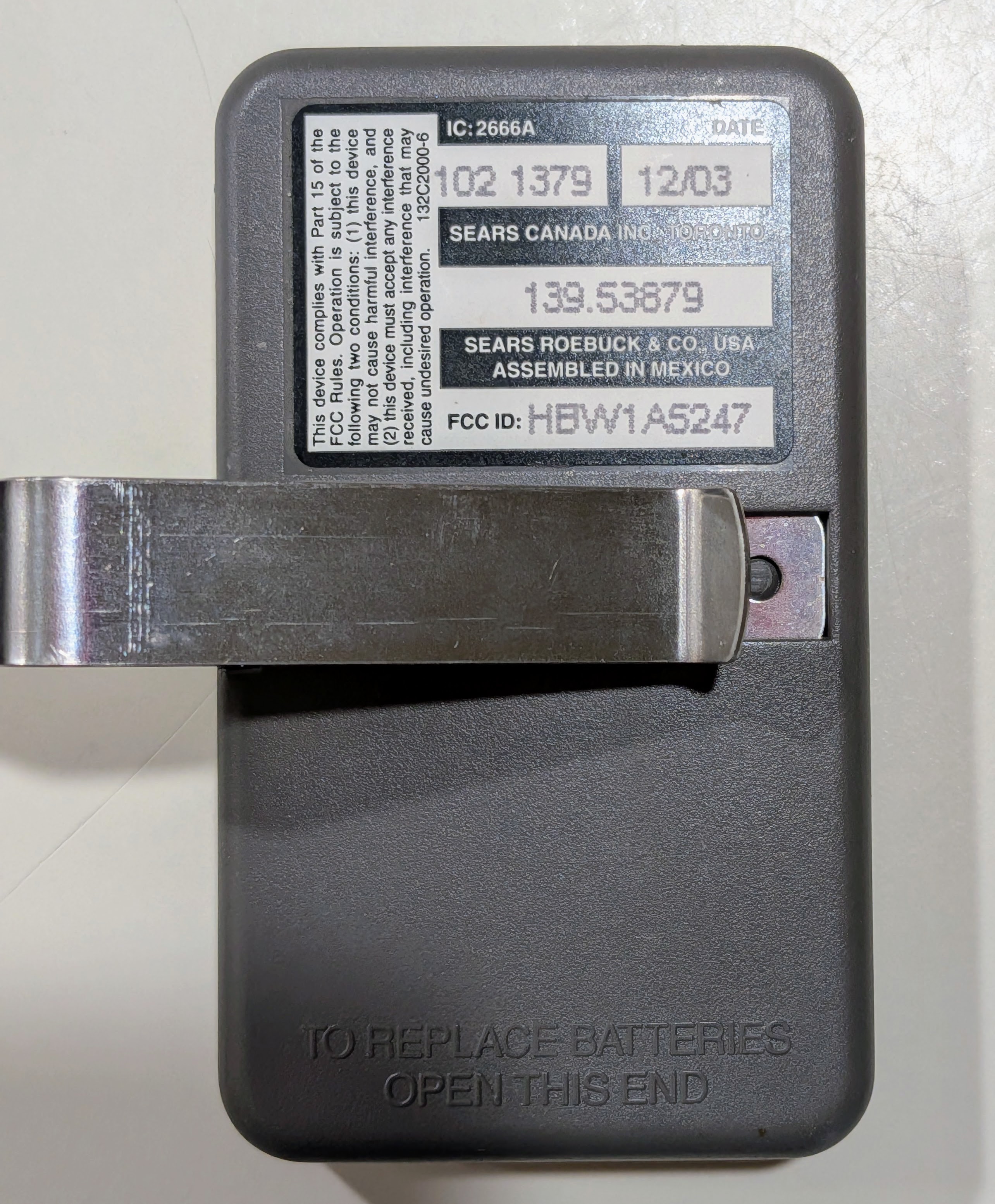
09/25/2026 at 21:38 • 0 commentsThere's some chance you've already seen this kind of remote at least once. My garage door openers are branded Craftsman (a Sears brand), but I believe they were actually manufactured by Chamberlain or at least licensed from them. The date code on the back of the remote is "12/03", and that's probably about the right timeframe for when the openers were installed.
![]()
![]()
If you are interested, you can find some details about this remote by looking up the FCC ID. Although it was manufactured in 2003, the FCC certification was done in 1998. So, it's been around for a while. The Sears model number for the remote is 139.53879. It's pretty easy to find user documentation for this remote or even to buy one today. A lot is known about this sort of remote because the security protocols, marketed as SECURITY+, were described in a patent. Although that specific patent has expired and the original SECURITY+ stuff has moved to a new generation, I haven't chased down whether there are any active patents for the first generation technology. An industrious person has done a Python software implementation of both generations.
For a while, I toyed with the idea of implementing a SECURITY+ v1.0 remote with a microprocessor. I have a pile of ESP8266/ESP32 variants in my cupboard looking for a use case. For the radio signals, I figured they must be using an ISM band frequency, and I do have some microprocessor-compatible 433mHz radio components. Alas, these remotes operate on 390mHz frequency. Maybe I could do something with software-defined radio, but I don't have any SDR transmitters. It was all starting to sound a bit complicated.
The conventional wisdom is to just tear an off-the-shelf remote apart and use its circuit board as the guts of the solution, and that is where I turned.
-
The Day 1 Problem
09/25/2026 at 20:43 • 0 commentsThe day I drove this car home from the dealer, I had to get out and open my garage door manually. I thought I'd better hurry and read the user manual to find out which of the many physical and touch-screen buttons I needed to pair with my garage door opener.
Imagine my surprise at finding out that there was no such button, at least in the common understanding of what I was looking for. Nissan's idea was that I should subscribe to a cloud-based paid MyQ service. Sure, there was a free trial period, but come on! Nobody wants that. (Not actually true that nobody wants that. But I don't.) There is another option to change out the rear-view mirror, but it costs at least US$200, so it's also not a great option.
I guess that I should add that I already have a cloud-based non-subscription service by which I can operate my garage door from my mobile phone. It's integrated into my home automation system. We don't routinely use that to open or close the door. We only use it to monitor the open/closed status of the door and automatically close it if it's been open too long. I plan to replace that system with a completely local system when I get around to it (I already have the components). Even then, I don't want to have to fool around with my phone just to open the garage door as I drive up to the house.
To deal with the short term situation, I went on a scavenger hunt to find one of the handheld remotes for our garage door opener, which we hadn't used for 10-15 years (because, you know, cars have those things built in these days). I found two of them. Both had dead batteries, but both worked with both garage doors after I changed the batteries.
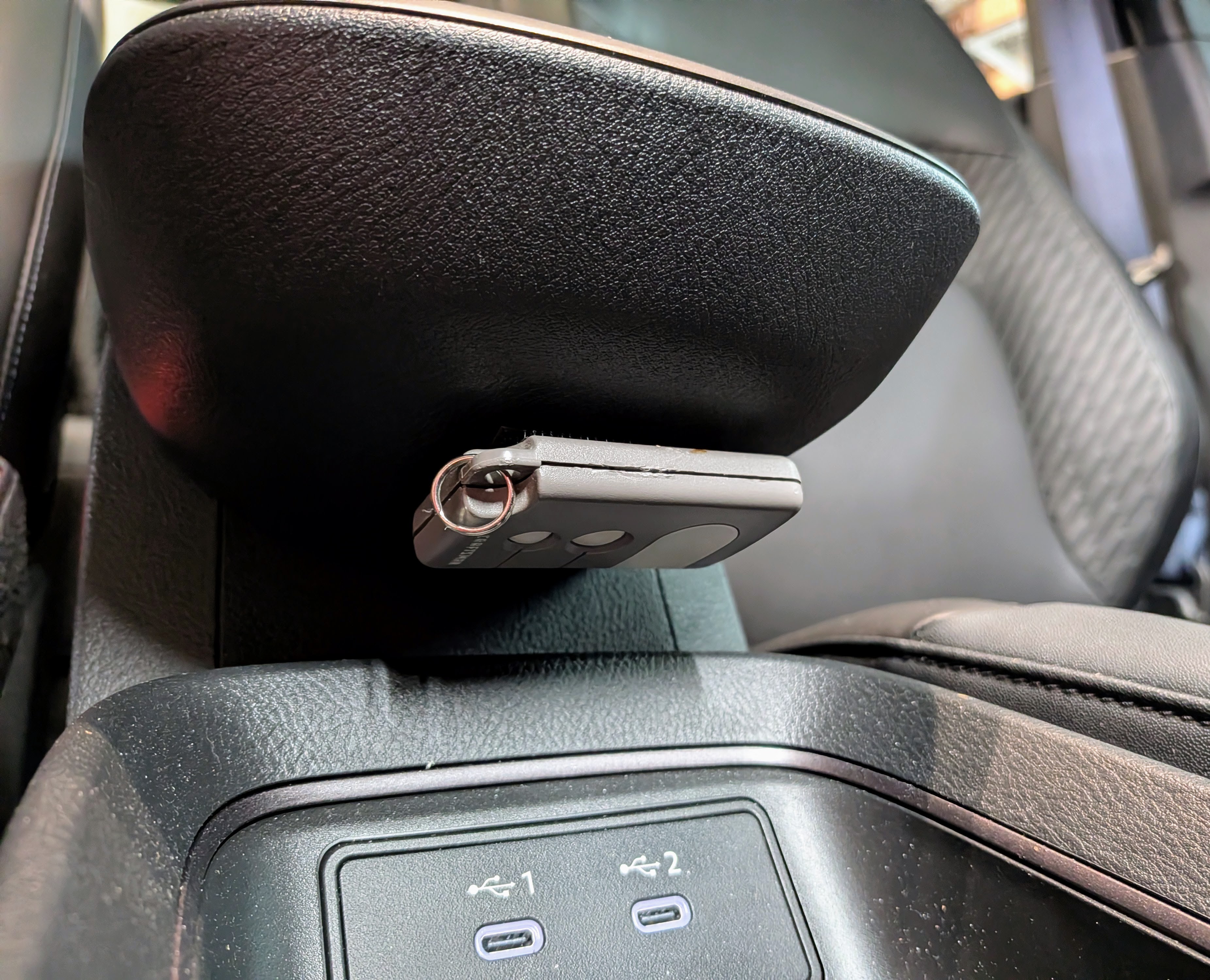
I don't care for the look of a remote clipped to the visor, so I used velcro to mount one under my car's center armrest console. It's completely out of sight, but it's easy to find by feel when you need it.
![]()
The down side to this is the need to occasionally change the battery. You probably think that's every couple of years. However, I once bought a boatload of the cheapest coin cell batteries I could find, and they only last a couple months in this remote. How could I provide better power to remote? (I mean, besides buying a better battery. That's crazy talk.) I thought about some kind of plugin to those USB ports just below it, but I didn't really want dangling wires there along with potentially a buck converter to drop 5v to 3v.
I started daydreaming about how to implement a remote in a tidy fashion and operating off the car's power. Hmmm.
Open (garage) Sesame!
Putting a garage door opener inside the dash of my car.