 Jesse Farrell
-
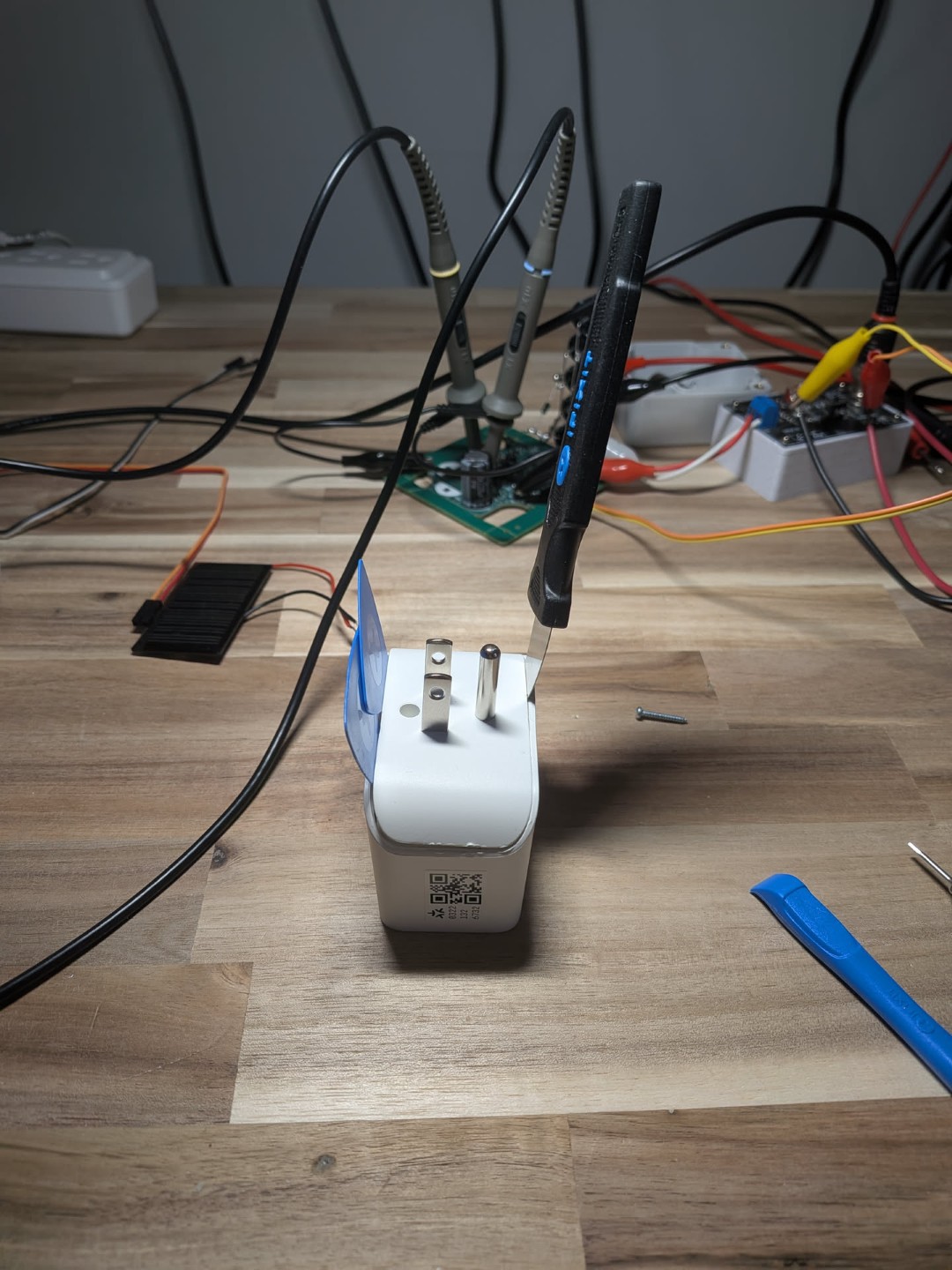
Tapo P110M - Accuracy
05/18/2026 at 17:23 • 0 commentsRefer to project page -> https://hackaday.io/project/205662-tapo-p110m-accuracy
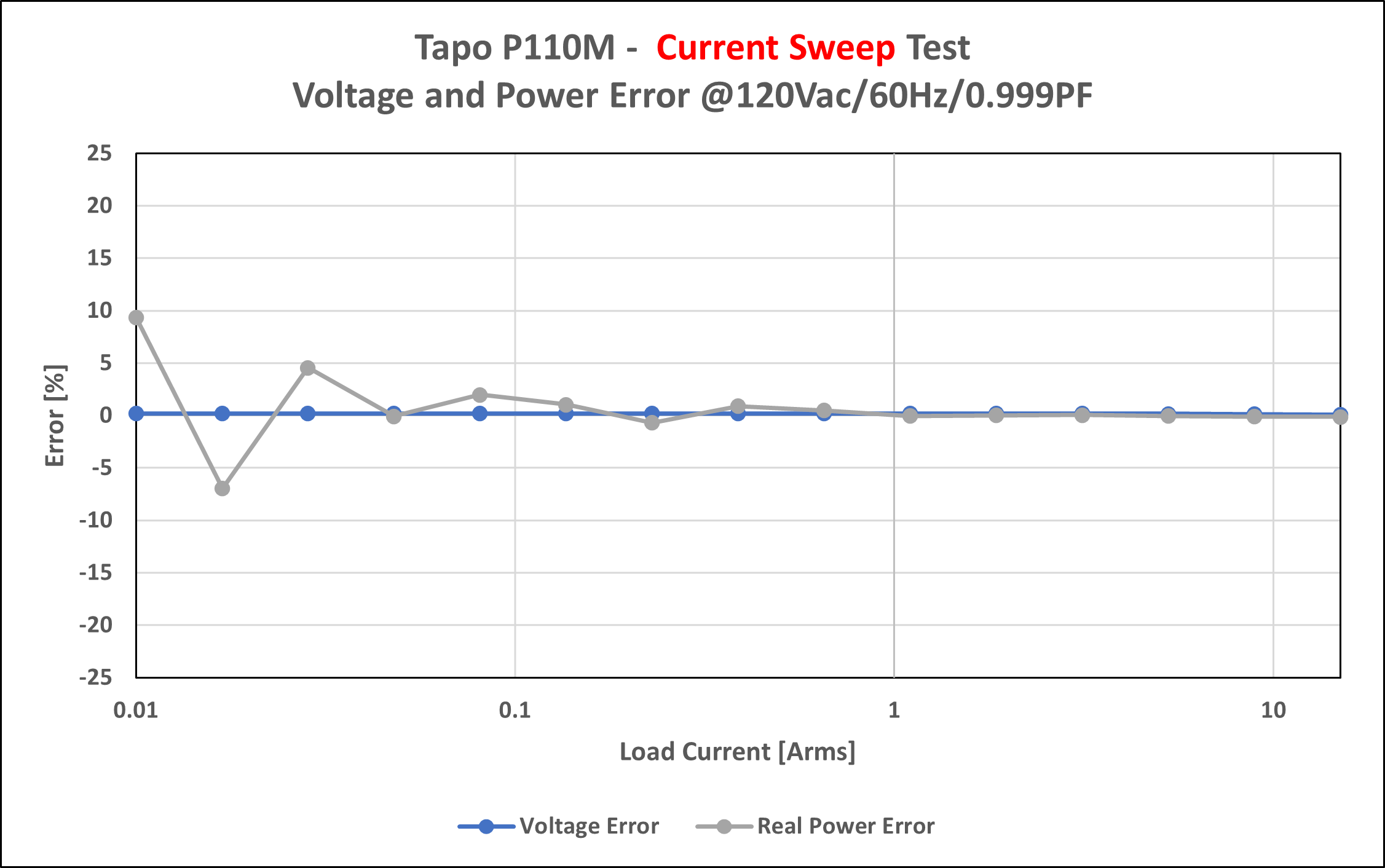
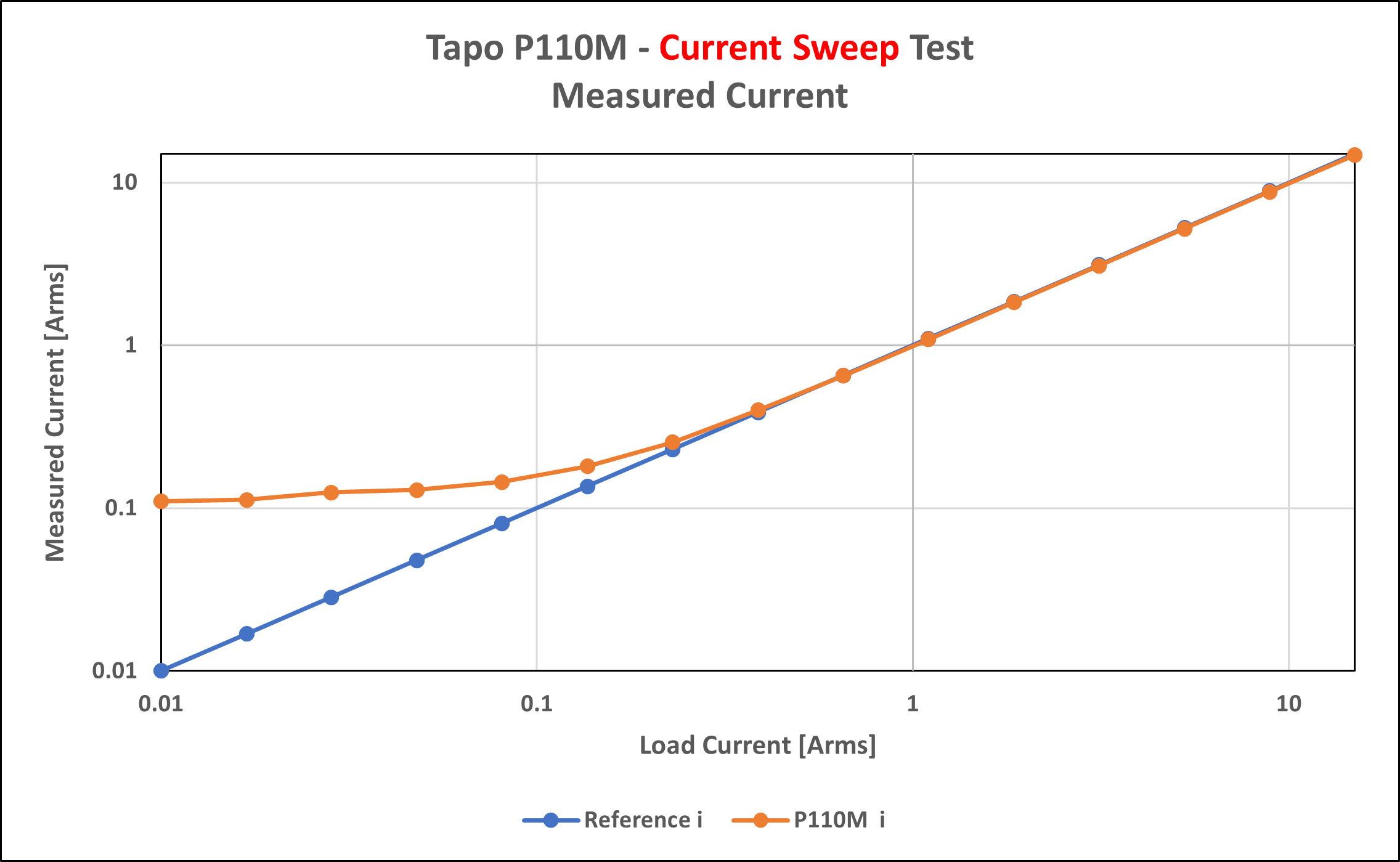
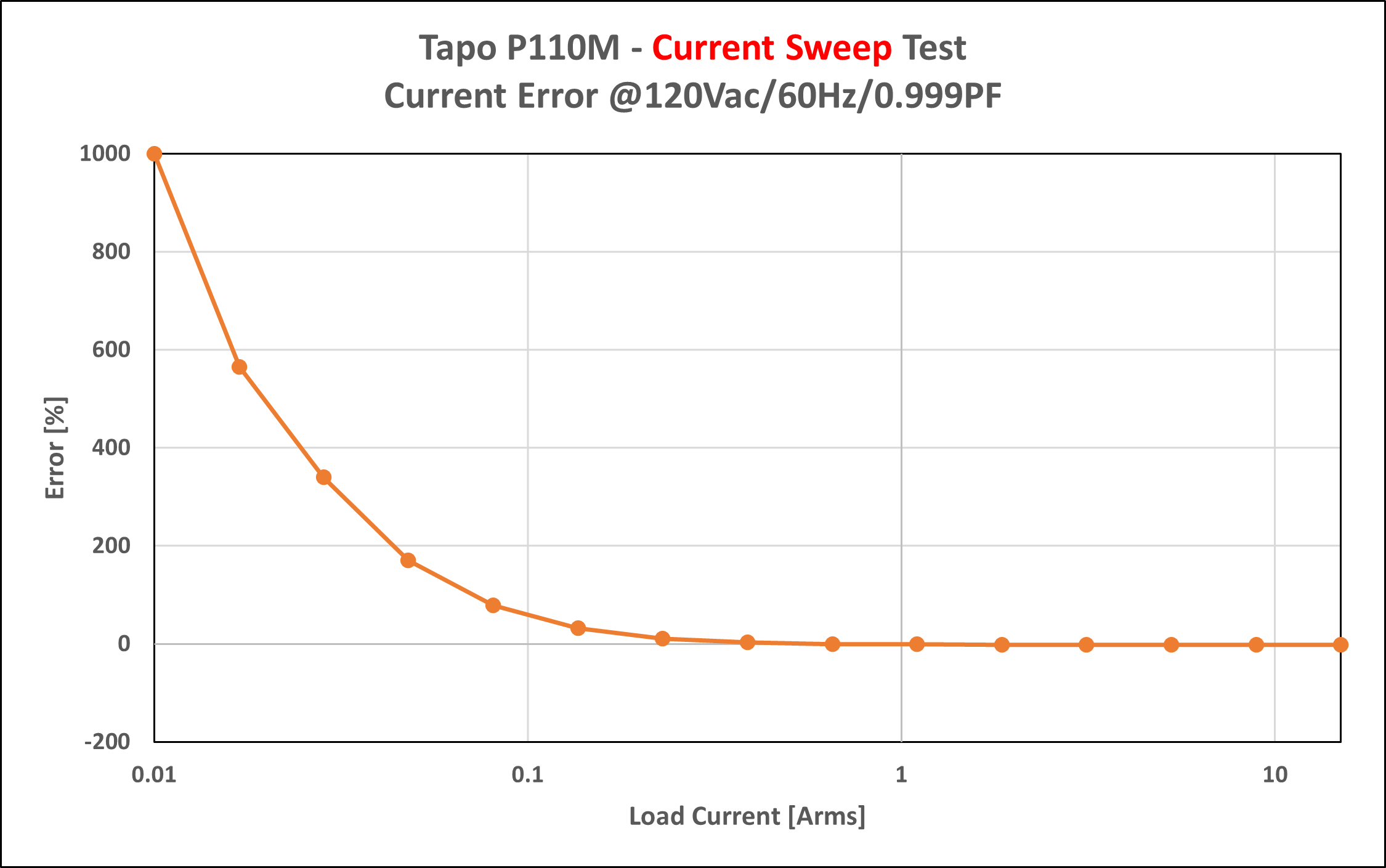
TLDR - Reported power and voltage are reasonably accurate. At low power current is inaccurate.
![]()
![]()
![]()
![]()
-
Topward TPS 4000 - PSU Repair
10/23/2025 at 19:56 • 0 commentsI recently saved a faulty PSU from the landfill, but I inherited a new project as a result. The device is a “Topward Electric Instruments Co., LTD / Model TPS-4000 / Dual-Tracking DC Power Supply”. This is an old and sturdy power supply with a surprising amount of weight behind it (or perhaps not surprising given its vintage).
Note – I’ve organized this post somewhat backwards: the key fault/solutions are shared first followed by the troubleshooting steps that led me to these findings.
Solution
- Burnt Parts – Generally need to be replaced but not necessarily “the” issue
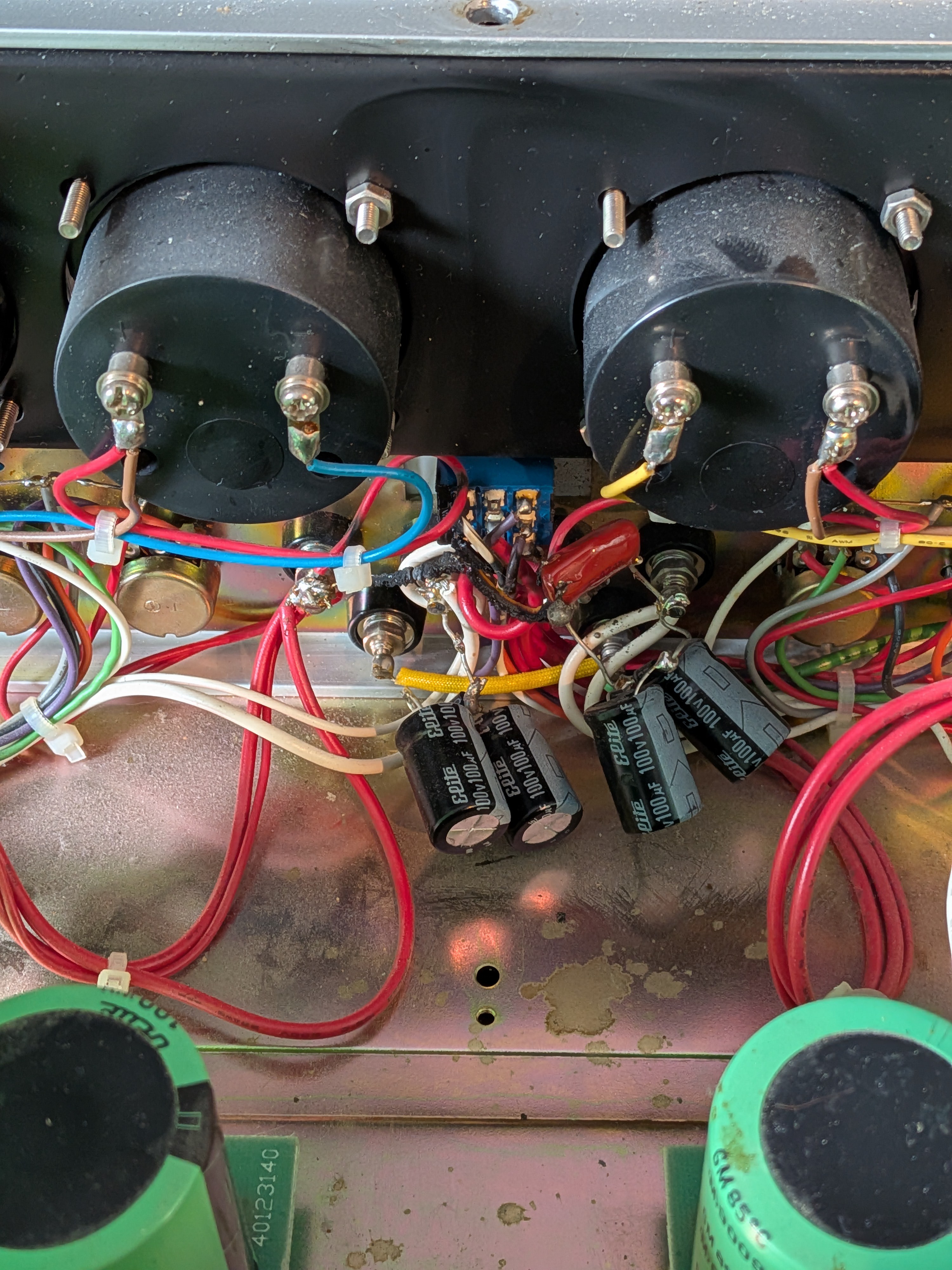
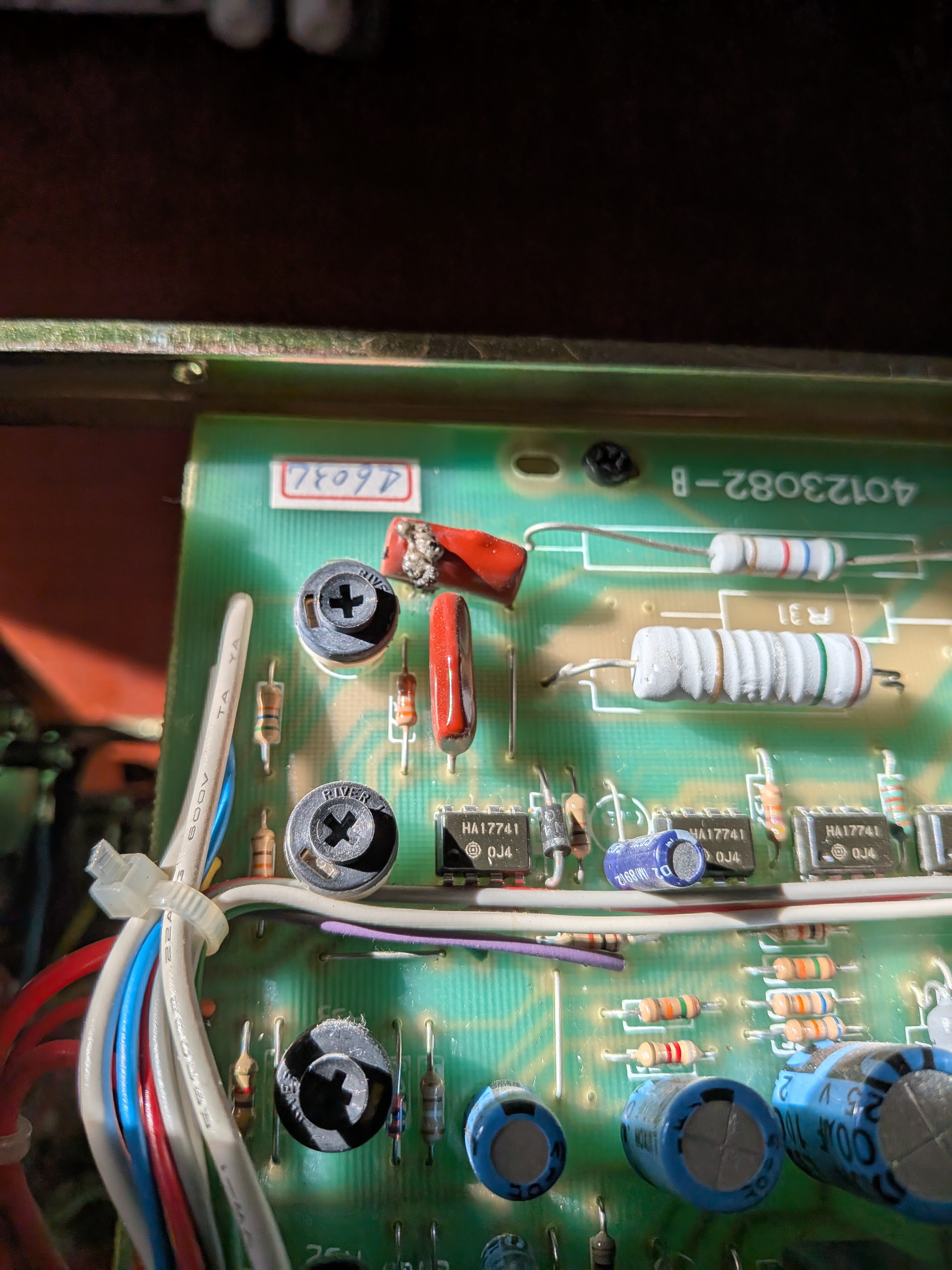
C10 – 0.22 µF 250 V Mylar Capacitor, that connects master negative to chassis GND. C23 – 0.47 µF 250 V Mylar Capacitor, which might be playing a dual role to suppress transients seen by U03 while simultaneously slowing the response of the tracking mode configuration. R40 ×2 – 10 kΩ Metal Film 0.25 %, used as a resistor divider for U03 when in tracking mode.
- Scratchy Potentiometers – Replace R08 & R12
Both CC/CV potentiometers are in varying states of decay causing sporadic changes in their resistance. I had some success cleaning with isopropyl alcohol, but decided to swap them out entirely in the end. I grabbed some footage of the “scratchiness” – take a look below.
- Faulty U02, 741 Op-amp – Replace Faulty Component
This still has to be tested/validated. The inverting input seems to be drawing ~3× more current than its rated maximum input bias current. As a result it’s dragging the voltage at the input low with respect to the non-inverting input.
Pending Work
- Test U02 fault op-amp theory - DONE
- Replace C10/C23/R40/R08/R12 - DONE
- Calibrate PSU - DONE
Troubleshooting
The TPS-4000 “Slave” channel is faulty. The symptoms of this fault are as follows:
- Sporadic voltage jumps, typically while adjusting CV / CC.
- Fast relay clicking typically during adjustments (changing voltage ranges).
- CC mode engaging intermittently (sometimes getting stuck – I didn’t actually notice this until later).
- Oddly, most of these issues disappeared in tracking mode.
Faulty PSU Before Repair – https://www.youtube.com/watch?v=vE3p9F3KMP0
The first and most obvious fault was a blown film capacitor and some burnt wire on the back of the front panel. I later found one more bad film cap on the “Master” channel, this time mounted to the PCB. After going through a visual inspection I checked that both channels of the PSU had all their rails present. I also verified some key transistors and diodes weren’t blown.
![]()
![]()
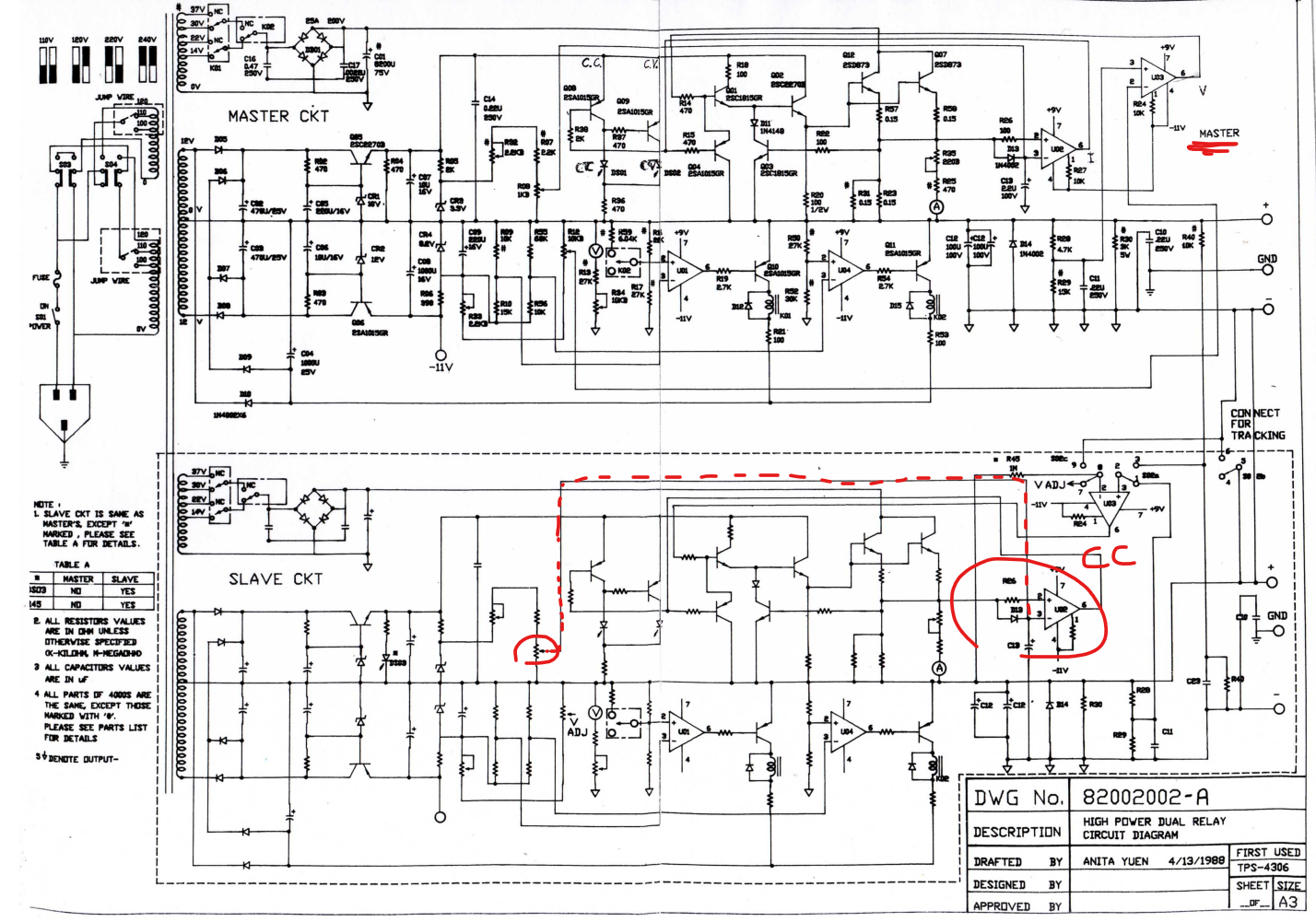
I started to go down a few rabbit holes to understand where each terminal of the rocker switch (which seemed to be the epicenter of the burn) connected to. Luckily, I managed to find some schematics online, saving myself having to reverse-engineer the circuit (maybe next time…). The schematics aren’t for my exact model but it seems close enough.
![]()
I’ve heard of scratchy potentiometers but I’ve never actually seen one during my repairs. I opened up the pot casing and cleaned it with isopropyl alcohol. The results speak for themselves.
Video before cleaning
Video after cleaning
Having repaired the scratchy potentiometer, the output was now MUCH more stable. Now the unit remained locked in current limiting mode, despite the lack of loading on the output.
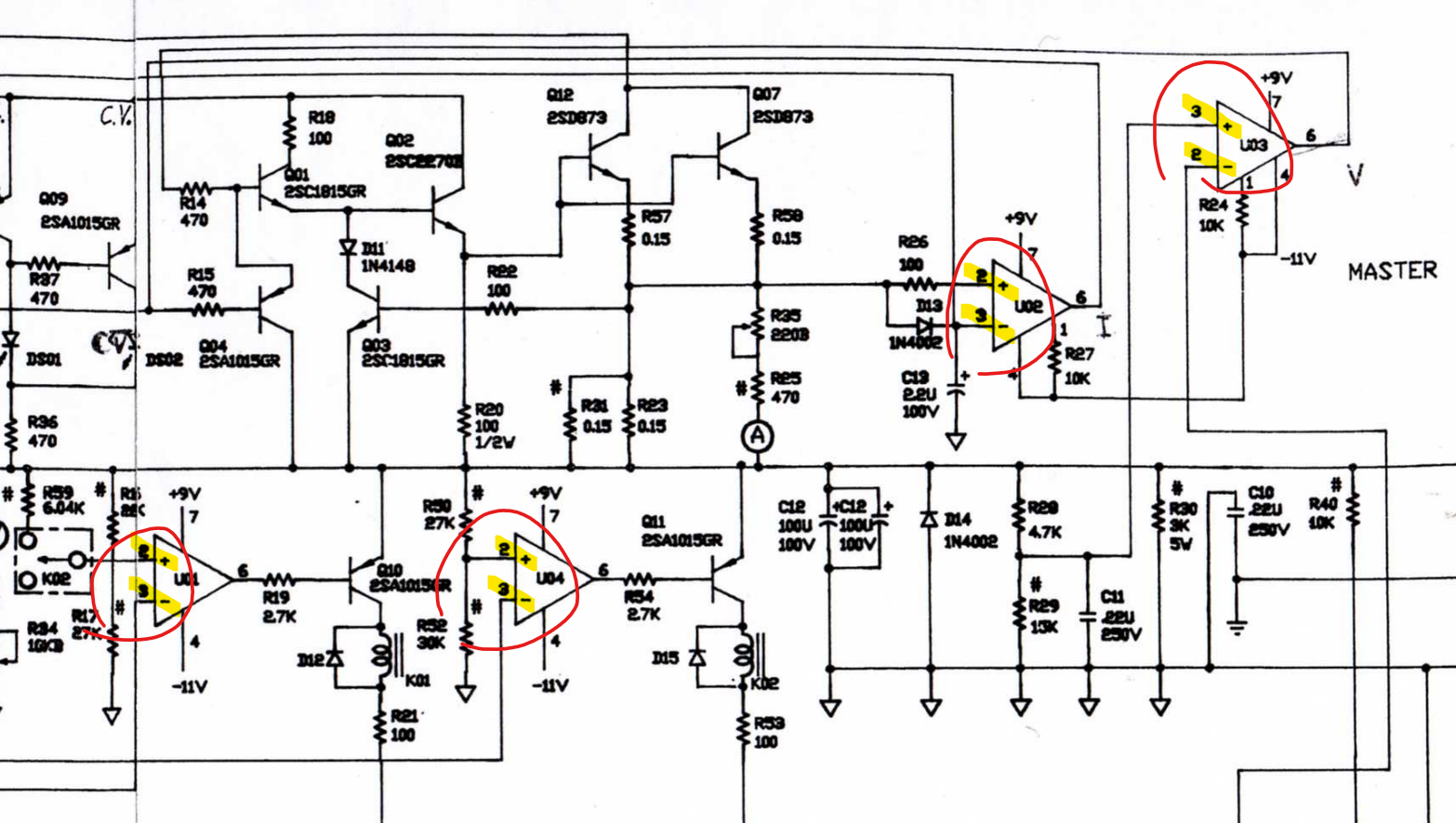
For a while I was convinced that U02 was COMPLETELY HOSED… But later found I was being misled by the schematic. All op-amps here are exactly the same 741-op-amp, but the schematic labels U03 differently from U01/U02/U04. The correct labeling has the inverting input as pin 2 followed by the non-inverting input on pin 3. This means all U01/U02/U04 are mislabeled. Knowing that I was probing the incorrect node subdued my U02 suspicion, but not for long…
![]()
Before I get to the new issues with U02, I’d like to take a short tangent to talk about the signal GND and referencing on this...
Read more » - Burnt Parts – Generally need to be replaced but not necessarily “the” issue
-
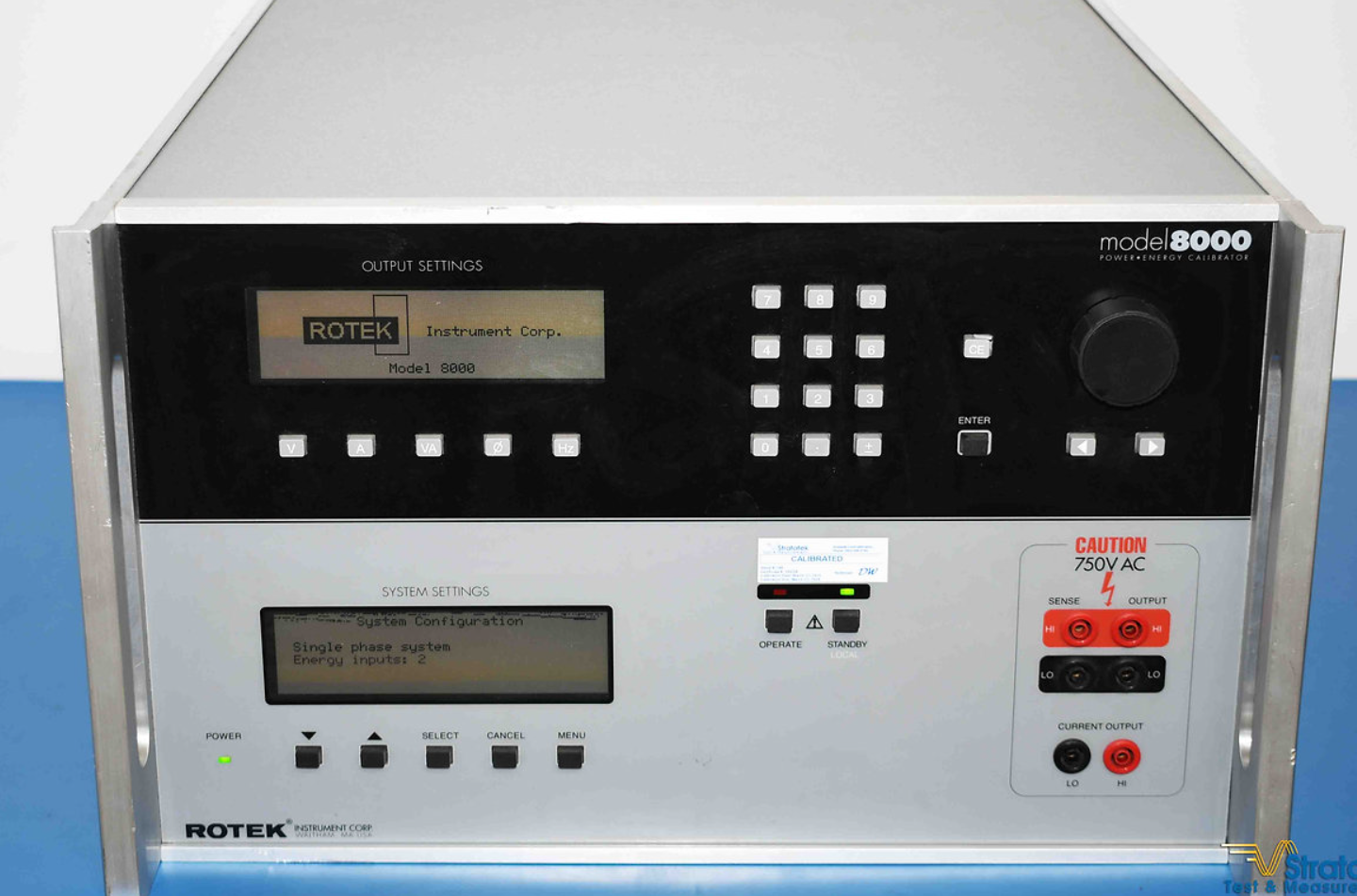
Rotek 8000 - Command List / Programming Manual
09/23/2025 at 03:26 • 0 commentsI had a terrible time trying to find the command list / programming manual for the Rotek 8000. I eventually managed to pull the information from some old LabVIEW VIs at work. I’m sharing them here in case someone finds themselves in the same predicament down the road.
- Output State
- OUTP? → Query output ON/OFF state
- OUTP ON / OUTP OFF → Turn outputs ON or OFF
- Current
- CURR1 1.23 → Set current on channel 1 to 1.23 A
- CURR1? → Query current setting for channel 1
- Current Phase
- CURR1:PHAS 1.0 → Set phase offset for current on channel 1
- CURR1:PHAS? → Query current phase setting
- Voltage
- VOLT1 120 → Set voltage on channel 1 to 120 V
- VOLT1? → Query voltage setting for channel 1
- Voltage Phase
- VOLT1:PHAS 0.0 → Set phase angle for voltage on channel 1
- VOLT1:PHAS? → Query voltage phase setting
- Frequency
- FREQ 60 → Set system frequency to 60 Hz
- FREQ? → Query system frequency
- Output Terminals
- ROUT1:TERM FRONT → Route channel 1 output to front terminals
- ROUT1:TERM REAR → Route channel 1 output to rear terminals
- ROUT1:TERM? → Query active terminal set for channel 1
Note – This list is not official and may be incomplete. I excluded the generic SCPI commands (IDN, RST, etc.) and only included the Rotek-specific ones I was able to confirm. If you discover additional commands or different behaviors, please share — it would be great to build a more complete reference for this instrument. Maybe someone has the original programming manual...?
![]()
- Output State

This user joined on 01/06/2022.
 Oscarv
 haas
haas Andy Geppert
 Thomas Flummer
 OK Design
 Dan Julio
 Michael
 gokux
gokux Nasser
 Jasper Sikken
 Nelectra
 Erik@EDrTech
 Makestreme
 Tim
Tim bru3s
bru3s photondreams
 Marco Tabini
 tobychui