 danjovic
-
Garbage Collector (1)
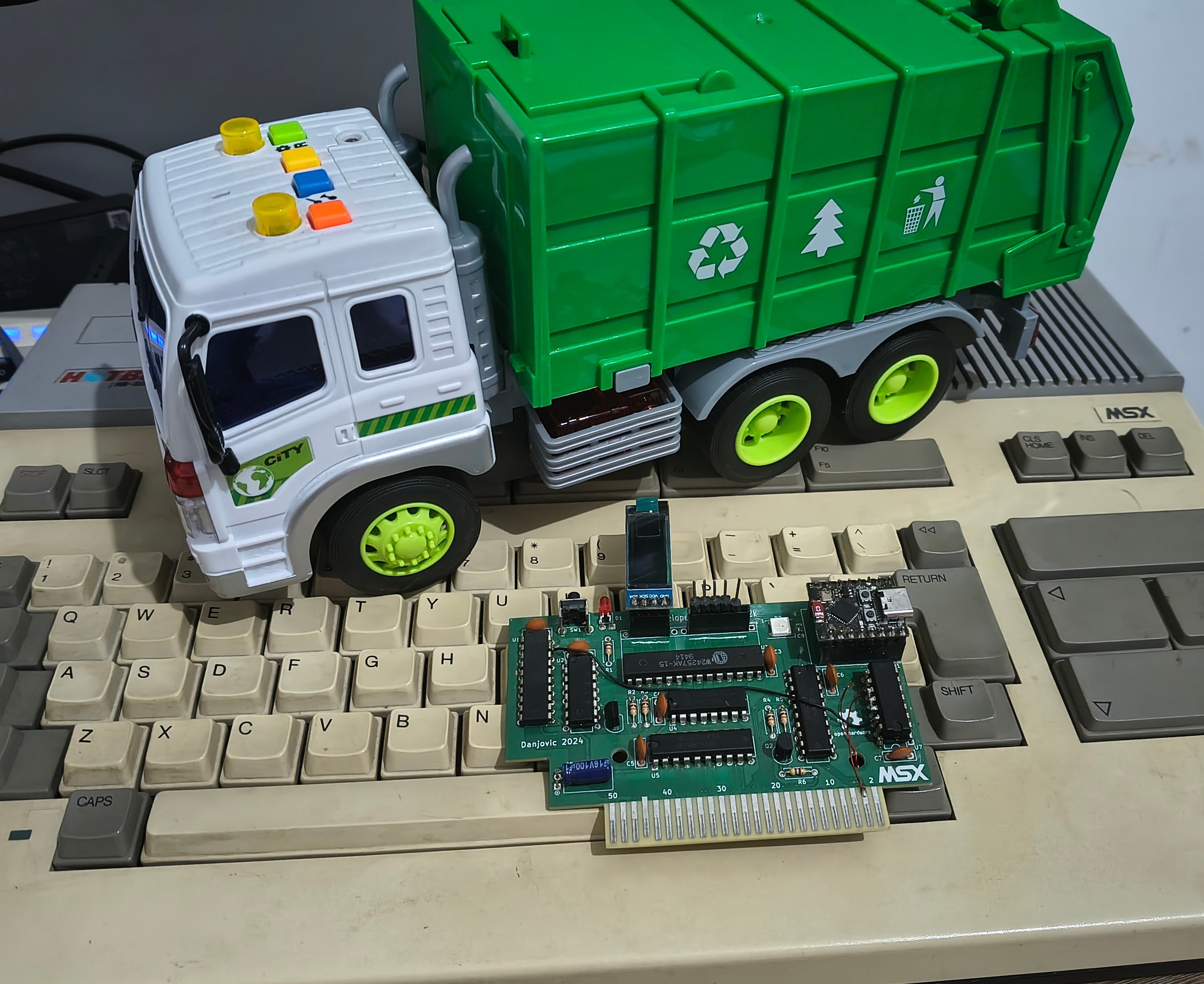
09/28/2026 at 03:08 • 0 commentsCartridge-based EPROM emulator (32K) for MSX
![]()
This tool was created to facilitate cross-platform software development. Although the original design used an ESP32C3, it did not utilize wireless communication. I spent a great deal of time on this project before identifying a bug in the ESP32C3's USB-CDC mechanism that caused several bytes to be dropped. To this day, the manufacturer has not resolved this issue.
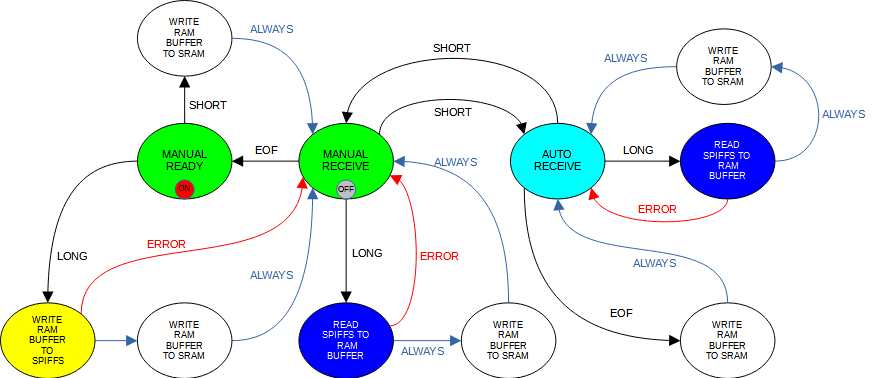
The original software worked very well—having been tested with an external USB-UART—and offered several features, such as storing the last uploaded ROM, which could also be used for auto-booting.
![]()
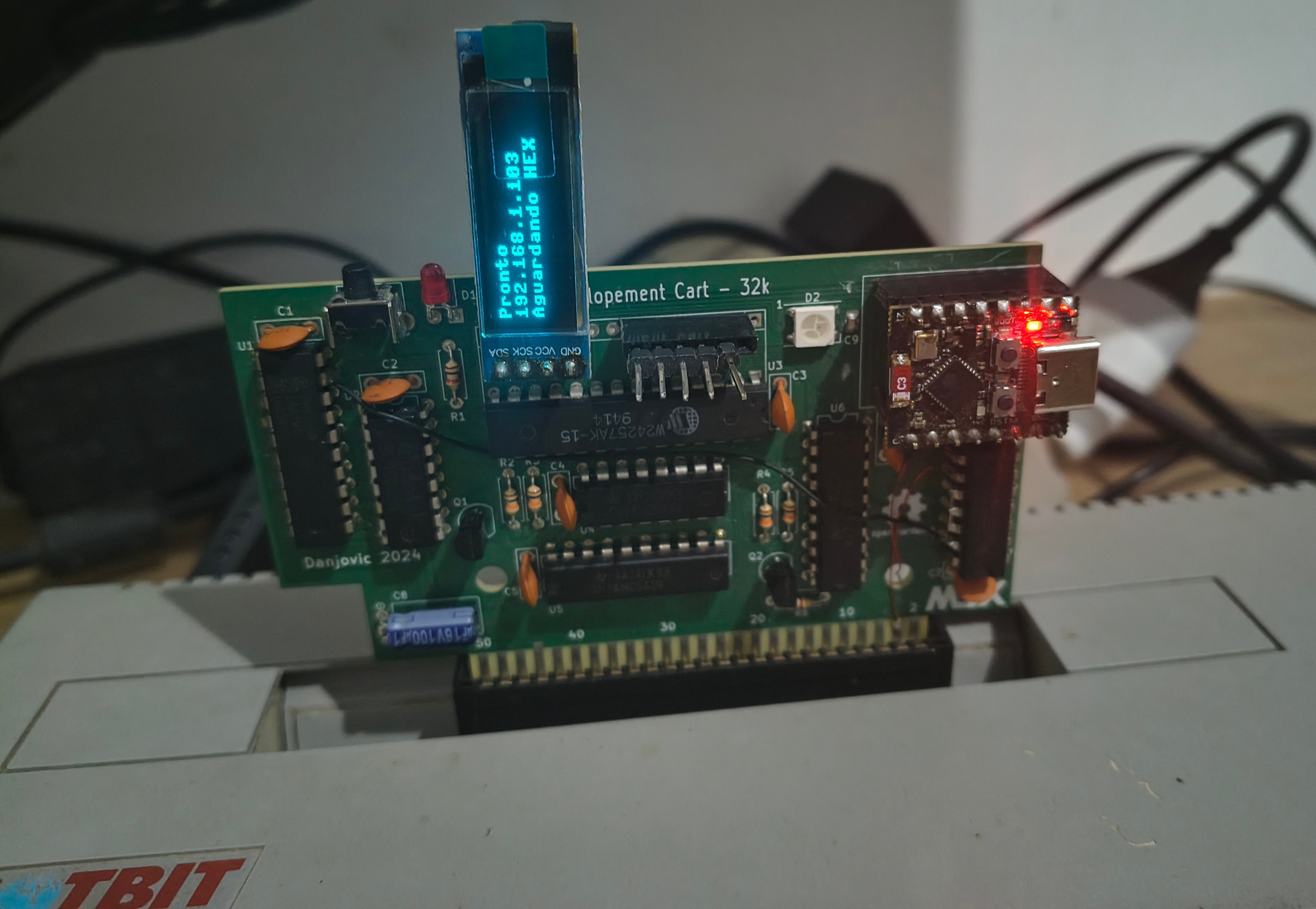
Before abandoning the project entirely, I got it working using MicroPython and a fair amount of "vibecoding." I optimized it as much as possible, but performance remains low, and I had to add a display to show the IP address that needs to be accessed.
![]()
Time to move on.
-
Case study for ESP-32_CoCo in a Patola PB-087 enclosure
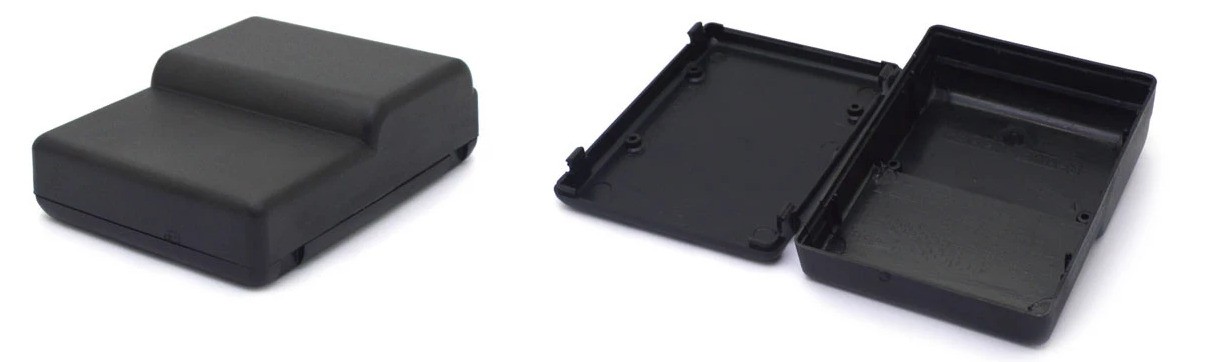
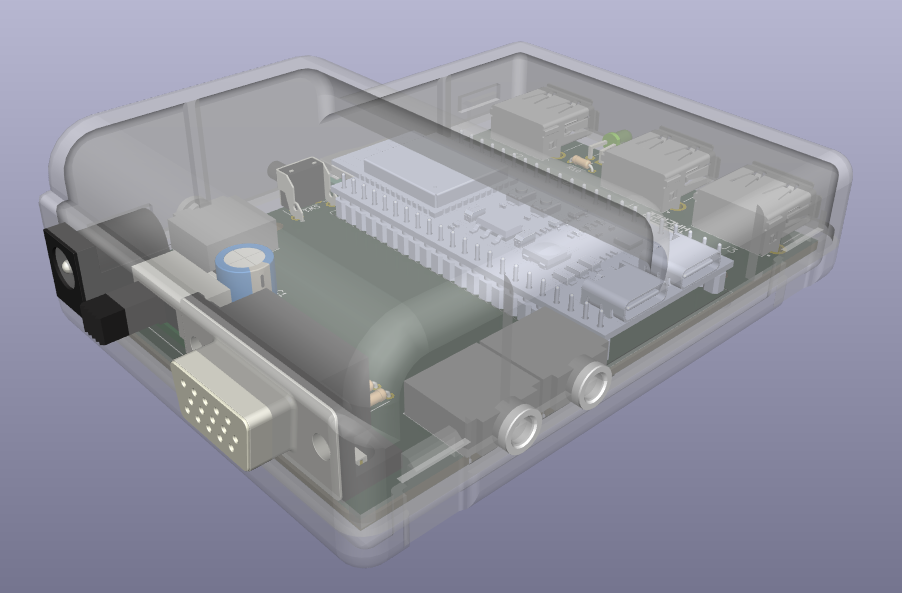
07/05/2026 at 23:56 • 0 commentsI got interested in the ESP32_CP400 project and did a study to see if a version using through-hole components would fit inside a Patola PB-087 enclosure, which measures 96 mm deep, 72 mm wide, and 30 mm high at its thickest part.
Here is the enclosure:
![]()
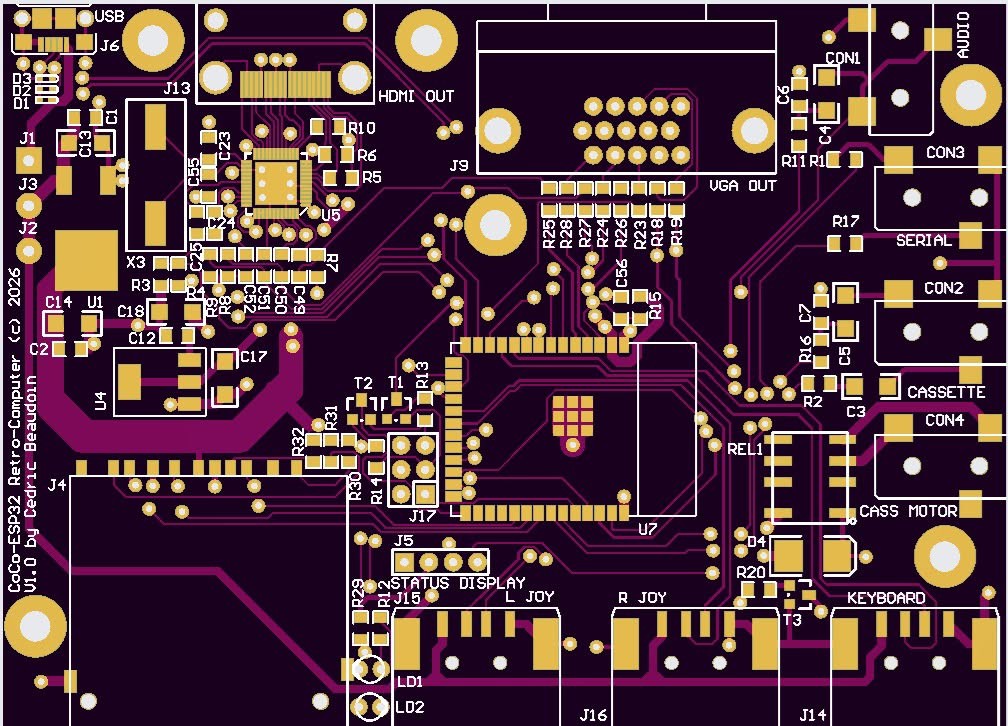
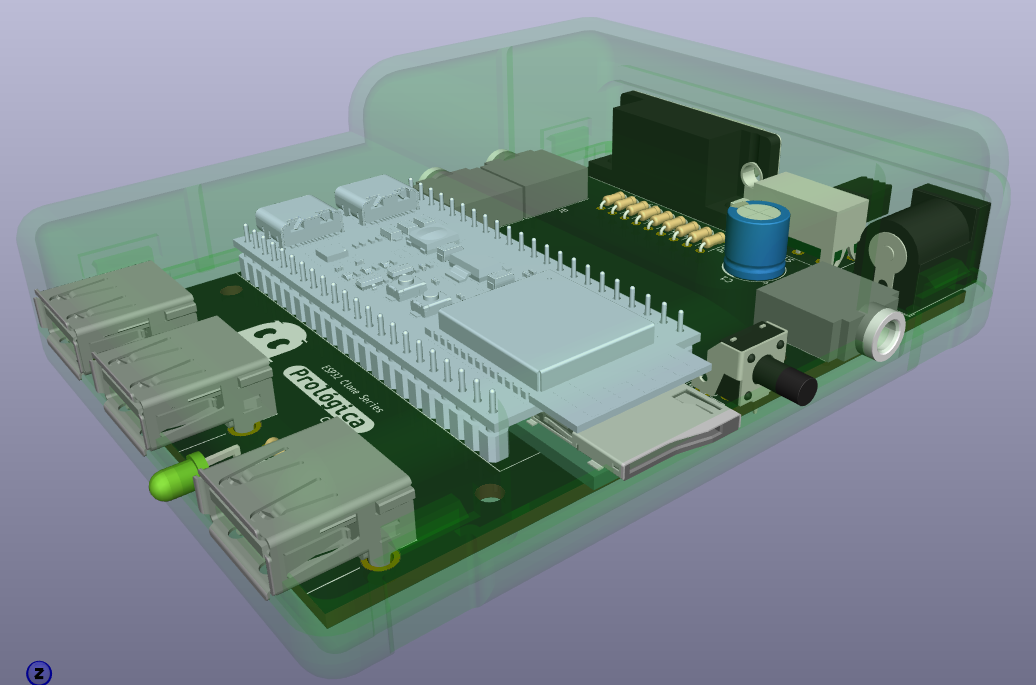
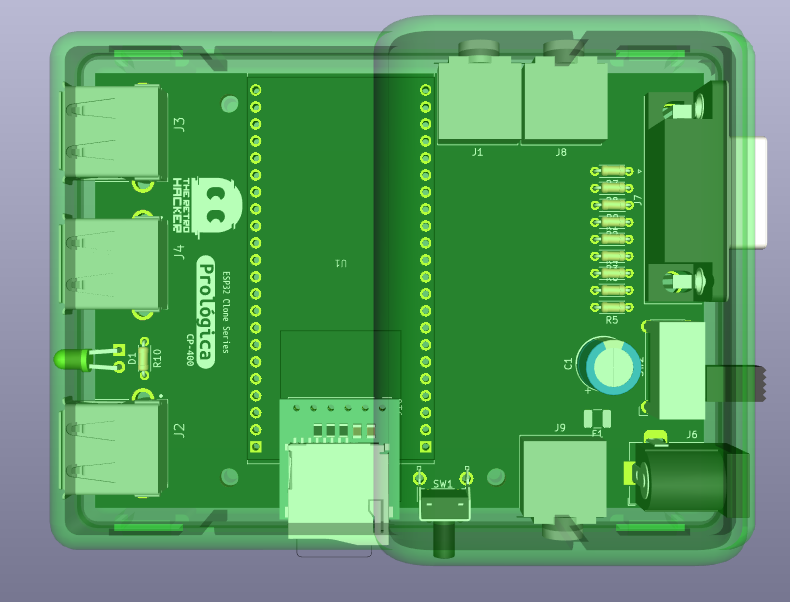
For this study, I followed the original project. Although it doesn't include the full schematic, it features board images showing a few more 3.5mm jacks: two for the cassette recorder, one for audio, and one for an RS232 interface. I managed to fit three jacks, but it should be possible to add a fourth one, either by changing the jack type or by removing the power switch to make room for the audio jack next to the VGA connector.
Original project board:
![]()
Case study:
![]()
![]()
![]()
-
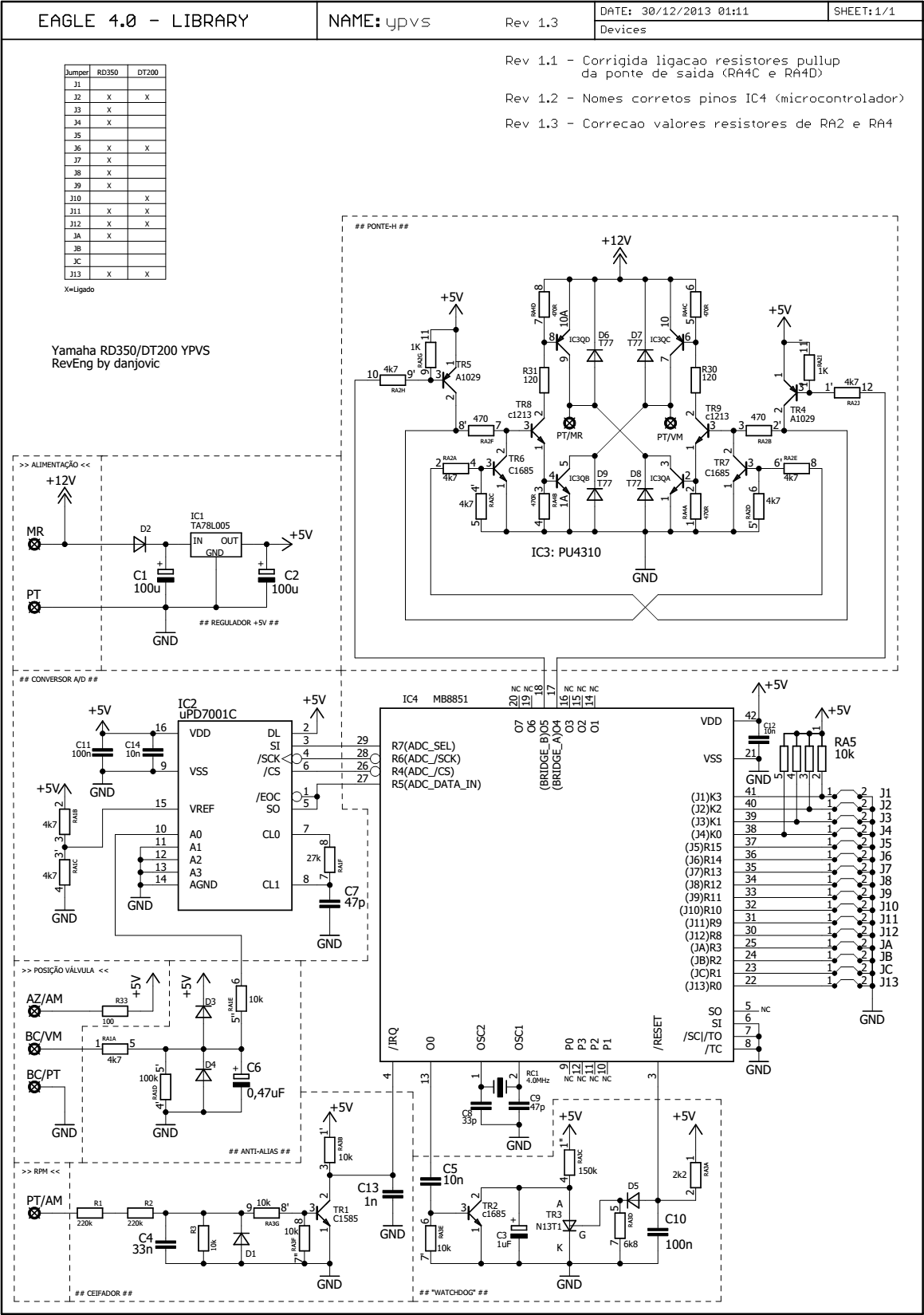
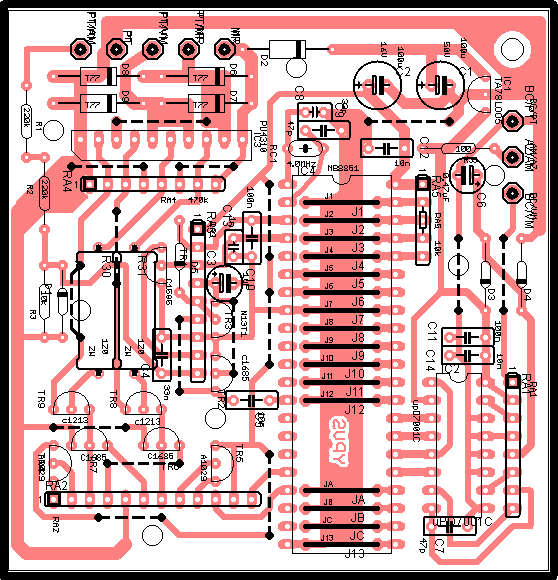
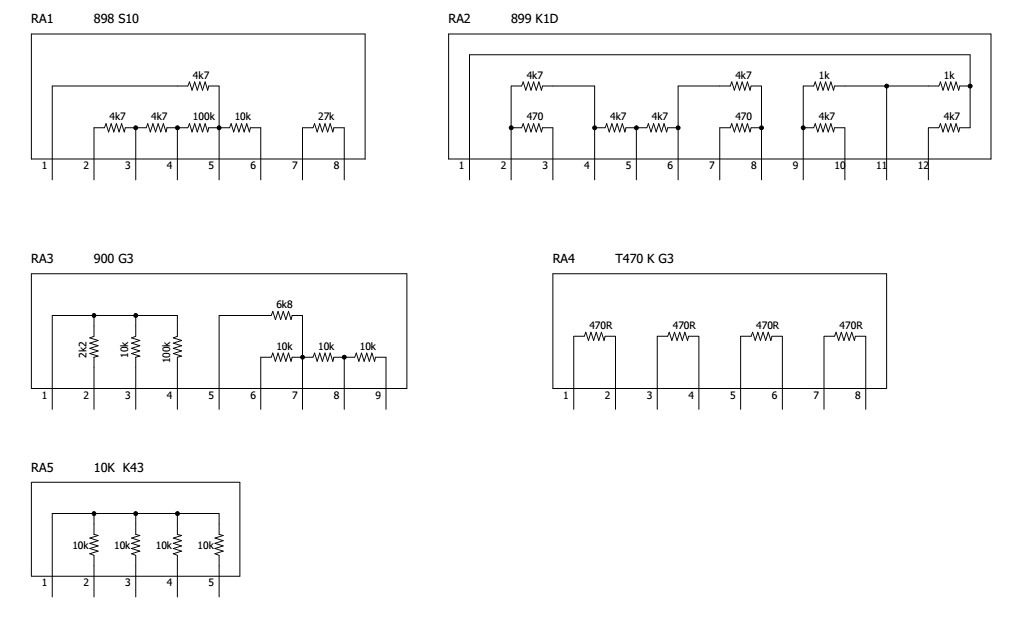
Yamaha YPVS controller schematics
05/18/2026 at 21:36 • 0 commentsThis schematic diagram was reverse engineered around 2004 from the original modules my brother asked me to fix. I even posted it on some forums, which unfortunately were killed off by WhatsApp groups.
At the time one of the major challenges was to figure out the internal configuration of the resistor networks which are non-standard types.
The module is composed by an 8051ish microcontroller, an H-bridge, an ADC, a clipping circuit and a hardware watchdog circuit.
![]()
![]()
![]()

This user joined on 02/28/2014.


My Projects
My Pages
Things I've Built
Chez Le Chien
Apartment Houses for my Dachshunds
Sensor Shield
Arduino Shield for interaction with MIT's Scratch. Provides the same functionality of PicoBoard
Nunchucks for Atari
Adapter board for playing Atari games with a Nunchuck controller. Based on a PIC micro.
Nunchuck in MSX
Nunchuck Adapter for MSX computers using bitbanged I2C directly on the Joystick port
Projects I Like & Follow
 SHU YANG
 mircemk
 ekaggrat singh kalsi
 Levi
Levi Vlad
Vlad Mingjie Li
 Ken Yap
 bobricius
Share this profile
ShareBits
Thanks for liking #A Germanium 1 Hz round tuit All the best for your #Valvano Clock too.
Thanks for liking #Putting 50 year old Motorola amplifier ICs to work !

Thanks for liking my Commodore CHESSmate Reproduction project. You have some great projects! Obviously your CHESSmate is especially interesting to me. Mike

Salve Mestre, dá uma olhada nesse projeto. Bem legal.

Salve Flames! Esse projeto é bem da hora mesmo!
Grande abraço!!!
Thanks for liking #Restoring a Beckman neon display clock !

Just based on the other projects you follow – let alone your own excellent projects – I'm honored that you would follow my humble keyboard hack! Thanks!
I also echo tyler's comment below about your tag-line.

Thanks for your interest in my 2:5 Scale KENBAK-1 Personal Computer Reproduction and Sol-20 Reproduction projects.

Thank you for liking my #CRISS CP/M 8-bit Homebrew DIY Computer (AVR based) project!
Thanks, cool cat @danjovic for liking #6 segments suffice and #TTL binary clock !

Hi , thanks for following some of my projects. I think I am starting to "get it" with CP/M. Version 3 should let me compile C on board. Regards AlanX
Thank you for your interest in my 2:3 Scale VT100 Terminal Reproduction project.

Hello again and thank you for liking my #how I make masks project! :)
Hello and thank you for liking my #practice backpack project!

Thanks for liking #8 pin MCU temperature and humidity meter!